
NHTSA ID Number: 10167398
Manufacturer Communication Number: NTB19-076
TSB/Document Date: 2019-11-08
Summary
2018 ALTIMA AND ROGUE; DTC P17F0, P17F1, P0776, P2813, P1715, AND/OR P0841 STORED IF YOU CONFIRM One or more of the following DTCs are stored: P0776, P2813, P0841, P17F0, P17F1, P1715 HINT: +?-+ - If DTCs other than those listed above are stored, this bulletin does not apply. +?-+ - If the customer states the engine stalled while going from 'P' or 'N' range to 'R' or 'D' range, this bulletin does not apply. +?-+ - If DTC P17F0 and/or P17F1 are the only DTCs stored and there is no customer complaint of judder, this bulletin does not apply. +?-+ - If DTC P1715 is the only code stored, this bulletin does not apply. ACTION See Repair Flow Chart on page 2 to confirm if this bulletin applies. HINT: The following pages must be printed and attached to the RO: 1. Clutch Total End Play Calculation (Step 97 on page 63) 2. Consult screen shot showing the TCM part numbers (Step 152 on page 89) 3. Current Calibration Data (Step 155 on page 90) 4. New Calibration Data (Step 171 on page 91) 5. Parts Kit Reference Table (Page 99)
HINT:
Do NOT discard the Allen®head bolts. These bolts will be
reused.
A new oil pump will be installed
later in this bulletin.
Figure 52
27/102
NTB19-076
33.
Remove the CVT fluid filter as follows:
a. Remove the four (4) bolts and then
remove the CVT fluid filter cover
(Figure 53).
HINT: These bolts will be reused.
CVT fluid filter cover
Figure 53
b. Remove the CVT fluid filter with
grommet seal and O-ring seal
(Figure 54).
Fluid filter
Do not reuse the oil filter and
seal. They will be replaced
later.
The grommet seal is fitted to
the bottom end of the filter and
is included with the
replacement filter (Figure 55).
Grommet
Figure 55
28/102
NTB19-076
Clean the CVT case surfaces
34.
Thoroughly clean the mating surfaces of the CVT case and torque converter housing.
A plastic scraper can be used.
To prevent debris from entering the CVT and causing damage:
DO NOT use sanding discs, similar abrasive tools, or metal blades.
Use brake cleaner or equivalent solvent and lint free towel only.
Make sure rust and debris have been cleaned off of dowel pins and receiving
holes (Figure 56 and Figure 57).
35.
Clean the dowel pins and dowel pin receiving holes of any rust and debris (Figure 56
and Figure 57).
HINT: Use a small wire brush or similar tool at the inside surface of the dowel pin
holes. DO NOT SCRAPE THE CVT CASE mating surfaces.
Clean dowel pin
receiving holes
Dowel pin
Figure 57
Figure 56
29/102
NTB19-076
Clean the Oil Passages in the CVT Case, Oil Pump Cover, and CVT Filter Area
In the following steps, brake cleaner or a suitable cleaning solvent and compressed air will
be used to clean out the oil passages in the CVT assembly.
To prevent debris from entering your eyes and causing personal injury, wear eye / face
protection when using compressed air and cleaning fluids and regulate the air pressure up
to a maximum of 75 PSI.
36.
Clean the area where the CVT fluid
filter fits (Figure 58).
37.
Clean within
this area
Make sure the old filter grommet
seal is removed (Figure 55).
Clean the fluid passages to and from
the filter (Figure 58).
Fluid
passages
Figure 58
30/102
NTB19-076
38.
Use brake cleaner in all oil passages of the CVT case where shown in Figure 59 and
Figure 60.
39.
Do not spray brake cleaner into the clutch pack.
Apply compressed air in the same passages.
To avoid being struck by debris, do not stand in front of the passages while using
compressed air.
Figure 59
Apply cleaner, and then
75 PSI maximum air
pressure in these
passages.
Air pressure comes
out these passages.
Figure 60
40.
Temporarily install the fluid filter cover.
31/102
NTB19-076
New Oil Pump Installation
For the following service procedures, a PARTS KITS REFERENCE TABLE is provided on
page 99.
41.
Use the check off column on the left to ensure the correct new part is installed at each
step, and then attach it to the repair order.
Install the new oil pump using the
three original Allen®-head bolts
(Figure 61).
HINT:
Finger tighten the Allen®-head
bolts at this time.
The oil pump kit includes a new oil
pump, O-ring, and snap ring.
Figure 61
Fitting bolt
42.
Place a new O-ring on the fitting bolt,
and then coat the O-ring with CVT
fluid (Figure 62).
Figure 62
43.
Install the fitting bolt finger tight
(Figure 63).
Fitting
bolt
Figure 63
32/102
NTB19-076
44.
45.
Torque the three (3) Allen®-head bolts and fitting bolt.
Allen®-head bolt torque: 17.6 – 20.6 N•m (1.79 – 2.1 kg-m, 13.0 – 15.2 ft-lb)
Fitting bolt torque: 26.0 – 30.0 N•m (2.65 – 3.06 kg-m, 19.2 – 22.1 ft-lb)
Install the new snap ring (Figure 64).
Snap ring
Figure 64
33/102
NTB19-076
Replace the Side Cover – Pulleys and Belt (sub-assembly)
Review video # 547: “CVT Belt and Pulley Replacement” and fast forward to minute
marker 3:14. This video is located under the TECH TRAINING GARAGE VIDEOS tab
in Virtual Academy.
46.
Temporarily install the dummy cover
with three (3) bolts, finger tight
(Figure 65).
IMPORTANT:
Do not install the thrust bearing to
the clutch assembly bore at this
time.
If the cover does not sit flush,
continue to Dummy Cover
Troubleshooting, below.
Otherwise, skip to step 53.
Dummy cover
Figure 65
Dummy Cover Troubleshooting
If the dummy cover does not sit flush, the clutch pack may not be fully seated.
Figure 66 shows the clutch pack
fully seated.
The clutch pack is not fully seated
if it is not below the surface that the
dummy cover bolts to.
To fully seat the clutch pack, follow
the instructions in steps 47-51.
Clutch pack
seated correctly
HINT: Always handle the clutch pack by
the input shaft.
Surface dummy
cover seats on
Figure 66
34/102
NTB19-076
Dummy cover
47.
Remove the dummy cover.
Figure 67
Clutch pack
48.
Pull the clutch pack by the input
shaft to remove the entire clutch pack.
Make sure the O-ring is not
installed at this time, or it could be
damaged during reassembly.
Input shaft
Figure 68
Clutch pack
Clutch pack layers
49.
Using an appropriate tool, gently align
the layers of the clutch pack.
The bottom of the clutch pack is
shown in Figure 69.
Appropriate
tool
Align layers
Figure 69
35/102
NTB19-076
50.
Reinsert the entire clutch pack while
holding the input shaft.
51.
Gently jiggle the input shaft until the
clutch pack seats below the case lip.
If the clutch pack does not seat,
rotate back and forth from the input
shaft and jiggle.
If the clutch pack still does not
seat, repeat from step 48.
Input shaft
Clutch pack
Figure 70
52.
Return to step 46.
53.
Temporarily install the converter
housing onto the CVT case with three
(3) bolts finger tight (Figure 71).
Bolts
To prevent CVT damage when fitting the
CVT case surfaces, DO NOT use the bolts
to draw in the case halves. Make sure the
case surfaces are flush and have no gaps
prior to installing the bolts.
36/102
Converter housing
Figure 71
NTB19-076
54.
Rotate the CVT case so that the
converter housing faces down and
side-cover faces up.
CVT lifter bracket J-51595 and
CVT Lifting Eye/Swivel Assembly
J-51595-1 can be used for this
step. See Figure 73.
Use plastic or wood blocks to
support the CVT while rotating to
prevent contact with the manual
shaft and damage to the CVT
(Figure 72). The manual shaft is
longer than the oil pan mating
surface.
Manual shaft
Figure 72
CVT Lifting Eye/Swivel
Assembly J-51595-1
To avoid damage to the CVT, note
the location of the terminal
connector harness so that the
terminal connector harness does
not become pinched between the
CVT case and the work bench or
supporting blocks.
CVT Lifter Bracket J-51595
Figure 73
37/102
NTB19-076
55.
Rotate the primary pulley by hand to
check the pulley’s rotational
characteristics.
IMPORTANT: Remember the pulley’s
rotational characteristics. This will be
used as a reference after the new side
cover pulleys and belt sub-assembly
(sub-assembly) have been installed.
Rotate the primary
pulley by hand
Figure 74
To avoid personal injury, do not place
fingers between the pulley and the CVT
case or they may become pinched.
Do not place fingers
under pulley
Figure 75
56.
Remove the nineteen (19) side cover
fixing bolts (Figure 76).
These bolts will be replaced with
new ones and will not be reused.
Figure 76
38/102
NTB19-076
HINT: When working with sub-assembly install, uninstall, and bracket attachment, it is
critical that CVT and sub-assembly are level. If not level, the pulleys and bearings can sit
slightly at an angle and will hinder installation.
57.
Attach the appropriate lifting fixture to the side cover (Figure 77 - Figure 80).
For Altima, proceed to step 58 on page 40 for lifting fixture procedure.
For Rogue, proceed to step 61 on page 42 for lifting fixture procedure.
For Altima use tool
J-51909 with eyelet J-51595-1
For Rogue use tools
J-52082 with spacers J-52082-2
J-52082
J-51909
J-52082-2
Figure 78
Figure 77
Attach here
Figure 79
Figure 80
39/102
NTB19-076
Altima Lifting Fixture procedure
J-51909
Lifting Fixture
(side cover)
58.
Attach Lifting Fixture J-51909
(Figure 81) with eyelet from J-51595
(Figure 73) to the side cover at point
shown in Figure 82.
Lifting Fixture bolt torque (Max.):
45 N•m (4.6 kg-m, 33 ft-lb)
Use caution when attaching the side cover
to avoid cross threading and damage to the
lifting fixture.
Eyelet bolt torque: Hand tight.
Figure 81
Attach here
Figure 82
Lifting Fixture #: J-51909
Figure 83
40/102
NTB19-076
Altima Lifting Fixture procedure (continued)
59.
Install the two alignment Guide Pins
(J-51959) as shown in Figure 84 and
Figure 85.
HINT:
The Guide Pins should be located on
opposite sides of the sub-assembly.
Guide Pins should be placed as far
apart as possible.
Guide Pins must be placed next to

- 6X better wear protection on critical engine parts than...
- 1.3X better sludge protection than industry standards*
- 3X Stronger against viscosity breakdown than leading full...
- Protection for 10,000 miles between oil changes
- Meets or exceeds the following specifications: API SP/SN...

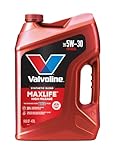
- Formulated for engines with 75,000 miles or more, Valvoline...
- Delivers 20% better wear protection and 15% better sludge...
- Extra detergents safeguard against friction, corrosion and...
- Advanced friction-fighting additives help maximize...
- Provides performance benefits for high mileage, new and...
Last update on 2026-06-23 / Affiliate links / Images from Amazon Product Advertising API
If the PDF is very large, it may not load in the preview below.
Some older TSBs had multiple PDFs — visit the NHTSA Website to view all PDFs.
If the TSB PDF does not show, download or view it on the NHTSA Website.
Click on the (+) Plus Sign
Then Click on Associated Document(s)
Search NHTSA Database for Recalls
Search NHTSA Database for Vehicle Investigations
View Latest Vehicle Investigations
Search NHTSA Database for Vehicle Complaints
View Latest Vehicle Complaints
TSB/Document ID: NTB19-076
Replacement Service Bulletin Number:
MFR Communication Date: 2019-10-08
MFR Internal Campaign ID/Software Version:
Communication Type: Service Bulletin/Repair Instructions
NHTSA Components: EQUIPMENT
MFR Component System:
MFR Component Subsystem:
Previous TSB | Next TSB |

- Stay Updated with Lifetime Access: This obd2 scanner includes lifetime free software updates for all app service functions. With a single payment, enjoy full access to diagnostics, reset tools, and maintenance features — zero subscription fees. A budget-friendly choice for weekend mechanics, home car owners, and DIYers, supporting vehicles from 1996 onward. Come to us with your VIN to check compatibility.
- Full Bidirectional Control/Active Tests & Stable Wireless Connectivity: This car code reader features full bidirectional control, allowing you to send commands to the vehicle's ECU for active tests on components such as fuel pumps, injectors, A/C clutches, windows, sunroofs, and more. This car scanner diagnostic tool helps DIYers quickly diagnose and test vehicle parts, cutting down troubleshooting and repair time. With BT 4.0 wireless connectivity, you can enjoy cable-free diagnostics up to 33 feet. Stand in your garage and test windows, wipers, or even engine components—all without needing to move around your car.
- Portable Car Scanner with 26 Special Functions: Scheduled vehicle maintenance with the A30M car diagnostic scanner can keep your vehicle in peak condition and save you big on dealership trips. The XTOOL A30M obd2 scanner diagnostic tool features essential reset and relearn functions, such as Oil Reset, EPB Reset (Electronic Parking Brake Release), SAS, ABS Brake Bleeding, Throttle Body Relearn, Injector Coding, Crank Sensor Relearn, Headlight Adjustment, and Tire Size Reset. Note: Service functions may vary by vehicle model – check compatibility beforehand!
- Wide Compatibility CAN FD & FCA
 Autoauth: This obd2 scanner diagnostic tool is compatible with over 85+ car brands from the U.S., Europe, and Asia, providing extensive coverage through a BT connection with your smartphone or iPad. Now upgraded to support the latest protocols, it includes FCA AutoAuth access for Chrysler, Jeep, Dodge, and Fiat (2018+), and supports CAN FD for GM (2020+) models, giving you greater access to newer vehicles and systems. Note: The FCA AutoAuth account is not included with the device. Users must register and pay separately through the official FCA AutoAuth website to access diagnostic functions for vehicles that require it.
 - Up to 8 Live Data Streams Graphing – Real-Time Graphing for Deeper Insight: This car scanner supports up to 8 live data streams simultaneously with intuitive, real-time graphing. Gain comprehensive insights into your vehicle’s performance, making it easier to spot issues, detect trends, and make informed diagnostic decisions with confidence.
 Autoauth: This obd2 scanner diagnostic tool is compatible with over 85+ car brands from the U.S., Europe, and Asia, providing extensive coverage through a BT connection with your smartphone or iPad. Now upgraded to support the latest protocols, it includes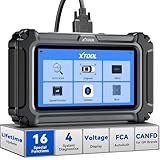
- Comprehensive OBD2 Scanner with 16 Resets: The XTOOL D5S car code reader and vehicle reset tool provides an advanced diagnostic solution with 16 commonly needed reset functions, including Electronic Parking Brake Reset (EPB Reset), SAS, BMS Reset (Battery Test), Throttle Body Relearn, TPMS Reset, ABS Bleeding, Injector Coding, Gearbox Match, Suspension Adjustment, Headlight, Window Initialization, Crank Sensor Relearn and more. Equipped with CAN FD Protocol and FAC AutoAuth, the D5S obd2 scanner diagnostic tool ensures compatibility with a broad range of modern vehicles, allowing users to address common maintenance needs quickly. NOTE: Please Check the Compatibility before ordering.
- 4 Main System Car Scanner & Full OBD2 Diagnostics: The XTOOL D5S car code reader is ideal for home mechanics, DIYers, and professionals, providing access to Transmission/Engine/ABS/SRS systems to read DTCs, Live data can be displayed in text or up to 4 PID data graphs, along with full OBD2 diagnostics to check the engine light on, other obd2 issues and routine maintenance. This car diagnostic scanner ensures you can keep your vehicles in top condition, avoiding costly repairs or unexpected breakdowns. NOTE: Some vehicles display three systems after connection because the transmission and engine of some vehicles are integrated into one.
- Check Engine Code Reader & Real-Time Engine Monitoring: Whether you're a car owner, a DIYer, or run a repair shop, the XTOOL D5S obd2 scanner diagnostic tool makes engine diagnostics fast and frustration-free, reading and explaining trouble codes in seconds—no confusion. Check live data like fuel trim, 02 sensor voltage, RPM, and coolant temp to pinpoint mis~fires, rough idle, or sensor issues. After repairs, simply use the D5S check engine code reader and reset tool to turn off the check engine light and confirm the problem’s fixed—saving time, money, and unnecessary shop visits. - Note: If the check engine light comes back on, it indicates the original problem still exists.
- Portable Car Scanner for ABS and SRS: XTOOL D5S gives you peace of mind when ABS or airbag warning lights come on. It reads and clears ABS codes to help you fix brake sensor, traction control, or wheel speed issues, and supports ABS bleeding after repairs like caliper or master cylinder replacement. For airbag systems, it scans and clears SRS codes related to airbags, seatbelt tensioners, and crash sensors. Whether you're doing repairs at home or running a small shop, the D5S is a cost-effective solution for safety diagnostics. Note: If a fault code returns after clearing, it usually means the issue hasn’t been fully resolved. Please check the compatibility before ordering.
- Transmission Warning Light ON? Here’s the Transmission Diagnostic and Reset Tool You Need: The XTOOL D5S is more than just a basic car scanner—it’s an easy-to-use transmission diagnostic tool. From rough shifts to slipping gears, the D5S lets you read and clear transmission trouble codes, monitor real-time TCM data, and perform transmission resets after fluid changes or repairs. Whether you’re a hands-on car owner or a pro running a busy shop, this OBD2 scanner with transmission functions helps you catch problems early—saving you time, money, and future headaches.. Note: Clearing fault codes is equivalent to a reset on some vehicles, but not all. For help, contact XTOOL Tech Support.
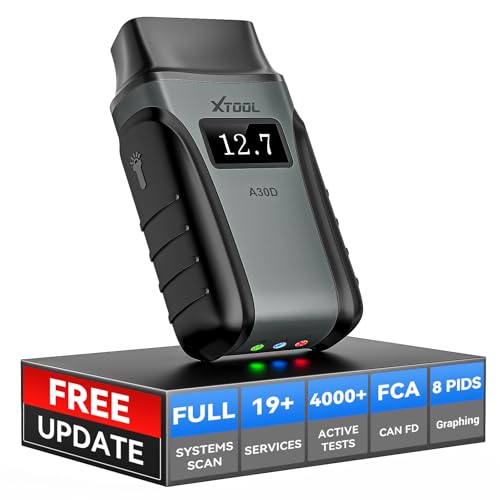
- Save $500+/Year with Pro-Level Diagnostics -No Subscriptions: The Portable XTOOL Anyscan A30D OBD2 scanner diagnostic tool includes free lifetime software updates for all app service functions, without extra cost. With a single payment, enjoy full access to diagnostics, relearn scan tools, and maintenance features. A cost-effective, smart choice for car owners and DIY enthusiasts, compatible with vehicles from 1996 onward. Please provide the car VIN and the special functions you need in advance so that we can confirm compatibility
- Bi-Directional Control for Faster Troubleshooting: Unlike a basic code reader, the A30D bi directional scan tool sends commands directly to your vehicle’s ECU to actively test components like fuel pump, valves, wipers, windows, doors, sunroof, and headlamps right from your smartphone. See component responses in real time without disassembly—perfect for brake jobs, electrical issues, and hard-to-find problems. This bidirectional obd2 scanner helps pinpoint faults faster, reduce guesswork, and avoid replacing good parts. An efficient, easy-to-use car scanner diagnostic tool built for DIYers, home garage users, and small-shop technicians who want real two-way scanner, not just codes
- 19 Reset Functions for Routine Maintenance: The A30D car diagnostic scanner provides 19 relearn functions without extra charges, including EPB Reset for parking brake replacement, TPMS Reset after tire changes, ABS Auto Bleeding, Oil Reset, SAS Reset, BMS Reset, Throttle Relearn, Injector C0ding, Gear Learning, Crank/Crankshaft/Cam/Ckp Sensor Relearn Tool, Transmission Match, Seat Calibration, Airbag Repair and more. This XTOOL A30D automotive scanner diagnostic tool supports preventive care, helping extend vehicle life and reduce costly shop visits. Functions vary by vehicle make and year—plz confirm compatibility before purchase
- Stable BT Connection & All-System & 8 Pids Live Data: The A30D wireless OBD2 scanner delivers a fast and stable wireless connection up to 33 feet, letting you move freely around the vehicle without tangled cables. Pair with with Android 9.0+ and iOS 10.0+ devices to turn your phone into a mobile auto scanner—perfect for home garages, driveways, or on-the-spot repairs. This full system scanner for cars provides real-time access to all major modules, including Engine, Gearbox, ABS, SRS, AC and more. with clear graphs, meters, and up to 8 PIDs displayed at once. This car code reader makes system monitoring visual, simple, easy to understand, and offering data logging for playback and deeper
- Wide Compatibility with CAN-FD & FCA Support: The A30D car computer diagnostic reader works with most 1996 and newer vehicles with a standard OBD2 port, including for Ford, for GM, for Toyota, for Honda, for Nissan,for Hyundai etc, with ongoing updates covering more car models and functions later. It also supports newer communication protocols like CAN-FD and FCA AutoAuth (Personal AutoAuth account and active subscription required, not included with the device!for Chrysler, for Dodge, for Jeep, for Fiat models). It is a future-ready automotive scanner diagnostic tool for households with multiple vehicles or part-time techs. Coverage vary by cars, plz check the compatibility first
Last update on 2026-06-23 / Affiliate links / Images from Amazon Product Advertising API
This product presentation was made with AAWP plugin.