
NHTSA ID Number: 11009689
Manufacturer Communication Number: 15-305-22R
TSB/Document Date: 2024-11-04
Summary
This bulletin following information announces reprogramming file availability and provides a software update installation procedure to optimize the new Gen 4.5 Denso CP1.5 Audio and Navigation head units utilized in the models listed.
13
Symptoms to be Improved:
- When using voice recognition during navigation to say 'Search for ****
along route,' the POI search results list may display the same result twice
(only applicable to HIGH trim)
Navi
Operation
14
15
Audio/Voice
Recognition
- USB audio is activated by voice recognition command ""play artist xxx""
or ""play album xxx"". The last song played by USB audio is played, not the
song commanded by voice. (only if the same USB is used) (not applicable to
WRX)
Voice
Guidance
- While driving with a navigation route set, there are instances where the
voice guidance may not correctly pronounce "mile."It mispronounces "mile"
as "me" (only applicable to HIGH trim)
16
- After setting a route in the navigation system and activating voice recognition function, the route guidance is not canceled even "Cancel Route" or
"Delete Destination" is completed (only applicable to HIGH trim)
Voice
Recognition
- When you say ""Call ****"" using voice recognition, the meter display
shows "Please wait a moment," but the call cannot be made (not applicable to
WRX)
(Note: "****" indicates an actual phone number or contact name you are trying to call)
- Starting the CCU (Cockpit Control Unit) voice recognition while using the
SXM Voice Search function results in an error and ends the voice recognition
(not applicable to BASE trim)
- When operating the navigation system via voice recognition, certain regional place names (states, cities, etc.) are not recognized (only applicable to
HIGH trim)
Continued...
Bulletin Number: 15-305-22R; Revised: 10/02/24
Page 64 of 76
Number
Category
16
Voice
Recognition
17
19
20
- Speech recognition may not recognize the words "Cruise Control Options"
when completed
- Voice recognition does not recognize the name of a specific SXM channel
when it is completed
- While using Bluetooth audio, the operation and overall performance of the
CID screen may become slow (not applicable to WRX)
Operation
18
Symptoms to be Improved:
- Screen performance slows down and touch operations become less responsive, when displaying CarPlay call status in the Information Bar at the top
of the CID during a call with another popup overlaps on the Information Bar
(not applicable to BASE trim)
Diagnostic
- The diagnostic trouble code (DTC) U1566 (Multi-View System Data
Abnormality) may be falsely detected (not applicable to WRX)
Data Log
When exporting CCU logs to a USB memory stick, the message "Export
failed" is displayed and the export may fail
DMS Link
- User name registered in DMS (Driver Monitoring System) disappears (not
applicable to BASE trim)
21
- Even when the same smartphone as the previous drive is connected, the
CID screen may display the message "Are you sure you want to activate this
profile?" (not applicable to WRX)
Driver
Profile
- Switching the Driver Profile user causes the user to be logged into SXM
even though he/she was not logged into the SXM account as the user after the
switch
Continued...
Bulletin Number: 15-305-22R; Revised: 10/02/24
Page 65 of 76
Number
Category
22
Meter
Display
23
Symptoms to be Improved:
- Change the image of steering switch in the meter interrupt screen from
individual zoomed images to an image of the entire steering wheel and the
symbol (not applicable to WRX)
Previously: different switch images were used depending on the model line
and equipment grade.
After: a common image is used regardless of the model or the grade.
- In the CarInfo ->Maintenance ->Setting Icon -> screen for setting various
item reminder conditions the notation of the button in the lower right corner
is changed from "Update" to "Default" (not applicable to WRX)
Maintenance
Display
- In the maintenance schedule settings screen despite setting a date the configured date is not displayed and is replaced with hyphens (not applicable to
WRX)
24
- With the air conditioning SYNC enabled and the single-seat focus set to the
driver's seat tapping the temperature adjustment bar on the driver's side unexpectedly displays the temperature adjustment bar for the passenger's side,
which should not be displayed (only applicable to BASE trim)
Air
Conditioner
Continued...
Bulletin Number: 15-305-22R; Revised: 10/02/24
Page 66 of 76
Number
Category
25
Symptoms to be Improved:
- The track switches to the first track in the next folder even though it is not
the last track in the folder (not applicable to WRX)
When USB audio in folder playback mode, All stations on repeat following
ignition OFF and then Track up operation after ignition ON.
-The following procedure will result in a mismatch between the song being
played and the song list displayed on the screen (not applicable to WRX):
USB
Operation
1. Display the song list on the USB audio screen.
2. Switch to another screen other than the song list.
3. The song playback proceeds and switches to another song list.
4. Return to the USB audio song list screen.
- The playback screen or song list does not refresh and becomes frozen(not
applicable to WRX)
USB Audio in folder playback mode with repeats turned off . When the last
song in a folder has finished playing and is stopped, change the playback
mode from the Song tab of the Browser (other than folder playback, such as
Album or Artist) and select a song.
26
- When the engine is turned off at a specific moment just before the
completion of the CCU software update via FOTA, the expected completion
notification screen does not appear when the engine is turned on next time
(not applicable to BASE trim)
Software
Update
- After the installation of software updates via OTA (Over-the-Air), the "Current Version" field in the popup screen that appears during the next IGN-ON
may be blank or empty (not applicable to BASE trim)
Continued...
Bulletin Number: 15-305-22R; Revised: 10/02/24
Page 67 of 76
Number
Category
26
Symptoms to be Improved:
- To use FOTA (Firmware update Over The Air) for CCU software update via
DCM (Data Communication Module) it is necessary to switch from the Wi-Fi
communication settings for MapUpdate to the DCM communication settings.
To notify the customer about this switching, the below message screen pops
up a new CCU software becomes available from the server. (not applicable to
BASE trim)
Software
Update
27
Valet
Mode
- ValetMode:When leaving your vehicle with a valet service, such as at a
hotel or restaurant, you can set the valet mode, which disables the navigation,
audio, and vehicle setting functions. The display cannot be operated, preventing the release of personal information. The valet mode is designed to help
prevent personal information leaks. (not applicable to WRX)
When ValetMode is set up for the first time, completion of PIN code entry
within 20 seconds will prevent the ValetMode function from being switched
on and off via smartphone thereafter.
(Set the Pin code again and it will be normalized.)
New Functions and Enhancements included in Update #3:
Number
New Function or Enhancement
1
To improve the chance of reestablishing the connection in case of connection failure of
Bluetooth and/or Android Auto due to error in the smartphone side, the CCU sends a
request to the smartphone device again as additional attempt.
2
Reduce the time from IGN-ON to CarPlay startup from 23.8 seconds to 18.0 seconds
(not applicable to WRX)
3
Add a function to display album art currently playing in CarPlay when displaying audio
information in the Information display area (not applicable to WRX)
4
When using hands-free calling via Bluetooth connection, change the behavior when the
call time display area at the top of the CID screen is pressed (only applicable to BASE
trim)
Before: Ends the call.
After: Moves to the call screen.
Continued...
Bulletin Number: 15-305-22R; Revised: 10/02/24
Page 68 of 76
Number
5
6
7
8
9
10
11
New Function or Enhancement
The Turn by Turn display function is supported while using the route guidance function
in AppleMap of CarPlay (not applicable to WRX)
Before: CarPlay route guidance did not support the Turn by Turn function.)
After: The display location and conditions for Turn by Turn are the same as when using
the CCU's main navigation system's route guidance.
Enhance the performance of Apple CarPlay's response time (not applicable to WRX)
Change CarPlay's behavior so that when apps within CarPlay are silent, it continues
playing the audio source from the vehicle's CCU (Cockpit Control Unit), thus preventing the sudden appearance of silent periods, improving the user experience (not applicable to WRX)
Update to address security vulnerabilities in Android Auto's communication (not applicable to WRX)
- New shortcut button(s) are added in button bar of “Home” screen. AVH (Auto Vehicle
Hold) ON/OFF Button for vehicle equipped with AVH (not applicable to BASE trim)
Update against vulnerability in security of Bluetooth connection.
When getting CCU USB logs at the Diagnostics Recorder screen in the Dealership
Mode, it was necessary to turn off ""Begin Recording"" to ""Export Data to USB.""
And after the log acquisition, it was necessary to turn ""Begin Recording"" ON again.
The system interface is improved so that ""Begin Recording"" is automatically switched
ON after log acquisition has been accomplished.
Continued...
Bulletin Number: 15-305-22R; Revised: 10/02/24
Page 69 of 76
Number
12
New Function or Enhancement
Adding SiriusXM® with 360L as an enhancement to the existing SiriusXM Satellite
Audio service platform. This service combines satellite radio services with internet connectivity to provide streaming channels and on-demand content.
New Features include:
○ Get personalized channel and show recommendations that get even smarter as you
listen
○ Get notified when your favorite artist, song or team is playing
○ Enjoy shows, channels, performances and interviews on your own time, for the
first time ever in your vehicle
○ 100+ channels made for every mood, occasion and activity
○ Find all NFL, MLB®, NBA, NHL®, college football and basketball games — in
pre-game, in-progress or final states — in one location for quick access to the action
○ Gives you all the vital info for the game on the screen, and SiriusXM with 360L
allows you to listen to either the Home or Away game feeds
Symptoms Addressed By Update #2:
Number
Symptoms to be Improved:
1
CID goes black and does not accept any control.
2
Audio playing while CID shows black display
3
CID reboots.
4
“Manage Devices” is grayed out and cannot establish Bluetooth connection.
5
When the Bluetooth connection is cancelled manually on the mobile phone side
during hands-free calling, the Bluetooth connection is disabled for that particular mobile
phone. Even when it occurs, the connection can be reestablished by deleting the device
in “Manage Devices” and register the device again by adding operation.
6
Bluetooth connection fails against the device that was pared before and “Manage
Devices” is grayed out.
7
Bluetooth connection is disabled with a discrepancy in the display of status bar
(showing Bluetooth devices being connected) and the “Manage Devices” screen
(showing no Bluetooth devices being connected.)
Continued...
Bulletin Number: 15-305-22R; Revised: 10/02/24
Page 70 of 76
Number
Symptoms to be Improved:
8
Android Auto Wireless (AAW) cannot be connected.
9
Android Auto Wireless (AAW) cannot be started from “Manage Devices” Screen.
10
Sound volume control does not work while using Android Auto. It is caused by data
communication error between Android device and CCU.
11
Cyclic short noise like a drilling or vibration is heard from speakers.
12
Sound is lost when changed to Subchannel 2 right after a preset HD radio channel has
been selected.
13
After the destination is set on Navi screen, voice recognition command of “Find along route” is made, search results are not given in order of distance.
14
When “Call” button is pressed in “Confirm Destination” screen of Navigation system
(to call the destination site,) the call can be made but the screen does not transit to phone
call screen.
15
Popup of “The update was successfully installed” is not displayed after reboot (IG-OFF
and ON) operation of FOTA (Firmware Over The Air) update.
16
When tapping preset “Team Channel” on SMX, a popup of different game is displayed.
It can occur under the following sequence of operations:
Continued...
Bulletin Number: 15-305-22R; Revised: 10/02/24
Page 71 of 76
Number
Symptoms to be Improved:
17
A wrong search location is used on TravelLink function.
Example of the symptom.
18
Music cannot be played sequentially when they are stored in different folders in a USB
memory. The specifications are improved to enable music in different folders to be
played sequentially.
19
"Repeat All” is added as one of the play modes.
20
“Track-up/down” can be used across folders in “Repeat All” mode.
Continued...
Bulletin Number: 15-305-22R; Revised: 10/02/24
Page 72 of 76
Symptoms Addressed By Update #1:
Number
1
Symptoms to be Improved:
iPod/iPhone tab in Media screen cannot be selected, when connected by USB.
The symptom occurs when the iPhone is connected to CP1.5 via Bluetooth in parallel
to USB connection by error. (It is supposed to be connected either via Bluetooth or by
USB.)
2
On the “Manage Devices” screen Bluetooth cannot be selected as connection
preference.
3
Status of Bluetooth on Manage Device screen is displayed as disconnect even though
the Bluetooth
Icon on top right of the screen is showing active.
4
Cannot pair new Bluetooth device or cannot connect paired Bluetooth device. This
symptom possibly occurs after repeating IG OFF/ON operation while still pairing
operation.
5
Cannot pair Bluetooth device, when Bluetooth device has long name including symbols.
Continued...
Bulletin Number: 15-305-22R; Revised: 10/02/24
Page 73 of 76
Number
Symptoms to be Improved:
6
SXM station shortcut created by the customer does not work when the SXM has not
been used as audio source after the Ignition Switch was turned on in the ignition cycle.
7
Manage Device Screen becomes dark and inoperative when Ignition Switch is turned
Off and On while starting CarPlay by CID operation.
8
Cannot connect to CarPlay via wireless connection. This symptom possibly occurs after
the Ignition Switch was turned Off and On abruptly.
9
POI Search Result shows only city names and distances (without unit) when voice
recognition POI search with Category name like “Find toll gate” is used.
Continued...
Bulletin Number: 15-305-22R; Revised: 10/02/24
Page 74 of 76
Number
Symptoms to be Improved:
10
Navigation restarts itself, when the letters are rashly entered or deleted using keyboard
function to search destination.
11
“Manage Route” button is not displayed when touching the route line on Navigation
system, when the route search criteria got changed in the Route Preference Screen after
a route had been searched.
12
“Manage Route” button is not displayed and buttons on the Current Route Screen become unselectable (turns to grayish fill) when the Navigation system is operated in the
sequence of “Manage Route” > “Avoid Blocked Road” (in the Current Route Screen) >
“Back.”
13
After the FOTA is completed, the CCM does not send the confirmation data to the server
even though it displays pop-up message of completion. The status is updated when the
FOTA operation is made next time.
14
A pop-up message of “Connection Error” is displayed when the pop-up message of
Service Appointment Scheduler Popup is displayed after the engine was turned on and
the “Read Now” button is pressed immediately after that.
15
Pop-up message ”Please go to your retailer to update the Gracenote Database” appears
every time CP1 system is rebooted due to interruption of CP1 software update via USB
port (ACC OFF or BATT power remove etc.) ***
Note*** In case this USB update failure occurs, retry updating according
to the instructions in Appendix 7 (Page 32).
Continued...
Bulletin Number: 15-305-22R; Revised: 10/02/24
Page 75 of 76
APPENDIX 10
Bulletin Number: 15-305-22R; Revised: 10/02/24
Page 76 of 76

- Advanced VCI Box, Industry-leading J2534 Pass-Thru...
- High-Speed OEM-Level Diagnostics & Programming: Unlock true...
- Coverage for 17 Car Brands & Ultra Reliability: Works...
- User-Friendly RLink Platform & Expert Support: TOPDON’s...
- 6.6 ft USB-C Cable & Portable Storage Case: The RLink J...
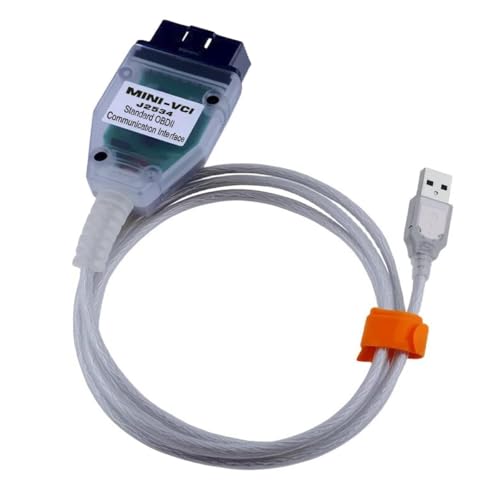
 VCI 16Pin Cable 1pc x CD...
Last update on 2026-06-12 / Affiliate links / Images from Amazon Product Advertising API
If the PDF is very large, it may not load in the preview below.
Some older TSBs had multiple PDFs — visit the NHTSA Website to view all PDFs.
If the TSB PDF does not show, download or view it on the NHTSA Website.
Click on the (+) Plus Sign
Then Click on Associated Document(s)
Search NHTSA Database for Recalls
Search NHTSA Database for Vehicle Investigations
View Latest Vehicle Investigations
Search NHTSA Database for Vehicle Complaints
View Latest Vehicle Complaints
TSB/Document ID: 15-305-22R
Replacement Service Bulletin Number:
MFR Communication Date: 2024-10-02
MFR Internal Campaign ID/Software Version:
Communication Type: Service Bulletin/Repair Instructions
NHTSA Components: ELECTRICAL SYSTEM
MFR Component System:
MFR Component Subsystem:
Previous TSB | Next TSB |
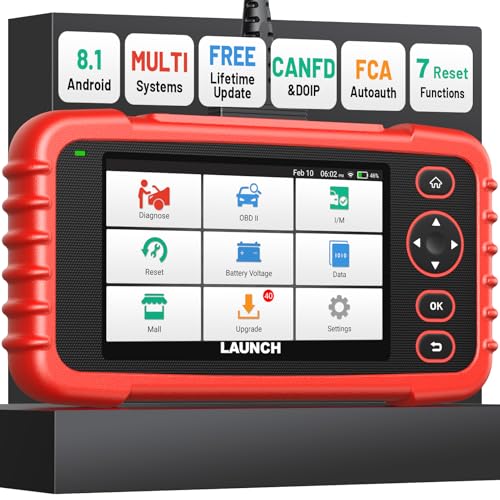
- [Newly Added in 2026: 7 Reset Functions] The 2026 new version of the OBD2 scanner diagnostic tool CRP123X V3.0 Elite has new special functions for F.REE: Throttle Ad.aptation, Oil/SAS/BMS/Brake Reset, D-P.F Re.generation and ABS Service. Before you visit a mechanic, launch obd2 Scanner CRP123X Elite can perform a more in-depth diagnosis of the car system and provide accurate data within minutes. What's more, the list of compatible models has been expanded. Upgrading frequency is regular, occurring monthly even weekly.
- 🔥[FCA AutoAuth + CAN FD & DoIP] As an upgraded version of the LAUNCH CRP123X/CRP129X, FOXWELL NT614, and ANCEL FX2000, The Newest LAUNCH CRP123X V3.0 auto diagnostic scanner supports the following new protocols: CAN-FD for 2020 and newer G.M and Chrysler
 models, as well as DoIP for V.olvo, Land Rover/Jaguar, and B.MW F/G chassis. With integrated AutoAuth, you can diagnose 2018 and newer FCA cars equipped with S.GW. Note: CAN-FD and DoIP protocols require an additional obd2 cable. *Menus vary by make, model, and year of gasoline or diesel engine vehicle. Email us your VIN data.
 - 🔥[No extra software fee. Works on 90 vehicle brands.] Most OBD2 scanners work with vehicles manufactured after 2001. However, the LUNCH OBD2 scanner is compatible with OBDII-equipped vehicles built after 1996 and works with more than 90 vehicle brands. One-click lifetime updates over WIFI 2.4&5.0Ghz keep the car software current and ensure constant coverage additions, diagnose vehicles from 1996 to 2026 with a massive global database. Android 8.1 ensures lightning-fast boot-up and processing.
- [Accurate & Intuitive Multi System Diagnosis] Will you be confused about what happens when the warning light of transmission, ABS, and SRS Airbag check engine flashes? Launch obd2 scanner diagnostic tool CRP123X V3.0 to pinpoint the problem components for a faster diagnosis for your car instead of taking your car to the dealership. Generate vehicle health reports with one click and share them via email over Wi-Fi to help avoid blind maintenance. And will turn off the warning light for you after fixing the problem, make to know more about your cars and do your own repair.
- [Multiple Display of Live Data + DTC Code Definition Explanation] Launch car tools show real-time data of oil temp, pressure, transmission temp, engine speed, coolant temperature, you will know which car part is abnormal. Data can be shown in a single, multi- graph, and merge two graphs for analysis(or 4-in-1 merged waveform graph),you can save, share, print, or email the overall inspection report for easier analysis.🔥Code Search,DTC Library provide massive information. Inbuilt “Feedback” module provides customized repair suggestions from our certified professionals.

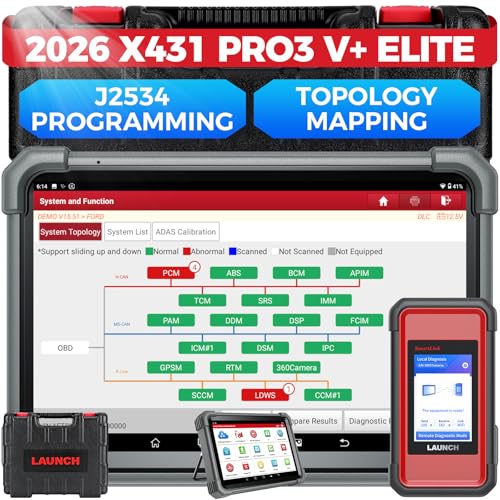
- [2026 X431 PRO3 V+ Elite] A great value for the X431 series that differs from similar diagnostic tools by adding: 1) J2534 protocol for over $800 in savings; 2) CANFD/DOIP support for enhanced communications; 3) Configuration of over $900 worth of HD(heavy truck) modules, needed purchase HD diagnostic software by HD vehicle model for use.; 4) A 10.1 inch Gorilla screen with 1280*800 resolution and 80% more touch screen sensitivity
- [J2534 Protocol Scan Tool] The J2534 Direct Access Device can be used as a factory scanning tool at no cost to you, saving you over $2,000. You can easily expand your ECU protocol capabilities for Toyota, Honda, VW, BMW, Ford, GM, Chrysler, Mercedes-Benz and more. The LAUNCH X431 PRO3 V+ ELITE Scan Tool is equipped with the newly upgraded smartlinkC V2.0. smartLinkC is a communication interface that supports the J2534 specification. It can also be used as a J2534 PassThru device to implement the J2534 protocol with a PC that has OEM diagnostic software installed.The J2534 protocol is the only way to solve problems ranging from drivability and power loss to poor fuel economy
- [Top Hardware Configuration, Upgraded Version of V+] LAUNCH Diagnostic Scanner adopts Android 10.0 OS; CPU is 4-core processor with 2.0 GHz, which greatly improves the speed of running multi-tasks. 2.4GHz/5GHz; 6300mAh/7.6V ultra-large capacity battery; 10.1 inch Gorilla screen, sunlight readable, 8MP camera; Auto VIN; 4GB+64GB storage; 20x transfer rate to save more vehicle files and customer data; New TYPE A interface to connect expansion tools such as oscilloscopes, sensors, etc.; Supports more than 25 software languages such as EN, DE, FR, SP and JP
- [60+ Reset 3000+ Active Test] Full Bi-Directional Scan Tool quickly detects problems and guides repairs based on the response of actuators such as air conditioning clutches, windows, doors, mirrors and more. With the touch of a finger, you can easily send command signals from the scanner to a variety of modular actuators, testing component integrity and functionality in minutes or even seconds to determine if a replacement or repair is needed. In addition, the machine enjoys 60+ special services such as oil reset, ABS brake bleed, EPB, SAS, BMS, suspension, injector reset and more, and undergoes rigorous field testing to ensure availability
- [Unrivaled Coverage, Over 200 Vehicle Brands] LAUNCH X431 PRO3 V+ Elite Automotive Scanner is suitable for over 200 vehicle brands, including commercial vehicles and new energy vehicles. This professional car scanner supports: 1) J2534/D-PDU protocol for HD trucks; DoIP/CANFD for Land Rover/Jaguar, BMW F/G chassis, GM, etc.; 2) FCA Autoauth, covering 2018+ Chrysler/Dodge/Fiat, etc. New/old models, all covered. Includes frequently updated vehicle software and car coverage for faster support of other new models
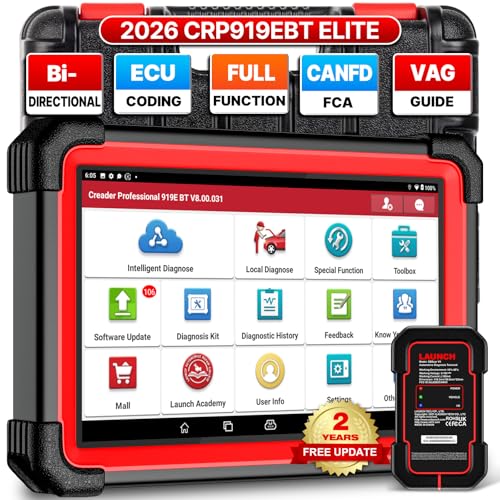
- 🔥【2026 TOP HARDWARE AND SOFTWARE UPGRADE,UPGRADED OF CRP919E】LAUNCH scanner CRP919EBT wireless obd2 scanner has upgraded TOP HARDWARE CONFIGURATION and ADD NEWEST FUNCTIONS. The more FASTER and SMARTER CRP919EBT with 🔥Bluetooths & USB 2-in-1 connect🔥Android 10.0 OS🔥2.0Ghz 4 core high efficiency processor 4GB RAM+64GB ROM large storage🔥6300mAh large battery, more stable and longer lasting diagnostics🔥VAG Guided🔥ECU Code🔥Bi-directional Control🔥35+ Resets🔥CANFD&DOIP🔥FCA AutoAuth🔥Full System Diagnostics🔥2 Yrs Update🔥Newly add BST360 battery tester & I-TPMS & VSP600 endoscope🔥23+ Languages. Provide an unparalleled diagnostic experience at an affordable price.
- 🚗【CAN FD & DOIP & FCA, SUPER PROTOCOL】LAUNCH X431 CRP919EBT is equipped with the DBSCAR VII Bluetooth connector supporting CANFD and DoIP. The CRP919EBT automotive diagnostic scanner supports CAN FD protocol (compatible with post-2020 GM vehicles). It also meets DoIP protocol requirements (adapter sold separately) for compatibility with BMW (E & F chassis) models from 2017 onward. Autoauth for FCA SGW supports FCA vehicles including Chrysler models from 2017 and later.
- ✔️【ADVANCED ECU CODE, ADAPTATION, CALIBRATION & INITIALIZATION】The LAUNCH X431 CRP919EBT automotive scanner delivers exceptional ECU code capabilities for customized vehicle setups. It provides dealer-level functionality to streamline maintenance and repairs, enabling ECU matching and learning for enhanced customization.
- 👍【BIDIRECTIONAL CONTROL, 4000+ ACTIVE TESTS】LAUNCH OBD2 scanner CRP919EBT features bi-directional control - the most demanded capability among mechanics. When headlights or windows malfunction, repairs can be costly. With CRP919EBT, execute ECU commands and assess repair status through systems including ABS, windows, valves, wipers, and headlights - streamlining diagnostics while slashing repair expenses.
- 🥇【35+ MOST POPULAR RESET SERVICE FOR 160 MAKES】Same as Snap-on scanners, CRP919EBT scan tool delivers 35+ reset functions for 160+ vehicle models, including: service oil reset, throttle adaptation, steering angle calibration, brake pad replacement code, tire pressure reset, ABS bleeding, battery registration, gear signal learning, and injector code, etc.
Last update on 2026-06-12 / Affiliate links / Images from Amazon Product Advertising API
This product presentation was made with AAWP plugin.