
NHTSA ID Number: 11009683
Manufacturer Communication Number: 15-261-20R
TSB/Document Date: 2024-11-04
Summary
This bulletin announces reprogramming file availability and provides a software update installation procedure to optimize the new Gen 4 Denso CP1 Audio and Navigation head units utilized in the models listed.
7
Music in the different folder in a USB stick can be selected by Track-UP/Down
operation.
8
Music in multiple folders in a USB stick can now be played continuously whereas they
could not be played unles they were in the root area of the USB stick.
9
In conjunction with the specification improvement described in item 8, “Repeat All” is
added to the play mode selection menu.
Continued...
Bulletin Number: 15-261-20R; Revised: 10/01/24
Page 51 of 64
Symptoms Addressed By Update #6:
Number
1
Symptoms to be Improved:
System restarts itself during FOTA (Firmware Over The Air) update. FOTA
operation is conducted in two processes: downloading (from the server to the
Cockpit Control Unit via Wi-Fi) and installation (inside the Cockpit Control Unit).
During the FOTA operation, after the new software has been downloaded to the
Cockpit Control Unit (CCU) customer is to push “Install Now” on the Center
Information Display (CID) to start installation of the software.
However, in rare case, the CCU restarts itself* during installation.
Note* Even if this symptom occurs, after approximately 2 minutes, the system resumes,
and the CID comes back to the below screen. Customer can then push the “Install Now”
to proceed with the installation.
Continued...
Bulletin Number: 15-261-20R; Revised: 10/01/24
Page 52 of 64
Symptoms Addressed By Update #5:
Number
1
2
3
Symptoms to be Improved:
No image on CID (Center Information Display) or Black display condition followed
by CP1 reboot resulting from CCU (Cockpit Control Unit) internal communication
error or due to listed below actions:
•
CP1 forced reboot is performed by pressing the “Vol” button continuously or by performing factory reset operation
•
Loss of Bluetooth or Wi-Fi connection
•
Application crash during Bluetooth audio streaming
•
Launching CarPlay or Android Auto application, after the smart phone is connected
•
Removing USB connection between the iPhone’s and CP1 during active CarPlay
session
•
STARLINK application crash
•
Performing USB map update using Bluetooth connection with a smart phone
carrying STARLINK Companion App map update data
•
When ACC is turned OFF and ON, while STARLINK Companion App map update is
being performed
•
Navigation application crash
•
“Service Appointment Scheduler” application crash due to a communication error
between DCM and CCM
•
Re-inserting USB Flash drive within 2-3 seconds
•
Removing USB Flash drive while playing back the data from the USB Flash drive
•
CID display loses images (black screen) and reboots itself after ACC (or Ignition) is
turned OFF and ON.
No image on CID (Center Information Display) or Black display condition and
HVAC function becomes inoperative due to listed below actions:
•
Failure to complete CP1 software update via USB port *
•
After the failure, Ignition Switch is turned off and on then an initializing process is
started with “Software update setup is initialing……” message on the display, which
requires about 15minutes to complete. During this message is displayed, power
supply of CCM is cut off like disconnecting battery terminals.
•
Performing CP1 software update via USB port using the same software version
Note* In case this USB update failure occurs, retry updating according to the
instructions in “Appendix B ”
Intermittent loss of Bluetooth connection
Continued...
Bulletin Number: 15-261-20R; Revised: 10/01/24
Page 53 of 64
Number
4
Symptoms to be Improved:
“Software update setup is initializing ...” message displayed for an extended period of
time (over 30minutes), after a follow-up attempt for CP1 software update via USB port is
performed to recover a failure **
Note** In case this USB update failure occurs, retry updating according to the
instructions in “Appendix C”
5
Pop-up message ”Please go to your retailer to update the Gracenote Database” appears
every time CP1 system is rebooted due to interruption of CP1 software update via USB
port (ACC OFF or BATT power remove etc.) ***
Note*** In case this USB update failure occurs, retry updating according to the
instructions in “Appendix C”
Symptoms Addressed By Update #4:
Number
1
Symptoms to be Improved:
Momentary Black Display; The CID (Center Information Display) and in rare case
together with the LCD in the combination meters go blank (black) momentarily. This
condition might be followed by CP1 reboot.
NOTE: Rear View Camera function is not impacted by this condition.
2
3
Blank display when connecting CP1 to Wi-Fi network with long name
(over 32 characters).
While using Apple CarPlay, “SUBARU ” is displayed on the iPhone Setting menu instead
of vehicle name .
Continued...
Bulletin Number: 15-261-20R; Revised: 10/01/24
Page 54 of 64
Number
4
Symptoms to be Improved:
Vehicle Setting Icon in menu is grayed out.
Menu list in the “Car” tab in the Setting Menu is not displayed.
5
CarPlay stopped working after hanging up a hands-free phone call.
6
CID shows multiple images simultaneously.
7
CID shows multiple images simultaneously.
8
9
CID freezes/locks after startup.
NOTE: Rear View Camera function is not impacted by this condition.
Move (push ▲▼ repeatedly) and Select in Map list, then freeze and restart itself.
10
The CID (Center Information Display) freezes/locks during Wi-Fi configuration
11
Map freezes while Navigation guidance is being provided.
12
13
15
Navigation operation restarts while driving.
Reboot in Factory diag. mode, when removing USB drive or changing to other USB
drive.
CP1 system and combination meter reboot again following a forced reboot, when smart
phone connected via USB port.
CP1 system reboots following ignition OFF and ON
16
17
Switching to Navigation demo mode after CP1 reboots during Bluetooth pairing
CP1 system reboots, while selecting or using Map feature to configure the driving route
14
Continued...
Bulletin Number: 15-261-20R; Revised: 10/01/24
Page 55 of 64
Number
18
29
Symptoms to be Improved:
Android Auto does not function. “Android Auto is Disconnected” is displayed with
Launch Error message.
CarPlay does not function with USB connection.
Sound is muted after hanging up a hands-free phone call.
Ring tones and the voice from the other end on the hands-free phone call cannot be heard
No sound in SXM, following low or dead battery.
Navigation guidance directions are not spoken.
When iPhone phone book transfer fails, system repeats Bluetooth disconnection and connection.
button does not function in menu.
Vehicle location is not displayed correctly in Navigation screen.
Radio station moves unexpectedly due to momentary flick or brush of the touch screen.
Temperature setting cannot be controlled by Voice Recognition in Canadian (C*)
specification.
Preset outline is not shown following station selection using steering switch
30
Others. Improvement in button design & location and Icon display pattern, etc.
19
20
21
22
23
24
25
26
27
28
Symptoms Addressed By Update #3:
Number
1
Symptoms to be Improved:
Enable Firmware Over The Air (FOTA) functionality
2
Continued...
Bulletin Number: 15-261-20R; Revised: 10/01/24
Page 56 of 64
Number
3
4
Symptoms to be Improved:
Currently, the microphone level indication is incorrect. The indicator level has been
corrected. More microphone level indication information is included in TSB 15-275-20.
A reduced (low) volume (-6db) concern during handsfree conversation when using
CarPlay has been addressed to make the volume level consistent.
5
Voice recognition (VR) has been enhanced to improve recognition of short words
(e.g. YES).
6
The program has been corrected to prevent repeated rebooting and system freeze-up immediately after activation of Android Auto.
7
8
Eliminate CP1 MOTA update error message “Something went wrong. The system is unable to install any map updates. Contact your dealer for more information.”
The Auto Stop-Start On/Off function button has been moved from the bottom to top
layer of the system for easier use. A screenshot of how the button will appear is shown
below.
Symptoms Addressed By Update #2:
Symptom # Description of Symptom:
1
Several minutes after Engine start, the Center Information Display (CID) reboots.
2
After an extended period of usage, some white blinking dots appear on the display.
White Blinking Dots
Continued...
Bulletin Number: 15-261-20R; Revised: 10/01/24
Page 57 of 64
Symptom # Description of Symptom:
3
The display screen freezes or becomes blank (black screen) after a CD is inserted.
This symptom occurs when a CD with over 99 characters of Artist Name Data is used.
4
CID reboots.
In a case where the system was shut down with SXM selected as the audio source, the
CID reboots after the next start up.
5
SXM does not resume playing instantly.
In a case where the system was shut down with SXM selected as the audio source, SXM
takes more than 20 seconds to resume play after the opening screen is displayed (when it
normally only takes approximately 5 seconds.)
6
Radio station does not resume playing (no audio output).
In a case where the system was shut down with Radio being selected as the audio
source, audio output does not resume at the next start up. Once the audio source is
changed to SXM, SXM plays normally but, if the source is changed back to the Radio,
audio does not return and the radio display is also lost.
7
Customer-selected Equalizer settings are lost. Equalizer returns to the default settings
after ignition switch is turned OFF and back ON.
8
The media source cannot be changed.
Even if or is selected, the media source does not change. In addition,
Voice Recognition stops functioning at the same time. This condition occurs when the
volume setting is continuously changed while the CID is booting.
9
In a case where the system was shut down while the Navigation map screen was being
displayed, the display goes blank (black screen) soon after the Disclaimer screen is
displayed after restarting.
10
CID reboots repeatedly after setting a destination using the Navigation system.
11
CID reboots while using the Pandora application via CarPlay.
12
Bluetooth connection cannot be reestablished when using certain smart phones.
When using Android Auto on certain smartphones, a Bluetooth connection cannot be
reestablished automatically once it has been disconnected.
Continued...
Bulletin Number: 15-261-20R; Revised: 10/01/24
Page 58 of 64
Symptom # Description of Symptom:
13
CarPlay connection cannot be established.
When connecting an iPhone via USB, ”CarPlay Unavailable” is displayed and CarPlay
does work.
14
The HOME screen goes blank.
When the screen is switched from Camera mode to HOME, no icons are displayed as
shown below.
List of New Functions and Enhancements Included in Update #2:
Number
1
2
New Functions and Improvements:
The previously selected customized map orientation setting is memorized even after
ignition OFF / ON. If the customer changes the map orientation setting, the change is
automatically retained.
Pin display of POI is now available.
Continued...
Bulletin Number: 15-261-20R; Revised: 10/01/24
Page 59 of 64
Number
3
New Functions and Improvements:
In the 2D and 3D HU display mode, the vehicle position icon on the Navigation map is
easier to identify:
• Icon size increased from 7mm to 9mm.
•
Icon color has been changed to Dark Blue.
•
Icon position (when using route guidance) stays at the same position as when
not using route guidance.
•
Icon has been re-positioned 9mm higher on the display.
4
The ISS (Auto Start Stop) button has been moved to the upper layer in the Car Setting
menu. By touching the “Car Setting” icon, the Auto Start Stop and Cruise Control
Acceleration Characteristics menus can be accessed immediately, whereas selecting
“Others” in the Car Setting screen was required to access these menus.
5
HVAC control buttons of base grade are now larger and easier to see.
6
Time zone and Summertime are now automatically selected.
Default setting of clock setting is Auto. The time zone is changed according to the
vehicle location, and Summertime is automatically set according to the calendar.
Clock setting can be selected by touching the clock display in the status bar.
7
8
AlbumArt is displayed when music is played and now continues to be displayed when
the vehicle is in motion.
Continued...
Bulletin Number: 15-261-20R; Revised: 10/01/24
Page 60 of 64
Number
9
New Functions and Improvements:
CarPlay screen is now expanded from half size (horizontal) to full screen (vertical).
10
When using CarPlay or Android Auto, a “CarPlay” or “Android Auto” tab will now
appear on the Media tab bar. By selecting this tab, music data and metadata can be
browsed.
11
When using route guidance with CarPlay navigation, descriptions will
be displayed both in the Information bar of CID and in the MID located in the center of
the combination meter.
12
By touching the new CarPlay button located at the top of the CID, the CarPlay menu can
be accessed easily.
13
In a case where the system is shut down while is CarPlay connected, the system automatically resumes the connection at the next start up.
14
Voice Recognition function is ready to use faster than with previous version.
15
Gracenote Media Database updated to November 2019.
Continued...
Bulletin Number: 15-261-20R; Revised: 10/01/24
Page 61 of 64
Number
16
New Functions and Improvements:
1. Sirius XM Smart Favorites menu has been removed from SiriusXM Settings
2. Going forward first 10 set Sirius XM presets are now smart favorites by default
3. Smart favorite channel has “star” added to the preset button
Indicator Added
Conditions Addressed By Update #1:
Symptom # Description of Symptom:
1
The CP1 display and/or center Combination Meter display freezes.
No response from touch screen or voice guidance. After switching the ignition off
and opening the driver’s door, the system does not recover**.
Display Freezes
Touch Buttons Unresponsive
**NOTE: After switching the ignition off and leaving the driver’s door open more
than 70 seconds, the system may recover after switching the ignition back on.
Bulletin Number: 15-261-20R; Revised: 10/01/24
Page 62 of 64
Symptom # Description of Symptom:
2
Delayed response of rear view camera guide lines.
When the rear view camera is activated and the steering wheel is turned, there is a
delay before the steering-responsive guide lines respond to the steering wheel input.
3
Fuel consumption display has unnecessary ‘Φ’ mark when changing mileage unit to
Km.
4
Diagnostics Recorder Data cannot be exported to the USB memory device. When
the diagnostic log data is being downloaded (by selecting: Dealership Menu >
Diagnostics Recorder > Export Data to USB), it fails after the progress bar reaches
almost 90% with an error message of Export failed. Please try again.
Export Failed. Please Try Again.
Continued...
Bulletin Number: 15-261-20R; Revised: 10/01/24
Page 63 of 64
Symptom # Description of Symptom:
5
When using Voice Recognition to search for a ‘Nearby POI’ (Point of Interest) in
Canada with FRENCH language selected, the CP1 display turns black and displays a
Caution / disclaimer message.
Voice Recognition
Bulletin Number: 15-261-20R; Revised: 10/01/24
Black Screen
Caution / Disclaimer Message
Page 64 of 64

- Advanced VCI Box, Industry-leading J2534 Pass-Thru...
- High-Speed OEM-Level Diagnostics & Programming: Unlock true...
- Coverage for 17 Car Brands & Ultra Reliability: Works...
- User-Friendly RLink Platform & Expert Support: TOPDON’s...
- 6.6 ft USB-C Cable & Portable Storage Case: The RLink J...
Last update on 2026-06-12 / Affiliate links / Images from Amazon Product Advertising API
If the PDF is very large, it may not load in the preview below.
Some older TSBs had multiple PDFs — visit the NHTSA Website to view all PDFs.
If the TSB PDF does not show, download or view it on the NHTSA Website.
Click on the (+) Plus Sign
Then Click on Associated Document(s)
Search NHTSA Database for Recalls
Search NHTSA Database for Vehicle Investigations
View Latest Vehicle Investigations
Search NHTSA Database for Vehicle Complaints
View Latest Vehicle Complaints
TSB/Document ID: 15-261-20R
Replacement Service Bulletin Number:
MFR Communication Date: 2024-10-01
MFR Internal Campaign ID/Software Version:
Communication Type: Service Bulletin/Repair Instructions
NHTSA Components: ELECTRICAL SYSTEM
MFR Component System:
MFR Component Subsystem:
Previous TSB | Next TSB |
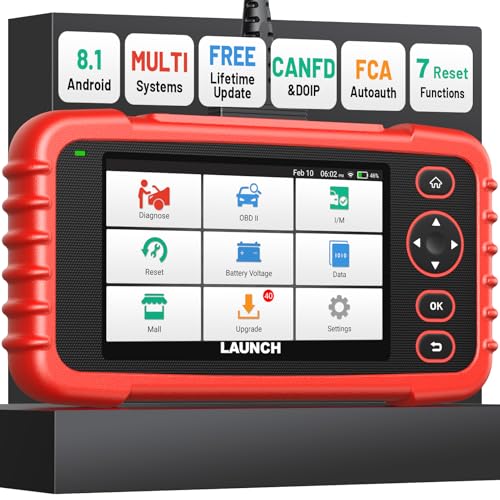
- [Newly Added in 2026: 7 Reset Functions] The 2026 new version of the OBD2 scanner diagnostic tool CRP123X V3.0 Elite has new special functions for F.REE: Throttle Ad.aptation, Oil/SAS/BMS/Brake Reset, D-P.F Re.generation and ABS Service. Before you visit a mechanic, launch obd2 Scanner CRP123X Elite can perform a more in-depth diagnosis of the car system and provide accurate data within minutes. What's more, the list of compatible models has been expanded. Upgrading frequency is regular, occurring monthly even weekly.
- 🔥[FCA AutoAuth + CAN FD & DoIP] As an upgraded version of the LAUNCH CRP123X/CRP129X, FOXWELL NT614, and ANCEL FX2000, The Newest LAUNCH CRP123X V3.0 auto diagnostic scanner supports the following new protocols: CAN-FD for 2020 and newer G.M and Chrysler
 models, as well as DoIP for V.olvo, Land Rover/Jaguar, and B.MW F/G chassis. With integrated AutoAuth, you can diagnose 2018 and newer FCA cars equipped with S.GW. Note: CAN-FD and DoIP protocols require an additional obd2 cable. *Menus vary by make, model, and year of gasoline or diesel engine vehicle. Email us your VIN data.
 - 🔥[No extra software fee. Works on 90 vehicle brands.] Most OBD2 scanners work with vehicles manufactured after 2001. However, the LUNCH OBD2 scanner is compatible with OBDII-equipped vehicles built after 1996 and works with more than 90 vehicle brands. One-click lifetime updates over WIFI 2.4&5.0Ghz keep the car software current and ensure constant coverage additions, diagnose vehicles from 1996 to 2026 with a massive global database. Android 8.1 ensures lightning-fast boot-up and processing.
- [Accurate & Intuitive Multi System Diagnosis] Will you be confused about what happens when the warning light of transmission, ABS, and SRS Airbag check engine flashes? Launch obd2 scanner diagnostic tool CRP123X V3.0 to pinpoint the problem components for a faster diagnosis for your car instead of taking your car to the dealership. Generate vehicle health reports with one click and share them via email over Wi-Fi to help avoid blind maintenance. And will turn off the warning light for you after fixing the problem, make to know more about your cars and do your own repair.
- [Multiple Display of Live Data + DTC Code Definition Explanation] Launch car tools show real-time data of oil temp, pressure, transmission temp, engine speed, coolant temperature, you will know which car part is abnormal. Data can be shown in a single, multi- graph, and merge two graphs for analysis(or 4-in-1 merged waveform graph),you can save, share, print, or email the overall inspection report for easier analysis.🔥Code Search,DTC Library provide massive information. Inbuilt “Feedback” module provides customized repair suggestions from our certified professionals.

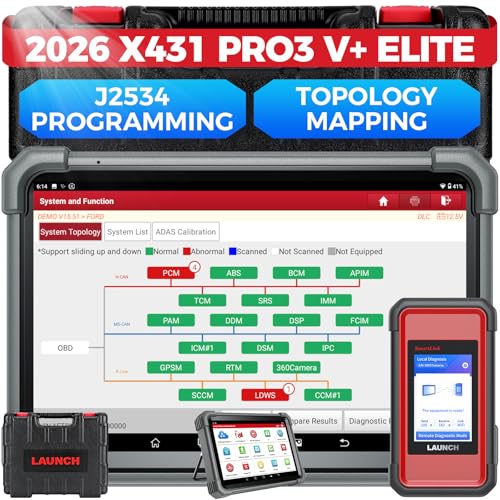
- [2026 X431 PRO3 V+ Elite] A great value for the X431 series that differs from similar diagnostic tools by adding: 1) J2534 protocol for over $800 in savings; 2) CANFD/DOIP support for enhanced communications; 3) Configuration of over $900 worth of HD(heavy truck) modules, needed purchase HD diagnostic software by HD vehicle model for use.; 4) A 10.1 inch Gorilla screen with 1280*800 resolution and 80% more touch screen sensitivity
- [J2534 Protocol Scan Tool] The J2534 Direct Access Device can be used as a factory scanning tool at no cost to you, saving you over $2,000. You can easily expand your ECU protocol capabilities for Toyota, Honda, VW, BMW, Ford, GM, Chrysler, Mercedes-Benz and more. The LAUNCH X431 PRO3 V+ ELITE Scan Tool is equipped with the newly upgraded smartlinkC V2.0. smartLinkC is a communication interface that supports the J2534 specification. It can also be used as a J2534 PassThru device to implement the J2534 protocol with a PC that has OEM diagnostic software installed.The J2534 protocol is the only way to solve problems ranging from drivability and power loss to poor fuel economy
- [Top Hardware Configuration, Upgraded Version of V+] LAUNCH Diagnostic Scanner adopts Android 10.0 OS; CPU is 4-core processor with 2.0 GHz, which greatly improves the speed of running multi-tasks. 2.4GHz/5GHz; 6300mAh/7.6V ultra-large capacity battery; 10.1 inch Gorilla screen, sunlight readable, 8MP camera; Auto VIN; 4GB+64GB storage; 20x transfer rate to save more vehicle files and customer data; New TYPE A interface to connect expansion tools such as oscilloscopes, sensors, etc.; Supports more than 25 software languages such as EN, DE, FR, SP and JP
- [60+ Reset 3000+ Active Test] Full Bi-Directional Scan Tool quickly detects problems and guides repairs based on the response of actuators such as air conditioning clutches, windows, doors, mirrors and more. With the touch of a finger, you can easily send command signals from the scanner to a variety of modular actuators, testing component integrity and functionality in minutes or even seconds to determine if a replacement or repair is needed. In addition, the machine enjoys 60+ special services such as oil reset, ABS brake bleed, EPB, SAS, BMS, suspension, injector reset and more, and undergoes rigorous field testing to ensure availability
- [Unrivaled Coverage, Over 200 Vehicle Brands] LAUNCH X431 PRO3 V+ Elite Automotive Scanner is suitable for over 200 vehicle brands, including commercial vehicles and new energy vehicles. This professional car scanner supports: 1) J2534/D-PDU protocol for HD trucks; DoIP/CANFD for Land Rover/Jaguar, BMW F/G chassis, GM, etc.; 2) FCA Autoauth, covering 2018+ Chrysler/Dodge/Fiat, etc. New/old models, all covered. Includes frequently updated vehicle software and car coverage for faster support of other new models
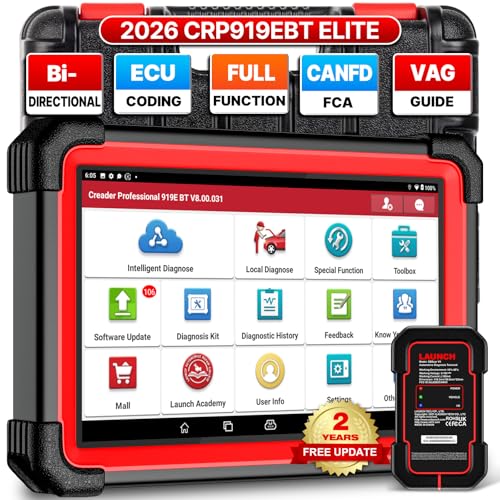
- 🔥【2026 TOP HARDWARE AND SOFTWARE UPGRADE,UPGRADED OF CRP919E】LAUNCH scanner CRP919EBT wireless obd2 scanner has upgraded TOP HARDWARE CONFIGURATION and ADD NEWEST FUNCTIONS. The more FASTER and SMARTER CRP919EBT with 🔥Bluetooths & USB 2-in-1 connect🔥Android 10.0 OS🔥2.0Ghz 4 core high efficiency processor 4GB RAM+64GB ROM large storage🔥6300mAh large battery, more stable and longer lasting diagnostics🔥VAG Guided🔥ECU Code🔥Bi-directional Control🔥35+ Resets🔥CANFD&DOIP🔥FCA AutoAuth🔥Full System Diagnostics🔥2 Yrs Update🔥Newly add BST360 battery tester & I-TPMS & VSP600 endoscope🔥23+ Languages. Provide an unparalleled diagnostic experience at an affordable price.
- 🚗【CAN FD & DOIP & FCA, SUPER PROTOCOL】LAUNCH X431 CRP919EBT is equipped with the DBSCAR VII Bluetooth connector supporting CANFD and DoIP. The CRP919EBT automotive diagnostic scanner supports CAN FD protocol (compatible with post-2020 GM vehicles). It also meets DoIP protocol requirements (adapter sold separately) for compatibility with BMW (E & F chassis) models from 2017 onward. Autoauth for FCA SGW supports FCA vehicles including Chrysler models from 2017 and later.
- ✔️【ADVANCED ECU CODE, ADAPTATION, CALIBRATION & INITIALIZATION】The LAUNCH X431 CRP919EBT automotive scanner delivers exceptional ECU code capabilities for customized vehicle setups. It provides dealer-level functionality to streamline maintenance and repairs, enabling ECU matching and learning for enhanced customization.
- 👍【BIDIRECTIONAL CONTROL, 4000+ ACTIVE TESTS】LAUNCH OBD2 scanner CRP919EBT features bi-directional control - the most demanded capability among mechanics. When headlights or windows malfunction, repairs can be costly. With CRP919EBT, execute ECU commands and assess repair status through systems including ABS, windows, valves, wipers, and headlights - streamlining diagnostics while slashing repair expenses.
- 🥇【35+ MOST POPULAR RESET SERVICE FOR 160 MAKES】Same as Snap-on scanners, CRP919EBT scan tool delivers 35+ reset functions for 160+ vehicle models, including: service oil reset, throttle adaptation, steering angle calibration, brake pad replacement code, tire pressure reset, ABS bleeding, battery registration, gear signal learning, and injector code, etc.
Last update on 2026-06-12 / Affiliate links / Images from Amazon Product Advertising API
This product presentation was made with AAWP plugin.