
NHTSA ID Number: 11006912
Manufacturer Communication Number: 2024.26.100_082024.pdf
TSB/Document Date: 2024-09-04
Summary
Tesla does not provide physical owner's manual copies. Instead, all available owner’s manual content is integrated into the vehicle software, and only the content relevant for a given vehicle, based on vehicle configuration and software version installed, is displayed on its touchscreen. This file contains all available owner’s manual content for the vehicle converted to PDF format, and given the distribution method and NHTSA’s submission format requirements, it is the best available representative copy of owner’s manual content. However, a customer who accesses the owner’s manual via their vehicle’s touchscreen would only see the parts of this PDF file that are relevant to their vehicle.
Charging / Supercharging should be available.
529
Owner's Manual
Troubleshooting
If charging is still limited or the vehicle will not charge at all, make sure the charge port manual release has not been actuated.
For more information on using the charge port manual release, see Manually Releasing Charge Cable on page 394.
If charging is still limited or the vehicle will not charge at all, inspect the charge port inlet and the charge cable connector for
any obstructions, such as debris, moisture, and/or foreign objects. Make sure any charge port inlet obstruction has been
removed and any moisture has been allowed to dry, then try re-inserting the cable into the charge port.
If you have checked for and cleared any debris or foreign objects, but charging is still limited or your vehicle will not charge at
all, the charge port latch may be frozen. To help thaw any ice on the charge port latch, press the Defrost Truck button in your
Tesla Mobile App to defrost your vehicle for approximately 30 to 45 minutes.
NOTE: Be sure to use Defrost Truck in your Mobile App to defrost your vehicle. Adjusting the climate control settings in your
vehicle's touchscreen is not as effective.
It may also be possible to thaw any ice affecting the charge port latch by warming up the side mirrors via your vehicle
touchscreen, as your vehicle is equipped with a charge port inlet heater that turns on when you turn on side mirror heating in
cold weather conditions.
For more information on charging in cold weather conditions, see Cold Weather Best Practices on page 89.
If the alert remains present, limited AC charging should still be available.
For more information on charging, see Charging Instructions on page 389.
CP_a101
Charge rate reduced - Wall connection hot
Outlet or Wall Connector wiring must be checked
What this alert means:
High temperature detected by Wall Connector alerts indicate the building connection to the Wall Connector is getting too
warm, so charging has been slowed to protect the wiring and Wall Connector.
This is not typically an issue with your vehicle or your Wall Connector, but rather an issue with the building wiring. This may be
caused by a loose building wiring connection to the Wall Connector and can be fixed quickly by an electrician.
What to do:
Contact an electrician to inspect the building wiring connection to the Wall Connector. They should make sure that all wires
are properly connected and torqued according to the installation guide for the Wall Connector.
Wall Connector installation guides can be found here.
CP_a102
Unable to charge - Wall connection too hot
Outlet or Wall Connector wiring must be checked
What this alert means:
High temperature detected by Wall Connector alerts indicate the building connection to the Wall Connector is getting too
warm, so charging has been slowed to protect the wiring and Wall Connector.
This is not typically an issue with your vehicle or your Wall Connector, but rather an issue with the building wiring. This may be
caused by a loose building wiring connection to the Wall Connector and can be fixed quickly by an electrician.
What to do:
Contact an electrician to inspect the building wiring connection to the Wall Connector. They should make sure that all wires
are properly connected and torqued according to the installation guide for the Wall Connector.
For more information, see the installation guide for your Wall Connector.
Owner's Manual
530
Troubleshooting
CP_a143
Charging adapter has electric arc flash hazard
Use different charging equipment
What this alert means:
Charging is unavailable because your vehicle has detected an electric arc flash hazard in the third-party charging adapter used
to connect a Combined Charging System (CCS) charge handle to your vehicle’s charge port.
An electric arc flash can occur if you attempt to unplug while actively charging with the third-party charging adapter, and an
electric arc flash can cause serious bodily injury and/or property damage.
What to do:
Follow the steps below to mitigate this risk:
• Make sure charging is completely stopped.
1. Use your vehicle touchscreen to confirm charging has stopped, or to stop charging if necessary.
2. Use the charging station display and controls to confirm charging has stopped, or to end any active charging session.
• Make sure no flashing green or blue light (LED) is visible on your vehicle’s charge port.
• Unplug the charging adapter from your vehicle’s charge port.
• Confirm again that the charging station indicates no active charging session.
• Unplug the charging adapter from the charge handle.
Use different charging equipment to charge your vehicle. For more information on charging, see Charging Instructions on
page 389.
You can also try charging your vehicle using a Tesla Supercharger or Destination Charging location, all of which can be located
through the map on your vehicle's touchscreen display. See Maps and Navigation on page 92 for more details.
CP_a151
Charge port error detected - Service is required
AC charging may not function / OK to Supercharge
What this alert means:
Your vehicle's charge port requires service. The charge port is unable to establish a valid control pilot signal and communicate
effectively with some AC charging equipment and power sources.
While this alert remains present, AC charging and DC Fast Charging with non-Tesla charging stations may be limited or
unavailable.
What to do:
It is recommended that you schedule service to have your vehicle's charge port inspected at your earliest convenient
opportunity.
In the meantime, Supercharging should continue to be available. Supercharging locations can be displayed through the map on
your vehicle's touchscreen. See Maps and Navigation on page 92 for more details.
AC charging may also be available using a Gen 2 Mobile Connector or Gen 3 Wall Connector. However, it is recommended that
you make sure your vehicle's charge port can communicate with your Tesla charging product. Try charging with your Gen 2
Mobile Connector or Gen 3 Wall Connector, and confirm your vehicle is charging as expected, before relying on it.
For more information on troubleshooting Mobile Connector or Wall Connector status lights, refer to the product's Owner's
Manual at Charging & Adapter Product Guides.
For more information on charging, see Charging Instructions on page 389.
531
Owner's Manual
Troubleshooting
CP_a164
Charge handle still detected after unlatch request
Use charge port manual release cable if needed
What this alert means:
Your vehicle's charge port detects a charge cable / charge handle is still connected after receiving multiple requests to unlatch
the charge cable so it can be disconnected.
This alert may indicate the charge port latch is not releasing the charge cable as expected.
What to do:
If the charge cable cannot be removed from the charge port after multiple attempts to unlatch it, try the manual release.
For more information on using the charge port manual release, see Manually Releasing Charge Cable on page 394.
If the charge cable still cannot be removed, the charge port latch may be frozen.
To help thaw any ice on the charge port latch, press the Defrost Truck button in your Tesla Mobile App to defrost your vehicle
for approximately 30 to 45 minutes.
NOTE: Be sure to use Defrost Truck in your Mobile App to defrost your vehicle. Adjusting the climate control settings in your
vehicle's touchscreen is not as effective.
It may also be possible to thaw any ice affecting the charge port latch by warming up the side mirrors via your vehicle
touchscreen, as your vehicle is equipped with a charge port inlet heater that turns on when you turn on side mirror heating in
cold weather conditions.
For more information on charging in cold weather conditions, see Cold Weather Best Practices on page 89.
If this alert occurs repeatedly over multiple drives and charging attempts, it is recommended that you schedule service to have
your vehicle's charge port inspected at your earliest convenient opportunity.
For more information on troubleshooting Mobile Connector or Wall Connector status lights, refer to the product's Owner's
Manual at Charging & Adapter Product Guides.
If using other external charging equipment, refer to the manufacturer's provided documentation for troubleshooting tips.
For more information on charging, see Charging Instructions on page 389.
DI_a138
Front motor disabled - OK to drive
Vehicle power may be limited
What this alert means:
Your vehicle's front motor is unavailable. Power, speed, and acceleration may be reduced as your vehicle uses the rear
motor(s) to continue driving.
What to do:
Continue to your destination. Your vehicle is OK to drive.
In some cases, your vehicle may be unable to continue driving. If this occurs, another vehicle alert should also be present to
provide more information and recommended actions.
This alert may be caused by a temporary condition that will be resolved automatically. If this alert clears during your current
drive, or is no longer present when you start your next drive, it was likely caused by a temporary condition. No action is
required.
This alert may also indicate a condition requiring front motor inspection and service. If this alert persists throughout
subsequent drives, it is recommended that you schedule service. Your vehicle is OK to drive in the meantime.
Owner's Manual
532
Troubleshooting
DI_a166
Vehicle automatically parked to prevent rollaway
Fasten seatbelt and close door to stay in gear
What this alert means:
Your vehicle has automatically shifted into Park (P) because it determined the driver was leaving or no longer present. This is
expected vehicle behavior under various circumstances.
Your vehicle will automatically shift into Park if all of these conditions are true:
• Autopark is not active
• Your vehicle is traveling slower than 1.4 mph (2.25 km/h) in Drive or Reverse
• The last driver activity was detected more than 2 seconds ago. Driver activity includes:
◦ Pressing the brake and/or accelerator pedal
◦ Manually steering the vehicle
And at least two of these conditions are true:
1. Driver seatbelt is detected as unbuckled
2. Driver is not detected as present
3. Driver door is detected as open
4. One or more of the sensors used to detect the three conditions above (seatbelt buckle, seat occupancy, door latch) is not
working as expected
Your vehicle will also automatically shift into Park if any of these conditions is true:
• Door is detected as open
• Seatbelt is detected as unbuckled while speed is less than 0.1mph (0.15 km/h) in Drive or Reverse
• No driver activity is detected for 60 seconds
NOTE: Your vehicle will also automatically shift into Park when a charge cable is connected to the charge port.
What to do:
For more information on automatic shifting into Park, see Shifting on page 32.
DI_a175
Cruise control unavailable
What this alert means:
Cruise Control, including Traffic-Aware Cruise Control, is currently unavailable.
Cruise Control might be unavailable because:
• The driver canceled the request.
• The driver unbuckled their seatbelt.
• The front trunk or a door is open.
• The vehicle is traveling below the Cruise Control minimum speed of 18 mph (30 km/h).
• There is an environmental condition, such as limited visibility.
• Valet mode is active.
What to do:
533
Owner's Manual
Troubleshooting
Take control and drive your vehicle manually.
When any condition preventing Cruise Control activation is no longer present, Cruise Control should be available. If this alert
persists throughout subsequent drives, schedule service at your earliest convenience. Your vehicle is OK to drive in the
meantime.
For more information, see Traffic-Aware Cruise Control on page 324.
DI_a184
Autopark canceled
Take control
What this alert means:
Autopark has been canceled.
Autopark might have been canceled because:
• The driver pressed the Cancel button on the touchscreen.
• The driver moved the steering wheel.
• The driver pressed the accelerator pedal, pressed the brake pedal, or opened a door.
• There is a steep slope / grade.
• There is a weather condition affecting visibility.
• The curb cannot be detected.
• A trailer is attached to the vehicle.
What to do:
Park, or finish parking, your vehicle manually. Once you have finished parking, apply the brakes and shift into Park. Your
vehicle will otherwise remain free-rolling.
Autopark should be available again during your next drive.
DI_a185
Autopark Aborted
What this alert means:
Autopark has aborted and the Electronic Parking Brake has been applied.
Autopark might have been canceled because:
• The driver pressed the Cancel button on the touchscreen.
• The driver moved the steering wheel.
• The driver pressed the accelerator pedal, pressed the brake pedal, or opened a door.
• There is a steep slope / grade.
• There is a weather condition affecting visibility.
• The curb cannot be detected.
• A trailer is attached to the vehicle.
What to do:
Park, or finish parking, your vehicle manually.
Autopark should be available again during your next drive.
Owner's Manual
534
Troubleshooting
DI_a190
Rear tire tread depth low - Schedule service
Inspect tires for rotation/replacement
What this alert means:
NOTE: This alert does NOT indicate that there is a flat tire.
Your vehicle has detected that the rear tires have experienced more wear over time than the front tires, exceeding the
recommended difference.
What to do:
It is recommended that the tread depth on all tires be inspected. As your tires wear during normal driving, the rear tires
generally wear more quickly than the front tires.
Tire rotation is important to balance tire wear evenly across all tires.
Failure to rotate tires as recommended poses a risk of hydroplaning and losing control of the vehicle on wet roads. Failure to
rotate tires also decreases the life of your tires, requiring premature replacement.
It is recommended that you schedule service via your Tesla Mobile App or with an independent service provider to have your
tires rotated when:
• The difference in tire tread depth between any front and rear tire exceeds 1.5mm
• Your vehicle has been driven for more than 6,250 miles (10,000 km) since the last rotation
Upon completion of tire inspection and any necessary tire service, update your vehicle’s tire configuration to optimize your
vehicle settings to your tires and clear the alert for at least 6,250 miles. For more information, see Inspecting and Maintaining
Tires on page 419.
It is not recommended that you rely on this alert instead of routine checks of tire tread depth. This alert should only be present
when your vehicle estimates the tires are far beyond the recommended service interval.
This alert is calibrated for Tesla tires and is not expected to work with tires of different types or sizes, including combinations
of different tire brands or models. It may not display, or may display prematurely, on vehicles using tires not recommended by
Tesla. For more information on recommended tires, see Wheel and Tire Specifications on page 425.
DI_a245
Vehicle Hold feature unavailable
Keep brake pedal pressed while stopped
What this alert means:
Vehicle Hold is currently unavailable due to system constraints. When stopping, use the brake pedal to bring your vehicle to a
complete stop and keep your vehicle stationary.
What to do:
Continue to your destination. Your vehicle is OK to drive.
If this alert persists throughout subsequent drives, schedule service at your earliest convenience. Your vehicle is OK to drive
in the meantime.
For more information, see Stopping Mode in Braking and Stopping on page 284 .
DI_a250
Adaptive ride control disabled
Drive with caution
What this alert means:
535
Owner's Manual
Troubleshooting
The speed of your vehicle is limited to 90 mph (144 km/h) due to an issue with the Adaptive Suspension Damping system.
The system cannot provide real-time adjustments to the suspension system to optimize both ride and handling, and as a result
your ride may be softer than usual.
What to do:
If this alert persists throughout subsequent drives, schedule service at your earliest convenience. Your vehicle is OK to drive
in the meantime.
This alert is accompanied by a red indicator light on the touchscreen. For more information, see Suspension on page 289.
DIF_a251 / DIR_a251 / DIREL_a251 / DIRER_a251
Gearbox fluid service recommended
Schedule Service
What this alert means:
Your vehicle has detected a condition requiring gearbox fluid inspection.
What to do:
It is recommended that you schedule service.
Your vehicle is OK to drive with this alert present. However, continuing to drive over an extended period of time with this alert
present may result in permanent gearbox / powertrain damage.
HVBATT_a734
High voltage battery performance limited
OK to drive - Schedule service soon
What this alert means:
Your vehicle has detected a condition internal to the high voltage battery that is limiting the battery’s performance. Service is
required to restore full performance.
Your vehicle is OK to drive.
Your vehicle's maximum range may be reduced, and your vehicle may take longer to charge than before. Maximum charge rate
varies, as always, based on location, power source, and charging equipment.
What to do:
While this alert remains present, keep your vehicle charged to 30% capacity or higher to avoid any discrepancy between the
estimated range displayed on your vehicle's touchscreen and the actual high voltage battery charge level.
It is recommended that you schedule service at your earliest convenience. Without service, your vehicle may continue to show
further reductions in maximum range and charging performance and may also begin to show reduced power and acceleration
when driving.
For more information on the high voltage battery, see High Voltage Battery Information on page 105.
HVBATT_a735
High voltage battery performance limited
OK to drive - Schedule service soon
What this alert means:
Your vehicle has detected a condition internal to the high voltage battery that is limiting the battery’s performance. Service is
required to restore full performance.
Your vehicle is OK to drive.
Owner's Manual
536
Troubleshooting
Your vehicle's maximum range may be reduced, and your vehicle may take longer to charge than before. Maximum charge rate
varies, as always, based on location, power source, and charging equipment.
What to do:
While this alert remains present, keep your vehicle charged to 30% capacity or higher to avoid any discrepancy between the
estimated range displayed on your vehicle's touchscreen and the actual high voltage battery charge level.
It is recommended that you schedule service at your earliest convenience. Without service, your vehicle may continue to show
further reductions in maximum range and charging performance and may also begin to show reduced power and acceleration
when driving.
For more information on the high voltage battery, see High Voltage Battery Information on page 105.
HVBATT_a736
High voltage battery requires service
Acceleration and charging performance reduced
What this alert means:
Your vehicle has detected a condition internal to the high voltage battery that is limiting the battery’s performance. Service is
required to restore full performance.
Your vehicle is OK to drive.
You may notice that your vehicle's top speed is reduced and it responds slower than previously to acceleration requests.
Your vehicle's maximum range may be reduced, and your vehicle may take longer to charge than before. Maximum charge rate
varies, as always, based on location, power source, and charging equipment.
What to do:
While this alert remains present, keep your vehicle charged to 30% capacity or higher to avoid any discrepancy between the
estimated range displayed on your vehicle's touchscreen and the actual high voltage battery charge level.
It is recommended that you schedule service at your earliest opportunity. Without service, your vehicle may continue to show
reduced power, acceleration, range, and charging performance.
For more information on the high voltage battery, see High Voltage Battery Information on page 105.
HVBATT_a737
High voltage battery requires service
Acceleration and charging performance reduced
What this alert means:
Your vehicle has detected a condition internal to the high voltage battery that is limiting the battery’s performance. Service is
required to restore full performance.
Your vehicle is OK to drive.
You may notice that your vehicle's top speed is reduced and it responds slower than previously to acceleration requests.
Your vehicle's maximum range may be reduced, and your vehicle may take longer to charge than before. Maximum charge rate
varies, as always, based on location, power source, and charging equipment.
What to do:
While this alert remains present, keep your vehicle charged to 30% capacity or higher to avoid any discrepancy between the
estimated range displayed on your vehicle's touchscreen and the actual high voltage battery charge level.
It is recommended that you schedule service at your earliest opportunity. Without service, your vehicle may continue to show
reduced power, acceleration, range, and charging performance.
537
Owner's Manual
Troubleshooting
For more information on the high voltage battery, see High Voltage Battery Information on page 105.
PM_a092 / PMF_a092 / PMR_a092 / PMREL_a092 / PMRER_a092
Powertrain issue detected - Schedule service
Issue may persist even if functionality is restored
What this alert means:
Your vehicle's powertrain requires service. Power, speed, and acceleration may be reduced, and your vehicle may need to shut
down while driving.
This alert indicates a persistent condition requiring powertrain inspection and service.
Even if this alert clears after the current drive and does not return during subsequent drives, service is required to resolve the
powertrain issue your vehicle has detected.
What to do:
It is recommended that you schedule service for your vehicle's powertrain at your earliest opportunity.
Without service, your vehicle may continue to have reduced power, speed, and acceleration, may experience conditions that
require it to shut down while driving, or may become unable to drive.
TAS_a313
Adaptive ride control degraded
Ride comfort may be reduced
What this alert means:
There is an issue with your vehicle’s Adaptive Suspension Damping system. As a result, the system cannot provide real-time
adjustments to the suspension system to optimize both ride and handling.
Instead, all dampers are receiving fixed current. Your ride may be softer or firmer than usual.
What to do:
If this alert persists throughout subsequent drives, schedule service at your earliest convenience. Your vehicle is OK to drive
in the meantime.
This alert is accompanied by a yellow indicator light on the touchscreen. For more information, see Suspension on page 289.
TAS_a314
Adaptive ride control disabled
Drive with caution
What this alert means:
There is an issue with your vehicle’s Adaptive Suspension Damping system. As a result, the system cannot provide real-time
adjustments to the suspension system to optimize both ride and handling, and your ride may be softer than usual.
What to do:
If this alert persists throughout subsequent drives, schedule service at your earliest convenience. Your vehicle is OK to drive
in the meantime.
This alert is accompanied by a red indicator light on the touchscreen. For more information, see Suspension on page 289.
Owner's Manual
538
Troubleshooting
UI_a004
Front trunk open
Proceed with caution
What this alert means:
Your vehicle's front trunk (hood) is detected open while driving.
This alert indicates at least one of the two latches securing the hood, the front trunk primary and/or secondary latch, cannot
be confirmed closed (confirmed as fully secured) when your vehicle is shifted into a gear other than Park.
What to do:
As this condition may lead to the front trunk opening while driving, it is recommended that you drive carefully until you can
safely bring your vehicle to a stop and shift into Park.
Once your vehicle is parked, check the front trunk (hood) to make sure it is fully closed (both latches are fully engaged). For
more information, see Closing instructions for the Powered Frunk on page 243.
The alert should clear once your vehicle is shifted into Park. However, it may return once you start driving if you do not first
inspect and fully secure the hood.
If this alert persists across multiple drives, or occurs with increasing frequency over several drives, it is recommended that you
schedule service at your earliest convenience.
For more information on the front trunk, see Powered Frunk on page 243.
UI_a006
Service is required
Schedule service now
What this alert means:
This alert is set remotely by Tesla when a condition requiring service is detected on your vehicle.
This alert can be set due to various conditions. When you schedule service, more information should be available.
This alert can only be cleared by a service technician after your vehicle has been serviced.
What to do:
As this alert can be present due to various conditions, it is recommended that you schedule service at your earliest
convenience.
UI_a137
Active service connection to vehicle
Service performing remote diagnostics
What this alert means:
A service technician is remotely logged into your vehicle for diagnosis or repair. You may notice some loss of Infotainment
functionality while the connection persists, but this alert does not indicate an issue with your vehicle.
Your vehicle is OK to drive.
What to do:
This alert should clear automatically after the technician completes vehicle diagnosis or repair. You may find it necessary to
restart your touchscreen to restore full Infotainment functionality after the alert has cleared. For more information, see
Restarting the Touchscreen in your vehicle's Do It Yourself Guide.
539
Owner's Manual
Troubleshooting
If this alert does not clear after 24 hours, it is recommended that you schedule service via your Tesla Mobile App or with an
independent service provider. Please note that independent service provider options may vary, based on your vehicle
configuration and your location.
UMC_a001
Unable to charge with Mobile Connector
Inadequate outlet grounding - Try another outlet
What this alert means:
The Mobile Connector has detected that the electrical outlet has insufficient grounding, likely caused by an inadequate or
missing ground connection.
This does not indicate an issue with your Mobile Connector or vehicle, but instead points to an issue with the wall outlet /
electrical installation the Mobile Connector is connected to.
What to do:
Have the electrical installation inspected by an electrician. Your electrician should make sure there is proper grounding at your
circuit breaker or power distribution box, and also make sure that appropriate connections are made to the outlet, before you
attempt to plug in the Mobile Connector again.
If you need to charge in the meantime, try charging using a different outlet, at another location, or with another type of
charging station.
You can also try charging your vehicle using a Tesla Supercharger or Destination Charging location, all of which can be located
through the map on your vehicle's touchscreen display. See Maps and Navigation on page 92 for more details.
For more information on troubleshooting Mobile Connector status lights and charging issues, refer to the product's owner's
manual.
UMC_a002
Unable to charge - Mobile Connector GFCI tripped
Unplug charge handle from charge port and retry
What this alert means:
The vehicle cannot charge because the ground-fault circuit interrupter (GFCI) in the Mobile Connector has tripped.
Like the GFCI in a wall outlet, this feature is designed to stop the flow of electricity when there is a problem. It has interrupted
charging to protect your vehicle and the charging equipment.
This could happen for many reasons. The problem could be in the charge cable, the charge handle, the charge port, or even an
onboard vehicle component.
What to do:
Inspect the charge port and the charge handle for pooled water or unusual levels of moisture. If you find excessive moisture,
wait and let both the inside area of the charge port and the exposed portion of the charge handle dry sufficiently before trying
again.
Inspect the cargo bed outlets for signs of moisture. If any moisture is detected, this may be the issue. Allow any moisture in
the outlets to dry completely before attempting to AC charge again.
Inspect the charge equipment for damage.
• If the cable is in any way damaged or deteriorated, do not use it. Try different charging equipment instead.
• If the cable is in good condition, try charging again with the same Mobile Connector.
If the issue persists and prevents charging, try charging with different charging equipment.
Owner's Manual
540
Troubleshooting
This alert is usually specific to external charging equipment and power sources and does not typically indicate an issue with
your vehicle that can be resolved by scheduling service.
You can also try charging your vehicle using a Tesla Supercharger or Destination Charging location, all of which can be located
through the map on your vehicle's touchscreen display. See Maps and Navigation on page 92 for more details.
For more information on troubleshooting Mobile Connector status lights and charging issues, refer to the product's owner's
manual.
UMC_a004
Unable to charge with Mobile Connector
Voltage too high / Try a different wall outlet
What this alert means:
The vehicle cannot charge, or charging is interrupted, because either the Mobile Connector:
• Detects the wall outlet voltage is too high, or
• Detects an unexpected increase in supply voltage from the wall outlet.
What to do:
Try charging the vehicle with a different wall outlet. If the vehicle starts to charge, the issue was likely with the original wall
outlet. Contact an electrician to inspect the building wiring connection to that outlet.
If the vehicle still does not charge when you try a different wall outlet, try charging at a different location.
You can also try charging your vehicle using a Tesla Supercharger or Destination Charging location, all of which can be located
through the map on your vehicle's touchscreen display. See Maps and Navigation on page 92 for more details.
For more information on troubleshooting Mobile Connector status lights and charging issues, refer to the product's owner's
manual.
UMC_a005
Unable to charge with Mobile Connector
Voltage too low / Try a different wall outlet
What this alert means:
The vehicle cannot charge, or charging is interrupted, because either the Mobile Connector:
• Does not detect enough supply voltage from the wall outlet, or
• Detects an unexpected drop in supply voltage from the wall outlet.
What to do:
Try charging the vehicle with a different wall outlet. If the vehicle starts to charge, the issue was likely with the original wall
outlet. Contact an electrician to inspect the building wiring connection to that outlet.
If the vehicle still does not charge when you try a different wall outlet, try charging at a different location.
This alert is usually specific to external charging equipment and power sources and does not typically indicate an issue with
your vehicle that can be resolved by scheduling service.
You can also try charging your vehicle using a Tesla Supercharger or Destination Charging location, all of which can be located
through the map on your vehicle's touchscreen display. See Maps and Navigation on page 92 for more details.
For more information on troubleshooting Mobile Connector status lights and charging issues, refer to the product's owner's
manual.
541
Owner's Manual
Troubleshooting
UMC_a007
Mobile Connector control box temperature high
Let Mobile Connector cool to resume charging
What this alert means:
Charging has been interrupted because the Mobile Connector has detected a high temperature inside its control box housing.
What to do:
Make sure the Mobile Connector is not covered by anything, and that there is no heat source nearby. If the problem persists in
normal ambient temperatures (under 100°F or 38°C), service is required.
You can also try charging your vehicle using a Tesla Supercharger or Destination Charging location, all of which can be located
through the map on your vehicle's touchscreen display. See Maps and Navigation on page 92 for more details.
For more information on troubleshooting Mobile Connector status lights and charging issues, refer to the product's owner's
manual.
UMC_a008
Unable to charge - Wall plug temperature high
Wall outlet and wiring inspection recommended
What this alert means:
High temperature detected by Mobile Connector alerts indicate the outlet used to charge is becoming too warm, so charging
has stopped to protect the outlet.
This does not indicate an issue with your Mobile Connector or vehicle, but instead points to an issue with the wall outlet /
electrical installation the Mobile Connector is connected to.
A warm outlet may be caused by a plug that is not fully inserted, a loose building wiring connection to the outlet, or an outlet
that is beginning to wear out.
What to do:
Make sure your adapter is fully plugged into the outlet. If charging speed does not return to normal, contact an electrician to
inspect the outlet and building wiring connections to the outlet and complete any repairs needed.
If the outlet is worn, it should be replaced with a high-quality outlet. Consider upgrading to a Tesla Wall Connector for greater
convenience and highest charging speed.
UMC_a009
Cannot charge - Charge handle temperature high
Check charge handle or charge port for debris


- Advanced VCI Box, Industry-leading J2534 Pass-Thru...
- High-Speed OEM-Level Diagnostics & Programming: Unlock true...
- Coverage for 17 Car Brands & Ultra Reliability: Works...
- User-Friendly RLink Platform & Expert Support: TOPDON’s...
- 6.6 ft USB-C Cable & Portable Storage Case: The RLink J...
Last update on 2026-06-23 / Affiliate links / Images from Amazon Product Advertising API
If the PDF is very large, it may not load in the preview below.
Some older TSBs had multiple PDFs — visit the NHTSA Website to view all PDFs.
If the TSB PDF does not show, download or view it on the NHTSA Website.
Click on the (+) Plus Sign
Then Click on Associated Document(s)
Search NHTSA Database for Recalls
Search NHTSA Database for Vehicle Investigations
View Latest Vehicle Investigations
Search NHTSA Database for Vehicle Complaints
View Latest Vehicle Complaints
TSB/Document ID: 2024.26.100_082024.pdf
Replacement Service Bulletin Number:
MFR Communication Date: 2024-08-31
MFR Internal Campaign ID/Software Version: 2024.26.100
Communication Type: Over The Air
NHTSA Components: UNKNOWN OR OTHER
MFR Component System:
MFR Component Subsystem:
Previous TSB | Next TSB |

- 🎉[OTOFIX D1 Lite, Perfect Cost-effective Diagnostic Tool]: OTOFIX D1 Lite, a newest bidirectional scan tool from OTOFIX company, is a great choice for DIYers and repair shops. 👉This obd2 scanner diagnostic tool packs all practical functions: OE level all systems diagnoses, Bi-Directional Control, 38+ reset services fixing 99% of common problems, support DoIP & CANDF protocols and FCA
 AutoAuth, high-end hardware configuration. Worldwide vehicles and 🔥2 Years Free Updating🔥 covered.
 - 🎉[Bi-Directional Scan Tool, Active Test]: OTOFIX D1 Lite bluetooth obd2 scanner can also command ECUs and monitor the operation of the actuators to track down the problems of certain parts, like windows, sunroof, wipers, fuel pumps, etc., saving repair time & trouble. This makes OTOFIX D1 Lite the most cost-effective bidirectional scan tool.
- 🎉[2026 Newest, 38+ Hot Reset Functions]: Equipped with 38+ reset functions in one, the OTOFIX D1 lite automotive scanner diagnostic tool allows you to troubleshoot 99% of common vehicle problems. You can use this car diagnostic scanner holding enough functions to easily repair common vehicle models in your repair shops. Including Oil Reset, Injector Coding, Throttle, DPF Reset, SCR Reset, Gear Learning, Clutch Learning, Suspension, etc. Note* Reset functions vary by model.
- 🎉[OE Level Full Systems Diagnostics]: Unlike the 2-system and 4-system diagnostic tools, the OTOFIX auto scan tool can complete comprehensive system diagnostics within 5 minutes. It accesses and scans all available onboard systems like for Engine /AT /ABS /EPB /BMS /TPMS /SRS /SAS /Audio System /BCM /Air Conditioning / etc., to read & clear codes, view live data, and check ECU information. Note: Active test is not involved.
- 🎉[Powerful Hardware Configuration]: Designed with a fashion appearance & a 7” touchscreen and a weight of 463g, this OTOFIX D1 Lite OBD2 diagnostic scanner scan tool is convenient for everywhere and easy to use & store. Android9.0 OS and 2+64GB memory enhance multi-task smoothness and diagnostic operation, no more wasting too much time. 5800mAh battery allows hours-lasting use. WiFi & VCI1 also bring faster communication for your diagnostics.
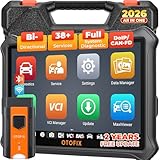
- 🏆【2026 TOP OBD2 Scanner Diagnostic Tool】OTOFIX D1 Lite wireless obd2 scanner has upgraded hardware configuration and car coverage. The newly upgraded D1 Lite with 🔥OS Android 9.0🔥1.5Ghz 4 core high efficiency processor🔥2GB RAM+64GB ROM large storage🔥5800mAh large battery, more stable and longer lasting diagnostics🔥 38+ Reset🔥action tests🔥full system diagnostic🔥Supports MV105 endoscope🔥21+ Language Supports🔥100000+ vehicle coverage to meet all your daily maintenance needs.
- 👍【Bi-Directional Control / Active Test】D1 Lite obd2 scanner has bidirectional control(worth $300+), which is the most beloved feature among mechanic. If your headlights or car windows are broken, going to a repair shop will cost a lot of money. You can use D1 Lite to send execution commands to the ECU module and identify the repair status. Such as ABS, car windows, doors, valves, wipers, headlights, etc., effectively shorten diagnostic time and reduce diagnostic costs.
- 🔥【All Systems Diagnostics, In-depth Checking】This advanced OBD2 Scanner D1 Lite can perform OE-level diagnosis of all systems including engine, transmission, airbag, ABS, ESP, TPMS, gateway, steering, radio, and air conditioning for more than 100 brands. This diagnostic scanner supports essential functions, such as reading ECU version info, reading and clearing fault codes, and reading data streams.With just a simple click, it provides you with accurate and in-depth diagnostics.
- 🏆【38+ Reset Hot Functions】For repair workshops, holding an OTOFIX D1 Lite Auto scanner is a strong advantage over others. Its 38+ maintenance functions provide various solutions for all module repairs, including Oil Reset, TPMS Reset, Injector Coding, Suspension, Throttle Matching, etc., which will usher your repair business to a new pinnacle. Continuously updating will never make the functionality & compatibility out-of-date.
- 🏆【150+ Models, 10000+ Car Coverage & 16 Languages】D1 Lite is a comprehensive car diagnostic scan tool, help you to troubleshoot car issues fast for 95% US, European, Asian auto makes. ✅ With frequent updates and optimizations allow D1 Lite to cover more vehicles to meet your needs. ✅ Multilingual menu allows auto mechanics around the world to use it without language barriers. 🚩Note: Kindly send us the S/N of the device to authorize new language updates before changing the menu language.

- 2026 Newest Wireless Bluetooth Scan Tool D1: OTOFIX D1 Diagnostic scanner is upgraded version with Enhanced Hardwares & Newest Functions, FASTER and SMARTER! ✅Alternative Bluetooth 5.0 +USB connect✅2G+64GB✅Android 9.0 OS✅5G & 2.4 GHz Dual WiFi✅5800mAh battery👍VAG Guided Function👍ECU Online Coding👍CANFD&DOIP👍40+ Services👍Bi-Directional Control👍Full Systems Diagnose👍2 Years Free Update👍150+ Vehicle Coverage🎁Contact to get gift: otofixaftersales-amz@ outlook.com
- ECU Coding to Unlock the Hidden Features: OTOFIX D1 obd2 scanner diagnostic tool newly adds ECU Coding which can Online Coding(ONLY for VW/Au.di/Sk0da), Variant Coding/Offline Programming, Flash Hidden Functions, Reset Adaptive Data, Match Replaced Components, Customize OE-Settings. Such as: halogen fog lamps retrofitted with xenon fog lamps, different capacity battery retrofit, disbale auto start-stop, sunroof initialization, injector calibration, etc. PS: Coding functions vary by model&year.
- Full Bidirectional Control for Active Car Tests: The D1 OTOFIX scanner also offers bi-directional control, allowing you to perform powerful active tests on car subsystems. This means that you can check the working status and functionality of open & close solenoids, energize injectors, turn cooling fan on & off, and more, all from the device itself.🚩The D1 bi-directional obd2 scanner can quickly help you to check if a system or component goes well,Improving 200% Efficiency.**Note that Active Tests available depend on the make/model/year of your car.
- 40+ Popular Maintenance Functions: OTOFIX D1 obd scanner for car performs 40+ hot services, including Oil Reset, EPB, TPMS, BMS, E.GR, G.PF, D.PF, SAS Calibration, ABS Bleeding, Injector Coding, Gearbox Match, Suspension, Crankshaft Relearn, Power Balance, etc., still growing. Great choice for DIYers, technician, repair shop. 🚩Get MORE special functions from "Car Brand>System>Service". Check compatibility before purchase via 📧 otofixaftersales-amz@ outlook.com.
- OE-Level All Systems Diagnostic + One-Click AutoVIN & AutoSCAN: OTOFIX D1 scanner automotriz gives you the ability to troubleshoot entire car systems including engion system,transmission system,body system,chassis,etc. 🚩One of the standout features of the D1 obd2 scanner diagnostic tool is the one-click AutoVIN & AutoScan function. This feature allows you to quickly and easily scan all diagnosable ECUs with just one click, and identify any problems hidden in your vehicle's systems.
Last update on 2026-06-23 / Affiliate links / Images from Amazon Product Advertising API
This product presentation was made with AAWP plugin.