
NHTSA ID Number: 11006912
Manufacturer Communication Number: 2024.26.100_082024.pdf
TSB/Document Date: 2024-09-04
Summary
Tesla does not provide physical owner's manual copies. Instead, all available owner’s manual content is integrated into the vehicle software, and only the content relevant for a given vehicle, based on vehicle configuration and software version installed, is displayed on its touchscreen. This file contains all available owner’s manual content for the vehicle converted to PDF format, and given the distribution method and NHTSA’s submission format requirements, it is the best available representative copy of owner’s manual content. However, a customer who accesses the owner’s manual via their vehicle’s touchscreen would only see the parts of this PDF file that are relevant to their vehicle.
minimum requirements.
WARNING: A tire’s temperature grade is established for a tire that is properly inflated and not overloaded. Excessive
speed, under-inflation, or excessive loading, either separately or in combination, can cause heat buildup and possible
tire failure.
Tire and Loading Glossaries
General Wheel and Tire Terms
Accessory Weight
The combined weight (in excess of those items replaced) of items available as factory installed
equipment.
Bead
The inner edge of a tire that is shaped to fit to the rim and form an air tight seal. The bead is
constructed of steel wires which are wrapped, or reinforced, by the ply cords.
Owner's Manual
428
Maintenance
Cold Tire Pressure
The air pressure in a tire that has been standing in excess of three hours, or driven for less than
one mile.
Curb Weight
The weight of a standard vehicle, including any optional equipment fitted, and with the correct
fluid levels.
Gross Vehicle Weight
The maximum permissible weight of a vehicle with driver, passengers, load, luggage, and
equipment.
kPa (kilo pascal)
A metric unit used to measure pressure. One kilo pascal equals approximately 0.145 psi.
Maximum Inflation
Pressure
The maximum pressure to which the tire should be inflated. This pressure is given on the tire side
wall in psi (lbf/in2).
CAUTION: This pressure marked on the tire is the maximum allowed by the tire
manufacturer. It is not the pressure Tesla recommends using for Cybertruck.
Maximum Loaded
Vehicle Weight
The sum of curb weight, accessory weight, vehicle capacity weight, and production options
weight.
Production Options
Weight
The combined weight of options installed which weigh in excess of 3 lb (1.4 kg) more than the
standard items that they replaced, and are not already considered in curb or accessory weights.
PSI (lbf/in2)
Pounds per square inch (the unit used to measure tire pressure).
Recommended Tire
Inflation Pressure
Tire inflation pressure, established by Tesla, which is based on the type of tires that are mounted
on the vehicle at the factory. This information can be found on the Tire and Loading Information
label located on the door pillar.
Rim
The metal support for a tire, or tire and tube, upon which the tire beads are seated.
Vehicle Capacity Weight The number of seats multiplied by 150 lbs (68 kg) plus the rated amount of load/luggage.
Load Carrying Definitions
Normal occupant weight
68 kilograms (150 lbs) times the number of occupants specified in the second column of the
tables for calculating load limits (see the Vehicle Loading topic of this Owner's Manual).
Occupant distribution
Distribution of occupants in a vehicle.
Passenger car tire
(P or Hard Metric) A tire intended for use on passenger cars, multipurpose passenger
vehicles, and trucks.
Light truck tire
(LT) A tire for use where additional load carrying capability is needed.
Rim diameter
Nominal diameter of the bead seat.
Rim size designation
Rim diameter and width.
Rim type designation
The manufacturing industry's designation for a rim by style or code.
Rim width
Nominal distance between the rim's flanges.
Vehicle maximum load on the Load on an individual tire that is determined by distributing to each axle its share of the
tire
maximum loaded vehicle weight and dividing by two.
Vehicle normal load on the
tire
Load on an individual tire that is determined by distributing to each axle its share of the curb
weight, accessory weight, and normal occupant weight and dividing by two.
Pneumatic Radial Tire Definitions
Bead separation
A breakdown of the bond between components in the bead.
Bias ply tire
A pneumatic tire in which the ply cords that extend to the beads are laid at alternate angles
substantially less than 90 degrees to the center line of the tread.
Carcass
The tire structure, except tread and sidewall rubber which, that when inflated, bears the load.
Chunking
The breaking away of pieces of the tread or sidewall.
429
Owner's Manual
Maintenance
Cord
The strands forming the plies in the tire.
Cord separation
The parting of cords from adjacent rubber compounds.
Cracking
Any parting within the tread, sidewall, or inner liner of the tire extending to cord material.
Extra load tire
A tire designed to operate at higher loads and higher inflation pressure than the corresponding
standard tire.
Groove
The space between two adjacent tread ribs.
Inner liner
The layer(s) forming the inside surface of a tubeless tire that contains the inflating medium within the
tire.
Inner liner separation The parting of the inner liner from cord material in the carcass.
Load rating
The maximum load that a tire is rated to carry for a given inflation pressure.
Maximum load rating
The load rating for a tire at the maximum permissible inflation pressure for that tire.
Measuring rim
The rim on which a tire is fitted for physical dimension requirements.
Open splice
Any parting at any junction of tread, sidewall, or inner liner that extends to the cord material.
Outer diameter
The overall diameter of an inflated new tire.
Overall width
The linear distance between the exteriors of the sidewalls of an inflated tire, including elevations due
to labeling, decorations, or protective bands or ribs.
Ply
A layer of rubber-coated parallel cords.
Ply separation
A parting of rubber compound between adjacent plies.
Pneumatic tire
A mechanical device made of rubber, chemicals, fabric and steel or other materials, that, when
mounted on an automotive wheel, provides the traction and contains the gas or fluid that sustains the
load.
Radial ply tire
A pneumatic tire in which the ply cords that extend to the beads are laid at substantially 90 degrees
to the center line of the tread.
Reinforced tire
A tire designed to operate at higher loads and at higher inflation pressures than the corresponding
standard tire.
Section width
The linear distance between the exteriors of the sidewalls of an inflated tire, excluding elevations due
to labeling, decoration, or protective bands.
Sidewall
The portion of a tire between the tread and bead.
Sidewall separation
The parting of the rubber compound from the cord material in the sidewall.
Snow tire
A tire that attains a traction index equal to or greater than 110, compared to the ASTM E1136-93 (reapproved 2003, incorporated by reference, see §571.5) Standard Reference Test Tire when using the
snow traction test as described in ASTM F1805-00 (incorporated by reference, see §571.5), and that
is marked with an Alpine Symbol specified in S5.5(i) on at least one sidewall.
Test rim
The rim on which a tire is fitted for testing, and may be any rim listed as appropriate for use with that
tire.
Tread
The portion of a tire that comes into contact with the road.
Tread rib
A tread section running around the circumference of a tire.
Tread separation
The pulling away of the tread from the tire carcass.
Tread wear
indicators (TWI)
The projections within the principal grooves designed to give a visual indication of the degrees of
wear of the tread.
Wheel-holding
fixture
The fixture used to hold the wheel and tire assembly securely during testing.
Owner's Manual
430
Maintenance
Windshield Wiper Blade, Jets and Fluid
Topping Up Windshield Washer Fluid
The only reservoir into which you can add fluid is the windshield washer fluid reservoir, which is located behind the powered
frunk liner. When the level is low, a message displays on the touchscreen.
To top up the washer fluid:
1. Open the powered frunk.
2. Use a microfiber cloth to clean around the filler cap before opening it to prevent dirt from entering the reservoir.
3. Open the filler cap.
4. While avoiding spilling, fill the reservoir until the fluid level is visible just below the filler neck. The reservoir has a total
capacity of 4.2 liters.
5. Wipe up any spills immediately and wash the affected area with water.
6. Close the filler cap.
CAUTION: Some national or local regulations restrict the use of Volatile Organic Compounds (VOCs). VOCs are
commonly used as freeze protection in washer fluid. Use a washer fluid with limited VOC content only if it provides
adequate freeze resistance for all climates in which you drive Cybertruck.
CAUTION: Use only ethanol-based windshield washer fluid meant for automotive vehicles. Using other substances, such
as untreated water, can result in bacterial growth within the climate control system resulting in odor or potential damage
that is not covered by warranty. Untreated pure water expands to ice when freezing, which may result in damage.
CAUTION: Do not add formulated washer fluids that contain water repellent or bug wash. These fluids can cause
streaking, smearing, and squeaking or other noises.
WARNING: In temperatures below -32° F (0° C), use a washer fluid with antifreeze. In cold weather, using a washer fluid
without antifreeze can impair visibility through the windshield.
431
Owner's Manual
Maintenance
WARNING: Windshield washer fluid can irritate eyes and skin. Read and observe the instructions provided by the washer
fluid manufacturer.
Cleaning the Wiper Blade
Periodically clean the edge of the wiper blade and check the rubber for cracks, splits, and roughness. If damaged, replace the
blade immediately to prevent damage to the glass and improve visibility.
Contaminants on the windshield or wiper blade can reduce the effectiveness of the wiper. Contaminants include ice, wax
spray from car washes, washer fluid with bug and/or water repellent, bird droppings, tree sap, and other organic substances.
Follow these guidelines for cleaning:
1. Lift the wiper arm a short distance away from the windshield, just far enough to access the wiper blade. Do not lift the
wiper arm beyond its intended position.
2. Place a towel between the wiper arm and windshield to avoid scratching or cracking the windshield.
3. Clean the windshield and wiper blade using washer fluid or non-abrasive glass cleaner approved for use on automotive
glass and rubber.
CAUTION: Inappropriate products can cause damage or smears and create glare on the windshield.
4. Gently place the wiper blade back onto the windshield.
5. Test the wiper blade again. If the wiper remains ineffective after cleaning, replace the wiper blade.
Replacing the Wiper Blade
For optimum performance, replace the wiper blade at least once a year. You can purchase a replacement wiper blade on the
Tesla Shop.
CAUTION: Only install a replacement blade that is identical to the original blade. Using an inappropriate blade can
damage the wiper system and windshield.
To replace the wiper blade:
1. Shift into Park and turn off the wiper. Ensure the wiper setting is Off and not in Auto, because the wiper blade may still
sweep if there is any liquid detected on the windshield.
2. Place a towel between the wiper arm and windshield to avoid scratching or cracking the windshield.
3. Lift the wiper arm a short distance away from the windshield, just far enough to access the wiper blade.
CAUTION: Wiper blade does not lock into a lifted position. Do not lift the wiper arm beyond its intended position or
drop it onto the windshield.
4. While holding the wiper arm, press the locking tab, then slide the blade away from the arm. Set the wiper blade next to the
wiper arm.
Owner's Manual
432
Maintenance
5. Disconnect the washer hose from the wiper blade by pulling the hose from the barb fitting.
6. Connect the new washer hose to the barb fitting on the new wiper blade.
433
Owner's Manual
Maintenance
7. Align the new wiper blade on the wiper arm and slide it toward the base of the wiper arm until it locks into place.
8. Ensure the wiper blade is fully secured by lightly pushing and pulling on the blade. The blade should not jostle or move
around.
9. Remove the towel and gently place the wiper blade against the windshield.
Washer Jets
The windshield washer fluid sprays from nozzles along the length of the wiper blade. You cannot adjust them. If a windshield
washer nozzle becomes blocked, use a thin strand of wire to clear any blockages.
If the blade is not dispensing washer fluid, make sure there is enough wiper fluid in the reservoir and refill if needed. If this
issue still persists, check the hose connection between the arm and blade for any leaks, kinks, or disconnections.
WARNING: Do not operate the washers while cleaning Cybertruck. Windshield washer fluid can irritate eyes and skin.
Read and observe the washer fluid manufacturer’s instructions for safe handling.
Owner's Manual
434
Maintenance
Jacking and Lifting
WARNING: Ensure the equipment you are using is rated for the weight of Cybertruck, including any cargo, installed
accessories, or upgrades before attempting to lift.
Follow the steps below to lift Cybertruck. Ensure that any non-Tesla repair facility is aware of these instructions, including lift
points and warnings.
Using a Jack and Jack Stand
1. Ensure Cybertruck is located in a flat, stable, and secure area with enough space surrounding the vehicle to jack it.
2. Ensure the vehicle ride height is set to Medium and enable Jack Mode (Controls > Service > Jack Mode see Jack Mode on
page 135) to disable self-leveling.
WARNING: You MUST enable Jack Mode, otherwise the vehicle may try to self-level while on the jack. Failing to
engage Jack Mode may cause serious injury or death.
3. If available, chock the wheel diagonal to the corner you're working on (for example, if you are replacing the rear driver's
side tire, chock the front passenger's side tire).
4. Remove the wheel cover from the wheel with the flat tire (see Removing and Installing Wheel Covers on page 422).
5. Use the lug nut wrench to break loose the lug nuts on the wheel.
6. Place the jack under the vehicle's lift point (shown in green) corresponding to the location you are working on.
WARNING: DO NOT position the jack under the Battery or side rails (shown in red).
Lift points:
7. Following the jack manufacturer's instructions, begin to lift the vehicle, making sure to constantly monitor the contact with
the lift point.
8. Place the jack stand under the appropriate jack stand location in the image corresponding to the area you're working on.
Ensure the jack stand is appropriately oriented and does not touch any of the red areas in the image. Adjust to meet the
jack's height. The vehicle should be able to be solely propped up with the jack stand.
WARNING: Do not get under the vehicle when it is propped up on the jack or jack stands. Doing so may cause serious
injury or death.
Jack stand points:
435
Owner's Manual
Maintenance
9. Slowly lower the jack following manufacturer instructions, constantly monitoring the contact between the vehicle and the
jack stand. Then release the jack from the vehicle's lift point and check that it is secure.
10. To lower the vehicle off of the jack stand, use the jack to raise the vehicle until the jack stand is no longer supporting the
vehicle, remove the jack stand, and slowly lower the vehicle down.
11. Disengage Jack Mode by touching Controls > Service > Jack Mode.
Using a 2-Post Lift:
1. Ensure the vehicle ride height is set to Medium and enable Jack Mode (Controls > Service > Jack Mode see Jack Mode on
page 135) to disable self-leveling.
WARNING: You MUST enable Jack Mode, otherwise the vehicle may try to self-level while on the jack. Failing to
engage Jack Mode may cause serious injury or death.
2. Position the lift arm pads under the lift points at the locations shown.
WARNING: DO NOT position the lift arm pads under the Battery or side rails.
Lift points:
3. Lift the vehicle to working height.
4. Engage any lift safety locks. Follow the lift manufacturer's instructions for details.
WARNING: Failure to correctly engage the safety locks can result in serious injury or death.
5. When done, lower the vehicle down slowly and safely.
6. Disengage Jack Mode by touching Controls > Service > Jack Mode.
WARNING: Never raise Cybertruck when the charge cable is connected, even if charging is not in progress.
WARNING: Do not work on an incorrectly supported vehicle. Doing so can cause serious damage, bodily injury, or death.
CAUTION: It is your responsibility to be observant of the vehicle and it's surroundings. Ensure the area is clear when
lifting and lowering Cybertruck and that the doors, front trunk, and tailgate are closed as necessary to avoid damage.
Owner's Manual
436
Maintenance
CAUTION: DO NOT lift from under the Battery or side rails. Place the lift arm pads under the designated body lift points
only. The locations shown are the only approved lifting points for Cybertruck. Lifting at any other points can cause
damage. Damage caused by incorrectly lifting Cybertruck is not covered by the warranty.
Jack Mode
WARNING: Failure to enable Jack Mode can result in the vehicle self-leveling, resulting in damage, injury, or death.
Cybertruck automatically self-levels, even when the vehicle is "asleep" and the touchscreen is powered off. Before enabling
Jack Mode:
1. Set the ride height to Medium to allow for enough ground clearance for the jack.
NOTE: Due to the large wheels and height of Cybertruck, setting the ride height to High or Very High may not provide
sufficient clearance for you to safely change the tire.
2. Enable Jack Mode (Controls > Service > Jack Mode).
3. To deactivate Jack Mode, press the brake pedal and touch Controls > Service > Jack Mode again. Jack Mode automatically
cancels when you start to drive.
NOTE: Jack mode may be unexpectedly enabled in situations where an object is supporting the vehicle's weight (for example
the bumper of the vehicle is resting on a curb).
Parts and Accessories
Parts, Accessories, and Modifications
Use only genuine Tesla parts and accessories. Tesla performs rigorous testing on parts to ensure their suitability, safety, and
reliability. Purchase these parts from Tesla, where they can be professionally installed and you can receive expert advice about
modifications to Cybertruck. Accessories are available for purchase online at the Tesla Shop. Some accessories may not be
available in your market region or compatible with your exact vehicle.
NOTE: Adding accessories to your vehicle may impact expected range, vehicle dimensions, etc.
Tesla is unable to assess parts manufactured by other distributors and therefore accepts no responsibility if you use non-Tesla
parts on Cybertruck.
WARNING: Installing non-approved parts and accessories, or performing non-approved modifications, can affect the
performance of Cybertruck and the safety of its occupants. Any damage caused by using or installing non-approved
parts, or by performing non-approved modifications, is not covered by the warranty.
WARNING: Tesla does not accept liability for death, personal injury or damage that occurs if you use or install nonapproved accessories or make non-approved modifications.
Body Repairs
If your Cybertruck is in a collision, contact Tesla or a Tesla-approved Body Shop to ensure that it is repaired with genuine Tesla
parts. Tesla has selected and approved body shops that meet strict requirements for training, equipment, quality, and
customer satisfaction.
Some repair shops and insurance companies might suggest using non-original equipment or salvaged parts to save money.
However, these parts may not meet Tesla's high standards for quality, fit, and corrosion resistance. In addition, non-original
equipment and salvaged parts (and any damage or failures they might cause) are not covered by the warranty.
Connecting Accessories to the 48V Power Feeds
Cybertruck is equipped with two power feeds. The power feeds provide access to the 48V low voltage system, which can be
used to power accessories.
CAUTION: Do not connect a power source (such as a solar panel or external battery) to a power feed. Doing so may
damage Cybertruck.
437
Owner's Manual
Maintenance
WARNING: The two power feeds are the only points at which you can connect accessories directly to the low voltage
system. Do not use any other low voltage wiring in Cybertruck to power accessories. Doing so can lead to unpredictable
or unexpected results (such as a total loss of power steering) and can affect the performance of Cybertruck and the
safety of its occupants. Any damage caused by using or installing non-approved parts, or by performing non-approved
modifications, is not covered by the warranty. Tapping into the power feeds should only be done by knowledgeable and
experienced individuals. Tesla does not accept liability for death, personal injury or damage that occurs if you install
accessories using non-approved methods or circuits.
48V Power Feed Specifications
There are two power feeds:
• One power feed is located on the roof (400W maximum draw).
• One power feed is located in the powered frunk (400W maximum draw).
Each power feed operates in the following range:
• Minimum: 28V
• Nominal: 44–50V
• Maximum: 58V
Each power feed contains three wires:
Wire Color
Function
Red with a blue stripe
Positive (+) terminal: Provides 48V power
Green
Provides access to the Local Interconnect Network (LIN)
Roof power feed: Black with a blue stripe
Negative (-) terminal: Provides a grounding point
Powered frunk power feed: Brown with a blue stripe
NOTE: The power feeds are designed to stop providing power when current that exceeds the listed specifications is detected.
If a power feed unexpectedly stops providing power, reset them by touching Controls > Outlets & Mods > Reset.
CAUTION: If the wires in the vehicle do not match this information, use the mobile app to schedule a service
appointment.
Accessing the Power Feed on the Roof
1. Ensure that Cybertruck is powered off (see Powering Off on page 28).
WARNING: Failure to ensure the vehicle is powered off can result in serious injury. Tesla recommends wearing
appropriate personal protective equipment to mitigate any potential for injury.
2. Locate the strip of applique on the right side of the roof and use a flat, non-marring tool to gently lift under the edge and
release the five clips that hold it in place. Lift upwards to remove the applique.
Owner's Manual
438
Maintenance
3. Locate the shrink-wrapped loop of wires. This is the power feed.
4. Remove the shrink wrap from the power feed, then splice or solder the accessory's wire harness to it.
WARNING: Use extreme care when accessing the power feed. Assume that the low voltage components of
Cybertruck, including all wires and connectors, are always energized. Because the 48V low voltage system operates
at a higher voltage than a typical low voltage system, there is an increased risk of personal injury, arcing, or
component damage if the low voltage components of Cybertruck are handled improperly.
CAUTION: Carefully check the wiring of the accessory and ensure that you are connecting the positive (+) wire of the
accessory to the positive wire (red with a blue stripe) of the power feed, and the negative (-) wire of the accessory to
ground (black with a blue stripe). See 48V Power Feed Specifications on page 438. Accessories without proper
power and grounding may not function as expected, and may be damaged as a result.
CAUTION: Ensure that the wires are properly insulated (taped or heatshrinked) after splicing or soldering an
accessory's wiring to the power feed.
439
Owner's Manual
Maintenance
5. Ensure your accessory or attachment is properly secured to the vehicle.
6. Replace the roof applique by pressing it into place to ensure that the trim clips are secured.
7. Power on the vehicle (see Starting and Powering Off on page 28) and enable power to the power feed, if desired (see
Enabling Power to the Power Feeds on page 443).
Accessing the Power Feed in the Powered Frunk
To access the power feed in the powered frunk, you must first remove the frunk lining.
1. Open the powered frunk (see Powered Frunk on page 243).
2. Ensure that Cybertruck is powered off (see Powering Off on page 28).
WARNING: Failure to ensure the vehicle is powered off can result in serious injury. Tesla recommends wearing
appropriate personal protective equipment to mitigate any potential for injury.
3. Remove the frunk maintenance panel by pulling it upwards to release the trim clips that hold it in place.
4. Remove the two bump stops (one on each side above the headlights) by turning them counterclockwise.
5. Remove the windshield washer fluid cap.
6. Using a trim tool or flat, plastic tool, remove the two pieces of trim on the bottom of the frunk lining to expose the four bolts
that hold the lining in place.
Owner's Manual
440
Maintenance
7. Using a 10 mm socket, remove the four bolts on the bottom of the frunk and the two bolts beneath the maintenance panel.
8. Carefully lift the frunk lining partially upward and unplug the emergency interior release connector. Once the connector is
unplugged, the frunk lining can be removed.
441
Owner's Manual
Maintenance
CAUTION: As you remove the frunk lining, be careful not to damage or jostle the connector for the powered frunk
emergency interior release.
9. Locate the shrink-wrapped wires. This is the power feed.
10. Remove the shrink wrap from the power feed, then splice or solder the accessory's wire harness to it.
WARNING: Use extreme care when accessing the power feed. Assume that the low voltage components of
Cybertruck, including all wires and connectors, are always energized. Because the 48V low voltage system operates
at a higher voltage than a typical low voltage system, there is an increased risk of personal injury, arcing, or
component damage if the low voltage components of Cybertruck are handled improperly.
CAUTION: Carefully check the wiring of the accessory and ensure that you are connecting the positive (+) wire of the
accessory to the positive wire (red with a blue stripe) of the power feed, and the negative (-) wire of the accessory to
ground (brown with a blue stripe). See 48V Power Feed Specifications on page 438. Accessories without proper


- Advanced VCI Box, Industry-leading J2534 Pass-Thru...
- High-Speed OEM-Level Diagnostics & Programming: Unlock true...
- Coverage for 17 Car Brands & Ultra Reliability: Works...
- User-Friendly RLink Platform & Expert Support: TOPDON’s...
- 6.6 ft USB-C Cable & Portable Storage Case: The RLink J...
Last update on 2026-06-23 / Affiliate links / Images from Amazon Product Advertising API
If the PDF is very large, it may not load in the preview below.
Some older TSBs had multiple PDFs — visit the NHTSA Website to view all PDFs.
If the TSB PDF does not show, download or view it on the NHTSA Website.
Click on the (+) Plus Sign
Then Click on Associated Document(s)
Search NHTSA Database for Recalls
Search NHTSA Database for Vehicle Investigations
View Latest Vehicle Investigations
Search NHTSA Database for Vehicle Complaints
View Latest Vehicle Complaints
TSB/Document ID: 2024.26.100_082024.pdf
Replacement Service Bulletin Number:
MFR Communication Date: 2024-08-31
MFR Internal Campaign ID/Software Version: 2024.26.100
Communication Type: Over The Air
NHTSA Components: UNKNOWN OR OTHER
MFR Component System:
MFR Component Subsystem:
Previous TSB | Next TSB |

- WHY CHOOSE THE 2025 CR MAX -Upgrade the latest diagnostic capabilities for all vehicles after 1996: upgrade to 49+maintenance services; 46 extra specific functions; real all systems/all control modules diagnose; over 40K+ bidirectional actuation tests for diagnosing all control moduels of cars; Powerful full OBD2 Functions; built-in ECU Coding for BMW
 / Audi/ VW/ RollsRoyce; Fr ee V.A.G Guide Function; Battery retistration for new battery adaptation and more. It covers all vehicle diagnostic services and some special professional vehicle maintenance servces, assists you to do home DIY vehicle maintenance or car repair as a pro technician.
 - NEWEST IN INNOVATION FULL OBD2 SERVICES- iCarsoft auto car diagnostic scanner compatible with CAN-FD, CR MAX can do it all-reads and clears trouble codes, ALL SYSTEM DIAGNOSIS such as engine, transmission, ABS and airbag etc. CR MAX code reader for all cars can perform I/M Readiness, Live Data, Freeze Frame, Vehicle Information, Monitor Test, On-Board Monitor, E vap System Test,O2 Sensor Test,DTC Library Lookup,etc. (Warm Tips: If you car is after 2023,please contact us for compatibility; 3. It comes with 16PIN OBD2 diagnostic adapter, please check your car diagnostic socket if it is 16pin socket, if your car is 14pin diagnostic socket please contact us for the solution.)
- 49 RESET+ 46 SERVICES- Performs: Oil Reset, EPB,SAS,Throttle, D-P - F, Battery, ABS, Injector, TPMS, Suspension, AC, Head Lamp, Body Stablity, Engine, Tramsmission, Airbag, Seat, Door-Win-Roof, Fuel Pump, Door, E-G- R.+21 NEWEST SERVICES( Need update scanner)-AdBlue, Clutch, Crankshaft, High Voltage Battery, Cruise Control, NO xSensor, Rain Sensor, Stop And Start, Turbocharger, Head Up Display, Radar Camera, Vehicle Setup, Cyliner Misfire Check,Speedlimitassist, ControlUnitReset,OxygenSensor, Seatbelt. Extra 46+ extra services based on car brand.(Tips: Quantity of reset/ calibration fucitons are based on car system that your vehicle model has)
- REVOLUTIONARY 40000+BIDIRECTIONAL ACTIVE TESTS: Upgraded CR Max scanner equip with numberous of actuational test items for covering all available vehicle control modules, no longer only do simple light test or window test like other scanners, performs hardware modules test and software control modules test for checking car units or new updated control moduels work well or not after maintenance/ repair/ re-installation/ control system updated (Example for Benz- Roller Sun Blind test; Backup Camera test ;Self-test; EPB test; Transport Mode test;Boost Pressure Positioner test; Fuel Pump test; AND MORE!!).(Warm tip: The available test items are based on control modules your car has)
- ECU CODING+ BATTERY REGISTRATION- Powerful ECU Coding service for BMW/MINI/RollsRoyce / Audi/VW/Seat/Skoda/Bentley/Bugatti/Lamborghini, Improves Engine Power Performance and Optimizes Fuel Efficiency and Match New Hardware Unit to car and Customized a comfortable Driving Modes and Fixes & Updates Original Software Bug. The battery test function for checking car battery health, perform battery reset (BMS ) for replacing a damaged or aging car battery with a new one and register new battery to car ECU
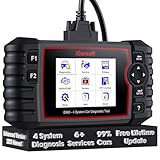
- 【Looking for More Professional Vehicle Scan Tool?】iCarsoft E660 2026 Upgrade Version OBD2 scan tool can do it all-reads and clears trouble codes on Engine system, ABS system, Transmission system and Airbag system, And with 6 reset function. It covers more than 59 vehicle makes from 1996-2023 models ( included most USA/ Asia / EU vehicle brand) with full OBDII. (As every car model has its-owned specific car system and ECUs, not all car models have full car ECUs which may prevent the scanner from performing all listed system diagnostics or reset services. Therefore, please email to us with car VIN and services required to do scanner's services for a compatibility check before purchasing.)
- 【OE-Level 4 Systems OBD2 Scanner】iCarsoft E660 2026 Upgrade Version diagnostic scanner offers comprehensive OBDII services, allowing you to quickly scan Engine system. It supports functions such as reading and erasing codes, checking I/M readiness, viewing freeze frame data, performing O2 sensor tests, conducting on-board monitoring, testing the evap system, auto VIN retrieval, and reading both generic and specific codes, as well as DTCs and battery tests.
- 【4 Systems Diagnosis for 10000+ Vehicles】 iCarsoft E660 2026 Upgrade Version adopts unique diagnostic software, works well for most Porsche, Benz, BMW, US Ford, Land Rover, Jaguar, Audi, VW, Volvo, Honda, Nissan, Infiniti, Toyota, Lexus, Scion, Isuzu, Hyundai, Kia, Daewoo, Mazda, Sprinter, Mini, Seat, Skoda, SAAB, EU Ford, Holden, AUS Ford, Acura, Subaru, Mitsubishi, Dacia, Renault, Fiat, GM, Chrysler, Citroen, Peugeot, Opel, Smart,Suzuki, Vauxhall, Alfa-Romeo, Lancia and etc.
- 【6 Reset Services】iCarsoft E660 2026 Upgrade Version is a diagnostic tool that offers professional maintenance services, including Oil Reset, EPB, BMS, ETC, SAS, TPMS Reset. It can help you easily reset oil change indicators, recalibrate steering angle sensors, relearn replaced electric parking brake and so on. For optimal vehicle performance and maintenance convenience. (Tips: Please update the softwareafter receiving the product to obtain new service functions)
- 【118+ Real Time Record & Live Graph View】iCarsoft E660 2026 Upgrade Version can automatically record vehicle text history and identify vehicle information. Preserve real-time data information. View & Graph Live Data. Support Data Review and Print. 15 languages: English, German, Dutch, Spanish, French and so on. We promise to offer Lifetime updates (Lifetime free Update via PC), and confidence in products. We also provide 1 year warranty + extra lifetime hardware free repair if you need it in the future. We prioritize user experience & strive to meet your expectations. Please do feel free to reach out to us if you have any question or problem about the usage.

- 【All-in-One Diagnostic Tool for Porsche + 2 Extra Vehicle Brands】New POR V4.0 is a professional car scanner specifically engineered with dedicated software pre-installed for Porsche. You can also download 2 additional software packages FOR FREE from 26 supported brands (e.g., for Benz, for BMW, for Audi, for Land Rover).Upgraded to adopt quad-core 1.3GHz processor and HD touchscreen and professional diagnsotic OS for faster& smooth diagnsotic.LIFETIME FREE UPDATES, NO SUBSCRIPTION COST! PLEASE TELL US YOUR CAR INFORMATION TO OBTAIN A LIST OF ALL COMPATIBLE SERVICES FOR YOUR CAR FIRST (FOR EXAMPLE: BATTERY REGISTRATION FUNCTION IS NOT COMPATIBLE WITH PORSCHE 997.2)
- 【29 MAINTENANCE SERVICES FOR PORSCHE SERIES CARS】 It can perform the 29 reset service for Porsche series cars-Oil Reset; SAS; EPB; BMS; ETC; DP ; ABS Bleeding; Injector Coding; TPMS; Air Suspension; Air Conditioner; Head Lamp; Body Stablity Control; Engine Control; Transmission; AirBag; Seat; DWR; MIS; EG; ODO; Clutch; High Voltage Battery; Cruise Control; Radar/Camera; Vehicle Setup,etc. Up to 49 vehicle-maintenance-services for the extra 2 vehicle brands you installed (Tip: Not all services will be worked on every car mode. Some vehicle models may be lack of certain ECU-control modules to make some services may not work).
- UPGRADE SERVICES: Breaks down 29 services to 234 sub-service for car owners/machinist to perform maintenance based on corresponding sub-modules! The detailed sub-service for sub-modules assist to perform precise vehicle maintenance.Improving the accuracy of car maintenance and reducing potential failure risks caused by whole-module maintenance to main modules.such as Oil Reset is refined into Reset maintenance interval/Reset service interval/Service Reset; Engine Control Reset is refined into Delete adaptation data/Short tests/System tests/Swirl-flap actuator/Bleeding high temperature coolant circuit and more.(sub-services vary based on vehicle model/year)
- 【EXTRA VEHICLE MAINTENANC SERVICES FOR SPECIFIC SYSTEMS】Have no ability to perferm calibration to special/specific systems/modules? This OBD2 scanner solve your troubles- for common systems/modules & for specific sytems/modules, assist you to perform diagnsing/calibration/reset/relearn services for non-common modules to finish your car maintenance/ diagnostic (eg: Central Computer system/module :Function activation/Multimedia interface test/AM Field Strength/Current FM Field Strength/FM Field Strength/MOST system reserve/Self-test/Deactivate Production Mode/Reset to factory settings/MOST System Test). (Tip: The services vary based on the vehicle brands)
- 【 MORE PROFESSIONAL BI-DIRECTIONAL ACTUATION TESET 】Exclusive POR V4.0 comes with powerful bidirectional testing capability,do actuaction test for deeper unit-checking after replacement or overhaul (1333 test items for Porsche, like:Fuel high-pressure fuel injector 1-4, Empty tank, Radiator fan, OTA-FC Connectivity, backrest, Backup battery, and more; 2136 test items for Audi; 1670 test items for Benz; 1599 test items for Volvo; 1360 test items for VW; 2705 test items for GM etc.). Help to check your car units work well or not after vehicle maintenance or daily car-body check, keep drives always in safety.(Warm tip:The quantity of test item is based on the units your car has)
Last update on 2026-06-23 / Affiliate links / Images from Amazon Product Advertising API
This product presentation was made with AAWP plugin.