
NHTSA ID Number: 11006912
Manufacturer Communication Number: 2024.26.100_082024.pdf
TSB/Document Date: 2024-09-04
Summary
Tesla does not provide physical owner's manual copies. Instead, all available owner’s manual content is integrated into the vehicle software, and only the content relevant for a given vehicle, based on vehicle configuration and software version installed, is displayed on its touchscreen. This file contains all available owner’s manual content for the vehicle converted to PDF format, and given the distribution method and NHTSA’s submission format requirements, it is the best available representative copy of owner’s manual content. However, a customer who accesses the owner’s manual via their vehicle’s touchscreen would only see the parts of this PDF file that are relevant to their vehicle.
charging equipment, or property.
Cleaning the Interior
Frequently inspect and clean the interior to maintain its appearance and to prevent premature wear. If possible, immediately
wipe up spills and remove marks. For general cleaning, wipe interior surfaces using a soft cloth (such as microfiber) dampened
with a mixture of warm water and mild non-detergent cleaner (test all cleaners on a concealed area before use). To avoid
streaks, dry immediately with a soft lint-free cloth.
Interior Glass
Do not scrape, or use any abrasive cleaning fluid on glass or mirrored surfaces. This can damage the reflective surface of the
mirror and the heating elements in the rear window.
Airbags
Do not allow any substance to enter an airbag cover. This could affect correct operation.
Dashboard and Plastic Surfaces
Do not polish the upper surfaces of the dashboard. Polished surfaces are reflective and could interfere with your driving view.
Interior Lighting
NOTE: The Tesla warranty does not cover damage caused by improper maintenance, including the use of cleaning solutions or
tools that are not recommended in this Owner's Manual.
Do not use any soap or chemical cleaning solutions on interior lighting. Common cleaning solutions and substances can
degrade the lenses or components of the lighting, causing cracks and damage over time. When you want to clean interior
lighting, Tesla recommends that you use a soft cloth moistened with warm water to gently wipe away soiled areas or stains.
Interior lighting includes, but is not limited to, these lights (if equipped):
• Footwell
• Puddle
• Projection
• Dome
• Accent
• Ambient
When you want to clean the interior with soap or a mild non-detergent cleaner, Tesla recommends that you first cover all
lighting with some form of protection, such as:
• Fabric.
• Masking tape.
• Plastic film.
• Protective covers for car interiors.
Owner's Manual
412
Maintenance
Seats
NOTE: The Tesla warranty does not cover damage caused by improper maintenance, including the use of cleaning solutions or
tools that are not recommended in this Owner's Manual.
Your vehicle’s seats are made of a custom, sustainable, vegan leather which is softer than leather, yet far more durable and
stain resistant. Tesla recommends that you regularly clean and vacuum the interior of your vehicle to maintain performance
and an as-new appearance. You can purchase an all-purpose cleaning kit on the Tesla shop.
Avoid contact with harsh chemicals, including certain cosmetics. Such substances can cause damage, degradation, or
discoloration over time.
For general spills and stains, wipe spills and chemical residues from interior surfaces as soon as possible. Moisten a soft cloth
(preferably microfiber) with warm water and mild soap and gently wipe the stain in a circular motion. Then, wipe dry using a
soft, lint-free cloth. Do not blow dry. Anything more than soap can be too harsh. Using other cleaning agents, disinfectants,
conditioners, or protectants is not recommended.
For white seats: As a last resort, moisten a soft cloth (such as microfiber) with warm water and isopropyl alcohol and gently
wipe the stain in a circular motion (DO NOT use this method on black seats). Clean off any remaining isopropyl alcohol residue
with a soft, damp cloth. Aggressive or extended use of isopropyl alcohol will damage the top coat of the material, allowing
stains to occur more readily and violating the warranty.
CAUTION: Do not use products containing alcohol, bleach (sodium hypoclorite), citrus, naptha, or silicon-based
additives. Do not spray the seat directly with any spray. Do not get water into the seat belt mechanism.
A variety of clothing, accessories, and cosmetics may contain dyes or oils which can transfer onto the seats over time. These
stains are difficult to prevent and cannot always be safely cleaned off.
CAUTION: Do not use aftermarket, non-Tesla seat covers. Seat covers may cause staining or damage to the seats and
may inhibit the sensitivity of a seat's occupancy sensors or restrict deployment of airbags.
Carpets
Avoid over-wetting carpets. For heavily soiled areas, use a diluted upholstery cleaner.
Seat Belts
Extend the belts to wipe. Do not use any type of detergent or chemical cleaning agent. Allow the belts to dry naturally while
extended, preferably away from direct sunlight.
Door Seals
Wipe door seals with a damp cloth to remove any debris. Excessive debris on the door seals can cause damage when
contacting surrounding surfaces. Avoid using alcohol wipes or any chemical products that can potentially deteriorate the
coating on the door seals.
Front and Rear Touchscreens
Clean the touchscreen(s) using a soft lint-free cloth specifically designed to clean monitors and displays. Do not use cleaners
(such as a glass cleaner) or alcohol-based gel products (such as hand sanitizer) and do not use a wet wipe or a dry staticallycharged cloth (such as a recently washed microfiber). To wipe the front touchscreen without activating buttons and changing
settings, you can enable Screen Clean Mode. Touch Controls > Display > Screen Clean Mode. The display darkens to make it
easy to see dust and smudges. To exit Screen Clean Mode, press and hold HOLD TO EXIT.
Metal Surfaces
Polish, abrasive cleaners, alcohol-based gel products (such as hand sanitizer), and hard cloths can damage the finish on metal
surfaces.
Cautions for Interior Cleaning
CAUTION: Using solvents (including alcohol), alcohol-based gel products (such as hand sanitizer), bleach, citrus,
naphtha, or silicone-based products or additives on interior components can cause damage.
CAUTION: Statically-charged materials can cause damage to the touchscreen.
413
Owner's Manual
Maintenance
WARNING: If you notice any damage on an airbag or seat belt, contact Tesla immediately.
WARNING: Do not allow any water, cleaners, or fabric to enter a seat belt mechanism.
WARNING: Do not use solvents or soap on interior accent lights.
WARNING: Exposure to chemical cleaners can be hazardous and can irritate eyes and skin. Read and observe the
instructions provided by the manufacturer of the chemical cleaner.
Using a Car Cover
To preserve the cosmetic appearance of the body when Cybertruck is not being used, use a genuine Tesla car cover. Car
covers can be purchased online from the Tesla Shop.
CAUTION: Use only a Tesla-approved car cover when Cybertruck is plugged in. Using a non-Tesla car cover can prevent
the Battery from being adequately cooled during charging.
Floor Mats
To extend the life of your carpet and make them easier to clean, use genuine Tesla floor mats available online at http://
www.tesla.com. Maintain floor mats by regularly cleaning them and checking that they are properly attached. Replace floor
mats if they become excessively worn.
WARNING: To avoid potential interference with a foot pedal, ensure that the driver’s floor mat is securely fastened, and
never place an additional floor mat on top of it. Floor mats should always rest on top of the vehicle carpeting surface and
not on another floor mat or other covering.
Owner's Manual
414
Maintenance
Tire Pressures
Displaying Tire Pressures
Tire pressures display on the touchscreen by touching Controls > Service, or use the mobile app. The pressure of each tire
displays in the visualization of Cybertruck, in addition to the time the tire pressures were last read by the system.
The touchscreen also displays your vehicle's recommended cold tire pressures so you can easily determine how much to
inflate your tires.
To choose whether to display tire pressures using Bar or PSI, touch Controls > Display > Tire Pressure.
NOTE: You may need to drive briefly before the visualization displays the tire pressure values.
Maintaining Tire Pressures
Keep tires inflated to the recommended pressures, even if it differs from the pressure printed on the tire itself. The Tire and
Loading Information label on the center door pillar is visible when the driver door is open and represents a nominal driving
scenario in which the vehicle is carrying cargo in the front trunk and up to five passengers. When carrying heavy loads, up to
the vehicle's GVWR, in a Cybertruck equipped with All Terrain tires, the tire pressures should be increased.
Tires (Front and Rear)
20" All Season
20" All Terrain
Normal Load*
GVWR**
50 psi
50 psi
50 psi
65 psi
*Normal Load assumes a fully loaded front trunk and up to five occupants (see Calculating Load Limits on page 449).
**GVWR load capacity not exceeding the vehicle's Gross Vehicle Weight Rating (see Weights - Vehicle on page 453).
CAUTION: If you are towing a trailer, do not use the tire pressures printed on the Tire and Loading Information Label.
Instead, refer to the tire pressures published (see Tire Pressures when Towing on page 307).
415
Owner's Manual
Maintenance
The Low Tire Pressure indicator light on the touchscreen alerts you if a tire is under-inflated. This light does not
immediately turn off when you adjust tire pressure. After inflating the tire to the recommended pressure, you
must drive over 15 mph (25 km/h) for a short amount of time to activate the Tire Pressure Monitoring System
(TPMS), which turns off the Low Tire Pressure indicator light.
If the indicator light flashes for one minute whenever you power on Cybertruck, a fault with the TPMS is detected.
Your vehicle’s tire pressures will drop in cold ambient temperatures. If the TPMS indicator light appears, inflate the tires before
driving. The tires will lose approximately one PSI for every 10° F (6° C) drop in outside temperature. Proper tire pressures help
protect tires from potholes and improve range and tire longevity when properly inflated.
WARNING: The Low Tire Pressure indicator light alerts you only in situations when a tire is below the recommended
threshold (as indicated on the Tire and Loading Information label) under normal driving conditions. It does not alert you
when a tire is under-inflated based on the load you are carrying.
WARNING: Under-inflation is the most common cause of tire failures and can cause a tire to overheat, resulting in severe
tire cracking, tread separation, or blowout. This may lead to unexpected loss of vehicle control and increased risk of
injury. Under-inflation also reduces the vehicle's range and tire tread life.
Checking and Adjusting Tire Pressures
WARNING: Check tire pressures using an accurate pressure gauge when tires are cold. It takes only about one mile
(1.6 km) of driving to warm up the tires sufficiently to affect tire pressures. Parking the vehicle in direct sunlight or in hot
weather can also affect tire pressures. If you must check warm tires, expect increased pressures. Do not let air out of
warm tires in an attempt to match recommended cold tire pressures. A hot tire at or below the recommended cold tire
inflation pressure is dangerously under-inflated.
Follow these steps when tires are cold and Cybertruck has been stationary for over three hours:
1. Refer to the Tire and Loading Information label located on the driver’s center door pillar for the target tire pressure.
2. Remove the wheel cover (see Removing and Installing Wheel Covers on page 422).
3. Remove the valve cap.
4. Firmly press an accurate tire pressure gauge onto the valve to measure pressure.
NOTE: You can also view tire pressures on the touchscreen.
Owner's Manual
416
Maintenance
5. If required, add or remove air to reach the recommended pressure.
NOTE: You can release air by pressing the metal stem in the center of the valve.
6. Re-check pressure using the accurate tire gauge.
7. Repeat steps 5 and 6 as necessary until the tire pressure is correct.
8. Reinstall the valve cap to prevent dirt from entering. Periodically check the valve for damage and leaks.
9. Reinstall the wheel cover.
Tire Pressure Monitoring
The Cybertruck is equipped with a tire pressure monitoring system that warns the driver of significant underinflation or over-inflation of the tires by displaying the Tire Pressure Indicator Light. Check the Tire Information
label located on the driver's door pillar for more details, or see Maintaining Tire Pressures on page 415.
Each tire, including the spare (if provided), should be checked monthly when cold and inflated to the inflation pressure
recommended by the vehicle manufacturer on the vehicle placard or tire inflation pressure label. (If your vehicle has tires of a
different size than the size indicated on the vehicle placard or tire inflation pressure label, you should determine the proper tire
inflation pressure for those tires.)
As an added safety feature, your vehicle has been equipped with a tire pressure monitoring system (TPMS) that illuminates a
low tire pressure telltale when one or more of your tires is significantly under-inflated. Accordingly, when the low tire pressure
telltale illuminates, you should stop and check your tires as soon as possible, and inflate them to the proper pressure. Driving
on a significantly under-inflated tire causes the tire to overheat and can lead to tire failure. Under-inflation also reduces fuel
efficiency and tire tread life, and may affect the vehicle's handling and stopping ability.
Please note that the TPMS is not a substitute for proper tire maintenance, and it is the driver's responsibility to maintain
correct tire pressure, even if under-inflation has not reached the level to trigger illumination of the TPMS low tire pressure
telltale.
417
Owner's Manual
Maintenance
TPMS Malfunction
Your vehicle has also been equipped with a TPMS malfunction indicator to indicate when the system is not operating properly.
The TPMS malfunction indicator is combined with the low tire pressure telltale. When the system detects a malfunction, the
telltale will flash for approximately one minute and then remain continuously illuminated. This sequence will continue upon
subsequent vehicle start-ups as long as the malfunction exists.
When the malfunction indicator is illuminated, the system may not be able to detect or signal low tire pressure as intended.
TPMS malfunctions may occur for a variety of reasons, including the installation of replacement or alternate tires or wheels on
the vehicle that prevent the TPMS from functioning properly. Always check the TPMS malfunction telltale after replacing one
or more tires or wheels on your vehicle to ensure that the replacement or alternate tires and wheels allow the TPMS to
continue to function properly.
The TPMS malfunction indicator is combined with the tire pressure indicator light. If Cybertruck detects a fault
with the TPMS, this indicator flashes for one minute whenever you power on Cybertruck.
NOTE: Installing accessories that are not approved by Tesla can interfere with the TPMS.
NOTE: If a tire has been replaced or repaired using a different tire sealant than the one available from Tesla, and a low tire
pressure is detected, it is possible that the tire sensor has been damaged.
Owner's Manual
418
Maintenance
Inspecting and Maintaining Tires
Regularly inspect the tread and side walls for any sign of distortion (bulges), foreign objects, cuts or wear.
WARNING: Do not drive Cybertruck if a tire is damaged, excessively worn, or inflated to an incorrect pressure. Check
tires regularly for wear, and ensure there are no cuts, bulges or exposure of the ply/cord structure.
To improve the mileage you get from your tires, maintain tires at the recommended tire pressures, observe speed limits and
advisory speeds, and avoid:
• Pulling away quickly, or hard acceleration.
• Fast turns and heavy braking.
• Potholes and objects in the road.
• Hitting curbs when parking.
• Contaminating tires with fluids that can cause damage.
Tire Wear
Adequate tread depth is important for proper tire performance.
Cybertruck is originally fitted with tires that have wear indicators molded into the tread pattern. When the tread has been worn
down to 2/32” (1.6 mm), the indicators start to appear at the surface of the tread pattern, producing the effect of a continuous
band of rubber across the width of the tire. For optimal performance and safety, Tesla recommends replacing tires before the
wear indicators are visible.
Tires with a tread depth less than 4/32” (3 mm) are more likely to hydroplane and should not be used when driving in wet
conditions. Tires with a tread depth less than 5/32” (4 mm) do not perform well in snow and slush and should not be used
when driving in winter conditions.
To improve vehicle handling characteristics and minimize hydroplaning in wet conditions, put tires with the most tread on the
rear of the car.
Tire Rotation, Balance, and Wheel Alignment
Tesla recommends rotating the tires every 6,250 miles (10,000 km) or if tread depth difference is 2/32 in (1.6 mm) or greater,
whichever comes first.
Tire rotation is an essential part of tire maintenance. It helps maintain an even tread wear pattern which enhances the tire's
overall wear quality, decreases road noise and maximizes tire life.
Unbalanced wheels (sometimes noticeable as vibration through the steering wheel) affect vehicle handling and tire life. Even
with regular use, wheels can get out of balance. Therefore, they should be balanced as required.
If tire wear is uneven (on one side of the tire only) or becomes abnormally excessive, check the wheel alignment.
Punctured Tires
A puncture eventually causes the tire to lose pressure, which is why it is important to check tire pressures frequently.
Permanently repair (if safe to do so) or replace punctured or damaged tires as soon as possible.
Your tubeless tires may not leak when penetrated, provided the object remains in the tire. If, however, you feel a sudden
vibration or ride disturbance while driving, or you suspect a tire is damaged, immediately reduce your speed. Drive slowly,
while avoiding heavy braking or sharp steering and, when safe to do so, stop the vehicle and contact Roadside Assistance.
NOTE: In some cases, you can temporarily repair small tire punctures (under 1/4” (6 mm)) using an optional tire repair kit
available from Tesla. This allows you to slowly drive Cybertruck to a nearby tire repair facility.
WARNING: Do not drive with a punctured tire that has not been repaired, even if the puncture has not caused the tire to
deflate. A punctured tire can deflate suddenly at any time.
419
Owner's Manual
Maintenance
Flat Spots
If Cybertruck is stationary for a long period, tires can form flat spots. When Cybertruck is driven, these flat spots cause a
vibration which gradually disappears as the tires warm up and regain their original shape.
To minimize flat spots during storage, inflate tires to the maximum pressure indicated on the tire's sidewall. Then, before
driving, release air to adjust tire pressure to the recommended levels.
Tire Pressure Monitoring System (TPMS)
After replacing one or more wheels (but not after just replacing a tire or rotating wheels), the TPMS sensors are reset to
ensure tire pressure warnings are accurate. TPMS sensors reset automatically after driving over 15 mph (25 km/h) for longer
than 10 minutes.
NOTE: After replacing a wheel, false tire pressure warnings may display before you've driven 15 mph (25 km/h) for longer than
10 minutes.
WARNING: If your Cybertruck is equipped with aftermarket tires that differ in size from those printed on the Tire and
Loading Information Label (see Vehicle Loading on page 447), it is the driver's responsibility to determine the correct
tire pressure. Do not drive on public roads when tires are not inflated to the correct pressure.
WARNING: Do not depend on TPMS sensors to accurately determine pressures and trigger alerts. It is the driver's
responsibility to maintain correct tire pressures (see Maintaining Tire Pressures on page 415). Over or under-inflated
tires can result in loss of control or tire damage, which can lead to serious injury.
TPMS Malfunction
Cybertruck has also been equipped with a TPMS malfunction indicator to indicate when the system is not operating properly.
The TPMS malfunction indicator is combined with the tire pressure indicator light. When the system detects a
malfunction, the indicator flashes for approximately one minute, then remains continuously lit. This sequence
continues upon subsequent vehicle start-ups as long as the malfunction exists. When the TPMS malfunction
indicator is on, the system might not be able to detect or signal under-inflated tires as intended.
TPMS malfunctions can occur for a variety of reasons, including installing replacement or alternate tires or wheels that prevent
the TPMS from functioning properly. Always check the TPMS malfunction indicator light after replacing one or more tires or
wheels on your vehicle to ensure that the replacement tires or wheels allow the TPMS to continue to function properly.
NOTE: If a tire has been replaced or repaired using a different tire sealant than the one available from Tesla, and a low tire
pressure is detected, it is possible that the tire sensor has been damaged. Use the mobile app to schedule a service
appointment to have the fault repaired as soon as possible.
Replacing a Tire Sensor
If the Tire Pressure warning indicator displays frequently, schedule a service appointment to determine if a tire sensor needs
to be replaced. Non-Tesla Service Center must replace using a Tesla OEM sensor.
Seasonal Tire Types
Understand Your Tire Type
The type of tires that your vehicle is originally equipped with depends on vehicle model and market region. It is important to
understand the capabilities of your vehicle's tires and whether they are suited for summer, all-season, or winter driving. Check
the information on the sidewall of a tire for information about a tire's performance characteristics (see Tire Pressures on page
415).
Summer and All-Season Tires
Summer tires and all season tires are designed for maximum dry and wet road performance but are not designed to perform
well in winter conditions. All-season tires are designed to provide adequate traction in most conditions year-round, but may
not provide the same level of traction as winter tires in snowy or icy conditions. All-season tires can be identified by “ALL
SEASON" and/or "M+S” (mud and snow) on the tire sidewall.
If driving in cold temperatures or on roads where snow or ice may be present, Tesla recommends using winter tires.
Owner's Manual
420
Maintenance
WARNING: In cold temperatures or on snow or ice, summer and all-season tires do not provide adequate traction.
Selecting and installing the appropriate tires for winter conditions is important to ensure the safety and optimum
performance of your Cybertruck.
All-Terrain Tires
Use all-terrain tires if you regularly drive on gravel and dirt roads. All-terrain tires are suitable for driving on both paved roads
(city streets, highways, etc.) as well as off-road (sand, dirt, mud, etc.). All-terrain tires must be the same diameter, brand,
construction and tread pattern on all four wheels.
When driving with all-terrain tires, you may experience more road noise, shorter tread life, and less traction on dry roads.
Winter Tires
Use winter tires to increase traction in snowy or icy conditions. When installing winter tires, always install a complete set of
four tires at the same time. Winter tires must be the same diameter, brand, construction and tread pattern on all four wheels.
Winter tires can be identified by a mountain/snowflake symbol on the tire's sidewall.
When driving with winter tires, you may experience more road noise and shorter tread life.
Driving in Low Temperatures
Tire performance is reduced in low ambient temperatures, resulting in reduced grip and an increased susceptibility to damage
from impacts. Performance tires (summer applications) have reduced traction in ambient temperatures below 5° C40° F (5°
C), and are not recommended in snow/ice conditions. Performance tires can temporarily harden when cold, causing you to
hear rotational noise for the first few miles (kilometers) until the tires warm up.
Tire Chains
Only use tire chains on the REAR tires.
Tesla has tested and approved the following tire chains to increase traction in snowy conditions. Install tire chains on rear tires
only. The approved tire chains can be purchased from Tesla.
CAUTION: You must remove wheel covers before installing tire chains. Failure to do so can cause damage not covered
by the warranty.
Tire Size
Recommended Chain
20"
Konig XD-16 Pro Size 285
When installing tire chains, follow the instructions and warnings provided by the tire chain manufacturer. Mount them evenly
and as tight as possible.
When using tire chains:
• Inspect the tire chains for loose fittings and damaged links before each use.
• Set air suspension to Medium and turn off the Preferred Ride Height to Low setting (see Suspension on page 289).
• Avoid heavily loading Cybertruck (heavy loads can reduce the clearance between the tires and the body).
• Do not drive the vehicle without the chains properly installed.
• Drive slowly. Do not exceed 30 mph (48 km/h).
• Remove the tire chains as soon as conditions allow.
NOTE: Tire chains are prohibited in some jurisdictions. Check local laws before installing tire chains.
421
Owner's Manual
Maintenance
CAUTION: Using non-recommended tire chains, or using tire chains on other sized tires can damage the suspension,
body, wheels, and/or brake lines. Damage caused by using non-recommended tire chains, or incorrectly installing tire
chains, is not covered by the warranty.
CAUTION: Never deflate your tires to put on tire chains. When re-inflated, the chains might fit too tightly and cause tire
damage.
CAUTION: Install tire chains on rear tires only. Installing chains on front tires can cause damage.
CAUTION: Ensure that the tire chains cannot touch suspension components or brake lines. If you hear the chains making
unusual noises that would indicate contact with Cybertruck, stop and investigate immediately.
Removing and Installing Wheel Covers
If your Cybertruck is equipped with wheel covers, you must remove them to access the valve stem and the lug nuts.
To remove a wheel cover:
1. Grasp the cover firmly with both hands.
2. Pull the cover toward you to release the retaining clips.
NOTE: Make sure the mounting ring is removed with the wheel cover.
To install a wheel cover:
1. Separate the mounting ring from the wheel cover by pulling the platic ring from the inside of the wheel cover.
Owner's Manual
422
Maintenance
2. Align the mounting ring with the spokes of the wheel. Firmly press the mounting ring into the wheel to secure it.
423
Owner's Manual
Maintenance
3. Align the wheel cover with the design of the tire.
4. Firmly press the center of the cover to secure it in place, then work your way out to firmly pressing the outer perimeter of
each spoke. You may need to hold the opposite side of the cover until all spokes are secured.
5. Firmly press the center of the cap with your hands (do not hit the cover with your hands) to ensure it is secured.
6. As a final check, quickly pull each spoke to confirm it is secured in place.
CAUTION: To prevent the wheel cover from falling off, ensure that it is fully secured before driving.
Owner's Manual
424
Maintenance
Wheel and Tire Specifications
Wheel Specifications (Factory)
Configuration - Location
Size (in)
Offset (mm)
Dual Motor - Front and Rear
20 x 9.0J
ET58.5
Tri Motor - Front and Rear
20 x 9.0J
ET58.5
Lug Nut Torque
151 lb. ft (205 Nm)
Lug Nut Socket Size
21 mm
NOTE: For instructions on how to jack/lift Cybertruck, see Jacking and Lifting on page 133.
Tire Specifications (Factory)
Location
Type/Purpose
Name
Design
Size
Front and Rear
20" All Season
Pirelli Scorpion ATR
Hard Metric
285/65R20
Front and Rear
20" All Terrain
Goodyear Wrangler
Territory RT
Light Truck
LT285/65R20
Refer to the tire pressures printed on the Tire and Loading Information label. This label is located on the center door pillar
and is visible when the driver's door is open (also see Checking and Adjusting Tire Pressures on page 416).
Winter tires can be purchased from a Tesla service center or may be available for purchase on the Tesla web site.
WARNING: Do not use tires with a load carrying capacity that is lower than the original tires. Doing so can reduce the
maximum GVWR (Gross Vehicle Weight Rating) and GAWR (Gross Axle Weight Rating) as printed on the door pillar
(Weights - Vehicle on page 453). Conversely, replacement tires with a higher load capacity do not increase the GVWR
and GAWR.
425
Owner's Manual
Maintenance
Understanding Tire Markings
Laws require tire manufacturers to place standardized information on the sidewall of all tires. This information identifies and
describes the fundamental characteristics of the tire. It also provides the tire identification number (TIN) for certification of
safety standards, and in case of a recall.
NOTE: You can identify a Tesla-approved tire by the "T-mark" specification on the tire's sidewall (for example, T0, T1,
T2).Tesla-approved tires are designed to work with your vehicle and optimize performance, safety, reliability, and durability.
For more information about Tesla-approved replacement tires, refer to the Service Manual.
1. Tire category: P (passenger), LT (light truck), or None (hard metric) indicates the tire classification and corresponding load
classification.
2. Tire width: This 3-digit number is the width (in millimeters) of the tire from sidewall edge to sidewall edge.
3. Aspect ratio: This 2-digit number is the sidewall height as a percentage of the tread width. So, if the tread width is 205 mm,
and the aspect ratio is 50, the sidewall height is 102 mm.
4. Tire construction: R indicates that the tire is of Radial ply construction.
5. Wheel diameter: This 2-digit number is the diameter of the wheel rim in inches.
6. Load index: This 2 or 3-digit number is the weight each tire can support. This number is not always shown.
Owner's Manual
426
Maintenance
7. Speed rating: When stated, indicates the maximum speed (in mph) at which the tire can be used for extended periods.
Q=99 mph (160 km/h), R=106 mph (170 km/h), S=112 mph (180 km/h), T=118 mph (190 km/h), U=124 mph (200 km/h),
H=130 mph (210 km/h), V=149 mph (240 km/h), W=168 mph (270 km/h), Y=186 mph (300 km/h), (Y)=vehicle's top speed
(exceeds the "Y" rating).
8. Load range: Shown as Standard Load (SL) or Extra Load (XL), the load range determines how much weight your tires can
support at a specified tire pressure. When replacing tires, only use tires of the same load range. If towing with snow tires,
ensure they are the same load range of the tires your vehicle came equipped with.
9. Tire composition and materials: The number of plies in both the tread area and the sidewall area indicates how many layers
of rubber coated material make up the structure of the tire. Information is also provided on the type of materials used.
10. Maximum tire load: The maximum load which can be carried by the tire.
11. Maximum permissible inflation pressure: This pressure should not be used for normal driving.
12. U.S. DOT Tire Identification Number (TIN): Begins with the letters DOT and indicates that the tire meets all federal
standards. The next 2 digits/letters represent the plant code where it was manufactured, and the last 4 digits represent the
week and year of manufacture. For example, the number 1712 is used to represent the 17th week of 2012. The other
numbers are marketing codes used at the manufacturer’s discretion. This information can be used to contact consumers if
a tire defect requires a recall.
13. Treadwear grade: This number indicates the tire’s wear rate. The higher the treadwear number is, the longer it should take
for the tread to wear down. A tire rated at 400, for example, lasts twice as long as a tire rated at 200.
14. Traction grade: Indicates a tire’s ability to stop on wet roads. A higher graded tire should allow you to stop your vehicle in a
shorter distance than a tire with a lower grade. Traction is graded from highest to lowest as AA, A, B, and C.
15. Temperature grade: The tire’s resistance to heat is grade A, B, or C, with A indicating the greatest resistance. This grading
is provided for a correctly inflated tire, which is being used within its speed and loading limits.
427
Owner's Manual
Maintenance
Uniform Tire Quality Grading
The following information relates to the tire grading system developed by the National Highway Traffic Safety Administration
(NHTSA), which grades tires by tread wear, traction and temperature performance. Tires that have deep tread, and winter
tires, are exempt from these marking requirements.
Where applicable, quality grades are found on the tire’s sidewall between the tread shoulder and maximum section width. For
example:
• TREADWEAR 180
• TRACTION AA
• TEMPERATURE A
The quality grades are described next.
NOTE: In addition to the marking requirements, passenger car tires must conform to Federal Safety Requirements.
Treadwear
The treadwear grade is a comparative rating based on the wear rate of the tire when tested under controlled conditions on a
specified government test course.
For example, a tire graded 150 wears one and a half times better on a government test course than a tire graded 100. The
relative performance of tires depends on the actual conditions of their use, however, and can depart significantly from the
norm due to variations in driving habits, service practices, road characteristics, and climate.
Traction
The traction grades, from highest to lowest, are: AA, A, B, and C. These grades represent a tire’s ability to stop on wet
pavement as measured under controlled conditions on test surfaces of asphalt and concrete. A tire marked C might have poor
traction performance.
WARNING: Defective tires are dangerous. Do not drive if a tire is damaged, excessively worn, or is inflated to an
incorrect pressure. The safety of the vehicle and occupants can be adversely affected. Check tires regularly for wear
and to ensure there are no cuts, bulges or exposure of the ply/cord structure.
WARNING: The traction grade assigned to the tire is based on straight-ahead braking tests, and does not include:
acceleration, cornering, hydroplaning or peak traction characteristics.
Temperature
The temperature grades are A (the highest), B, and C, representing the tire’s resistance to the generation of heat and its ability
to dissipate heat when tested under controlled conditions on a specified indoor laboratory test wheel. Sustained high
temperature can cause the tire to degenerate and reduce tire life, and excessive temperature can lead to sudden tire failure.
The grade C corresponds to the minimum level of performance that all passenger car tires must meet under the Federal Motor
Safety Standard No. 109. Grades B and A represent levels of performance on the laboratory test wheel that exceed the


- Advanced VCI Box, Industry-leading J2534 Pass-Thru...
- High-Speed OEM-Level Diagnostics & Programming: Unlock true...
- Coverage for 17 Car Brands & Ultra Reliability: Works...
- User-Friendly RLink Platform & Expert Support: TOPDON’s...
- 6.6 ft USB-C Cable & Portable Storage Case: The RLink J...
Last update on 2026-06-23 / Affiliate links / Images from Amazon Product Advertising API
If the PDF is very large, it may not load in the preview below.
Some older TSBs had multiple PDFs — visit the NHTSA Website to view all PDFs.
If the TSB PDF does not show, download or view it on the NHTSA Website.
Click on the (+) Plus Sign
Then Click on Associated Document(s)
Search NHTSA Database for Recalls
Search NHTSA Database for Vehicle Investigations
View Latest Vehicle Investigations
Search NHTSA Database for Vehicle Complaints
View Latest Vehicle Complaints
TSB/Document ID: 2024.26.100_082024.pdf
Replacement Service Bulletin Number:
MFR Communication Date: 2024-08-31
MFR Internal Campaign ID/Software Version: 2024.26.100
Communication Type: Over The Air
NHTSA Components: UNKNOWN OR OTHER
MFR Component System:
MFR Component Subsystem:
Previous TSB | Next TSB |

- WHY CHOOSE THE 2025 CR MAX -Upgrade the latest diagnostic capabilities for all vehicles after 1996: upgrade to 49+maintenance services; 46 extra specific functions; real all systems/all control modules diagnose; over 40K+ bidirectional actuation tests for diagnosing all control moduels of cars; Powerful full OBD2 Functions; built-in ECU Coding for BMW
 / Audi/ VW/ RollsRoyce; Fr ee V.A.G Guide Function; Battery retistration for new battery adaptation and more. It covers all vehicle diagnostic services and some special professional vehicle maintenance servces, assists you to do home DIY vehicle maintenance or car repair as a pro technician.
 - NEWEST IN INNOVATION FULL OBD2 SERVICES- iCarsoft auto car diagnostic scanner compatible with CAN-FD, CR MAX can do it all-reads and clears trouble codes, ALL SYSTEM DIAGNOSIS such as engine, transmission, ABS and airbag etc. CR MAX code reader for all cars can perform I/M Readiness, Live Data, Freeze Frame, Vehicle Information, Monitor Test, On-Board Monitor, E vap System Test,O2 Sensor Test,DTC Library Lookup,etc. (Warm Tips: If you car is after 2023,please contact us for compatibility; 3. It comes with 16PIN OBD2 diagnostic adapter, please check your car diagnostic socket if it is 16pin socket, if your car is 14pin diagnostic socket please contact us for the solution.)
- 49 RESET+ 46 SERVICES- Performs: Oil Reset, EPB,SAS,Throttle, D-P - F, Battery, ABS, Injector, TPMS, Suspension, AC, Head Lamp, Body Stablity, Engine, Tramsmission, Airbag, Seat, Door-Win-Roof, Fuel Pump, Door, E-G- R.+21 NEWEST SERVICES( Need update scanner)-AdBlue, Clutch, Crankshaft, High Voltage Battery, Cruise Control, NO xSensor, Rain Sensor, Stop And Start, Turbocharger, Head Up Display, Radar Camera, Vehicle Setup, Cyliner Misfire Check,Speedlimitassist, ControlUnitReset,OxygenSensor, Seatbelt. Extra 46+ extra services based on car brand.(Tips: Quantity of reset/ calibration fucitons are based on car system that your vehicle model has)
- REVOLUTIONARY 40000+BIDIRECTIONAL ACTIVE TESTS: Upgraded CR Max scanner equip with numberous of actuational test items for covering all available vehicle control modules, no longer only do simple light test or window test like other scanners, performs hardware modules test and software control modules test for checking car units or new updated control moduels work well or not after maintenance/ repair/ re-installation/ control system updated (Example for Benz- Roller Sun Blind test; Backup Camera test ;Self-test; EPB test; Transport Mode test;Boost Pressure Positioner test; Fuel Pump test; AND MORE!!).(Warm tip: The available test items are based on control modules your car has)
- ECU CODING+ BATTERY REGISTRATION- Powerful ECU Coding service for BMW/MINI/RollsRoyce / Audi/VW/Seat/Skoda/Bentley/Bugatti/Lamborghini, Improves Engine Power Performance and Optimizes Fuel Efficiency and Match New Hardware Unit to car and Customized a comfortable Driving Modes and Fixes & Updates Original Software Bug. The battery test function for checking car battery health, perform battery reset (BMS ) for replacing a damaged or aging car battery with a new one and register new battery to car ECU
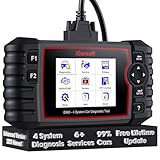
- 【Looking for More Professional Vehicle Scan Tool?】iCarsoft E660 2026 Upgrade Version OBD2 scan tool can do it all-reads and clears trouble codes on Engine system, ABS system, Transmission system and Airbag system, And with 6 reset function. It covers more than 59 vehicle makes from 1996-2023 models ( included most USA/ Asia / EU vehicle brand) with full OBDII. (As every car model has its-owned specific car system and ECUs, not all car models have full car ECUs which may prevent the scanner from performing all listed system diagnostics or reset services. Therefore, please email to us with car VIN and services required to do scanner's services for a compatibility check before purchasing.)
- 【OE-Level 4 Systems OBD2 Scanner】iCarsoft E660 2026 Upgrade Version diagnostic scanner offers comprehensive OBDII services, allowing you to quickly scan Engine system. It supports functions such as reading and erasing codes, checking I/M readiness, viewing freeze frame data, performing O2 sensor tests, conducting on-board monitoring, testing the evap system, auto VIN retrieval, and reading both generic and specific codes, as well as DTCs and battery tests.
- 【4 Systems Diagnosis for 10000+ Vehicles】 iCarsoft E660 2026 Upgrade Version adopts unique diagnostic software, works well for most Porsche, Benz, BMW, US Ford, Land Rover, Jaguar, Audi, VW, Volvo, Honda, Nissan, Infiniti, Toyota, Lexus, Scion, Isuzu, Hyundai, Kia, Daewoo, Mazda, Sprinter, Mini, Seat, Skoda, SAAB, EU Ford, Holden, AUS Ford, Acura, Subaru, Mitsubishi, Dacia, Renault, Fiat, GM, Chrysler, Citroen, Peugeot, Opel, Smart,Suzuki, Vauxhall, Alfa-Romeo, Lancia and etc.
- 【6 Reset Services】iCarsoft E660 2026 Upgrade Version is a diagnostic tool that offers professional maintenance services, including Oil Reset, EPB, BMS, ETC, SAS, TPMS Reset. It can help you easily reset oil change indicators, recalibrate steering angle sensors, relearn replaced electric parking brake and so on. For optimal vehicle performance and maintenance convenience. (Tips: Please update the softwareafter receiving the product to obtain new service functions)
- 【118+ Real Time Record & Live Graph View】iCarsoft E660 2026 Upgrade Version can automatically record vehicle text history and identify vehicle information. Preserve real-time data information. View & Graph Live Data. Support Data Review and Print. 15 languages: English, German, Dutch, Spanish, French and so on. We promise to offer Lifetime updates (Lifetime free Update via PC), and confidence in products. We also provide 1 year warranty + extra lifetime hardware free repair if you need it in the future. We prioritize user experience & strive to meet your expectations. Please do feel free to reach out to us if you have any question or problem about the usage.

- 【All-in-One Diagnostic Tool for Porsche + 2 Extra Vehicle Brands】New POR V4.0 is a professional car scanner specifically engineered with dedicated software pre-installed for Porsche. You can also download 2 additional software packages FOR FREE from 26 supported brands (e.g., for Benz, for BMW, for Audi, for Land Rover).Upgraded to adopt quad-core 1.3GHz processor and HD touchscreen and professional diagnsotic OS for faster& smooth diagnsotic.LIFETIME FREE UPDATES, NO SUBSCRIPTION COST! PLEASE TELL US YOUR CAR INFORMATION TO OBTAIN A LIST OF ALL COMPATIBLE SERVICES FOR YOUR CAR FIRST (FOR EXAMPLE: BATTERY REGISTRATION FUNCTION IS NOT COMPATIBLE WITH PORSCHE 997.2)
- 【29 MAINTENANCE SERVICES FOR PORSCHE SERIES CARS】 It can perform the 29 reset service for Porsche series cars-Oil Reset; SAS; EPB; BMS; ETC; DP ; ABS Bleeding; Injector Coding; TPMS; Air Suspension; Air Conditioner; Head Lamp; Body Stablity Control; Engine Control; Transmission; AirBag; Seat; DWR; MIS; EG; ODO; Clutch; High Voltage Battery; Cruise Control; Radar/Camera; Vehicle Setup,etc. Up to 49 vehicle-maintenance-services for the extra 2 vehicle brands you installed (Tip: Not all services will be worked on every car mode. Some vehicle models may be lack of certain ECU-control modules to make some services may not work).
- UPGRADE SERVICES: Breaks down 29 services to 234 sub-service for car owners/machinist to perform maintenance based on corresponding sub-modules! The detailed sub-service for sub-modules assist to perform precise vehicle maintenance.Improving the accuracy of car maintenance and reducing potential failure risks caused by whole-module maintenance to main modules.such as Oil Reset is refined into Reset maintenance interval/Reset service interval/Service Reset; Engine Control Reset is refined into Delete adaptation data/Short tests/System tests/Swirl-flap actuator/Bleeding high temperature coolant circuit and more.(sub-services vary based on vehicle model/year)
- 【EXTRA VEHICLE MAINTENANC SERVICES FOR SPECIFIC SYSTEMS】Have no ability to perferm calibration to special/specific systems/modules? This OBD2 scanner solve your troubles- for common systems/modules & for specific sytems/modules, assist you to perform diagnsing/calibration/reset/relearn services for non-common modules to finish your car maintenance/ diagnostic (eg: Central Computer system/module :Function activation/Multimedia interface test/AM Field Strength/Current FM Field Strength/FM Field Strength/MOST system reserve/Self-test/Deactivate Production Mode/Reset to factory settings/MOST System Test). (Tip: The services vary based on the vehicle brands)
- 【 MORE PROFESSIONAL BI-DIRECTIONAL ACTUATION TESET 】Exclusive POR V4.0 comes with powerful bidirectional testing capability,do actuaction test for deeper unit-checking after replacement or overhaul (1333 test items for Porsche, like:Fuel high-pressure fuel injector 1-4, Empty tank, Radiator fan, OTA-FC Connectivity, backrest, Backup battery, and more; 2136 test items for Audi; 1670 test items for Benz; 1599 test items for Volvo; 1360 test items for VW; 2705 test items for GM etc.). Help to check your car units work well or not after vehicle maintenance or daily car-body check, keep drives always in safety.(Warm tip:The quantity of test item is based on the units your car has)
Last update on 2026-06-23 / Affiliate links / Images from Amazon Product Advertising API
This product presentation was made with AAWP plugin.