
NHTSA ID Number: 11006912
Manufacturer Communication Number: 2024.26.100_082024.pdf
TSB/Document Date: 2024-09-04
Summary
Tesla does not provide physical owner's manual copies. Instead, all available owner’s manual content is integrated into the vehicle software, and only the content relevant for a given vehicle, based on vehicle configuration and software version installed, is displayed on its touchscreen. This file contains all available owner’s manual content for the vehicle converted to PDF format, and given the distribution method and NHTSA’s submission format requirements, it is the best available representative copy of owner’s manual content. However, a customer who accesses the owner’s manual via their vehicle’s touchscreen would only see the parts of this PDF file that are relevant to their vehicle.
(4,990 kg)
11,000 lb
(4,990 kg)
11,000 lb
(4,990 kg)
GVWR Total**
GVWR - Front Axle
4,160 lb
(1,887 kg)
For more details on towing, see Towing a Trailer on page 306.
453
Owner's Manual
Specifications
Dual Motor
All Season
Dual Motor
All Terrain
Tri Motor
All Season
Tri Motor
All Terrain
*Curb Mass = Weight of the vehicle with correct fluid levels, no occupants and no cargo.
**GVWR = Gross Vehicle Weight Rating
***GAWR = Gross Axle Weight Rating
WARNING: When loading cargo, always consider the vehicle's Gross Vehicle Weight Rating (GVWR). The GVWR is the
maximum allowable total mass of the vehicle including all passengers, fluids, and cargo. In addition, never exceed the
GAWR (Gross Axle Weight Rating) on a single axle. GVWR and GAWR are printed on the Vehicle Certification Label on
page 448), located on the door pillar and are also detailed in Weights - Vehicle on page 453.
CAUTION: Follow all local regulations when driving with loaded cargo on public roads.
Weights - Nominal GVWR Reference
The following loading scenario assumes that cargo is uniformly distributed in their respective areas (cargo bed and front
trunk), and the cabin is fully occupied by five people weighing 150 lb (68 kg) each. In this scenario, loads heavier than the
combined weights as specified for passengers or cargo would exceed the vehicle's GVWR.
Location
Dual Motor
All Season
Dual Motor
All Terrain
Tri Motor
All Season
Tri Motor
All Terrain
Cargo Bed
1,010 lb
(458 kg)
1,310 lb
(594 kg)
919 lb
(417 kg)
1080 lb
(490 kg)
Front Trunk
441 lb
(200 kg)
441 lb
(200 kg)
331 lb
(150 kg)
441 lb
(200 kg)
Cargo - Weight Limits
CAUTION: Exceeding the weights specified can cause damage not covered by the warranty.
The front trunk and under bed compartments are designed to hold the following weights:
Front Trunk
Maximum 441 lb (200 kg)
Under Bed Compartment
Maximum 220 lb (100 kg)
Cargo - Volumes
WARNING: The loading capacity of your vehicle is limited either by how much space is available (volume capacity) or by
how much weight the vehicle can carry (payload capacity). When you have loaded Cybertruck to its maximum weight
capacity, do not add more cargo, even if there is space available. Overloading, or improper loading, can contribute to
property damage, personal injury, or death.
Location
Cubic Feet
Front trunk
7.1
200
Cargo Bed (enclosed) - Above load floor
56.2
1,591
Cargo Bed - Lower storage compartment
3.4
Cabin - Behind front seats with rear seat cushions folded up
54.2
Owner's Manual
Liters
97
1,533
454
Specifications
Location
Cubic Feet
Liters
Total volume with five passengers
66.7
1,888
Total volume with two passengers
120.9
3,421
Subsystems
Motor Type
Motor Type Dual Motor
Tri-Motor
Front
One AC induction motor, liquid-cooled, with variable
frequency drive.
One AC permanent magnet synchronous motor,
liquid-cooled, with variable frequency drive.
Rear
One AC permanent magnet synchronous motor,
liquid-cooled, with variable frequency drive.
Two AC induction motors, liquid-cooled, with variable
frequency drive.
Transmission
Type
Dual Motor
Tri-Motor
Type
Single speed fixed gear
Single speed fixed gear
Overall Final Drive
Ratio
Front and Rear unit motors: 15.02:1
Front unit motor: 15.02:1
Rear unit motor: 2
Independent Gearsets: 15.02:1
Reverse Gear
Reverse direction of motor, limited to
15 mph (24 km/h).
Reverse direction of motor, limited to 15 mph (24 km/h).
Specifications
Type
4-wheel directional steer-by-wire
Number of turns lock to lock
0.94 (340 degrees)
Turning Circle (curb to curb)
Approximately 43.5 ft (13.25 meters)
Specifications
Type
4-wheel anti-lock braking system (ABS) with Electronic Brake Force
Distribution, Integrated Advanced Stability Control and Electronic
Accelerator pedal actuated regenerative braking system.
Calipers
Front: Four piston, fixed
Rear: Single piston, floating
Rotor Diameters (ventilated)
Front: 13.8 in (351 mm)
Rear: 14 in (356 mm)
Front Rotor thickness
455
New: 1.26 in (32 mm)
Owner's Manual
Specifications
Brakes
Specifications
Service limit: 1.18 in (30 mm)
Rear Rotor thickness
New: 0.91 in (23 mm)
Service limit: 0.83 in (21 mm)
Front Brake Pad Thickness (excluding back
plate)
New: 0.39 in (10 mm)
Rear Brake Pad Thickness (excluding back
plate)
New: 0.43 in (11 mm)
Electrically actuated parking brake calipers
Service limit: 0.12 in (3 mm)
Service limit: 0.08 in (2 mm)
Specifications
Front
Independent, double wishbone, air spring with adaptive damper, stabilizer bar.
Rear
Independent, double wishbone, air spring with adaptive damper, stabilizer bar.
Battery - Low Voltage
Battery - Low Voltage
Specifications
Rating
4 amp hour
Voltage
48V
Battery - High Voltage
Battery - High Voltage Specifications
Type
Liquid-cooled lithium ion (Li-ion)
Nominal Voltage
700V DC
Temperature Range
Do not expose Cybertruck to ambient temperatures above 149° F (65° C) or below -22° F (-30° C)
for more than 24 hours at a time.
Owner's Manual
456
Instructions for Transporters
Instructions for Transporters
DO NOT TRANSPORT WITH WHEELS ON THE GROUND
The front motor and rear motor(s) in Cybertruck may generate power when the wheels spin. Always transport Cybertruck with
all four tires off the ground. Ensure that the tires are unable to spin at any time during transport.
WARNING: NEVER TRANSPORT YOUR VEHICLE WITH THE TIRES IN A POSITION WHERE THEY CAN SPIN. DOING SO
CAN LEAD TO SIGNIFICANT DAMAGE AND OVERHEATING. IN RARE CASES EXTREME OVERHEATING MAY CAUSE
THE SURROUNDING COMPONENTS TO IGNITE.
Do not transport Cybertruck using any method that is not specified by Tesla. Adhere to the instructions provided here and
observe all warnings and cautions. Damage caused by improper transporting of your vehicle is not covered by the warranty.
NOTE: Tesla is not liable or responsible for reimbursing services not dispatched through Tesla Roadside Assistance.
Approved Methods for Transporting
A flatbed truck or comparable transport vehicle is the recommended method of transporting Cybertruck. Cybertruck can face
either direction on the truck bed.
CAUTION: Use a flatbed truck with a bed that is at least 21 ft (6.5 meters) long (A). Before attempting to tow Cybertruck,
always check the tow truck's recommended loading capacity against the gross vehicle weight rating (GVWR) of
Cybertruck (see Dimensions, Weights, and Cargo Capacity on page 451) to ensure that the flatbed truck is capable.
Activate Transport Mode before repositioning Cybertruck (if necessary) and winching it onto a flatbed tow truck. For more
information, see Activate Transport Mode on page 459.
If Cybertruck has no low voltage power, attempt to jump start the low voltage system first so that you can then activate
Transport Mode. For more information about jump starting, see If Vehicle Has No Power on page 458.
457
Owner's Manual
Instructions for Transporters
CAUTION: Cybertruck uses steer-by-wire technology. As a result, you will be unable to use the steering wheel to turn
the wheels if Cybertruck has no power.
NOTE: Do not transport Cybertruck with the front or rear wheels on dollies unless absolutely necessary for a short distance. If
you are transporting Cybertruck on dollies, ensure that a steering wheel lock is applied and care is taken to prevent the front
wheels from spinning.
CAUTION: Before using dollies, check the manufacturer's specifications and recommended loading capacity against the
vehicle weight rating and axle weight rating of Cybertruck, as specified by the vehicle certification label (see Vehicle
Loading on page 447).
CAUTION: DO NOT TRANSPORT YOUR VEHICLE IF THERE IS ANY CHANCE OF ANY OF THE WHEELS SPINNING.
CAUTION: Tesla is not responsible for any damage caused by or during the transport of Cybertruck, including personal
property damage or damage caused by using self-loading dollies or tire skates.
WARNING: Cybertruck is equipped with high voltage and low voltage components that may be compromised as a result
of a collision (see Electric Vehicle Components on page 385). Before transporting Cybertruck, it is important to assume
these components are energized. Always follow high voltage safety precautions (wearing personal protection
equipment, etc.) until emergency response professionals have evaluated the vehicle and can accurately confirm that all
high voltage systems are no longer energized. Failure to do so may result in serious injury.
If Vehicle Has No Power
If Cybertruck has no low voltage power:
1. Open the powered frunk. See Opening the Powered Frunk with No Power on page 470.
2. Jump start the low voltage battery. See Jump Starting on page 473.
Cybertruck must have low voltage power to open the doors from the outside or use the touchscreen.
WARNING: It may be more difficult to steer Cybertruck when the vehicle is being supported by an external low voltage
power supply. The wheels may not be as responsive to the steering wheel as expected, and extreme caution should be
taken when repositioning Cybertruck.
CAUTION: Cybertruck uses a 48V low voltage architecture. As a result, some functions may be unavailable or degraded
if you are supporting Cybertruck with less than 30V (for example, another vehicle or a 12V portable jump starter).
CAUTION: Avoid using low voltage components of Cybertruck (such as the climate control system, cabin USB-C ports,
lights, etc.) when the vehicle is being supported by an external low voltage power supply. Doing so may disable low
voltage systems and make it necessary to jump start Cybertruck again.
NOTE: Tow providers: If the vehicle ran out of range, see Running Out of Range on page 146 for more information on
transporting the vehicle to a charging station and preparing the vehicle to charge.
If you are unable to jump start Cybertruck and the touchscreen is not accessible, use tire skates to re-position the rear tires,
keeping front tires on the ground. When using tire skates, be sure to use skates of sufficient size to avoid contact between the
tire and the bed/pavement. Before using tire skates, always check the manufacturer's specifications and recommended
loading capacity.
Disable the Self-Leveling Air Suspension System
NOTE: If Cybertruck has no low voltage power (or is being supported by an external low voltage power supply) you will not be
able to enter Jack Mode.
Your Cybertruck is equipped with an air suspension system that automatically self-levels, even when the vehicle is "asleep"
and the touchscreen is powered off. To prevent damage, you must activate Jack Mode to disable self-leveling:
1. Touch Controls > Ride and Handling on the touchscreen.
2. Press the brake pedal, and then touch Medium to maximize ride height.
3. Touch Controls > Service > Jack Mode.
NOTE: Jack Mode cancels if you touch the button again or when driving speed exceeds 4 mph (7 km/h).
Owner's Manual
458
Instructions for Transporters
Activate Transport Mode
Transport Mode keeps the parking brake disengaged while winching Cybertruck onto a flatbed truck. When active, Transport
Mode displays a message indicating that the vehicle will remain free-rolling. The following are required to enable Transport
Mode:
• Low voltage power. If Cybertruck has no low voltage power, attempt to jump start the low voltage system so that you can
use the touchscreen to activate Transport Mode (see If Vehicle Has No Power on page 458).
• Cybertruck must detect a key. Transport Mode is available only when a key is detected.
• Ensure the vehicle is not connected to a charger. Transport Mode is not available if Cybertruck is still plugged in.
To activate Transport Mode:
1. Ensure the vehicle is in Park and that it is not connected to a charge cable.
2. Chock the tires and make sure Cybertruck is secure.
WARNING: Ensure that the wheels are secure and that Cybertruck has continuous low voltage support while it is in
Transport Mode. If there is a loss of low voltage power (for example, if the low voltage battery does not self-recover
before activating Transport Mode or if the external power supply becomes disconnected) there is a risk of rollaway.
3. Press and hold the brake pedal, and then on the touchscreen, touch Controls > Service > Towing. The touchscreen displays
a message reminding you how to properly transport Cybertruck.
4. Touch Transport Mode. The Transport Mode button turns blue, and Cybertruck is now free-rolling and can slowly be rolled
(no faster than walking speed) for short distances or winched.
WARNING: Power steering may be disabled when Cybertruck is in Transport Mode. The steering system may be less
responsive and the steering wheel may be more difficult to turn. Use extreme caution when repositioning the wheels
of Cybertruck while in Transport Mode.
To cancel Transport Mode, touch Transport Mode again or shift Cybertruck into Park. If your phone key is not detected,
canceling Transport Mode powers off Cybertruck. You may need your key card to restart the vehicle.
NOTE: Transport Mode is only intended to allow for winching Cybertruck onto a flatbed truck or repositioning the vehicle out
of a parking space. While in Transport Mode, the tires are allowed to rotate slowly (under 3 mph or 5 km/h) and for a very short
distance (less than 30 feet or 10 meters). Exceeding these boundaries can lead to significant damage and overheating that is
not covered by the warranty.
NOTE: If you are unable to activate Transport Mode (because, for example, the electrical system is not working and you are
unable to jump start the low voltage system), use tire skates to reposition Cybertruck. Before doing so, always check the
manufacturer's specifications and recommended loading capacity.
Pull onto the Flatbed Truck From the Rear
To pull Cybertruck from the rear, use the tow hitch:
1. Chock the tires.
2. Remove the rear tow hitch cover. See Accessing the Trailer Hitch Assembly on page 311.
3. Attach the winch cable to the cutouts on either side of the tow hitch.
459
Owner's Manual
Instructions for Transporters
4. Activate Transport Mode. See Activate Transport Mode on page 459.
NOTE: If Cybertruck has no low voltage power, you will need to jump start it before activating Transport Mode. See If
Vehicle Has No Power on page 458.
5. Remove the tire chocks.
6. Pull Cybertruck slowly onto the flatbed truck.
7. If Cybertruck is in Transport Mode, deactivate it by touching Transport Mode again.
Pull onto the Flatbed Truck From the Front
To pull Cybertruck onto a flatbed truck from the front, use one or both of the square tow hooks beneath the front fascia:
1. Chock the tires.
2. Attach the winch cable to the tow hook(s). Either one or both tow hooks can be used.
3. Activate Transport Mode. See Activate Transport Mode on page 459.
NOTE: If Cybertruck has no low voltage power, you will need to jump start it before activating Transport Mode. See If
Vehicle Has No Power on page 458.
4. Remove the tire chocks.
5. Pull Cybertruck slowly onto the flatbed truck.
6. If Cybertruck is in Transport Mode, deactivate it by touching Transport Mode again.
Owner's Manual
460
Instructions for Transporters
Secure the Tires
The vehicle's tires must be secured onto the flatbed using the eight-point tie-down method.
• Remove any wheel covers before securing the tires.
CAUTION: Failure to remove wheel covers before attaching tie-down straps may result in damage to the wheel
covers.
• Ensure any metal parts on the tie-down straps do not touch the face of the wheels.
• Do not place tie-down straps over body panels or through the wheels.
CAUTION: Attaching the tie-down straps to the chassis, suspension or other parts of the vehicle's body may cause
damage.
461
Owner's Manual
In Case of Emergency
Contacting Tesla Roadside Assistance
Tesla Roadside Assistance is available to you 24 hours a day, 365 days a year, for the duration of your warranty period. Tesla
Roadside Assistance is also available to speak with roadside service professionals to answer any questions and explain the
proper procedure for transporting your vehicle.
When contacting Tesla Roadside Assistance, please provide:
• The Vehicle Identification Number (VIN). The VIN is displayed when you touch Controls > Software. The VIN can also been
seen by looking through the driver's side of the windshield.
• Your exact location.
• The nature of the problem.
If available in your region, you can also expedite your request, by choosing the Roadside Assistance option in the Tesla mobile
app.
NOTE: For a detailed description of Tesla's Roadside Assistance policy, go to the support page on the Tesla web site for your
region.
Regional Phone Number(s)
Canada: 1-877-79TESLA (1-877-798-3752)
Mexico: 800-228-8145
United States: 1-877-79TESLA (1-877-798-3752)
NOTE: The phone number is also available by touching Controls > Service.
Owner's Manual
462
In Case of Emergency
Running Out of Range
CAUTION: It is your responsibility to monitor the state of the high voltage Battery and the remaining range of your
vehicle. Do not assume that there is any range available when the range displayed on the touchscreen is at 0 miles (0
km) (or 0%). Damage to the low voltage battery due to running out of range is not covered by the warranty.
NOTE: In the unlikely event your vehicle runs out of range while driving, pull over when safe to do so and contact Tesla
Roadside Assistance on page 145 or your preferred tow provider.
If Cybertruck runs out of range, the low voltage system is no longer supported – and when the low voltage battery runs out of
power, the vehicle cannot charge. Therefore, the low voltage system must be supported by an external power supply to allow
you to charge the High Voltage (HV) Battery. Once the vehicle begins charging, the external power supply is no longer
required.
In the case of running out of range away from a charger, the tow provider should transport Cybertruck to the nearest charging
station and unload the vehicle within the charging cable's reach. Once the vehicle is positioned next to a charger, follow these
instructions:
NOTE: If the vehicle is being transported to a charger, make sure the tow provider does not leave until confirming that the
vehicle's high voltage Battery is successfully charging.
1. Jump start the low voltage system (see Jump Starting on page 473). The low voltage battery must be jump started to
support the high voltage Battery.
2. Wait a few minutes. Once the touchscreen powers on, plug the charge cable into Cybertruck to begin charging the high
voltage Battery.
3. When Cybertruck begins to charge, disconnect the external power supply from the low voltage jump posts.
WARNING: Shut off the external power supply before removing either cable. Removing the cables while the external
power source is active may cause arcing.
NOTE: If Cybertruck is still not able to shift into Drive after charging the high voltage Battery, the low voltage battery may
need additional time to recover. Reconnect the charge cable, wait several minutes, disconnect the charge cable, and then
try again.
Before transporting to a non-Tesla charger, ensure your vehicle is equipped with an adapter that accommodates the specific
type of charging station you will be using. Even at a non-Tesla charger, you will need to jump start the low voltage system
before you can begin charging.
CAUTION: Always ensure Cybertruck has enough range for your drive, or for being stored for an extended period. Do
not rely on the range estimates displayed on the touchscreen or mobile app as range can decrease faster than projected
due to ambient temperature, driving habits, wind, vehicle settings (such as Sentry Mode), etc.
NOTE: Towing your vehicle as a result of running out of range is not covered by the warranty.
463
Owner's Manual
In Case of Emergency
Installing a Spare Tire
You can purchase a spare tire and tool kit for your Cybertruck on https://shop.tesla.com/. This is useful when you want a spare
tire in your vehicle if you get a flat tire while driving.
Changing the Spare Tire
WARNING: NEVER get under the vehicle while Cybertruck is propped up with the jack. Doing so can cause serious injury
or death.
Before using the spare tire, make sure it is adequately inflated according to the tire pressures on the driver’s side door pillar.
To install the spare tire:
1. Retrieve the spare tire from the cargo bed and set aside.
2. Ensure Cybertruck is located in a flat, stable, and secure area with enough space surrounding the vehicle to jack it.
3. Set the suspension setting to Medium and enable Jack Mode (Controls > Service > Jack Mode see Jack Mode on page 135)
to disable self-leveling.
NOTE: If more clearance is needed, enable Off-Road Mode and set the suspension to Very High by going to Controls >
Dynamics > Off-Road. Set the Ride Height to Very High then enable Jack Mode.
WARNING: You MUST enable Jack Mode, otherwise the vehicle may try to self-level while on the jack. Failing to
engage Jack Mode may cause serious injury or death.
4. If available, chock the tire diagonal to the one you're working on (for example, if you are replacing the rear driver's side tire,
chock the front passenger's side tire).
NOTE: On a downhill, place the chock in front of the tire. On an uphill, place the chock behind the tire.
5. Remove the wheel cover from the wheel with the flat tire by grasping the cover firmly with both hands and pulling the cover
toward you. Then remove the mounting ring. (see Removing and Installing Wheel Covers on page 422).
6. Use the lug nut wrench to loosen the lug nuts on the wheel.
Owner's Manual
464
In Case of Emergency
7. Place the bottle jack under the vehicle's lift point (shown in green) corresponding to the location you are working on.
WARNING: Do not get under the vehicle when it is propped up on the jack. Doing so may cause serious injury or
death.
WARNING: DO NOT position the jack under the Battery or side rails (shown in red).
465
Owner's Manual
In Case of Emergency


- Advanced VCI Box, Industry-leading J2534 Pass-Thru...
- High-Speed OEM-Level Diagnostics & Programming: Unlock true...
- Coverage for 17 Car Brands & Ultra Reliability: Works...
- User-Friendly RLink Platform & Expert Support: TOPDON’s...
- 6.6 ft USB-C Cable & Portable Storage Case: The RLink J...
Last update on 2026-06-23 / Affiliate links / Images from Amazon Product Advertising API
If the PDF is very large, it may not load in the preview below.
Some older TSBs had multiple PDFs — visit the NHTSA Website to view all PDFs.
If the TSB PDF does not show, download or view it on the NHTSA Website.
Click on the (+) Plus Sign
Then Click on Associated Document(s)
Search NHTSA Database for Recalls
Search NHTSA Database for Vehicle Investigations
View Latest Vehicle Investigations
Search NHTSA Database for Vehicle Complaints
View Latest Vehicle Complaints
TSB/Document ID: 2024.26.100_082024.pdf
Replacement Service Bulletin Number:
MFR Communication Date: 2024-08-31
MFR Internal Campaign ID/Software Version: 2024.26.100
Communication Type: Over The Air
NHTSA Components: UNKNOWN OR OTHER
MFR Component System:
MFR Component Subsystem:
Previous TSB | Next TSB |

- 💯【Conta.ct us for Support Directly】If you met any issues about: Received a registered device/ Language Changing/ Function not Support/ VCI150 Blueto-oth connector malfunction/ Subscription Renewal, please conta.ct us via 📞autelsupply @outlook. com🛣️, we will provide perfect solution for you. ⚠️Note: Autel MK900BT comes with 1-Year Free Software Update, most features will remain active after update subscription expires. 1. For questions regarding updates or need more useful accessories, please conta.ct us via 📞autelsupply @outlook.com🛣️. 2. If the device fails to charge or turn on, please conta.ct us via 📞autelsupply @outlook. com🛣️, we will handle it promptly.
- 🔥🔥🔥【2026 AUTEL FLAGSHIP MK900BT MK900-BT, NEW MODEL OF MK808S MK900 MX900 MK808BT MX808S】2026 newest Autel MK900BT retains all features of MK808S MX900 MX808S MK808Z MK808Z-BT MK808K-BT, while EXTRA added powerful functions (value 2000+ bucks). The Pro-level Autel MK900BT makes a big leaps: 28+➡40+, 50+➡3000+ Active Tests, 2026 NEW✅CAN FD & DOIP protocols ✅Pre&Post diagnostic report ✅WIFI Print ✅Auto VIN&Auto Scan 2.0 ✅Scan VIN/ License ✅Battery Test (Need purcha.se BT506). If found defect or us.ed, please conta-ct 📞autelsupply @outlook. com📞 get perf-ect solut.ion.
- 🚗【3000+ ACTIVE TESTS (50➡3000+), SAME AS MS906 PRO】Differ from MS906BT MS906 MP808 MK808 MX808 MK808BT only 50 tests, Autel scanner MK900BT escaner automotriz professional offers 3000+ active tests, it can send command to ECUs & monitor actuators operation, quickly locating faulty components. Bidirectional scanning takes your diagnostics to the next level with menu lists 3000+ active tests, such as windows, rear mirrors, sunroof, wipers, fuel injector, coolant fans, radiator fan, AC clutch, coolant pump and more. Note: Functions are not available for all vehicles, please send vehicle VIN to us check compatibility.
- 🚗【40+ HOT SERVICES FOR 150 MAKES (28+➡40+)】Full level-up of OBD2 code reader MaxiCOM MK808S MK808 MK808Z MX808 MK808Z-BT with 28 service, Autel scan tool MK900BT/ MK900-BT offers 40+ maintenance service on 150+ brands 10,000 vehicles from 1996-2025-2026. Hottest Services like: Oil Reset, ABS Bleed, SAS Calibration, Injector Coding, SRS, Throttle Reset, Gearbox Reset, Battery Registration etc. Added 12+ advanced resets: rain slash light sensor reset, HVA.C/ SUS calibration etc. Welcome to send Vehicle Make>Model>Year>VIN>Functions you required to 📞autelsupply @ outlook . com📞 check compatibility.
- 🚗【OE ALL SYSTEM DIAGNOSE, AUTO SCAN 2.0: SCAN LICENSE/ AUTO VIN】2026 new release Autel MaxiCOM MK900-BT scan tool embodies all system diagnostic with its 8in display for all vehicles. Like Sna.p-on tools, it can perform ✔Read/Clear Codes✔Displays 5-in-1 Live Data✔Record & Playback Data✔Retrieve Info on all available systems like ABS ECM BCM SRS TCM etc. In addition to Auto VIN technology, Autel MK900BT adds Scan License/ Auto Scan 2.0 to identify vehicle’s VIN/ license, make, year, model, no need manual input; One-click WiFi Printing of Pre&Post comparison diagnostic reports, highlight root causes of problems.

- 【TURN OFF CEL】 This AL319 car scanner diagnostic tool supports Reading and Clearing DTCs, DTC Look Up, displaying Live Data, Freeze Frame & I/M Readiness, view vehicle information, etc., to figure out the root cause of the Check Engine Light (CEL) and turn it off, helping you catch any potential issues early and avoid excessive costs from unnecessary repairs.
- 【EXTENSIVE APPLICATION】 Autel AL319 Compatible with 7 languages (English, French, Spanish, etc.) and various post-1996 OBD II protocol vehicles (Toyota
 , Nissan, Honda, Ford, etc.), this OBD II scanner provides accurate and fast diagnosis for worldwide car owners.
 - 【FOR END USER & DIYERS】 This error code reader AL319 is “plug and play” and comes with an easy interface. Even if you’re not familiar with vehicle repair, you can quickly take control of this obd2 scanner, and get the information you want.
- 【USER-FRIENDLY DESIGN】 This OBD2 scanner and check engine code reader features a patented One-Click I/M Readiness, TFT color display, built-in speaker, LED Indicator etc. The cable is long enough without being too long and getting in the way. No batteries are needed.
- 【HIGH-QUALITY SERVICES】 12 months war.ranty from the date of purchase and lifetime free update are offered by this Automobile OBDII scan tool. Welcome to contact us via Q&A, email, or hotline, and our after-sale-service team for technical support.
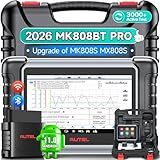
- 👨🎓Tips Before Order: 🚩All function are vehicle-specific - send VIN(17 digits)/Make/Model/Year & needed function via 📞auteldirect @ outlook . com📞 to check before order. 🚩Register tool: a) Follow on-screen guide; or b) Register em-ail on Autel we-b, then bind using SN(back of device) + verification code (find in tool settings or con-tact us via above em-ail). MK808BT PRO comes with ✅English, if need Spanish, please s.end device SN to add. ✅1-year war-ranty. ✅$150 worth 1yr fr-ee updates(New users: ignore renewal alerts). ⚠️📢Post-expiry: Most functions remain functional,for exclusions, refer to A+ Tips. ⚠️Fee for FCA AutoAuth Ga.teway(optional): $50/year, charged by AutoAuth,not Autel.
- 【2026 MK808BT PRO: Same as MK900BT, up of MK900 MX900 MK808S MX808S】Why pay more? 2026 MK808BT PRO functions as MK900BT and saves you 100USD. At same c0st, you now get diagnostic 8X faster and sup-port for 150+ models(1996-2026).💡Dramatically Improved: ✔️Faster & Smarter OS: Android 4.4➡ Android 11 ✔️More Services: 28+➡ 40+ ✔️Bidirectional Control: 50+➡ 3,000+ ✔️Enhanced Hardware: 1/32G➡ 4G/64G ✔️2.4GHz➡ 5G Dual WiFi ✔️Working range: 0.9m➡ 10m+ 🔋Battery test is clear on the large 7in display(BT506 required). 🔔Your Autel scanner is shipped brand new. For any issues(used, damaged, incompatible), e-m-a-il 📞auteldirect @ outlook . com📞 for priority resolution.
- 👍【New Next-Level Bidirectional Control, 50➡3000+ Tests, Covers Daily Repairs】Unlike the Autel DS708 DS808 MP808 MK808 and MX808 car diagnostic scanners, which offer only 50 functional tests, the Autel bidirectional scan tool MK808BT PRO is equipped with over 3000 active tests. These tests are widely used on car subsystems to help technicians quickly check if the car's actuators are functioning properly. Such as ABS, windows, rearview mirrors, wipers, sunroofs, fuel injectors, AC clutches, coolant fans, radiator fans, coolant pumps,etc. Tips📢: All functions are vehicle-specific, not universal to all vehicles,pls send VIN to 📞auteldirect @ outlook . com📞check compatibility before order.
- 👍【28+ Hot Services for 150+ Makes】Autel scan tool MK808BT PRO, upgraded with a BT VCI Mini(valued at 120USD), surpasses the old wired OBDII scanner MK808S MK900, by providing a convenient 33ft wireless working range, offering greater freedom and comfort compared to the 3.3ft cable limit of the MK900 MK808S MX808S car scanner. New features include VIN Check across different modules for comparison and 28+ resets, such as injector coding, ABS autobleed, Oil reset, SAS cali.bration, BMS, throttle relearn, suspension adjustments, etc. ⚠️📢Tips: Service functions are vehicle-specific, not universal to all vehicles, pls send VIN to 📞auteldirect @ outlook . com📞check compatibility before order.
- 👍【All Available Module Diagnosis - OE-Level Scanner】The OE versatile OBDII scan tool MK808BT PRO escaner para autos effectively works with all car systems: ABS, ECM, BCM, SRS, TCM,etc. It identifies vehicles via AutoVIN/manual input/select, like S.nap-on tools, it can ✔read/clear 7000+ DTCs, ✔read ECU info, ✔view 5-in-1 live data, ✔perform active tests, and ✔reset services. ✔Reports can be shared via QR-code and printed, working globally and 21+ multilingual. Supports 150+ US/EU/Asian makes, with ongoing updates from 2024 to 2026. ⚠️Note📢: The AutoVIN function usually works for post-2006 cars, depending on if the vehicle's VIN is stored in the ECU. You can always do manual input/select.
Last update on 2026-06-23 / Affiliate links / Images from Amazon Product Advertising API
This product presentation was made with AAWP plugin.