
NHTSA ID Number: 10199662
Manufacturer Communication Number: SD-22-70147
TSB/Document Date: 2021-08-02
Summary
Service Data Sheet - The Bendix ® ES™ foundation drum brake is used in various applications on axles of commercial vehicles, providing the service and parking brake function. This document is intended to act as a source of maintenance information to those involved in servicing Bendix® brakes.
a loose clamp ring, clogged vent holes, or a loose
air fitting. Repair or replace as recommended by the
manufacturer.
2. If the air chamber is repaired or replaced, check the
distance from the clevis pin hole centerline to the
air chamber face. Refer to Figure 40 and Table 4
for manual slack adjusters. For self-adjusting slack
adjusters, refer to the manufacturer's guidelines.
Check Overall
for Cracks
Check for
Cracks or
Worn Splines
Check for Worn
Clevis Pin
Bushing
Tighten Jam Nut
After Adjusting
Figure 41 – Automatic Slack Adjuster Inspection
See
Table 4
Threaded Pushrod
See
Table 4
Welded Clevis
Figure 40 – Air Chamber Inspection
Distance: Clevis Pin Hole Centerline
to Air Chamber Face
All brakes (for threaded clevis)
Welded Clevis
2-5/8" ± 1/16"
(66.7 ± 1.59 mm)
2-1/4" ± 1/16"
(57 mm ± 1.59 mm)
Table 4 – Air Chamber Clevis Dimensions
3. If a new air chamber is installed, ensure that the cutoff pushrod does not project too far into the clevis.
Minimum clearance: clevis-centerline-to-pushrod-end
should be 7/8" (22.2 mm).
4. Check the clevis pin for cracks and wear.
32
3. Turn the slack adjuster adjustment nut with a
wrench – at least one turn in each direction. If binding
is present, or if excessive force is required to rotate,
replace the slack adjuster. If binding is present,
consult with the manufacturer's literature to determine
if the slack adjuster needs serviced or replaced.
If any of those conditions are found, consult with the
manufacturer's literature to determine if the slack adjuster
needs serviced or replaced.
Repair / Replacement
CAMSHAFT BUSHING/LINING REPLACEMENT
Camshaft Bushing/Lining Replacement
Routinely replace lower-cost items – such as springs,
seals, bushings, and heavily-worn, but unbroken
parts. If these components aren't replaced routinely,
more extensive damage may result.
Camshaft Bushing/Grease Seal
Replacement
1. Remove the air chamber bracket, see Removal/
Disassembly - Air Chamber Bracket Removal.
2. Drive out the old bushings and grease seals with a
suitable driver.
3. Clean and inspect the air chamber bracket, see
Inspection - Air Chamber Bracket Inspection.
5. Install new grease seals with a suitable piloted driver
so that the seals are flush with the end of the air
chamber bracket tube. Refer to Figure 43.
Seals must be installed as indicated so that the lip
side (with spring) of both seals faces toward the slack
adjuster end of the bracket. Improperly oriented seals
may allow grease to exit camshaft head end of the air
chamber bracket and contaminate the lining material.
Install Seals Flush
with End of Tube
4. Install new bushings in the air chamber bracket (Drive
and Steer Axles) with a suitable piloted driver. For
identification and installation specifications, refer to
Figure 42.
At Cam Head End,
Recess Bushing
9/32" (7.1 mm)
Lip Side of Both Seals
Must Face Toward the
Brake Adjuster End of
the Bracket
Figure 43 – Camshaft Bushing Installation
30-2
At Slack Adjuster
End, Recess Bushing
22/32" (17.5 mm)
Figure 42 – Air Chamber Bracket Bushing Installation
30-1
33
Repair / Replacement
LINING REPLACEMENT
Lining Replacement
3. Clean the shoe with solvent if necessary. Using a
wire brush, clean the shoe table. Paint with rust
inhibitive paint.
The long-term effects of non-asbestos fibers have not
been determined. Therefore, precautions should be used
when handling these materials.
See General Information / Lining Material Warning
4. Install the lining blocks.
NOTE: Reline the brakes when the inspection indicates
replacement is necessary, see Inspection - Shoe, and
Lining Inspection. When replacing the lining only, make
sure the shoes are in good condition. For replacement,
use only Bendix® OEM-grade linings or shoe and lining
assemblies.
For Bolted Linings: Using the machine screws provided
in the lining kit, assemble the blocks to the shoes in the
sequence shown in the illustration for Bendix® EB™-180
brakes. Torque the nuts as specified on the instructions
provided within the lining kit.
1. Remove the shoe and lining assemblies.
2. Remove the lining blocks.
• If the blocks are bolted, use suitable tools to remove
the bolts and discard.
• Inspect the shoe to be sure it can be reused.
ES-180 Brakes
(Lining Bolted To Shoe)
Figure 44 – Bolt on Lining Tightening Sequence
34
NOTE: When installing linings or blocks, make sure they
are positioned properly to match the rivet or bolt patterns.
Refer to Figure 44.
T
5. Check the lining installation by trying to insert a
.006" (.15 mm) feeler gauge between the lining
and the shoe table along the edges. It should not
be possible to insert a feeler gauge in this manner
anywhere along the edge with the exception of the
outside ends beyond the last row of rivets. A larger
clearance may exist in these areas.
Installation / Assembly
SPIDER INSTALLATION
Spider Installation
SPECIAL NOTE: For the Bendix® ES™-150-04L
brake, distinct right-hand (R.H.) and left-hand (L.H.)
spider assemblies must be used. Although similar in
appearance, differences exist in the anchor pin and
retaining nut threads - L.H. brake uses L.H. threads
and R.H. brake uses R.H. threads.
3. Reposition the dust shield, as required, to allow a
uniform space of 1/8" (3.2 mm) all along the parallel
mating edges. Refer to Figure 46.
4. Torque the attaching screws to the proper torque; see
the Specifications chart. T
Ensure Uniform
1/8" (3mm) Gap
1. Verify the spider is serviceable, see Spider
Inspection.
2. Verify that the spider is the correct part number for
the axle being serviced.
3. Position the spider on the axle flange and install
attaching the bolts and nuts.
NOTE: Use hardened washers under the bolt heads.
4. Sequentially torque the nuts according to the
manufacturer’s specifications, Refer to Figure 45.
T
T
Figure 46 – Dust Shield Spacing
SPECIAL NOTE:
32-3 For the ES-150-04L brake, a
designed interference fit at the upper dust shield to
the air chamber bracket area may cause the need
to deform the upper dust shield by hand, slightly, to
allow the upper dust shield half to align properly with
the lower half. Refer to Figure 47.
Tighten All Bolts
According to
Manufacturer's
Instructions
Figure 45 – Installing Spider Mounting Hardware
Dust Shield Installation
(Two Piece)
32-1
NOTE: On Bendix® ES™-165-07H, M Brakes, the dust
shield is installed after the shoes and anchor pins are
installed, see Installation/Assembly - Shoe Installation.
1. Place both dust shield halves into position against
the spider. Install all attaching screws finger tight.
Designed
In
Interference
Figure
47 – Designed
Interference Fit
These Areas
2. Install the retaining clip and screws, if applicable.
32
35
Installation / Assembly
DUST SHIELD INSTALLATION FOR HW AND LW
Dust Shield Installation
1. Position the dust shield against the spider and install
the screws finger tight.
2. Torque the attaching screws to the proper torque;
see the Specifications Chart and Figures 48 and 49.
T
T
Figure 48 – Attaching Screw Location
T
Figure 49 – Attaching Screw Location
36
Installation / Assembly
AIR CHAMBER BRACKET INSTALLATION
Air Chamber Bracket Installation
Bendix® ES™-150-04L Brake
1. Verify that the air chamber bracket is serviceable,
see Air Chamber Bracket Inspection, page 31.
1. Verify that the air chamber bracket is serviceable.
Refer to Removal/Disassembly - Air Chamber Bracket
Removal.
2. On the stamped steel spider, orient the bracket to
align the mounting studs with the holes in the bracket.
3. Position the bracket against the spider and install the
lock washers and nuts.
4. Torque the stud nuts to the proper torque; see
Specifications chart.
T
5. On the cast spider, orient the bracket to align the
bracket holes with the tapped holes in the spider.
6. Position the bracket against the spider and install the
bolts and lock washers.
7. Torque the bolts to the proper torque; see
Specifications chart.
T
8. If the air chamber was removed, install the chamber
and tighten the nuts to the correct torque; see
Specifications chart.
T
2. Orient the bracket to align the stabilizing screw with
the slot in the spider and the mounting studs with the
holes in the spider.
3. Position the bracket against the spider and install the
lock washers and barrel (or standard) nuts on the
mounting bolts. Refer to Figure 50.
NOTE: Two brake shoe hold-down spring designs are
used on the Bendix® ES™-150 brakes, see General
Information - Parts Nomenclature.
4. Torque the standard nut to the proper torque, see the
Specifications chart.
T
5. Install the plain washer, lock washer, and nut on the
stabilizing screw.
6. Torque the nut to the proper torque, see the
Specifications chart.
T
T
T
Figure 50 – Air Chamber Bracket Mounting Hardware
33-1
37
Installation / Assembly
CAMSHAFT INSTALLATION
Camshaft Installation
NOTE: The camshaft mounting and related parts vary
with brake models. Be sure to follow the instructions for
special parts when installing the camshafts.
CAST
SPIDER
STAMPED
SPIDER
1. Verify that the camshaft is serviceable and is the
correct part for the application, see Inspection Camshaft Inspection.
Ensure the camshaft being installed is correct for the
application.
3. Apply a thin film of chassis grease on the inside of
the camshaft bushing and seals, and on the spline
area of the camshaft.
Do not grease the cam head surface. For efficient
operation, this surface must remain free of oil, grease,
or other contaminants.
4. Carefully slip the camshaft into the mounting position.
SPECIAL NOTE: For the Bendix® ES™-165-07M, H install
the flat washer adjacent to the cam head before installing
the camshaft.
On ES-165-05/06/07,08D, L, brakes the camshafts use a
special washer between the cam head and the spider. It
is important that this washer be installed correctly. Refer
to Figure 52.
Stamped Spider: Position the
Cam Head Washer Under the
Cam Head with the “STAMPED
SPIDER” Arrow Pointing Towards
the Center of the Spider.
Figure 52 – Cam Head Washer Installation
SPECIAL NOTE: For ES-165-05,06,07 DL steer axle
brakes using the horse
34 collar spring retention system,
position the cam head washer with the “stamped spider”
arrow pointing towards the center of the spider. The horse
collar should be placed over the cam tube first, then the
ES washer, and finally the cam. Refer to Figure 53.
ES-165-05,06,D,L / ES-165-07,08,X,Z
. . . Roller Should
Ride Up on the Convex
Side of the Cam Head
Rotate Camshaft
Toward the Pushrod
Extension . . .
Figure 51 – Camshaft Installation
33-2
38
STAMPED
SPIDER
Note: For ES-150-08D & 06D
brakes: position the cam head
washer under the cam head
with the "CAST SPIDER" arrow
pointing away from the center of
the spider.
CAST
SPIDER
2. To ensure that camshaft being installed is correct for
the application, rotate the camshaft in the direction
of air chamber pushrod extension and check that the
roller starts to ride up on the convex side of the cam
head. Refer to Figure 51.
Cast Spider: Position the cam
head washer under the cam head
with the “CAST SPIDER” Arrow
Pointing Toward the Center of
the Spider.
Figure 53 – Horse Collar Retention System
Installation / Assembly
CAMSHAFT BUSHING/LINING REPLACEMENT
Cam Head Washer Installation
Slack Adjuster Installation
NOTE: The camshaft axial play must be checked before the
camshaft installation is complete. Follow the instructions
below.
1. Verify that the slack adjuster is serviceable, see
Inspection - Slack Adjuster Inspection.
6. Mount a suitable dial indicator with the plunger
referencing the end of the cam head. Refer to
Figure 55.
2. Install the slack adjuster inner washer on the
camshaft. The inner washer is identified by its 0.060"
thickness and larger hole. Refer to Figure 54.
7. Pull inboard on the slack adjuster end of the cam to
take up the end play.
8. Set the dial indicator to zero.
Camshaft
Shim Washers
Install
Snap Ring
9. Push outboard on the slack adjuster end of the cam
and note the maximum reading. If necessary, add
or delete camshaft shim washers to obtain end play
between 0.005" - 0.045" (0.13 mm - 1.14 mm) with
the slack adjuster centered between the air chamber
bracket and the snap ring groove.
10. Pressure lubricate the slack adjuster according to
the manufacturer’s instructions. Pressure lubricate
the air chamber bracket until grease flows out of the
slack adjuster end of the tube. Refer to Figure 56.
Thick Washer with
Large Hole Here
(Behind the Slack
Adjuster)
Figure 54 – Shim Washer and Snap Ring Installation
Grease should not flow out the end of tube toward the cam
head. If it does, the seal is defective and must be replaced.
3. Apply a thin film of chassis grease to the slack
adjuster splines.
4. Install the slack adjuster on the camshaft in the same
position as noted before removal.
5. Install the camshaft shim washers and snap ring.
Refer to Figure 54. Check and adjust the camshaft
axial play. See Step 6.
Do not replace the existing grease fitting with a pressure
relief type. Only standard non-vented fittings are to be
used with spring loaded lip seals.
Lubricate the Slack
Adjuster with
Chassis Grease
Move Camshaft and Note
the Maximum Deflection
No Less Than 0.005" (0.13 mm)
No More Than 0.045" (1.143 mm)
Figure 55 – Slack Adjuster End Play Check
35-2
Rotate the Adjuster Nut Until
the Slack Adjuster is Aligned
with the Clevis Hole
Figure 56 – Slack Adjuster Lubrication and Adjustment
35-3
39
Installation / Assembly
CAMSHAFT BUSHING/LINING REPLACEMENT
11. Verify that the air chamber face-to-clevis centerline
dimension is correct, see Air Chamber Inspection.
Ensure that the clevis lock nut is securely tightened.
12. All chambers equipped by the OE on new trucks
come with a welded clevis. Rotate the adjusting nut
as required until the appropriate hole in the slack
adjuster is aligned with the hole in the clevis. Refer
to Figure 56.
13. Lubricate the clevis pin before inspection and install
the washer and cotter pin or spring clip. If using a
spring clip, lock the clip after installation. Refer to
Figure 57.
Unlocked
Figure 57 – Spring Clips
40
Locked
Installation / Assembly
SHOE AND LINING INSTALLATION
Shoe and Lining Installation
Hook the
Spring into the
Shoe Web Hole
Locate the brake model being serviced to identify the
location of the appropriate shoe installation procedures.
Bendix® ES™-150-04L Brake
1. Verify that the spider, camshaft, air chamber bracket,
and slack adjuster are serviceable and properly
installed.
NOTE: See General Information - Parts Nomenclature
for shoe hold-down spring variations.
Anchor Pin
Recess
Figure 59 – Shoe Retaining Spring Installation
7. Rotate the lower shoe into position
on the spider.
36-2
Use Only a Light
Film of Specified
Grease
Roller Recess
Figure 58 – Shoe Web Lubrication
8. Hook one end of a new shoe return spring in the lower
shoe web hole. Using a screwdriver for assistance,
stretch the shoe return spring to hook it in the upper
shoe web hole. Refer to Figure 60.
9. Using a large screwdriver or lever with tip, stretch the
shoe return spring to allow insertion of a new cam
roller on the upper shoe web.
10. Install a new cam roller on the lower shoe web in the
same manner.
2. Apply a thin film of grease to the cam roller and the
36-1shoe web. Refer to
anchor pin recesses of each
Figure 58.
Install New

- Mixes well with conventional fluids
- Low-moisture formula provides excellent vapor lock...
- Ideal for hydraulic and disc brakes


- Provides an extra margin of safety in extreme braking...
- Mix of polyglycol ethers ensures hot brake-system operation...
- Excellent for ABS, disc and drum brake systems
- Delivers braking power when needed by avoiding a spongy...
- Both wet and dry boiling points exceed the minimum...
Last update on 2026-06-23 / Affiliate links / Images from Amazon Product Advertising API
If the PDF is very large, it may not load in the preview below.
Some older TSBs had multiple PDFs — visit the NHTSA Website to view all PDFs.
If the TSB PDF does not show, download or view it on the NHTSA Website.
Click on the (+) Plus Sign
Then Click on Associated Document(s)
Search NHTSA Database for Recalls
Search NHTSA Database for Vehicle Investigations
View Latest Vehicle Investigations
Search NHTSA Database for Vehicle Complaints
View Latest Vehicle Complaints
TSB/Document ID: SD-22-70147
Replacement Service Bulletin Number:
MFR Communication Date: 2021-07-13
MFR Internal Campaign ID/Software Version:
Communication Type: Service Bulletin/Repair Instructions
NHTSA Components: SERVICE BRAKES, HYDRAULIC:FOUNDATION COMPONENTS:DRUM:DRUM
MFR Component System:
MFR Component Subsystem:
Previous TSB | Next TSB |

- 💯【Conta.ct us for Support Directly】If you met any issues about: Received a registered device/ Language Changing/ Function not Support/ VCI150 Blueto-oth connector malfunction/ Subscription Renewal, please conta.ct us via 📞autelsupply @outlook. com🛣️, we will provide perfect solution for you. ⚠️Note: Autel MK900BT comes with 1-Year Free Software Update, most features will remain active after update subscription expires. 1. For questions regarding updates or need more useful accessories, please conta.ct us via 📞autelsupply @outlook.com🛣️. 2. If the device fails to charge or turn on, please conta.ct us via 📞autelsupply @outlook. com🛣️, we will handle it promptly.
- 🔥🔥🔥【2026 AUTEL FLAGSHIP MK900BT MK900-BT, NEW MODEL OF MK808S MK900 MX900 MK808BT MX808S】2026 newest Autel MK900BT retains all features of MK808S MX900 MX808S MK808Z MK808Z-BT MK808K-BT, while EXTRA added powerful functions (value 2000+ bucks). The Pro-level Autel MK900BT makes a big leaps: 28+➡40+, 50+➡3000+ Active Tests, 2026 NEW✅CAN FD & DOIP protocols ✅Pre&Post diagnostic report ✅WIFI Print ✅Auto VIN&Auto Scan 2.0 ✅Scan VIN/ License ✅Battery Test (Need purcha.se BT506). If found defect or us.ed, please conta-ct 📞autelsupply @outlook. com📞 get perf-ect solut.ion.
- 🚗【3000+ ACTIVE TESTS (50➡3000+), SAME AS MS906 PRO】Differ from MS906BT MS906 MP808 MK808 MX808 MK808BT only 50 tests, Autel scanner MK900BT escaner automotriz professional offers 3000+ active tests, it can send command to ECUs & monitor actuators operation, quickly locating faulty components. Bidirectional scanning takes your diagnostics to the next level with menu lists 3000+ active tests, such as windows, rear mirrors, sunroof, wipers, fuel injector, coolant fans, radiator fan, AC clutch, coolant pump and more. Note: Functions are not available for all vehicles, please send vehicle VIN to us check compatibility.
- 🚗【40+ HOT SERVICES FOR 150 MAKES (28+➡40+)】Full level-up of OBD2 code reader MaxiCOM MK808S MK808 MK808Z MX808 MK808Z-BT with 28 service, Autel scan tool MK900BT/ MK900-BT offers 40+ maintenance service on 150+ brands 10,000 vehicles from 1996-2025-2026. Hottest Services like: Oil Reset, ABS Bleed, SAS Calibration, Injector Coding, SRS, Throttle Reset, Gearbox Reset, Battery Registration etc. Added 12+ advanced resets: rain slash light sensor reset, HVA.C/ SUS calibration etc. Welcome to send Vehicle Make>Model>Year>VIN>Functions you required to 📞autelsupply @ outlook . com📞 check compatibility.
- 🚗【OE ALL SYSTEM DIAGNOSE, AUTO SCAN 2.0: SCAN LICENSE/ AUTO VIN】2026 new release Autel MaxiCOM MK900-BT scan tool embodies all system diagnostic with its 8in display for all vehicles. Like Sna.p-on tools, it can perform ✔Read/Clear Codes✔Displays 5-in-1 Live Data✔Record & Playback Data✔Retrieve Info on all available systems like ABS ECM BCM SRS TCM etc. In addition to Auto VIN technology, Autel MK900BT adds Scan License/ Auto Scan 2.0 to identify vehicle’s VIN/ license, make, year, model, no need manual input; One-click WiFi Printing of Pre&Post comparison diagnostic reports, highlight root causes of problems.

- 【TURN OFF CEL】 This AL319 car scanner diagnostic tool supports Reading and Clearing DTCs, DTC Look Up, displaying Live Data, Freeze Frame & I/M Readiness, view vehicle information, etc., to figure out the root cause of the Check Engine Light (CEL) and turn it off, helping you catch any potential issues early and avoid excessive costs from unnecessary repairs.
- 【EXTENSIVE APPLICATION】 Autel AL319 Compatible with 7 languages (English, French, Spanish, etc.) and various post-1996 OBD II protocol vehicles (Toyota
 , Nissan, Honda, Ford, etc.), this OBD II scanner provides accurate and fast diagnosis for worldwide car owners.
 - 【FOR END USER & DIYERS】 This error code reader AL319 is “plug and play” and comes with an easy interface. Even if you’re not familiar with vehicle repair, you can quickly take control of this obd2 scanner, and get the information you want.
- 【USER-FRIENDLY DESIGN】 This OBD2 scanner and check engine code reader features a patented One-Click I/M Readiness, TFT color display, built-in speaker, LED Indicator etc. The cable is long enough without being too long and getting in the way. No batteries are needed.
- 【HIGH-QUALITY SERVICES】 12 months war.ranty from the date of purchase and lifetime free update are offered by this Automobile OBDII scan tool. Welcome to contact us via Q&A, email, or hotline, and our after-sale-service team for technical support.
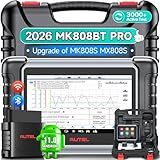
- 👨🎓Tips Before Order: 🚩All function are vehicle-specific - send VIN(17 digits)/Make/Model/Year & needed function via 📞auteldirect @ outlook . com📞 to check before order. 🚩Register tool: a) Follow on-screen guide; or b) Register em-ail on Autel we-b, then bind using SN(back of device) + verification code (find in tool settings or con-tact us via above em-ail). MK808BT PRO comes with ✅English, if need Spanish, please s.end device SN to add. ✅1-year war-ranty. ✅$150 worth 1yr fr-ee updates(New users: ignore renewal alerts). ⚠️📢Post-expiry: Most functions remain functional,for exclusions, refer to A+ Tips. ⚠️Fee for FCA AutoAuth Ga.teway(optional): $50/year, charged by AutoAuth,not Autel.
- 【2026 MK808BT PRO: Same as MK900BT, up of MK900 MX900 MK808S MX808S】Why pay more? 2026 MK808BT PRO functions as MK900BT and saves you 100USD. At same c0st, you now get diagnostic 8X faster and sup-port for 150+ models(1996-2026).💡Dramatically Improved: ✔️Faster & Smarter OS: Android 4.4➡ Android 11 ✔️More Services: 28+➡ 40+ ✔️Bidirectional Control: 50+➡ 3,000+ ✔️Enhanced Hardware: 1/32G➡ 4G/64G ✔️2.4GHz➡ 5G Dual WiFi ✔️Working range: 0.9m➡ 10m+ 🔋Battery test is clear on the large 7in display(BT506 required). 🔔Your Autel scanner is shipped brand new. For any issues(used, damaged, incompatible), e-m-a-il 📞auteldirect @ outlook . com📞 for priority resolution.
- 👍【New Next-Level Bidirectional Control, 50➡3000+ Tests, Covers Daily Repairs】Unlike the Autel DS708 DS808 MP808 MK808 and MX808 car diagnostic scanners, which offer only 50 functional tests, the Autel bidirectional scan tool MK808BT PRO is equipped with over 3000 active tests. These tests are widely used on car subsystems to help technicians quickly check if the car's actuators are functioning properly. Such as ABS, windows, rearview mirrors, wipers, sunroofs, fuel injectors, AC clutches, coolant fans, radiator fans, coolant pumps,etc. Tips📢: All functions are vehicle-specific, not universal to all vehicles,pls send VIN to 📞auteldirect @ outlook . com📞check compatibility before order.
- 👍【28+ Hot Services for 150+ Makes】Autel scan tool MK808BT PRO, upgraded with a BT VCI Mini(valued at 120USD), surpasses the old wired OBDII scanner MK808S MK900, by providing a convenient 33ft wireless working range, offering greater freedom and comfort compared to the 3.3ft cable limit of the MK900 MK808S MX808S car scanner. New features include VIN Check across different modules for comparison and 28+ resets, such as injector coding, ABS autobleed, Oil reset, SAS cali.bration, BMS, throttle relearn, suspension adjustments, etc. ⚠️📢Tips: Service functions are vehicle-specific, not universal to all vehicles, pls send VIN to 📞auteldirect @ outlook . com📞check compatibility before order.
- 👍【All Available Module Diagnosis - OE-Level Scanner】The OE versatile OBDII scan tool MK808BT PRO escaner para autos effectively works with all car systems: ABS, ECM, BCM, SRS, TCM,etc. It identifies vehicles via AutoVIN/manual input/select, like S.nap-on tools, it can ✔read/clear 7000+ DTCs, ✔read ECU info, ✔view 5-in-1 live data, ✔perform active tests, and ✔reset services. ✔Reports can be shared via QR-code and printed, working globally and 21+ multilingual. Supports 150+ US/EU/Asian makes, with ongoing updates from 2024 to 2026. ⚠️Note📢: The AutoVIN function usually works for post-2006 cars, depending on if the vehicle's VIN is stored in the ECU. You can always do manual input/select.
Last update on 2026-06-23 / Affiliate links / Images from Amazon Product Advertising API
This product presentation was made with AAWP plugin.