
NHTSA ID Number: 10171076
Manufacturer Communication Number: TKA, TKB, TKC-20
TSB/Document Date: 2020-02-05
Summary
SUBARU OF AMERICA, INC. has determined that a defect, which relates to motor vehicle safety, exists in certain 2003-2014 model year Legacy and Outback vehicles, 2003-2006 model year Baja vehicles, 2009-2013 model year Forester vehicles, 2004-2011 model year Impreza vehicles, and 2004- 2014 WRX (including STI) vehicles equipped with a non-desiccated Takata-sourced passenger-side frontal air bag containing the propellant Phase Stabilized Ammonium Nitrate (PSAN).
Electro-Tap (red shorting crimp connector)
•
Shipping Documentation
Inspect the new Type 2 inflator to confirm the locating protrusions on each of the pink collar portions
are aligned as shown below. The “short” collar can be rotated as needed to align it with the protrusion
on the “long” collar if necessary.
Continued...
Bulletin Number: TKA-20R / TKB-20R / TKC-20R; Revised: 01/15/19
Page 20 of 48
STEP 2- To access the passenger’s airbag module, the complete instrument panel assembly must be
removed. Follow the procedures in the applicable Service Manual for removing the instrument panel
assembly in addition to the necessary related interior trim components.
NOTE: When removing the “A” pillar trim, be VERY CAREFUL not to damage the upper metal
retaining clip. The clip is located just below where the trim panel meets the head liner. If the metal
retaining clip becomes damaged or separated from the trim panel, the trim panel MUST be replaced
as the clip is not available separately. Use a plastic trim tool to push and release the upper portion of
the metal clip from the body. Be careful to not pull the trim panel open any further than necessary
to gain access for releasing the clip. There is a plastic retaining clip in the lower portion of the trim
panel which will release easily once the upper retaining clip is loose. At reassembly and using a
plastic trim tool, make sure the inner lip of the door weatherstrip overlaps the outer fabric edge of the
trim panel to help secure it.
Once the instrument panel assembly has been removed from the vehicle, CAREFULLY release the
retaining claws and separate the airbag bag module.
Continued...
Bulletin Number: TKA-20R / TKB-20R / TKC-20R; Revised: 01/15/19
Page 21 of 48
REMINDER: It is STRONGLY RECOMMENDED the removed airbag module ALWAYS be
mounted to the Airbag Deployment Fixture (part number J-39401-B and file photo shown below) to
better secure it during the inflator replacement procedure. When mounting the module to the fixture,
pay close attention to the harness routing. Always perform this work in an area away from others
to reduce chances of inadvertent injury should any deployment occur. Take your surroundings into
account to avoid possible hazards should an inadvertent deployment occur or sources of static or
other electricity that could potentially induce such a deployment.
STEP 3- Remove the harness tube from the retainer bracket holders.
STEP 4- Using a scissor or wire cutter (no knives or razors) CAREFULLY cut the black harness
cover tube (approximately 1 1/2 inches) enough to expose the blue and white wires inside and
provide enough room to install the Electro-Tap (shorting) connector.
TAKE YOUR TIME AND BE CAREFUL TO NOT CUT THE 2 WIRES!
Continued...
Bulletin Number: TKA-20R / TKB-20R / TKC-20R; Revised: 01/15/19
Page 22 of 48
STEP 5- Short the white and blue wires together by installing the Electro-Tap connector. The
connector creates a short circuit which acts as a safeguard to prevent against static discharge that may
deploy the removed inflator. The tab portion of the Electro-Tap connector MUST be cut off prior to
use to insure a good short-circuit is made as shown in the illustration below. Follow the sequence
below for installing the Electro-Tap connector. Use pliers to squeeze closed the two sections of the
connector together, one section at a time.
STEP 6- Once the Electro-Tap connector is fully crimped in place, cut the white and blue wires on
the body harness connector side of the Electro-Tap connector.
Continued...
Bulletin Number: TKA-20R / TKB-20R / TKC-20R; Revised: 01/15/19
Page 23 of 48
STEP 7- Loosen and remove the four (4) 10mm self-locking nuts and discard them.
VERY IMPORTANT: Under no circumstances should any impact or power tools be used when
performing these procedures. HAND TOOLS ONLY!
NOTE: NEVER ATTEMPT TO REMOVE THE HARNESS CONNECTORS FROM THE
INFLATOR!
STEP 8- With the self-locking nuts removed, slide the original inflator out of the mounting bracket.
Place the removed original air bag inflator back into the “cradle” of the Kit Box insert.
STEP 9 - VERY IMPORTANT: Record the 11-digit alpha-numeric serial number for both the
new Type 2 and the original Type 1 inflators on the hard copy of the Repair Order. For SOA and
SDC Retailers ONLY, this information will be required for claim approval. For SNE retailers, this
information will be required for completion of the Part Return Notice which will be forwarded by the
retailer to the PCC.
Continued...
Bulletin Number: TKA-20R / TKB-20R / TKC-20R; Revised: 01/15/19
Page 24 of 48
STEP 10- CAREFULLY remove the airbag from the mounting bracket (case).
STEP 11- CAREFULLY Install the heat insulating plate into the back (inflator) side of the airbag
as shown in photo 1 below. The plate can only be installed in one direction. Make sure the 2
retaining claws come through the corresponding holes in the insulator plate as shown in photo 2. The
airbag is ready to refit to the mounting bracket in photo 3 and is being reinstalled in photo 4.
1
3
2
4
Continued...
Bulletin Number: TKA-20R / TKB-20R / TKC-20R; Revised: 01/15/19
Page 25 of 48
STEP 12- Install the new Stopper Plate (A) onto the mounting bracket.
Stopper Plate (A)
STEP 13- Install the new inflator into the mounting bracket with the short pink collar end toward
the new Stopper Plate (A). Align the protrusion on the end of the collar with the notch in the stopper
plate. There is also a tab on the inside of Stopper Plate (A) which will align with the notch in the end
of the collar. When properly installed the collar will be tight against the plate with no gap.
IMPORTANT: Do not peel the white harness connection dust cover at this time.
Continued...
Bulletin Number: TKA-20R / TKB-20R / TKC-20R; Revised: 01/15/19
Page 26 of 48
STEP 14- Install the original stopper plate onto the opposite end of the mounting bracket / inflator in
the same manner as described in STEP 13 above. Rotate the inflator as needed to insure there is no
gap between the collar and stopper plate. NOTE: Stopper plates only fit one way as their holes are
offset.
STEP 15- Reinstall the 4 NEW self-locking nuts. SLOWLY tighten (to prevent over-tightening)
then torque the nuts to 31-38 inch-pounds. When complete, use a marker to indicate they have been
fully tightened.
STEP 16- The new inflator wiring harness has 2 “sides” with 2-pin connectors on both ends. The
side with the black harness tube goes with the black inflator connector and the other side (yellow
harness tube) will connect to the orange connector. The end of the inflator aligned with the new
Stopper Plate (A) will have a black harness connector while the connector on the opposite end of the
inflator will be orange. This makes it impossible to install the harness backwards as the tangs (shown
in Step 17) are also in different positions.
BEFORE connecting the harness to the inflator, make sure the harness is not twisted as shown below.
Continued...
Bulletin Number: TKA-20R / TKB-20R / TKC-20R; Revised: 01/15/19
Page 27 of 48
STEP 17- Peel off one white dust cover and CAREFULLY align the tang of the new harness
connector with the receiving slot in the inflator connector. This assures proper routing of the harness
in relation to the airbag assembly mounting bracket.
IMPORTANT: NEVER PEEL BOTH THE WHITE DUST COVERS OFF AT THE SAME TIME!
STEP 18- After connecting both sides of the harness, refit the harness cover tube back into the
mounting brackets.
VERY IMPORTANT: After connecting the new harness to the inflator, both sides MUST be
routed as shown in the “New Harness Properly Installed” photo below.
Continued...
Bulletin Number: TKA-20R / TKB-20R / TKC-20R; Revised: 01/15/19
Page 28 of 48
New Harness
Properly
Installed
STEP 19- Refit the airbag module to the instrument panel.
TIP: To eliminate a possible source of a rattling sound from the dash, wrap the 2 hooks and locator pin
with non-woven material, p.n. SOA963W110 (or an equivalent self-adhesive foam) as shown below.
Hook
Locator Pin
Hook
REMINDER: One sheet of the SOA963W110 non-woven material is enough for approximately
8 vehicles.
STEP 20- Reinstall the instrument panel assembly into the vehicle in reverse order of disassembly.
Once the negative battery cable has been reconnected, turn the ignition key “ON” and confirm the
AIRBAG warning light comes on then cycles off properly. Once proper warning light operation is
confirmed, reinstall the remaining components and reset the radio station presets (and Navigation
favorites where applicable) to complete the procedure.
STEP 21- If not already done, place the removed original air bag inflator in the “cradle” of the
Kit Box insert, with a completed SOA warranty parts tag (MSA5W402A) attached to it. The tag
must contain the following information: Claim Number, Repair Date, 17-digit VIN, and vehicle
mileage. Refer to the “PART RETURN PROCEDURES” section of this bulletin for further return
shipping instructions and information. Ensure both the removed and installed inflator serial
numbers have been recorded correctly as previously instructed on the repair order hard copy
before returning the removed part to your Parts Department.
IMPORTANT: UNDER NO CIRCUMSTANCES SHOULD ANY AIR BAG INFLATORS BE
RETURNED TO SUBARU OF AMERICA, INC.
Bulletin Number: TKA-20R / TKB-20R / TKC-20R; Revised: 01/15/19
Page 29 of 48
*SERVICE PROCEDURE FOR 2004-2005MY IMPREZA, WRX AND STI MODELS*
Inflator Type 2, Part Number 98279FE070*
CAUTION: Refer to the “CAUTION” section in the General Description portion of Airbag
System AB in the Body Section of the Service Manual before handling or servicing the airbag
module!
STEP 1- PREPARATION:
•
•
•
Turn the ignition “OFF”.
Disconnect the Negative (ground) cable from the battery and wait at least 60 seconds before
proceeding further.
Remove the glove box assembly following the procedure in the applicable Service Manual.
IMPORTANT: Whenever beginning to remove (or install) the airbag assembly, and
periodically while performing the procedure or after stepping away, remove any possible
static charge from your body by momentarily touching a clean, bare metal ground point on
the vehicle (e.g. the door striker). Remove from your person all electronic devices including
cellphones before proceeding.
•
Disconnect the airbag module harness connector
from the support beam bracket.
•
Remove the 3 retaining bolts and CAREFULLY
remove the airbag module from the vehicle and
place it on a clean cloth to protect the dash trim
surface portion from damage.
NOTE: There may be a Security Module secured
with the lower airbag module mounting bolt on some models.
IMPORTANT: DO NOT destroy or damage the kit box as it MUST be used for the original
inflator’s return shipping.
•
Open the Kit Box and confirm all the necessary components are included:
4 Self-Locking nuts
New Type 2 Inflator (pink collars on each end identify it as the replacement part)
New Inflator Harness
New Stopper Plate
Electro-Tap (red shorting crimp connector)
1 ½” X 2 ¼” piece of self-adhesive Sponge Tape
Shipping Documentation and Instructions
Bulletin Number: TKA-20R / TKB-20R / TKC-20R; Revised: 01/15/19
Page 30 of 48
IMPORTANT: The removed airbag module must be mounted to the Airbag Deployment
Fixture (part number J-39401-B) as shown in the photo below to better secure it during the
inflator and wiring harness component replacement procedures. Always perform this work in an
area away from others to reduce chances of inadvertent injury should any deployment occur. Take your
surroundings into account to avoid possible hazards should inadvertent deployment occur or sources of
static or other electricity that could potentially induce such a deployment.
STEP 2- Peel the Sponge Tape and remove the harness clip from the retainer bracket by pushing
the tangs inward with a flat-blade screwdriver as shown below. Always remove any Sponge Tape
adhesive residue from the airbag mounting bracket using mild solvent on a clean shop cloth.
CAUTION: Never use any silicone-based products for this purpose.
STEP 3- CAREFULLY cut the yellow harness cover enough (approximately 2 inches) to expose
the 2 red (or yellow) wires inside and provide enough room to install the Electro-Tap (shorting)
connector using a wire cutter or scissor (no knives or razors). TAKE YOUR TIME AND BE
CAREFUL TO NOT CUT THE 2 WIRES!
Red Wires
Yellow Wires
Bulletin Number: TKA-20R / TKB-20R / TKC-20R; Revised: 01/15/19
Page 31 of 48
STEP 4- Short the 2 wires together by installing the Electro-Tap connector. The connector creates
a short circuit which acts as a safeguard to prevent against static discharge that may deploy the
removed inflator. The tab portion of the Electro-Tap connector MUST be cut off prior to use to insure
a good short-circuit is made as shown in the illustration below. Follow the sequence below for
installing the Electro-Tap connector. Use pliers to squeeze closed the two sections of the connector
together, one section at a time.
This tab MUST
be cut off
Insert 1 wire in
the Electro-Tap
Fold
2
3
Place the other
wire in the
Electro-Tap,
fold then crimp
closed with pliers
Crimp closed
with pliers
4
5
STEP 5- Once the Electro-Tap connector is fully crimped in place, cut the 2 wires on the body
harness connector side of the Electro-Tap connector.
CUT
VERY IMPORTANT: Under no circumstances should any impact or power tools be used when
performing these procedures. HAND TOOLS ONLY!
STEP 6- Remove the two 8mm self-locking nuts securing the stopper plate. Loosen but do not
remove the other two nuts on the mounting bracket as leaving them in place will help keep the airbag
assembly together.
Remove
Bulletin Number: TKA-20R / TKB-20R / TKC-20R; Revised: 01/15/19
Page 32 of 48
STEP 7- With the stopper plate removed and the
other 2 self-locking nuts loosened, unseat the inflator
off the mounting bracket end plate then rotate it
slightly CLOCKWISE to make it easier to remove
as shown in the photo to the right. Slide the inflator
out of its mounting while feeding the cut off portion
of the wiring harness through the “D-Shaped”
hole in the end of the mounting bracket. NEVER
ATTEMPT TO REMOVE THE HARNESS
FROM THE INFLATOR! Place the removed
original air bag inflator in the “cradle” of the Kit
Box insert.
STEP 8- VERY IMPORTANT: Record the 11-digit alpha-numeric serial number for both the
removed (Type 1) and 14-digit numeric serial number for the new (Type 2) inflator on the Repair
Order hard copy. For SOA and SDC Retailers ONLY, this information will be required for claim
approval. For SNE retailers, this information will be required for completion of the Part Return
Notice which will be forwarded by the retailer to the PCC.
TYPE 1
TYPE 2
STEP 9- Inspect the new Type 2 inflator to confirm the locating protrusions on each of the pink
collar portions are aligned as shown below. The “short” collar can be rotated as needed to align it
with the protrusion on the “long” collar if necessary.
NOTE: The Type 2 inflator is installed in the opposite direction of the original. This change puts the
connector on the other end. The new harness has been extended approximately 2” to compensate.
Bulletin Number: TKA-20R / TKB-20R / TKC-20R; Revised: 01/15/19
Page 33 of 48
STEP 10- Install the new inflator into the mounting bracket, short collar with the “blank” (no harness
connector) end going in first. The protrusion on the short collar will fit in the gap at the bottom of the
fixed stopper plate portion. At the same time, the ridge portion of the inflator side of the stopper plate
will fit into the “notch” in the end of the collar. When properly installed, the end of the inflator will be
seated tight against the mounting bracket with NO gap. DO NOT peel the white harness connection
dust cover at this time.
STEP 11- Install the new stopper plate over the harness connector end of the new inflator.
Always hold the
stopper plate tight
against the inflator as
shown when installing
and tightening the
NEW self-locking nuts.
NEVER reuse the
original nuts.
Remove the 2 nuts still installed on the mounting bracket and replace them with 2 NEW self-locking
nuts. Once all 4 NEW nuts are in place, torque to 31 - 38 inch pounds in the new sequence shown
below. Use a marker to mark the nuts after torqueing indicating they have been fully tightened.
Bulletin Number: TKA-20R / TKB-20R / TKC-20R; Revised: 01/15/19
Page 34 of 48
1
3
2
4
STEP 12- Peel off the white dust cover and CAREFULLY align the tang of the new harness
connector with the receiving slot in the inflator connector. This assures proper routing of the harness
in relation to the airbag assembly mounting brackets.
Bulletin Number: TKA-20R / TKB-20R / TKC-20R; Revised: 01/15/19
Page 35 of 48
STEP 13- Reinstall the wiring harness retaining clip into its position on the mounting bracket.
IMPORTANT: Confirm the harness is not twisted at the inflator connector as shown below.
STEP 14- Peel the adhesive backing and install the new Sponge Tape onto the yellow harness tube
first then adhere it to the airbag mounting bracket as shown in the illustrations below.
Placement of Sponge Tape
IMPORTANT: The
Sponge tape must be
installed more than
half-way around the
yellow harness tube.
Harness
Sponge Tape
Bulletin Number: TKA-20R / TKB-20R / TKC-20R; Revised: 01/15/19
Page 36 of 48
Completed “Type 2”
Assembly
STEP 15- Reinstall the airbag assembly into the vehicle in reverse order of disassembly. NOTE: If
the accessory security module is installed to one of the airbag module mounting bolts, torque that
specific bolt to 7.5 +/-1ft. lb. rather than the normal 5.4 ft. lb. specified in the Service Manual. Before
installing the glove box assembly, reconnect the negative battery cable. Turn the ignition key “ON”
and confirm the AIRBAG warning light comes on then cycles off properly. Once proper warning
light operation is confirmed, reinstall the glove box assembly while making sure the cord loop for the
opening dampener (if equipped) stays connected to complete the procedure.
STEP 16- Place the removed air bag inflator in the “cradle” of the Kit Box insert, with a completed
SOA warranty parts tag (MSA5W402A) attached to it. The tag must contain the following
information: Claim Number, Repair Date, 17-digit VIN, and vehicle mileage. Refer to the
“PARTS RETURN PROCEDURES” section of this bulletin (page 4) for further return shipping
instructions and information.
IMPORTANT: UNDER NO CIRCUMSTANCES SHOULD ANY AIR BAG INFLATORS BE
RETURNED TO SUBARU OF AMERICA, INC.
Bulletin Number: TKA-20R / TKB-20R / TKC-20R; Revised: 01/15/19
Page 37 of 48
*SERVICE PROCEDURE FOR 2006-2007MY IMPREZA, WRX and STI MODELS*
Replacement Airbag Module Assembly Part Number: 98279FE12A
IMPORTANT NOTES:
The new module assembly does not include the lid (outer trim cover). In this procedure, the lid is
transferred to the new module from the original. In an extremely rare case where a lid gets damaged
during the transfer, the part number for a replacement lid is 98279FE19AOE.
CAUTION: Refer to the “CAUTION” section in the General Description portion of Airbag
System AB in the Body Section of the Service Manual before handling or servicing any airbag
module!
STEP 1- PREPARATION:
• Turn the ignition “OFF”.
• Disconnect the Negative (ground) cable from the battery and wait at least 60 seconds before
proceeding further.
o Remove the glove box assembly following the procedure in the applicable Service
Manual and using the tips below. The glove box is held in place by 7 screws.
IMPORTANT: Whenever beginning to remove (or install) the airbag assembly, and periodically
while performing the procedure or after stepping away, remove any possible static charge
from your body by momentarily touching a clean, bare metal ground point on the vehicle (e.g.
the door striker). Remove from your person all electronic devices including cell phones before
proceeding.
• Disconnect the airbag module harness connector (A) and release it from the support beam
bracket.
•
Remove the 3 retaining bolts and CAREFULLY remove the airbag module from the vehicle
and place it on a clean cloth to protect the dash trim outer surface portion from damage.
Bulletin Number: TKA-20R / TKB-20R / TKC-20R; Revised: 01/15/19
Page 38 of 48
STEP 2- TRIM COVER REMOVAL
• Using a trim clip removal tool and starting on the harness-side of the module assembly as
shown in photos and sequence below, CAREFULLY insert the tool and twist ONLY AS
MUCH AS IS REQUIRED to release the slightly longer center retaining claw from the trim
cover. Once released with the tool, the other 6 claws will release easily by hand.
•
Rotate the inflator portion of the assembly outward from the cover to release the 7 label-side
claws and separate the cover from the module. No tool is required as all the 7 label-side
claws are the same size.
Serial Number
Twisting the Tool and
Releasing Center Claw
•
Center Claw Released
Once all the harness-side retaining claws are released (EASILY done once the center claw is
released), CAREFULLY separate the inflator module from the cover. After the harness-side of
the module is free from the cover (2), simply rotate it to unhook the label-side retaining claws.
Remove the cover completely as shown in (3) below.
Bulletin Number: TKA-20R / TKB-20R / TKC-20R; Revised: 01/15/19
Page 39 of 48
1
Serial Number
2
3
Bulletin Number: TKA-20R / TKB-20R / TKC-20R; Revised: 01/15/19
Page 40 of 48
•
Inspect the claw openings on the outside and inside of the cover for damage. If any found to
look like the NG example photo below, the cover must be replaced.
OK
Close-up of a witness mark left
behind by the inside of the center
retaining claw. This is normal and
acceptable. There is no need to
replace the cover for this.
Inside view of a damaged
cover, shows tearing and
material missing. This cover
must be replaced.
Step 3- Refit the cover onto the replacement module assembly, making sure all the claws are fully
engaged (see Figure 1 above). For this application, the cover will only fit on the module one way.
When properly installed, the cover should feel loose with a small amount of freeplay. If the cover is
tight (no freeplay or looseness), it most likely is not fully engaged onto the claws.
Step 4- VERY IMPORTANT: Record the alpha-numeric serial numbers for BOTH the original
and the replacement module assemblies on the hard copy of the Repair Order. See page 63 & 64 for
serial number location photos. For SOA and SDC Retailers ONLY, this information will be
required for claim approval. For SNE retailers, this information will be required for completion of
the Part Return Notice which will be forwarded by the retailer to the PCC.
Step 5- Place the removed module assembly into the
returnable shipping box. Refer to the SHIPPING
DOCUMENTATION AND INSTRUCTIONS:
(Appendix A) found toward the end of this bulletin.
Step 6- After confirming the cover is properly
fitted to the module, reinstall the module assembly
in reverse order of disassembly. The retaining tabs
around the perimeter of the cover must also be fully
seated so it sits flush with the surrounding dash
pad surface. Before installing the glove box assembly, reconnect the negative battery cable. Turn
the ignition key “ON” and confirm the AIRBAG warning light comes on then cycles off properly.
Once proper warning light operation is confirmed, reinstall the glove box assembly to complete the
procedure.
IMPORTANT: UNDER NO CIRCUMSTANCES SHOULD ANY AIRBAG MODULES BE
RETURNED TO SUBARU OF AMERICA, INC.
Bulletin Number: TKA-20R / TKB-20R / TKC-20R; Revised: 01/15/19
Page 41 of 48
RECALL IDENTIFICATION LABEL
Type or print the necessary information
on a Recall Identification Label. The
completed label should be attached to the
vehicle’s upper radiator support.
TKA-20
TKB-20
TKC-20
Additional labels are available through
normal parts ordering channels. The part
number is MSA6P1302, which comes as
one sheet of 20 labels.
Part Number
Applicability
Description
Order Quantity
All models
Campaign Completion Labels
(contains one sheet of 20 labels)
1
MSA6P1302
CLAIM REIMBURSEMENT AND ENTRY PROCEDURES
Credit to perform this recall will be based on the submission of properly completed repair order
information. Retailers may submit claims through ‘Vehicle Claim Entry’ on Subarunet.com.
Carline/MY Applicability for PASSENGER AIRBAG INFLATOR
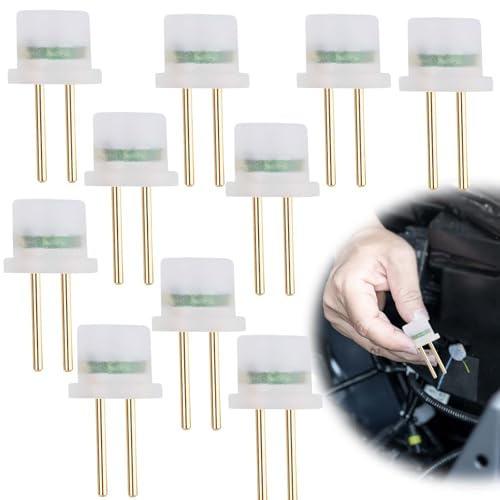
- Universal Compatibility: Designed to work with a wide range...
- Comprehensive Functionality: This tool serves as an...
- High-Quality Construction: Made from copper material, this...
- Essential Safety Kit: Comes in a pack of 10, providing ample...
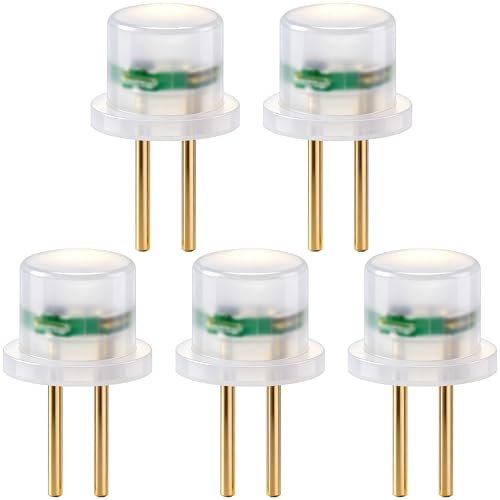
- Practical Function: The airbag simulator tester provides a...
- Wide Application: Airbag diagnostic connector fits common...
- Easy to Use: The airbag fault light reset tool enables quick...
- Premium Quality: SRS bypass resistor is made of solid...
- What You Get: You will receive 5pcs airbag simulator tester...
Last update on 2026-06-13 / Affiliate links / Images from Amazon Product Advertising API
If the PDF is very large, it may not load in the preview below.
Some older TSBs had multiple PDFs — visit the NHTSA Website to view all PDFs.
If the TSB PDF does not show, download or view it on the NHTSA Website.
Click on the (+) Plus Sign
Then Click on Associated Document(s)
Search NHTSA Database for Recalls
Search NHTSA Database for Vehicle Investigations
View Latest Vehicle Investigations
Search NHTSA Database for Vehicle Complaints
View Latest Vehicle Complaints
TSB/Document ID: TKA, TKB, TKC-20
Replacement Service Bulletin Number:
MFR Communication Date: 2020-01-15
MFR Internal Campaign ID/Software Version:
Communication Type: Service Bulletin/Repair Instructions
NHTSA Components: AIR BAGS
MFR Component System:
MFR Component Subsystem:
Previous TSB | Next TSB |
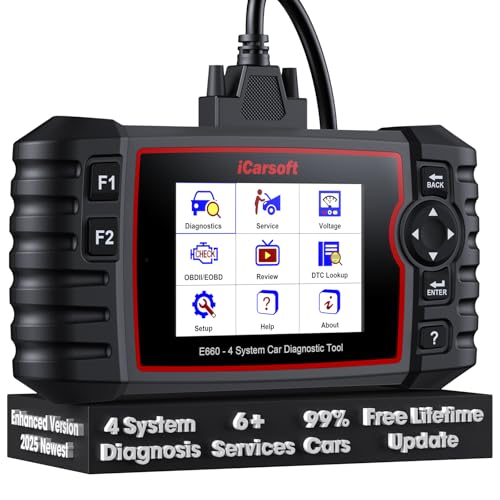
- 【Looking for More Professional Vehicle Scan Tool?】iCarsoft E660 2026 Upgrade Version OBD2 scan tool can do it all-reads and clears trouble codes on Engine system, ABS system, Transmission system and Airbag system, And with 6 reset function. It covers more than 59 vehicle makes from 1996-2023 models ( included most USA/ Asia / EU vehicle brand) with full OBDII. (As every car model has its-owned specific car system and ECUs, not all car models have full car ECUs which may prevent the scanner from performing all listed system diagnostics or reset services. Therefore, please email to us with car VIN and services required to do scanner's services for a compatibility check before purchasing.)
- 【OE-Level 4 Systems OBD2 Scanner】iCarsoft E660 2026 Upgrade Version diagnostic scanner offers comprehensive OBDII services, allowing you to quickly scan Engine system. It supports functions such as reading and erasing codes, checking I/M readiness, viewing freeze frame data, performing O2 sensor tests, conducting on-board monitoring, testing the evap system, auto VIN retrieval, and reading both generic and specific codes, as well as DTCs and battery tests.
- 【4 Systems Diagnosis for 10000+ Vehicles】 iCarsoft E660 2026 Upgrade Version adopts unique diagnostic software, works well for most Porsche
 , Benz, BMW, US Ford, Land Rover, Jaguar, Audi, VW, Volvo, Honda, Nissan, Infiniti, Toyota, Lexus, Scion, Isuzu, Hyundai, Kia, Daewoo, Mazda, Sprinter, Mini, Seat, Skoda, SAAB, EU Ford, Holden, AUS Ford, Acura, Subaru, Mitsubishi, Dacia, Renault, Fiat, GM, Chrysler, Citroen, Peugeot, Opel, Smart,Suzuki, Vauxhall, Alfa-Romeo, Lancia and etc.
 - 【6 Reset Services】iCarsoft E660 2026 Upgrade Version is a diagnostic tool that offers professional maintenance services, including Oil Reset, EPB, BMS, ETC, SAS, TPMS Reset. It can help you easily reset oil change indicators, recalibrate steering angle sensors, relearn replaced electric parking brake and so on. For optimal vehicle performance and maintenance convenience. (Tips: Please update the softwareafter receiving the product to obtain new service functions)
- 【118+ Real Time Record & Live Graph View】iCarsoft E660 2026 Upgrade Version can automatically record vehicle text history and identify vehicle information. Preserve real-time data information. View & Graph Live Data. Support Data Review and Print. 15 languages: English, German, Dutch, Spanish, French and so on. We promise to offer Lifetime updates (Lifetime free Update via PC), and confidence in products. We also provide 1 year warranty + extra lifetime hardware free repair if you need it in the future. We prioritize user experience & strive to meet your expectations. Please do feel free to reach out to us if you have any question or problem about the usage.
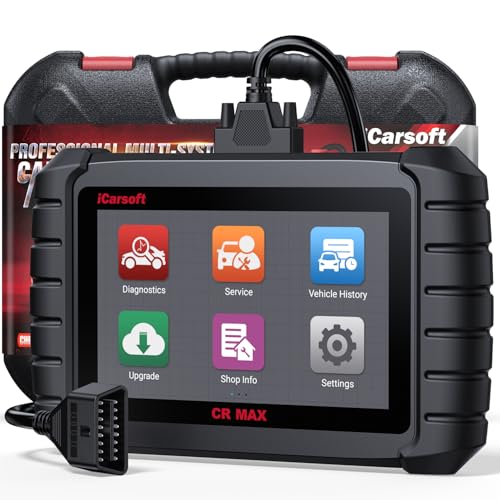
- WHY CHOOSE THE 2025 CR MAX -Upgrade the latest diagnostic capabilities for all vehicles after 1996: upgrade to 49+maintenance services; 46 extra specific functions; real all systems/all control modules diagnose; over 40K+ bidirectional actuation tests for diagnosing all control moduels of cars; Powerful full OBD2 Functions; built-in ECU Coding for BMW/ Audi/ VW/ RollsRoyce; Fr ee V.A.G Guide Function; Battery retistration for new battery adaptation and more. It covers all vehicle diagnostic services and some special professional vehicle maintenance servces, assists you to do home DIY vehicle maintenance or car repair as a pro technician.
- NEWEST IN INNOVATION FULL OBD2 SERVICES- iCarsoft auto car diagnostic scanner compatible with CAN-FD, CR MAX can do it all-reads and clears trouble codes, ALL SYSTEM DIAGNOSIS such as engine, transmission, ABS and airbag etc. CR MAX code reader for all cars can perform I/M Readiness, Live Data, Freeze Frame, Vehicle Information, Monitor Test, On-Board Monitor, E vap System Test,O2 Sensor Test,DTC Library Lookup,etc. (Warm Tips: If you car is after 2023,please contact us for compatibility; 3. It comes with 16PIN OBD2 diagnostic adapter, please check your car diagnostic socket if it is 16pin socket, if your car is 14pin diagnostic socket please contact us for the solution.)
- 49 RESET+ 46 SERVICES- Performs: Oil Reset, EPB,SAS,Throttle, D-P - F, Battery, ABS, Injector, TPMS, Suspension, AC, Head Lamp, Body Stablity, Engine, Tramsmission, Airbag, Seat, Door-Win-Roof, Fuel Pump, Door, E-G- R.+21 NEWEST SERVICES( Need update scanner)-AdBlue, Clutch, Crankshaft, High Voltage Battery, Cruise Control, NO xSensor, Rain Sensor, Stop And Start, Turbocharger, Head Up Display, Radar Camera, Vehicle Setup, Cyliner Misfire Check,Speedlimitassist, ControlUnitReset,OxygenSensor, Seatbelt. Extra 46+ extra services based on car brand.(Tips: Quantity of reset/ calibration fucitons are based on car system that your vehicle model has)
- REVOLUTIONARY 40000+BIDIRECTIONAL ACTIVE TESTS: Upgraded CR Max scanner equip with numberous of actuational test items for covering all available vehicle control modules, no longer only do simple light test or window test like other scanners, performs hardware modules test and software control modules test for checking car units or new updated control moduels work well or not after maintenance/ repair/ re-installation/ control system updated (Example for Benz- Roller Sun Blind test; Backup Camera test ;Self-test; EPB test; Transport Mode test;Boost Pressure Positioner test; Fuel Pump test; AND MORE!!).(Warm tip: The available test items are based on control modules your car has)
- ECU CODING+ BATTERY REGISTRATION- Powerful ECU Coding service for BMW/MINI/RollsRoyce / Audi/VW/Seat/Skoda/Bentley/Bugatti/Lamborghini, Improves Engine Power Performance and Optimizes Fuel Efficiency and Match New Hardware Unit to car and Customized a comfortable Driving Modes and Fixes & Updates Original Software Bug. The battery test function for checking car battery health, perform battery reset (BMS ) for replacing a damaged or aging car battery with a new one and register new battery to car ECU

- 【WHY CHOOSE CR PRO+】COST-EFFECTIVE BIDIRECTIONAL OBD2 SCANNER, COST 80 LESS THAN CR MAX, WITH THE SAME maintenance services as CR MAX, 49 Reset + 46 Brand-Specific services & ECU coding( for AU DI/BM W/ V W ONLY), OEM-level active tesing, multi-systems diagnostic(More than 4 basic systems), powerful full OBD2 functions. 2.0 GHz 4 core CPU, 16GB memory .Warm Tip: Some car models with FCA gateways, causing scanners failed diagnostic, please contact us for additional FCA adapter (please check the details in the following description)
- 【CONTACT US TO CONFIRM 】Few models need a special adapter cable, which will be available soon, please contact us for check if you are the following models: (2018&later) for Chrysler: 300, Great Jetdragon; for Dodge: Challenger, Warhorse, Durango, Cooley, Rams 1500, Rams 2500, Rams 3500, Rams 4500, Rams 5500; for JEEP: Grand Cherokee, Free Man, New Wrangler (JL), Grand Commander. (2019&later) for JEEP: Free Light, Compass. (2020&later)for JEEP: Gladiator. (2018&later) for Alfa Romeo: GIULIA; for Fiat: 500L, 500X, 500, Novo Uno fl, Toro. (2018&later) for Maserati. CONTACTING US FOR FCA GATEWAY ADAPTER.
- 【Bidirectional Test Covers 180,00+ vehicles】The CR Pro+ offers extensive actuator coverage, up to 9981 tests for AUDI A4, 4117 tests for Land Rover, 7092 tests for VW 0B-Magotan, 60776 tests for GM Chevrolet, 24611 for Benz S221, 3744 for Porsche, 114 for BMW. Beyond sending commands to basic control-units like headlights, mirrors, A/C clutches, fans, windows, doors and more, CR Pro+ CR Pro+ perform real-time bidirectional control with deeper ECU access, such as complex sensor or electronic responses or inner unit like fuel pump, injector, ignition coil, main relay, transmission coolant valve to catch potential issues. It enables you quickly locate the faults, avoid needless pa r.t swap.
- 【COST-EFFECTIVE 49 RESET SERVICE】iCarsoft Pro+features all Reset/ Adaptation/ Calibration/ Initialization service including ABS Reset/ Oil Reset/ EPB Reset/ ETC Reset/ INJ Reset/ SAS Reset/ BLD Reset/ BMS Reset/ LAP Reset/ SPS Reset/ TPMS Reset/ACS Reset/ AFS Reset/ FPP Reset/ IDL Reset/ BSC Reset/ Door Reset/ Seat Reset/ TCM Reset/ Service Interval Reset/ Brake Reset/ DWR Reset/ ECM Reset etc. IMPORTANT: CR PRO+ has been upgraded to provides numerous car maintenance functions for maintaining car systems/control units outside the systems corresponding to the above functions (in miscellaneous). NOTE:Above services vary by vehicle models, please contact us for the service list for your cars.
- 【OE MULTI-SYSTEMS DIAGNOSTICS】CR Pro+ can diagnose main vehicle systems like Engine, TCM, ABS, Airbag, Brake, BMS, Battery, windows, etc,AND ALSO diagnose vehicle specific systems like Antenna Module / Communication Control Module/ Parking Lock/Voice Control/ AC Reducing Agent Metering System,etc, helping to detect existing faults and potential faults, giving you complete vehicle health analysis. It displays module Info, real-time data graphs, such as transmission temperature, saves freeze frames to pinpoint intermittent faults. Note: Available systems vary by model. Each car model has unique systems. You can contact us for diagnoseable systems of your vehicle.
Last update on 2026-06-12 / Affiliate links / Images from Amazon Product Advertising API
This product presentation was made with AAWP plugin.