
NHTSA ID Number: 10171076
Manufacturer Communication Number: TKA, TKB, TKC-20
TSB/Document Date: 2020-02-05
Summary
SUBARU OF AMERICA, INC. has determined that a defect, which relates to motor vehicle safety, exists in certain 2003-2014 model year Legacy and Outback vehicles, 2003-2006 model year Baja vehicles, 2009-2013 model year Forester vehicles, 2004-2011 model year Impreza vehicles, and 2004- 2014 WRX (including STI) vehicles equipped with a non-desiccated Takata-sourced passenger-side frontal air bag containing the propellant Phase Stabilized Ammonium Nitrate (PSAN).
code.
•
Once the QMR has been submitted, contact the Subaru Claims Helpline to discuss the details.
They will advise you on how to proceed with treatment of the open campaign.
Continued...
Bulletin Number: TKA-20R / TKB-20R / TKC-20R; Revised: 01/15/19
Page 8 of 48
The shape, holes, and
copper-colored stud indicate this
is not a Genuine Subaru inflator.
NOTE: Some models utilize a “tether clip” to secure the upper portion of the “A” pillar trim. The
tether clip is located just below where the “A” pillar trim meets the head liner. If the tether clip
becomes damaged, it MUST be replaced. The illustrations and photos below show the location of the
tether clip and how to release it. It is STRONGLY RECOMMENDED to use the release tool (p.n.
SOA635147) specifically designed for tether clip removal. Each Retailer has been supplied with 2 of
these tools. If the tool is unavailable, a needle-nosed plier can be used to CAREFULLY release the
tether clip as shown in the illustration below.
Continued...
Bulletin Number: TKA-20R / TKB-20R / TKC-20R; Revised: 01/15/19
Page 9 of 48
Carline
IMPREZA
WRX
LEGACY
OUTBACK
Legacy
Outback
Baja
Type
• If the color of the collar is Pink, it is a ZF
TRW inflator.
• If no collar is found, it is a Takata inflator.
2) Check for the inflator collar from the bottom
(TIP: use a Mechanic’s mirror to make it
easier).
1) Release the stoppers of the glovebox and
open it fully.
IMPORTANT: For 2003MY ONLY see
Appendix B on page 47 for more
information.
• If the color of the collar is Pink, it is a ZF
TRW inflator.
• If no collar is found, it is a Takata inflator.
2) Check the inflator collar inside the IP.
1) CAREFULLY remove the air conditioning
vent duct on the passenger side.
• If the color of the collar is Pink, it is a ZF
TRW inflator.
• If no collar is found, it is a Takata inflator.
2) Check the inflator collar from the bottom
backside of the instrument panel (IP) on the
passenger side.
1) For these models, there is no need to
remove any parts.
Procedure / How to Identify
ZF TRW
End Collar
Color
Pink
Pink
Pink
Pink
ZF TRW: OK - Do NOT replace the Inflator
or Module Assembly. Process Claim for
INSPECTION ONLY.
Using a Mechanic’s
Mirror to confirm the
NG inflator.
TAKATA: NG - Replace the Inflator or
Module Assembly per the table.
INSPECTION: How To Determine if the Installed Inflator Is Takata or ZF / TRW
Part
Number
Inflator
Module
Inflator
Module
98279FE070
98279FE07A
98279FE12A
98279FE12B
98279AG05B
98279AE04A
98279AE04B
Page 10 of 48
Bulletin Number: TKA-20R / TKB-20R / TKC-20R; Revised: 01/15/19
Model
Years
2004-05MY
2006-07MY
2005-09MY
2003-06MY
TIP: In some cases, removal of the module
/ dash cover assembly from the IP may be
easier and quicker.
Continued...
Model
Years
2008-14MY
2009-13MY
2010-14MY
Carline
IMPREZA
WRX
FORESTER
LEGACY
OUTBACK
Part
Number
98279FG07A
98279FG07B
98279SC05A
98279SC05B
98279AJ06A
Type
Module
Module
Module
Procedure / How to Identify
1) CAREFULLY remove the end panel of the
IP on the passenger side.
2) Check the inflator collar inside the IP.
• If the color of the collar is Pink, it is a ZF
TRW inflator.
• If no collar is found, it is a Takata inflator.
1) CAREFULLY remove the end panel of the
IP on the passenger side.
2) Check for the inflator collar inside the IP.
• If the color of the collar is Pink, it is a ZF
TRW inflator.
• If no collar is found, it is a Takata inflator.
1) CAREFULLY remove the end panel of the
IP on the passenger side.
2) Check the harness connector color of the
inflator inside the IP.
• If the connector is Black/Yellow, it is a ZF
TRW inflator.
• If the connector is Solid Yellow, it is a
Takata inflator.
ZF TRW
End Collar
Color
Pink
Pink
No End
Collars Are
Used
ZF TRW: OK - Do NOT replace the Inflator
or Module Assembly. Process Claim for
INSPECTION ONLY.
Harness connector is a
combination of Black and Yellow.
TAKATA: NG - Replace the Inflator or
Module Assembly per the table.
Harness connector
is Solid Yellow.
Page 11 of 48
Bulletin Number: TKA-20R / TKB-20R / TKC-20R; Revised: 01/15/19
*SERVICE PROCEDURE FOR 2010-14MY LEGACY / OUTBACK MODELS*
Replacement Airbag Module Assembly Part Number: 98279AJ06A
CAUTION: Refer to the “CAUTION” section in the General Description portion of Airbag
System AB in the Body Section of the Service Manual before handling or servicing any airbag
module!
STEP 1- PREPARATION:
• Record the customer’s radio station presets (and Navigation favorites where applicable).
• Turn the ignition “OFF”.
• Disconnect the Negative (ground) cable from the battery and wait at least 60 seconds before
proceeding further.
• Follow the procedures in the applicable Service Manual for removing the instrument panel
assembly as required to access the passenger side airbag module.
• Disconnect the wiring harness and remove the airbag module.
IMPORTANT: Whenever beginning to remove (or install) the airbag assembly, and periodically
while performing the procedure or after stepping away, remove any possible static charge
from your body by momentarily touching a clean, bare metal ground point on the vehicle (e.g.
the door striker). Remove from your person all electronic devices including cell phones before
proceeding.
IMPORTANT: DO NOT destroy or damage the Shipping Box as it MUST be used for the
original module’s return shipping.
STEP 2- To access the passenger’s airbag module, the complete instrument panel assembly must be
removed. Follow the procedures in the applicable Service Manual for removing the instrument panel
assembly in addition to the necessary related interior trim components.
NOTE: When removing the “A” pillar trim, be VERY CAREFUL not to damage the upper trim
retaining (tether) clip. The clip is located just below where the trim panel meets the head liner. If the
tether clip becomes damaged, it MUST be replaced. The illustrations below show how to release the
tether clip and remove the “A” pillar trim. It is STRONGLY RECOMMENDED to use the release
tool (p.n. SOA635147) specifically designed for tether clip removal. See pg. 8 of this bulletin for
more information.
Once the instrument panel assembly has been removed from the vehicle, CAREFULLY release the
retaining claws and separate the airbag bag module.
Continued...
Bulletin Number: TKA-20R / TKB-20R / TKC-20R; Revised: 01/15/19
Page 12 of 48
STEP 3- Install the new airbag module to the instrument panel.
STEP 4- Reinstall the instrument panel assembly into the vehicle in reverse order of disassembly.
Once the negative battery cable has been reconnected, turn the ignition key “ON” and confirm the
AIRBAG warning light comes on then cycles off properly. Once proper warning light operation is
confirmed, reinstall the remaining components and reset the radio station presets (and Navigation
favorites where applicable) to complete the procedure.
STEP 5- If not already done, place the removed original air bag module in the Shipping Box, with a
completed SOA warranty parts tag (MSA5W402A) attached to it. The tag must contain the following
information: Claim Number, Repair Date, 17-digit VIN, and vehicle mileage. Refer to the “PART
RETURN PROCEDURES” section of this bulletin for further return shipping instructions and
information. Ensure both the removed and installed module serial numbers have been recorded
correctly as previously instructed on the repair order hard copy before returning the removed
part to your Parts Department.
IMPORTANT: UNDER NO CIRCUMSTANCES SHOULD ANY AIR BAG INFLATORS OR
MODULE ASSEMBLIES BE RETURNED TO SUBARU OF AMERICA, INC.
Continued...
Bulletin Number: TKA-20R / TKB-20R / TKC-20R; Revised: 01/15/19
Page 13 of 48
*SERVICE PROCEDURE FOR 2009-2013MY FORESTER and 2008-2011MY IMPREZA and
2008-2014 MY WRX and STI MODELS* Replacement Airbag Module Assembly Part Number
98279FG07B (Impreza, WRX and STI) and 98279SC05B (Forester)
CAUTION: Refer to the “CAUTION” section in the General Description portion of Airbag
System AB in the Body Section of the Service Manual before handling or servicing any airbag
module!
STEP 1- PREPARATION:
•
Record the customer’s radio station presets (and Navigation favorites where applicable).
•
Turn the ignition “OFF”.
•
Disconnect the Negative (ground) cable from the battery and wait at least 60 seconds before
proceeding further.
•
Follow the procedures in the applicable Service Manual for removing the instrument panel
assembly as required to access the passenger side airbag module.
•
Disconnect the wiring harness and remove the airbag module.
IMPORTANT: Whenever beginning to remove (or install) the airbag assembly, and periodically
while performing the procedure or after stepping away, remove any possible static charge
from your body by momentarily touching a clean, bare metal ground point on the vehicle (e.g.
the door striker). Remove from your person all electronic devices including cell phones before
proceeding.
IMPORTANT: DO NOT destroy or damage the Shipping Box as it MUST be used for the
original module’s return shipping.
STEP 2- To access the passenger’s airbag module, the complete instrument panel assembly must be
removed. Follow the procedures in the applicable Service Manual for removing the instrument panel
assembly in addition to the necessary related interior trim components.
NOTE: On FORESTER models, when removing the “A” pillar trim, be VERY CAREFUL not to
damage the upper trim retaining (tether) clip. It is STRONGLY RECOMMENDED to use the release
tool (p.n. SOA635147) specifically designed for tether clip removal. See pg. 8 of this bulletin for
more information. The clip is located just below where the trim panel meets the head liner. If the
tether clip becomes damaged, it MUST be replaced. The illustrations below show how to release the
tether clip and remove the “A” pillar trim.
On IMPREZA models, in place of the tether clip, the trim is secured by a screw accessible by
removing the small access cover.
Continued...
Bulletin Number: TKA-20R / TKB-20R / TKC-20R; Revised: 01/15/19
Page 14 of 48
Once the instrument panel assembly has been removed from the vehicle, CAREFULLY release the
retaining claws and separate the airbag bag module.
STEP 3- Install the new airbag module to the instrument panel.
STEP 4- Reinstall the instrument panel assembly into the vehicle in reverse order of disassembly.
Once the negative battery cable has been reconnected, turn the ignition key “ON” and confirm the
AIRBAG warning light comes on then cycles off properly. Once proper warning light operation is
confirmed, reinstall the remaining components and reset the radio station presets (and Navigation
favorites where applicable) to complete the procedure.
STEP 5- If not already done, place the removed original air bag module assembly in the Shipping
Box (or into the returnable shipping box), with a completed SOA warranty parts tag (MSA5W402A)
attached to it. The tag must contain the following information: Claim Number, Repair Date,
17-digit VIN, and vehicle mileage. Refer to the “PART RETURN PROCEDURES” and Appendix
“A” sections of this bulletin for further return shipping instructions and information. Ensure both
the removed and installed module serial numbers have been recorded correctly as previously
instructed on the repair order hard copy before returning the removed part to your Parts
Department.
IMPORTANT: UNDER NO CIRCUMSTANCES SHOULD ANY AIR BAG INFLATORS OR
MODULE ASSEMBLIES BE RETURNED TO SUBARU OF AMERICA, INC.
Continued...
Bulletin Number: TKA-20R / TKB-20R / TKC-20R; Revised: 01/15/19
Page 15 of 48
*SERVICE PROCEDURE FOR 2003-2004MY LEGACY / OUTBACK AND
2003-2006MY BAJA MODELS* Replacement Airbag Module Assembly Part Number: 98279AE04A
IMPORTANT: For 2003MY vehicles ONLY, see Appendix B on page 47, BEFORE proceeding.
IMPORTANT NOTES:
The new module assembly does not include the lid (outer trim cover). In this procedure, the lid is
transferred to the new module from the original. In an extremely rare case where a lid gets damaged
during the transfer, part numbers for replacements are provided below.
Description
AIR B MOD P KIT LID
Part Number
Color
98279AE05ADG
Brown
98279AE05AML
Black
CAUTION: Refer to the “CAUTION” section in the General Description portion of Airbag
System AB in the Body Section of the Service Manual before handling or servicing any airbag
module!
STEP 1- PREPARATION:
Before proceeding, confirm the airbag lamp cycles on and then off normally as part of the self-check
and using SSM, confirm there are no DTCs stored in the airbag system. Inspect the dash area around
the passenger airbag module for any marks or damage. Document and photograph any conditions
observed before starting this procedure.
• Turn the ignition “OFF”.
• Disconnect the Negative (ground) cable from the battery and wait at least 60 seconds before
proceeding further.
• Remove the glove box assembly following the procedure in the applicable Service Manual
and using the tips below.
o The glove box is held in place by 8 screws. The 2 upper left and right hand corner screws
have a distinctive gold finish and 10mm hex head. It is helpful to leave these 2 screws
until last when removing and install first during replacement to support the weight of the
assembly.
o It is necessary to remove the knockout plugs (stopper in the Service Manual) to gain
access to all the mounting screws.
•
o It is possible to leave the stoppers in place during servicing by carefully bending in the
sides of the glove box until the stoppers are cleared.
To prevent damage, do not bend them in any further than necessary.
IMPORTANT: Whenever beginning to remove (or install) the airbag assembly, and periodically
while performing the procedure or after stepping away, remove any possible static charge from
your body by momentarily touching a clean, bare metal ground point on the vehicle (e.g. the
door striker). Remove from your person all electronic devices including cell phones before
proceeding.
Continued...
Bulletin Number: TKA-20R / TKB-20R / TKC-20R; Revised: 01/15/19
Page 16 of 48
•
Disconnect the airbag module harness
connector (A) and release it from the support
beam bracket.
•
Remove the 3 retaining bolts and
CAREFULLY remove the airbag module
from the vehicle by carefully releasing the
cover tabs from the underside of the dash and
pushing the module up and out. Use caution
and protective coverings to avoid damaging the dashboard pad. Place the airbag module on a
clean cloth to protect the module lid from scuffs, scratches or other damage.
STEP 2- TRIM COVER / LID REMOVAL:
VERY IMPORTANT: Before removing the original
trim cover / lid from the module, note the orientation
of the cover in relation to the module as the module can
be installed upside down in the cover. (TIP: The bottom
or harness side goes toward the “SRS AIRBAG” side of the
cover as shown.)
CAUTION: During cold temperatures always let the cover
warm to room temperature before attempting claw removal.
In all cases, limit any distortion of the airbag cover to avoid
damaging it.
•
•
Using a trim clip removal tool and starting on the harness-side of the module assembly as
shown in the sequence below, CAREFULLY insert the tool and twist ONLY AS MUCH AS
IS REQUIRED to release the slightly longer center retaining claw from the trim cover. Once
released with the tool, the other 6 claws will release easily by hand.
Rotate the inflator portion of the assembly outward from the cover to release the 7 label-side
claws and separate the cover from the module. No tool is required as all the 7 label-side
claws are the same size.
Serial Number
FIGURE1
Continued...
Bulletin Number: TKA-20R / TKB-20R / TKC-20R; Revised: 01/15/19
Page 17 of 48
Twisting the Tool and
Releasing Center Claw
Trim Clip Removal
Tool Inserted
Center Claw Released
All Harness-Side Claws Released
Serial Number
OK
Close-up of a witness mark left
behind by the inside of the center
retaining claw. This is normal and
acceptable. There is no need to
replace the cover for this.
Inside view of a damaged
cover, shows tearing and
material missing. This cover
must be replaced.
Step 3- Confirm the orientation is correct as outlined earlier in this bulletin. Refit the original
cover, if reusable, onto the replacement module assembly. Make sure all the claws are fully engaged
(see Figure 1 above). When properly installed, the cover should feel loose with a small amount of
freeplay. If the cover is tight (no freeplay or looseness), it most likely is not fully engaged onto the
claws.
Continued...
Bulletin Number: TKA-20R / TKB-20R / TKC-20R; Revised: 01/15/19
Page 18 of 48
Step 4- VERY IMPORTANT: Record the alpha-numeric serial numbers for BOTH the original
and the replacement module assemblies on the hard copy of the Repair Order. See pages 40 & 41
for serial number location photos. For SOA and SDC Retailers ONLY, this information will be
required for claim approval. For SNE retailers, this information will be required for completion of
the Part Return Notice which will be forwarded by the retailer to the PCC.
Step 5- After confirming the cover is properly fitted to the module, reinstall the module assembly
in reverse order of disassembly. Before installing the glove box assembly, reconnect the negative
battery cable. Turn the ignition key “ON” and confirm the AIRBAG warning light comes on then
cycles off properly. Once proper warning light operation is confirmed, reinstall the glove box
assembly.
Step 6- Place the removed module assembly into the returnable shipping box. Refer to the
SHIPPING DOCUMENTATION AND INSTRUCTIONS (Appendix A) found toward the end of
this bulletin.
IMPORTANT: UNDER NO CIRCUMSTANCES SHOULD ANY AIRBAG MODULES BE
RETURNED TO SUBARU OF AMERICA, INC.
Continued...
Bulletin Number: TKA-20R / TKB-20R / TKC-20R; Revised: 01/15/19
Page 19 of 48
*SERVICE PROCEDURE FOR 2005-2009MY LEGACY / OUTBACK MODELS*
Inflator Type 2, Inflator Kit Part Number: 98279AG05A or B
CAUTION: Refer to the “CAUTION” section in the General Description portion of Airbag
System AB in the Body Section of the Service Manual before handling or servicing any airbag
module!
STEP 1- PREPARATION:
•
•
•
•
•
•
Record the customer’s radio station presets (and Navigation favorites where applicable).
Turn the ignition “OFF”.
Disconnect the Negative (ground) cable from the battery and wait at least 60 seconds before
proceeding further.
Follow the procedures in the applicable Service Manual for removing the instrument panel
assembly as required to access the passenger side airbag module.
Disconnect the wiring harness and remove the airbag module.
Secure the removed airbag module to the Airbag Deployment Fixture (part number
J-39401-B).
IMPORTANT NOTE: The photos available at the time of this procedure’s preparation do not show
the removed airbag module assembly as being secured to the J-39401-B Airbag Deployment Fixture
during inflator replacement. Subaru of America, Inc. STRONGLY RECOMMENDS ALWAYS utilizing a J-39401-B fixture whenever performing ANY airbag inflator replacement service procedure.
IMPORTANT: Whenever beginning to remove (or install) the airbag assembly, and periodically
while performing the procedure or after stepping away, remove any possible static charge
from your body by momentarily touching a clean, bare metal ground point on the vehicle (e.g.
the door striker). Remove from your person all electronic devices including cell phones before
proceeding.
IMPORTANT: DO NOT destroy or damage the Kit Box as it MUST be used for the original
inflator’s return shipping.
Open the Kit Box and confirm all the necessary components
are included:
•
4 Self-Locking nuts
•
New Type 2 Inflator (pink collars on each end identify it as the replacement part)
•
New Inflator Harness
•
1 new Stopper Plate (A)
•
Heat Insulating Plate
•
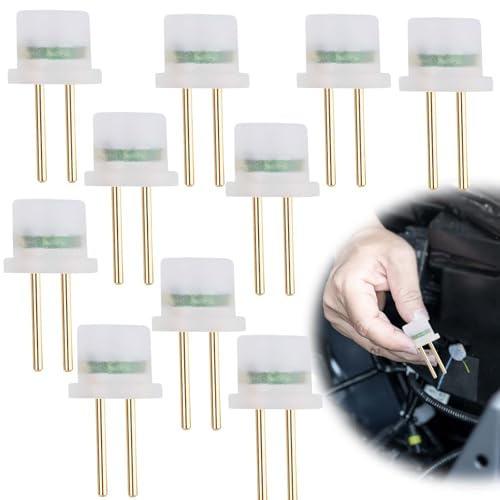
- Universal Compatibility: Designed to work with a wide range...
- Comprehensive Functionality: This tool serves as an...
- High-Quality Construction: Made from copper material, this...
- Essential Safety Kit: Comes in a pack of 10, providing ample...
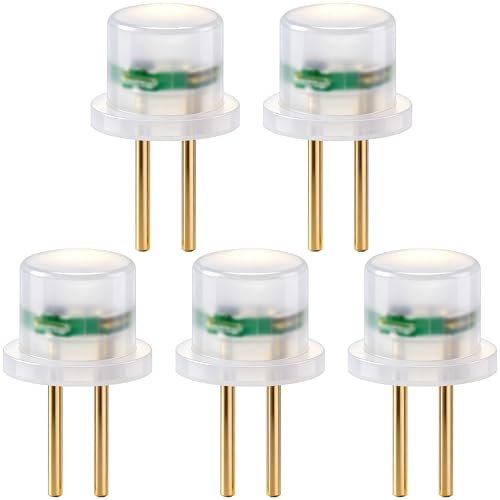
- Practical Function: The airbag simulator tester provides a...
- Wide Application: Airbag diagnostic connector fits common...
- Easy to Use: The airbag fault light reset tool enables quick...
- Premium Quality: SRS bypass resistor is made of solid...
- What You Get: You will receive 5pcs airbag simulator tester...
Last update on 2026-06-13 / Affiliate links / Images from Amazon Product Advertising API
If the PDF is very large, it may not load in the preview below.
Some older TSBs had multiple PDFs — visit the NHTSA Website to view all PDFs.
If the TSB PDF does not show, download or view it on the NHTSA Website.
Click on the (+) Plus Sign
Then Click on Associated Document(s)
Search NHTSA Database for Recalls
Search NHTSA Database for Vehicle Investigations
View Latest Vehicle Investigations
Search NHTSA Database for Vehicle Complaints
View Latest Vehicle Complaints
TSB/Document ID: TKA, TKB, TKC-20
Replacement Service Bulletin Number:
MFR Communication Date: 2020-01-15
MFR Internal Campaign ID/Software Version:
Communication Type: Service Bulletin/Repair Instructions
NHTSA Components: AIR BAGS
MFR Component System:
MFR Component Subsystem:
Previous TSB | Next TSB |

- [2026 Top-Tier Hardware and Software Upgrade]: Topdon ArtiDiag900 Lite scanner has enhanced hardware and latest features, including Android 11.0, 5x faster CPU, 10000mAh battery for 12 hours of continuous operation, stable wireless diagnosis with Bluetooth 5.0, 8-inch touchscreen. Added bi-directional control, wireless diagnosis, battery testing (optional), and DTC repair guide
- [TOPDON Bidirectional Scan Tool]: This bidirectional obd2 scanner sends commands to the vehicle's ECU for active testing, enabling users to accurately and quickly locate faulty components such as injectors, coolant pumps, windows, wipers, headlights, mirrors, etc. The bidirectional control scanner is the ideal choice for workshops/automotive repair shops as it significantly reduces mechanic's diagnostic time.
- [Wireless Bluetooth Diagnostic Experience]: The AD900 Lite scan tool comes with a Bluetooth 5.0 VCI, supporting a wireless diagnostic range of up to 33 feet (10 meters), allowing you to diagnose without being confined to cables or tight spaces. Stable and fast wireless diagnosis provides a comfortable repair environment. It also offers VCI cables to increase connectivity options.
- [DTC Repair Guide Function]: Easily diagnose issues with your vehicle and receive guidance on repairs with the topdon scan tool's fault code definitions for all systems,maximize your diagnostic capabilities. This function is compatible with Chrysler
 /Dodge/Jeep/Fiat 2010-2014 and expanding with continual updates,the AritDiag 900 Lite car diagnostic scanner is the must-have tool for any technician or DIY enthusiast.
 - [OE-Level Full System Diagnostics]:AritDiag900 Lite full system diagnostic scanner can scan ALL available modules(Engine, Transmission, Airbag, ABS, ESP, TPMS, Gateway, Steering, Radio, Air conditioning, ect.) to✔read ECU info, ✔read/clear codes, ✔view live data stream, ✔retrieves freeze-frame, ✔perform active tests, and more. With just a simple click, it provides you with accurate and in-depth diagnostics.

- Bi-Directional Control, Quickly Locate Problems: Turn your phone into a professional diagnostic tool. You can send commands from your phone to the ECU to test injectors, cooling fans, headlights, A/C clutch, windows, wipers, and more. See which one doesn't respond. Helps you quickly locate the problem and save time. No need to tear things apart, avoid blind disassembly.
- Flexible Subscription, Choose Advanced Features as Needed: TopScan Lite provides free-for-life access to core diagnostics, including full system scan, code reading, performance tests, and repair information. After purchase, advanced features (bi-directional control, service operations, live data, code clearing, and AI functions) are free-for-the-first-year. After the first year, if you want to use advanced features, you need to subscribe on a monthly, quarterly, or yearly basis. As new models and reset functions are updated, the tool will also be continuously upgraded.
- Full System Diagnostics, No Fault Hides: Unlike basic diagnostic tools that only cover 4 systems, TopScan can scan all systems. Read and clear trouble codes, view live data streams, and generate a complete vehicle health report – all issues are clear at a glance. Covers 10,000+ vehicle models and is compatible with 99.99% of vehicles.
- AI Assistant - TopFix: Think of TopFix as your personal AI mechanic. It leverages a repair database and OEM data to deliver clear, step-by-step repair solutions. Features include AI Q&A, one-click translation, and a full repair log, making your diagnostic process simpler and more efficient.
- 8+ Hot Resets, Keep Your Car in Top Shape: One-tap resets for oil, throttle, EPB, steering angle, DPF, ABS, BMS, and airbag. It enables car owners to easily perform essential maintenance, ensuring the vehicle stays in optimal condition and extends its service life.

- Dual WiFi & 10.1" Touchscreen: Provides a stable, high-speed wireless link 3x faster than bluetooth, and a responsive, professional interface. Topdon ONE obd2 scanner diagnostic tool ensures smooth, non-lagging diagnostic scan, boosting mechanic efficiency
- J2534 Pass-Thru Support: The included ONE VCI supports the J2534 standard, allowing it to function as a pass-thru device when paired with OEM diagnostic software.Through TOPDON’s RLink platform, technicians can perform dealer-level coding, expanding in-house capabilities without investing in multiple factory automotive scan tools
- OE Topology Mapping: Visualize the vehicle’s ECU network exactly as it’s built.Zoom, pan, and highlight specific modules to pinpoint component issues with precision.Topology mapping displays real-time communication between modules
- 50 Plus Service Functions: Covers high-demand services like ADAS calibration, DPF regen, TPMS reset, ABS bleed, and throttle adaptation.Expands your service menu, allows you to charge premium rates, and turns away zero jobs due to lack of tooling. Vehicle-specific functionality may vary
- Advaned ECU Coding: 10 of the most serviced brands in North America, including full ECU coding and flash hidden support for BMW, VW, Au-di, Benz, Porsche, Toyota, Ni ssan and more. Enables module replacement, feature customization, and personal settings with automatic backup or restore.Lets your shop safely offer high-margin customization services, attracting more customers and boosting profit
Last update on 2026-06-12 / Affiliate links / Images from Amazon Product Advertising API
This product presentation was made with AAWP plugin.