
NHTSA ID Number: 11009686
Manufacturer Communication Number: 15-297-22R
TSB/Document Date: 2024-11-04
Summary
This bulletin announces reprogramming file availability and provides a software update installation procedure to optimize the new Gen 4 Denso CP1 Audio and Navigation head units utilized in the models listed.
18
1. Display a list of music on the USB audio screen.
2. Change the screen to other screen than the music list.
3. The music play is continued and moved on to a music in a different music list.
4. Change the screen back to the music list in the USB audio screen.
19
In USB music mode, some music is skipped and the music in the next folder is started.
Under following condition
1. Play USB music in “Folder” mode with repeat mode setting “Repeat All.”
2. Turn Ignition Switch off then open/close door and keep it locked for more than 5
minutes.
3. Turn Ignition Switch on and operate “Track Up/Down” on the audio system.
20
The mode does not switch to Media, after “Media” icon is selected.
21
When selecting shortcut for SXM channel on “Home” screen, the screen is changed to
SXM but no sound is coming or no channel name is displayed.
Continued...
Bulletin Number: 15-297-21R; Revised: 10/02/24
Page 30 of 41
Number
22
Symptoms to be Improved:
When using FOTA service to update the software by selecting “Setting” > “Software
Update,” a message of “A new software update is available. Would you like to download
it now?” is displayed but the downloading does not start after pressing “OK.” When this
symptom occurs, it comes back to the “Software Update” screen. The downloading can
be started by pressing the “Update” on the “Software Update” screen.
(Temporary solution.)
23
When Pre-Collision Braking System is activated, a message of “Obstacle Detected” is
displayed on the information bar and does not go away.
24
Preset SXM channel cannot be selected by satellite switch on the steering wheel.
25
Even after setting the date of next scheduled maintenance in Reminder screen, the date
is displayed as “--”. It can occur when only the date of schedule maintenance is set without entering distance.
26
When pop up screen (like suggestion of taking a rest) is displayed on CarPlay screen,
the screen does not transit to proper screen (like destination search screen) and goes
back to CarPlay screen even after pressing “Yes.”
27
When selecting a music by or using voice recognition system, a
wrong music that had been played at the end of previous time is played. It can occur by
the following sequence of operation:
1. Play music in USB audio mode.
2. Change the source from USB to another one.
3. Turn Ignition Switch off then on.
4. Start to play music by pronouncing or though voice recognition
system.
28
DAB preset channel is displayed as not registered due to loading error.
Continued...
Bulletin Number: 15-297-21R; Revised: 10/02/24
Page 31 of 41
Symptoms Addressed By Update #2
Number
1
Symptoms to be Improved:
The CID stays black following reboot. Reset doesn't always recover this condition.
2
The CID stays black or very dark even after the ignition switch is turned on due to back
light malfunction.
3
When using CarPlay, the screen goes to black and/or CID restarts. It occurs when the
CID processor falls under irregularly high load conditions.
4
The CID restarts about 3 minutes after turning on the Ignition Switch. It occurs when
the CID processor falls under irregularly high load conditions.
5
System reboot due to application failure. Software robustness has been imporved to
prevent CID and CCU from resetting whenever its individual function fails.
6
When the vehicle comes to a place on a highway where there are multiple exits with
combinations of alphabets and numbers (see example below) the CID cannot process the
information correctly for turn-byturn navigation and restarts.
Example:
7
CID restarts when Navigation system is re-routing the route crossing the border of the
states.
When the customer veered off navigated route and the re-routed route includes the
roads across the boarder of states, the calculation is not properly processed and the CID
restarts.
8
CID restarts, while it is connected to Wi-Fi. It occurs when Wi-Fi signal includes
illegible data.
9
CID restarts after the ignition switch is turned off and on again before the CID shuts off.
10
No functional response on touch screen in Radio mode even though the touch sound and
visual reaction are confirmed.
11
Reprogramming process takes extensive time (40 minutes or more.)
After the ignition switch is turned off and on again, the combination meter display mode
changes itself and shows the ECO gauge (Current fuel consumption/Driving range on
remaining fuel.) Both attribute to processing errors in CCU.
Continued...
Bulletin Number: 15-297-21R; Revised: 10/02/24
Page 32 of 41
Number
12
13
14
Symptoms to be Improved:
When conducting USB reprogramming, the screen transition to error screen instead of
confirmation screen.
When “Software Update” is selected in the Dealership Mode, the following initialization
process does not end more than 20 minutes. *
Note* In case this USB update failure occurs, retry updating according to the
instructions in “Appendix A ”
When the FOTA pop-up (new software availability notification) is displayed while the
CarPlay is being used, the display comes back to CarPlay screen even if the customer
tries to get into the FOTA screen.
Continued...
Bulletin Number: 15-297-21R; Revised: 10/02/24
Page 33 of 41
Number
15
Symptoms to be Improved:
Call function does not work in the Message List (after ignoring the incoming message
notification.). However, the call function can still be used after getting into the Message
Content screen by tapping the message list.
16
Message reading function of short mail does not resume and ends once it is interrupted
by barge-in voices for other functions.
17
After the Ignition Switch is turned on, the SI-DRIVE indicator starts blinking and the
derive mode cannot be changed.
18
CarPlay does not work when the ignition switch is turned on immediately after the
driver’s door is opened with the iPhone (iPad) cable connected to the AUX TERMINAL
(USB Hub.)
CarPlay drops off randomly after running without interruptions for an extended period
of time.
19
20
Steering wheel control switches don't always work with Android Auto for audio
streaming contol.
21
The Turn By Turn information is not displayed on the MID, when changing meter display modes with Steering wheel control switch, while using route navigation of Google
Map with Android Auto.
Android Auto stops working after calling to one of the STARTLINK support functions,
while there is an active navigation route with Google Map via Android Auto.
22
23
Soon after the cable has been removed from the AUX TERMINAL (USB Hub), icons
on Home Screen stop functioning.
24
Phone Book is displayed in the order of the First Name even though the display setting
was made in the order of Family Name.
Continued...
Bulletin Number: 15-297-21R; Revised: 10/02/24
Page 34 of 41
Number
25
Symptoms to be Improved:
No response when touching “Traffic & Weather Now (TWN)” on SMX screen.
26
SXM has blank screen and no sound when the SXM screen had been selected as audio
source at the previous ignition off timing.
27
About 30 seconds after starting the SXM the operation is paused with loading screen
and resume after another 30 seconds. This symptom occurs when the SXM screen had
been selected as audio source at the previous ignition off timing.
28
SXM has blank screen and no sound when the audio source is change to SXM.
Continued...
Bulletin Number: 15-297-21R; Revised: 10/02/24
Page 35 of 41
Number
29
Symptoms to be Improved:
“Fast forward” does not work in SXM replay function. (Fast Rewind works.)
30
The channel information becomes blank when the seek button (>) of the steering
satellite switches is pressed continuously to control the Traffic & Weather Now (TWN)
in SXM.
31
The team logo is not displayed on Sports Flash screen when the SXM screen had been
selected as audio source at the previous ignition off timing.
Continued...
Bulletin Number: 15-297-21R; Revised: 10/02/24
Page 36 of 41
Number
32
Symptoms to be Improved:
No sound on Radio after changing to Radio screen.
33
Sudden interruption of the audio playback from audio system and/or voice guidance of
Navigation system.
34
The audio source change function and all icons become inoperative temporarily, after
the ignition turned off and on again while playing audio source.
35
HD Radio sub channel cannot be played after selecting a HD Radio station from the preset stations and selecting the HD sub channel 2 even though the HD radio information is
correctly displayed.
New Functions and Enhancements included in Update #2
Number
1
New Functions and Enhancements:
Icons of home screen change to those of the US specifications even though the original
specification is not of the US.
2
Two ways of MOTA operations, i.e., by connect CCM to Wi-Fi or by transferring the
downloaded map data to CCM via smart phone are executed simultaneously by error.
3
One of the Pop-up Error Messages displayed during the FOTA operation in case of weak
Wi-Fi signal is not intuitive. Even if the customer tap “OK,” it does not transit to another screen.
As the improvement for this inconvenience, the message is changed so that the customer
finds the reason why the FOTA operation has been paused. Also a “Resume” button is
prepared so that the customer can do the rest of operations after necessary action (moving the vehicle to another place with better Wi-Fi connection**, or tethering the CP1 to
a mobile phone, etc.)
Note** The FOTA operation can be paused when the Wi-Fi indicator at the upper right
corner of the CID is not in “Good” or “Excellent” as shown below.
Continued...
Bulletin Number: 15-297-21R; Revised: 10/02/24
Page 37 of 41
Number
4
New Functions and Enhancements:
To prevent the overall CID system (CCU) from being reset whenever its individual
function fails, the robustness of the software has been improved.
5
CD returns to CD deck too fast to pick it out after ejection button has been pressed. As
the countermeasure, the pausing time is extended to ease the operation.
6
Past DTC stored in the CCM cannot be captured by SSM when new current DTC is
detected. Both DTC’s can be captured by SSM after letting the system into sleep mode
and turning the Ignition Switch on again.
7
Music in the different folder in a USB stick can be selected by Track-UP/Down
operation.
8
Music in multiple folders in a USB stick can now be played continuously whereas they
could not be played unles they were in the root area of the USB stick.
9
In conjunction with the specification improvement described in item 8, “Repeat All” is
added to the play mode selection menu.
Continued...
Bulletin Number: 15-297-21R; Revised: 10/02/24
Page 38 of 41
Symptoms Addressed By Update #1:
Number
1
Symptoms to be Improved:
System restarts itself during FOTA (Firmware Over The Air) update. FOTA operation is conducted in two processes: downloading (from the server to the Cockpit
Control Unit via Wi-Fi) and installation (inside the Cockpit Control Unit). During
the FOTA operation, after the new software has been downloaded to the Cockpit
Control Unit (CCU) customer is to push “Install Now” on the Center Information
Display (CID) to start installation of the software.
However, in rare case, the CCU restarts itself* during installation.
Note* Even if this symptom occurs, after approximately 2 minutes, the system resumes,
and the CID comes back to the below screen. Customer can then push the “Install Now”
to proceed with the installation.
Continued...
Bulletin Number: 15-297-21R; Revised: 10/02/24
Page 39 of 41
Number
2
3
Symptoms to be Improved:
No image on CID (Center Information Display) or Black display condition followed
by CP1 reboot resulting from CCU (Cockpit Control Unit) internal communication
error or due to listed below actions:
•
Loss of Bluetooth or Wi-Fi connection
•
Application crash during Bluetooth audio streaming
•
Launching CarPlay or AndroidAuto application, after the smart phone is connected
•
Removing USB connection between the iPhone’s and CP1 during active CarPlay
session
•
When ACC is turned OFF and ON, while STARLINK CompanionApp map update is
being performed
•
Performing USB map update using Bluetooth connection with a smart phone carrying STARLINK CompanionApp map update data
•
“Service Appointment Scheduler” application crash due to a communication error
between DCM and CCM
•
Re-inserting USB Flash drive within 2-3 seconds
•
Removing USB Flash drive while playing back the data from the USB Flash drive
•
CID display loses images (black screen) and reboots itself after ACC (or Ignition) is
turned OFF and ON.
No image on CID (Center Information Display) or Black display condition and
HVAC function becomes inoperative due to listed below actions:
•
Failure to complete CP1 software update via USB port *
After the failure, Ignition Switch is turned off and on then an initializing process is
started with “Software update setup is initialing……” message on the display, which
requires about 15minutes to complete. During this message is displayed, power supply of CCM is cut off like disconnecting battery terminals.
•
4
5
Performing CP1 software update via USB port using the same software version
Note* In case this USB update failure occurs, retry updating according to the
instructions in “Appendix B ”
Intermittent loss of Bluetooth connection
“Software update setup is initializing ...” message displayed for an extended period of
time (over 30minutes), after a follow-up attempt for CP1 software update via USB port is
performed to recover a failure **
Note** In case this USB update failure occurs, retry updating according to the
instructions in “Appendix C”
Continued...
Bulletin Number: 15-297-21R; Revised: 10/02/24
Page 40 of 41
Number
6
Symptoms to be Improved:
Pop-up message ”Please go to your retailer to update the Gracenote Database” appears
every time CP1 system is rebooted due to interruption of CP1 software update via USB
port (ACC OFF or BATT power remove etc.) ***
Note*** In case this USB update failure occurs, retry updating according to the
instructions in “Appendix C”
7
CID display loses images (black screen) and reboots itself when a USB is inserted then
removed within 2-3 seconds.
8
No operation is accepted in SMX screen and the sound is lost.
9
When a phone call is made using Google voice command while listening to music via
AndroidAuto, the sound of AndroidAuto stops after finishing the phone call.
10
Even when are selected in the Home screen, there is no transition
of the screen.
Bulletin Number: 15-297-21R; Revised: 10/02/24
Page 41 of 41

- Advanced VCI Box, Industry-leading J2534 Pass-Thru...
- High-Speed OEM-Level Diagnostics & Programming: Unlock true...
- Coverage for 17 Car Brands & Ultra Reliability: Works...
- User-Friendly RLink Platform & Expert Support: TOPDON’s...
- 6.6 ft USB-C Cable & Portable Storage Case: The RLink J...
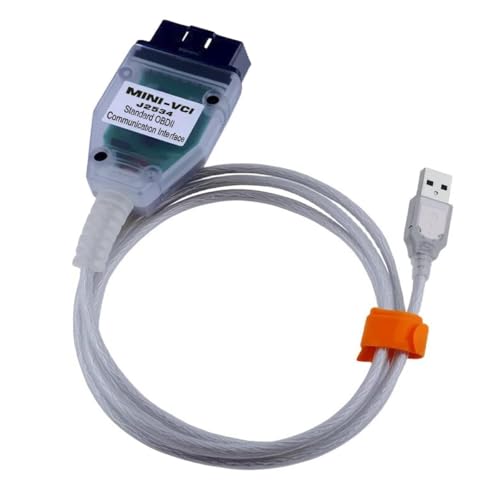
 VCI 16Pin Cable 1pc x CD...
Last update on 2026-06-12 / Affiliate links / Images from Amazon Product Advertising API
If the PDF is very large, it may not load in the preview below.
Some older TSBs had multiple PDFs — visit the NHTSA Website to view all PDFs.
If the TSB PDF does not show, download or view it on the NHTSA Website.
Click on the (+) Plus Sign
Then Click on Associated Document(s)
Search NHTSA Database for Recalls
Search NHTSA Database for Vehicle Investigations
View Latest Vehicle Investigations
Search NHTSA Database for Vehicle Complaints
View Latest Vehicle Complaints
TSB/Document ID: 15-297-22R
Replacement Service Bulletin Number:
MFR Communication Date: 2024-10-02
MFR Internal Campaign ID/Software Version:
Communication Type: Service Bulletin/Repair Instructions
NHTSA Components: ELECTRICAL SYSTEM
MFR Component System:
MFR Component Subsystem:
Previous TSB | Next TSB |

- 【OE-Level Full System Diagnostics-Lifetime F*REE Software Updates】The VDIAGTOOL D200 OBD2 Scanner for cars is a all system bidirectional scan tool that enjoy lifetime f*ree software updates, delivers complete system coverage. reading/clearing codes across engine, transmission, ABS, SAS, EPB, TPMS plus full access to body, chassis, powertrain and all control modules. This D200 Bidirectional car scanner works with most 1996+ OBD2 gasoline and hybrid
 cars and light trucks. It does NOT support pure electric and heavy-duty trucks. PLEASE CHECK COMPATIBILITY BEFORE ORDERING or Contact us with VIN to confirm compatibility.
 - 【Supports OBD2 Full Functions-ZERO Subscription Fees】D200 Bidirectional OBD2 Scanner is a upgarde of universal car code reader. It supports OBD2 full functions to help you turn off the annoying instrument fault indicator, such as read/clear codes, O2 sensor test, I/M readiness, on-board monitor test, datastream, freeze frame, E-VAP system test, and retrieve vehicle information. This professional obd2 scanner diagnostic tool can full access to diagnostics, reset tools and maintenance features with a single payment. NOTE: The fault code can only be cleared after the vehicle's malfunction has been repaired; please ensure the vehicle issue is fixed before clearing the code.
- 【D200 Hidden 2 Advantages: 1. $169 Expandable 49+ Advanced Resets. 2. $199 Get J2534 P*a*s*s-Thru Programming】Your core car diagnostics and 26 reset remain lifetime f*ree for everyday maintenance. When you need deeper repair capability, upgrade with 3-year access for $169 in Store on VDIAGTOOL App, gaining 49+ advanced resets. D200 configured with J2534 hardware, upgrade only when you need without replacing the entire device. You also can Lifetime Unlock for $199 in Store one-time, perform module programming, software re~flashing and ECU data updates directly. Supports 17+ major brands, including for BMW, for Audi, for GM, for Ford and more. Note:D200 does‘t provide any OE software.
- 【Full Bidirectional Control / Active Tests】The D200 car scanner diagnostic tool is a true bidirectional scan tool that lets you send commands directly to the vehicle’s ECU for active tests. Quickly test fuel pumps, relays, solenoids, injectors, cooling fans, windows, sunroofs and more to verify operation instantly. Get dealership-level diagnostic control at a fraction of the cost (ofter $100-200$ per diagnostic visit), reduce guessworkand confirm repairs faster, avoid unnecessary parts replacement, towing fees and wait times.
- 【26 F*ree Essential Reset & Relearn Functions – Everyday Maintenance Made Easy】Handle common maintenance and repair jobs without visiting the shop. The D200 code readers & scan tools includes 26 f*ree high-demand reset functions, including Oil Reset, EPB Service, SAS Calibration, ABS Brake Bleeding, Throttle Relearn, Injector Coding, Headlight Adjustment, Tire Size Reset and more. Perfect for home car owners, mechanics and DIYers – just plug and diagnose anytime, anywhere! Note: Service functions vary by vehicle model—please confirm compatibility.


- 【A MUST-HAVE TOOL FOR DIYERS】 - VDIAGTOOL VD10 car code reader is an incredibly useful obd scanner for each car owner or hobbyist, even for those with little to no experience when it comes to vehicle mechanics! Similar to a fixd car diagnostic tool, using this car diagnostic scanner is extremely easy. All you have to do is attach it to your car OBDII port and you can diagnose car problems in seconds! Read Codes (DTCs); Clear Codes; Live Data; View Freeze Frame; I/M Readiness; Vehicle Information.
- 【KEEP ENGINE IN GOOD STATUS】 - VDIAGTOOL check engine code reader brings a fast access to scan, read the car fault code, show its definition on the screen instantly, troubleshooting to find the root causes of problems, erase the engine fault code and turn off the MIL (Malfunction Indicator Light). Similar to a fixd car diagnostic tool, this car code reader helps ensure your engine stays in top condition.
- 【READ/CLEAR CODES & DTC LOOKUP】- No search online & saving your time, this vehicle car code reader retrieves generic (P0, P2, P3, and U0), manufacturer specific (P1, P3, and U1) codes, pending codes and displays DTC definitions based on the built-in database(more than 3000 codes) on the TFT screen, find out the root causes and clear the codes after fixed.
- 【LIVE DATA & RETRIEVE FREEZE FRAME】 - This diagnostic scan tool for accurate diagnosis enables you to retrieve data from vehicle sensors, such as Engine RPM, Intake air temperature, Short/Long term fuel, Misfire data and etc. The freeze frame is stored in the PCM together with the diagnostic trouble code (DTC) related to the fault. Comparable to a fixd car diagnostic tool, the VD10 car code reader car scanner can be a valuable & practical diagnostic aid and also greatly help when diagnosing intermittent problems.
- 【I/M READINESS for THE S-nn-0-g CHECK】- OBDII vehicle may not pass the annual inspection unless the required monitors since reset are complete. So you should at least read the readiness monitors and make sure they are ready. This car obd2 scanner diagnostic tool is equipped with I/M readiness function to check the operations of the e-m-issi0n system on OBD2 compliant vehicles, run I/M monitor readiness test, checking if the pass vehicle s-m-0-g inspection.

- Pro Features, Home Mechanic Budget: Why pay thousands for factory scan tool? The VD70S scan tool delivers advanced professional diagnostic at an affordable price, including 10x faster 33-66ft wireless scanning, 4000+ active tests, 36+ hot services, ECU coding, PMI function, and OE-level full-system scan with 8-in-one data graph. It rivals expensive shop tools - perfect for DIYer, technician and small shop. Get dealer-grade power without the cost - the VD70S obd2 scanner diagnostic tool makes pro diagnostic accessible to all. The available function tests vary by model—please check compatibility via vdiagtool2 @ outlook . c o m before purchase
- Full Bidirectional Control for Precision Repair: VD70S obd2 scanner gives you direct vehicle module control to test components like fuel pump, injector, A/C clutch, window and more, enabling you to accurately and quickly locate faulty components. Unlike basic obd2 code reader, our advanced bidirectional control lets you actively command system - like triggering the ABS pump to confirm your fix worked. With pinpoint component testing and real-time validation, you can diagnose intermittent issues faster and prevent costly return visits. The VD70S auto diagnostic scanner transforms complex diagnostic into precise, time-saving repair - giving professional-grade accuracy at an unbeatable value
- 33-66FT Wireless Freedom - Faster & More Stable: Say goodbye to 2M cable limits. Easily Perform bi-directional tests like folding mirror, activating light or fuel pump while walking freely around your vehicle - no more cable dragging or repositioning your tool. Unlike other 33ft BT obd2 scanner that still need a cable to handle DOIP vehicle diagnostics, the VD70S bidirectional scan tool delivers a truly cable-free experience - with up to 66ft stable transmission range and faster, more reliable data transfer. With VD70S scanner, you get pro-level flexibility, faster workflow and stable diagnostics without cable clutter or wireless dropouts
- Powerful & Affordable Auto Scanner with 36+ Special Functions: Take control of your vehicle maintenance and save hundreds in shop fees with the VD70S car diagnostic tool. This car tool performs 36+ hot services including ✔Crank Sensor Relearn, Oil Reset, EPB, TPMS Reset, Throttle Adaptation, Injector Coding, ABS Bleed and more. ✔Besides, the VD70S bidirectional obd2 scanner unlocks 100+ advanced vehicle-specific functions under specific system menu, including Idle Relearn, VIN Write, Crankshaft Sensor Relearn, Fuel Trim Reset, ABS Initialization and more. These features help you solve complex system error and restore optimal vehicle performance. Text us your VIN we’ll check the compatibility
- OE-Level Full System Diagnostic, Simplified Workflow: The VD70S car diagnostic scanner delivers OE-level full system scanning (ABS/ECM/BCM/SRS/TCM and more) without the dealership cost. ✔Easily view 8 live data streams, retrieve freeze frame and run active test to quickly identify problem. ✔With advanced bidirectional control, test components like fuel injector and sensor directly to verify repair with certainty. ✔The 8-in-one graphing tracks performance trend to catch intermittent issue like a pro. Whether you're a technician or car owner, the diagnostic scanner provides shop-quality diagnostic to optimize performance and prevent costly repair - all in one affordable tool
Last update on 2026-06-12 / Affiliate links / Images from Amazon Product Advertising API
This product presentation was made with AAWP plugin.