
NHTSA ID Number: 11006912
Manufacturer Communication Number: 2024.26.100_082024.pdf
TSB/Document Date: 2024-09-04
Summary
Tesla does not provide physical owner's manual copies. Instead, all available owner’s manual content is integrated into the vehicle software, and only the content relevant for a given vehicle, based on vehicle configuration and software version installed, is displayed on its touchscreen. This file contains all available owner’s manual content for the vehicle converted to PDF format, and given the distribution method and NHTSA’s submission format requirements, it is the best available representative copy of owner’s manual content. However, a customer who accesses the owner’s manual via their vehicle’s touchscreen would only see the parts of this PDF file that are relevant to their vehicle.
If the error persists, unplug the Mobile Connector from both the
vehicle and the power outlet, then plug it back in. When plugging
back in, always plug it into the outlet first.
Off
3 flashes
Contactor failed
Unplug the Mobile Connector from the vehicle and wait
10 seconds. If the error persists, contact your closest Service
Center (https://www.tesla.com/findus).
Off
4 flashes
The ground assurance
monitoring circuit has
detected loss of ground
Make sure the power outlet is properly grounded. Consider
connecting to a different outlet. If uncertain, ask your electrician.
Off
5 flashes
Sense circuit fault
Make sure the Mobile Connector’s adapter is attached properly.
Off
6 flashes
Thermal fault
Consider charging in a cooler area, such as indoors or in the
shade.
Off
Off
More than 6 The Mobile Connector may Contact your closest Service Center (https://www.tesla.com/
flashes
need repair
findus).
Off
Power lost
Unplug the Mobile Connector and check that the power outlet
has power.
Questions?
For 24/7 technical support: 1-877-79TESLA (1-877-798-3752)
Gen 2
Safety Information
Save These Important Safety Instructions
This document contains important instructions and warnings that must be followed when using your Mobile Connector.
Owner's Manual
568
Mobile Connector
Warnings
WARNING:
• For use with electric vehicles.
• Automatic CCID reset provided.
• Do not use this product if there is any damage to the unit.
• Do not use this product if the electric vehicle cable is damaged.
• Read this manual before using.
• Enclosure: Type 4X
WARNING: Risk of explosion. This equipment has internal arcing or sparking parts that should not be exposed to
flammable vapors. This equipment should be located at least 18 inches (46 cm) above the floor.
WARNING: This device is intended only for charging vehicles not requiring ventilation during charging.
WARNING: Risk of electric shock. Do not remove cover or attempt to open the enclosure. No user-serviceable parts
inside.
WARNING: Read this entire document before using the Mobile Connector. Failure to do so or to follow any of the
instructions or warnings in this document can result in fire, electrical shock, serious injury or death.
WARNING: Use the Mobile Connector only within the specified operating parameters.
WARNING: The Mobile Connector is designed only for charging a battery electric vehicle that uses the North American
Charging Standard (NACS), including Tesla vehicles (with the exception of the Tesla Roadster). Do not use it for any
other purpose or with any other vehicle or object.
WARNING: Do not use the Mobile Connector’s adapters in any outlet for which they are not designed.
WARNING: Do not use (or discontinue using) the Mobile Connector if it is defective, appears cracked, frayed, broken or
otherwise damaged, or fails to operate.
WARNING: Do not attempt to open, disassemble, repair, tamper with, or modify the Mobile Connector. Contact Tesla for
any repairs.
WARNING: Do not use an extension cord, a multi-outlet adapter, a multi-plug, a conversion plug, or a power strip to plug
in the Mobile Connector.
WARNING: Do not disconnect the Mobile Connector from the wall outlet when the vehicle is charging.
WARNING: Do not plug the Mobile Connector into a damaged, loose or worn power outlet. Ensure that the prongs on the
Mobile Connector fit snugly into the wall outlet.
WARNING: Do not connect the Mobile Connector into a power outlet that is not properly grounded.
WARNING: Do not use or store the Mobile Connector in a recessed area or below floor level.
WARNING: Do not use the Mobile Connector when either you, the vehicle or the Mobile Connector is exposed to severe
rain, snow, electrical storm or other inclement weather.
WARNING: When transporting the Mobile Connector, handle with care to prevent damage to any of its components. Do
not subject the Mobile Connector to strong force or impact. Do not pull, twist, tangle, drag or step on the Mobile
Connector or any of its components.
WARNING: Protect the Mobile Connector from moisture, water and foreign objects at all times. If any exist or appear to
have corroded or damaged the Mobile Connector, do not use the Mobile Connector.
WARNING: If rain falls during charging, do not allow rain water to run along the length of charge cable, causing the
electrical outlet or charging port to become wet.
WARNING: Do not plug the Mobile Connector into an electrical outlet that is submerged in water or covered in snow. If,
in this situation, the Mobile Connector is already plugged in and needs to be unplugged, turn off the breaker before
unplugging the Mobile Connector.
WARNING: Do not touch the Mobile Connector’s end terminals with sharp metallic objects, such as wire, tools or
needles. Do not forcefully fold any part of the Mobile Connector or damage it with sharp objects. Do not insert foreign
objects into any part of the Mobile Connector.
569
Owner's Manual
Mobile Connector
WARNING: Ensure that the Mobile Connector’s charging cable does not obstruct pedestrians or other vehicles or
objects.
WARNING: Use of the Mobile Connector may affect or impair the operation of medical or implantable electronic devices,
such as an implantable cardiac pacemaker or an implantable cardioverter defibrillator. Before using the Mobile
Connector, check with the electronic device manufacturer concerning the effects that charging may have on any such
electronic device.
WARNING: Do not use cleaning solvents to clean the Mobile Connector.
Cautions
CAUTION: Do not use private power generators as a power source for charging.
CAUTION: Do not operate the Mobile Connector in temperatures outside its operating range of -22°F to +122°F (-30°C
to +50°C).
CAUTION: Store the Mobile Connector in a clean dry place in temperatures between -40°F and +185°F (-40°C and
+85°C).
Owner's Manual
570
Mobile Connector
General Information
Mobile Connector Component Overview
1. Handle
2. Button on handle
3. Cable
4. NEMA 5-15 Adapter
5. NEMA 14-50 Adapter (if equipped)
6. Mobile Connector controller
7. Status lights
Specifications
Use only a 120 volt, 208 volt or 240 volt AC supply, 50/60 hertz wall outlet that has a dedicated and properly grounded
circuit, and is rated for at least 15A.
571
Owner's Manual
Mobile Connector
If possible, use a dedicated receptacle with a single socket. If the receptacle has two sockets, do not plug any other items into
the other socket.
The Mobile Connector is 20 feet (6 meters) long. Use an existing outlet or install a new outlet within approximately 13 feet
(4 meters) of the vehicle's charge port and at least 18 inches (45 cm) above the ground. The charge port is located on the left
side of the vehicle, behind a door near the rear tail light assembly.
WARNING: Do not use an extension cord, a multi-outlet adapter, a multi-plug, a conversion plug, or a power strip to plug
in the Mobile Connector.
Specifications Reference
Description
Specifications
Voltage
100-240 volt AC single-phase
Maximum Current
32A maximum; controlled by the appropriate adapter
Grid Frequency
50 or 60 Hz
Cable Length
20 ft (6 m) with adapter installed
Mobile Connector Controller Dimensions
Height: 7.1 in (179.8 mm)
Width: 3.2 in (81.7 mm)
Depth: 1.9 in (47.3 mm)
Weight
5.2 lbs (2.4 kg)
Operating Temperature
-22°F to +122°F (-30°C to +50°C)
Enclosure Type
4X
Ventilation
Not Required
Charging Time
Charging times vary based on the voltage and current available from the power outlet, subject to various conditions. Charge
time also depends on ambient temperature and the vehicle’s Battery temperature. If the Battery is not within the optimal
temperature range for charging, the vehicle heats or cools the Battery before or during charging.
To estimate the total time it takes to recharge the Battery in hours (from near empty to near 100%), divide the battery size
(kWh) by power (kW). Note that different adapters provide different current and power outputs.
If you are charging a Tesla, you can also touch the Charging icon to review the charging status information; it displays the time
remaining until fully charged at the currently selected charge level.
For more information on how long it takes to charge your Tesla vehicle, go to www.tesla.com.
Charging Rate Reference
Adapter
Current
Power at 120 Volts
5-20
16A
1.7 kW
5-15
12A
1.3 kW
Adapter
Current
Power at 240 Volts
14-50, 6-50
32A
7.6 kW
14-30, 10-30
24A
5.7 kW
6-20
16A
3.8 kW
Owner's Manual
572
Mobile Connector
Adapter
Current
Power at 240 Volts
6-15
12A
2.8 kW
Adapters
The Mobile Connector includes two adapters: one for a standard 120 volt household outlet and a second adapter for a 240 volt
outlet. For faster charging, use a 240 volt outlet. Consult an electrician to install a 240 volt outlet where you plan to park your
Tesla vehicle.
NOTE: Depending on date of manufacture, your Mobile Connector may not include the NEMA 14-50 adapter. However, one
can be purchased from Tesla.
NEMA 5-15 Adapter
NEMA 14-50 Adapter
To purchase adapters, go to www.tesla.com.
Removing the Adapter
To remove an adapter, firmly grasp the adapter and pull it from its socket.
Attaching the Adapter
To attach an adapter, line up the adapter with the controller of the Mobile Connector and push it into the socket until it snaps
into place.
NOTE: The Mobile Connector automatically detects the attached adapter and sets the appropriate current draw.
573
Owner's Manual
Mobile Connector
How to Charge
Plugging In
CAUTION: Always inspect the Mobile Connector and adapter for damage prior to each use.
NOTE: Illustrations are provided for conceptual understanding only. Your specific vehicle and mobile connector may appear
slightly different.
NOTE: If you are charging a Tesla vehicle, find more information about how to charge your vehicle (how to adjust charge
settings, view charging status, etc.) in the Charging Instructions topic in the Owner's Manual. To display the Owner's Manual
on your vehicle’s touchscreen, touch the app launcher and select the Manual app.
1. Ensure that the Mobile Connector’s adapter matches the outlet you want to use.
2. Plug the Mobile Connector’s adapter into the power outlet. The adapter should be inserted completely into the power
outlet.
3. Open the charge port door. If you are charging a Tesla vehicle, press the button on the top of the Mobile Connector handle
with your vehicle unlocked and in Park to open the charge port door.
NOTE: If you are charging a Tesla vehicle, your vehicle is unlocked when the key is nearby and automatic unlocking is
enabled. You can also open the charge port door using any of these methods:
◦ Display the charging screen on your vehicle's touchscreen and touch Open Charge Port.
◦ On the key fob (if equipped), hold down the rear trunk button for 1-2 seconds.
◦ Press the charge port door when the vehicle is unlocked.
◦ Use a voice command (you can also use a voice command to close the charge port door, and to start or stop charging).
4. Plug the Mobile Connector handle into your vehicle's charge port.
5. When you plug the Mobile Connector into a Tesla vehicle, the charge port indicator light pulses green during charging, and
the vehicle displays charging information. The display turns off after you close all doors, and the charge port indicator light
stops pulsing shortly after you lock the vehicle.
Unplugging
When charging is complete on a Tesla vehicle, the charge port indicator light stops pulsing and turns solid green.
1. With the vehicle unlocked, press and hold the button on the Mobile Connector handle, wait for the charge port indicator
light to turn white, and then pull the Mobile Connector out of the charge port.
NOTE: To prevent unauthorized unplugging of the charge cable, the vehicle must be unlocked or able to recognize a key
nearby before you can disconnect the charge cable.
Owner's Manual
574
Mobile Connector
NOTE: When the latch in the charge port retracts, the Mobile Connector stops supplying power and you can safely unplug
it from the vehicle.
2. The charge port door automatically closes after you remove the charge cable from a Tesla vehicle.
NOTE: If your vehicle is not equipped with a motorized charge port door, you may need to push the charge port door
closed.
Tesla recommends leaving the Mobile Connector plugged into the wall outlet to reduce wear and tear from day-to-day use.
If you do not plan to use the Mobile Connector for a while (such as when you leave for vacation), unplug it and store it in an
appropriate location.
Troubleshooting
Gen 2 Mobile Connector Status Lights
When charging is in progress and conditions are normal, the Tesla logo lights illuminate sequentially and the red light is off.
Identify problems by paying attention to these lights.
In some cases, you may need to reset the device by unplugging the Mobile Connector from the vehicle or from the power
outlet.
Green Lights Red Light
What it means
What to do
All on for 1
second
Off
Start-up sequence.
All on
Off
Power on. Mobile Connector is Make sure the Mobile Connector is plugged into the vehicle.
powered and standing by, but
not charging.
Streaming
Off
Charging is in progress.
Nothing. The Mobile Connector is successfully charging.
Streaming
1 flash
Charging current is reduced
due to high temperature
detected in the vehicle
connector.
Unplug the Mobile Connector from the vehicle, and then plug it
back in. Consider charging in a cooler area, such as indoors or in
the shade. If the error persists, contact your closest Service
Center.
Streaming
2 flashes
Charging current is reduced
due to high temperature
detected in the input plug that
connects to the Mobile
Connector controller.
Unplug the Mobile Connector from both the vehicle and the wall.
Ensure that the adapter is fully inserted, plug the Mobile
Connector into the wall, and then plug it into the vehicle. If the
error persists, contact your closest Service Center.
Streaming
3 flashes
Charging current is reduced
due to high temperature
detected in the Mobile
Connector controller.
Unplug the Mobile Connector from the vehicle, and then plug it
back in. Consider charging in a cooler area, such as indoors or in
the shade. If the error persists, contact your closest Service
Center.
575
Nothing. The Mobile Connector is starting up.
Owner's Manual
Mobile Connector
Green Lights Red Light
What it means
What to do
Streaming
4 flashes
Charging current is reduced
due to high temperature
detected in the wall plug.
Make sure the power outlet is suitable for charging and that the
plug is seated correctly. Consider connecting to a different
outlet. If uncertain, ask your electrician.
Streaming
5 flashes
Charging current is reduced
due to a detected fault in the
adapter.
Make sure the Mobile Connector’s adapter is attached properly.
Off
1 flash
Ground fault. Electrical
current is leaking through a
potentially unsafe path.
Unplug the Mobile Connector from the vehicle and then plug it
back in. Try a different outlet. If the error persists, contact your
closest Service Center.
Off
2 flashes
Ground loss. The Mobile
Connector detects a loss of
ground.
Make sure the power outlet is properly grounded. Consider
connecting to a different outlet. If uncertain, ask your
electrician.
Off
3 flashes
Relay/contactor fault.
Unplug the Mobile Connector from the vehicle and then plug it
back in. Try a different outlet. If the error persists, contact your
closest Service Center.
Off
4 flashes
Over- or under-voltage
protection.
Make sure the power outlet is suitable for charging and that the
plug is seated correctly. Consider connecting to a different
outlet. If uncertain, ask your electrician.
Off
5 flashes
Adapter fault.
Make sure the Mobile Connector’s adapter is attached properly.
Off
6 flashes
Pilot fault. The pilot level is
incorrect.
Unplug the Mobile Connector from the vehicle and then plug it
back in. Try a different outlet. If the error persists, contact your
closest Service Center.
Off
7 flashes
Software error or mismatch.
Update the vehicle's software, if available. If an update is not
available, contact your closest Service Center.
Off
On
Self check failed.
Unplug the Mobile Connector from the vehicle then plug it back
in. If the error persists, unplug the Mobile Connector from both
the vehicle and the power outlet, then plug it back in.
All on
1 flash
Thermal fault.
Consider charging in a cooler area, such as indoors or in the
shade. If the error persists, contact your closest Service Center.
All on
5 flashes
Adapter fault. Charging
current is limited to 8A.
Unplug the Mobile Connector from the vehicle. Plug the Mobile
Connector back into the vehicle. If the error persists, unplug the
Mobile Connector from both the vehicle and the power outlet,
then plug it back in.
Off
Off
Power lost.
Unplug the Mobile Connector and check that the power outlet
has power.
Questions?
For 24/7 technical support: 1-877-79TESLA (1-877-798-3752)
Owner's Manual
576
Index
A
B
ABS (Anti-lock Braking System): 37, 284
backup camera: 48
absolute speed limit: 76, 353
baja: 291, 299


- Advanced VCI Box, Industry-leading J2534 Pass-Thru...
- High-Speed OEM-Level Diagnostics & Programming: Unlock true...
- Coverage for 17 Car Brands & Ultra Reliability: Works...
- User-Friendly RLink Platform & Expert Support: TOPDON’s...
- 6.6 ft USB-C Cable & Portable Storage Case: The RLink J...
Last update on 2026-06-23 / Affiliate links / Images from Amazon Product Advertising API
If the PDF is very large, it may not load in the preview below.
Some older TSBs had multiple PDFs — visit the NHTSA Website to view all PDFs.
If the TSB PDF does not show, download or view it on the NHTSA Website.
Click on the (+) Plus Sign
Then Click on Associated Document(s)
Search NHTSA Database for Recalls
Search NHTSA Database for Vehicle Investigations
View Latest Vehicle Investigations
Search NHTSA Database for Vehicle Complaints
View Latest Vehicle Complaints
TSB/Document ID: 2024.26.100_082024.pdf
Replacement Service Bulletin Number:
MFR Communication Date: 2024-08-31
MFR Internal Campaign ID/Software Version: 2024.26.100
Communication Type: Over The Air
NHTSA Components: UNKNOWN OR OTHER
MFR Component System:
MFR Component Subsystem:
Previous TSB | Next TSB |

- WHY CHOOSE THE 2025 CR MAX -Upgrade the latest diagnostic capabilities for all vehicles after 1996: upgrade to 49+maintenance services; 46 extra specific functions; real all systems/all control modules diagnose; over 40K+ bidirectional actuation tests for diagnosing all control moduels of cars; Powerful full OBD2 Functions; built-in ECU Coding for BMW
 / Audi/ VW/ RollsRoyce; Fr ee V.A.G Guide Function; Battery retistration for new battery adaptation and more. It covers all vehicle diagnostic services and some special professional vehicle maintenance servces, assists you to do home DIY vehicle maintenance or car repair as a pro technician.
 - NEWEST IN INNOVATION FULL OBD2 SERVICES- iCarsoft auto car diagnostic scanner compatible with CAN-FD, CR MAX can do it all-reads and clears trouble codes, ALL SYSTEM DIAGNOSIS such as engine, transmission, ABS and airbag etc. CR MAX code reader for all cars can perform I/M Readiness, Live Data, Freeze Frame, Vehicle Information, Monitor Test, On-Board Monitor, E vap System Test,O2 Sensor Test,DTC Library Lookup,etc. (Warm Tips: If you car is after 2023,please contact us for compatibility; 3. It comes with 16PIN OBD2 diagnostic adapter, please check your car diagnostic socket if it is 16pin socket, if your car is 14pin diagnostic socket please contact us for the solution.)
- 49 RESET+ 46 SERVICES- Performs: Oil Reset, EPB,SAS,Throttle, D-P - F, Battery, ABS, Injector, TPMS, Suspension, AC, Head Lamp, Body Stablity, Engine, Tramsmission, Airbag, Seat, Door-Win-Roof, Fuel Pump, Door, E-G- R.+21 NEWEST SERVICES( Need update scanner)-AdBlue, Clutch, Crankshaft, High Voltage Battery, Cruise Control, NO xSensor, Rain Sensor, Stop And Start, Turbocharger, Head Up Display, Radar Camera, Vehicle Setup, Cyliner Misfire Check,Speedlimitassist, ControlUnitReset,OxygenSensor, Seatbelt. Extra 46+ extra services based on car brand.(Tips: Quantity of reset/ calibration fucitons are based on car system that your vehicle model has)
- REVOLUTIONARY 40000+BIDIRECTIONAL ACTIVE TESTS: Upgraded CR Max scanner equip with numberous of actuational test items for covering all available vehicle control modules, no longer only do simple light test or window test like other scanners, performs hardware modules test and software control modules test for checking car units or new updated control moduels work well or not after maintenance/ repair/ re-installation/ control system updated (Example for Benz- Roller Sun Blind test; Backup Camera test ;Self-test; EPB test; Transport Mode test;Boost Pressure Positioner test; Fuel Pump test; AND MORE!!).(Warm tip: The available test items are based on control modules your car has)
- ECU CODING+ BATTERY REGISTRATION- Powerful ECU Coding service for BMW/MINI/RollsRoyce / Audi/VW/Seat/Skoda/Bentley/Bugatti/Lamborghini, Improves Engine Power Performance and Optimizes Fuel Efficiency and Match New Hardware Unit to car and Customized a comfortable Driving Modes and Fixes & Updates Original Software Bug. The battery test function for checking car battery health, perform battery reset (BMS ) for replacing a damaged or aging car battery with a new one and register new battery to car ECU
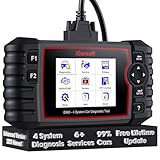
- 【Looking for More Professional Vehicle Scan Tool?】iCarsoft E660 2026 Upgrade Version OBD2 scan tool can do it all-reads and clears trouble codes on Engine system, ABS system, Transmission system and Airbag system, And with 6 reset function. It covers more than 59 vehicle makes from 1996-2023 models ( included most USA/ Asia / EU vehicle brand) with full OBDII. (As every car model has its-owned specific car system and ECUs, not all car models have full car ECUs which may prevent the scanner from performing all listed system diagnostics or reset services. Therefore, please email to us with car VIN and services required to do scanner's services for a compatibility check before purchasing.)
- 【OE-Level 4 Systems OBD2 Scanner】iCarsoft E660 2026 Upgrade Version diagnostic scanner offers comprehensive OBDII services, allowing you to quickly scan Engine system. It supports functions such as reading and erasing codes, checking I/M readiness, viewing freeze frame data, performing O2 sensor tests, conducting on-board monitoring, testing the evap system, auto VIN retrieval, and reading both generic and specific codes, as well as DTCs and battery tests.
- 【4 Systems Diagnosis for 10000+ Vehicles】 iCarsoft E660 2026 Upgrade Version adopts unique diagnostic software, works well for most Porsche, Benz, BMW, US Ford, Land Rover, Jaguar, Audi, VW, Volvo, Honda, Nissan, Infiniti, Toyota, Lexus, Scion, Isuzu, Hyundai, Kia, Daewoo, Mazda, Sprinter, Mini, Seat, Skoda, SAAB, EU Ford, Holden, AUS Ford, Acura, Subaru, Mitsubishi, Dacia, Renault, Fiat, GM, Chrysler, Citroen, Peugeot, Opel, Smart,Suzuki, Vauxhall, Alfa-Romeo, Lancia and etc.
- 【6 Reset Services】iCarsoft E660 2026 Upgrade Version is a diagnostic tool that offers professional maintenance services, including Oil Reset, EPB, BMS, ETC, SAS, TPMS Reset. It can help you easily reset oil change indicators, recalibrate steering angle sensors, relearn replaced electric parking brake and so on. For optimal vehicle performance and maintenance convenience. (Tips: Please update the softwareafter receiving the product to obtain new service functions)
- 【118+ Real Time Record & Live Graph View】iCarsoft E660 2026 Upgrade Version can automatically record vehicle text history and identify vehicle information. Preserve real-time data information. View & Graph Live Data. Support Data Review and Print. 15 languages: English, German, Dutch, Spanish, French and so on. We promise to offer Lifetime updates (Lifetime free Update via PC), and confidence in products. We also provide 1 year warranty + extra lifetime hardware free repair if you need it in the future. We prioritize user experience & strive to meet your expectations. Please do feel free to reach out to us if you have any question or problem about the usage.

- 【All-in-One Diagnostic Tool for Porsche + 2 Extra Vehicle Brands】New POR V4.0 is a professional car scanner specifically engineered with dedicated software pre-installed for Porsche. You can also download 2 additional software packages FOR FREE from 26 supported brands (e.g., for Benz, for BMW, for Audi, for Land Rover).Upgraded to adopt quad-core 1.3GHz processor and HD touchscreen and professional diagnsotic OS for faster& smooth diagnsotic.LIFETIME FREE UPDATES, NO SUBSCRIPTION COST! PLEASE TELL US YOUR CAR INFORMATION TO OBTAIN A LIST OF ALL COMPATIBLE SERVICES FOR YOUR CAR FIRST (FOR EXAMPLE: BATTERY REGISTRATION FUNCTION IS NOT COMPATIBLE WITH PORSCHE 997.2)
- 【29 MAINTENANCE SERVICES FOR PORSCHE SERIES CARS】 It can perform the 29 reset service for Porsche series cars-Oil Reset; SAS; EPB; BMS; ETC; DP ; ABS Bleeding; Injector Coding; TPMS; Air Suspension; Air Conditioner; Head Lamp; Body Stablity Control; Engine Control; Transmission; AirBag; Seat; DWR; MIS; EG; ODO; Clutch; High Voltage Battery; Cruise Control; Radar/Camera; Vehicle Setup,etc. Up to 49 vehicle-maintenance-services for the extra 2 vehicle brands you installed (Tip: Not all services will be worked on every car mode. Some vehicle models may be lack of certain ECU-control modules to make some services may not work).
- UPGRADE SERVICES: Breaks down 29 services to 234 sub-service for car owners/machinist to perform maintenance based on corresponding sub-modules! The detailed sub-service for sub-modules assist to perform precise vehicle maintenance.Improving the accuracy of car maintenance and reducing potential failure risks caused by whole-module maintenance to main modules.such as Oil Reset is refined into Reset maintenance interval/Reset service interval/Service Reset; Engine Control Reset is refined into Delete adaptation data/Short tests/System tests/Swirl-flap actuator/Bleeding high temperature coolant circuit and more.(sub-services vary based on vehicle model/year)
- 【EXTRA VEHICLE MAINTENANC SERVICES FOR SPECIFIC SYSTEMS】Have no ability to perferm calibration to special/specific systems/modules? This OBD2 scanner solve your troubles- for common systems/modules & for specific sytems/modules, assist you to perform diagnsing/calibration/reset/relearn services for non-common modules to finish your car maintenance/ diagnostic (eg: Central Computer system/module :Function activation/Multimedia interface test/AM Field Strength/Current FM Field Strength/FM Field Strength/MOST system reserve/Self-test/Deactivate Production Mode/Reset to factory settings/MOST System Test). (Tip: The services vary based on the vehicle brands)
- 【 MORE PROFESSIONAL BI-DIRECTIONAL ACTUATION TESET 】Exclusive POR V4.0 comes with powerful bidirectional testing capability,do actuaction test for deeper unit-checking after replacement or overhaul (1333 test items for Porsche, like:Fuel high-pressure fuel injector 1-4, Empty tank, Radiator fan, OTA-FC Connectivity, backrest, Backup battery, and more; 2136 test items for Audi; 1670 test items for Benz; 1599 test items for Volvo; 1360 test items for VW; 2705 test items for GM etc.). Help to check your car units work well or not after vehicle maintenance or daily car-body check, keep drives always in safety.(Warm tip:The quantity of test item is based on the units your car has)
Last update on 2026-06-23 / Affiliate links / Images from Amazon Product Advertising API
This product presentation was made with AAWP plugin.