
NHTSA ID Number: 11000860
Manufacturer Communication Number: SD-29-50022
TSB/Document Date: 2024-06-04
Summary
Bendix Fusion FLR-25 Radar Sensor service data
If so, the new radar sensor may be incompatible with the vehicle. In addition, check any
system Diagnostic Trouble Codes (DTCs) with Bendix® ACom® PRO™ Diagnostic Software.
Refer to Section 2.5: Diagnostic Trouble Codes.
Check the radar sensor baud rate. Confirm the part number (located on the front face of
the radar sensor) is the correct part number per the vehicle's VIN. Confirm the radar sensor
is not installed backwards (the connector tab on the radar sensor is a good reference).
Did the radar sensor currently on
the vehicle come from another
vehicle?
The radar sensor may be incompatible with the new vehicle. Check system DTCs with
Bendix ACom PRO Diagnostic Software. Refer to Section 2.5: Diagnostic Trouble Codes.
With cruise control set, does the
system consistently apply the
foundation brakes when a forward
vehicle slows?
This is normal operation. If the radar system interventions are not typical, the radar sensor
may be misaligned.
Inspect the radar mounting. A solid mounting surface is necessary in order to hold the
alignment. If the bumper or mounting cross-member is damaged, replace it.
The service technician will need to check trouble codes as well. Read Section 2.5:
Diagnostic Trouble Codes.
Does a DTC seem to occur when
driving through the desert or in
barren areas (no road signs, trees,
or vehicles)?
In normal operation, the active cruise control with braking feature of the Bendix Fusion
system may indicate a DTC if it hasn’t detected a metallic object after a pre-determined
period. This is rare, but most likely to occur when driving in deserts or barren areas. If
the system does set a DTC, the Bendix Fusion system provides a visible warning to the
driver, but cruise control will still be active. Full and proper radar sensor functionality will be
restored after a power cycle.
Does the system seem to
disengage after an automatic
braking event?
This is normal operation. Contact the vehicle OEM for details on cruise control operation.
Does cruise control disengage
sometimes when the brakes come
on and not at other times?
This is normal operation. When traveling with lightly loaded trailers, or “bobtail”, the active
cruise control with braking feature of the Bendix Fusion system may continue to function
even after an automatic brake application. No driver input is needed. Contact the vehicle
OEM for details on cruise control operation.
Does the connector or wiring
appear damaged?
Wires can become corroded if the radar sensor is not plugged in properly. Clean the
connectors on the wire harness, as well as the radar sensor, and reattach. If wires are
chafed, replace the wire harness. Also, check for trouble codes.
Refer to Section 2.5: Diagnostic Trouble Codes and
Section 2.12: Troubleshooting Wiring Harnesses.
Does the system generate a DTC
going down a grade when using
ACB (Active Cruise‑control with
Braking) to slow the vehicle, but the
code goes away later?
This is normal operation. The active cruise control with braking feature of the Bendix
Fusion system is not intended to be used on grades. Verify there are no DTCs. Proper
downgrade driving techniques should be used.
Does the radar sensor have
noticeable damage beyond normal
discoloration or surface scratches?
The radar sensor and bracket are very durable. However, if the radar sensor housing
or cover is cracked or broken, immediately look for trouble codes via Bendix ACom
PRO diagnostic software and replace the damaged radar sensor. Refer to Section 2.5:
Diagnostic Trouble Codes and Appendix A3: Radar Sensor Mounting Clearance.
Refer to Section 2.5: Diagnostic Trouble Codes.
Table 2 – Narrowing Down the Problem
9
1.3 OVERVIEW OF POSSIBLE ISSUES
Some customer issues are actually misunderstandings of how the Bendix® Fusion™ system performs normally. Use Table
3 below to learn the causes of potential issues if the Fusion system is not performing correctly. Some issues can be
investigated by a visual inspection. Others may cause a Diagnostic Trouble Code (DTC) to be logged: Refer to Section
2.5: Diagnostic Trouble Codes.
Overview of Possible Issues (1.3)
Issue
Description
Vehicle Diagnostic
Trouble Codes
(DTCs)
The Bendix Fusion system will not operate and will set a DTC if any of the following
vehicle systems also show a relevant DTC: engine, engine cruise, instrument cluster,
Bendix® ABS, Bendix® ATC, Bendix® ESP®, or transmission. These components must
be repaired and cleared of DTCs before troubleshooting the Fusion system. (NOTE:
Clearing the vehicle DTCs may be the only step needed to reestablish full Fusion
system functionality. Refer to Section 2.6: Clearing Diagnostic Trouble Codes (DTCs).
System familiarity
Verify the system functionality. Is it operating normally or not? Drivers who are unfamiliar with
the system may report dissatisfaction over the way it beeps or how it activates the brakes.
Refer to Section 1.0: Introduction to Troubleshooting, Section 1.1: Troubleshooting Basics,
and Section 2.5: Diagnostic Trouble Codes to verify if the system is functioning normally;
then continue.
DTCs caused by
temporary operating
conditions
Some DTCs indicate a temporary condition and will clear when that condition is no longer
present. If these persist, further investigation is warranted.
Radar sensor
blocked
If the system doesn’t seem to work at all, the radar sensor may possibly be blocked. If the
radar is blocked, an alert should be issued to the driver to indicate this condition. Visually
inspect the area around the radar, clear the blockage, turn the ignition on and run through
a power cycle. Refer to Appendix A3 for more information about radar mounting and
clearances.
Damaged radar
sensor or bracket
If the vehicle has been in an accident, it is likely the radar sensor will need to be re-inspected
or replaced. Inspect the radar sensor and housing for damage. Radar sensor discoloration
or small scratches may be acceptable. Significant damage (such as cracks or broken pieces)
will require radar sensor replacement. Regardless of the exterior condition, check for DTCs
outlined in the Section 2.5: Diagnostic Trouble Codes (DTCs) to determine if radar sensor
replacement is necessary.
Damaged connector
or wiring
Visually inspect the connector and wire harness for corrosion or chafing. Refer to Sections
2.7: Troubleshooting Diagnostic Trouble Codes: Power Supply and 2.8 Serial Data (J1939)
Communications Link of this document for additional troubleshooting.
Radar sensor
misalignment
Inspect the front of the vehicle. If a) it has been damaged; or b) the vehicle does not track
straight, either of these conditions must be repaired before troubleshooting the Bendix Fusion
system.
Refer to Section 1.1: Troubleshooting Basics.
If there is a DTC set or if the system does not function, the radar sensor may be severely
misaligned and the Fusion system will not operate until this is corrected.
J1939 network
problems
If the entire system is non-functional, it may be a J1939 network problem. Follow the
instructions in Section 2.8: Serial Data (J1939) Communications Link.
Power to radar
sensor problems
If the entire system is non-functional, another likely cause may be a lack of power to the radar sensor.
Follow the instructions in Section 2.7: Troubleshooting Diagnostic Trouble Codes: Power Supply.
Table 3 – Overview of Possible Issues
10
1.4 IMPORTANT NOTE ON
TELEMATICS WIRING
Where a vehicle does not have an On Board Computer/
Telematics (OBC/T) system – in order to prevent
interference to the SafetyDirect® by Bendix CVS Web
Portal Processor – disconnect the OBC/T harness (any
wiring harness provisionally installed in the vehicle for
potential use for Telematics) from the main vehicle harness.
Re-connect the harness only when an OBC/T system is
installed.
2.0 TROUBLESHOOTING/
DIAGNOSTICS SECTION
STARTING BENDIX ACOM PRO
DIAGNOSTIC SOFTWARE
The ACom PRO Diagnostic Software can be started from
the desktop shortcut. To begin, the technician should
select “Connect” from the main toolbar, then “Heavy Duty”
connection type. The “Heavy Duty” button connects to the
vehicle BUS using all vehicle protocols. This process could
take approximately two (2) minutes. After the connection is
complete, the roll call will show the ECU and its active and
inactive DTCs. The connection depends on a compatible
RP1210C adapter. For assistance with the ACom PRO
Diagnostic Software, contact the Bendix Tech Team at
1-800-AIR-BRAKE (1-800-247-2725, option 2, option 2).
IMPORTANT
All vehicle Diagnostic Trouble Codes (DTCs) related
to the engine, transmission, instrument cluster,
engine cruise control, and Bendix ® ABS, ATC, or
ESP® systems must first be resolved – with no trouble
codes present during the vehicle operation while in
cruise control – before attempting to diagnose Bendix®
Fusion™ system DTCs.
Important examples are VDC2 and EBC DTCs which are
typically related to the brake controller. The hierarchy
of Electronic Control Units (ECUs) determines that any
DTCs on the brake controller must be resolved before
attempting to troubleshoot the Fusion system.
2.1 BENDIX® ACOM® PRO™
DIAGNOSTIC SOFTWARE
Bendix® ACom® PRO™ Diagnostic Software is a PC-based
software program available to purchase from bendix.com.
This software provides the technician with access to all
the available Electronic Control Unit (ECU) diagnostic
information and configuration capability. For controllerspecific system diagnostics, use a current version of the
ACom PRO Diagnostic Software.
Figure 4 – Bendix ACom PRO Diagnostic Software
Figure 5 - Starting Bendix ACom PRO Diagnostic Software
11
2.2 READING DIAGNOSTIC
TROUBLE CODES (DTCS)
1. Connect a current version of the Bendix® ACom®
PRO™ Diagnostic Software to the vehicle.
2. Once the roll call is complete, you can view active
and inactive DTCs and clear DTCs from all vehicle
components or solely from a selected Bendix
controller.
2.3 READING THE SYSTEM
SOFTWARE VERSION
Connect a current version of Bendix® ACom® PRO™
Diagnostic Software to the vehicle. View the software
version by selecting the appropriate vehicle.
3. To read and clear DTCs from all vehicle components
at the same time, select the vehicle on the roll call and
clear the DTCs by selecting “Clear Faults.”
4. To read and clear DTCs from a specific Bendix
Electronic Control Unit (ECU), select the Bendix ECU
on the roll call select “Clear Faults.”
For assistance with ACom PRO Diagnostic Software,
contact the Bendix Tech Team at 1-800-AIR-BRAKE
(1-800-247-2725, option 2, option 2).
Figure 6 – Bendix® ACom® PRO™ Diagnostic Software
Starter Screen Showing Software Version
12
2.4 HOW TO GENERATE A BENDIX® FUSION™ FLR-25™ RADAR
SENSOR DIAGNOSTIC TROUBLE CODE (DTC) REPORT
1. Connect a current version of the Bendix® ACom® PRO™
Diagnostic Software with the vehicle.
2. O
nce the roll call is complete, you can select the DTC Report
icon on the top menu.
3. The DTC report drop-down gives you the following options:
4. S
elect “Print Preview” to generate and save the report.
•
Print DTC Report
•
Print Preview of the DTC Report
•
Submit DTC Report
13
2.5 TABLE OF BENDIX® FUSION™ FLR-25™ RADAR SENSOR DIAGNOSTIC
TROUBLE CODES (DTCs) AND SERVICE ACTION CODES
IMPORTANT
Review the preliminary steps prior to referencing the Table 4A (DTCs) and Table 4B (Service Action Codes).
1. Check Bendix® ACom® PRO™ Diagnostic Software for the Diagnostic Trouble Codes (DTCs) that indicate an inoperable
radar. If one of these DTCs is active and displayed on ACom PRO and the Bendix® Fusion™ System is still under
warranty, you can submit for a warranty evaluation.
2. Faults referencing J1939 Signal Missing are faults indicating that the Bendix® FLR-25™ Radar Sensor did not receive
a required message from the component listed in the fault description (refer to the acronym table below). Refer to
the associated Service Action Code list in Table 4B.
Acronym
ABS
Antilock Braking System
ACC
AEBS
Autonomous Emergency Brake System
ASR
CC
Anti-slip Reduction
Cruise Control
CCVS
Cruise Control Vehicle Speed
CMT
Collision Mitigation Technology
CVW
Combined Vehicle Weight
DTC
Diagnostic Trouble Code
DM
Diagnostic Message
EBC
Electronic Brake Control
EC
Electronic Control
Electronic Control Module
EEC
Electronic Engine Control
ERC
Electronic Retarder Control
FLC
Forward-looking Camera
GCVW
Gross Combined Vehicle Weight
HDB
Highway Departure Braking
OEL
Operator's External Light
RC
Retarder Control
ROP
TC
14
Description
Rollover Prevention
Torque Control
TSC
Torque/Speed Control
VDC
Vehicle Dynamic Controller
XBR
External Brake Request
Description
Go to the Service
Action Code List in
Table 4B
DTC
SPN
FMI
20736
57425
2
J1939 Signal: Missing One Or More Powertrain Signals
B
57358
57344
14
Internal Software Error
A
61442
61440
2
Velocity Implausible
D
N
66050
513
2
J1939 Signal: Invalid Electronic Engine
Control (EEC1) Actual Torque
66057
513
9
J1939 Signal: Electronic Engine Control
(EEC1) Actual Torque Not Available
N
66067
513
19
J1939 Signal: Error in Electronic Engine
Control (EEC1) Actual Torque
N
122894
57345
14
Internal Software Error
A
126978
61441
2
Yaw Rate Inoperative
E
N
131586
514
2
J1939 Signal: Invalid Electronic Engine Control
(EEC3) Nominal Friction Percent Torque
131593
514
9
J1939 Signal: Electronic Engine Control (EEC3)
Nominal Friction Percent Torque Not Available
N
131598
514
14
J1939 Signal: Missing Electronic Engine
Control (EEC3) Message
N
131603
514
19
J1939 Signal: Error In Electronic Engine Controller
(EEC3) Nominal Friction Percent Torque
N
188430
57346
14
Internal Software Error
A
192514
61442
2
J1939 Signal: EBC2 Speed Or VDC2 Yaw Rate Inoperative
E
253966
57347
14
Internal Software Error
A
U
258057
61443
9
J1939 Signal: Wheel Speed Information (EBC2)
Mean Front Axle Signal Not Available
319502
57348

- 💯【Conta.ct us for Support Directly】If you met any...
- 🔥🔥🔥【2026 AUTEL FLAGSHIP MK900BT MK900-BT, NEW...
- 🚗【3000+ ACTIVE TESTS (50➡3000+), SAME AS MS...
- 🚗【40+ HOT SERVICES FOR 150 MAKES (28+➡40+)】Full...
- 🚗【OE ALL SYSTEM DIAGNOSE, AUTO SCAN 2.0: SCAN LICENSE...


- 【TURN OFF CEL】 This AL319 car scanner diagnostic tool...
- 【EXTENSIVE APPLICATION】 Autel AL319 Compatible with...
- 【FOR END USER & DIYERS】 This error code reader AL319 is...
- 【USER-FRIENDLY DESIGN】 This OBD2 scanner and check...
- 【HIGH-QUALITY SERVICES】 12 months war.ranty from the...
Last update on 2026-06-23 / Affiliate links / Images from Amazon Product Advertising API
If the PDF is very large, it may not load in the preview below.
Some older TSBs had multiple PDFs — visit the NHTSA Website to view all PDFs.
If the TSB PDF does not show, download or view it on the NHTSA Website.
Click on the (+) Plus Sign
Then Click on Associated Document(s)
Search NHTSA Database for Recalls
Search NHTSA Database for Vehicle Investigations
View Latest Vehicle Investigations
Search NHTSA Database for Vehicle Complaints
View Latest Vehicle Complaints
TSB/Document ID: SD-29-50022
Replacement Service Bulletin Number:
MFR Communication Date: 2024-05-14
MFR Internal Campaign ID/Software Version:
Communication Type: Service Bulletin/Repair Instructions
NHTSA Components: FORWARD COLLISION AVOIDANCE: ADAPTIVE CRUISE CONTROL
MFR Component System:
MFR Component Subsystem:
Previous TSB | Next TSB |

- Obd2 Bluetooth Scanner Lifetime Update: Ediag Elite offers revolutionary Advantage Lifetime Updates with unlimited access to the superior 15 reset service, bidirectional testing and full system diagnostics.The Ediag Elite is an excellent Bluetooth obd2 scanner diagnostic tool ideal for diy's and private car owners
- Bidirectional Control for Quickly Locating Problems: The Bidirectional Scan tool allows you to send commands directly from your smartphone to your vehicle for active testing. This feature helps to quickly narrow down problems such as air conditioning clutches, windows, doors, sunroofs, etc., reducing diagnostic time for mechanics and helping Diy users locate faults more easily. In addition, Ediag Elite provides fault analysis and repair guidance to help you solve problems efficiently.
- 15 Maintenance Resets: The current version introduces 15 popular special features: Oil Reset, Headlight Matching, Bleeding Reset, TPMS Reset, BMS Reset, Gear Box Relearn, Throttle Learning, Injector Coding, SAS Reset and more special functions in system diagnose menu. These functions make it easy for owners to carry out the necessary maintenance and servicing, ensuring that your vehicle stays in top condition, prolonging its service life and preventing common problems and breakdowns. Note: The Special function vary by model& year, Reach us check compatibility.
- Wide Compatibility CANFD & FCA
 Autoauth: Compatible with GM, Ford, Toyota, Chrysler, Honda, Mazda, Nissan, Mitsubishi, Hyundai, KIA with standard OBD2 port from 1996 to newer. More car brands and features will be released gradually. Newest Ediag Elite scanner supports CANFD Protocol and FCA cars. Note: Coverage may vary on different vehicle by model& year ,Please contact us to confirm compatibility before purchase.
 - Perfect for Monitoring The Health of Your Vehicle: Ediag Elite is designed to make vehicle maintenance simple and efficient. With intelligent AutoVIN quick recognition, it is easy to connect to your car without the need for manual input. Real-time data is visualized in a variety of formats, including graphs, numeric, meter displays and clear 4-in-1 data charts, allowing you to effortlessly monitor real-time data. Data logging/reporting is available for playback and further analysis.
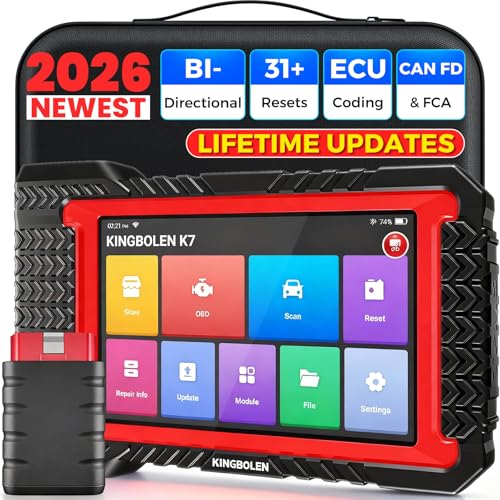
- No Annual Fees & 2026 Upgraded CAN FD: Why pay $199/year or more for updates? The 2026 newest Kingbolen K7 obd2 scanner features have been upgraded to Lifetime Updates without subscription fees, saving you significant costs in the long run. K7 scan tool also adds the CAN FD protocol for the latest GM models (2019+), enabling faster data transfer, reducing the risk of undetected errors
- 2026 Newest Top-tier Car Scanner: Kingbolen K7 diagnostic scan tool is equipped with most capabilities for daily repair/maintenance: Wireless diagnosis via Bluetooth, Bidirectional Test, ECU Online/Offline Code, 31+ Resets, PMI for Ford, Lincoln, Mazda, Global version for 100+ brand vehicles and 17 languages, no area limit, FCA AutoAuth
- OE-Level Full Systems Scan Tool: K7 professional diagnostic scanner with Auto Vin can do one-click to scan ECUs on most of vehicles, like pcm, ecm, eps, bcm, tpms, sas, a/c system... to read/clear code, view live data, freeze frame, read ecu info. 4-in-1 data stream graphics can make data viewing more intuitive. Detailed diagnostic reports will help you easily master the car situation as it can be shared by bluetooth or email! Adding workshop information can help your customers to know more
- Bidirectional Test/Active Test & ECU Code: Stop guessing and start fixing. Bidirectional scan tool Kingbolen K7 can perform real active test that can send commands to the vehicle's ECU to drive the actuators to work, like window, rear mirrors, sunroof, door, solenoids, wipers, headlamp, etc, helping you quickly find out bad parts and pinpoint faulty issues. K7 bidirectional scanner will be a good choice to save money and time on car repairs when performing complex maintenance and repair
- 31 Reset Functions: Avoid expensive dealership visits for simple services. Experience tells us that just a small repair service may cost a lot of money. Kingbolen K7 is a professional diagnostic scanner with 31 common maintenance services like Oil /SAS/EPB/TPMS Reset, Battery Matching, ABS Bleeding, Injector Code, etc. It effectively handles most of the car reset and relearning jobs, perfect for experienced DIYers and mechanics. Note: Functions in the menu vary across vehicles. Kindly check the compatibility before purchase
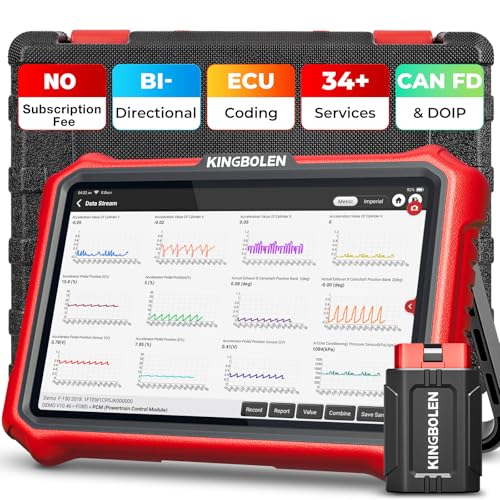
- 【Lifetime Database & Software Updates— No Subscription Fee, No Feature Lock, Save you $399/Y】KINGBOLEN K8 Pro's software can already be permanently upgraded and used for while software of other same price product still needs annual fee of almost $400. K8 pro scanner has packed all capabilities auto technicians would ever need for repair & maintenance services: Added CAN-FD & DOIP protocol, Bluetooth Wireless Diagnosis, Bidirectional Test, ECU Online/Offline Code & Guided Functions for VW, for Audi...34+ Restes, Autoauth for FCA SGW, Larger 4GB+64GB memory, 12600mAh battery, 8'' touch screen with 1280 * 800 Resolution. A Kickstand can allow the tablet to sit at a comfortable angle
- 【Newly Added CAN FD & DOIP Protocol】As Upgrade Version of Kingbolen K8, K8 Pro obd2 scanner supports CANFD and DOIP protocol, which will save you 200+ bucks as no need extra buy for special adapter. CANFD protocol suits for the latest GM(2019-), reducing the risk of undetected errors. The DoIP protocol (comes with DoIp cable) fits for 2017+ BMW(F&G chassis), for Jaguar & Land Rover after 2017, for Volvo after 2018. Plus, K8 Pro's Memory from 2G+32G expanded to 4G+64G, update period extended from 2 years to permanent
- 【34+ Hot Special Functions & V.A.G Guide】KINGBOLEN K8 pro bluetooth obd2 scanner covers almost all common services including Oil Reset, EPB, SAS, BMS Reset, ABS bleed, Throttle Reset, Suspension, Injector Code, Power Balance, Transmission Adaptation, Fuel Trim Learn, HVAC Control Module Calibrate, Language Change, A/F Settings, Stop/Start Reset, Crankshaft Sensor Relearn, TPMS, PMI function and etc. Imagine how much money and time you spend on car maintenance every year? K8 pro car scanner will be a good helper and saver for your car. V.A.G Guided function provides step-by-step guide to work for Volkswagen/Audi/Skoda. Note: Please send us model/year/vin to check compatibility before order
- 【Powerful Bidirectional Test/Active Test & ECU Code】As a bidirectional scan tool, KINGBOLEN K8 pro allows you to request information from a vehicle's ECU or send commands to the vehicle's modules to perform specific tests and functions, such as EVAP Tests, Turn on/off radiator fan, Window/Mirror/Door Lock Test, Pump and Value Tests, Sound horn Test, et. Without using the vehicle control system and dismantling car’s parts, it can quickly and accurately pinpoint the fault causes, simple operation saves time and money
- 【Wireless OE-Level All Systems Diagnostics】Equipped with Bluetooth VCI, you can do car diagnostics out of the car (up to 33F/10M) without being confined to a small space inside the car. Provides the convenience of Auto VIN, K8 pro allowing for easy access and diagnosis of all available modules on a wide range of vehicles, like PCM, ECM, BCM, TPMS, SAS, Fuel System, etc, to perform read/clear codes, view live data, freeze frame, perform active tests, and read ECU info... 12-In-1 Data Stream Graphics make data viewing more intuitive.Diagnostic reports can be shared via QR Code, Bluetooth or email.Built-in Browser and Fault Code Library allows you directly query the fault code when diagnosing
Last update on 2026-06-23 / Affiliate links / Images from Amazon Product Advertising API
This product presentation was made with AAWP plugin.