
NHTSA ID Number: 11000860
Manufacturer Communication Number: SD-29-50022
TSB/Document Date: 2024-06-04
Summary
Bendix Fusion FLR-25 Radar Sensor service data
SD-29-50022
Bendix® Fusion™ FLR-25™ Radar Sensor
Radar Beam
Windshield-mounted
Camera
Front Bumpermounted Radar
Detected Forward
Vehicle
Vehicle Equipped with the
Bendix® Fusion™ System
NOT TO SCALE
The DARK GRAY area approximates
the zone where the Fusion system is
ready to alert – and intervene with the
vehicle's brakes – as long as the vehicle
is traveling above 15 mph (24 kph).
The STRIPED area approximates the
zone where the Active Cruise with
Braking (ACB) feature is ready to
alert – and intervene with the vehicle's
brakes – when the cruise control is set.
Figure 1 – Bendix® Fusion™ System
IMPORTANT
Bendix®-brand Electronic Control Units (ECUs) are
not designed to store data for purposes of accident
reconstruction, and Bendix® ACom® PRO™ Diagnostic
Software is not intended to retrieve data for purposes
of accident reconstruction. Bendix makes no
representations as to the accuracy of data or video
retrieved and interpreted from ECUs for purposes
of accident reconstruction. Bendix does not offer
accident reconstruction services or interpretation of
stored data. Bendix ECUs are not protected from fire,
loss of power, impact damage, or other conditions that
may be sustained in a crash situation and may cause
data to be unavailable or irretrievable.
IMPORTANT
The Bendix Fusion system will not operate and will
set a Diagnostic Trouble Code (DTC) if any of the
following vehicle systems also show a relevant DTC:
engine, engine cruise, instrument cluster, Bendix® ABS,
Bendix® ATC, Bendix® ESP®, or transmission. These
components must be repaired and cleared of DTCs
before troubleshooting the Fusion system. (NOTE:
Clearing the vehicle DTCs may be the only step needed
to reestablish full Fusion system functionality. Refer to
Section 2.6: Clearing Diagnostic Trouble Codes (DTCs).
1
TABLE OF CONTENTS
Bendix® Fusion™ Driver Assistance System Overview . . . . . . . . . . . . . . . . . . . . . . .
1.0
1-4
Introduction to Troubleshooting . . . . . . . . . . . . . . . . . . . . . . . . . . . . . . . . . . . . 5
1.1 Troubleshooting Basics . . . . . . . . . . . . . . . . . . . . . . . . . . . . . . . . . . . . 5-7
1.2 Narrowing Down the Problem . . . . . . . . . . . . . . . . . . . . . . . . . . . . . . . . . 8-9
1.3 Overview of Possible Issues . . . . . . . . . . . . . . . . . . . . . . . . . . . . . . . . . . .10
1.4 Important Note on Telematics Wiring . . . . . . . . . . . . . . . . . . . . . . . . . . . . . . 11
2.0
Troubleshooting/Diagnostics Section . . . . . . . . . . . . . . . . . . . . . . . . . . . . . . . . . 11
2.1 Bendix® ACom® PRO™ Diagnostic Software . . . . . . . . . . . . . . . . . . . . . . . . . . . 11
2.2 Reading Diagnostic Trouble Codes (DTCs) . . . . . . . . . . . . . . . . . . . . . . . . . . .12
2.3 Reading the System Software Version . . . . . . . . . . . . . . . . . . . . . . . . . . . . . 12
2.4 How to Generate a Diagnostic Trouble Code (DTC) Report . . . . . . . . . . . . . . . . . . 13
2.5 Table of Bendix Fusion DTCs and Service Action Codes . . . . . . . . . . . . . . . . . . 14-26
2.6 Clearing DTCs . . . . . . . . . . . . . . . . . . . . . . . . . . . . . . . . . . . . . . . . . .27
2.7 Troubleshooting DTCs: Power Supply . . . . . . . . . . . . . . . . . . . . . . . . . . . . . .27
2.8 Serial Data (J1939) Communications Link . . . . . . . . . . . . . . . . . . . . . . . . . . . 27
2.9 Engine Communications (J1939) Test Procedure . . . . . . . . . . . . . . . . . . . . . . . .28
2.10 J1939 Troubleshooting Procedure . . . . . . . . . . . . . . . . . . . . . . . . . . . . . . . 28
2.11 Troubleshooting Wiring Harnesses . . . . . . . . . . . . . . . . . . . . . . . . . . . . . . .28
2.12 Resetting the Radar Service Alignment . . . . . . . . . . . . . . . . . . . . . . . . . . . . .29
3.0
Other System Features . . . . . . . . . . . . . . . . . . . . . . . . . . . . . . . . . . . . . . . .29
3.1 Reading Bendix Fusion System Key Indicators . . . . . . . . . . . . . . . . . . . . . . . . .29
3.2 Bendix Fusion System DTC Self-Clearing . . . . . . . . . . . . . . . . . . . . . . . . . . . .29
3.3 Following Distance Adjustment Switch (Optional) . . . . . . . . . . . . . . . . . . . . . . . .29
3.4 Configuring Bendix Fusion System Following Distance Alerts . . . . . . . . . . . . . . . . . 30
Appendices
Appendix A - Radar Mounting and Installation . . . . . . . . . . . . . . . . . . . . . . . . . . . 31-32
2
GENERAL SAFETY GUIDELINES
WARNING! PLEASE READ AND FOLLOW THESE INSTRUCTIONS
TO AVOID PERSONAL INJURY OR DEATH:
When working on or around a vehicle, the following guidelines should be observed AT ALL TIMES:
▲ Park the vehicle on a level surface, apply the ▲ Never connect or disconnect a hose or line
parking brakes, and always block the wheels.
containing pressure; it may whip and/or cause
Always wear personal protection equipment.
hazardous airborne dust and dirt particles. Wear
eye protection. Slowly open connections with
▲ Stop the engine and remove the ignition key
care, and verify that no pressure is present. Never
when working under or around the vehicle.
remove a component or plug unless you are
When working in the engine compartment,
certain all system pressure has been depleted.
the engine should be shut off and the ignition
key should be removed. Where circumstances ▲ Use only genuine Bendix ® brand replacement
parts, components, and kits. Replacement
require that the engine be in operation, EXTREME
hardware, tubing, hose, fittings, wiring, etc.
CAUTION should be used to prevent personal
must be of equivalent size, type, and strength as
injury resulting from contact with moving,
original equipment and be designed specifically
rotating, leaking, heated, or electrically charged
for such applications and systems.
components.
▲ Do not attempt to install, remove, disassemble, ▲ Components with stripped threads or damaged
parts should be replaced rather than repaired.
or assemble a component until you have read,
Do not attempt repairs requiring machining or
and thoroughly understand, the recommended
welding unless specifically stated and approved
procedures. Use only the proper tools and
by the vehicle and component manufacturer.
observe all precautions pertaining to use of those
tools.
▲ Prior to returning the vehicle to service, make
certain all components and systems are restored
▲ If the work is being performed on the vehicle’s
to their proper operating condition.
air brake system, or any auxiliary pressurized air
systems, make certain to drain the air pressure ▲ For vehicles with Automatic Traction Control
from all reservoirs before beginning ANY work
(ATC), the ATC function must be disabled (ATC
on the vehicle. If the vehicle is equipped with
indicator lamp should be ON) prior to performing
a Bendix ® AD-IS® air dryer system, a Bendix ®
any vehicle maintenance where one or more
DRM™ dryer reservoir module, a Bendix® AD-9si®,
wheels on a drive axle are lifted off the ground
®
®
AD-HF , or AD-HFi air dryer, be sure to drain the
and moving.
purge reservoir.
▲ The power MUST be temporarily disconnected
▲ F o l l o w i n g t h e v e h i c l e m a n u f a c t u r e r ’s
from the radar sensor whenever any tests USING
recommended procedures, deactivate the
A DYNAMOMETER are conducted on a vehicle
electrical system in a manner that safely removes
equipped with a Bendix® Wingman® system.
all electrical power from the vehicle.
▲ Never exceed manufacturer’s recommended
pressures.
▲ You should consult the vehicle manufacturer's operating and service manuals, and any related literature,
in conjunction with the Guidelines above.
Improper use of the Bendix® Fusion™ Driver Assistance
System can result in a collision causing property damage,
serious injuries, or death.
Due to the inherent limitations of image recognition
technology, camera-based safety technology — on
rare occasions — may not be able to detect or may
misinterpret lane markings. At these times, alerts may
not occur, or erroneous alerts may occur.
Bendix safety technologies complement safe driving
practices. No commercial vehicle safety technology
replaces a skilled, alert driver exercising safe driving
techniques and proactive, comprehensive driver
training. Responsibility for the safe operation of the
vehicle remains with the driver at all times.
IMPORTANT
It is the responsibility of the driver to remain vigilant
and change driving practices depending on traffic
and road conditions.
3
The Bendix™ FLR-25™ radar sensor is an integral component
of the Bendix® Fusion™ Driver Assistance System, which
integrates a camera, radar, and brakes. The Fusion system
provides the following alerts and actions:
Bendix® FLR-25™ Radar Sensor
• Autonomous Emergency Braking (AEB)
- Stationary Vehicle Braking (SVB)
- Multi-lane AEB
Bendix® ESP® EC-80™ Controller
- Close-range AEB
• Highway Departure Braking (HDB)
• Active Cruise with Braking (ACB)
SafetyDirect® by Bendix CVS Processor
- ACB Pedestrian Abort
• Overspeed Alert and Action (OAA)
• Alert Prioritization
NOTE: Depending on configuration, the system may record
data and video of certain events and, when integrated with
a telematics provider, can transmit this information for
viewing on the SafetyDirect ® by Bendix CVS web portal.
Bendix® AutoVue® FLC-20™ Camera
NOT TO SCALE
The major components that are used in the Bendix Fusion
Driver Assistance System are:
• Bendix FLR-25 Radar Sensor
• Bendix® ESP® EC-80™ Controller
• SafetyDirect® by Bendix CVS Processor
• Bendix® AutoVue® FLC-20™ Camera
For additional information, refer to the following related
documents on B2Bendix.com:
• SD-13-4986, Bendix® ESP® EC-80™ Controller
• SD-65-21025, SafetyDirect® By Bendix CVS Processor
• SD-64-20124, Bendix™ AutoVue® FLC-20™ Camera
• BW8107, Bendix ® Safety Systems Challenging
Scenarios Overview
4
Figure 2 – Major Bendix® Fusion™ System Components
1.0 I NTRODUCTION TO
TROUBLESHOOTING
This section introduces three (3) initial steps to accurately
troubleshoot the Bendix® Fusion™ FLR-25™ Radar Sensor.
Read this introductory section – as well as the
Troubleshooting/Diagnostics Section (2.0) – before
performing any troubleshooting.
When diagnosing the Fusion system, a current version of
Bendix® ACom® PRO™ Diagnostic Software is required.
This software is available as a download at B2Bendix.com.
NOTE: Prior to troubleshooting, all aftermarket-installed
components should be removed from the vehicle and the
vehicle must be returned to factory specifications. Once the
vehicle is returned to factory specifications, the fault should
be recreated prior to performing troubleshooting steps.
1.1 TROUBLESHOOTING BASICS
Troubleshooting Basics (1.1)
Questions/Instructions
Next Steps
1. Does the driver hear a
long warning beep?
If no problem is found and the test is passed, no additional beeps/lamps will be
displayed nor will a Diagnostic Trouble Code (DTC) be set.
If the system has found an issue that will prevent it from functioning properly, a long
warning beep will sound to alert the driver, and a DTC will be logged in the system
(typically with a status indicator/dash icon illuminated). For descriptions of all DTCs,
refer to Section 2.5: Diagnostic Trouble Codes.
2. Have the driver describe
the system behavior that
they believe shows it is not
working properly.
When diagnosing the system, especially in cases where there are no DTCs logged,
find out which part of the system behavior appears to be operating improperly.
NOTE: False brake applications are often misdiagnosed and are, in fact, not brake
applications, but rather loss of engine throttle caused by a J1939 communication failure
on the vehicle. This is frequently caused by aftermarket components installed in the
vehicle CAN line (i.e. electronic drivers logs [EDLs], GPS, or telematics systems).
3. Fill out the Troubleshooting
Checklist and generate a
DTC report.
The Checklist and DTC report will clarify the problem and be necessary if a call to the
Bendix Tech Team is needed.
Refer to Section 1.2: Narrowing Down the Problem.
Call the Bendix Tech Team at 1-800-AIR-BRAKE (1-800-247-2725), option 2, for troubleshooting assistance.
Table 1 – Troubleshooting Basics
5
Troubleshooting Checklist
WARNING: The Troubleshooting Checklist should not be completed while the vehicle is in motion
and while the driver is completing the scenarios and tests.
Reference Section 1.2, Narrowing Down the Problem.
Detailed Scenarios and Tests
Record Driver’s Answers for
Follow-up with Bendix
Are there any active faults or lamps illuminated on the dash?
Yes
No
_____________
Are there any aftermarket components installed on the vehicle?
Yes
No
_____________
Does the vehicle maintain its set speed when the cruise control
is switched on and set?
Yes
No
_____________
Is the cruise control “set” icon displayed?
Yes
No
_____________
Is the “forward vehicle detected” icon displayed?
Yes
No
_____________
What color is the icon?
Icon Color______________
When the forward vehicle slows down, does the truck also slow down to
maintain the set distance?
Yes
No
_____________
Yes
No
_____________
Yes
No
_____________
Yes
No
_____________
Yes
No
_____________
Yes
No
_____________
Yes
No
_____________
Yes
No
_____________
While following a forward vehicle within radar range and the cruise control is
switched on and set, record your response to the following:
With engine cruise “off” and a forward vehicle present, does the audible alert
become faster as the truck moves closer to the forward vehicle?
With cruise control switched on and set, when the forward vehicle slows
moderately or cuts in front of the truck and slows, did the driver observe any of
the following conditions?
Are there Diagnostic Trouble Codes (DTCs) logged?
Does the vehicle slow and the Bendix® Fusion™ system
maintain the following distance?
Is the engine throttle reduced?
Is the engine retarder applied?
Are foundation brakes applied?
Does the truck proceed toward the forward vehicle without a following
distance alert or braking intervention?
6
Troubleshooting Checklist
WARNING: The Troubleshooting Checklist should not be completed while the vehicle is in motion
and while the driver is completing the scenarios and tests.
Reference Section 1.2, Narrowing Down the Problem.
Detailed Scenarios and Tests
Record Driver’s Answers for
Follow-up with Bendix
With cruise engaged, when your vehicle passes a slower vehicle on the left or
right on a straight road:
Does the Bendix® Fusion™ system ignore
the vehicle you are overtaking?
Yes
No
_____________
Yes
No
_____________
Yes
No
_____________
Yes
No
_____________
Yes
No
_____________
Is the engine retarder applied?
Yes
No
_____________
Are the foundation brakes applied?
Yes
No
_____________
Does your truck proceed toward the forward vehicle without
a Following Distance Alert (FDA) or braking intervention?
Yes
No
_____________
Does it give a following distance alert?
With cruise engaged, if a faster vehicle passes your vehicle on the left or right
on a straight road:
Does it give a Following Distance Alert (FDA)?
With cruise control engaged, if the vehicle ahead slows moderately or cuts in
front of your truck and slows down:
Does your vehicle slow and the Bendix® Fusion™
System maintain the following distance?
Is the engine throttle reduced?
7
1.2 NARROWING DOWN THE PROBLEM
Use this table to help assess if the Bendix® Fusion™ FLR-25™ Radar Sensor is not performing correctly. Be sure to have
a thorough understanding of the system’s normal behavior; this will reduce the troubleshooting time. This table provides
a guide to basic troubleshooting questions and possible corrective actions. Items in italics cross-reference to the service
procedures in this manual to repair the condition described.
Narrowing Down the Problem (1.2)
Questions
Next Steps
Blocked Radar Sensor Issues
Is mud, ice, or snow covering the
radar sensor?
Clean the radar sensor front surface immediately. Remove anything blocking the radar
sensor then power cycle and read any remaining Diagnostic Trouble Codes (DTCs).
Is anything blocking the view of the
radar sensor?
Refer to Section 2.5: Diagnostic Trouble Codes.
Refer to Appendix A3: Bendix™ FLR-25™ Radar Sensor Mounting Clearance.
If the radar sensor is blocked by ice, snow, mud, tampering, etc. so that it cannot "see" a
forward vehicle, the Fusion system will notify the driver by an audible and/or visual alert.
After the blockage is removed, the audible and/or visual alert will be removed. Drivers
should visually check the radar sensor for blockage during the pre-trip inspection.
Potential False Warnings
Do false warnings seem to happen
in construction zones?
Several road scenarios have a tendency to cause false warnings, including construction
zones and bridges. Unless these false warnings are frequent, the system is likely reacting
normally. The driver should not set the cruise control in construction zones. If driver
complaints persist, continue asking questions to more narrowly define the driving condition
presenting the problems. Review proper operating conditions in the operator's manual.
Mounting Problems
Is the radar sensor mounting
location (bumper or cross-member)
damaged?
Inspect the radar mounting. A solid mounting surface is necessary in order to hold the
alignment. If the bumper or mounting cross-member is damaged, replace it.
Does the system seem to not "see"
as far as it “used to," or warn on
many more overhead bridges/signs
than previously?
Does the mounting bracket look
damaged or tampered with?
Other than expected surface scratches or some discoloration over time, there should be no
visible damage to the radar sensor bracket assembly or the bumper.
The radar sensor needs a solid mounting surface in order to hold the alignment. If the
radar sensor alignment cannot be held in place, the bracket assembly must be replaced,
and/or if the bumper or mounting cross-member is damaged, replace it as needed.
Table 2 – Narrowing Down the Problem
8
Narrowing Down the Problem (1.2)
Questions
Next Steps
Has the system worked without
problems in the past but is not
working as expected now?
This is a good indication that something has changed. Review the following questions with
the driver to further diagnose the problem.
Has the radar sensor been
changed recently?

- 💯【Conta.ct us for Support Directly】If you met any...
- 🔥🔥🔥【2026 AUTEL FLAGSHIP MK900BT MK900-BT, NEW...
- 🚗【3000+ ACTIVE TESTS (50➡3000+), SAME AS MS...
- 🚗【40+ HOT SERVICES FOR 150 MAKES (28+➡40+)】Full...
- 🚗【OE ALL SYSTEM DIAGNOSE, AUTO SCAN 2.0: SCAN LICENSE...


- 【TURN OFF CEL】 This AL319 car scanner diagnostic tool...
- 【EXTENSIVE APPLICATION】 Autel AL319 Compatible with...
- 【FOR END USER & DIYERS】 This error code reader AL319 is...
- 【USER-FRIENDLY DESIGN】 This OBD2 scanner and check...
- 【HIGH-QUALITY SERVICES】 12 months war.ranty from the...
Last update on 2026-06-23 / Affiliate links / Images from Amazon Product Advertising API
If the PDF is very large, it may not load in the preview below.
Some older TSBs had multiple PDFs — visit the NHTSA Website to view all PDFs.
If the TSB PDF does not show, download or view it on the NHTSA Website.
Click on the (+) Plus Sign
Then Click on Associated Document(s)
Search NHTSA Database for Recalls
Search NHTSA Database for Vehicle Investigations
View Latest Vehicle Investigations
Search NHTSA Database for Vehicle Complaints
View Latest Vehicle Complaints
TSB/Document ID: SD-29-50022
Replacement Service Bulletin Number:
MFR Communication Date: 2024-05-14
MFR Internal Campaign ID/Software Version:
Communication Type: Service Bulletin/Repair Instructions
NHTSA Components: FORWARD COLLISION AVOIDANCE: ADAPTIVE CRUISE CONTROL
MFR Component System:
MFR Component Subsystem:
Previous TSB | Next TSB |

- 🎉[OTOFIX D1 Lite, Perfect Cost-effective Diagnostic Tool]: OTOFIX D1 Lite, a newest bidirectional scan tool from OTOFIX company, is a great choice for DIYers and repair shops. 👉This obd2 scanner diagnostic tool packs all practical functions: OE level all systems diagnoses, Bi-Directional Control, 38+ reset services fixing 99% of common problems, support DoIP & CANDF protocols and FCA
 AutoAuth, high-end hardware configuration. Worldwide vehicles and 🔥2 Years Free Updating🔥 covered.
 - 🎉[Bi-Directional Scan Tool, Active Test]: OTOFIX D1 Lite bluetooth obd2 scanner can also command ECUs and monitor the operation of the actuators to track down the problems of certain parts, like windows, sunroof, wipers, fuel pumps, etc., saving repair time & trouble. This makes OTOFIX D1 Lite the most cost-effective bidirectional scan tool.
- 🎉[2026 Newest, 38+ Hot Reset Functions]: Equipped with 38+ reset functions in one, the OTOFIX D1 lite automotive scanner diagnostic tool allows you to troubleshoot 99% of common vehicle problems. You can use this car diagnostic scanner holding enough functions to easily repair common vehicle models in your repair shops. Including Oil Reset, Injector Coding, Throttle, DPF Reset, SCR Reset, Gear Learning, Clutch Learning, Suspension, etc. Note* Reset functions vary by model.
- 🎉[OE Level Full Systems Diagnostics]: Unlike the 2-system and 4-system diagnostic tools, the OTOFIX auto scan tool can complete comprehensive system diagnostics within 5 minutes. It accesses and scans all available onboard systems like for Engine /AT /ABS /EPB /BMS /TPMS /SRS /SAS /Audio System /BCM /Air Conditioning / etc., to read & clear codes, view live data, and check ECU information. Note: Active test is not involved.
- 🎉[Powerful Hardware Configuration]: Designed with a fashion appearance & a 7” touchscreen and a weight of 463g, this OTOFIX D1 Lite OBD2 diagnostic scanner scan tool is convenient for everywhere and easy to use & store. Android9.0 OS and 2+64GB memory enhance multi-task smoothness and diagnostic operation, no more wasting too much time. 5800mAh battery allows hours-lasting use. WiFi & VCI1 also bring faster communication for your diagnostics.
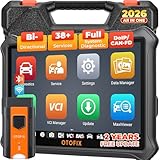
- 🏆【2026 TOP OBD2 Scanner Diagnostic Tool】OTOFIX D1 Lite wireless obd2 scanner has upgraded hardware configuration and car coverage. The newly upgraded D1 Lite with 🔥OS Android 9.0🔥1.5Ghz 4 core high efficiency processor🔥2GB RAM+64GB ROM large storage🔥5800mAh large battery, more stable and longer lasting diagnostics🔥 38+ Reset🔥action tests🔥full system diagnostic🔥Supports MV105 endoscope🔥21+ Language Supports🔥100000+ vehicle coverage to meet all your daily maintenance needs.
- 👍【Bi-Directional Control / Active Test】D1 Lite obd2 scanner has bidirectional control(worth $300+), which is the most beloved feature among mechanic. If your headlights or car windows are broken, going to a repair shop will cost a lot of money. You can use D1 Lite to send execution commands to the ECU module and identify the repair status. Such as ABS, car windows, doors, valves, wipers, headlights, etc., effectively shorten diagnostic time and reduce diagnostic costs.
- 🔥【All Systems Diagnostics, In-depth Checking】This advanced OBD2 Scanner D1 Lite can perform OE-level diagnosis of all systems including engine, transmission, airbag, ABS, ESP, TPMS, gateway, steering, radio, and air conditioning for more than 100 brands. This diagnostic scanner supports essential functions, such as reading ECU version info, reading and clearing fault codes, and reading data streams.With just a simple click, it provides you with accurate and in-depth diagnostics.
- 🏆【38+ Reset Hot Functions】For repair workshops, holding an OTOFIX D1 Lite Auto scanner is a strong advantage over others. Its 38+ maintenance functions provide various solutions for all module repairs, including Oil Reset, TPMS Reset, Injector Coding, Suspension, Throttle Matching, etc., which will usher your repair business to a new pinnacle. Continuously updating will never make the functionality & compatibility out-of-date.
- 🏆【150+ Models, 10000+ Car Coverage & 16 Languages】D1 Lite is a comprehensive car diagnostic scan tool, help you to troubleshoot car issues fast for 95% US, European, Asian auto makes. ✅ With frequent updates and optimizations allow D1 Lite to cover more vehicles to meet your needs. ✅ Multilingual menu allows auto mechanics around the world to use it without language barriers. 🚩Note: Kindly send us the S/N of the device to authorize new language updates before changing the menu language.

- 2026 Newest Wireless Bluetooth Scan Tool D1: OTOFIX D1 Diagnostic scanner is upgraded version with Enhanced Hardwares & Newest Functions, FASTER and SMARTER! ✅Alternative Bluetooth 5.0 +USB connect✅2G+64GB✅Android 9.0 OS✅5G & 2.4 GHz Dual WiFi✅5800mAh battery👍VAG Guided Function👍ECU Online Coding👍CANFD&DOIP👍40+ Services👍Bi-Directional Control👍Full Systems Diagnose👍2 Years Free Update👍150+ Vehicle Coverage🎁Contact to get gift: otofixaftersales-amz@ outlook.com
- ECU Coding to Unlock the Hidden Features: OTOFIX D1 obd2 scanner diagnostic tool newly adds ECU Coding which can Online Coding(ONLY for VW/Au.di/Sk0da), Variant Coding/Offline Programming, Flash Hidden Functions, Reset Adaptive Data, Match Replaced Components, Customize OE-Settings. Such as: halogen fog lamps retrofitted with xenon fog lamps, different capacity battery retrofit, disbale auto start-stop, sunroof initialization, injector calibration, etc. PS: Coding functions vary by model&year.
- Full Bidirectional Control for Active Car Tests: The D1 OTOFIX scanner also offers bi-directional control, allowing you to perform powerful active tests on car subsystems. This means that you can check the working status and functionality of open & close solenoids, energize injectors, turn cooling fan on & off, and more, all from the device itself.🚩The D1 bi-directional obd2 scanner can quickly help you to check if a system or component goes well,Improving 200% Efficiency.**Note that Active Tests available depend on the make/model/year of your car.
- 40+ Popular Maintenance Functions: OTOFIX D1 obd scanner for car performs 40+ hot services, including Oil Reset, EPB, TPMS, BMS, E.GR, G.PF, D.PF, SAS Calibration, ABS Bleeding, Injector Coding, Gearbox Match, Suspension, Crankshaft Relearn, Power Balance, etc., still growing. Great choice for DIYers, technician, repair shop. 🚩Get MORE special functions from "Car Brand>System>Service". Check compatibility before purchase via 📧 otofixaftersales-amz@ outlook.com.
- OE-Level All Systems Diagnostic + One-Click AutoVIN & AutoSCAN: OTOFIX D1 scanner automotriz gives you the ability to troubleshoot entire car systems including engion system,transmission system,body system,chassis,etc. 🚩One of the standout features of the D1 obd2 scanner diagnostic tool is the one-click AutoVIN & AutoScan function. This feature allows you to quickly and easily scan all diagnosable ECUs with just one click, and identify any problems hidden in your vehicle's systems.
Last update on 2026-06-23 / Affiliate links / Images from Amazon Product Advertising API
This product presentation was made with AAWP plugin.