
NHTSA ID Number: 10244669
Manufacturer Communication Number: SA-009-23i
TSB/Document Date: 2023-11-01
Summary
Some customers may complain about any of the following: 1. Infotainment Center Display does not provide the Authorization Code (OTP) during the MyMazda App Connected Vehicle enrollment. 2. Remote function(s) inoperative. Engine Start / Stop, Door Lock / Unlock, Lights ON / OFF
infotainment
system software
update.
Improper
telematics
Go to CSP07 Repair instructions.
communication
Page 20 of 40
10/24/2023 09:06 AM tlawrenc
• The customer is not able to
activate Connected Services via
the MyMazda app after CSP06
completion.
• MAZDA CONNECT connected
vehicle reception strength icon is
missing or shows unsubscribed
after CSP06 completion.
unit (TCU)
software.
2020 Mazda3 only
7
• Infotainment center display does
not provide the Authorization
Code
• Infotainment center display
“Software Update Error” message Enrollment error Go to SSPC1
2021 Mazda3, CX-30, CX-50, and MX30 functions inoperative
8
•
•
•
•
•
Vehicle Status Alert
Remote Engine Start / Stop
Remote Door Lock / Unlock
Remote Hazard Lights ON / OFF
Vehicle Finder (vehicle location
mapping function is available)
Vehicle's
electrical control
area network
(CAN) is in
"Sleep Mode"
or
No dealer visit is required. Sleep Mode can be reset by
starting the engine and idling or driving for 5 minutes or
longer.
Page 21 of 40
10/24/2023 09:06 AM tlawrenc
Go to 09-010/22.
First remote control attempt fails, second
Improper
attempt works fine.
telematics
9
• Engine Start / Stop
communication Go to TSB 16-002/20.
• Door Lock / Unlock
unit (TCU)
• Lights ON / OFF
software.
10
11
Engine turns off when customer
opens vehicle door.
Normal
Operation
• Low Tire pressure will not clear
after correcting tire pressue.
• Vehicle status is inaccurate.
MyMazda App
is not real time.
Advise that, for customer’s safety and security, vehicle
is designed to shut-off automatically when the vehicle
door is opened.
• Customer must go to MyMazda app’s Inbox and
read/open all the messages related to the low
tire pressure alert, then the “Low tire pressure”
alert will clear from MyMazda app’s
Health Report
• Message will clear after next drive cycle.
CX-5, CX-9
The MyMazda App does not display tire
air pressures
CX-5 and CX-9
Normal
No action Needed
Operation
12
Mazda Connected Vehicle Viewer (MCVV) One Time Passcode (OTP) Troubleshooting
(Vehicles built after July 1, 2021 (20 TCU, AT&T)
OTP Request
MCVV Vehicle Communication Line Status Reference Status
New Vehicle Inventory (TCU no enrollment ever)
Status: Opened
Status Detail: Open Completed (with no date)
1
Next Step
OTP request su
If not, go to No O
Passcode (OTP
Page 22 of 40
10/24/2023 09:06 AM tlawrenc
Status: Open Requested
Status Detail: Processing
2
400S19
Status: Open Requested
Status Detail: Request Failed
3
Phone carrier co
is processing.
Status: Open Requested
Status Detail: Open Failed
The customer ne
wait for the com
the activation.
Status: Open Flag Setting Requested
Status Detail: Processing
Phone carrier co
is complete.
4
System waiting
a. Ignition
b. Flag S
5
The customer ne
wait for the com
the flag downloa
IG-ON.
6 Status: Open Flag Setting Requested
Page 23 of 40
10/24/2023 09:06 AM tlawrenc
Status Detail: Request Failed
If not:
a. Discon
battery 5minutes,
OTP requ
b. go to N
Time Pas
(OTP)
Status: Open Flag Setting Requested
Status Detail: Flag Setting Failed
7
TCU has history of enrollment
Status: Opened
Status Detail: Open Completed (with date)
OTP request su
If not, go to No O
Passcode (OTP
8
TCU Activation
Page 24 of 40
10/24/2023 09:06 AM tlawrenc
1. Select “hamburger menu” on top right of screen
2. From the MYMAZDA dropdown, select My Vehicles
Page 25 of 40
10/24/2023 09:06 AM tlawrenc
3. Select “menu” on top right of screen
4. Select "Add Vehicle"
Page 26 of 40
10/24/2023 09:06 AM tlawrenc
5. Select "SCAN VIN"
6. Select "SCAN"
Note: You can also manually enter the VIN if
preffered. Select "ENTER VIN"
Page 27 of 40
10/24/2023 09:06 AM tlawrenc
7. Select "NEXT"
8. Select "VALIDATE"
Page 28 of 40
10/24/2023 09:06 AM tlawrenc
9. Select "NEXT"
10. Enter Vehicle Name and select local dealer. Then
select "SUBMIT"
Page 29 of 40
10/24/2023 09:06 AM tlawrenc
11. Select "ENROLL"
12. Select "START"
Page 30 of 40
10/24/2023 09:06 AM tlawrenc
13. Agree to the Terms & Conditions, then select
"AGREE"
14. You will see a message stating "Activation Process
in Progress", Select "CLOSE"
Page 31 of 40
10/24/2023 09:06 AM tlawrenc
15. You will receive a message saying "Connectivity is
Complete"; however, it is actually not complete. OK to
close this window. Go to next step.
16. Turn the ignition OFF for 10 minutes or longer.
17. Turn the ignition ON.
18. Check the Connected Vehicle reception strength icon:
• Reception strength icon shows normal
strength. TCU is now active. Proceed to
Enrollment.
Page 32 of 40
10/24/2023 09:06 AM tlawrenc
• Reception strength icon shows "X". TCU
activation is still processing. Repeat steps 16
-18.
Note:
• This step may need to be repeated a few
times until normal strength is shown.
• If steps 16-18 was repeated several times with
no change, disconnect 12V battery for 5-10
minutes, then recheck reception strength icon.
ODR Data Collection Procedure
1. ID the vehicle using MDARS
---
2. Select "Toolbox"
3. Select Vehicle Icon
Page 33 of 40
10/24/2023 09:06 AM tlawrenc
4. Expand "Collect Diagnostic
Information"
5. Select Collecting diagnostic information
"Run".
6. Turn the ignition ON, then select "Next"
Page 34 of 40
10/24/2023 09:06 AM tlawrenc
7. Wait for collection to complete.
8. Confirm that the ODR collection has
been successful. Select “Next” to exit.
Activating Remote Control by Smart Phone (links TCU to BCM)
NOTE: This procedure cannot be performed if the key transmitter power saving function is enabled. See SA-040/20.
Page 35 of 40
10/24/2023 09:06 AM tlawrenc
1. Connect MDARS.
2. Use MDARS to verify if the Telematics Control Unit (TCU) is at the latest software level (Toolbox > Software Update
> Run > TCU).
Is the TCU at the latest software level?
• Yes: Go to step 3.
• No: Update TCU software, then go to step 3.
3. Select the following:
a. Toolbox
b. Repair icon
c. MAZDA CONNECT
d. Activating Remote Control by Smart Phone
e. RUN.
4. Follow the on-screen instructions and wait for
process to complete.
NOTE: If the Activating Remote Control by Smart
Phone shows "Incomplete", the possible causes
are:
a. The advanced key is not in the vehicle.
b. The connected Vehicle Maintenance Mode is
enabled.
c. The Key transmitter power saving function is
enabled.
Page 36 of 40
10/24/2023 09:06 AM tlawrenc
d. The pacemaker radio wave interference
prevention function is enabled.
5. Select Quick Check (A), then start the engine
and select the DTC Clear icon (B).
CAUTION: If the engine is not started, DTC P2610
is stored and cannot be erased.
TCU Software Version Check
1. Press and hold the Volume knob, then press
and hold the Entertainment and Favorite buttons
at the same time for 3-5 seconds and the Factory/
Service Inspection screen will appear.
CX-5 and CX-9
Except CX-5 and CX-9
Page 37 of 40
10/24/2023 09:06 AM tlawrenc
2. Select Service Information.
3. Select TCU Linked information.
4. Scroll down to TCU Software Version and
confirm the software version is at:
• Mazda3 built before July 1, 2021
104603_ _ or later (Verizon)
• Mazda3 built after July 1, 2021
10007 or later (AT&T)
• CX-30 built before July 1, 2021
304603_ _ or later (Verizon)
• CX-30 built after July 1, 2021
10007 or later (AT&T)
• CX-5 - 10024 or later
• CX-9 - 10024 or later
• MX-30: 10020 or later
• CX-50: 10004 or later
○
○
○
○
Is the TCU software version correct?
• Yes: TCU Software Version Check is
Page 38 of 40
10/24/2023 09:06 AM tlawrenc
complete.
• No: Go to Telematics Communication Unit
(TCU) Updates to update the TCU software
version.
TCU Remote Service Flag Information Check
CX-5 and CX-9
Except CX-5 and CX-9
1. Press and hold the Volume knob, then press and
hold the Entertainment and Favorite buttons at the
same time for 3-5 seconds and the Factory/Service
Inspection screen will appear.
2. Select Service Information.
3. Select TCU Linked information.
4. Scroll down to Remote Service Flag Information.
Is the Remote Service Flag Information 1101... or
0000...?
• 1101... - Disconnect 12V battery for 1 hour,
then retry connected vehicle enrollment.
• 0000... - Contact Hotline for technical support.
Page 39 of 40
10/24/2023 09:06 AM tlawrenc
or
Educational Videos
Overview
Using MyMazda App
In-car Wi-Fi hotspot
MyMazda remote
Notifications
Saftey features
Resources
SA-015/23 - MAZDA CONNECTED SERVICES - FREQUENTLY ASKED QUESTIONS (FAQ)
Connected Services Owner's Manual
MAZDA CONNECT and MAZDA CONNECTED SERVICES USER GUIDE
MAZDA CONNECTED VEHICLE VIEWER (MCVV) USER GUIDE
MAZDA CONNECT ESSENTIALS (30076WBT)
MAZDA CONNECT & CONNECTED SERVICES FOCAL POINT (30093FOC)
MAZDA CONNECTED SERVICES SMART CARDS
MAZDA CONNECTED SERVICES: CUSTOMER OUTREACH
Page 40 of 40
10/24/2023 09:06 AM tlawrenc

- 6X better wear protection on critical engine parts than...
- 1.3X better sludge protection than industry standards*
- 3X Stronger against viscosity breakdown than leading full...
- Protection for 10,000 miles between oil changes
- Meets or exceeds the following specifications: API SP/SN...

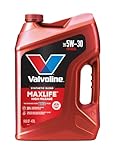
- Formulated for engines with 75,000 miles or more, Valvoline...
- Delivers 20% better wear protection and 15% better sludge...
- Extra detergents safeguard against friction, corrosion and...
- Advanced friction-fighting additives help maximize...
- Provides performance benefits for high mileage, new and...
Last update on 2026-06-23 / Affiliate links / Images from Amazon Product Advertising API
If the PDF is very large, it may not load in the preview below.
Some older TSBs had multiple PDFs — visit the NHTSA Website to view all PDFs.
If the TSB PDF does not show, download or view it on the NHTSA Website.
Click on the (+) Plus Sign
Then Click on Associated Document(s)
Search NHTSA Database for Recalls
Search NHTSA Database for Vehicle Investigations
View Latest Vehicle Investigations
Search NHTSA Database for Vehicle Complaints
View Latest Vehicle Complaints
TSB/Document ID: SA-009-23i
Replacement Service Bulletin Number:
MFR Communication Date: 2023-10-23
MFR Internal Campaign ID/Software Version:
Communication Type: Service Bulletin/Repair Instructions
NHTSA Components: EQUIPMENT:ELECTRICAL:INFOTAINMENT
MFR Component System:
MFR Component Subsystem:
Previous TSB | Next TSB |

- [2026 Top-Tier Hardware and Software Upgrade]: Topdon ArtiDiag900 Lite scanner has enhanced hardware and latest features, including Android 11.0, 5x faster CPU, 10000mAh battery for 12 hours of continuous operation, stable wireless diagnosis with Bluetooth 5.0, 8-inch touchscreen. Added bi-directional control, wireless diagnosis, battery testing (optional), and DTC repair guide
- [TOPDON Bidirectional Scan Tool]: This bidirectional obd2 scanner sends commands to the vehicle's ECU for active testing, enabling users to accurately and quickly locate faulty components such as injectors, coolant pumps, windows, wipers, headlights, mirrors, etc. The bidirectional control scanner is the ideal choice for workshops/automotive repair shops as it significantly reduces mechanic's diagnostic time.
- [Wireless Bluetooth Diagnostic Experience]: The AD900 Lite scan tool comes with a Bluetooth 5.0 VCI, supporting a wireless diagnostic range of up to 33 feet (10 meters), allowing you to diagnose without being confined to cables or tight spaces. Stable and fast wireless diagnosis provides a comfortable repair environment. It also offers VCI cables to increase connectivity options.
- [DTC Repair Guide Function]: Easily diagnose issues with your vehicle and receive guidance on repairs with the topdon scan tool's fault code definitions for all systems,maximize your diagnostic capabilities. This function is compatible with Chrysler
 /Dodge/Jeep/Fiat 2010-2014 and expanding with continual updates,the AritDiag 900 Lite car diagnostic scanner is the must-have tool for any technician or DIY enthusiast.
 - [OE-Level Full System Diagnostics]:AritDiag900 Lite full system diagnostic scanner can scan ALL available modules(Engine, Transmission, Airbag, ABS, ESP, TPMS, Gateway, Steering, Radio, Air conditioning, ect.) to✔read ECU info, ✔read/clear codes, ✔view live data stream, ✔retrieves freeze-frame, ✔perform active tests, and more. With just a simple click, it provides you with accurate and in-depth diagnostics.

- Dual WiFi & 10.1" Touchscreen: Provides a stable, high-speed wireless link 3x faster than bluetooth, and a responsive, professional interface. Topdon ONE obd2 scanner diagnostic tool ensures smooth, non-lagging diagnostic scan, boosting mechanic efficiency
- J2534 Pass-Thru Support: The included ONE VCI supports the J2534 standard, allowing it to function as a pass-thru device when paired with OEM diagnostic software.Through TOPDON’s RLink platform, technicians can perform dealer-level coding, expanding in-house capabilities without investing in multiple factory automotive scan tools
- OE Topology Mapping: Visualize the vehicle’s ECU network exactly as it’s built.Zoom, pan, and highlight specific modules to pinpoint component issues with precision.Topology mapping displays real-time communication between modules
- 50 Plus Service Functions: Covers high-demand services like ADAS calibration, DPF regen, TPMS reset, ABS bleed, and throttle adaptation.Expands your service menu, allows you to charge premium rates, and turns away zero jobs due to lack of tooling. Vehicle-specific functionality may vary
- Advaned ECU Coding: 10 of the most serviced brands in North America, including full ECU coding and flash hidden support for BMW, VW, Au-di, Benz, Porsche, Toyota, Ni ssan and more. Enables module replacement, feature customization, and personal settings with automatic backup or restore.Lets your shop safely offer high-margin customization services, attracting more customers and boosting profit

- Bi-Directional Control, Quickly Locate Problems: Turn your phone into a professional diagnostic tool. You can send commands from your phone to the ECU to test injectors, cooling fans, headlights, A/C clutch, windows, wipers, and more. See which one doesn't respond. Helps you quickly locate the problem and save time. No need to tear things apart, avoid blind disassembly.
- Flexible Subscription, Choose Advanced Features as Needed: TopScan Lite provides free-for-life access to core diagnostics, including full system scan, code reading, performance tests, and repair information. After purchase, advanced features (bi-directional control, service operations, live data, code clearing, and AI functions) are free-for-the-first-year. After the first year, if you want to use advanced features, you need to subscribe on a monthly, quarterly, or yearly basis. As new models and reset functions are updated, the tool will also be continuously upgraded.
- Full System Diagnostics, No Fault Hides: Unlike basic diagnostic tools that only cover 4 systems, TopScan can scan all systems. Read and clear trouble codes, view live data streams, and generate a complete vehicle health report – all issues are clear at a glance. Covers 10,000+ vehicle models and is compatible with 99.99% of vehicles.
- AI Assistant - TopFix: Think of TopFix as your personal AI mechanic. It leverages a repair database and OEM data to deliver clear, step-by-step repair solutions. Features include AI Q&A, one-click translation, and a full repair log, making your diagnostic process simpler and more efficient.
- 8+ Hot Resets, Keep Your Car in Top Shape: One-tap resets for oil, throttle, EPB, steering angle, DPF, ABS, BMS, and airbag. It enables car owners to easily perform essential maintenance, ensuring the vehicle stays in optimal condition and extends its service life.
Last update on 2026-06-23 / Affiliate links / Images from Amazon Product Advertising API
This product presentation was made with AAWP plugin.