
NHTSA ID Number: 10173791
Manufacturer Communication Number: K0D-TI-Spray 16-
TSB/Document Date: 2020-04-13
Summary
TI: TECHNICAL INSTRUCTIONS FOR LIMITED SERVICE CAMPAIGN K0D FRAME CORROSION RESISTANT COMPOUND (CRC) APPLICATION CERTAIN 2016 ? 2017 MODEL YEAR TACOMA
DO NOT wrap the bungee cord around any fuel, evap,
or brake hoses. Only put the bungee cord around the
frame rail and air duct hose to avoid damage to
vehicle components.
5.
CALIBRATE E-TES HEATER
a. Plug in the air mover power cord and the two E-TES heater power cords.
The air mover and E-TES heater must be plugged into separate circuits. Check your
dealership electrical system to ensure the circuit you are plugging into can operate the air
mover and E-TES heater.
b. Press SELECT to set the Air Flow switch trigger point. Follow the
screen directions using the DOWN button to set the levels with the air
mover OFF & ON.
c. Turn the air mover OFF. When the air mover is off and the
number stops changing, press DOWN(most cases this will be 0.) This is
the Off Set Point. (Shown as 033 in this example)
d.
Then turn the air mover ON at high speed. Press DOWN as
soon as the number on the display steadies out (50-300). This is the
ON Set Point. (Shown as 076 in this example)
If you need assistance with the E-TES heater contact
the Bosch Technical Assistance Line - 1-800-933-8335
(Option 4)
DO NOT CONTACT TAS for E-TES Heater concerns.
11
DRYING PROCEDURE (Normal procedure after initial setup)
1.
ATTACH HEATER TO VEHICLE
a. Lift the vehicle
b. Place the E-TES heater below the rear of the vehicle.
c. Connect the air mover power cord and the two E-TES heater
power cords (if not already connected)
d.
Insert the right-side hose into the right-side frame rail until it is
secure.
e.
Using a bungee cord or straps around the frame rail, secure the
left-side hose to the left side frame rail. The outlet of the hose
must be center with the frame rail opening.
DO NOT wrap the bungee cord around any fuel, evap,
or brake hoses. Only put the bungee cord around the
frame rail and air duct hose to avoid damage to
vehicle components.
4.
2.
TURN THE AIR MOVER ON THE HIGH SETTING
3.
TURN THE E-TES HEATER ON AND DRY FRAME
a. Flip the switch on the E-TES Heater to the “on” position
b. Check that the air coming out of the heater is warm.
c. Leave the heater and air mover ON and attached to the vehicle
for 3 hours.
The drying procedure being performed as written is
critical for the wax application procedure success. If
the drying procedure is not performed correctly the
maximum rust prevention will not be achieved.
REMOVE E-TES HEATER AND HOSES FROM VEHICLE
12
5.
DRY THE OPEN SECTION OF THE FRAME AND INNER CAB MOUNTS
a. Using the 2ft air gun, remove all water from the open section of the frame and the inside of the cab
mounts on both the right and left side of the frame. All the water between the metal reinforcements in the
open section of the frame MUST BE REMOVED before proceeding
IT IS CRITICAL THAT YOUR SHOP AIR SYSTEM NOT HAVE WATER IN IT.
Confirm by spraying the air gun at a piece of carboard (or other water absorbant material)
to confirm that no water is present. If water is present then the shop air dryer may need to
be drained or replaced.
13
16-17 MODEL YEAR CLEANING PROCEDURE
Before starting this process, review the SCK0D E-Learning Cleaning
section for key details
1.
b.
USE EXTENDED WIRE BRUSH TO CLEAN THE INSIDE OF THE
RH FRAME RAIL BOXED SECTION
a. Insert the brush into the frame rail as shown in the
image/illustration. Push the brush past the top of the box inside
the frame
Move the brush in and out of the frame in a quick motion, twisting the brush left and right to get the
corners of the top of the frame
NOTE: The amount of time needed to use the brush will vary from frame to frame. The typical
time will be 15 to 20 minutes per side however it may take longer depending on how dirty the
frame is and the type of dirt/debris in the frame
c.
d.
Remove the brush from the top of the box section and insert it
past the bottom of the box section
Move the brush in and out of the frame in a quick motion, twisting
the brush left and right to get the corners of the bottom of the
frame
NOTE: The amount of time needed to use the brush will vary
from frame to frame. The typical time will be 15 to 20 minutes
per side however it may take longer depending on how dirty
the frame is and the type of dirt/debris in the frame
2.
USE EXTENDED WIRE BRUSH TO CLEAN THE LH FRAME RAIL BOXED SECTION
a. Follow steps 1.a – 1.d for cleaning on the left-hand side.
14
Be careful not to damage the brake lines when cleaning the LH frame
3.
INSTALL CAB MOUNT FRAME PLUG
a. Once all dirt and debris has been removed from the cab mount,
install the cab mount frame plug to prevent dirt from the frame
going into the cab mount.
Plug Part Number: 90950-A1008
4.
5.
CLEAN INSIDE BOTH FRONT CAB MOUNTS
a. If there is hardened dirt or other difficult to remove debris, use the
rubber mallet to hit the outside of the cab mount to break up the
debris
b. Using the 2ft Air Gun, blow out all the dirt and debris inside the
cab mount focusing on the inner corners.
CONFIRM CAB MOUNTS CLEANLINESS
a. Using the endoscope provided to your dealer in the J0M campaign, confirm the inside of the cab mount
is clean focusing on the inner corners
NOTE: The images below show the “minimum cleanliness” that the cab mounts can be. The
frame can be cleaner than the images below but cannot be less clean.
If the cab mount is not clean enough, repeat steps 1-2 until clean
Inner Corner of the Cab Mount
6.
CLEAN THE INNER OPEN SECTION OF THE FRAME (both LH and RH)
a. Clean the welds and area highlighted in the illustrations below using the wire brush (Hand Tool) show in
the illustrations below until no dirt, debris, or rust is present on the welds
NOTE: The cross member may not be present on short wheel base frames
FRONT
15
7.
REMOVE DIRT AND DEBRIS FROM INSIDE THE FRAME
a. Using the 2ft Air Gun, blow out all the dirt and debris working from the front of the vehicle to the back
using the various plug holes. You may have to remove plugs from the frame to blow out all debris. Only
remove the plugs in the sections being cleaned.
NOTE: It will normally take 4 to 5 passes with the air gun to remove the all the debris from the
frame
NOTE:
Confirm no rocks or other debris are stuck in the channel shown below on the LH and RH side of the
frame
8.
REMOVE DUST AND DEBRIS FROM OPEN SECTION (LH AND RH SIDE)
a. Blow any dust, debris, that might be on the opens section shown below
NOTE: The cross member may not be present on short wheel base frames
FRONT
16
9.
CONFIRM FRAME CLEANLINESS FOR LH AND RH SIDE
a. Using the endoscope provided to your dealer in the J0M campaign, confirm the inside of the frame is
clean by inserting the endoscope into various plug holes.
NOTE: The images below show the “minimum cleanliness” that the frame can be. The frame can
be cleaner than the images below but cannot be less clean.
b.
If the frame is not clean enough repeat the cleaning procedure until clean enough
The frame must be cleaned before applying the wax. If the frame is not completely clean
then the wax coating will not adhear to the frame properly
10. MOVE ANY LARGE ROCKS AND DEBRIS TO THE FRONT OF THE FRAME
NOTE: Some rocks and debris will not be able to be pushed past the box section of the frame.
For those cases follow the following steps
a.
Using the 2ft Air Gun, blow all the dirt and debris to the front of the frame working from the rear of the
vehicle to the front using the various plug holes.
11. CHECK FOR LARGE ROCKS AND DEBRIS
a. Using the J0M Endoscope, confirm all large rocks and debris have been removed. If not, repeat step 9
until the rocks are removed from the spray application area
If the wire brush has worn down to the point of not being effective or you have an issue with
any other tool related to K0D contact Bosch Technical Assistance Line - 1-800-933-8335
(Option 4) for instructions on how to acquire replacement parts
17
WAX APPLICATION WORK PROCEDURE
A. CIRCUIT OF THE APPLICATION UNIT
18
1.
B. COMPONENTS OF THE APPLICATION UNIT
SYSTEM
Control Panel
1. Air inlet port
2. Air closing lever
3. Air pressure Gauge
4. Air regulator
3
1
Heater
Adjust Dial
Temperature
Gauge
4
2
120V power
supply cable
Sealer Gun
(Low Pressure)
Ground cable
Short/Long Wand Spray Gun
(High Pressure)
Wax pail
Suction pipe
Filter drain hose / lever
Inlet drain lever
2.
Inlet drain hose
SETTINGS
Pump Output
Pressure Gauge
14 MPa (2031 psi)
Back Pressure
9 MPa (1305 psi)
Adjust air regulator
Adjust black dial
High Pressure
12 MPa (1741 psi)
Adjust red dial
Sealer Pressure
0.5 - 4 MPa (73 - 580 psi)
Adjust red dial
19
1.
C. WAND SPECIFICATION
WAND
SHORT WAND
LONG WAND
SEALER GUN
1. Simple tubular tip.
2. The amount of wax applied is judged visually.
2. WAND TIP
The tip of the short wand has 5 orifices to spray out wax.
The tip of the long wand has 6 orifices to spray out wax.
3. WAND TOP MARK
The punch marks found on the wand tip side and gun side are the TOP marks.
Confirm that the TOP mark is facing upward at all time.
Tip Side (Tip & Wand)
Gun Side (Wand & Joint)
20
4. INSTALLATION OF THE WAND TO THE GUN (SHORT & LONG WAND)
Connect the short or long wand to the gun by sliding in (Quick connector).
Adjust the wand connecting portion to set the TOP mark upward.
DO NOT use red shop towels or other lint products when handling the wands as they will
cause a clogged tip. Only use lint free towels when handling the wands
Direction for RH side
Direction for LH side
21
D. INITIAL SET UP
1.
PREPARE THE WAX PAIL
Press the center of the cap and remove.
Remove the plastic inner cap.
Open the lever and remove the lid.
Remove the strainer from the suction pipe and insert the
pipe into the cap hole of the lid.
Reinstall the strainer to the pipe and then reinstall the wax
lid to the can.
Be careful to NOT let the pipe, strainer
and lid contact foreign materials when
working and DO NOT allow any foreign
materials enter the wax pail.
2.
ADD THROAT SEALING LIQUID
a) A bottle of Throat Sealing Liquid (TSL) can be found on
attached near the wheel of the pump assembly. This
bottle will be used as part of maintenance of the pump.
Store the bottle in an accessible area.
b) Before pump operation fill the white colored TSL dish halfway with TSL fluid.
Contact Bosch Technical
Assistance line to order additional
TSL fluid.
Bosch Technical Assistance Line 1-800-933-8335 (Option 4)
3.
CHECK THROAT SEALING LIQUID LEVEL
a) Remove the TSL cover screw and remove the cover
b) Confirm the TSL dish is filled half way with TSL fluid
You will need to check the TSL level
every day, or if the pump has been
moved before pump operation.
4.
SYSTEM SET UP
Lock the triggers of the high pressure spray gun and sealer
gun.
Connect the short wand to the high pressure gun
22
Connect the ground cable.
DO NOT connect to vehicle ground.
Connect the shop air hose to the air inlet port.
Open the air closing lever.
Open the filter drain lever (yellow).
Turn the air regulator to adjust the air pressure to less than
0.07 MPa (10 psi) on the air pressure gauge.
Place a container under the filter drain hose and wait until
white wax continuously comes out.
Close the filter drain lever (yellow) once all the air is
removed.
Turn the inlet drain lever (black) to drain side (arrow to inlet
drain hose side) and place a container under the filter drain
hose and wait until white wax continuously comes out.
Close the inlet drain lever (black) once all air is removed by
turning the arrow back towards the inlet feed line.
Confirm the heater adjust dial is set to off
Connect the 120V power supply cable.
DO NOT turn the heater on until the
entire system is primed with wax and
free of air otherwise damage may
occur
Adjust the heater adjust dial to 6 to warm up the wax.
Confirm the green light turns on when heater adjust dial
first adjusted.
Note: It can take 30 minutes or more to bring the wax
up to temperature depending on room temperature.
Continue with the process while the wax heats up.
23
Turn the air regulator to adjust the pump output pressure to
14 MPa (2031 psi).
NEVER set the pressure to be over
14 MPa (2031 psi).
Turn the high pressure regulator (red dial) to adjust the
high pressure to 12 MPa (1741 psi).
NEVER set the pressure to be over
12 MPa (1741 psi).
Confirm the inlet drain lever (black) is pointing towards the
inlet feed hose.
Turn the back pressure regulator (black dial) to adjust the
back pressure to 9 MPa (1305 psi).
Turn the sealer pressure regulator (red dial) to adjust the
sealer pressure to 0.5 - 4 MPa (73 - 580 psi).
NOTE:
Adjust the pressure within the range to make it easy to
work with when applying wax.
NEVER set the pressure to be over
4 MPa (580 psi).
Operate the sealer gun to drain wax.
Reference Value: 100 ml
Operate the high pressure spray gun to drain wax.
Reference Value: 100 ml
24
5.
SET UP CONFIRMATION
Confirm that the wax temperature is 40 ºC (104 ºF) on
temperature gauge.
NOTE:
If the wax temperature is not heated enough, please
wait for a couple of minutes. It may be necessary
to turn the dial to a higher level depending on air
temperature in the shop.
DO NOT warm up the wax temperature higher than
50 ºC (122 ºF).
If the wax has been overheated the system will
need to be flushed with new wax prior to
application
If the system needs to be drained due
to overheating the wax you must drain
2L of wax from the inlet drain lever
(black)
Confirm pump cycle rate.
Standard Value: 7 – 10 times/min
NOTE:
If the pump cycle rate is faster or slower than the
standard value, turn the back pressure regulator to
adjust the rate within the range.
Confirm that the pump output pressure is 14 MPa (2031 psi).
If not, adjust the air regulator to meet 14 MPa (2031 psi).
NEVER set the pressure to be over
14 MPa (2031 psi).
Confirm that the high pressure is 12 MPa (1741 psi).
If not, adjust the high pressure regulator (red dial) to meet
12 MPa (1741 psi).
NEVER set the pressure to be over
12 MPa (1741 psi).
Confirm that the sealer pressure is 0.5 - 4 MPa
(73 - 580 psi).
NEVER set the pressure to be over
4 MPa (580 psi).
Check each line for wax leakage.
If there is any wax leakage, stop using the system immediately and contact the
following number for assistance:
Bosch Technical Assistance Line - 1-800-933-8335 (Option 4)
25
E. SETTINGS AFTER WORK
1.
SETTINGS AFTER WORK
Close the air closing lever.
Turn the heater adjust dial off.
Disconnect the shop air hose.
Disconnect the 120V power supply cable and ground
cable.
Cover the guns and wands with plastic wrap to protect
them from dust.
Close the lid of the wax pail securely and wrap the cover of
the pail with plastic wrap. Store the wax pail indoors
avoiding any heat source.
NOTE:
The wax can be used for 2 months once opened. After
that it must be replaced with new wax.
26
F. REMOVAL PARTS
Reference the appropriate repair manual on TIS for parts removal procedures.
27
G. MASKING AROUND WORK STALL
NOTE:
Depending on the shop layout, it may be necessary to put barriers to prevent accidental over spray
Masking on the floor is unnecessary. (if wax falls from the frame, clean the spill right away to avoid a
fall hazard)
1.
VEHICLE MASKING
NOTE:
In this work, masking needs to be done only partially as
the drips and scattering are few.
Using an infrared thermometer ensure the exhaust has
cooled.
Cover the holes from which wax can spill out using shop
cloths or the likes.
Protect each brake tube as the wand may hit them.
(LH Side Only)
28
2.
PLUG HOLES IN THE FRAME
Apply all the plugs other than the ones indicated with stars (★) on Hole Plugs Installation Check Sheet found
in appendix.
DO NOT install the plugs indicated with stars (★) until the wax application is completed. Those
plug holes will be used when inserting a wand to apply wax.
NOTE:
• You may have to remove certain stickers to install optional equipment.
• Some vehicles may not have plug holes or may have plugs already installed depending on the
vehicle specification or model year.
• Make sure all the plugs are flush with the frame.
• Make sure the surface of the frame is clean before you apply stickers.
Apply masking tape to the holes shown in the illustration from which wax can spill out.
NOTE:
The masking tape has to be applied on both LH and RH side of the frame even when the illustrations
show only one side.
29
H. APPLY WAX WITH SHORT WAND
Before starting this process, review the SCK0D E-Learning Spray
Application section for key details
1.
PREPARE FOR WAX APPLICATION
CHECK THE REMAINING WAX AMOUNT

- 💯【Conta.ct us for Support Directly】If you met any...
- 🔥🔥🔥【2026 AUTEL FLAGSHIP MK900BT MK900-BT, NEW...
- 🚗【3000+ ACTIVE TESTS (50➡3000+), SAME AS MS...
- 🚗【40+ HOT SERVICES FOR 150 MAKES (28+➡40+)】Full...
- 🚗【OE ALL SYSTEM DIAGNOSE, AUTO SCAN 2.0: SCAN LICENSE...


- 【TURN OFF CEL】 This AL319 car scanner diagnostic tool...
- 【EXTENSIVE APPLICATION】 Autel AL319 Compatible with...
- 【FOR END USER & DIYERS】 This error code reader AL319 is...
- 【USER-FRIENDLY DESIGN】 This OBD2 scanner and check...
- 【HIGH-QUALITY SERVICES】 12 months war.ranty from the...
Last update on 2026-06-23 / Affiliate links / Images from Amazon Product Advertising API
If the PDF is very large, it may not load in the preview below.
Some older TSBs had multiple PDFs — visit the NHTSA Website to view all PDFs.
If the TSB PDF does not show, download or view it on the NHTSA Website.
Click on the (+) Plus Sign
Then Click on Associated Document(s)
Search NHTSA Database for Recalls
Search NHTSA Database for Vehicle Investigations
View Latest Vehicle Investigations
Search NHTSA Database for Vehicle Complaints
View Latest Vehicle Complaints
TSB/Document ID: K0D-TI-Spray 16-
Replacement Service Bulletin Number:
MFR Communication Date: 2020-03-06
MFR Internal Campaign ID/Software Version:
Communication Type: Service Bulletin/Repair Instructions
NHTSA Components: STRUCTURE:FRAME AND MEMBERS
MFR Component System:
MFR Component Subsystem:
Previous TSB | Next TSB |

- Stay Updated with Lifetime Access: This obd2 scanner includes lifetime free software updates for all app service functions. With a single payment, enjoy full access to diagnostics, reset tools, and maintenance features — zero subscription fees. A budget-friendly choice for weekend mechanics, home car owners, and DIYers, supporting vehicles from 1996 onward. Come to us with your VIN to check compatibility.
- Full Bidirectional Control/Active Tests & Stable Wireless Connectivity: This car code reader features full bidirectional control, allowing you to send commands to the vehicle's ECU for active tests on components such as fuel pumps, injectors, A/C clutches, windows, sunroofs, and more. This car scanner diagnostic tool helps DIYers quickly diagnose and test vehicle parts, cutting down troubleshooting and repair time. With BT 4.0 wireless connectivity, you can enjoy cable-free diagnostics up to 33 feet. Stand in your garage and test windows, wipers, or even engine components—all without needing to move around your car.
- Portable Car Scanner with 26 Special Functions: Scheduled vehicle maintenance with the A30M car diagnostic scanner can keep your vehicle in peak condition and save you big on dealership trips. The XTOOL A30M obd2 scanner diagnostic tool features essential reset and relearn functions, such as Oil Reset, EPB Reset (Electronic Parking Brake Release), SAS, ABS Brake Bleeding, Throttle Body Relearn, Injector Coding, Crank Sensor Relearn, Headlight Adjustment, and Tire Size Reset. Note: Service functions may vary by vehicle model – check compatibility beforehand!
- Wide Compatibility CAN FD & FCA
 Autoauth: This obd2 scanner diagnostic tool is compatible with over 85+ car brands from the U.S., Europe, and Asia, providing extensive coverage through a BT connection with your smartphone or iPad. Now upgraded to support the latest protocols, it includes FCA AutoAuth access for Chrysler, Jeep, Dodge, and Fiat (2018+), and supports CAN FD for GM (2020+) models, giving you greater access to newer vehicles and systems. Note: The FCA AutoAuth account is not included with the device. Users must register and pay separately through the official FCA AutoAuth website to access diagnostic functions for vehicles that require it.
 - Up to 8 Live Data Streams Graphing – Real-Time Graphing for Deeper Insight: This car scanner supports up to 8 live data streams simultaneously with intuitive, real-time graphing. Gain comprehensive insights into your vehicle’s performance, making it easier to spot issues, detect trends, and make informed diagnostic decisions with confidence.
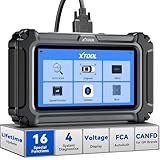
- Comprehensive OBD2 Scanner with 16 Resets: The XTOOL D5S car code reader and vehicle reset tool provides an advanced diagnostic solution with 16 commonly needed reset functions, including Electronic Parking Brake Reset (EPB Reset), SAS, BMS Reset (Battery Test), Throttle Body Relearn, TPMS Reset, ABS Bleeding, Injector Coding, Gearbox Match, Suspension Adjustment, Headlight, Window Initialization, Crank Sensor Relearn and more. Equipped with CAN FD Protocol and FAC AutoAuth, the D5S obd2 scanner diagnostic tool ensures compatibility with a broad range of modern vehicles, allowing users to address common maintenance needs quickly. NOTE: Please Check the Compatibility before ordering.
- 4 Main System Car Scanner & Full OBD2 Diagnostics: The XTOOL D5S car code reader is ideal for home mechanics, DIYers, and professionals, providing access to Transmission/Engine/ABS/SRS systems to read DTCs, Live data can be displayed in text or up to 4 PID data graphs, along with full OBD2 diagnostics to check the engine light on, other obd2 issues and routine maintenance. This car diagnostic scanner ensures you can keep your vehicles in top condition, avoiding costly repairs or unexpected breakdowns. NOTE: Some vehicles display three systems after connection because the transmission and engine of some vehicles are integrated into one.
- Check Engine Code Reader & Real-Time Engine Monitoring: Whether you're a car owner, a DIYer, or run a repair shop, the XTOOL D5S obd2 scanner diagnostic tool makes engine diagnostics fast and frustration-free, reading and explaining trouble codes in seconds—no confusion. Check live data like fuel trim, 02 sensor voltage, RPM, and coolant temp to pinpoint mis~fires, rough idle, or sensor issues. After repairs, simply use the D5S check engine code reader and reset tool to turn off the check engine light and confirm the problem’s fixed—saving time, money, and unnecessary shop visits. - Note: If the check engine light comes back on, it indicates the original problem still exists.
- Portable Car Scanner for ABS and SRS: XTOOL D5S gives you peace of mind when ABS or airbag warning lights come on. It reads and clears ABS codes to help you fix brake sensor, traction control, or wheel speed issues, and supports ABS bleeding after repairs like caliper or master cylinder replacement. For airbag systems, it scans and clears SRS codes related to airbags, seatbelt tensioners, and crash sensors. Whether you're doing repairs at home or running a small shop, the D5S is a cost-effective solution for safety diagnostics. Note: If a fault code returns after clearing, it usually means the issue hasn’t been fully resolved. Please check the compatibility before ordering.
- Transmission Warning Light ON? Here’s the Transmission Diagnostic and Reset Tool You Need: The XTOOL D5S is more than just a basic car scanner—it’s an easy-to-use transmission diagnostic tool. From rough shifts to slipping gears, the D5S lets you read and clear transmission trouble codes, monitor real-time TCM data, and perform transmission resets after fluid changes or repairs. Whether you’re a hands-on car owner or a pro running a busy shop, this OBD2 scanner with transmission functions helps you catch problems early—saving you time, money, and future headaches.. Note: Clearing fault codes is equivalent to a reset on some vehicles, but not all. For help, contact XTOOL Tech Support.
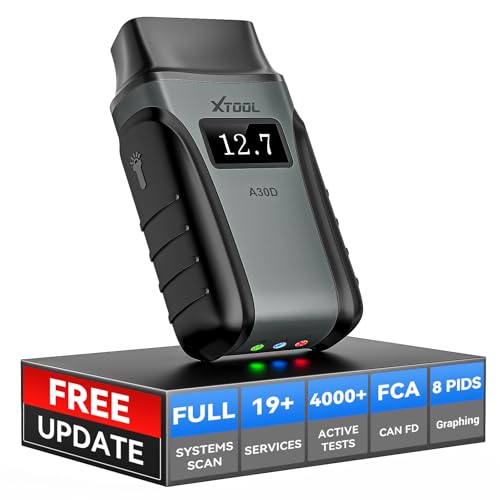
- Save $500+/Year with Pro-Level Diagnostics -No Subscriptions: The Portable XTOOL Anyscan A30D OBD2 scanner diagnostic tool includes free lifetime software updates for all app service functions, without extra cost. With a single payment, enjoy full access to diagnostics, relearn scan tools, and maintenance features. A cost-effective, smart choice for car owners and DIY enthusiasts, compatible with vehicles from 1996 onward. Please provide the car VIN and the special functions you need in advance so that we can confirm compatibility
- Bi-Directional Control for Faster Troubleshooting: Unlike a basic code reader, the A30D bi directional scan tool sends commands directly to your vehicle’s ECU to actively test components like fuel pump, valves, wipers, windows, doors, sunroof, and headlamps right from your smartphone. See component responses in real time without disassembly—perfect for brake jobs, electrical issues, and hard-to-find problems. This bidirectional obd2 scanner helps pinpoint faults faster, reduce guesswork, and avoid replacing good parts. An efficient, easy-to-use car scanner diagnostic tool built for DIYers, home garage users, and small-shop technicians who want real two-way scanner, not just codes
- 19 Reset Functions for Routine Maintenance: The A30D car diagnostic scanner provides 19 relearn functions without extra charges, including EPB Reset for parking brake replacement, TPMS Reset after tire changes, ABS Auto Bleeding, Oil Reset, SAS Reset, BMS Reset, Throttle Relearn, Injector C0ding, Gear Learning, Crank/Crankshaft/Cam/Ckp Sensor Relearn Tool, Transmission Match, Seat Calibration, Airbag Repair and more. This XTOOL A30D automotive scanner diagnostic tool supports preventive care, helping extend vehicle life and reduce costly shop visits. Functions vary by vehicle make and year—plz confirm compatibility before purchase
- Stable BT Connection & All-System & 8 Pids Live Data: The A30D wireless OBD2 scanner delivers a fast and stable wireless connection up to 33 feet, letting you move freely around the vehicle without tangled cables. Pair with with Android 9.0+ and iOS 10.0+ devices to turn your phone into a mobile auto scanner—perfect for home garages, driveways, or on-the-spot repairs. This full system scanner for cars provides real-time access to all major modules, including Engine, Gearbox, ABS, SRS, AC and more. with clear graphs, meters, and up to 8 PIDs displayed at once. This car code reader makes system monitoring visual, simple, easy to understand, and offering data logging for playback and deeper
- Wide Compatibility with CAN-FD & FCA Support: The A30D car computer diagnostic reader works with most 1996 and newer vehicles with a standard OBD2 port, including for Ford, for GM, for Toyota, for Honda, for Nissan,for Hyundai etc, with ongoing updates covering more car models and functions later. It also supports newer communication protocols like CAN-FD and FCA AutoAuth (Personal AutoAuth account and active subscription required, not included with the device!for Chrysler, for Dodge, for Jeep, for Fiat models). It is a future-ready automotive scanner diagnostic tool for households with multiple vehicles or part-time techs. Coverage vary by cars, plz check the compatibility first
Last update on 2026-06-23 / Affiliate links / Images from Amazon Product Advertising API
This product presentation was made with AAWP plugin.