
NHTSA ID Number: 10164920
Manufacturer Communication Number: T-SB-0117-19
TSB/Document Date: 2019-09-16
Summary
TSB: SUPERSESSION NOTICE The information contained in this bulletin supersedes Service Bulletin No. T-SB-0015-15. Service Bulletin No. T-SB-0015-15 is obsolete and any printed versions should be discarded. Some 2014 model year Corolla vehicles equipped with Entune? Audio (version BU.26.42) or Entune? Premium Audio (version AU.26.61) may exhibit one or more of the following conditions. ? Apps screen displays after reroute (Entune? Premium Audio only) ? Voice command system freezes during phonebook transfer ? Voice command system freezes when radio is in XM mode ? Bluetooth is inoperative while using Apps ? Sent SMS message continually appears on display audio for BlackBerry devices (Q10 and Z10)
When switching from XM to AM/FM, the radio stays on XM
Voice Recognition inoperative for Entune™ apps
Entune™ icons are yellow blocks
Frequency displays incorrectly after pressing Scan button multiple times
Navigation is frozen or clock has stopped
HD Traffic data is not shown on the map
Unable to perform “Web Search” using Voice Recognition
© 2019 Toyota Motor Sales, USA
T-SB-0117-19
August 28, 2019
Page 7 of 19
Entune Audio Head Unit Software Update (Fujitsu Ten)
Introduction (continued)
Some 2014 - 2015 model year vehicles equipped with Entune(tm) Audio (version BU.70.29 or
BU.38.47), Entune(tm) Audio Plus (version DU.70.69), or Entune(tm) Premium Audio (AU.70.69
or AU.38.83) or earlier may exhibit one or more of the following conditions:
Audio source information does not match between the head unit and instrument cluster
Incorrect phone number displayed on instrument cluster during the first few seconds on
an incoming call
Browse button is missing during Bluetooth audio on supported phones
Phone book transfer cannot be interrupted once it has been started
If hands-free Bluetooth fails to connect, it will not display the connection failure screen
When connecting an audio player and the system times out, the incorrect screen displays
Device information missing and only the device name is shown
Weather icon flickers intermittently
Bluetooth status is not displayed in the radio options screen
ETA is displayed in the quick message
Track name is not displayed on iHeartRadio screen
Screen does not transition to the sonar screen intermittently
Apps menu screen freezes intermittently
Error codes cannot be cleared from service menu
Voice Recognition is slow to respond or freezes
Intermittent black screen or screen shuts off
“Message list could not be loaded” or SMS messages will not be read intermittently
Intermittently Entune™ will not launch
Intermittent rebooting or resetting
Stuck on “Hello” screen
Time doesn’t update when crossing time zones
Cancel button is inoperative in Add Device Screen
Bluetooth intermittently disconnects or doesn’t connect or reconnect
Stuck on “retrieving messages. Please wait...” screen
Unable to change to FM mode
Audio hard button is inoperative after Voice Recognition
Half of the home screen is displayed in the service menu
Audio is missing from the home screen
Home screen is displayed when screen off is selected
© 2019 Toyota Motor Sales, USA
T-SB-0117-19
August 28, 2019
Page 8 of 19
Entune Audio Head Unit Software Update (Fujitsu Ten)
Introduction (continued)
Stuck on “Transferring contacts1/4” screen
“Go” button on voice recognition screen is intermittently inoperative
Weather map button is intermittently inoperative
Audio information does not match between the instrument cluster and the head unit
Instrument cluster displays incorrect information when on XM mode
Rumble sound coming from radio when no audio is playing
USB audio resets after ignition off and on
Hands-free settings reset after ignition off and on
Some 2014 – 2015 model year vehicles equipped with Entune™ Premium Audio (AU.70.81 or
AU.38.93) or earlier may exhibit one or more of the following conditions.
Unable to make calls from call history
Unable to send SMS messages
Abnormal operation when switching between phones
Browse button missing when using BT Audio
Intermittent rebooting
Low Fuel pop-up not working
Intermittent radio freezing
Phonebook transfer will not complete
Incoming call displays phone number instead of phonebook name
Unable to download Entune Apps
Incorrect vehicle position on TrafficMap
Phonebook image missing on incoming call
Intermittent slow phone connection time
Unable to set channel presets
Phonebook images will not load or are not complete
Bluetooth intermittently disconnects
Speed limits are not displayed
Abnormal route guidance
Follow the Repair Procedure in this bulletin to install the latest software version.
© 2019 Toyota Motor Sales, USA
T-SB-0117-19
August 28, 2019
Page 9 of 19
Entune Audio Head Unit Software Update (Fujitsu Ten)
Warranty Information
OP CODE
EL1503
DESCRIPTION
MODEL
TIME
OFP
Camry, Camry HV
86140-06190
86140-06390
86140-06070
86804-06160
86804-06140
86804-06110
86804-06100
Corolla
86140-02050
86804-02020
Software Update
0.3
Prius C
86804-52020
86140-52320
RAV4
86140-0R090
86140-0R100
86140-42190
86140-42200
86804-0R010
86804-0R020
86804-42090
T1
T2
87
74
APPLICABLE WARRANTY
This repair is covered under the Toyota Basic Warranty. This warranty is in effect for 36 months
or 36,000 miles, whichever occurs first, from the vehicle’s in-service date.
Warranty application is limited to occurrence of the specified condition described in
this bulletin.
© 2019 Toyota Motor Sales, USA
T-SB-0117-19
August 28, 2019
Page 10 of 19
Entune Audio Head Unit Software Update (Fujitsu Ten)
Software Update
HEAD UNIT
MODEL YEAR
MODEL
APPLICABLE FILE ON USB DRIVE
2014
Camry, Camry HV,
Corolla, RAV4
13TBDANA-CA01_7031.zip
2015
Camry, Camry HV,
Prius C
13TBDANA-CA02_3848.zip
RAV4
13TDDANA-CA01_7073.zip
Entune™ Audio
Entune™ Audio Plus
2014
Camry, Camry HV
Entune™ Premium
Audio
13TDANNA-CA09_0001.zip
2015
Camry, Camry HV,
Prius C
*ALL files MUST be included in one USB flash drive which will be used for the update.
MULTIMEDIA SOFTWARE FILE DOWNLOAD
The multimedia software update file may be downloaded directly from this Service Bulletin by
clicking on the file name in the table above. Once downloaded, the file may be extracted (unzipped)
from the zip file and saved directly to a blank USB flash drive.
For USB flash drive requirements and download instructions, refer to TIS – Diagnostics –
Reprogramming – Reference Documents – Multimedia Software Download Instructions.
© 2019 Toyota Motor Sales, USA
T-SB-0117-19
August 28, 2019
Page 11 of 19
Entune Audio Head Unit Software Update (Fujitsu Ten)
Software Update Procedure
1. Confirm the audio system type by checking the Panel ID printed above the top-right or
bottom-right of the display.
Figure 1. Corolla
Figure 2. Camry, Camry HV
Figure 3. RAV4
Figure 4. Prius C
Table 1. Panel ID Information
MODEL
Camry,
Camry HV
MODEL YEAR
ENTUNE™ AUDIO
2014
100201
2015
100366
Corolla
RAV4
Prius C
ENTUNE™ AUDIO PLUS
ENTUNE™ PREMIUM
100202
100203
N/A
100149
100367
100368
100150
2014 – 2015
100327
100328
100325
100326
100319
100324
100459
2015
100505
N/A
100504
2. Insert the USB flash drive into the vehicle USB port.
3. Start the engine.
© 2019 Toyota Motor Sales, USA
T-SB-0117-19
August 28, 2019
Entune Audio Head Unit Software Update (Fujitsu Ten)
Software Update Procedure (continued)
4. Wait for the Select Audio Source screen to
be displayed.
Figure 5.
5. Wait until the USB source icon highlights and
displays the USB name with the icon.
Figure 6.
© 2019 Toyota Motor Sales, USA
Page 12 of 19
T-SB-0117-19
August 28, 2019
Page 13 of 19
Entune Audio Head Unit Software Update (Fujitsu Ten)
Software Update Procedure (continued)
6. Go to the Setup screen.
A. For Entune™ Audio, press the Setup button on the panel.
Figure 7. Corolla
Figure 8. Camry, Camry HV
Figure 9. RAV4
Figure 10. Prius C
B. For Entune™ Audio Plus and Entune™ Premium Audio, press the Apps button on the left
of the panel.
Figure 11.

- Seamless Bluetooth Connectivity: Car stereo with Bluetooth...
- Powerful, Clear Audio Performance: Equipped with a built-in...
- High-Quality Music Playback via USB: Enjoy clear, detailed...
- Compact 1-DIN Design: Single din radio is designed with a...
- Simple Sound Customization: Dedicated Direct EQ Keys let you...

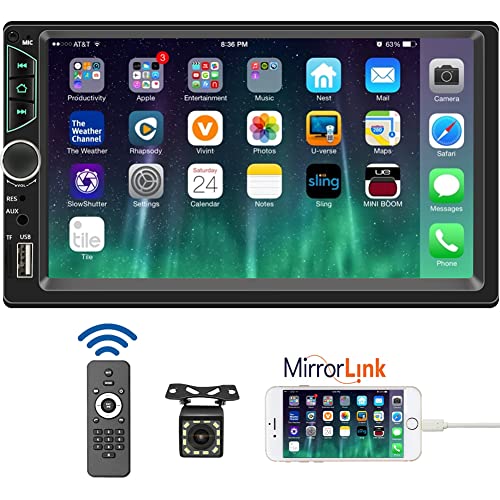
- 【High Quality Car Stereo Player】- Our double din car...
- 【Double Din Car Stereo Phone Mirror Link】- Support...
- 【7 inch Double Din Car Radio With Bluetooth 5.0 and FM...
- 【Car Stereo Double Din Inputs】- USB /SD/AUX input. car...
- 【Standard Double Din Stereo with Backup Camera】- Parking...
Last update on 2026-06-12 / Affiliate links / Images from Amazon Product Advertising API
If the PDF is very large, it may not load in the preview below.
Some older TSBs had multiple PDFs — visit the NHTSA Website to view all PDFs.
If the TSB PDF does not show, download or view it on the NHTSA Website.
Click on the (+) Plus Sign
Then Click on Associated Document(s)
Search NHTSA Database for Recalls
Search NHTSA Database for Vehicle Investigations
View Latest Vehicle Investigations
Search NHTSA Database for Vehicle Complaints
View Latest Vehicle Complaints
TSB/Document ID: T-SB-0117-19
Replacement Service Bulletin Number:
MFR Communication Date: 2019-08-28
MFR Internal Campaign ID/Software Version:
Communication Type: Service Bulletin/Repair Instructions
NHTSA Components: EQUIPMENT:ELECTRICAL
MFR Component System:
MFR Component Subsystem:
Previous TSB | Next TSB |

- 💯【Conta.ct us for Support Directly】If you met any issues about: Received a registered device/ Language Changing/ Function not Support/ VCI150 Blueto-oth connector malfunction/ Subscription Renewal, please conta.ct us via 📞autelsupply @outlook. com🛣️, we will provide perfect solution for you. ⚠️Note: Autel MK900BT comes with 1-Year Free Software Update, most features will remain active after update subscription expires. 1. For questions regarding updates or need more useful accessories, please conta.ct us via 📞autelsupply @outlook.com🛣️. 2. If the device fails to charge or turn on, please conta.ct us via 📞autelsupply @outlook. com🛣️, we will handle it promptly.
- 🔥🔥🔥【2026 AUTEL FLAGSHIP MK900BT MK900-BT, NEW MODEL OF MK808S MK900 MX900 MK808BT MX808S】2026 newest Autel MK900BT retains all features of MK808S MX900 MX808S MK808Z MK808Z-BT MK808K-BT, while EXTRA added powerful functions (value 2000+ bucks). The Pro-level Autel MK900BT makes a big leaps: 28+➡40+, 50+➡3000+ Active Tests, 2026 NEW✅CAN FD & DOIP protocols ✅Pre&Post diagnostic report ✅WIFI Print ✅Auto VIN&Auto Scan 2.0 ✅Scan VIN/ License ✅Battery Test (Need purcha.se BT506). If found defect or us.ed, please conta-ct 📞autelsupply @outlook. com📞 get perf-ect solut.ion.
- 🚗【3000+ ACTIVE TESTS (50➡3000+), SAME AS MS906 PRO】Differ from MS906BT MS906 MP808 MK808 MX808 MK808BT only 50 tests, Autel scanner MK900BT escaner automotriz professional offers 3000+ active tests, it can send command to ECUs & monitor actuators operation, quickly locating faulty components. Bidirectional scanning takes your diagnostics to the next level with menu lists 3000+ active tests, such as windows, rear mirrors, sunroof, wipers, fuel injector, coolant fans, radiator fan, AC clutch, coolant pump and more. Note: Functions are not available for all vehicles, please send vehicle VIN to us check compatibility.
- 🚗【40+ HOT SERVICES FOR 150 MAKES (28+➡40+)】Full level-up of OBD2 code reader MaxiCOM MK808S MK808 MK808Z MX808 MK808Z-BT with 28 service, Autel scan tool MK900BT/ MK900-BT offers 40+ maintenance service on 150+ brands 10,000 vehicles from 1996-2025-2026. Hottest Services like: Oil Reset, ABS Bleed, SAS Calibration, Injector Coding, SRS, Throttle Reset, Gearbox Reset, Battery Registration etc. Added 12+ advanced resets: rain slash light sensor reset, HVA.C/ SUS calibration etc. Welcome to send Vehicle Make>Model>Year>VIN>Functions you required to 📞autelsupply @ outlook . com📞 check compatibility.
- 🚗【OE ALL SYSTEM DIAGNOSE, AUTO SCAN 2.0: SCAN LICENSE/ AUTO VIN】2026 new release Autel MaxiCOM MK900-BT scan tool embodies all system diagnostic with its 8in display for all vehicles. Like Sna.p-on tools, it can perform ✔Read/Clear Codes✔Displays 5-in-1 Live Data✔Record & Playback Data✔Retrieve Info on all available systems like ABS ECM BCM SRS TCM etc. In addition to Auto VIN technology, Autel MK900BT adds Scan License/ Auto Scan 2.0 to identify vehicle’s VIN/ license, make, year, model, no need manual input; One-click WiFi Printing of Pre&Post comparison diagnostic reports, highlight root causes of problems.

- 【TURN OFF CEL】 This AL319 car scanner diagnostic tool supports Reading and Clearing DTCs, DTC Look Up, displaying Live Data, Freeze Frame & I/M Readiness, view vehicle information, etc., to figure out the root cause of the Check Engine Light (CEL) and turn it off, helping you catch any potential issues early and avoid excessive costs from unnecessary repairs.
- 【EXTENSIVE APPLICATION】 Autel AL319 Compatible with 7 languages (English, French, Spanish, etc.) and various post-1996 OBD II protocol vehicles (Toyota
 , Nissan, Honda, Ford, etc.), this OBD II scanner provides accurate and fast diagnosis for worldwide car owners.
 - 【FOR END USER & DIYERS】 This error code reader AL319 is “plug and play” and comes with an easy interface. Even if you’re not familiar with vehicle repair, you can quickly take control of this obd2 scanner, and get the information you want.
- 【USER-FRIENDLY DESIGN】 This OBD2 scanner and check engine code reader features a patented One-Click I/M Readiness, TFT color display, built-in speaker, LED Indicator etc. The cable is long enough without being too long and getting in the way. No batteries are needed.
- 【HIGH-QUALITY SERVICES】 12 months war.ranty from the date of purchase and lifetime free update are offered by this Automobile OBDII scan tool. Welcome to contact us via Q&A, email, or hotline, and our after-sale-service team for technical support.
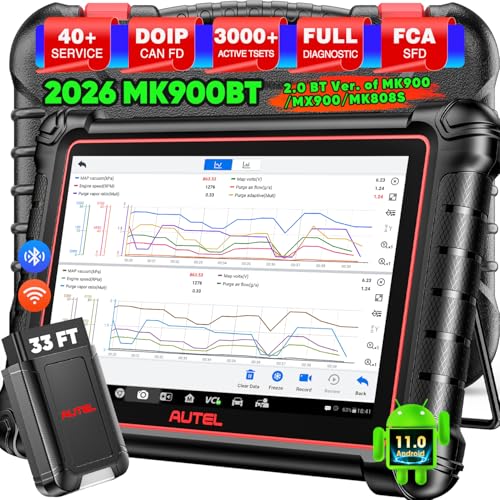
- 📞【Warm Tips】Dear friend, if you have any issues or need any tech support after receiving your MK900BT (received a registered item/ language changing/ functions compatibility/ renew subscription, etc.), please don't hesitate to tell us directly via 💌Autelonline @ outlook . com💌, we will do whatever we can to help you at first time. Besides, if you need other accessories, such as Autel endoscope MV108S, please don't hesitate to con-tact us.
- 🔥【Amazon Choice MK900BT, 2026 Newer of MK900 MX900 MS906 MK808BT PRO MP808S MK808S MX808S】Big News! 2026 Autel most cost-effective 8in All System & Bidirectional Scan Tool MK900BT is born! 619 only, yet featuring 40+ Hot Services same as MaxiSys Ultra/ Elite II/ MK908P/ MS906 PRO, among lots of advanced & newer functions: ✅3000+ Active Tests ✅CAN FD/ DoIP new protocols ✅Full Diagnosis ✅5-in-1 Live Data ✅Pre & Post Scan ✅Scan VIN/License ✅WiFi Print ✅FAC AutoAuth & Renault SGW, etc.
- 😊【Why Choose Autel Scanner MK900-BT, Not MK808S MK900 MX900?】➊ MK900BT escaner automotriz designs with Autel MaxiVCI V150, adopting advanced German Wireless Technology with more stable&faster data transmission, allowing you to work in and around vehicles with a 10M/33FT remote diagnostics. Instead, at almost the same b.udget, MK900 MK808S outdated wired code reader only with 1m cable, so you must curl up on the steering wheel! ➋ MK900BT can work with Autel BT506 to perform professional cranking charging system tests and in-vehicle & out-of-vehicle battery tests, but MK900 MK808S CANNOT. Some sellers say MK900 can work with BT506, pls don't believe it, who are not Autel a.uthorized sellers.
- 🚀【Upgraded Hardware 2.0, 10X F.aster than Ever】Based on old Android 4.4.4 ver. of MX808 MK808 MK808BT MP808 MP808BT MS906 MS906BT, Autel scan tool MK900-BT takes a big leap to 🟢f.astest OS 11 🟢4-core, 1.8GHz RK3566 speed boosted + lower power consumption🔋doubled 7700mAh Battery 🟢larger & sharper 8" 1280*800 touchscreen with intuitive user interface 🟢expanded 4+64G enough to save more files/data 🟢8M Rear camera gives clearer snapshot, etc. MK900BT scanner for car, is the best bang for your b.uck in the category.
- 📢【New Released: CAN FD/DoIP + WIFI Print + Pre & Post Scan + Scan VIN/ License】MK900BT OBD2 scanner diagnostic tool updates lots of advanced features previously available only for scanners above 2000 (MS906 Pro MS908S Pro, etc.) ✅New protocols CAN FD works for GM 2019+ ✅DOIP works for Volv.o 2018+, Jaguar&Land Rover 2017+, BM.W F&G chassis models ✅Same WIFI Print as MaxiSys Ultra ✅Detailed Pre/ Post scan reports to up repair efficiency ✅Scan VIN/License can identify your cars in seconds, more accurately! But Autel MK808S/ MK808BT PRO cannot.
Last update on 2026-06-12 / Affiliate links / Images from Amazon Product Advertising API
This product presentation was made with AAWP plugin.