
NHTSA ID Number: 10164920
Manufacturer Communication Number: T-SB-0117-19
TSB/Document Date: 2019-09-16
Summary
TSB: SUPERSESSION NOTICE The information contained in this bulletin supersedes Service Bulletin No. T-SB-0015-15. Service Bulletin No. T-SB-0015-15 is obsolete and any printed versions should be discarded. Some 2014 model year Corolla vehicles equipped with Entune? Audio (version BU.26.42) or Entune? Premium Audio (version AU.26.61) may exhibit one or more of the following conditions. ? Apps screen displays after reroute (Entune? Premium Audio only) ? Voice command system freezes during phonebook transfer ? Voice command system freezes when radio is in XM mode ? Bluetooth is inoperative while using Apps ? Sent SMS message continually appears on display audio for BlackBerry devices (Q10 and Z10)
T-SB-0117-19
August 28, 2019
Entune Audio Head Unit Software Update (Fujitsu Ten)
Service
Category
Audio/Visual/Telematics
Section
Navigation/Multi Info Display
Market USA
Applicability
YEAR(S)
MODEL(S)
2014 - 2015
Camry, Camry HV
2014 - 2015
Corolla, RAV4
2015
Prius C
ADDITIONAL INFORMATION
SUPERSESSION NOTICE
The information contained in this bulletin supersedes Service Bulletin No. T-SB-0015-15.
Service Bulletin No. T-SB-0015-15 is obsolete and any printed versions should be discarded.
Introduction
Some 2014 model year Corolla vehicles equipped with Entune™ Audio (version BU.26.42) or
Entune™ Premium Audio (version AU.26.61) may exhibit one or more of the following conditions.
Apps screen displays after reroute (Entune™ Premium Audio only)
Voice command system freezes during phonebook transfer
Voice command system freezes when radio is in XM mode
Bluetooth® is inoperative while using Apps
Sent SMS message continually appears on display audio for BlackBerry® devices (Q10
and Z10)
© 2019 Toyota Motor Sales, USA
Page 1 of 19
T-SB-0117-19
August 28, 2019
Page 2 of 19
Entune Audio Head Unit Software Update (Fujitsu Ten)
Introduction (continued)
Some 2014 model year Corolla and RAV4 vehicles equipped with Entune™ Audio (version
BU.30.05 and BU.30.25), Entune™ Audio Plus (version DU.35.08), or Entune™ Premium Audio
(version AU.30.08 and AU.35.05) may exhibit one or more of the following conditions.
Voice command system freezes when voice command is used immediately after ignition
is ON (Entune™ Premium Audio only)
Entune™ function is inoperative (Entune™ Premium Audio only)
Cover art does not match with HD Radio™ music playing (Entune™ Premium Audio only)
Music cannot be selected through voice command system (Entune™ Premium Audio
only) when a device has more than 15,000 songs
XM preset channels are removed (Entune™ Premium Audio only)
Radio freezes after inputting a certain address in navigation destination (Entune™
Premium Audio only)
Bluetooth® connection is dropped
Phonebook does not transfer
Browse button does not appear in Bluetooth® Audio
Bluetooth® connected device cannot be changed
Voice command system is inoperative after deleting all contacts
Connected Bluetooth® device cannot be deleted
User setting is deleted
Some 2014 model year vehicles equipped with Entune™ Audio (version BU.30.18, BU.30.27,
BU.30.21, BU.30.31), Entune™ Audio Plus (version DU.35.16), or Entune™ Premium Audio
(version AU.30.26, AU.30.51, AU.36.66, AU.35.16, AU.35.17) may exhibit one or more of the
following conditions.
Cover art does not change when changing songs on Bluetooth® Audio (Entune™ Audio,
Entune™ Premium Audio only)
Audio automatically becomes “Audio off,” disconnects Bluetooth® automatically, or will not
automatically play
Bluetooth® Audio volume fluctuates or goes back to default setting or becomes louder for
an instant
Will not display playlist in browse properly
© 2019 Toyota Motor Sales, USA
T-SB-0117-19
August 28, 2019
Page 3 of 19
Entune Audio Head Unit Software Update (Fujitsu Ten)
Introduction (continued)
Will not recognize the music title in iPod™ No sound on iPod™ Video while time count on
the video is progressing correctly
Could not playback CD
A loading screen continues being displayed at the time
Continuously reboots
Radio screen changes to an arbitrary rear camera screen while driving
Added App is not added at end of the Apps list
Mandatory update pop-up appears after Bluetooth® is disconnected
Unit freezes or no response when using voice command
Buttons and radio screen related to Phone and Apps won’t respond
Voice command shuts down in the middle or no guidance at all
Voice command initialization not completed or takes long time to complete initializing
Music Voice Recognition is not available (Entune™ Audio, Entune™ Premium Audio only)
Won’t display email or text message properly (no body text, no line break, shows the
same message twice)
Incoming email or text message shown after email has already been viewed in
Messages screen
“Text to speech” readout does not work or slow response, and volume does not change
Old email or text message is included in new contents when incoming mail message is
read aloud
Audio system sound does not MUTE during email reading aloud
Weather map will not open and only beeps
There is no car cursor on the simple map traffic screen
Will not display Phone call list properly
Will not go to Map screen or no map on Home screen (Entune™ Premium Audio only)
Navigation re-route pop-up comes up continuously (Entune™ Premium Audio only)
No map is displayed with new vehicles (Entune™ Premium Audio only)
“i” button is displayed when navigation route guidance is not used (Entune™ Premium
Audio only)
Radio screen goes blank or freezes occasionally while using navigation function
(Entune™ Premium Audio only) One Shot Address Entry doesn’t work sometimes
(Entune™ Premium Audio only)
Unit freezes when searching route to home memorized in preset memory (Entune™
Premium Audio only)
© 2019 Toyota Motor Sales, USA
T-SB-0117-19
August 28, 2019
Page 4 of 19
Entune Audio Head Unit Software Update (Fujitsu Ten)
Introduction (continued)
Some 2014 model year vehicles equipped with Entune™ Audio Plus (version DU.70.09) or
Entune™ Premium Audio (version AU.70.09) may exhibit one or more of the following conditions.
A ringtone does not sound when phone call is received during route guidance (Entune™
Premium Audio only)
Voice command cancels unexpectedly (Entune™ Audio Plus and Entune™ Premium
Audio only)
“Yes” button is grayed out in the Bluetooth® Call Confirm screen (Entune™ Audio Plus
and Entune™ Premium Audio only)
Connected phone does not show as connected (Entune™ Audio Plus and
Entune™ Premium Audio only)
“Connecting” message for text message does not go away when phone is already
connected (Entune™ Audio Plus and Entune™ Premium Audio only)
Cache radio is rewound by itself after voice command usage (Entune™ Premium
Audio only)
Touch screen button is unresponsive on Entune™ caution screen (Entune™ Audio Plus
and Entune™ Premium Audio only)
Some text messages do not display on the screen (Entune™ Audio Plus, Entune™
Premium Audio only)
In Home screen, full screen of Entune™ audio app is not shown (Entune™ Audio Plus
and Entune™ Premium Audio only)
Radio takes time to read out messages after “Show my message” voice command is
recognized
Voice command cannot be recognized during map route guidance (Entune™ Premium
Audio only)
Incorrect destination is set when voice command is used (Entune™ Premium Audio only)
Some audio sources do not display when voice command is used (Entune™ Audio Plus
and Entune™ Premium Audio only)
Weather of some cities does not display when voice command is used (Entune™ Audio
Plus and Entune™ Premium Audio only)
Voice command for music is not recognized (Entune™ Audio Plus and
Entune™ Premium Audio only)
Some Playlists cannot be chosen when voice command is used (Entune™ Audio Plus
and Entune™ Premium Audio only)
Radio freezes when voice command is used (Entune™ Audio Plus and
Entune™ Premium Audio only)
© 2019 Toyota Motor Sales, USA
T-SB-0117-19
August 28, 2019
Page 5 of 19
Entune Audio Head Unit Software Update (Fujitsu Ten)
Introduction (continued)
Blank radio presets are not skipped with steering wheel switch (Entune™ Audio Plus,
Entune™ Premium Audio only)
Destination cannot be set (Entune™ Premium Audio only)
Distance to traffic incident is shown incorrectly (Entune™ Premium Audio only)
Intersection map is not displayed (Entune™ Premium Audio only)
Traffic incident icon is not displayed (Entune™ Premium Audio only)
Radio freezes with navigation operation (Entune™ Premium Audio only)
Touch screen becomes unresponsive after setting destination nearby and pop-up screen
of “You are nearby” displays (Entune™ Premium Audio only)
Arrival time shows incorrectly after destination is set (Entune™ Premium Audio only)
Radio reboots with navigation operation (Entune™ Premium Audio only)
Along My Route POI search does not show any results (Entune™ Premium Audio only)
Traffic information icon does not display after returning from future time prediction to
current time (Entune™ Premium Audio only)
Traffic information does not display (Entune™ Premium Audio only)
Doppler traffic does not display after removing map SD card and reinserting it (Entune™
Premium Audio only)
Traffic event does not display intermittently (Entune™ Premium Audio only)
HD Traffic™ does not display intermittently (Entune™ Premium Audio only)
Audio Plus (version DU.70.26), or Entune™ Premium Audio (version AU.70.28) may exhibit one
or more of the following conditions:
A part of music information of the whole album is not displayed when album art is pressed
Revised Quick Reply message returns to default after key cycle
Device names in Bluetooth® setup screen are grayed out
Bluetooth® is disconnected and does not reconnect automatically
Pronunciation of French name streets is incorrect
HD Traffic™ does not display
Voice command cannot be used and repeats “voice recognition initializing” (Entune™
Premium Audio only)
© 2019 Toyota Motor Sales, USA
T-SB-0117-19
August 28, 2019
Page 6 of 19
Entune Audio Head Unit Software Update (Fujitsu Ten)
Introduction (continued)
Some 2014 – 2015 model year vehicles equipped with Entune™ Audio (version BU.38.11 or
BU.70.25), Entune™ Audio Plus (version DU.70.31), or Entune™ Premium Audio (AU.70.33 or
AU.38.32) may exhibit one or more of the following conditions:
Voice command cannot be used and repeats “voice recognition initializing” (Entune™
Audio Plus only)
Browse button is not displayed on Bluetooth® Audio screen
Radio freezes during phonebook transfer
Some 2014 – 2015 model year vehicles equipped with Entune™ Audio (version BU.38.44 or
BU.70.26), Entune™ Audio Plus (version DU.70.61), or Entune™ Premium Audio (AU.70.61 or
AU.38.71) may exhibit one or more of the following conditions:
When pushing the off-hook button during a call (No held calls/No incoming calls), it is not
possible to switch to on hold
Unable to switch a current call to “Hold”
Black screen (radio still plays)
Pandora© displaying incorrectly
Will not add destination when pressed on Voice Recognition screen
Voice Recognition suddenly ends

- Seamless Bluetooth Connectivity: Car stereo with Bluetooth...
- Powerful, Clear Audio Performance: Equipped with a built-in...
- High-Quality Music Playback via USB: Enjoy clear, detailed...
- Compact 1-DIN Design: Single din radio is designed with a...
- Simple Sound Customization: Dedicated Direct EQ Keys let you...

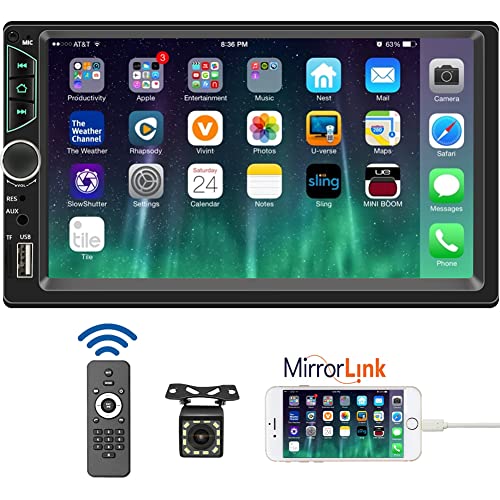
- 【High Quality Car Stereo Player】- Our double din car...
- 【Double Din Car Stereo Phone Mirror Link】- Support...
- 【7 inch Double Din Car Radio With Bluetooth 5.0 and FM...
- 【Car Stereo Double Din Inputs】- USB /SD/AUX input. car...
- 【Standard Double Din Stereo with Backup Camera】- Parking...
Last update on 2026-06-12 / Affiliate links / Images from Amazon Product Advertising API
If the PDF is very large, it may not load in the preview below.
Some older TSBs had multiple PDFs — visit the NHTSA Website to view all PDFs.
If the TSB PDF does not show, download or view it on the NHTSA Website.
Click on the (+) Plus Sign
Then Click on Associated Document(s)
Search NHTSA Database for Recalls
Search NHTSA Database for Vehicle Investigations
View Latest Vehicle Investigations
Search NHTSA Database for Vehicle Complaints
View Latest Vehicle Complaints
TSB/Document ID: T-SB-0117-19
Replacement Service Bulletin Number:
MFR Communication Date: 2019-08-28
MFR Internal Campaign ID/Software Version:
Communication Type: Service Bulletin/Repair Instructions
NHTSA Components: EQUIPMENT:ELECTRICAL
MFR Component System:
MFR Component Subsystem:
Previous TSB | Next TSB |

- OBD2 Bluetooth Scanner Lifetime Update: Ediag Elite offers revolutionary Advantage Lifetime Updates with unlimited access to the superior 15+ reset service, bidirectional testing and full system diagnostics.The Ediag Elite is an excellent Bluetooth OBD2 scanner diagnostic tool ideal for DIY's and private car owners.
- Bidirectional Control for Quickly Locating Problems: The Bidirectional Scan tool allows you to send commands directly from your smartphone to your vehicle for active testing. This feature helps to quickly narrow down problems such as air conditioning clutches, windows, doors, sunroofs, etc., reducing diagnostic time for mechanics and helping DIY users locate faults more easily. In addition, Ediag Elite provides fault analysis and repair guidance to help you solve problems efficiently.
- 15+ Maintenance Resets: The current version introduces 15+ popular special features: Oil Reset, Headlight Matching, Bleeding Reset, TPMS Reset, BMS Reset, Gear Box Relearn, EGR Learning, Throttle Learning, Injector Coding, SAS Reset and more special functions in system diagnose menu. These functions make it easy for owners to carry out the necessary maintenance and servicing, ensuring that your vehicle stays in top condition, prolonging its service life and preventing common problems and breakdowns. Note: The Special function vary by model& year, Reach us check compatibility.
- Wide Compatibility CANFD & FCA
 Autoauth: Compatible with GM, Ford, Toyota, Chrysler, Honda, Mazda, Nissan, Mitsubishi, Hyundai, KIA with standard OBD2 port from 1996 to newer. More car brands and features will be released gradually. Newest Ediag Elite scanner supports CANFD Protocol and FCA cars. Note: Coverage may vary on different vehicle by model& year ,Please contact us to confirm compatibility before purchase.
 - Perfect for Monitoring The Health of Your Vehicle: Ediag Elite is designed to make vehicle maintenance simple and efficient. With intelligent AutoVIN quick recognition, it is easy to connect to your car without the need for manual input. Real-time data is visualized in a variety of formats, including graphs, numeric, meter displays and clear 4-in-1 data charts, allowing you to effortlessly monitor real-time performance. Data logging/reporting is available for playback and further analysis.
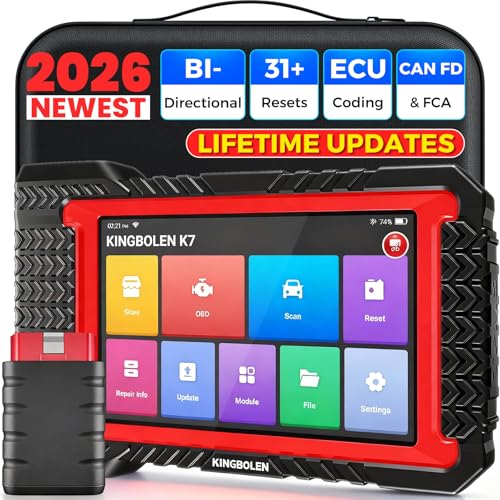
- No Annual Fees & 2026 Upgraded CAN FD: Why pay $199/year or more for updates? The 2026 newest Kingbolen K7 obd2 scanner features have been upgraded to Lifetime Updates without subscription fees, saving you significant costs in the long run. K7 scan tool also adds the CAN FD protocol for the latest GM models (2019+), enabling faster data transfer, reducing the risk of undetected errors
- 2026 Newest Top-tier Car Scanner: Kingbolen K7 diagnostic scan tool is equipped with most capabilities for daily repair/maintenance: Wireless diagnosis via Bluetooth, Bidirectional Test, ECU Online/Offline Code, 31+ Resets, PMI for Ford, Lincoln, Mazda, Global version for 100+ brand vehicles and 17 languages, no area limit, FCA AutoAuth
- OE-Level Full Systems Scan Tool: K7 professional diagnostic scanner with Auto Vin can do one-click to scan ECUs on most of vehicles, like pcm, ecm, eps, bcm, tpms, sas, a/c system... to read/clear code, view live data, freeze frame, read ecu info. 4-in-1 data stream graphics can make data viewing more intuitive. Detailed diagnostic reports will help you easily master the car situation as it can be shared by bluetooth or email! Adding workshop information can help your customers to know more
- Bidirectional Test/Active Test & ECU Code: Stop guessing and start fixing. Bidirectional scan tool Kingbolen K7 can perform real active test that can send commands to the vehicle's ECU to drive the actuators to work, like window, rear mirrors, sunroof, door, solenoids, wipers, headlamp, etc, helping you quickly find out bad parts and pinpoint faulty issues. K7 bidirectional scanner will be a good choice to save money and time on car repairs when performing complex maintenance and repair
- 31 Reset Functions: Avoid expensive dealership visits for simple services. Experience tells us that just a small repair service may cost a lot of money. Kingbolen K7 is a professional diagnostic scanner with 31 common maintenance services like Oil /SAS/EPB/TPMS Reset, Battery Matching, ABS Bleeding, Injector Code, etc. It effectively handles most of the car reset and relearning jobs, perfect for experienced DIYers and mechanics. Note: Functions in the menu vary across vehicles. Kindly check the compatibility before purchase
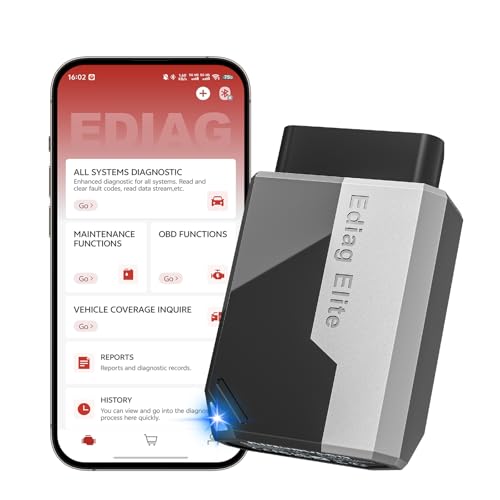
- 【Cost-effective Diagnostic Scan Tool】Lifetime updates without fee, No subscription fee required, No IP restrictions, Ediag Elite bluetooth scanner stands out. It can perform in-depth Full System diagnostics,15+ Reset Services, powerful Active Test, CANFD & FCA AutoAuth. Connect your phone via Bluetooth for diagnosis, providing a faster, smarter and smoother diagnostic experience. Easy to put in pocket, convenient to carry, keep track of the car's status anytime, anywhere. Best bang for your bucks.
- 【15+ Reset Service, Easy Problem Solving】 KINGBOLEN Ediag Elite obd2 scanner diagnostic scan tool comes with 15+ professional reset functions, including: Oil Reset, ABS Bleeding, Injector Code, SAS Reset, TPMS Reset, BMS Reset, AFS Reset, Sunroof Calibration, Brake Reset and more special functions in system diagnose menu. The ideal bluetooth scanner for mechanics and DIY enthusiasts, which can save unnecessary maintenance costs and significantly shorten repair time.
- 【Comprehensive Full Systems Diagnostic】 The Ediag Elite obd2 scanner bluetooth supports full system In-Depth diagnosis. It can read/clear fault codes, read real-time data/freeze frame, module information, and perform testing and reset functions for ECM, BCM, ABS, SRS, TPMS, TCM, BMS, SAS, A/C & RTM systems ect. It works with most car models after 1996, cover more than 150+ car brands. Supports 22 global languages for your convenience(EN, FR, ES, DE, IT, RU, PT, JP, TU...)
- 【Powerful Bidirectional Scan Tool & Active Test】 The obd2 code reader for Ediag Elite can perform real time active test that can send commands to the vehicle’s ECU to drive the actuators to work, such as turn on the radiator fan, modulate the throttle, open/close windows, etc. It can help you quickly find out the bad components and the cause of the fault, which can save you a lot of time. With BT 5.2 wireless connectivity, you can enjoy wireless diagnostics up to 33 feet.
- 【FCA AutoAuth & CANFD Compatibility】 Ediag Elite scan tool offers support with FCA Gateway Access, allowing you to perform protected functions on FCA vehicles, including Chrysler, Dodge, Jeep, Alfa Romeo, Fiat vehicles, etc.(Note:just allows you to access the FCA, but need to have your own FCA account) Supports the CAN-FD protocol, provide high-speed vehicle diagnostic communication and data transfer, working perfectly on GM vehicles produced after 2020, saving $100 to buy a CAN FD adapter.
Last update on 2026-06-12 / Affiliate links / Images from Amazon Product Advertising API
This product presentation was made with AAWP plugin.