
NHTSA ID Number: 10153381
Manufacturer Communication Number: 17730-309 Rev.A
TSB/Document Date: 2019-02-19
Summary
Operation Name: Hendrickson Truck Commercial Vehicle Systems Document Name: Technical Procedure - OPTIMAAX Liftable Forward Tandem Axle and Suspension System for Freightliner Vehicles, Service Instructions Summary: This document provides service instructions for Hendrickson OPTIMAAX liftable forward tandem axle and suspension systems equipped on Freightliner vehicles.
vehicle manufacturer’s instructions.
PRIOR TO AND DURING DEFLATION AND INFLATION OF THE AIR SUSPENSION SYSTEM, ENSURE ALL
PERSONNEL AND EQUIPMENT ARE CLEAR FROM UNDER THE VEHICLE AND AROUND THE SERVICE
AREA, FAILURE TO DO SO CAN CAUSE SERIOUS PERSONAL INJURY, DEATH, OR PROPERTY DAMAGE.
LIFT AXLE RAPID AUTOMATIC MOVEMENT
LIFT AXLE RAPID, AUTOMATIC MOVEMENT CAN CAUSE SEVERE PERSONAL INJURY OR DEATH.
THE LIFT AXLE CONTROL SYSTEM IS PROGRAMMED TO AUTOMATICALLY:
LOWER THE LIFT AXLE IF –
■■
A LOAD ON THE PRIMARY REAR SUSPENSION IS ABOVE A PRESET VALUE, OR
■■
THE PARKING BRAKE IS ENGAGED, OR
■■
THE IGNITION SWITCH IS OFF, OR
■■
A MAJOR SYSTEM FAULT IS DETECTED
RAISE THE LIFT AXLE IF –
■■
1) THE PARKING BRAKE IS DISENGAGED, AND 2) A LOAD ON THE PRIMARY REAR SUSPENSION
IS BELOW A PRE-SET VALUE.
LIFT AXLE LOADING / UNLOADING
■■ ENSURE ALL PERSONNEL ARE CLEAR OF LIFT AXLE DURING VEHICLE LOADING / UNLOADING AND
OPERATION.
■■ ENGAGE THE PARKING BRAKE DURING VEHICLE LOADING / UNLOADING.
PRIOR TO SERVICE
■■ EXHAUST ALL PRESSURE IN LIFT AXLE AIR SPRINGS AND VEHICLE AIR SYSTEM BEFORE WORKING
■■ REMOVE 15 AMP FUSE FROM F15 LOCATION, REFER TO HENDRICKSON LITERATURE NO.
17730-310.
4. See additional Air Spring Cautions and Warnings in the Important Safety Notice section of
this publication prior to deflating or inflating the air system.
5. Lower the height control valve arm(s) to exhaust the air in the air springs and deflate the
suspension. Verify that the air springs are deflated. See vehicle manufacturer’s instructions.
6. Remove tires.
7. Remove wheel ends.
8. Remove brake assemblies.
9. Remove the fasteners that attach the ride air spring to the axle beam assembly and remove
the ride air spring, see Figure 8-1.
10. Remove the fasteners that attach the lift air spring to the axle beam paddle and remove the
lift air spring, see Figure 8-2.
11. Remove the lower shock absorber fasteners that attach to the axle beam assembly and
remove the shock absorber, see Figure 8-3.
Component Replacement
28
17730-309
OPTIMAAX® for Freightliner Vehicles
12. Remove QUIK-ALIGN and discard fasteners, see Figure 8-4.
13. Remove the axle beam assembly and thrust washers from the frame hanger. Discard thrust
washers.
ASSEMBLY
1. Attach new thrust washers to axle beam assemblies.
2. Install axle beam assembly into the hanger.
3. Install new QUIK-ALIGN fasteners, and snug, DO NOT tighten at this time.
4. Install the lower shock absorber fasteners and tighten to
170 ± 10 foot pounds torque
5. Install the lift air spring to the beam paddle and tighten to
18 ± 2 foot pounds torque
6. Install the ride air spring to axle beam assembly and tighten to
30 ± 5 foot pounds torque
PRIOR TO AND DURING DEFLATION AND INFLATION OF THE AIR SUSPENSION SYSTEM, ENSURE ALL
PERSONNEL AND EQUIPMENT ARE CLEAR FROM UNDER THE VEHICLE AND AROUND THE SERVICE
AREA, FAILURE TO DO SO CAN CAUSE SERIOUS PERSONAL INJURY, DEATH, OR PROPERTY DAMAGE.
7. See additional Air Spring Cautions and Warnings in the Important Safety Notice section of
this publication prior to deflating or inflating the air system.
8. Install brake assemblies.
9. Install wheel ends.
10. Install tires.
11. Inflate the suspension slowly and verify that the air spring bladder inflates uniformly without
binding.
12. Reconnect the height control linkage assembly to the height control valve arm per vehicle
manufacturer’s instructions.
13. Remove the frame supports.
14. Remove the wheel chocks.
15. Perform vehicle alignment, refer to Alignment & Adjustments section of this publication.
16. Tighten shear round head bolts to shear (
550 foot pounds torque).
TRI-FUNCTIONAL BUSHING
YOU WILL NEED
■■ TRI-FUNCTIONAL III Bushing Tool, see Special Tool Section in this publication
FIGURE 8-4
DISASSEMBLY
1. Chock the wheels and
exhaust the air system.
2. Remove tires.
3. Place a jack under the
suspension axle beam
assembly.
4. Remove and discard
QUIK‑ALIGN connection fasteners from
the frame hanger, see
Figure 8-4.
17730-309
29
Component Replacement
OPTIMAAX® for Freightliner Vehicles
NOTE
The QUIK‑ALIGN bolt features a round head that helps to prevent reuse. Install the bolt from the
outboard side of the frame hanger and tighten with a QUIK‑ALIGN socket tool (see Special Tool section in this publication) until the bolt’s round head shears off.To avoid damage to the splines on the
shear bolt head, ensure the socket tool fully engages the bolt head.
5. Remove the concentric and eccentric alignment collars. QUIK‑ALIGN collars can be reused if
not damaged.
HENDRICKSON DOES NOT AUTHORIZE REUSE OF THE SHEAR ROUND BOLT. WHENEVER THE QUIK‑ALIGN
CONNECTION IS DISASSEMBLED THE EXISTING SHEAR-TYPE BOLT MUST BE REMOVED BY GRINDING
OR ANY OTHER APPROPRIATE METHOD AND DISCARDED AND THE EXISTING HEX NUT. A NEW SHEAR
ROUND BOLT AND HEX NUT MUST BE INSTALLED AND SHEARED TO ACHIEVE THE PROPER TORQUE AND
CLAMP FORCE. ANYONE WHO ASSEMBLES THE QUIK‑ALIGN CONNECTION (OEM’S, DEALERS, REPAIR
FACILITIES, ETC.) IS RESPONSIBLE FOR THE PROPER INSTALLATION OF THE SHEAR-TYPE BOLT. FAILURE
TO REACH THE REQUIRED TORQUE CAN RESULT IN AN INSUFFICIENT CLAMP FORCE, UNRELIABLE AXLE
ALIGNMENT, INJURY OR PROPERTY DAMAGE.
6. Use a jack to lower the lift axle beam assembly out of the frame hanger.
7. Remove and discard the thrust washers.
8. Prior to removal of the TRI-FUNCTIONAL bushing, locate the bushing index mark on a small
dimple or indent on the side the axle beam assembly end hub (see Figure 8-5) and the position of the TRI-FUNCTIONAL bushing locator. If the index mark is visible proceed to Step 9, if
not proceed to Step 9 to mark the position of the bushing.
FIGURE 8-5
SERVICE HINT
If the index mark is not visible on
the axle beam assembly end hub,
use the bushing position locator as
a reference for scribing the bushing
orientation line.
9. U s e a s q u a r e a n d t h e
TRI‑FUNCTIONAL bushing position locator as a reference point,
scribe or draw a line on the outside of the axle beam assembly
end hub as shown in Figure 8-6.
This line marks the orientation of the existing bushing within the axle beam assembly end
hub and will be used to properly orient the replacement TRI-FUNCTIONAL bushing during
installation, see Figure 8-7.
10. Ensure the TRI-FUNCTIONAL bushing voids (see Figure 8-5) are vertically centered when the
suspension is at ride height.
FIGURE 8-6
FIGURE 8-7
Axle Beam Assembly
End Hub Mark
Mark the Bushing Orientation on
the Axle Beam Assembly End Hub
Component Replacement
30
TRI-FUNCTIONAL III
Bushing Position
Locator
17730-309
OPTIMAAX® for Freightliner Vehicles
DO NOT USE M EXTREME-PRESSURE LUBE ON THE TRI‑FUNCTIONAL BUSHING. IT IS INTENDED ONLY
ON THE TRI-FUNCTIONAL III TOOL.
11. Apply M extreme-pressure lube (provided with TRI-FUNCTIONAL III Bushing Tool) to the:
■■
Threads of the hex-head bolt, see Figure 8-8.
■■
Internal parts of the thrust bearing and external surfaces of the tool thrust washers, see
Figures 8-9 and 8-10.
FIGURE 8-8
FIGURE 8-9
FIGURE 8-10
12. Assemble the TRI-FUNCTIONAL III Bushing Tool, hex-head bolt, washers, tool thrust bearing
and front plate, as shown in Figure 8-11.
IMPORTANT
The tapered end of the transition tube MUST be positioned against the axle beam assembly end
hub during bushing removal, see Figure 8-11.
NOTE
There must be two (2) tool thrust washers on each side of the thrust bearing, see Figure 8-11.
FIGURE 8-11
13. Insert the hex-head bolt of the partially assembled tool through the bushing until the transition tube rests squarely on the axle beam assembly end hub, see Figure 8-12.
FIGURE 8-12
FIGURE 8-13
Removal Spacer
17730-309
31
Component Replacement
OPTIMAAX® for Freightliner Vehicles
FIGURE 8-14
FIGURE 8-15
FIGURE 8-16
14. Slide the removal spacer over the exposed
hex-head bolt threads on the opposite side
of the axle beam assembly end hub, see
Figure 8-13.
15. Thread the rear drive plate (flat side first)
onto the hex-head bolt. The two (2) set
screws must enter the bushing voids (open
areas) to prevent the rear drive plate from
turning, see Figure 8-14.
16. Hand tighten the hex-head bolt until snug.
Make sure the tool rests squarely on the axle
beam assembly end hub, see Figure 8-14.
NOTE
The tool thrust bearing needs to be free to turn to
prevent binding or damage to the threads of the
hex-head bolt during the removal process, see
Figure 8-15.
NOTE
The use of a one-inch impact wrench is not
recommended, doing so could damage to the
hex-head bolt threads.
17. Use a ¾" impact wrench and a 111⁄16" heavyduty (six-point) impact socket, remove the
bushing by turning the hex-head bolt clockwise as shown in Figure 8-16.
18. Ensure the transition tube remains seated
against the axle beam assembly end hub during the entire bushing removal procedure.
FIGURE 8-17
SERVICE HINT
If the hex-head bolt stops turning during the
removal process, reverse the impact wrench
and loosen the tool assembly. Check the tool for
damage, reset the rear drive plate and try again.
As a last resort, a small amount of heat may be
required to break the TRI-FUNCTIONAL III bushing loose, see Figure 8-17. DO NOT OVERHEAT
the axle beam assembly end hub. Allow the axle
beam assembly end hub to cool before installing the new bushing.
19. After the TRI-FUNCTIONAL III bushing removal, reverse the impact wrench to disassemble
the tool.
Component Replacement
32
17730-309
OPTIMAAX® for Freightliner Vehicles
ASSEMBLY
NOTE
Whenever the QUIK-ALIGN style TRI-FUNCTIONAL bushing is disassembled or loosened for any
reason, the shear-type bolt and nut must be removed and discarded. A new shear-type bolt and
nut must be used for bushing reassembly.
1. Clean the axle beam assembly end hub on the truck suspension beam. All rust, rubber, scale
and other buildup must be removed from the inside surface of the axle beam assembly end
hub before the replacement bushing can be installed. The axle beam assembly end hub must
also be cool to the touch.
2. Check the edges of the axle beam assembly end hub for burrs or sharp edges. Remove any
burrs or sharp edges with a grinding tool, see Figure 8-18. Also evaluate the edges of the axle
beam assembly end hub for wear. Refer to Axle Beam Assembly End Hub inspection procedure in the Preventive Maintenance section of this publication.
NOTE
DO NOT substitute lubricants. The only lubricant that should be used on the TRI‑FUNCTIONAL bushing, axle beam assembly end hub and transition tube is included in the TRI‑FUNCTIONAL bushing
replacement service kits (Hendrickson rubber assembly oil).
FIGURE 8-18
3. Use Hendrickson rubber assembly oil
(included in service kit) to lubricate
the inside of the axle beam assembly
end hub, the outside diameter of the
replacement TRI‑FUNCTIONAL bushing
and the inside of the transition tube.
4. Use a square, scribe or draw a line on
the transition tube as shown in Figure
8-19. This line will be used to properly
orient the bushing during installation.
5. Insert the bushing into the transition
tube. Align the position locator on the
bushing with the line drawn on the
transition tube, see Figure 8-20.
NOTE
Make sure the position locator on the bushing is aligned with the line drawn on the transition tube.
FIGURE 8-19
FIGURE 8-20
Transition
Tube
Line on
Transition Tube
Bushing Position
Locator
DO NOT USE M EXTREME-PRESSURE LUBE ON THE TRI‑FUNCTIONAL BUSHING. IT IS INTENDED ONLY
ON THE TRI-FUNCTIONAL III TOOL.
6. Apply M extreme-pressure lube (provided with TRI-FUNCTIONAL III Bushing Tool) to the:
17730-309
■■
Threads of the hex-head bolt, see Figure 8-21.
■■
Internal parts of the thrust bearing and external surfaces of the tool thrust washers, see
Figures 8-22 and 8-23.
33
Component Replacement
OPTIMAAX® for Freightliner Vehicles
FIGURE 8-21
FIGURE 8-22
FIGURE 8-23
7. Assemble the TRI-FUNCTIONAL III Bushing Tool, hex-head bolt, washers, tool thrust bearing
and front plate, as shown in Figure 8-24. Ensure there are two (2) washers on each side of
the thrust bearing, and one (1) washer on the inboard side of the front plate.
NOTE
It may be necessary to add another washer on the inboard side of the TRI‑FUNCTIONAL tool front
plate to facilitate removal.
FIGURE 8-24
8. Insert the tool hex-head bolt of the partially assembled tool through the axle beam assembly
end hub. If no axle beam assembly end hub wear was detected in Step 2, the assembled
tool can be inserted into either side of the axle beam assembly end hub. However, if the axle
beam assembly end hub wear is detected proceed to Step 9.
9. If axle beam assembly end hub wear is detected, the assembled tool must be inserted into
the UNWORN side of the axle beam assembly end hub, see Figure 8-25, the replacement TRIFUNCTIONAL III bushing can be installed from the WORN (lubricated with Hendrickson rubber
assembly oil, included in service kit) side of the axle beam assembly end hub.
10. Slide the transition tube and bushing assembly onto the hex-head bolt.
IMPORTANT
The tapered end of the transition tube MUST be positioned against the axle beam assembly end
hub during bushing removal, see Figure 8-24.
NOTE
There must be two (2) tool thrust washers on each side of the thrust bearing, see Figure 8-24.
Component Replacement
34
17730-309
OPTIMAAX® for Freightliner Vehicles
FIGURE 8-25
FIGURE 8-26
Transition
Tube
Axle Beam Assembly End Hub
11. Align the line drawn on the transition tube with the line drawn on the axle beam assembly
end hub, see Figure 8-26.
NOTE
Ensure the TRI‑FUNCTIONAL bushing position locator is aligned with the line on the transition tube.
NOTE
The removal spacer required for bushing removal IS NOT used for bushing installation.
FIGURE 8-27
12. Configure the set screws in the rear drive plate as follows:
■■
Thread all four (4) set screws (two- and four-inch)
into the appropriate holes in the concave side of
the rear drive plate. The two-inch set screws should
be flush with the flat side of the rear drive plate and
the four-inch set screws should extend two inches
beyond the flat side of the rear drive plate as shown
in Figure 8-27. All four (4) set screws should be
installed in the holes marked HVY.
13. Thread the rear drive plate (concave side first) onto the
hex-head bolt. All four (4) set screws must enter the bushing voids (open areas) to prevent
the rear drive plate from turning, see Figure 8-28.
14. Push the tool parts together, making sure the front plate is squarely seated on one side of the
axle beam assembly end hub and the transition tube is squarely seated on the other side,
see Figure 8-29. Hand tighten the hex-head bolt.
15. Snug the hex-head bolt with a 111⁄16" wrench and recheck the alignment of the tool on the
axle beam assembly end hub. Make sure the tool is squarely seated on each side of the
axle beam assembly end hub, the set screws are in the bushing voids, the rear drive plate is
squarely seated on the replacement bushing and the line on the transition tube is aligned
with the line on the axle beam assembly end hub.
NOTE
The bearing needs to be free to turn to prevent binding or damage to the threads of the hex-head
bolt during the removal process, see Figure 8-29.
16. Use a ¾" impact wrench and a 111⁄16" heavy-duty (six-point) impact socket, install the bushing
by turning the hex-head bolt clockwise, see Figure 8-30. When the bushing is approximately
halfway in the axle beam assembly end hub, the impact wrench may slow down. After a very
short time, the wrench will pick up speed again.
NOTE
17730-309
If the rear drive plate is not sitting squarely on the bushing, rubber will extrude around the sides
of the rear drive plate and stop any movement of the bushing. If the impact wrench stops, reverse
the impact wrench and squarely reset the rear drive plate on the bushing.
35
Component Replacement
OPTIMAAX® for Freightliner Vehicles
FIGURE 8-28
FIGURE 8-29
Set screws must enter bushing voids
Axle Beam Assembly End Hub Make sure
the tool is squarely seated on both sides
of the axle beam assembly end hub
Transition
Tube
FIGURE 8-30
FIGURE 8-31
17. Continue to tighten until the hex-head bolt almost stops turning. The transition tube will fall
away before the bushing is fully seated in the axle beam assembly end hub and the hexhead bolt stops turning, see Figure 8-31.
DO NOT ALLOW THE TRANSITION TUBE TO FALL TO THE FLOOR. TRANSITION TUBE DAMAGE OR
PERSONAL INJURY COULD RESULT.
NOTE
DO NOT over torque the hex-head bolt. Damage to the hex-head bolt, front drive plate or rear
drive plate could occur. If all procedures are followed properly, the impact wrench will install the
bushing in less than one (1) minute.
18. With the bushing installed, verify that the bushing position locator is aligned with the bushing
index mark or with the line drawn on the outside of the axle beam assembly end hub.
19. Disassemble, clean and store the tool in a clean, dry place.
20. Use a jack, carefully raise the suspension beam into place in the frame hanger.
21. Install new thrust washers as shown in Figure 8-32.
FIGURE 8-32
Component Replacement
36
17730-309
OPTIMAAX® for Freightliner Vehicles
DO NOT TACK WELD THE SHEAR ROUND HEAD BOLT TO THE ALIGNMENT COLLAR. DOING SO WILL
PREVENT THE SHEAR ROUND HEAD BOLT TO SHEAR PROPERLY WHEN TIGHTENING. FAILURE TO
FOLLOW THESE TRI‑FUNCTIONAL BUSHING ASSEMBLY PROCEDURES AND TO PROPERLY TORQUE
THE FASTENERS COULD RESULT IN A FAILED BUSHING AND DAMAGE TO THE AXLE, SUSPENSION OR
VEHICLE.
22. Install the eccentric collar on the outboard side and the concentric collar on the inboard side
of the hanger, see Figure 8-32.
IMPORTANT
Whenever the QUIK-ALIGN style TRI-FUNCTIONAL bushing is disassembled or loosened for any
reason, the shear-type bolt and nut must be removed and discarded. A new shear-type bolt and
nut must be used for bushing reassembly.
23. Install new QUIK-ALIGN fasteners. Install the 7⁄8" shear round head bolt from the outboard side
of the frame hanger. Install the 7⁄8" washer and locknut on the inboard side and tighten to 50
to 100 foot pounds. DO NOT tighten to torque at this time.
24. Check the alignment and adjust if necessary. See Alignment & Adjustments section of this
publication.
25. Once the correct axle alignment is achieved, use the QUIK-ALIGN socket tool and a calibrated
torque wrench to tighten the shear round head bolts to shear ( 550 foot pounds torque).
FRAME HANGER
FIGURE 8-33
DISASSEMBLY
1. Chock the front wheels.
2. Support the frame of the vehicle at ride height with safety stands.
THE VEHICLE MUST BE FIRMLY SUPPORTED WITH SAFETY STANDS PRIOR TO SERVICING. FAILURE TO DO
SO CAN RESULT IN PERSONAL INJURY OR PROPERTY DAMAGE.
PRIOR TO AND DURING DEFLATION AND INFLATION OF THE AIR SUSPENSION SYSTEM, ENSURE ALL
PERSONNEL AND EQUIPMENT ARE CLEAR FROM UNDER THE VEHICLE AND AROUND THE SERVICE
AREA, FAILURE TO DO SO CAN CAUSE SERIOUS PERSONAL INJURY, DEATH, OR PROPERTY DAMAGE.
3. See additional Air Spring Cautions and Warnings in the Important Safety Notice section of
this publication prior to deflating or inflating the air system.
17730-309
37
Component Replacement
OPTIMAAX® for Freightliner Vehicles
4. Lower the height control valve arm(s) to exhaust the air in the air springs and deflate the
suspension. Verify that the air springs are deflated. See vehicle manufacturer’s instructions.
SERVICE HINT
Each frame hanger will have a pair of QUIK-ALIGN collars. Any eccentric (with the square drive feature) QUIK-ALIGN collar should be mounted on the outboard side of the frame hanger. Axle thrust
angles can only be corrected on frame hangers equipped with eccentric QUIK-ALIGN collars.
SERVICE HINT
Mark the position of the QUIK-ALIGN square drive in relationship to the frame hanger with a paint
stick prior to loosening the QUIK-ALIGN connection. This will facilitate the axle alignment process
after the repair is complete.

- 2026 ALL-IN-ONE HEAVY DUTY TRUCK SCANNER – BUILT FOR...
- 42+ RESET FUNCTIONS – MORE THAN A BASIC TRUCK CODE...
- ACTIVE TEST & ECU CODING – ADVANCED BIDIRECTIONAL SCAN...
- FULL-SYSTEM HDOBD/OBD2 DIAGNOSTICS – WIDE TRUCK & ENGINE...
- PROFESSIONAL HARDWARE + RELIABLE SUPPORT – BUILT FOR DAILY...


- 【Built for Heavy Duty Diesel Diagnostics】Designed for...
- 【Full System Diagnostics+All HD OBD Modes】The New HD...
- 【Wide Heavy-Duty Vehicle Coverage】Supports a wide range...
- 【Speaks Major Truck Protocol】The New HD601 diesel truck...
- 【Save Hundreds on Diagnostic Fees】Why pay $150–300 for...
Last update on 2026-06-23 / Affiliate links / Images from Amazon Product Advertising API
If the PDF is very large, it may not load in the preview below.
Some older TSBs had multiple PDFs — visit the NHTSA Website to view all PDFs.
If the TSB PDF does not show, download or view it on the NHTSA Website.
Click on the (+) Plus Sign
Then Click on Associated Document(s)
Search NHTSA Database for Recalls
Search NHTSA Database for Vehicle Investigations
View Latest Vehicle Investigations
Search NHTSA Database for Vehicle Complaints
View Latest Vehicle Complaints
TSB/Document ID: 17730-309 Rev.A
Replacement Service Bulletin Number:
MFR Communication Date: 2018-11-01
MFR Internal Campaign ID/Software Version:
Communication Type: Service Bulletin/Repair Instructions
NHTSA Components: SUSPENSION
MFR Component System:
MFR Component Subsystem:
Previous TSB | Next TSB |

- Stay Updated with Lifetime Access: This obd2 scanner includes lifetime free software updates for all app service functions. With a single payment, enjoy full access to diagnostics, reset tools, and maintenance features — zero subscription fees. A budget-friendly choice for weekend mechanics, home car owners, and DIYers, supporting vehicles from 1996 onward. Come to us with your VIN to check compatibility.
- Full Bidirectional Control/Active Tests & Stable Wireless Connectivity: This car code reader features full bidirectional control, allowing you to send commands to the vehicle's ECU for active tests on components such as fuel pumps, injectors, A/C clutches, windows, sunroofs, and more. This car scanner diagnostic tool helps DIYers quickly diagnose and test vehicle parts, cutting down troubleshooting and repair time. With BT 4.0 wireless connectivity, you can enjoy cable-free diagnostics up to 33 feet. Stand in your garage and test windows, wipers, or even engine components—all without needing to move around your car.
- Portable Car Scanner with 26 Special Functions: Scheduled vehicle maintenance with the A30M car diagnostic scanner can keep your vehicle in peak condition and save you big on dealership trips. The XTOOL A30M obd2 scanner diagnostic tool features essential reset and relearn functions, such as Oil Reset, EPB Reset (Electronic Parking Brake Release), SAS, ABS Brake Bleeding, Throttle Body Relearn, Injector Coding, Crank Sensor Relearn, Headlight Adjustment, and Tire Size Reset. Note: Service functions may vary by vehicle model – check compatibility beforehand!
- Wide Compatibility CAN FD & FCA
 Autoauth: This obd2 scanner diagnostic tool is compatible with over 85+ car brands from the U.S., Europe, and Asia, providing extensive coverage through a BT connection with your smartphone or iPad. Now upgraded to support the latest protocols, it includes FCA AutoAuth access for Chrysler, Jeep, Dodge, and Fiat (2018+), and supports CAN FD for GM (2020+) models, giving you greater access to newer vehicles and systems. Note: The FCA AutoAuth account is not included with the device. Users must register and pay separately through the official FCA AutoAuth website to access diagnostic functions for vehicles that require it.
 - Up to 8 Live Data Streams Graphing – Real-Time Graphing for Deeper Insight: This car scanner supports up to 8 live data streams simultaneously with intuitive, real-time graphing. Gain comprehensive insights into your vehicle’s performance, making it easier to spot issues, detect trends, and make informed diagnostic decisions with confidence.
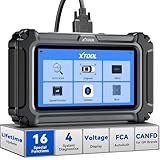
- Comprehensive OBD2 Scanner with 16 Resets: The XTOOL D5S car code reader and vehicle reset tool provides an advanced diagnostic solution with 16 commonly needed reset functions, including Electronic Parking Brake Reset (EPB Reset), SAS, BMS Reset (Battery Test), Throttle Body Relearn, TPMS Reset, ABS Bleeding, Injector Coding, Gearbox Match, Suspension Adjustment, Headlight, Window Initialization, Crank Sensor Relearn and more. Equipped with CAN FD Protocol and FAC AutoAuth, the D5S obd2 scanner diagnostic tool ensures compatibility with a broad range of modern vehicles, allowing users to address common maintenance needs quickly. NOTE: Please Check the Compatibility before ordering.
- 4 Main System Car Scanner & Full OBD2 Diagnostics: The XTOOL D5S car code reader is ideal for home mechanics, DIYers, and professionals, providing access to Transmission/Engine/ABS/SRS systems to read DTCs, Live data can be displayed in text or up to 4 PID data graphs, along with full OBD2 diagnostics to check the engine light on, other obd2 issues and routine maintenance. This car diagnostic scanner ensures you can keep your vehicles in top condition, avoiding costly repairs or unexpected breakdowns. NOTE: Some vehicles display three systems after connection because the transmission and engine of some vehicles are integrated into one.
- Check Engine Code Reader & Real-Time Engine Monitoring: Whether you're a car owner, a DIYer, or run a repair shop, the XTOOL D5S obd2 scanner diagnostic tool makes engine diagnostics fast and frustration-free, reading and explaining trouble codes in seconds—no confusion. Check live data like fuel trim, 02 sensor voltage, RPM, and coolant temp to pinpoint mis~fires, rough idle, or sensor issues. After repairs, simply use the D5S check engine code reader and reset tool to turn off the check engine light and confirm the problem’s fixed—saving time, money, and unnecessary shop visits. - Note: If the check engine light comes back on, it indicates the original problem still exists.
- Portable Car Scanner for ABS and SRS: XTOOL D5S gives you peace of mind when ABS or airbag warning lights come on. It reads and clears ABS codes to help you fix brake sensor, traction control, or wheel speed issues, and supports ABS bleeding after repairs like caliper or master cylinder replacement. For airbag systems, it scans and clears SRS codes related to airbags, seatbelt tensioners, and crash sensors. Whether you're doing repairs at home or running a small shop, the D5S is a cost-effective solution for safety diagnostics. Note: If a fault code returns after clearing, it usually means the issue hasn’t been fully resolved. Please check the compatibility before ordering.
- Transmission Warning Light ON? Here’s the Transmission Diagnostic and Reset Tool You Need: The XTOOL D5S is more than just a basic car scanner—it’s an easy-to-use transmission diagnostic tool. From rough shifts to slipping gears, the D5S lets you read and clear transmission trouble codes, monitor real-time TCM data, and perform transmission resets after fluid changes or repairs. Whether you’re a hands-on car owner or a pro running a busy shop, this OBD2 scanner with transmission functions helps you catch problems early—saving you time, money, and future headaches.. Note: Clearing fault codes is equivalent to a reset on some vehicles, but not all. For help, contact XTOOL Tech Support.

- Save $500+/Year with Pro-Level Diagnostics -No Subscriptions: The Portable XTOOL Anyscan A30D OBD2 scanner diagnostic tool includes free lifetime software updates for all app service functions, without extra cost. With a single payment, enjoy full access to diagnostics, relearn scan tools, and maintenance features. A cost-effective, smart choice for car owners and DIY enthusiasts, compatible with vehicles from 1996 onward. Please provide the car VIN and the special functions you need in advance so that we can confirm compatibility
- Bi-Directional Control for Faster Troubleshooting: Unlike a basic code reader, the A30D bi directional scan tool sends commands directly to your vehicle’s ECU to actively test components like fuel pump, valves, wipers, windows, doors, sunroof, and headlamps right from your smartphone. See component responses in real time without disassembly—perfect for brake jobs, electrical issues, and hard-to-find problems. This bidirectional obd2 scanner helps pinpoint faults faster, reduce guesswork, and avoid replacing good parts. An efficient, easy-to-use car scanner diagnostic tool built for DIYers, home garage users, and small-shop technicians who want real two-way scanner, not just codes
- 19 Reset Functions for Routine Maintenance: The A30D car diagnostic scanner provides 19 relearn functions without extra charges, including EPB Reset for parking brake replacement, TPMS Reset after tire changes, ABS Auto Bleeding, Oil Reset, SAS Reset, BMS Reset, Throttle Relearn, Injector C0ding, Gear Learning, Crank/Crankshaft/Cam/Ckp Sensor Relearn Tool, Transmission Match, Seat Calibration, Airbag Repair and more. This XTOOL A30D automotive scanner diagnostic tool supports preventive care, helping extend vehicle life and reduce costly shop visits. Functions vary by vehicle make and year—plz confirm compatibility before purchase
- Stable BT Connection & All-System & 8 Pids Live Data: The A30D wireless OBD2 scanner delivers a fast and stable wireless connection up to 33 feet, letting you move freely around the vehicle without tangled cables. Pair with with Android 9.0+ and iOS 10.0+ devices to turn your phone into a mobile auto scanner—perfect for home garages, driveways, or on-the-spot repairs. This full system scanner for cars provides real-time access to all major modules, including Engine, Gearbox, ABS, SRS, AC and more. with clear graphs, meters, and up to 8 PIDs displayed at once. This car code reader makes system monitoring visual, simple, easy to understand, and offering data logging for playback and deeper
- Wide Compatibility with CAN-FD & FCA Support: The A30D car computer diagnostic reader works with most 1996 and newer vehicles with a standard OBD2 port, including for Ford, for GM, for Toyota, for Honda, for Nissan,for Hyundai etc, with ongoing updates covering more car models and functions later. It also supports newer communication protocols like CAN-FD and FCA AutoAuth (Personal AutoAuth account and active subscription required, not included with the device!for Chrysler, for Dodge, for Jeep, for Fiat models). It is a future-ready automotive scanner diagnostic tool for households with multiple vehicles or part-time techs. Coverage vary by cars, plz check the compatibility first
Last update on 2026-06-23 / Affiliate links / Images from Amazon Product Advertising API
This product presentation was made with AAWP plugin.