
NHTSA ID Number: 11034271
Manufacturer Communication Number: 16-151-24R
TSB/Document Date: 2026-07-02
Summary
This bulletin provides guidance when diagnosing chain slip, judder, shudder, and hesitation concerns on the TR690 model CVT transmissions used in the models listed. (This is an revised version of the original bulletin.)
806535050
1*
806535050
806535060
806535060
806535070
806535070
806535090
806535090
1*
GASKET
803916010
1
GASKET
803916010
1
GASKET
803918060
1
GASKET
803918060
1
RING-SEAL

3
RING-SEAL
3
High Torque CVT-LV (As Needed)
High Torque CVT-LV (As Needed)
Model
Part Number
Quantity/Unit/Pack
ALL
High Torque CVTF-LV
SOA748V0300
5 Gallon Pail
SOA748V0310
16-Gallon Keg
Warranty Part #
SOA635312
Continued...
Bulletin Number: 16-151-24R; Revised: 06/04/26
Page 17 of 27
APPENDIX A (Section 6)
TR690 CVT Diagnosis Assistance Application
This application can assist in diagnosing various concerns, including but not limited to lock-up
judder, lock-up engagement shock, input clutch slip, chain slip, and forward clutch judder. However,
it does not have the capability to diagnose transfer clutch, noise, DTC related, or engine performance
concerns.
Key Information for Successful Testing:
•
The test drive should be performed with the ATF oil temperature above 50̊ F. Driving without
warming up the CVT fluid will result in incorrect results.
•
Using the Subaru Select Monitor (SSM), check- and record ALL TCM data PIDs.
Note: You must use the select monitor data monitor. Data collected using the “Gear Ratio
Change Rate Error Judgement” will not work with the application.
•
The data file must be longer than 1 min but cannot exceed 30 mins. If more than 30 minutes is
required to duplicate the concern, please begin a new data file recording.
WARNING: Do not use the application to verify repairs. The application is not a repair
verification tool and use of the application should be strictly limited to the initial diagnostic
process. Because of the application’s high sensitivity, using it after repairs have been completed
may produce inaccurate or misleading results. If the concern cannot be reproduced after
repairs, the repair is considered successful. If the customer concern persists after performing the
repair recommended by the diagnostic assistance application, Techline must be contacted before
moving forward with any additional parts replacement.
Step 1) Convert Project File to CSV After Recording SSM TCM Data
From the Project file:
•
Select the data file you want to review from the right-hand side under Individual Data List.
•
Ensure the data name matches the name listed in the Data Name field located in the upper
right-hand corner of the screen.
•
Press the CSV output button located below the individual data display in the lower right-hand
corner of the screen.
•
Do not change the file name, utilize the file name that was provided in the original recording.
Please save this file somewhere in which the data can be accessed later. The file name will be a 19
digit number and “Save as type:” field will say CSV file (*.csv)
Continued...
Bulletin Number: 16-151-24R; Revised: 06/04/26
Page 18 of 27
Step 2) Input Data
•
Login to Techshare and select the “Open VIN Session” button found in the upper right-hand
corner.
•
Input the last 8 of the VIN associated with the vehicle being worked on
•
Select the “CVT Diagnostic” button on the left-hand side.
(Note: If the CVT Diagnostic tab does not populate, the CVT diagnostic application is not
applicable to the vehicle currently being worked on.)
Continued...
Bulletin Number: 16-151-24R; Revised: 06/04/26
Page 19 of 27
•
Select the “Run Diagnostic” button.
•
Once the application has loaded, click to upload or drag and drop the CSV file from the
previous step, then enter the Repair Order Number and select the upload and run button.
•
Then select Submit. While the application is processing the data, the Diagnosed Symptoms
field will display a blue loading bar. The review can take several minutes based on how big the
file is. (The longer the recording, the more time it will take to review.)
Continued...
Bulletin Number: 16-151-24R; Revised: 06/04/26
Page 20 of 27
Step 3) Review Results
•
Once the application has finished, review the diagnostic results by selecting the file name, or
download a PDF copy of the report by clicking the download button on the right-hand side
under “Actions.”
After selecting the file name or downloading a copy of the report, you will be presented with the
results and repair recommendations.
•
The upper section will display the symptoms that occurred during the test drive.
•
The middle section will display the current repair recommendation based on the reported
symptoms.
•
The final section will display a graph view for each of the indicated symptoms the tool
identified. A vertical red band will indicate the area of focus where the symptom was identified.
The graphs can be manipulated for data review and can be saved as a picture file for easy
sharing.
Note: You can download a copy of the report directly from the CVT Diagnostic Report Screen by
selecting the download button in the upper right hand corner above Details.
Continued...
Bulletin Number: 16-151-24R; Revised: 06/04/26
Page 21 of 27
Diagnostic Application Results:
Diagnostic Results
Symptom
Symptom Description
Diagnostic Application Output
Lock-Up Judder
A juddering sensation during
acceleration from low speeds
to 50 mph, likely caused by
wear in the torque converter
lock-up clutch.
* Confirm if procedures listed below were previously
performed. If yes, contact Techline for additional diagnostic assistance.
* Verify and update to the latest TCM software. (If available)
* Replace the torque converter.
* Change the CVT Fluid.
* Always reference STIS for any applicable Technical Service
Bulletins and Service Manual procedures prior to performing repairs.
Shock after Lock-Up
A shock is felt after the torque
converter lock-up clutch
engages. (Lower speeds
between 0-40 mph)
* Confirm if procedures listed below were previously
performed. If yes, contact Techline for additional diagnostic assistance.
* Verify and update to the latest TCM software. (If available)
* Always reference STIS for any applicable Technical Service
Bulletins and Service Manual procedures prior to performing repairs.
Forward Clutch
Judder
A judder or engine RPM
increase is felt during light
acceleration from a stable
speed. This is caused by a
difference between
Secondary
Revolution Speed and Front
Wheel Speed due to a FWD
clutch speed variation.
* Confirm if procedures listed below were previously
performed. If yes, contact Techline for additional diagnostic assistance.
* Verify and update to the latest TCM software. (If available)
* Always reference STIS for any applicable Technical Service
Bulletins and Service Manual procedures prior to performing repairs.
Input Clutch Slip
Judder or engine RPM
increase felt during light
acceleration from a stable
speed, possibly due to the
input clutch.
* Confirm if procedures listed below were previously
performed. If yes, contact Techline for additional diagnostic assistance.
* Verify and update to the latest TCM software. (If available)
* Always reference STIS for any applicable Technical Service
Bulletins and Service Manual procedures prior to performing repairs.
Chain Slip
CVT chain slippage detected.
Data indicates fluctuations in
the actual gear ratio.
* Confirm if procedures listed below were previously
performed. If yes, contact Techline for additional diagnostic assistance.
* Verify and update to the latest TCM software. (If available)
* Replace CVT.
* Always reference STIS for any applicable Technical Service
Bulletins and Service Manual procedures prior to performing repairs.
* Always reference STIS for any applicable Technical Service
Bulletins and Service Manual procedures prior to performing repairs.
Shudder during
Deceleration
A jerk or judder sensation felt
from the powertrain during
braking with the
air conditioning on.
*Only 2022-24 Legacy/Outback
and 2023-24 Ascent are
applicable to the symptom.
* Confirm if procedures listed below were previously
performed. If yes, contact Techline for additional diagnostic assistance.
* Verify and update to the latest TCM software. (If available)
* Always reference STIS for any applicable Technical Service
Bulletins and Service Manual procedures prior to performing repairs.
Continued...
Bulletin Number: 16-151-24R; Revised: 06/04/26
Page 22 of 27
APPENDIX B:
(INFORMATIONAL PURPOSES ONLY)
CVT Chain Slip Diagnosis Procedure:
There are three main forms of CVT chain slip.
1. Continuous Micro-Slip
2. Short-Time Slip
3. Long-Time Slip
Using Subaru Select Monitor (SSM), check and record data monitors and compare to the three
examples listed below. If the recorded data from the vehicle matches the examples below, the CVT
will require replacement. The SSM data will be required for claim submission. A QMR containing the
same information will also be required.
1. Continuous Micro-Slip
Examples of the data monitoring during Continuous Micro-Slip:
Continued...
Bulletin Number: 16-151-24R; Revised: 06/04/26
Page 23 of 27
2.
Short-Time Slip
When a short-time slip occurs, the changes in the Actual Gear Ratio monitor will be larger than 0.1
per 0.1 second. After the Actual Gear Ratio monitor resumes to stable conditions, distinct fluctuations
in revolution speed continues.
Example Graph of Short Time Slip:
3.
Long-Time Slip
When a long-time slip occurs, the Primary UP Duty monitor will be larger than 90% and the Actual
Pulley Ratio monitor lowers for a duration of 0.5 seconds or more. Even after the Actual Gear Ratio
monitor resumes to stable conditions, distinct fluctuations in revolution speed continues.
Continued...
Bulletin Number: 16-151-24R; Revised: 06/04/26
Page 24 of 27
REFERENCE MATERIAL:
Symptoms Similar to CVT Chain Slip:
1. Forward Clutch Slip Shock
This shock can occur when the forward clutch slips. If this situation is reported, reprogram the TCM
with the newest software available.
The rotation speeds for the upstream and downstream sides of the forward clutch do not synchronize
when driving.
Example for
2.4L Turbo or 3.6L NA equipped vehicles
Upstream side of the forward clutchSecondary Rev Speed
Downstream side of the forward clutchFront Wheel Speed
Continued...
Bulletin Number: 16-151-24R; Revised: 06/04/26
Page 25 of 27
2. Lock Up Clutch Engagement Shock:
This shock can occur when the lock up engages rapidly. If this situation is reported, reprogram the
TCM with the newest software available.
3. Shift Up Shock:
This shock can occur when the CVT upshifts. If this situation is reported, reprogram the TCM with
new software if it is available. If there is no new software available or the reprograming does not
remedy the issue, report the situation to Techline.
Continued...
Bulletin Number: 16-151-24R; Revised: 06/04/26
Page 26 of 27
4. Primary Up Duty Square Control (Ascent Models up to 2021MY):
A harsh shift can be felt while driving. If this situation is reported, reprogram the TCM with new
software if it is available. If there is no new software available or the reprograming does not remedy
the issue, report the situation to Techline.
Bulletin Number: 16-151-24R; Revised: 06/04/26
Page 27 of 27

- CUTTING EDGE TECHNOLOGY - Shockproof technology designed to...
- QUIET SMOOTH SHIFTING - V-Twin Transmission oil dampens...
- IMPROVES PERFORMANCE - Transmission fluid that dramatically...
- POPULAR POWESPORTS OIL FOR - UTVs & Side by Sides, ATVs...
- WHY RED LINE - Established in 1979, Red Line Products...

- EXCELLENT - gear and synchro protection, balanced...
- ALSO USED WITH - manual transmissions and transaxles like...
- MOST VERSATILE ATF - use where Dexron III, Dexron II, Mercon...
- POPULAR TRANSMISSION FLUID FOR - Toyota Type T-III and T-IV...
- WHY RED LINE - Established in 1979, Red Line Products...

If the PDF is very large, it may not load in the preview below.
Some older TSBs had multiple PDFs — visit the NHTSA Website to view all PDFs.
If the TSB PDF does not show, download or view it on the NHTSA Website.
Click on the (+) Plus Sign
Then Click on Associated Document(s)
Search NHTSA Database for Recalls
Search NHTSA Database for Vehicle Investigations
View Latest Vehicle Investigations
Search NHTSA Database for Vehicle Complaints
View Latest Vehicle Complaints
TSB/Document ID: 16-151-24R
Replacement Service Bulletin Number:
MFR Communication Date: 2026-06-05
MFR Internal Campaign ID/Software Version:
Communication Type: Service Bulletin/Repair Instructions
NHTSA Components: POWER TRAIN
MFR Component System:
MFR Component Subsystem:
Previous TSB | Next TSB |
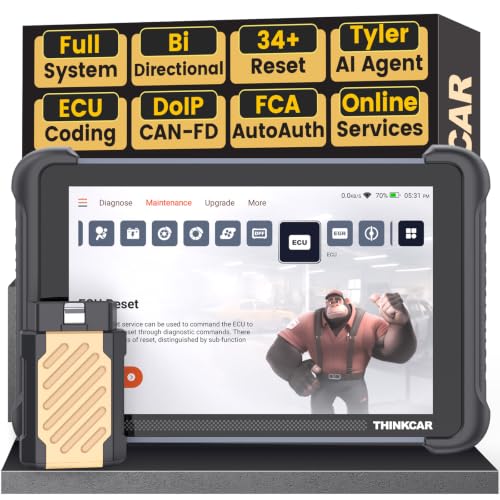
- [Notice] When you receive a used device, it may be a customer return resold by Amazon without inspection. You can exchange it for a new one through Amazon. As this situation is unavoidable, we sincerely apologize. For any issues, contacting us via Amazon's "Messages" is the best way. THINKSCAN 689BT Bidirectional Scan Tool Can Be Used Immediately After It is Turned On, Without Complicated Registration Process, Which is More Convenient & Quick.
- AI-Assisted Diagnosis Upgrade:Connect your THINKSCAN 689BT diagnostic scanner to WiFi and free-upgrade the software to unlock Tyler AI Agent. Get step-by-step diagnostic guidance, illustrated guides, and smart parts recommendations. One tap jumps to Amazon for real-time pricing. Boost efficiency up to 300% and finish jobs faster. Upgrade your shop today.
- Full Bi-Directional Control & 3000+ Active Tests: Take control and test components like actuators, fuel injectors, relays, and cooling fans in real time. You’ll quickly see if the problem is in the part itself or the control module — saving you hours of guesswork and frustrating trial-and-error.
- Advanced ECU Coding Capabilities: Handle module matching and hidden feature activation with confidence. When you replace an ECU or want to customize settings, this obd2 scanner diagnostic bi directional tool gives you the professional-level capabilities you need without the dealership price tag.
- 34+ Useful Reset and Maintenance Functions: Complete everyday service tasks smoothly with a wide range of helpful reset and maintenance functions. Whether you’re keeping up with regular upkeep or tackling a specific job, this car scanner diagnostic tool makes maintenance simpler and less stressful for both DIYers and pros.

- Top Reasons to Choose the D7S OBD2 Scanner: XTOOL D7S car scan tool, an upgrade of XTOOL D7, offers comprehensive features for automotive technicians, workshops, and DIY enthusiasts 1. Upgraded Hardware: 2+64GB memory, rear camera, intuitive interface, foldable bracket 2. Complete Diagnostics: FCA
 Autoauth, OE-level all system scan, 39+ maintenance services, 4K+ bidirectional, CANFD/DoIP protocol 3. Advanced Capabilities: ECU coding, PMI functions 4. Wide Compatibility: Support 10,000+ models, covering 99% vehicle brands 5. Multi-language: Available in 22+ languages, No IP Restrictions 6. 3-Year Updates: Save 300 bucks on software updates for the latest features and optimizations
 - 2026 Upgraded D7S Car Scanner Features: The newly 2026 D7S V2.0 scanner for car brings exciting features for advanced vehicle diagnostics and enhanced user experience 1. FCA AutoAuth: Now supports FCA SGW module for Chrysler, for Jeep, for Dodge (2018+), for Fiat (2017+), enabling faster vehicle communication without gateway restrictions 2. PMI (Offline ECU Programming): Allows for Ford, for Lincoln, and for Mazda ECU programming for new modules 3. Optimized Diagnostic Report 2.0: Personalized reports with logos and customer info for auto shops. Note: Compatibility varies by cars, please check before order
- Cost-effective ECU Coding Scan Tool for Specific Brands: Enhance your vehicle's performance with XTOOL D7S! This obd2 scanner all systems bidirectional offers advanced capabilities at an affordable price, supports online for BMW, for Benz and offline for BENZ, for MIT, along with PMI functions for Ford, for Mazda, and for Lincoln. Ideal for technicians and DIY enthusiasts, this automotive scanner diagnostic tool optimizes vehicle performance and enhances the driving experience. Note: Not for all cars and modules, please send car VIN to check the compatibility before purchase
- OE All System Diagnostic & 8 Pids Graphing: XTOOL D7S is a comprehensive all system bi directional obd2 scanner that delivers dealer-level diagnostics, completely controlling over your vehicle’s performance and health. This automotive scan tool can read and clear DTCs, view live data and ECU information, retrieve freeze frames, and perform active tests and full obd2 functions. This bi-directional scan tool can can identify your vehicle's make, model, and year information with just one click and show up to 8 PIDs live data with options for CSV viewing, playback, and recording for in-depth analysis. It is easy-to-use for both professionals and beginners, helping pinpoint issues efficiently
- 3 Years Software Update, Value for Money: With 3 years of software updates and 22+ languages(no IP restrictions), XTOOL D7S auto scanner code scanner ensures ongoing compatibility for the latest car models and improved diagnostic functions. This all system vehicle diagnostic scanner comes with a 30-day return policy and a 24-month repair for dependable performance. XTOOL are dedicated to your satisfaction, so enjoy seamless support and lifetime expert assistance. Should you encounter any issues or concerns, don’t hesitate to reach out XTOOL. D7S with newest update with 22 languages freely transfer without authorization, check details from setting-language or from XTOOL

- 🔥 Historical lowest pr-ice now on sa-le--hot se-lling.
- 【🎈𝗜𝗙𝟳𝟰𝟱 𝗽𝗲𝗿𝗳𝗼𝗿𝗺𝘀 𝟲 𝗲𝘀𝘀𝗲𝗻𝘁𝗶𝗮𝗹 𝗿𝗲𝘀𝗲𝘁 𝗳𝘂𝗻𝗰𝘁𝗶𝗼𝗻𝘀—𝗔𝗕𝗦 𝗕𝗹𝗲𝗲𝗱𝗶𝗻𝗴, 𝗢𝗶𝗹 𝗥𝗲𝘀𝗲𝘁, 𝗘𝗣𝗕, 𝗦𝗔𝗦, 𝗧𝗵𝗿𝗼𝘁𝘁𝗹𝗲 𝗥𝗲𝗹𝗲𝗮𝗿𝗻, 𝗮𝗻𝗱 𝗕𝗠𝗦—𝗽𝘂𝘁𝘁𝗶𝗻𝗴 𝗽𝗿𝗼𝗳𝗲𝘀𝘀𝗶𝗼𝗻𝗮𝗹-𝗴𝗿𝗮𝗱𝗲 𝗺𝗮𝗶𝗻𝘁𝗲𝗻𝗮𝗻𝗰𝗲 𝗯𝗮𝗰𝗸 𝗶𝗻 𝘆𝗼𝘂𝗿 𝗵𝗮𝗻𝗱𝘀.】Spongy brakes? Stuck oil light? Parking brake won't release? Off-center steering? Rough idle after battery disconnect? Draining battery? IF745 handles all with a few taps. One tool covers six dealer-level resets, saving hundreds in labor costs. ❗ NOTE: Does NOT support bidirectional control, coding, or programming.
- 【✨ 𝗜𝗙𝟳𝟰𝟱 𝗴𝗼𝗲𝘀 𝗯𝗲𝘆𝗼𝗻𝗱 𝗯𝗮𝘀𝗶𝗰 𝗰𝗼𝗱𝗲 𝗿𝗲𝗮𝗱𝗶𝗻𝗴 𝘄𝗶𝘁𝗵 𝟭𝟬 𝗶𝗻𝘁𝗲𝗴𝗿𝗮𝘁𝗲𝗱 𝗳𝘂𝗻𝗰𝘁𝗶𝗼𝗻𝘀—𝗗𝗧𝗖 𝗟𝗼𝗼𝗸𝘂𝗽, 𝗜/𝗠 𝗥𝗲𝗮𝗱𝗶𝗻𝗲𝘀𝘀, 𝗙𝗿𝗲𝗲𝘇𝗲 𝗙𝗿𝗮𝗺𝗲, 𝗟𝗶𝘃𝗲 𝗗𝗮𝘁𝗮, 𝗢𝟮𝗦, 𝗢𝗕𝗠, 𝗘𝗩𝗔𝗣, 𝗮𝗻𝗱 𝗺𝗼𝗿𝗲. 】Pulling a code tells you something is wrong. IF745 tells you what the code means, when the fault happened, and what data surrounds it. Pass emissions with one I/M Readiness tap. Freeze the fault moment with Freeze Frame. Monitor live sensor data in real time. Turn cryptic codes into clear answers.
- 【🛒 𝗜𝗙𝟳𝟰𝟱 𝗽𝗲𝗿𝗳𝗼𝗿𝗺𝘀 𝗳𝘂𝗹𝗹-𝘀𝘆𝘀𝘁𝗲𝗺 𝗱𝗶𝗮𝗴𝗻𝗼𝘀𝘁𝗶𝗰𝘀 𝗮𝗰𝗿𝗼𝘀𝘀 𝗮𝗹𝗹 𝗺𝗼𝗱𝘂𝗹𝗲𝘀—𝗲𝗻𝗴𝗶𝗻𝗲, 𝗔𝗕𝗦, 𝗮𝗶𝗿𝗯𝗮𝗴, 𝘁𝗿𝗮𝗻𝘀𝗺𝗶𝘀𝘀𝗶𝗼𝗻, 𝘀𝘁𝗲𝗲𝗿𝗶𝗻𝗴, 𝘀𝘂𝘀𝗽𝗲𝗻𝘀𝗶𝗼𝗻, 𝗯𝗼𝗱𝘆 𝗲𝗹𝗲𝗰𝘁𝗿𝗼𝗻𝗶𝗰𝘀, 𝗮𝗻𝗱 𝗺𝗼𝗿𝗲. 】Warning lights on but you don't know why? Skip the $100+ diagnostic fee at the shop. Run a complete self-check from your driveway. IF745 reads and clears fault codes, retrieves ECU info, and displays live data from every accessible module—delivering a full vehicle health report in minutes, without leaving home.
- 【✅𝗜𝗙𝟳𝟰𝟱 𝗳𝗲𝗮𝘁𝘂𝗿𝗲𝘀 𝗮 𝟳-𝗶𝗻𝗰𝗵 𝗱𝗶𝘀𝗽𝗹𝗮𝘆, 𝗲𝗿𝗴𝗼𝗻𝗼𝗺𝗶𝗰 𝗱𝗲𝘀𝗶𝗴𝗻, 𝗪𝗶-𝗙𝗶 𝘂𝗽𝗱𝗮𝘁𝗲𝘀, 𝗮𝗻𝗱 𝘇𝗲𝗿𝗼 𝘀𝘂𝗯𝘀𝗰𝗿𝗶𝗽𝘁𝗶𝗼𝗻 𝗳𝗲𝗲𝘀 𝗳𝗼𝗿 𝗵𝗮𝘀𝘀𝗹𝗲-𝗳𝗿𝗲𝗲 𝗱𝗶𝗮𝗴𝗻𝗼𝘀𝘁𝗶𝗰𝘀.】Large screen means no squinting. Intuitive navigation and customizable data displays put key info at your fingertips. Wi-Fi delivers lifetime free updates without a computer. No recurring fees. No hidden costs. Just a reliable tool that works as hard as you do.
This product presentation was made with AAWP plugin.