
NHTSA ID Number: 11030104
Manufacturer Communication Number: MAS005057 DS 26-02
TSB/Document Date: 2026-03-18
Summary
Grecale GranTurismo and GranCabrio 12 Volt Battery Best Practices. This Technical bulletin serves as a guide and provides additional diagnostic info on the 12V Battery as well as new updated warranty policies and exceptions.
Diagnostic Sheet
FROM: Maserati TSO
TO: Maserati Network
Grecale GranTurismo and GranCabrio 12 Volt
Battery Best Practices
IMPORTANT NOTICE This bulletin supersedes MAS004769_A DS 25-29 released on August 5, 2025. It
contains updated information, please ensure all previous versions are discarded.
DATE: March 17, 2026
This Technical bulletin serves as a guide and provides additional diagnostic info on the 12V Battery
as well as new updated warranty policies and exceptions.
MODELS AFFECTED: Grecale M182 (All MY), GranTurismo/GranCabrio M189 (All MY) (internal
combustion engine and Folgore BEV vehicles)
SECTION: 08.20-1 Energy generation and accumulation.
Diagnostic procedures for a “Dead Battery” concern
Please refer to “MAS004655 MCL 25-21 Battery Policy for “E-XTEQ” Maximus charger
tester” for details and best practices on how to properly test the 12V battery. Then
proceed with the instructions outlined in this bulletin.
© 2026 Maserati Americas.
Aftersales
www.maseratiusa.com
MAS005057
All rights reserved. Reproduction or translation in
whole or in part is not permitted without
authorization from the publisher. Printed in USA
Page 1 of 7
TECHNICAL SERVICE OPERATIONS
MAS005057 DS 26-02
1. A BOL is NOT mandatory: But it is mandatory to attach the following documents to the Warranty Claim:
Attach a complete vehicle scan report (in pdf format), including DTCs and Parameters analyzed at vehicle
entry. Provide the Battery Test report (in PDF format) performed at vehicle entry, indicating that the battery
needs to be replaced and including the vehicle's VIN.
2. Mandatory → check for any aftermarket devices (e.g., GPS tracker, alarm). If a device is found, open a BOL
and include the brand/model, photos, and installation details. All documentation must be attached to the
BOL. Claims cannot be processed without a completed BOL report.
3. Check the battery part number (PN) and attach a picture of the label on the upper cover. In addition, it is
mandatory to provide a detailed description of the customer concern in the NOTE field of the claim.
4. BOL report should be opened as a "Support Request" ONLY in the following cases:
- Difficulty in diagnosis (after 2hrs spent).
- If an aftermarket device is found installed on the vehicle.
- In case of repeated visits for the same concern.
- If an excessive Parasitic Draw is found (At any point in time).
NOTE: Refer to the attached PARASITIC DRAW TEST (Attachments: PAGE 7) for detailed
instructions and to record the results.
NOTE: Only in case of battery replacement, it is mandatory to perform a SW update for the following modules: RFHM,
BCM and SLML/SLMR. The SW update of the modules must be done consecutively. The operation code to be used for
this SW update is: 9.99.000.B (0.40 h).
Warranty Reimbursement Request up to MY24
**Always check warranty coverage in the White Book before submitting a battery replacement or
recharge claim.**
Complete the warranty request as follows:
Description
Code
Warranty code
16
Defect code
122
Component Code
8.20.001
Spare Parts
Please, check the correct battery Part Number in Tech Doc
Operation Code*
▪
Battery test
0.20.046.0 (0.15 h)
▪
Battery replacement
o
Grecale ICE/MHEV
8.20.001.0 (0.15 h)
o
GT and GC ICE
8.20.001.1 (0.10 h)
▪
OBD/EOBD check
0.20.013.0 (0.20 h)
▪
SW update
9.99.000.B (0.40 h)
* For battery charging only (not replacement), the operation codes to be used are:
•
0.20.046.0 (BATTERY TEST)
•
0.20.013.0 (OBD/EOBD check)
• 0.10 of Straight Time for charging.
In this case, it is mandatory to attach a second battery test report to the claim to verify the charging.
NOTE: Maserati reserves the right to modify or cancel claims that do not meet the criteria outlined in this
communication and, if necessary, to correct and adjust them based on market averages.
© 2026 Maserati Americas.
Aftersales
www.maseratiusa.com
MAS005057
All rights reserved. Reproduction or translation in
whole or in part is not permitted without
authorization from the publisher. Printed in USA
Page 2 of 7
TECHNICAL SERVICE OPERATIONS
Up to MY24 vehicles:
1. A BOL is MANDATORY: Submit a BOL and complete the MANDATORY → CUSTOMER USAGE AND ROAD
ASSISTANCE INFORMATION QUESTIONNAIRE and the DIAGNOSTIC CHECKLIST (Attachments: PAGES 4-6)
and attach it to the Blue Online (BOL). If a parasitic draw is suspected, then perform the parasitic draw checklist
on the last page of this bulletin and attach results to the BOL as well.
2. Check (ModisCS+ → Service Entry → Campaign Tab) to see if the vehicle is involved in the following
Rapid Updates :
- For Grecale: MAS004696 Rapid Update (RU) #735 – Electric Absorption Improvement
- For GranTurismo/GranCabrio: MAS004778 Rapid Update (RU) #791 – Battery Draw Improvement
3. If the vehicle is involved in RU 735 (Grecale) or RU 791 (GranTurismo/GranCabrio) but the SW
update is not yet performed: Follow the instructions per the Rapid Update that apply to the vehicle.
Open a Blue On Line ticket as “Factory Information” and attach all required documentation from Step 6.
4. If the vehicle is NOT involved in RU 735 (Grecale) or RU 791 (GranTurismo/GranCabrio):
Open a Blue On Line ticket under “Factory Information”, attach all required documentation from
Step 6, and wait for BOL instructions before updating the following modules:
• RFHM
• BCM
• SLML/SLMR
Use operation code 9.99.000.B (0.40 h).
5. If the vehicle has already received RU 735 or RU 791, or already has the latest software
version for RFHM, BCM, and SLML/SLMR:
- Open a Blue On Line case under “Support Request” for further analysis, attach all required
documentation from Step 6.
6. All BOL submissions must include the following attachments:
•
All completed checklists per step 1.
•
All battery tests performed (Must attach printouts).
•
A complete Vehicle Scan Report before and after the software updates.
Please make sure that all requested info is attached to the BOL to avoid possible further review or
warranty rejection. For details see bulletin MAS004908_A PNP 25-07 Warranty Claim Attachment
Requirements (Or Newer).
Warranty Reimbursement Request from MY25
Only the operations listed in this publication are eligible for warranty approval. Any additional operation
requests will be rejected.
Description
Component Code
Operation Code
© 2026 Maserati Americas.
Aftersales
www.maseratiusa.com
MAS005057
Code
8.20.001
8.20.001.D (1.8 h)
All rights reserved. Reproduction or translation in
whole or in part is not permitted without
authorization from the publisher. Printed in USA
Page 3 of 7
TECHNICAL SERVICE OPERATIONS
MY25 and newer vehicles:
OPERATIONS
TECHNICAL SERVICE OPERATIONS
ATTACHMENTS – 12 VOLT BATTERY DIAGNOSTIC CHECKLISTS
CUSTOMER USAGE AND ROAD ASSISTANCE INFORMATION QUESTIONNAIRE
(Checklist to be filled out by dealer if customer experienced a “Dead Battery” event)
ROAD ASSISTANCE INFORMATION
Was the vehicle Jump Started?
Battery cables attached to the battery posts loose?
YES
NO
YES
NO
QUESTIONNAIRE FOR THE CUSTOMER
Where was the vehicle Parked at the time of battery discharge?
Vehicle doors closed/locked?
YES
NO
Did the vehicle open using the Key FOB?
YES
NO
YES
NO
YES
NO
Has the customer noticed that the digital clock, comfort display, or backlighting of the
instrument cluster comes on when the car is closed?
Did the customer notice any malfunctions when the battery was discharged?
(e.g., Malfunction warning indicators lights or messages in the cluster)
If yes, which ones
(Describe in detail)
Check with the customer whether Customer Feedback:
the car may have erroneously been
left with the ignition ON (Refer to
MAS003511)
Vehicle recently been moved, or has been parked for an
extended period of days?
If YES, how many Days/Hours
NO
How many miles per day does the customer travel on average?
Miles
City
City & Highway
Highway
Type of route used most
frequently (insert flag)
Does the customer usually use the radio at KEY OFF?
After KEY OFF, does the customer leave electrical devices connected (USB or 12V devices)?
YES
YES
NO
NO
Were the key FOBs left in the vehicle?
How far away from the vehicle were the key FOBs outside the vehicle?
YES
NO
GPS tracker or other aftermarket KIT installed on the car?
YES
If YES, which ones
(Describe in detail)
FT
NO
If yes, which ones
(Describe in detail)
Was the car left with the parking lights on?
YES
NO
Connected Services Subscription Activated?
YES
NO
Has the customer noticed the engine cooling fan turning ON with the engine OFF?
YES
NO
Was the vehicle washed or exposed to rain before the discharge event?
YES
NO
What features or APPs of the radio did the customer use before the discharge event?
© 2026 Maserati Americas.
Aftersales
www.maseratiusa.com
MAS005057
All rights reserved. Reproduction or translation in
whole or in part is not permitted without
authorization from the publisher. Printed in USA
Page 4 of 7
%
What was the High Voltage Battery charge status?
Has the HV battery been recharged recently or just before the 12V Battery discharge event?
YES
NO
AC
DC
YES
NO
How was the high-voltage battery charged?
The front hood was closed during the High Voltage recharge?
© 2026 Maserati Americas.
Aftersales
www.maseratiusa.com
MAS005057
All rights reserved. Reproduction or translation in
whole or in part is not permitted without
authorization from the publisher. Printed in USA
Page 5 of 7
TECHNICAL SERVICE OPERATIONS
(CUSTOMER QUESTIONNAIRE CONTINUED) FOLGORE (BEV) ONLY RELATED QUESTIONS
To be performed ONLY after the vehicle has been sold and or AFTER PDI has been performed and the vehicle
stored for a long time.
ATTENTION! DO NOT DISCONNECT BATTERY CABLES OR IBS (until completion of the checklist)
The disconnection of the battery on connected (Active Maserati Connected Service) vehicles generates the
activation of the "STOLEN” mode by the TBM with a parasitic draw of approximately 150 mA for 8 hours after
the battery has been re-connected
Provide the 12V battery value recorded during PDI (attach the PDI checklist)
Volts
Provide an E-XTEQ Battery test printout performed at vehicle entry.
If the car is in PDI, indicate how many days it has been in stock and how often the battery check and recharge
procedure has been performed. Attach CHECKLIST FOR LONG-TERM OPERATIONS (not for Folgore)
Check the status of the following Rapid update actions upon entry of the vehicle:
(Circle “N/A” if the RU does not apply to the VIN)
Rapid Update 735
N/A
Done
Not Done
Rapid Update 791
N/A
Done
Not Done
Check for the presence/ installation of any aftermarket devices (GPS
tracker, alarm). If present, indicate brand/model and attach pictures
of the device and related installation
Brand/model:
Check the Battery production date attaching a picture of the hot
printed code on the upper cover
Code:
Check battery PN and attach a picture of the label on the upper cover
PN:
Did the Flat battery event occur while in Logistic Mode or Customer
Mode?
YES
NO
Logistic Mode
YES
NO
Battery post terminals free of corrosion or mechanical anomalies?
YES
NO
Is the battery post terminal secure and not loose?
YES
NO
Are SW updates available?
YES
NO
Check the position of the external lights selector (auto, manual) and if the lights stay ON.
YES
NO
YES
NO
Customer Mode
Check for SW updates previously performed on the car. Updated ECUs:
Check the radio power off delay, indicating in minutes (3,6, or 12min selectable in the MIA
min
MANDATORY: Attach a complete vehicle scan (DTC and Parameter) report of ALL modules
If the outcome of the battery test indicates that the battery needs to be re-charged, carry out a complete
charging cycle. Attach a picture of the battery charger display at the beginning and end of charging, including
the final printout.
If the car is in PDI, indicate how many days it has been in stock and how often the battery check and recharge
procedure has been performed. Attach CHECKLIST FOR LONG-TERM OPERATIONS last page of MAS004488 MCL
25-15 MGNT And MAINT Of In-stock Vehicles
© 2026 Maserati Americas.
Aftersales
www.maseratiusa.com
MAS005057
All rights reserved. Reproduction or translation in
whole or in part is not permitted without
authorization from the publisher. Printed in USA
Page 6 of 7
TECHNICAL SERVICE OPERATIONS
DIAGNOSTIC CHECKLIST
PARASITIC DRAW TEST
ATTENTION! The disconnection of the battery on connected (Active Maserati Connected Service) vehicles
Activates the “STOLEN” mode by the TBM with a parasitic draw of approximately 150 mA for 8 hours after the
battery has been re-connected. To prevent this, follow the procedure below.
12V Battery Preconditions:
If the outcome of the battery test indicates that the battery needs to be re‐charged, carry out a complete
charging cycle. Attach a picture of the battery charger display at the beginning and end of charging.
(If possible, also add a picture after 3 hours of charging)
(In case of usage of no smart charger, the re-charging will have to last at least 8 hours)
Parasitic Draw Preconditions:
1)
2)
3)
4)
5)
6)
7)
12V Battery adequately charged (12.5V or above)
All doors closed the exception of the rear trunk/Tailgate
Interior and exterior lights must be OFF
All Keys out of detection range (more than 16 FT)
The rear Trunk opened, and the latch manually closed
No electronic device connected to USB ports or OBD connector
Lock the car by the key fob and remove it from the detection range
(more than 16 FT)
8) Wait at least 10 minutes (Vehicle Sleep Mode)
9) Use a digital multimeter and connect leads to the negative battery
post and a clean chassis ground.
10) Disconnect the quick connector of the negative battery cable while
keeping both the multimeter leads connected to the negative
battery post and chassis ground.
© 2026 Maserati Americas.
Aftersales
www.maseratiusa.com
MAS005057
Record the results every 30 min up
to 90 minutes below:
1) 30 min_______mA
2) 60 min_______mA
3) 90 min_______mA
All rights reserved. Reproduction or translation in
whole or in part is not permitted without
authorization from the publisher. Printed in USA
Page 7 of 7
TECHNICAL SERVICE OPERATIONS
IMPORTANT: the disconnection of the battery on connected (Active Maserati Connected Service)
vehicles generates the activation of the "STOLEN” mode by the TBM with a parasitic draw of
approximately 150 mA for 8 hours after the battery has been re-connected. It is important to prevent
this from occurring when performing a parasitic draw test. Because of this, we suggest that you follow the
procedure below when diagnosing a vehicle with a suspected excessive parasitic draw:
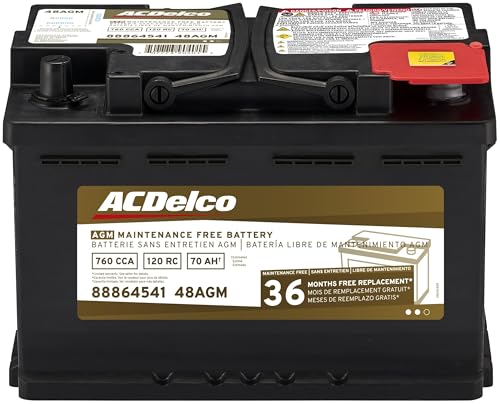
- High density negative paste, improves performance and...
- Enhanced life alloy or Silver Calcium stamped alloy...
- Calcium lead positive grid, maximizes conductivity and...
- Robust envelope separator with puncture resistant back...
- Vent cap design that resists acid leakage

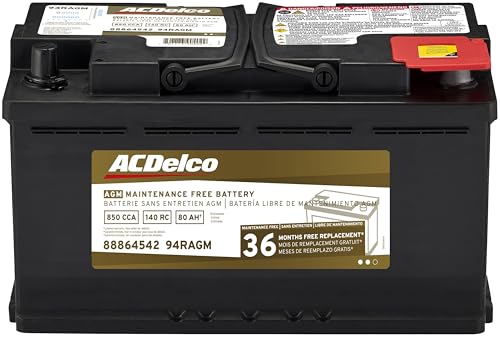
- High density negative paste, improves performance and...
- Enhanced life alloy or Silver Calcium stamped alloy...
- Calcium Lead positive grid, maximizes conductivity and...
- Robust Envelope Separator with puncture-resistant back...
- Vent cap design that resists acid leakage
If the PDF is very large, it may not load in the preview below.
Some older TSBs had multiple PDFs — visit the NHTSA Website to view all PDFs.
If the TSB PDF does not show, download or view it on the NHTSA Website.
Click on the (+) Plus Sign
Then Click on Associated Document(s)
Search NHTSA Database for Recalls
Search NHTSA Database for Vehicle Investigations
View Latest Vehicle Investigations
Search NHTSA Database for Vehicle Complaints
View Latest Vehicle Complaints
TSB/Document ID: MAS005057 DS 26-02
Replacement Service Bulletin Number:
MFR Communication Date: 2026-03-17
MFR Internal Campaign ID/Software Version:
Communication Type: Other
NHTSA Components: ELECTRICAL SYSTEM
MFR Component System:
MFR Component Subsystem:
Previous TSB | Next TSB |

- [Notice] When you receive a used device, it may be a customer return resold by Amazon without inspection. You can exchange it for a new one through Amazon. As this situation is unavoidable, we sincerely apologize. For any issues, contacting us via Amazon's "Messages" is the best way. THINKSCAN 689BT Bidirectional Scan Tool Can Be Used Immediately After It is Turned On, Without Complicated Registration Process, Which is More Convenient & Quick.
- Full Bi-Directional Control & 3000+ Active Tests: Take control and test components like actuators, fuel injectors, relays, and cooling fans in real time. You’ll quickly see if the problem is in the part itself or the control module — saving you hours of guesswork and frustrating trial-and-error.
- Advanced ECU Coding Capabilities: Handle module matching and hidden feature activation with confidence. When you replace an ECU or want to customize settings, this obd2 scanner diagnostic bi directional tool gives you the professional-level capabilities you need without the dealership price tag.
- 34+ Useful Reset and Maintenance Functions: Complete everyday service tasks smoothly with a wide range of helpful reset and maintenance functions. Whether you’re keeping up with regular upkeep or tackling a specific job, this scanner makes maintenance simpler and less stressful for both DIYers and pros.
- Comprehensive Full System Diagnostics: Diagnose every major system — Engine, Transmission, ABS, SRS, TPMS, and more — all in one place. Finally stop wondering if you’re missing something important; get the full picture and clear codes with ease.

- Top Reasons to Choose the D7S OBD2 Scanner: XTOOL D7S car scan tool, an upgrade of XTOOL D7, offers comprehensive features for automotive technicians, workshops, and DIY enthusiasts 1. Upgraded Hardware: 2+64GB memory, rear camera, intuitive interface, foldable bracket 2. Complete Diagnostics: FCA
 Autoauth, OE-level all system scan, 39+ maintenance services, 4K+ bidirectional, CANFD/DoIP protocol 3. Advanced Capabilities: ECU c0ding, PMI functions 4. Wide Compatibility: Support 10,000+ models, covering 99% vehicle brands 5. Multi-language: Available in 22+ languages, No IP Restrictions 6. 3-Year Updates: Save 300 bucks on software updates for the latest features and optimizations
 - 2026 Upgraded D7S Car Scanner Features: The newly 2026 D7S V2.0 scanner for car brings exciting features for advanced vehicle diagnostics and enhanced user experience 1. FCA AutoAuth: Now supports FCA SGW module for Chrysler, for Jeep, for Dodge (2018+), for Fiat (2017+), enabling faster vehicle communication without gateway restrictions 2. PMI (Offline ECU Pr0gramming): Allows for Ford, for Lincoln, and for Mazda ECU pr0gramming for new modules 3. Optimized Diagnostic Report 2.0: Personalized reports with logos and customer info for auto shops. Note: Compatibility varies by cars, please check before order
- 39+ Services/Resets/Adaptations/Relearns/Calibrations: XTOOL D7S full system car scanner diagnostic tool tackles 99% of common car issues through its 36+ special functions, including Oil Reset, EPB, SAS, BMS, Throttle Reset, Injector C0ding, ABS Bleed, TPMS Reset, Power Balance, etc and also covers specific-vehicle functions like Crank Sensor Relearn, ABS Initialization, Cylinder Power Balance, Fuel Trim Reset, Idle Relearn etc. This car diagnostic scanner enhances efficiency, making repairs and maintenance hassle-free. Tip: DO NOT for All vehicles, please check compatibility first
- Cost-effective ECU C0ding Scan Tool for Specific Brands: Enhance your vehicle's performance with XTOOL D7S! This obd2 scanner all systems bidirectional offers advanced capabilities at an affordable price, supports online for BMW, for Benz and offline for BENZ, for MIT, along with PMI functions for Ford, for Mazda, and for Lincoln. Ideal for technicians and DIY enthusiasts, this automotive scanner diagnostic tool optimizes vehicle performance and enhances the driving experience. Note: Not for all cars and modules, please send car VIN to check the compatibility before purchase
- OE All System Diagnostic & 8 Pids Graphing: XTOOL D7S is a comprehensive all system bi directional obd2 scanner that delivers dealer-level diagnostics, completely controlling over your vehicle’s performance and health. This automotive scan tool can read and clear DTCs, view live data and ECU information, retrieve freeze frames, and perform active tests and full obd2 functions. This bi-directional scan tool can can identify your vehicle's make, model, and year information with just one click and show up to 8 PIDs live data with options for CSV viewing, playback, and recording for in-depth analysis. It is easy-to-use for both professionals and beginners, helping pinpoint issues efficiently

- 【✅Compared to BOSSCOMM IF742, IF745 Offers Full-System Diagnostics】The BOSSCOMM IF745 car diagnostic scanner is an upgraded model of IF742. In addition to supporting all OBD2 Code Reader functions and 6 reset options (ABS/EPB/SAS/BMS/Oil/Throttle), it expands diagnostics from 4 systems (Check Engine/ABS/SRS/Transmission) to vehicle All systems, including Steering, Suspension, and Body Electronics. This provides deeper, more comprehensive diagnostic capabilities.
- 【✨10 OBD2 Functions】The BOSSCOMM IF745 scan tool’s DTC Lookup instantly translates fault codes into user-friendly explanations, its I/M Readiness feature streamlines emissions testing with a single tap, and Freeze Frame lets you pinpoint the exact moment of a fault for in-depth root-cause diagnosis. Combined with a live data dashboard and advanced diagnostics (O2S, OBMon, EVAP), it delivers comprehensive insights for confident troubleshooting.
- 【✨Deep Diagnostics for All Vehicle System Modules】Beyond code reading/clearing and ECU information retrieval, our all-in-one data stream feature lets you inspect all current fault codes and their locations across the vehicle’s systems. This vehicle code reader helps you turn off dashboard warning lights and perform a comprehensive self-check of your car at home—no more back-and-forth trips to the repair shop or hefty inspection fees.
- 【✨6 Essential Resets: ABS Bleeding, Oil, EPB, SAS, Throttle, BMS】The BOSSCOMM IF745 obd2 scanner diagnostic tool swiftly purges air from brake lines to restore braking sensitivity, fine-tunes maintenance cycles to eliminate false alerts, resolves parking brake issues with one-click control, recalibrates steering sensors for stability, optimizes engine idling/acceleration for smoother performance, and deeply resets battery systems to extend lifespan and range via precise parameter adjustments.❗NOTE: Does NOT support bidirectional control, coding, or programming.
- 【✨10,000+ Car Models, AutoVIN, 13 Languages】The BOSSCOMM IF745 vehicle scanner diagnostic tool covers 73+ global car brands and offers support in 13 languages, making it perfect for DIYers, auto mechanics, or as a thoughtful gift. With a single-click AutoVIN feature, it instantly retrieves vehicle serial numbers, streamlining diagnostics for users globally. This adaptable tool balances user-friendliness with precision, catering to both personal and professional requirements.✅Unsure about compatibility? Compatibility will vary on vehicles' model and year, pls reach us via 📧 [email protected] 📧 before purchase.
This product presentation was made with AAWP plugin.