
NHTSA ID Number: 11029328
Manufacturer Communication Number: WRD-25R
TSB/Document Date: 2026-03-03
Summary
Subaru of America, Inc. (Subaru) has initiated a safety recall for certain 2023-2025 model year Solterra Vehicles to update the HVAC control ECU software.
If the PDF is very large, it may not load in the preview below.
Some older TSBs had multiple PDFs — visit the NHTSA Website to view all PDFs.
If the TSB PDF does not show, download or view it on the NHTSA Website.
Click on the (+) Plus Sign
Then Click on Associated Document(s)



- Advanced VCI Box, Industry-leading J2534 Pass-Thru...
- High-Speed OEM-Level Diagnostics & Programming: Unlock true...
- Coverage for 17 Car Brands & Ultra Reliability: Works...
- User-Friendly RLink Platform & Expert Support: TOPDON’s...
- 6.6 ft USB-C Cable & Portable Storage Case: The RLink J...
This product presentation was made with AAWP plugin.
Search NHTSA Database for Recalls
Search NHTSA Database for Vehicle Investigations
View Latest Vehicle Investigations
Search NHTSA Database for Vehicle Complaints
View Latest Vehicle Complaints
TSB/Document ID: WRD-25R
Replacement Service Bulletin Number:
MFR Communication Date: 2026-02-06
MFR Internal Campaign ID/Software Version:
Communication Type: Service Bulletin/Repair Instructions
NHTSA Components: ELECTRICAL SYSTEM
MFR Component System:
MFR Component Subsystem:
Previous TSB | Next TSB |
ATTENTION:
GENERAL MANAGER
q
PARTS MANAGER
q
CLAIMS PERSONNEL
q
IMPORTANT - All
Service Personnel
Should Read and
Initial in the boxes
provided, right.
SERVICE MANAGER
q
© 2025 Subaru of America, Inc. All rights reserved.
PRODUCT
CAMPAIGN
BULLETIN
SERVICE
BULLETIN
APPLICABILITY:
2023-2025 MY Solterra
NUMBER:
WRD-25R
DATE:
SUBJECT:
Safety Recall and Stop Sale: Solterra HVAC
ECU Reprogramming
09/12/25
REVISED:
NHTSA ID:
02/06/26
25V577
Subaru of America, Inc. (Subaru) has initiated a safety recall for certain 2023-2025 model year
Solterra Vehicles to update the HVAC control ECU software.
DESCRIPTION OF THE DEFECT AND SAFETY RISK
The subject vehicles are equipped with Heating, Ventilation, and Air Conditioning (HVAC) systems
that, among other things, control the windshield defroster function. Due to the programming of the
HVAC control ECU software, under certain conditions, such as a specific failure mode of the electric
compressor, the HVAC system will enter a failsafe mode that suspends the heater operation of the
system and affects defroster function.
In some cases, when the vehicle is operated in certain low temperatures, the defrosting performance
reduces and may not remove frost, ice and/or fog from the windshield glass. This can reduce driver
visibility and increase the risk of a crash in certain driving conditions.
REMEDY
Subaru retailers will update the HVAC control ECU software at no cost to the customer. For customer
satisfaction, dealers will inspect and, if necessary, replace the electrical compressor free of charge.
Due to current part inventory, stop sale vehicles requiring electrical compressor replacement will be
withheld from completion until part supply becomes sufficient and the service procedure provided in
this bulletin is revised.
AFFECTED VEHICLES
A total of 32,320 U.S. vehicles will be included in this safety recall as listed below. Not all vehicles
in the production range listed are affected by this recall. Coverage must be confirmed by using the
Vehicle Coverage Inquiry function on subarunet.com prior to repair.
Model Year
Carline
Production Date Range
2023-2025
Solterra
March 29, 2022 – June 3, 2025
CAUTION: VEHICLE SERVICING PERFORMED BY UNTRAINED PERSONS COULD
RESULT IN SERIOUS INJURY TO THOSE PERSONS OR TO OTHERS.
Subaru Service Bulletins are intended for use by professional technicians ONLY. They
are written to inform those technicians of conditions that may occur in some vehicles,
or to provide information that could assist in the proper servicing of the vehicle. Properly
trained technicians have the equipment, tools, safety instructions, and know-how to
do the job correctly and safely. If a condition is described, DO NOT assume that this
Service Bulletin applies to your vehicle, or that your vehicle will have that condition.
Subaru of America, Inc. is
ISO 14001 Compliant
ISO 14001 is the international standard for
excellence in Environmental Management
Systems. Please recycle or dispose of
automotive products in a manner that is friendly
to our environment and in accordance with all
local, state and federal laws and regulations.
Continued...
Bulletin Number: WRD-25R; Revised: 10/17/25
Page 1 of 41
RETAILER RESPONSIBILITY
Please be advised that it is a violation of Federal law for a dealer to deliver a new motor vehicle
covered by a recall under a sale or lease until the defect is remedied. Therefore, any Authorized
Subaru Retailer failing to perform the applicable service procedures to correct all affected vehicles
in their inventory prior to the vehicle being placed in service may be subject to civil penalties of up
to $27,874 per violation (i.e., for each vehicle), as provided in 49 CFR §578.6 and will also be in
breach of the Subaru Dealer Agreement.
Any vehicles listed in any recall/campaign that are in retailer stock must be:
•
Immediately identified
•
Tagged or otherwise marked to prevent their delivery or use prior to repair
•
Repaired in accordance with the repair procedures outlined in the Product Campaign Bulletin
Retailers are to promptly perform the applicable service procedures, to correct all affected vehicles in
their inventory (used, demo & SSLP). Whenever a vehicle subject to this recall is taken into retailer
inventory necessary steps should be taken to ensure the recall correction has been made before selling
or releasing the vehicle.
OWNER NOTIFICATION
Subaru will notify affected vehicle owners by first class mail within 60 days. Retailers will be advised
when owner notification is scheduled.
PART INFORMATION:
A part kit for vehicles requiring electrical compressor replacement is currently in development.
Information regarding order placement will be provided once made available.
Note: If a compressor kit is needed, follow the parts release process outlined below the service
procedure.
Part Description
Part Number
Qty
WRD-25 COMPRESSOR KIT
0400530242
1
Image
COMPRESSOR ASSY, W/M
1
RECEIVER ASSY
1
2
O-RING Dimensions
ID : 13.4mm / OD : 18.2mm
2
O-RING Dimensions
ID : 17.2mm / OD : 22.0mm
3
O-RING Dimensions
ID : 10.8mm / OD : 15.6mm
2
O-RING Dimensions
ID : 6.7mm / OD : 10.3mm
Continued...
Bulletin Number: WRD-25R; Revised: 10/17/25
Page 2 of 41
.CUW FILE INFORMATION:
The following files can be located in the ECU Data folder within the TechStream files located on the
Subaru Desktop.
MY
File Description
Target CID
New CID
23
NA(23MY)_8865F4216000.cuw
8865F4213100
8865F4216000
24-25
NA(24-25MY)_8865F4228100.cuw
8865F42220A0
or
8865F4228000
8865F4228100
REQUIRED TOOLS FOR REPROGRAMMING:
Tool Description
Applications
Image
Laptop
DST-i or DST-010
For DTC inspection
and
Reprogramming
GTS+
< MIDTRONICS >
DCA-8000
Required to maintain battery
voltage during the reprogramming procedure
Continued...
Bulletin Number: WRD-25R; Revised: 10/17/25
Page 3 of 41
REQUIRED TOOLS FOR A/C COMPRESSOR REPLACEMENT (IF REQUIRED):
Tool Description
Applications
Refrigerant Recovery and Filling Device
(compatible with 1234yf)
For air conditioner gas recovery
and refilling
Air conditioner gas leak tester
Inspect for refrigerant leak
Insulated Tool Set
and
Insulated Gloves
For working with high-voltage components
Circuit Tester
For checking voltage
Insulating tape
For connector protection
Protective Tape
For protecting parts
For removing / installing compressor
Cable Tie
Image
For holding parts
(20-30cm)
Cloths
For cleaning
Protective Equipment
For protecting hands and eyes
General Tools
For work purposes
Check tightening torque
Continued...
Bulletin Number: WRD-25R; Revised: 10/17/25
Page 4 of 41
SERVICE PROCEDURE FLOW CHART:
NOTE: PRIOR to attempting any reprogramming, complete all required inspection and where
necessary related repairs outlined in the above flow chart. 2023MY vehicles MUST require the
software outlined in EEA-23 to be installed prior to reprogramming. ALWAYS confirm the target
CID prior to reprogramming.
Continued...
Bulletin Number: WRD-25R; Revised: 10/17/25
Page 5 of 41
COMPONENT LOCATION:
Continued...
Bulletin Number: WRD-25R; Revised: 10/17/25
Page 6 of 41
Continued...
Bulletin Number: WRD-25R; Revised: 10/17/25
Page 7 of 41
Continued...
Bulletin Number: WRD-25R; Revised: 10/17/25
Page 8 of 41
Continued...
Bulletin Number: WRD-25R; Revised: 10/17/25
Page 9 of 41
SERVICE PROCEDURE:
STEP 1: Has the vehicle been produced on or prior to January 14, 2025? This can be confirmed by
the vehicle inquiry.
YES: Proceed to Step 2.
NO: Proceed to Reprogramming File Procedure.
STEP 2: Is the AC compressor making abnormal noise.
YES: Refer to the service procedure in the APPENDIX A section.
NO: Proceed to Step 3.
STEP 3: Perform a Health Check using GTS+. Check for any faults detected by the Air Conditioner
system. Refer to the table below to confirm the next course of action.
JUDGMENT CRITERIA
Are any or both of the following DTCs current or stored?
DTC : B14721C ( A/C Inverter High Voltage Output Circuit Voltage Out of Range)
DTC : B14744B ( A/C Inverter Cooling/Heating Over Temperature)
NO
NO
YES
Inspection Result
No DTC detected
Next Step
Proceed to the next step.
Correct the fault using the procedure supplied in the
applicable SM and then proceed to the Reprograming
DTCs other than B14721C &
File Procedure. IMPORTANT: If the diag procedures
B14744B
lead to compressor replacement, refer to the procedure in the APPENDIX A section.
Order parts according to the parts ordering process,
B14721C and/or B14744B
and perform both the Compressor Motor and Redetected
ceiver Tank Replacement Procedure and the Reprogramming File Procedure.
STEP 4: Re-check for any other A/C compressor-related DTCs and inspect the A/C compressor for
abnormal noises. If any further assistance is require, please prepair the following information and
contact Techline.
• Record a video of the noise
•
Save a complete GTS+ Health Check
•
Save the Trouble Tree results for the related DTCs
Continued...
Bulletin Number: WRD-25R; Revised: 10/17/25
Page 10 of 41
STEP 5: Confirm the ignition switch is
“READY ON”. Check the status of the ambient temperature displayed on the instrument cluster. This
temperature will confirm the A/C settings for the required inspection mode performed in the next
step.
IMPORTANT: Inspection cannot be performed on vehicles stored in an outside temperature of
14°F (-10°C). The inspection mode of the compressor is strongly impacted by temperature. For cases
when the vehicle was stored below 14°F (-10°C), the vehicle MUST be warmed using the following
procedures:
1. Move the vehicle to a location with an ambient temperature higher than 14°F (-10°C).
2. Turn the ignition OFF and wait at least 3 minutes.
3. Disconnect the negative battery terminal.
4. Wait at least 2 minutes.
5. Reconnect the negative battery terminal.
6. Confirm the displayed ambient temperature on the instrument cluster reads above 14°F
(-10°C). Repeat this process until the desired temperature is reached prior to proceeding.
Continued...
Bulletin Number: WRD-25R; Revised: 10/17/25
Page 11 of 41
STEP 6: Using the result from the previous step, confirm and apply the A/C settings required for the
inspection mode.
NOTE: If you change the Airflow mode control to FOOT after operating the AUTO switch, the
AUTO switch operation indicator light will turn off, but you will need to operate the AUTO switch to
operate the Fan Speed with automatic setting.
CAUTION:
•
Confirm the correct A/C settings are applied to confirm an accurate inspection.
•
Even if the A/C indicator is off, the A/C may still be operating. If you need to turn it off, first
turn the A/C on and then turn it off.
•
Even if the displayed temperature is below 77℉ (25℃), if the vehicle protection control
indicates a situation where the actual rotation remains at 0 rpm and below 1000 rpm for 30
seconds after the active test shows 5200 rpm, perform the A/C under conditions of 77℉
(25℃) or higher.
•
DO NOT perform any reprogramming prior to performing the inspection mode. The new
software will cause inaccurate results.
Continued...
Bulletin Number: WRD-25R; Revised: 10/17/25
Page 12 of 41
STEP 7: Using the GTS+, click on “Air Conditioner”
located in the “System Select” column.
STEP 8: Click on “Active Test” and “Compressor Target
Speed”. Click the “Next” button to continue.
STEP 9: Using the adjustment buttons, set the
compressor target speed to 5200.
STEP 10: Select the item from “Diagnosis” to “All Data”.
STEP 11: Select “Refrigerant Outlet Temperature Sensor” & “Compressor Actual Speed” then click
the “Graph” button to continue.
Continued...
Bulletin Number: WRD-25R; Revised: 10/17/25
Page 13 of 41
STEP 12: Click the “Snapshot” button then click the “Snapshot Configuration” button. Set the
duration to ten minutes. Click the “OK” button to continue.
1.
2.
3.
4.
Snapshot Button
Snapshot Configuration Button
Duration Adjustment
OK Button
STEP 13: Click the “Record” button. Allow
the ten minute recording to begin. Allow the ten
minute time period for recording.
CAUTION: If the outside temperature displayed on
the meter is below 77°F (25°C) and the inspection
mode is set to “Air Conditioner OFF,” check the
“Actual Electric Compressor RPM” again before
recording. If it is still within the 0-1000 rpm range
after 30 seconds, switch the
inspection mode to “Air Conditioner ON,” just as if
the temperature were 77°F (25°C).
NOTE: If the graph does not appear, click the graph setting icon and change the Y-axis to “AUTO”.
Continued...
Bulletin Number: WRD-25R; Revised: 10/17/25
Page 14 of 41
STEP 14: After the ten minute recording has been completed, a pop-up will display asking if the
data is to be saved. Click “Yes”, select a destination for the data, and click “OK”. Once saving is
completed, click “OK” to continue.
STEP 15: Select “Exit to Home” located in the top left corner of the GTS+ application. The home
screen will then be displayed. Select the “Open Scan Data File” icon.
Select the saved file and click “OK” to continue.
NOTE: The file size, date, and time can help
ensure the correct file is selected.
Continued...
Bulletin Number: WRD-25R; Revised: 10/17/25
Page 15 of 41
STEP 16: Click the file icon located in the upper left corner. Open “Air Conditioner” and then
“Active Test”. Click the saved data.
STEP 17: Select “Refrigerant Outlet Temperature Sensor” and then click the “Graph” button. This
will allow the ten minute recording to be viewed.
NOTE: If the outside temperature is
under 77°F (25°C) and the inspection
mode is A/C OFF, click “ Change graph”
and change the display format to “Meter”
to make it easier to determine the
maximum temperature.
Continued...
Bulletin Number: WRD-25R; Revised: 10/17/25
Page 16 of 41
STEP 18: Check the refrigerant outlet temperature and determine if the compressor requires
replacement. Refer to the tables below.
CAUTION: The method for checking data differs depending on the inspection mode with the A/C on
or off. This selection is based on the ambient air temperature confirmed in step 3.
Continued...
Bulletin Number: WRD-25R; Revised: 10/17/25
Page 17 of 41
COMPRESSOR MOTOR AND RECEIVER TANK REPLACEMENT PROCEDURE
STEP 1: RECOVERY OF REFRIGERANT
(1)Turn READY ON and operate the compressor under the conditions shown below.
NOTE: This will collect most of the compressor oil from the various components of the air
conditioning system into the compressor, but, if the compressor is faulty, skip this step and go to
the next step.
Continued...
Bulletin Number: WRD-25R; Revised: 10/17/25
Page 18 of 41
(2) Turn the ignition switch off.
(3) Recover the refrigerant from the A/C system using a refrigerant recovery unit.
Caution: Do not release the refrigerant into the atmosphere when discharging it. Please ensure that it
is collected so that it can be reused when refilling.
Note: Use the refrigerant recovery device in accordance with the manufacturer’s instruction manual.
STEP 2: DISCONNECT NEGATIVE TERMINAL FROM AUXILIARY BATTERY
(1) Loosen the nut and disconnect the cable from the negative terminal of the auxiliary battery.
STEP 3: REMOVE CONSOLE REAR END PANEL SUB-ASSEMBLY
(1) Apply protective tape around the upper part of
console rear end panel sub-assembly as shown in the
illustration.
(2) Disengage the claws and clips to remove the
console rear end panel sub-assembly.
Continued...
Bulletin Number: WRD-25R; Revised: 10/17/25
Page 19 of 41
STEP 4: REMOVE SERVICE PLUG
Caution:
•
•
•
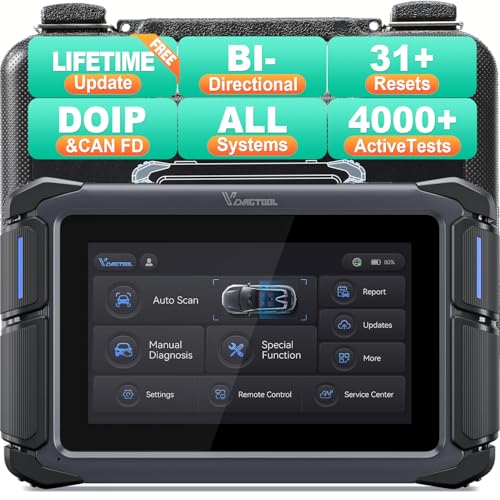
- Affordable Solution for Professional-grade Car Diagnostics & Repair: As the budget-friendly OBD2 scanner under $300, the VD70 Lite car diagnostic tool offers 31+ hot resets, full bi-directional controls with 4000+ active tests, all system diagnostics, 8-in-One live data graphing (export as CSV Export/Recording/Playback), CAN FD & DoIP protocols, and long-term free update. Additional features include Auto VIN & Auto Scan, diagnostic report sharing/printing, with coverage for over 10,000 vehicle models worldwide, suitable for DIYers, Car Owners, Technicians, and Mechanics on car repairs and maintenance tasks.
- OBD2 Scanner with Full Bi-directional Control: The Bidirectional scan tool VIDAGTOOL VD70 Lite performs 4000+ active tests that can send execution commands to the ECU module and identify the repair status, covering for windows, doors, ABS, valves, wipers, headlights, rear mirrors, sunroof,and more in-vehicle components. This bidirectional OBD2 scanner is a must-have diagnostic tool for auto technicians and mechanics on a budget! The available function tests vary by model—please check compatibility via vdiagtool2 @ outlook . c o m before purchase.
- OE All Systems Diagnostics & 8-IN-One Data Graphing: VD70 Lite is a dealer-level car scanner diagnostic tool with Auto VIN that can do in-depth diagnostics for 100+ modern car brands, covering all systems including engine, transmission, airbag, ABS, ESP, TPMS, radio, etc, to read/clear code, view live data, freeze frame, and read ECU info. This advanced OBD2 Scanner with 8-in-one data graphing and detailed diagnostic reports makes data viewing more intuitive, ensures quickly accurate repairs by identifying issues, and easily masters the car situation.
- Stay Ahead with 31+ Reset for Faster & Easier Repairs: VDIAGTOOL VD70 Lite scanner for car meets almost all daily maintenance needs for both home mechanics and workshops as a professional automotive scan tool. It can perform Oil Reset, ABS Bleed, Crank Sensor Relearn, Idle Relearn, Injector Coding, Window Initialization, HVAC Calibration, Suspension Calibration, Throttle Matching, etc, ensuring efficient repairs and complete maintenance. Besides, long-term free updates keep its functionality and broad vehicle compatibility up to date. Functions vary by model, please send us the Vehicle Model, Year, VIN for compatibility before purchase.
- 150+ Models, 10000+ Car Coverage & 22 Languages:As a powerful car computer diagnostic tool, VD70 Lite helps you to quickly troubleshoot issues for 95% of US, European, and Asian vehicles. Supporting 22 languages makes it a global car diagnostic scanner for auto mechanics worldwide without language barriers. Note: Simply provide your tool’s S/N and reach out to vdiagtool2 @ outlook . c o m to change the menu language.
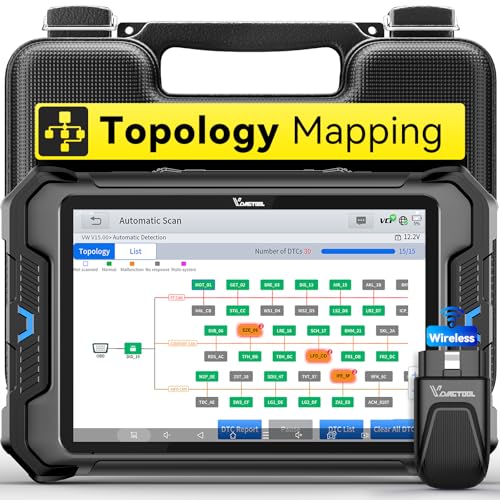
- Smarter Diagnostics, Broader Coverage, Greater Value Than $1,000+ Tools: The game-changing VD80BT OBD2 scanner delivers 4000+ active tests, 42+ hot services, advanced ECU coding, PMI & V.A.G Guided—all in one scanner for car. With OE-level full system scan and intelligent topology mapping that cuts diagnostic time by up to 50%, you'll work smarter and faster. Supporting FCA
 AutoAuth, CAN FD & DoIP protocols, this car scanner covers over 10,000 vehicle models worldwide. Built for serious pros and DIYers, it features 8" HD screen & 4+64GB storage, 7.3V fast charging with long-lasting battery, and 33–66ft stable wireless connection—making it the most complete diagnostic solution you’ll ever own
 - Intuitive Topology Map, Fast Locate Faults: Why waste time clicking module by module? VD80BT car diagnostic scanner takes diagnostics to the next level with its intuitive Topology Map—a premium feature usually found in $1000+ obd scanner. With one tap, it performs all system scan and presents all modules and DTCs in a clear, color-coded layout, boosting diagnostic efficiency by up to 200% and helping you locate issues instantly and reduce repair time and costs. Whether you're a pro boosting efficiency or a beginner learning diagnostics, this obd2 scanner diagnostic tool makes fault-finding faster and smarter for you. Note: varies by vehicle model, please check compatibility before purchase
- Wireless Connectivity Simplifies Bi-Directional Control: With 4000+ active tests, including throttle reset, window calibration and solenoid check, VD80BT bidirectional scan tool lets you diagnose and verify functions faster, smarter, and more efficiently. This scanner for car redefines flexibility in bi-directional control through a fully wireless connection, freeing you from the constraints of wired car diagnostic tool in the workshop. Imagine actively controlling components like the A/C clutch, fuel injector, ABS pump, or radiator fan within a wireless range of 33–66ft around the vehicle—all while enjoying stable, high-speed wireless diagnostic and real-time data monitoring
- 42+ Hot Services, One Powerful Scanner for Car: Why pay a shop $100 just to reset a light? VD80BT car scanner diagnostic tool gives you 42+ hot services from basic resets to advanced maintenance tasks like Crank Sensor Relearn, Injector Coding, ABS Bleeding, Oil Reset, Throttle Relearn, EPB, BMS Reset, Tire Size Reset and more. Plus, it offers 100+ vehicle-specific features including Idle Relearn, VIN Write, Brake Fluid Replacement, Fuel Trim Reset, ABS Initialization and more. Whether you’re resetting TPMS or fixing a stubborn SAS, this car computer diagnostic reader delivers shop-grade precision at a fraction of the cost. Varies by model. Send VIN to verify compatibility before purchase
- OE-Level Full System Diagnostics in Your Hands: Dominate diagnostics like a dealership with VD80BT scan tool for all vehicles, delivering factory-grade scanning for aLL systems—including ABS, SRS, ECM, TCM and more. View up to 8 PID graphs simultaneously to quickly catch intermittent issues and troubleshoot with confidence. Easily read and clear DTCs, retrieve freeze frame data, and run active tests for faster, more accurate repairs. It’s like having a dealership-grade scan tool in your pocket, complete with data playback and CSV export for in-depth analysis. Stop guessing and start fixing with surgical precision—professional diagnostics made simple and portable. Check compatibility Please

- 【OE-Level Full System Diagnostics-Lifetime F*REE Software Updates】The VDIAGTOOL D200 OBD2 Scanner for cars is a all system bidirectional scan tool that enjoy lifetime f*ree software updates, delivers complete system coverage. reading/clearing codes across engine, transmission, ABS, SAS, EPB, TPMS plus full access to body, chassis, powertrain and all control modules. This D200 Bidirectional car scanner works with most 1996+ OBD2 gasoline and hybrid cars and light trucks. It does NOT support pure electric and heavy-duty trucks. PLEASE CHECK COMPATIBILITY BEFORE ORDERING or Contact us with VIN to confirm compatibility.
- 【Supports OBD2 Full Functions-ZERO Subscription Fees】D200 Bidirectional OBD2 Scanner is a upgarde of universal car code reader. It supports OBD2 full functions to help you turn off the annoying instrument fault indicator, such as read/clear codes, O2 sensor test, I/M readiness, on-board monitor test, datastream, freeze frame, E-VAP system test, and retrieve vehicle information. This professional obd2 scanner diagnostic tool can full access to diagnostics, reset tools and maintenance features with a single payment. NOTE: The fault code can only be cleared after the vehicle's malfunction has been repaired; please ensure the vehicle issue is fixed before clearing the code.
- 【D200 Hidden 2 Advantages: 1. $169 Expandable 49+ Advanced Resets. 2. $199 Get J2534 P*a*s*s-Thru Programming】Your core car diagnostics and 26 reset remain lifetime f*ree for everyday maintenance. When you need deeper repair capability, upgrade with 3-year access for $169 in Store on VDIAGTOOL App, gaining 49+ advanced resets. D200 configured with J2534 hardware, upgrade only when you need without replacing the entire device. You also can Lifetime Unlock for $199 in Store one-time, perform module programming, software re~flashing and ECU data updates directly. Supports 17+ major brands, including for BMW, for Audi, for GM, for Ford and more. Note:D200 does‘t provide any OE software.
- 【Full Bidirectional Control / Active Tests】The D200 car scanner diagnostic tool is a true bidirectional scan tool that lets you send commands directly to the vehicle’s ECU for active tests. Quickly test fuel pumps, relays, solenoids, injectors, cooling fans, windows, sunroofs and more to verify operation instantly. Get dealership-level diagnostic control at a fraction of the cost (ofter $100-200$ per diagnostic visit), reduce guessworkand confirm repairs faster, avoid unnecessary parts replacement, towing fees and wait times.
- 【26 F*ree Essential Reset & Relearn Functions – Everyday Maintenance Made Easy】Handle common maintenance and repair jobs without visiting the shop. The D200 code readers & scan tools includes 26 f*ree high-demand reset functions, including Oil Reset, EPB Service, SAS Calibration, ABS Brake Bleeding, Throttle Relearn, Injector Coding, Headlight Adjustment, Tire Size Reset and more. Perfect for home car owners, mechanics and DIYers – just plug and diagnose anytime, anywhere! Note: Service functions vary by vehicle model—please confirm compatibility.
This product presentation was made with AAWP plugin.
Last update on 2026-05-12 / Affiliate links / Images from Amazon Product Advertising API