
NHTSA ID Number: 11022403
Manufacturer Communication Number: 75-11
TSB/Document Date: 2025-09-03
Summary
Service Campaign sent to dealers and customers advising of the need to install a structural reinforcement to the generator door panel attachment to ensure proper load distribution.
SERVICE CAMPAIGN 75-11 Generator Door Panel Attachment
AFFECTED MODELS: 2022-2024 Journey
«DEALER»
«ADDRESS»
«CITY» «STATE» «ZIP»
«COUNTRY»
PLEASE FORWARD THIS INFORMATION TO YOUR RV SERVICE MANAGER
Winnebago Motorhomes is conducting a Field Service Campaign on certain 2022-2024 Journey
models. This campaign is to install a structural reinforcement to the generator door panel
attachment to ensure proper load distribution.
Affected Vehicles and Owner Notification
Attached to this letter is a list of subject vehicles which were shipped to your dealership.
Customers with affected vehicles are being sent a letter notifying them of the service campaign.
Customers are directed to contact a Winnebago Motorhome dealer for the service campaign to
be performed at no cost to them. A copy of the customer notice is provided for your information.
Repair Procedure:
Refer to instruction sheet provided with parts kit or posted on the dealer portal.
Parts Information:
The part order should be placed as a Campaign Service order. You will need the campaign dealer
number and the Winnebago serial number for the affected vehicle to place the order.
Campaign Dealer Number: WG-007857
Quantity
Part Description
Winnebago Industries Part Number
1
SC7857-25-711
Gen Panel Attachment Brackets
Reimbursement
When the service has been completed, submit a warranty claim using the operation number and
TIC code listed below.
DESCRIPTION
Generator Panel Attachment Brackets
OPERATION
NUMBER
05751199
TIME
ALLOWANCE
3.0
TIC
CODE
7511SB
If the vehicle is out of warranty, use service authorization 73G0430T when filing your claim.
FINAL CLAIMS NEED TO BE SUBMITTED BY APRIL 1, 2026.
Perform this procedure on all subject vehicles currently in your inventory. DO NOT DELIVER ANY
SUBJECT UNITS TO A CUSTOMER UNTIL THIS CORRECTIVE ACTION HAS BEEN TAKEN.
If You Need Assistance
If dealer technical assistance is needed, please contact the Winnebago Motorhome Technical
Service Department at (866) 653-4329 from 8:00 a.m. to 4:00 p.m. Central Time or by e-mail at:
[email protected].
Thank you for your cooperation.
Winnebago Motorhomes
605 W. Crystal Lake Road ▪ Forest City, IA 50436
Ph: 641-585-3535 ▪ Fax: 641-585-6966
RE:
BODY SERIAL NUMBER
CHASSIS SERIAL NUMBER
Dear Winnebago RV Owner:
When you purchased your new Winnebago RV, you also received our commitment to provide you with a
quality product and our dedication to continuing customer satisfaction. In keeping with this commitment,
we are notifying you of a service campaign that may affect your Winnebago RV.
Winnebago is conducting a Field Service Campaign on certain 2022-2024 Journey models. This campaign
is to install a structural reinforcement to the generator door panel attachment to ensure proper load
distribution.
Our records indicate that you have purchased a vehicle with the serial number which appears above.
What We Will Do
Your Winnebago dealer will install a structural reinforcement to the generator door panel attachment.
What You Should Do
Contact your Winnebago dealer to arrange for a service appointment. Please allow sufficient time for
your dealer to process your vehicle on the date of the appointment. The actual repair will take
approximately three hours however your dealer may require additional time to process your coach.
Important
This campaign and offer to provide service is at NO COST TO YOU and is valid until April 1, 2026, at
which time the campaign will be closed.
If You Need Assistance
If you have questions or need assistance, please contact Winnebago Motorhome Customer Care at (800)
537-1885 Monday through Friday from 8:00 a.m. to 4:00 p.m. Central Time or by email at
[email protected].
We are sorry to cause you this inconvenience. We have taken this action in the interest of your continued
satisfaction with our products. This letter does not constitute an acknowledgement of legal liability.
Thank you for choosing a Winnebago RV.
Winnebago Motorhomes
Forest City, IA 50436
605 W. Crystal Lake Road ▪ Forest City, IA 50436
Ph: 641-585-3535 ▪ Fax: 641-585-6966
Generator Door Panel Attachment
Classification
Field Service Campaign
Model
Model Year
Journey
2022 - 2024
Disclaimer: Read the entire instructions carefully before starting the procedure. If you have any questions, please contact the
Winnebago Motorhome Technical Service Department by calling 1-866-653-4329 or by emailing [email protected]. This
document is confidential and is intended for dealer use only.
Campaign: This campaign addresses a non-safety-related condition and provides recommended technical diagnosis
and repair procedures. Apply this procedure to the applicable vehicles.
Condition
The generator tray is accessed by pulling its handle located on the passenger side, bottom edge of the generator door.
However, this action often results in users pulling on the fiberglass hood, transferring the full weight of the generator
and tray onto this panel. Since the hood is only secured by adhesive, this load can exceed the adhesive's bond strength,
potentially causing the panel to detach.
Correction
To address the failure caused by pulling on the fiberglass hood to access the generator tray, a structural reinforcement
and access redesign has been implemented. This includes removing the original hood assembly, installing a new
support tube and bracket system to distribute load to the frame, and securing the fiberglass panel with mechanical
fasteners and structural adhesive. A new pull handle is also installed to ensure proper operation of the generator slide
without stressing the hood panel. The generator door is then reinstalled and adjusted to ensure proper fit and function.
Part Required
Part Number
Description
SC7857-25-711
GEN PANEL ATTACHMENT BRACKETS
TC WI Part #000315722
Quantity
1
Page 1 of 14
Part(s)/Kit Image Reference
Part(s) Required – Gen Panel Attachment Brkts
Shop Supplies
Kit Contains:
1.
2.
3.
4.
5.
1. Bracket - Hood Frame - 000307529 / 361202-01-01B (2)
2. Tube-Door, Gen - 000307531 / 361293-01-01C (1)
3. Bracket - Hood Frame - 000307533 / 361203-01-01B (2)
4. Bracket, Hood Frame - 000307516 / 361200-01-01B (4)
5. Bracket-Hood Frame, Pull - 000307526 / 361201-01-01B (1)
6. Brace-Frame, Hood - 000307534 / 361204-01-01B (1)
7. A-Guide-Rivets, N Ser Gen Door – 000309571 / 361590-01-000
8. 3/16” Steel Rivet - 087718-01-000 (26)
9. 3/16” Aluminum Expanding Rivet, Black - 118626-02-02A (6)
10. Serrated Flange Bolt – 000C26-05-24U (2)
11. Nyloc Nut – 000D29-05-00U (2)
12. 1/4” Serrated Flange Bolt – 000C26-04-18U (4)
13. Nut – 000D29-04-00U (4)
14. Washer – 142195-01-CHT (4)
15. Plexus MA300 – 112901-03-000
16. Mixer Nozzle – 112902-03-000 (1)
Assorted wrenches/sockets – 3/8”, 7/16”, 1/2”
Drill
Assorted Drill Bits – 3/16”, 5/16”
Rivet Gun
Structural Adhesive Applicator - 1 to 1 Hand Applicator for
Plexus
6. Cutting Tool or Box Cutter (To Cut Foam)
7. Large Work Surface Table – Preferably one that will NOT
Damage the Generator’s Door Paint
8. Sandpaper
Refer to the Next Page for Parts Image Referencing.
For feedback on the accuracy of this document, email [email protected].
Page 2 of 14
Part(s) Required
1.
2.
4.
8.
3.
5.
9.
6.
10.
11.
7.
12.
13.
14.
15.
For feedback on the accuracy of this document, email [email protected].
Page 3 of 14
Steps & Procedures
Figure 1
Step 1 – Open the Generator Door (Front Hood Panel)
A. Find the pull handle along the passenger side bottom edge of the
Figure 2
generator door.
•
Refer to Figure 1 - Green Arrow for the front view location of the handle.
•
The pull handle will be found under the hood panel.
B. Pull the handle out towards you (See Figure 2, highlighted with yellow dashes for the
location of the pull handle under the front hood).
•
Gently pull the generator slide frame.
Note: You may need to exert some force to partially extend the slide hood and
Figure 3
access the generator slide.
•
Pull the slide hood out sufficiently to reach the T-handle located just above
the pull handle.
C. Pull this T-handle on the side of the slide assembly up. (See Figure 3 – Outlined
in Red)
•
This will hold the lock mechanism up so that you are then able pull the
generator slide assembly all the way out.
For feedback on the accuracy of this document, email [email protected].
Page 4 of 14
Step 2 - Remove the Feature Trim Off of the Generator Door
Figure 4
A. Remove the 5 nuts from the inside of the front hood panel
generator door. (See Figure 4 Highlighted in 5 Red Circles) This
will allow you to remove the feature trim from the outside of the
generator door.
•
You might need to cut small slots on the foam to access the
nuts.
•
Use a 7/16” socket & socket wrench to remove the 5 nuts and
set them aside for reinstallation further down in the process.
Figure 5
Step 3 - Remove the Generator Door from the Coach
A. Remove the two bolts and 2 nuts that attach the 2 struts to the generator
slide. 1 bolt and nut on each strut on either side of the generator slide. (See
Figure 5 - Red Arrow)
•
Use a 3/8” socket and a socket wrench. Use a 7/16” backer wrench for the
nut side.
B. Remove the four nuts on the weld studs, two on either side of the generator
slide. (See Figure 5, Blue Arrows)
•
Use a 1/2” socket and socket wrench.
Step 4 – Safely Set the Generator Door Aside
A. With the generator door removed, place on a surface that will not scratch the
paint (place it paint-side down).
NOTE: The Front Hood Generator Door weighs 50 lbs. Additional help from
one person will be required for safe removal of this door.
For feedback on the accuracy of this document, email [email protected].
Page 5 of 14
Step 5 – Install the New Tube 361293-01-01C Between the Two Mounting Plates
Figure 6
A. Place the new tube in position (361293-01-01C) (See Figure 6 – Highlighted in Red
dashes). It should be leveled and centered between the two mounting plates that have
the weld studs installed.
B. The distance from the top edge of the two mounting plates to the top edge of the
bracket with weld studs is 10 mm. (See Figure 7)
C. Using the holes in the new tube as a guide, drill 2 holes into the two mounting plates
using a 5/16’’ drill bit. Do both sides of the tube. (See Figure 7 – Highlighted in a Yellow
Figure 7
circle)
D. Using a 1/2” backing wrench and a 1/2” size socket wrench, bolt the tube to the mounting
plates using 000C26-05-24U bolts (2) with 000D29-05-00U nuts (2). (Figure 7-Yellow)
NOTE: Ensure that the connections between the new tube and the mounting
plates are secured with a torque setting. Apply torque value of 100 in-lbs.
E. Using 2 of the new 361203-01-01B brackets, connect the new tube to the existing frame
structure using (4) 3/16” steel rivets (087718-01-000). (See Figure 8 – Yellow Dashes)
•
Use the bracket as a guide to drill out two holes in each
Figure 8
of the 2 preexisting tubes using a 3/16” drill bit. (See
Figure 8 – Highlighted in Red circles). Ensure to only
drill through the first surface of the 2 preexisting tubes.
•
Without moving the new brackets from the holes, you
just drilled, use the same drill bit to drill out 2 holes on
the bottom side of the bracket that sits on the new
tube (See Figure 8 – Highlighted in Blue circles)
•
Install (4) 3/16” steel rivets (087718-01-000), 2 on each
preexisting tube.
For feedback on the accuracy of this document, email [email protected].
Page 6 of 14
Step 6 – Connect the Main Generator Door Mounting Bracket to the Existing Frame Assembly
A. Use a 1/2” backing wrench and a 1/2” socket and socket wrench to remove the
Figure 9
upper bolt from each main mounting bracket and use these for the next step (B).
(See Figure 9 – Highlighted in Red Circles)
B. Re-bolt one of the new brackets (361202-01-01B) to each of the main mounting
brackets (2) (See Figure 10A & 10B – Green Dots). The face of the bracket with rivet
holes should sit flush with the frame assembly of the generator door. (See Figures
10A & 10B – Highlighted in Blue Dashes)
NOTE: For the upper support arms, secure the 5/16” fasteners with a torque setting of 157 in-lbs. Care should be
taken to avoid over-tightening, which can affect the integrity of the fiberglass hood.
C. Using the new bracket as a guide, drill 2 holes with a 3/16” drill bit into each tube. Install 3/16” steel rivets (087718-01-000) into
each hole. (See Figure 7A & 7B – Reference the Red Dots for Hole & Rivet Locations)
Figure 10A
For feedback on the accuracy of this document, email [email protected].
Figure 10B
Page 7 of 14
Step 7 – Connect the Frame Assembly to the Fiberglass Using 4 of the New Brackets 361200-01-01B (Figure 11)
NOTE: The 4 - 1/4” fasteners going through the fiberglass hood (5 existing for the trim strip and 4 new from the
rework) must be torqued hand tight only. Excess torque can lead to cracking in the fiberglass.
Figure 11
A. Trim away foam around the area where the 4 new brackets will be placed. (See
Figure 11 – Highlighted in Red Circles)
B. Place the new brackets so that they are flush with the vertical generator door
frame tubes and center the brackets on the raised molded feature in the
fiberglass. (See Figure 12- Highlighted in Yellow)
C. While ensuring the bracket stays in place, use the larger hole and a 5/16” drill bit
to drill a hole through the fiberglass.
D. Use the 4 new 1/4” bolts, the 4 nyloc nuts and the 4 washers to bolt the new
brackets to the fiberglass (the 5 preexisting holes are for the trim strip and the 4
Figure 12
new bolts from the rework kit are for the 4 brackets) (See Figure 11 – 4 Red Circles).
•
•
The head of the bolt and washer should be inside the molded feature for the feature trim and the nuts
on the bracket side.
Use a 7/16” wrench for the nut and a 3/8”wrench for the bolthead.
NOTE: Only torque hand tight, excess torque can cause the fiberglass to crack. Do NOT
use a drill!
E. Using the new bracket as a guide drill two holes with a 3/16” drill bit into each tube (See Figure 12 – Red
Dots).
Figure 13
F. Install 3/16” steel rivet 087718-01-000 into each hole.
G. Repeat for all four brackets.
NOTE: The Feature Trim will be installed back at the End
of the entire rework process.
For feedback on the accuracy of this document, email [email protected].
Page 8 of 14
Step 8 – Install the Additional Main Mounting Bracket
A. Take the new bracket 361201-01-01B and place it as shown below (See Figure 14A – Outlined in Red Dashes).
•
The bracket should be flush with the top face of the new tube and centered between the two vertical tubes of the existing
frame assembly.
•
Use that same Bracket as a guide to mark and trim away foam around the area where the new bracket will be placed.
•
Use sandpaper to scuff away any remaining foam or adhesive from this area.
B. Using the new bracket as a guide, drill 3 holes with a 3/16” drill bit into the new tube on the top surface. (See Figure 14B – Red
Arrows)
C. Using the provided Plexus MA300 adhere the bracket to the fiberglass ensuring that the bracket is centered and flush with the
top face of the new tube. The Plexus must ooze out through the bracket slots. (See Figure 15)
D. Install 3 - 3/16” steel rivets (087718-01-000) into each of the 3 holes you just drilled through the new tube. (See Figure 16)
Note: Wait 15 minutes after the initial adhesive application to allow for curing before proceeding to step E.
Figure 14
Figure 15
A
Figure 16
B
TOP SURFACE VIEW
For feedback on the accuracy of this document, email [email protected].
Page 9 of 14
Step 8 – Continued
NOTE: Access to the front surface face of the generator door is required for the rest of Step 8E - 8H. Additional
help from one person is required to help flip the hood safely on the worktable.
E. Remove the bolts that secure the license plate on the generator door and
Figure 17
set them aside. (Figure 17 – Green Circles)
F. Using the N Ser Gen Door Rivet Guide (000307830) and the two bolts
removed previously from the license plate, mount the guide into the
license plate Jack-Nuts on the front face of the generator door.
G. Using a 3/16” drill bit and the guide, drill 6 holes through the fiberglass
and bracket. (Figure 17 – Red Circles)
H. Remove Rivet Guide.
I.
Install the 6 Black 3/16” expanding aluminum rivets (118626-02-02A)
through the drilled holes with the painted head of the rivet on the front
face of the fiberglass. (Figure 18 – Red Circles)
Figure 18
For feedback on the accuracy of this document, email [email protected].
N Ser Gen Door
Rivet Guide
(000307830)
Page 10 of 14
Step 9 - Install the New Pull Handle 361201-01-01B.
A. Align the bracket with the flange on the generator slide (See Figure 19 – White Dashed Double headed Arrow). The bracket
should be angled down and as far to the passenger side as possible. (See Figure 20 – Green Arrow)
B. Using the new bracket as a guide, drill three holes with a 3/16” drill bit though the flange.
C. Install 3/16” steel rivet 087718-01-000 into each hole. (See Figure 20 – Red Circles)
Figure 20
Under Coach View of Generator Hood Slide
Out (Passenger Side Corner)
FRONT SIDE OF THE COACH
Figure 19
For feedback on the accuracy of this document, email [email protected].
Page 11 of 14
Step 10 – Reinstallation of the Generator Door & Feature Trim - The Front Hood Generator Door weighs 50 lbs.
Additional help from one person will be required for safe removal of this door.
NOTE: Before reinstalling the generator door, ensure you follow the previously mentioned torque specifications
for all relevant fasteners to maintain integrity.
Figure 21-B
Figure 21-A
generator door back onto the generator slide.
the 4 nuts to the weld studs on the mounting
plate (2 nuts on each side). (See Figures 21-A & 21B - Yellow Arrows)
C. Use the 3/8” socket and socket wrench to reinstall
the two bolts into the struts that attach them to
the generator slide, one on each side. (See Figure
21-A & 21-B – Red Arrows)
D. Adjust the door so that the gap between the
edge of the door and the front cap is consistent
on the left and right sides.
Driver Side of Generator Slide
B. Use the 1/2” socket and socket wrench to reinstall
Passenger Side of Generator Slide
A. With additional help, loosely mount the
E. Adjust to the angle of the door so that it flushes
with the face of the front cap. (See Figures 21-A & 21-B – Outlined in Red Rectangles)
F. Install the 2 nuts back on the two bolts you just installed into each strut.
G. Tighten all the bolts. ONLY TORQUE HANDTIGHT.
H. Reinstall the feature trim aligning the 5 bolts on the trim with the 5 preexisting holes on the molded feature for this trim.
•
Use a 7/16’ socket and socket wrench to reinstall the 5 nuts you removed in Step 2 of this rework process. The foam slots
you cut to access these nuts in Step 2 is where you will find the 5 bolts.
CAUTION: OVERTIGHTENING THE BOLTS WILL DAMAGE THE FIBERGLASS.
Step 11 – The Rework is Complete!
For feedback on the accuracy of this document, email [email protected].
Page 12 of 14
Supplementary Images
For feedback on the accuracy of this document, email [email protected].
Page 13 of 14
Supplementary Images
For feedback on the accuracy of this document, email [email protected].
Page 14 of 14

- 💯【Conta.ct us for Support Directly】If you met any...
- 🔥🔥🔥【2026 AUTEL FLAGSHIP MK900BT MK900-BT, NEW...
- 🚗【3000+ ACTIVE TESTS (50➡3000+), SAME AS MS...
- 🚗【40+ HOT SERVICES FOR 150 MAKES (28+➡40+)】Full...
- 🚗【OE ALL SYSTEM DIAGNOSE, AUTO SCAN 2.0: SCAN LICENSE...


- 【TURN OFF CEL】 This AL319 car scanner diagnostic tool...
- 【EXTENSIVE APPLICATION】 Autel AL319 Compatible with...
- 【FOR END USER & DIYERS】 This error code reader AL319 is...
- 【USER-FRIENDLY DESIGN】 This OBD2 scanner and check...
- 【HIGH-QUALITY SERVICES】 12 months war.ranty from the...
Last update on 2026-06-12 / Affiliate links / Images from Amazon Product Advertising API
If the PDF is very large, it may not load in the preview below.
Some older TSBs had multiple PDFs — visit the NHTSA Website to view all PDFs.
If the TSB PDF does not show, download or view it on the NHTSA Website.
Click on the (+) Plus Sign
Then Click on Associated Document(s)
Search NHTSA Database for Recalls
Search NHTSA Database for Vehicle Investigations
View Latest Vehicle Investigations
Search NHTSA Database for Vehicle Complaints
View Latest Vehicle Complaints
TSB/Document ID: 75-11
Replacement Service Bulletin Number:
MFR Communication Date: 2025-08-29
MFR Internal Campaign ID/Software Version: 75-11
Communication Type: Service Campaign
NHTSA Components: STRUCTURE:BODY:DOOR
MFR Component System:
MFR Component Subsystem:
Previous TSB | Next TSB |
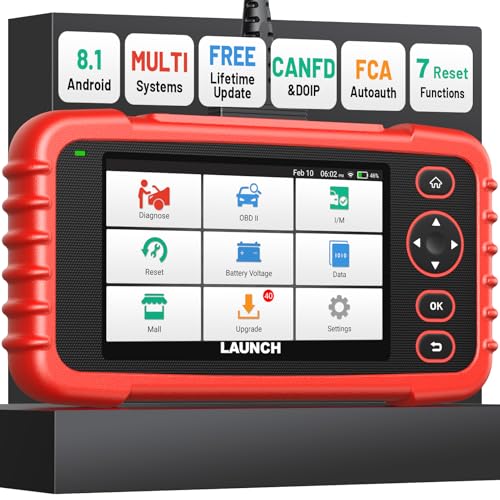
- [Newly Added in 2026: 7 Reset Functions] The 2026 new version of the OBD2 scanner diagnostic tool CRP123X V3.0 Elite has new special functions for F.REE: Throttle Ad.aptation, Oil/SAS/BMS/Brake Reset, D-P.F Re.generation and ABS Service. Before you visit a mechanic, launch obd2 Scanner CRP123X Elite can perform a more in-depth diagnosis of the car system and provide accurate data within minutes. What's more, the list of compatible models has been expanded. Upgrading frequency is regular, occurring monthly even weekly.
- 🔥[FCA AutoAuth + CAN FD & DoIP] As an upgraded version of the LAUNCH CRP123X/CRP129X, FOXWELL NT614, and ANCEL FX2000, The Newest LAUNCH CRP123X V3.0 auto diagnostic scanner supports the following new protocols: CAN-FD for 2020 and newer G.M and Chrysler
 models, as well as DoIP for V.olvo, Land Rover/Jaguar, and B.MW F/G chassis. With integrated AutoAuth, you can diagnose 2018 and newer FCA cars equipped with S.GW. Note: CAN-FD and DoIP protocols require an additional obd2 cable. *Menus vary by make, model, and year of gasoline or diesel engine vehicle. Email us your VIN data.
 - 🔥[No extra software fee. Works on 90 vehicle brands.] Most OBD2 scanners work with vehicles manufactured after 2001. However, the LUNCH OBD2 scanner is compatible with OBDII-equipped vehicles built after 1996 and works with more than 90 vehicle brands. One-click lifetime updates over WIFI 2.4&5.0Ghz keep the car software current and ensure constant coverage additions, diagnose vehicles from 1996 to 2026 with a massive global database. Android 8.1 ensures lightning-fast boot-up and processing.
- [Accurate & Intuitive Multi System Diagnosis] Will you be confused about what happens when the warning light of transmission, ABS, and SRS Airbag check engine flashes? Launch obd2 scanner diagnostic tool CRP123X V3.0 to pinpoint the problem components for a faster diagnosis for your car instead of taking your car to the dealership. Generate vehicle health reports with one click and share them via email over Wi-Fi to help avoid blind maintenance. And will turn off the warning light for you after fixing the problem, make to know more about your cars and do your own repair.
- [Multiple Display of Live Data + DTC Code Definition Explanation] Launch car tools show real-time data of oil temp, pressure, transmission temp, engine speed, coolant temperature, you will know which car part is abnormal. Data can be shown in a single, multi- graph, and merge two graphs for analysis(or 4-in-1 merged waveform graph),you can save, share, print, or email the overall inspection report for easier analysis.🔥Code Search,DTC Library provide massive information. Inbuilt “Feedback” module provides customized repair suggestions from our certified professionals.
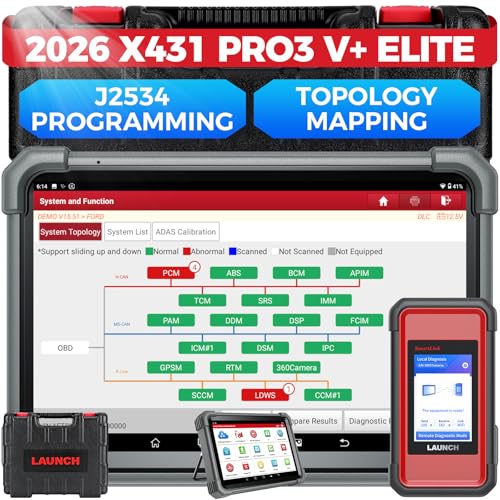
- [2026 X431 PRO3 V+ Elite] A great value for the X431 series that differs from similar diagnostic tools by adding: 1) J2534 protocol for over $800 in savings; 2) CANFD/DOIP support for enhanced communications; 3) Configuration of over $900 worth of HD(heavy truck) modules, needed purchase HD diagnostic software by HD vehicle model for use.; 4) A 10.1 inch Gorilla screen with 1280*800 resolution and 80% more touch screen sensitivity
- [J2534 Protocol Scan Tool] The J2534 Direct Access Device can be used as a factory scanning tool at no cost to you, saving you over $2,000. You can easily expand your ECU protocol capabilities for Toyota, Honda, VW, BMW, Ford, GM, Chrysler, Mercedes-Benz and more. The LAUNCH X431 PRO3 V+ ELITE Scan Tool is equipped with the newly upgraded smartlinkC V2.0. smartLinkC is a communication interface that supports the J2534 specification. It can also be used as a J2534 PassThru device to implement the J2534 protocol with a PC that has OEM diagnostic software installed.The J2534 protocol is the only way to solve problems ranging from drivability and power loss to poor fuel economy
- [Top Hardware Configuration, Upgraded Version of V+] LAUNCH Diagnostic Scanner adopts Android 10.0 OS; CPU is 4-core processor with 2.0 GHz, which greatly improves the speed of running multi-tasks. 2.4GHz/5GHz; 6300mAh/7.6V ultra-large capacity battery; 10.1 inch Gorilla screen, sunlight readable, 8MP camera; Auto VIN; 4GB+64GB storage; 20x transfer rate to save more vehicle files and customer data; New TYPE A interface to connect expansion tools such as oscilloscopes, sensors, etc.; Supports more than 25 software languages such as EN, DE, FR, SP and JP
- [60+ Reset 3000+ Active Test] Full Bi-Directional Scan Tool quickly detects problems and guides repairs based on the response of actuators such as air conditioning clutches, windows, doors, mirrors and more. With the touch of a finger, you can easily send command signals from the scanner to a variety of modular actuators, testing component integrity and functionality in minutes or even seconds to determine if a replacement or repair is needed. In addition, the machine enjoys 60+ special services such as oil reset, ABS brake bleed, EPB, SAS, BMS, suspension, injector reset and more, and undergoes rigorous field testing to ensure availability
- [Unrivaled Coverage, Over 200 Vehicle Brands] LAUNCH X431 PRO3 V+ Elite Automotive Scanner is suitable for over 200 vehicle brands, including commercial vehicles and new energy vehicles. This professional car scanner supports: 1) J2534/D-PDU protocol for HD trucks; DoIP/CANFD for Land Rover/Jaguar, BMW F/G chassis, GM, etc.; 2) FCA Autoauth, covering 2018+ Chrysler/Dodge/Fiat, etc. New/old models, all covered. Includes frequently updated vehicle software and car coverage for faster support of other new models
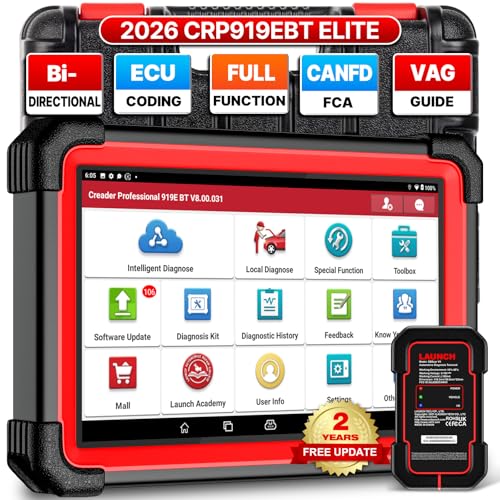
- 🔥【2026 TOP HARDWARE AND SOFTWARE UPGRADE,UPGRADED OF CRP919E】LAUNCH scanner CRP919EBT wireless obd2 scanner has upgraded TOP HARDWARE CONFIGURATION and ADD NEWEST FUNCTIONS. The more FASTER and SMARTER CRP919EBT with 🔥Bluetooths & USB 2-in-1 connect🔥Android 10.0 OS🔥2.0Ghz 4 core high efficiency processor 4GB RAM+64GB ROM large storage🔥6300mAh large battery, more stable and longer lasting diagnostics🔥VAG Guided🔥ECU Code🔥Bi-directional Control🔥35+ Resets🔥CANFD&DOIP🔥FCA AutoAuth🔥Full System Diagnostics🔥2 Yrs Update🔥Newly add BST360 battery tester & I-TPMS & VSP600 endoscope🔥23+ Languages. Provide an unparalleled diagnostic experience at an affordable price.
- 🚗【CAN FD & DOIP & FCA, SUPER PROTOCOL】LAUNCH X431 CRP919EBT is equipped with the DBSCAR VII Bluetooth connector supporting CANFD and DoIP. The CRP919EBT automotive diagnostic scanner supports CAN FD protocol (compatible with post-2020 GM vehicles). It also meets DoIP protocol requirements (adapter sold separately) for compatibility with BMW (E & F chassis) models from 2017 onward. Autoauth for FCA SGW supports FCA vehicles including Chrysler models from 2017 and later.
- ✔️【ADVANCED ECU CODE, ADAPTATION, CALIBRATION & INITIALIZATION】The LAUNCH X431 CRP919EBT automotive scanner delivers exceptional ECU code capabilities for customized vehicle setups. It provides dealer-level functionality to streamline maintenance and repairs, enabling ECU matching and learning for enhanced customization.
- 👍【BIDIRECTIONAL CONTROL, 4000+ ACTIVE TESTS】LAUNCH OBD2 scanner CRP919EBT features bi-directional control - the most demanded capability among mechanics. When headlights or windows malfunction, repairs can be costly. With CRP919EBT, execute ECU commands and assess repair status through systems including ABS, windows, valves, wipers, and headlights - streamlining diagnostics while slashing repair expenses.
- 🥇【35+ MOST POPULAR RESET SERVICE FOR 160 MAKES】Same as Snap-on scanners, CRP919EBT scan tool delivers 35+ reset functions for 160+ vehicle models, including: service oil reset, throttle adaptation, steering angle calibration, brake pad replacement code, tire pressure reset, ABS bleeding, battery registration, gear signal learning, and injector code, etc.
Last update on 2026-06-12 / Affiliate links / Images from Amazon Product Advertising API
This product presentation was made with AAWP plugin.