
NHTSA ID Number: 11022148
Manufacturer Communication Number: TSB 25-2384
TSB/Document Date: 2025-08-26
Summary
This article supersedes TSB 25-2081 to remove the Parts List and update the Service Procedure. Some of the vehicles listed in the Model statement above may exhibit a 12V battery drain condition. This may be due to the software level of the affected module(s).
25-2384
TECHNICAL SERVICE BULLETIN
12V Battery Drain
22 August
2025
This bulletin supersedes 25-2081. Reason for update: to remove the Parts List and update the Service Procedure.
Model:
Ford
2023-2024 Escape
Built on or before 07-Jun-2024
Engine: 2.5L Hybrid
Lincoln
2023-2024 Corsair
Built on or before 07-Jun-2024
Engine: 2.5L Hybrid
Markets: North American markets only
Issue: Some of the vehicles listed in the Model statement above may exhibit a 12V battery drain condition. This may
be due to the software level of the affected module(s).
Action: For vehicles that meet all of the criteria in the Issue and Model statements, follow the Service Procedure to
reprogram the affected module(s).
Warranty Status: Eligible under provisions of New Vehicle Limited Warranty (NVLW)/Service Part Warranty
(SPW)/Service Part New Vehicle (SPNV)/Extended Service Plan (ESP) coverage. Limits/policies/prior approvals are
not altered by a TSB. NVLW/SPW/SPNV/ESP coverage limits are determined by the identified causal part and
verified using the OASIS part coverage tool.
Labor Times
Operation
No.
Description
Time
2023-2024 Corsair/Escape 2.5L Hybrid: Perform software update As Needed for VDM,
ACCM, GWM, APIM, and TCU Following The Service Procedure
252384A
2.1 Hrs.
Additional Time For Further Updates. Refer To The Warranty & Policy Manual, Section
1.3 “Recording Requirements And Procedures For Actual Time.” Ford Monitors Module
Reprogramming Vehicle History Session Data To Compare Against Warranty Claiming
Activity. (Can Be Claimed With Operation A)
AP252384B
Actual
Time Up To
2.0 Hrs.
Repair/Claim Coding
Causal Part:
10655
Condition Code: 42
Service Procedure
1. Connect a battery charger such as Rotunda GRX-3590 or DCA-8000 to the 12-volt battery.
NOTE: To prevent the battery saver mode from activating on the vehicle, make sure the negative cable of the
charger is installed on a chassis or engine ground, and not the 12-volt battery negative terminal. Do not have
the vehicle plugged into high voltage battery charger during programming. This can cause incorrect module
programming. Make sure only the 12-volt battery charger is installed.
2. Is the vehicle a 2023-2024 Corsair built on or before 10-April-2024 equipped with a 2.5L engine?
(1). Yes - proceed to Step 3.
(2). No - proceed to Step 4.
3. Is there a software update available for the VDM?
(1). Yes - download and run the "VDM - Vehicle Dynamics Module (VDM) Software Update" application in the
FDRS scan tool. Proceed to Step 4.
(2). No - proceed to Step 4.
4. Is the vehicle a 2023-2024 Escape/Corsair equipped with a 2.5L engine built on or before 7-June-2024?
(1). Yes - proceed to Step 5.
(2). No - proceed to Step 6.
5. Is there a software update available for the ACCM?
(1). Yes - download and run the "ACCM - Air Conditioning Control Module (ACCM) Software Update" application
in the FDRS scan tool. Proceed to Step 6.
(2). No - proceed to Step 6.
6. Is the vehicle a 2024 Escape/Corsair equipped with a 2.5L engine?
(1). Yes - repair is complete.
(2). No - proceed to Step 7.
NOTE: The time required to complete this procedure varies depending on several factors including the
number of module software updates required, available internet bandwidth, USB flash drive variability, and
the potential that CAN flashing (software update via the DLC with FDRS) may be required. Connect to the
internet with an ethernet cable, use a USB 3.2 Gen 2 or higher flash drive. When performing USB software
updates, using high speed USB ports on the laptop is recommended for faster file transfer.
7. Start an FDRS session and navigate to Toolbox tab > Datalogger > body control module (BCM) and select the
BATT_SOC PID. Verify the PID reads 50% or higher.
NOTE: Connecting the battery charger negative clamp directly to the battery negative terminal might result in
the SOC PID not immediately reflecting the improvement from charging.
(1). If SOC is less than 50%, charge the battery by attaching the battery charger's negative clamp to the engine or
chassis ground and not the negative battery terminal. Refer to WSM, Section 414-01.
(2). If the battery is unable to achieve a 50% SOC, use the Rotunda GRX-3590 or DCA-8000 testers to verify if
replacement is required.
• If the battery does not need to be replaced, disconnect the Rotunda charger and perform a BMS reset using
the FDRS scan tool.
• If the battery is replaced, fully charge the new battery, disconnect the Rotunda charger and perform a BMS
reset using the FDRS scan tool.
• Claim the battery testing and replacement outside of this article.
8. Reconnect the battery charger and set it to maintain a vehicle voltage of 12.6-13.6 volts. A low battery SOC while
performing a software update to any module may result in a repeat "Restart Required" message in the vehicle's
center display screen or a message on the FDRS saying "Part Number Validation Failed" or "DID Validation
Failed".
9. Run the "Read The Configuration Data" app in FDRS, located in Toolbox > Multi-Module tab.
10. Navigate to the SW Updates tab. Is there a software update available for any of the following modules?
GWM
APIM
TCU
(1). Yes - proceed to Step 11.
(2). No - repair is complete.
11. Prepare to update the software for the GWM, APIM and TCU.
(1). A 64GB or larger USB flash drive is required for GWM, APIM, and TCU software updates. USB 3.2 Gen 2 or
higher is recommended for faster file transfer on both the computer port and the USB drive.
(2). Make sure the USB flash drive being used is formatted correctly. To see the available drives, hold down the
Windows icon keyboard key and press the E keyboard key. Right click on the USB flash drive and select
Properties. If File System under the General tab is not exFAT, the drive must be formatted.
(3). To format the USB flash drive:
• Right click on the USB flash drive.
• Select Format, select exFAT for the File System.
• Select Default Allocation Size for the Allocation Unit Size.
(4). De-selecting Quick Format is not necessary and results in a lengthier operation.
12. Using the FDRS, begin module programming by selecting the "SW Updates" tab. Follow all on-screen
instructions carefully.
13. When prompted, connect the USB flash drive to the FDRS.
14. When prompted by the FDRS, safely remove/eject the FDRS flash drive from the FDRS. Start the vehicle (
KOER) then connect the USB flash drive to the USB media hub to install the software into the module. When the
USB software update begins, the center display screen displays a message stating “Do Not Remove USB”. The
update may take 10 minutes or longer to complete.
NOTE: It may take up to 5 minutes for the vehicle to recognize the USB flash drive with software update.
15. When the vehicle's center display screen prompts to restart the vehicle:
(1). Turn the vehicle OFF.
(2). Wait 10 minutes.
(3). Restart the vehicle (KOER). The update is still in process at this time.
16. Follow FDRS on-screen prompts to complete the update.
(1). It may take up to 5 minutes before "Update Successful" appears in the vehicle's center display screen. After 5
minutes if "Update Successful" pop-up is not shown on the center display screen, remove the USB flash drive and
select YES on the FDRS prompt stating “Was The USB Update Successful” ( FDRS verifies if the module
software update was successfully installed on the module).
17. Perform the software update for the GWM. Follow all update screens. If there is no GWM software update
available, proceed to Step 18.
(1). Follow the center display screen prompts.
(2). Follow FDRS prompts to complete the GWM programming.
• Once the pop up stating "Update Successful" appears in the center display screen, select Close, remove the
USB flash drive from the USB media hub, and select Yes on FDRS indicating the update installed successfully.
This initiates the remaining automated configuration steps and reports the module software part numbers and
application software levels to the Ford online database. Failure to follow this step results in an inaccurate
database as well as omitted, improperly installed, or improperly configured applications (features) such as
navigation (if equipped). It is normal for the module to reset during this step.
(3). Proceed to Step 18.
18. Perform the software update for the APIM. Follow all update screens. If there is no APIM software update
available, proceed to Step 19.
(1). Follow the center display screen prompts.
(2). Follow FDRS prompts to complete the APIM programming.
• Once the pop up stating "Update Successful" appears in the center display screen, select Close, remove the
USB flash drive from the USB media hub, and select Yes on FDRS indicating the update installed successfully.
This initiates the remaining automated configuration steps and reports the module software part numbers and
application software levels to the Ford online database. Failure to follow this step results in an inaccurate
database as well as omitted, improperly installed, or improperly configured applications (features) such as
navigation (if equipped). It is normal for the module to reset during this step.
(3). Proceed to Step 19.
19. Perform the software update for the TCU. Follow all update screens. If there is no TCU software update available,
proceed to Step 20.
(1). Follow the center display screen prompts.
(2). Follow FDRS prompts to complete the TCU programming.
• Once the pop up stating "Update Successful" appears in the center display screen, select Close, remove the
USB flash drive from the USB media hub, and select Yes on FDRS indicating the update installed successfully.
This initiates the remaining automated configuration steps and reports the module software part numbers and
application software levels to the Ford online database. Failure to follow this step results in an inaccurate
database as well as omitted, improperly installed, or improperly configured applications (features) such as
navigation (if equipped). It is normal for the module to reset during this step.
20. Are there any updates available for the GWM, APIM, and/or TCU?
(1). Yes - proceed to Step 17.
(2). No - repair is complete.
© 2025 Ford Motor Company
All rights reserved.
NOTE: The information in Technical Service Bulletins is intended for use by trained, professional technicians with the knowledge, tools, and
equipment to do the job properly and safely. It informs these technicians of conditions that may occur on some vehicles, or provides information
that could assist in proper vehicle service. The procedures should not be performed by "do-it-yourselfers". Do not assume that a condition
described affects your car or truck. Contact a Ford or Lincoln dealership to determine whether the Bulletin applies to your vehicle. Warranty Policy
and Extended Service Plan documentation determine Warranty and/or Extended Service Plan coverage unless stated otherwise in the TSB article.
The information in this Technical Service Bulletin (TSB) was current at the time of printing. Ford Motor Company reserves the right to supersede
this information with updates. The most recent information is available through Ford Motor Company's on-line technical resources.


- [J2534 Pass-Thru Programmer] - TOPDON RLink J2534 is...
- [All-in-One OEM Reprogramming and Diagnostics] - When...
- [Tested, Trusted, and Proven for Accuracy] - TOPDON RLink...
- [One-Click Installation, Continuous Updates] - The exclusive...
- [Works with Windows Compatibility and OEM Software...

This product presentation was made with AAWP plugin.
If the PDF is very large, it may not load in the preview below.
Some older TSBs had multiple PDFs — visit the NHTSA Website to view all PDFs.
If the TSB PDF does not show, download or view it on the NHTSA Website.
Click on the (+) Plus Sign
Then Click on Associated Document(s)
Search NHTSA Database for Recalls
Search NHTSA Database for Vehicle Investigations
View Latest Vehicle Investigations
Search NHTSA Database for Vehicle Complaints
View Latest Vehicle Complaints
TSB/Document ID: TSB 25-2384
Replacement Service Bulletin Number:
MFR Communication Date: 2025-08-25
MFR Internal Campaign ID/Software Version:
Communication Type: Service Bulletin/Repair Instructions
NHTSA Components: ELECTRICAL SYSTEM
MFR Component System:
MFR Component Subsystem:
Previous TSB | Next TSB |

- Scanner POR V2.0 with all obd2 services
- Do the scanning for engine
- Support OBDII/EOBD Ten Modes of Operation

- 【Designed for Most Mercedes-Benz
 , Sprinter and Smart from 1996-2023】As every car model of Benz has its-owned specific car system and ECUs, not all models are equipped with a complete vehicle ECU, which may cause the scanner to be unable to perform all listed reset services on some models, or even completely incompatible. Like For Sprinter's newer models, it support diagnostic functions only, lacking support for specialized service functions.. So please tell us the car's VIN and required service before purchase for compatibility check. You may also refer to the instructions in the eighth image of the main product photos to perform your inquiry.
 - 【Up to 38 Reset Services】MB V3.0 2026 Version diagnostic tool performs Up to 38 maintenance services - Oil Rest , SAS, EPB, ETC, D-P-F, TPMS, ABS, Suspension, Air Conditioner, Head Lamp, Body Stability, Engine Control, Seat, Fuel Pump, Air-Filter, Engine Idle, Door, Im-mo-bilizer, Injector Coding, Transmission Control, Miscellaneous, Adblue, BMS, Cluth, Water Pump, NOxSensor, Rain/Light Sensor, Start/Stop, Radar/Camera, Cylinder Shutoff Test, Speed Limit Assist, Control Unit Reset, Oxygen Sensor, Seat Belt, Cruise Control System, Turbocharger, Crankshaft, Language Setting and etc. (Tips: Please update the software after receiving the product to obtain new service functions)
- 【OE-Level All System OBD2 Scanner】iCarsoft MB V3.0 (2026 Version) diagnostic scanner offers comprehensive OBDII services, allowing you to quickly scan all systems, including the Engine, ABS, SAS, SRS, TPMS, TCM, Fuel Pump System, ESP, EPB, EPS, Suspension, SCM, Adaptive Systems, and more. It supports functions such as reading and erasing codes, checking I/M readiness, viewing freeze frame data, performing O2 sensor tests, conducting on-board monitoring, testing the evap system, auto VIN retrieval, and reading both generic and specific codes, as well as DTCs and battery tests.
- 【Bidirectional Scan Tool】iCarsoft MB V3.0 (2026 Version) Bidirectional scanner supports activate or control a vehicle system or component, allows commanding cars’ modules and receiving info from the ECU to perform active tests on individual components, including EVAP/ABS Motor Pump/Windows/Sunroof and more, to pinpoint fault causes & resolve issues,and allows you to re-learn certain components after making repairs or replacement.
- 【Real Time Record & Graph View】iCarsoft MB V3.0 (2026 Version) can automatically record vehicle text history and identify vehicle information. Preserve real-time data information. View & Graph Live Data. Support Data Review and Print. Multi-language: English, German, Dutch, Spanish, French and so on. We promise to offer Lifetime updates (Lifetime free Update via PC), and confidence in products. We also provide 1 year warranty + extra lifetime hardware free repair if you need it in the future. We prioritize user experience & strive to meet your expectations. Please do feel free to reach out to us if you have any question or problem about the usage, our tech team will service you in time.
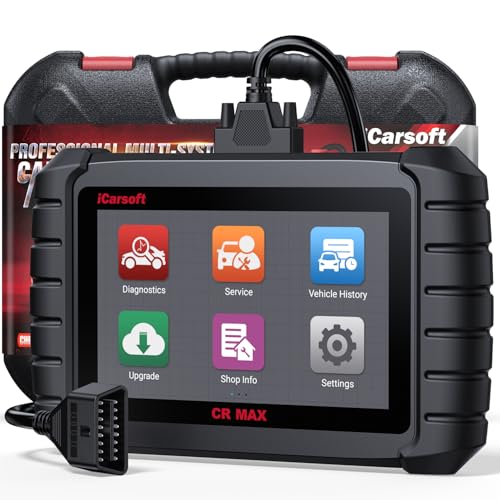
- WHY CHOOSE THE 2025 CR MAX -Upgrade the latest diagnostic capabilities for all vehicles after 1996: upgrade to 49+maintenance services; 46 extra specific functions; real all systems/all control modules diagnose; over 40K+ bidirectional actuation tests for diagnosing all control moduels of cars; Powerful full OBD2 Functions; built-in ECU Coding for BMW/ Audi/ VW/ RollsRoyce; Fr ee V.A.G Guide Function; Battery retistration for new battery adaptation and more. It covers all vehicle diagnostic services and some special professional vehicle maintenance servces, assists you to do home DIY vehicle maintenance or car repair as a pro technician.
- NEWEST IN INNOVATION FULL OBD2 SERVICES- iCarsoft auto car diagnostic scanner compatible with CAN-FD, CR MAX can do it all-reads and clears trouble codes, ALL SYSTEM DIAGNOSIS such as engine, transmission, ABS and airbag etc. CR MAX code reader for all cars can perform I/M Readiness, Live Data, Freeze Frame, Vehicle Information, Monitor Test, On-Board Monitor, E vap System Test,O2 Sensor Test,DTC Library Lookup,etc. (Warm Tips: If you car is after 2023,please contact us for compatibility; 3. It comes with 16PIN OBD2 diagnostic adapter, please check your car diagnostic socket if it is 16pin socket, if your car is 14pin diagnostic socket please contact us for the solution.)
- 49 RESET+ 46 SERVICES- Performs: Oil Reset, EPB,SAS,Throttle, D-P - F, Battery, ABS, Injector, TPMS, Suspension, AC, Head Lamp, Body Stablity, Engine, Tramsmission, Airbag, Seat, Door-Win-Roof, Fuel Pump, Door, E-G- R.+21 NEWEST SERVICES( Need update scanner)-AdBlue, Clutch, Crankshaft, High Voltage Battery, Cruise Control, NO xSensor, Rain Sensor, Stop And Start, Turbocharger, Head Up Display, Radar Camera, Vehicle Setup, Cyliner Misfire Check,Speedlimitassist, ControlUnitReset,OxygenSensor, Seatbelt. Extra 46+ extra services based on car brand.(Tips: Quantity of reset/ calibration fucitons are based on car system that your vehicle model has)
- REVOLUTIONARY 40000+BIDIRECTIONAL ACTIVE TESTS: Upgraded CR Max scanner equip with numberous of actuational test items for covering all available vehicle control modules, no longer only do simple light test or window test like other scanners, performs hardware modules test and software control modules test for checking car units or new updated control moduels work well or not after maintenance/ repair/ re-installation/ control system updated (Example for Benz- Roller Sun Blind test; Backup Camera test ;Self-test; EPB test; Transport Mode test;Boost Pressure Positioner test; Fuel Pump test; AND MORE!!).(Warm tip: The available test items are based on control modules your car has)
- ECU CODING+ BATTERY REGISTRATION- Powerful ECU Coding service for BMW/MINI/RollsRoyce / Audi/VW/Seat/Skoda/Bentley/Bugatti/Lamborghini, Improves Engine Power Performance and Optimizes Fuel Efficiency and Match New Hardware Unit to car and Customized a comfortable Driving Modes and Fixes & Updates Original Software Bug. The battery test function for checking car battery health, perform battery reset (BMS ) for replacing a damaged or aging car battery with a new one and register new battery to car ECU
This product presentation was made with AAWP plugin.
Last update on 2026-06-05 / Affiliate links / Images from Amazon Product Advertising API