
NHTSA ID Number: 11021990
Manufacturer Communication Number: TSB_ELE382
TSB/Document Date: 2025-08-20
Summary
TECHNICAL SERVICE BULLETIN: IBU LOGIC IMPROVEMENT - This bulletin provides information to upgrade the Integrated Body Control Unit (IBU) software on some 2021-2025MY Seltos (SP2) vehicles produced from November 20, 2019 through January 13. 2025. When the key fob is stored near the vehicle, a signal generated by the IBU for the 'Welcome Function' can cause the key fob battery to become depleted. The ‘Welcome Function' is a convenience feature that activates certain features controlled by the IBU including the puddle lamps (if equipped) when approaching the vehicle with the smart key. By upgrading the IBU software, the ‘Welcome Function' feature prevents the IBU from continuously signaling the key fob after five (5) minutes, improving the key fob battery.
GROUP
MODEL
ELE
2021-2025MY
Seltos (SP2)
NUMBER
DATE
382
August 2025
TECHNICAL SERVICE BULLETIN
IBU LOGIC IMPROVEMENT
SUBJECT:
This bulletin provides information to upgrade the Integrated Body Control Unit (IBU) software on some 20212025MY Seltos (SP2) vehicles produced from November 20, 2019 through January 13. 2025. When the key
fob is stored near the vehicle, a signal generated by the IBU for the 'Welcome Function' can cause the key fob
battery to become depleted. The ‘Welcome Function' is a convenience feature that activates certain features
controlled by the IBU including the puddle lamps (if equipped) when approaching the vehicle with the smart
key. By upgrading the IBU software, the ‘Welcome Function' feature prevents the IBU from continuously
signaling the key fob after five (5) minutes, improving the key fob battery. Follow the procedure outlined in
the publication to upgrade the 'IBU' software using the KDS diagnostic tablet. Refer to SST081 for software
upgrade instructions using Kia Diagnostic System (KDS) tablet and VCl-II and confirm the Upgrade Event
Number/Name. ROM ID Information, and Manual Mode passwords (if applicable) on the applicable vehicle.
NOTICE
A Technical Service Bulletin is a field fix repair program without customer notification that may be
performed during the warranty period. Any dealer requesting to perform this repair outside the
warranty period will require DPSM approval.
A printed copy is for reference only; publication information can be updated at any time.
Always refer to KGIS for the latest information. After logging in kdealer.com, the newest technical
publications are listed in ‘Service Releases’ and has the latest service information that has been released.
Page 2 of 6
IBU LOGIC IMPROVEMENT
SUBJECT:
Refer to TSB SST081 for instructions to upgrade the ‘IBU’ system:
To correct this condition, the specified system module should be reprogrammed using KDS
as described in this bulletin in ‘Auto Mode’.
Upgrade Event Name
823.SP2 IBU Upgrade for Welcome Off Logic Improvement (+SMK Only)
826.SP2 PE IBU Upgrade for Welcome Off Logic Improvement (+SMK Only)
Connect the negative (-) terminal to the battery as shown below.
NOTICE
Before attempting an ECU upgrade on any Kia model, make sure to first determine whether the
applicable model is equipped with an immobilizer
security system. Failure to follow proper
procedures may cause the PCM to become inoperative after the upgrade and any claims associated
with this repair may be subject to chargeback.
Printed document copy is for reference only; information may be updated at any time. Always refer to KGIS for the latest information.
TSB: ELE382 Seltos (SP2) August 2025
Page 3 of 6
IBU LOGIC IMPROVEMENT
SUBJECT:
ROM ID Information Table:
IMPORTANT
It is recommended to ALWAYS check the Electronic Parts Catalog (EPC) to locate the ECU Part
Number respective to Auto/Manual Mode ROM IDs. DO NOT reference the parts label affixed to
the ECU.
Upgrade Event #823
Model
Model
Year
System
IMMO
ROM ID
ECU P/No.
Previous
New
Q5CI0, Q5CJ0, Q5CK0,
Q5CL0, Q5CM0, Q5CN0,
Q5CO0, Q5CP0, Q5CQ0,
Q5CR0, Q5CS0, Q5CT0,
Q5CU0, Q5CV0, Q5CW0,
Q5CX0, Q5DG0, Q5DH0,
21MY
95400
Q5DI0, Q5DJ0, Q5FG0,
Q5FH0, Q5FI0, Q5FJ0,
Q5FK0, Q5FL0, Q5FM0,
Q5FN0, Q5FO0, Q5FP0,
Q5FQ0, Q5FR0, Q5FS0,
Q5FT0, Q5FU0, Q5FV0
Q5FW0, Q5FX0, Q5FY0,
1.00
1.01
1.02
1.03
1.04
1.05
1.11
1.06
1.07
1.08
1.09
1.10
Q5FZ0
SP2
IBU
Yes
Q5AL0, Q5AM0, Q5AN0,
Q5AO0, Q5AP0, Q5AQ0,
Q5AR0, Q5AS0, Q5AT0,
Q5AU0, Q5AV0, Q5AW0
Q5AX0, Q5AY0, Q5AZ0,
Q5BA0, Q5BB0, Q5BC0,
Q5BD0, Q5BE0, Q5BF0,
22MY
954B0
Q5BG0, Q5BH0, Q5BI0
Q5BJ0, Q5BK0, Q5BL0,
Q5BM0, Q5BN0, Q5BO0,
1.00
1.01
1.02
1.04
1.03
Q5BP0, Q5BQ0, Q5BR0,
Q5BS0, Q5BT0, Q5CC0
Q5CD0, Q5CE0, Q5CF0,
Q5CG0, Q5CH0, Q5CI0,
Q5CJ0, Q5CK0
Continued on page 4…
Printed document copy is for reference only; information may be updated at any time. Always refer to KGIS for the latest information.
TSB: ELE382 Seltos (SP2) August 2025
Page 4 of 6
IBU LOGIC IMPROVEMENT
SUBJECT:
Upgrade Event #826
Model
Model
Year
System
IMMO
ECU P/No.
ROM ID
Previous
954C0 Q5050
954C0 Q5060
954C0 Q5080
954C0 Q5110
SP2
23-25MY
IBU
Yes
954C0 Q5130
TSB: ELE382 Seltos (SP2) August 2025
1.00
1.01
1.02
1.09
1.08
954C0 Q5051
1.03
954C0 Q5061
1.04
954C0 Q5081
1.05
954C0 Q5111
1.06
954C0 Q5131
1.07
Printed document copy is for reference only; information may be updated at any time. Always refer to KGIS for the latest information.
New
1.10
Page 5 of 6
IBU LOGIC IMPROVEMENT
SUBJECT:
Software Information:
The required software must be installed by selecting
the ‘Auto Mode’ ECU Upgrade option.
Note: In some case, the ‘Manual Mode’ installation
option may be required ONLY if the ‘Auto Mode’
function fails or is otherwise noted above.
NOTICE
If the automatic upgrade fails, turn the ignition ‘OFF’ for about 10 seconds then place it back in the
‘ON’ position to reset the control unit BEFORE performing the manual upgrade.
Manual Mode’ passwords.
Event
No.
823
826
Menu
Password
SP2 IBU (~21MY) : 95400-Q5*** [+SMK only, Please, refer to the attached parts list in TSB]
4616
SP2 IBU (22MY) : 954B0-Q5*** [+SMK only, Please, refer to the attached parts list in TSB]
7522
SP2 PE IBU (23MY~) : 954C0-Q5050/060/080/110/130
8641
SP2 PE IBU (23MY~) : 954C0-Q5051/061/081/111/131
8922
UPGRADE EVENT:
Select the applicable ‘IBU’ system module and the
Event Group.
21-22MY
•
823.SP2 IBU Upgrade for Welcome Off
Logic Improvement (+SMK Only)
or
23-25MY
•
826.SP2 PE IBU Upgrade for Welcome Off
Logic Improvement (+SMK Only)
Verify the affected vehicle Calibration Identification of
the applicable ECU ROM ID and reference the
Information Table on pages 3 - 4 as necessary.
Printed document copy is for reference only; information may be updated at any time. Always refer to KGIS for the latest information.
TSB: ELE382 Seltos (SP2) August 2025
Page 6 of 6
IBU LOGIC IMPROVEMENT
SUBJECT:
AFFECTED VEHICLE RANGE:
Model
Production Date Range
Seltos (SP2)
November 20, 2019 to January 13, 2025
REQUIRED TOOL:
Tool Name
Part Number
Kia Diagnostic System
Figure
N/A
(KDS)
Comments
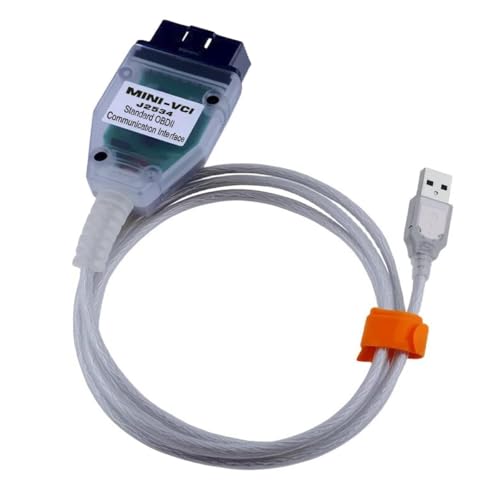
KDS + VCI
WARRANTY INFORMATION:
N Code: I14 C Code: ZZ3
Model
Model
Claim
Causal
Code
Year
Type
P/N
SP2KA*
SP2KC*
95400
21-22
Q5CYO
Qty.
0
SP2KC*
SP2KD*
23-25
Labor Op
Op
Replacement
Description
Code
Time
P/N
Integrated
95400Q0A
0.4
M/H
Qty.
N/A
0
N/A
0
Body Control
W
SP2KA*
Repair
Unit Logic
954C0
Q5010
0
Improvement
954C0Q0A
0.5
M/H
Note: For Substitute Transportation policy, please refer to Service Policy and Procedures Manual
(SPPM) 6.11 “Kia Substitute Transportation”.
Printed document copy is for reference only; information may be updated at any time. Always refer to KGIS for the latest information.
TSB: ELE382 Seltos (SP2) August 2025

- Advanced VCI Box, Industry-leading J2534 Pass-Thru...
- High-Speed OEM-Level Diagnostics & Programming: Unlock true...
- Coverage for 17 Car Brands & Ultra Reliability: Works...
- User-Friendly RLink Platform & Expert Support: TOPDON’s...
- 6.6 ft USB-C Cable & Portable Storage Case: The RLink J...
Last update on 2026-06-12 / Affiliate links / Images from Amazon Product Advertising API
If the PDF is very large, it may not load in the preview below.
Some older TSBs had multiple PDFs — visit the NHTSA Website to view all PDFs.
If the TSB PDF does not show, download or view it on the NHTSA Website.
Click on the (+) Plus Sign
Then Click on Associated Document(s)
Search NHTSA Database for Recalls
Search NHTSA Database for Vehicle Investigations
View Latest Vehicle Investigations
Search NHTSA Database for Vehicle Complaints
View Latest Vehicle Complaints
TSB/Document ID: TSB_ELE382
Replacement Service Bulletin Number:
MFR Communication Date: 2025-08-19
MFR Internal Campaign ID/Software Version:
Communication Type: Service Bulletin/Repair Instructions
NHTSA Components: ELECTRICAL SYSTEM
MFR Component System: ELE
MFR Component Subsystem:
Previous TSB | Next TSB |

- 【OE-Level Full System Diagnostics-Lifetime F*REE Software Updates】The VDIAGTOOL D200 OBD2 Scanner for cars is a all system bidirectional scan tool that enjoy lifetime f*ree software updates, delivers complete system coverage. reading/clearing codes across engine, transmission, ABS, SAS, EPB, TPMS plus full access to body, chassis, powertrain and all control modules. This D200 Bidirectional car scanner works with most 1996+ OBD2 gasoline and hybrid
 cars and light trucks. It does NOT support pure electric and heavy-duty trucks. PLEASE CHECK COMPATIBILITY BEFORE ORDERING or Contact us with VIN to confirm compatibility.
 - 【Supports OBD2 Full Functions-ZERO Subscription Fees】D200 Bidirectional OBD2 Scanner is a upgarde of universal car code reader. It supports OBD2 full functions to help you turn off the annoying instrument fault indicator, such as read/clear codes, O2 sensor test, I/M readiness, on-board monitor test, datastream, freeze frame, E-VAP system test, and retrieve vehicle information. This professional obd2 scanner diagnostic tool can full access to diagnostics, reset tools and maintenance features with a single payment. NOTE: The fault code can only be cleared after the vehicle's malfunction has been repaired; please ensure the vehicle issue is fixed before clearing the code.
- 【D200 Hidden 2 Advantages: 1. $169 Expandable 49+ Advanced Resets. 2. $199 Get J2534 P*a*s*s-Thru Programming】Your core car diagnostics and 26 reset remain lifetime f*ree for everyday maintenance. When you need deeper repair capability, upgrade with 3-year access for $169 in Store on VDIAGTOOL App, gaining 49+ advanced resets. D200 configured with J2534 hardware, upgrade only when you need without replacing the entire device. You also can Lifetime Unlock for $199 in Store one-time, perform module programming, software re~flashing and ECU data updates directly. Supports 17+ major brands, including for BMW, for Audi, for GM, for Ford and more. Note:D200 does‘t provide any OE software.
- 【Full Bidirectional Control / Active Tests】The D200 car scanner diagnostic tool is a true bidirectional scan tool that lets you send commands directly to the vehicle’s ECU for active tests. Quickly test fuel pumps, relays, solenoids, injectors, cooling fans, windows, sunroofs and more to verify operation instantly. Get dealership-level diagnostic control at a fraction of the cost (ofter $100-200$ per diagnostic visit), reduce guessworkand confirm repairs faster, avoid unnecessary parts replacement, towing fees and wait times.
- 【26 F*ree Essential Reset & Relearn Functions – Everyday Maintenance Made Easy】Handle common maintenance and repair jobs without visiting the shop. The D200 code readers & scan tools includes 26 f*ree high-demand reset functions, including Oil Reset, EPB Service, SAS Calibration, ABS Brake Bleeding, Throttle Relearn, Injector Coding, Headlight Adjustment, Tire Size Reset and more. Perfect for home car owners, mechanics and DIYers – just plug and diagnose anytime, anywhere! Note: Service functions vary by vehicle model—please confirm compatibility.


- 【A MUST-HAVE TOOL FOR DIYERS】 - VDIAGTOOL VD10 car code reader is an incredibly useful obd scanner for each car owner or hobbyist, even for those with little to no experience when it comes to vehicle mechanics! Similar to a fixd car diagnostic tool, using this car diagnostic scanner is extremely easy. All you have to do is attach it to your car OBDII port and you can diagnose car problems in seconds! Read Codes (DTCs); Clear Codes; Live Data; View Freeze Frame; I/M Readiness; Vehicle Information.
- 【KEEP ENGINE IN GOOD STATUS】 - VDIAGTOOL check engine code reader brings a fast access to scan, read the car fault code, show its definition on the screen instantly, troubleshooting to find the root causes of problems, erase the engine fault code and turn off the MIL (Malfunction Indicator Light). Similar to a fixd car diagnostic tool, this car code reader helps ensure your engine stays in top condition.
- 【READ/CLEAR CODES & DTC LOOKUP】- No search online & saving your time, this vehicle car code reader retrieves generic (P0, P2, P3, and U0), manufacturer specific (P1, P3, and U1) codes, pending codes and displays DTC definitions based on the built-in database(more than 3000 codes) on the TFT screen, find out the root causes and clear the codes after fixed.
- 【LIVE DATA & RETRIEVE FREEZE FRAME】 - This diagnostic scan tool for accurate diagnosis enables you to retrieve data from vehicle sensors, such as Engine RPM, Intake air temperature, Short/Long term fuel, Misfire data and etc. The freeze frame is stored in the PCM together with the diagnostic trouble code (DTC) related to the fault. Comparable to a fixd car diagnostic tool, the VD10 car code reader car scanner can be a valuable & practical diagnostic aid and also greatly help when diagnosing intermittent problems.
- 【I/M READINESS for THE S-nn-0-g CHECK】- OBDII vehicle may not pass the annual inspection unless the required monitors since reset are complete. So you should at least read the readiness monitors and make sure they are ready. This car obd2 scanner diagnostic tool is equipped with I/M readiness function to check the operations of the e-m-issi0n system on OBD2 compliant vehicles, run I/M monitor readiness test, checking if the pass vehicle s-m-0-g inspection.

- Pro Features, Home Mechanic Budget: Why pay thousands for factory scan tool? The VD70S scan tool delivers advanced professional diagnostic at an affordable price, including 10x faster 33-66ft wireless scanning, 4000+ active tests, 36+ hot services, ECU coding, PMI function, and OE-level full-system scan with 8-in-one data graph. It rivals expensive shop tools - perfect for DIYer, technician and small shop. Get dealer-grade power without the cost - the VD70S obd2 scanner diagnostic tool makes pro diagnostic accessible to all. The available function tests vary by model—please check compatibility via vdiagtool2 @ outlook . c o m before purchase
- Full Bidirectional Control for Precision Repair: VD70S obd2 scanner gives you direct vehicle module control to test components like fuel pump, injector, A/C clutch, window and more, enabling you to accurately and quickly locate faulty components. Unlike basic obd2 code reader, our advanced bidirectional control lets you actively command system - like triggering the ABS pump to confirm your fix worked. With pinpoint component testing and real-time validation, you can diagnose intermittent issues faster and prevent costly return visits. The VD70S auto diagnostic scanner transforms complex diagnostic into precise, time-saving repair - giving professional-grade accuracy at an unbeatable value
- 33-66FT Wireless Freedom - Faster & More Stable: Say goodbye to 2M cable limits. Easily Perform bi-directional tests like folding mirror, activating light or fuel pump while walking freely around your vehicle - no more cable dragging or repositioning your tool. Unlike other 33ft BT obd2 scanner that still need a cable to handle DOIP vehicle diagnostics, the VD70S bidirectional scan tool delivers a truly cable-free experience - with up to 66ft stable transmission range and faster, more reliable data transfer. With VD70S scanner, you get pro-level flexibility, faster workflow and stable diagnostics without cable clutter or wireless dropouts
- Powerful & Affordable Auto Scanner with 36+ Special Functions: Take control of your vehicle maintenance and save hundreds in shop fees with the VD70S car diagnostic tool. This car tool performs 36+ hot services including ✔Crank Sensor Relearn, Oil Reset, EPB, TPMS Reset, Throttle Adaptation, Injector Coding, ABS Bleed and more. ✔Besides, the VD70S bidirectional obd2 scanner unlocks 100+ advanced vehicle-specific functions under specific system menu, including Idle Relearn, VIN Write, Crankshaft Sensor Relearn, Fuel Trim Reset, ABS Initialization and more. These features help you solve complex system error and restore optimal vehicle performance. Text us your VIN we’ll check the compatibility
- OE-Level Full System Diagnostic, Simplified Workflow: The VD70S car diagnostic scanner delivers OE-level full system scanning (ABS/ECM/BCM/SRS/TCM and more) without the dealership cost. ✔Easily view 8 live data streams, retrieve freeze frame and run active test to quickly identify problem. ✔With advanced bidirectional control, test components like fuel injector and sensor directly to verify repair with certainty. ✔The 8-in-one graphing tracks performance trend to catch intermittent issue like a pro. Whether you're a technician or car owner, the diagnostic scanner provides shop-quality diagnostic to optimize performance and prevent costly repair - all in one affordable tool
Last update on 2026-06-12 / Affiliate links / Images from Amazon Product Advertising API
This product presentation was made with AAWP plugin.