
NHTSA ID Number: 11020655
Manufacturer Communication Number: 24LC04
TSB/Document Date: 2025-07-10
Summary
TECHNICAL INSTRUCTIONS FOR SPECIAL SERVICE CAMPAIGN 24LC04 REPROGRAMMING FOR ENGINE ELECTRONIC CONTROL UNIT CERTAIN 2022, 2023 and 2024 LX600 VEHICLES
◄ IMPORTANT UPDATE ►
The attached Technical Instructions have been updated. Refer to the details below.
DATE
06/11/2025
TOPIC
Updated current calibration id section to include not closing campaign when certain
CAL ID is found in vehicle. Lexus is working on creating another cal file that will allow
these vehicles to be updated.
The most recent update in the attached TI will be highlighted with a red box.
Please review this notification with your staff to assure that all relevant personnel have been briefed regarding
this subject.
Thank you for your cooperation.
TECHNICAL INSTRUCTIONS
FOR
SPECIAL SERVICE CAMPAIGN 24LC04
REPROGRAMMING FOR ENGINE ELECTRONIC CONTROL UNIT
CERTAIN 2022, 2023 and 2024 LX600 VEHICLES
The repair quality of covered vehicles is extremely important to Lexus. All dealership technicians
performing this repair are required to successfully complete the most current version of the ELearning course “Safety Recall and Service Campaign Essentials”. To ensure that all vehicles have the
repair performed correctly; technicians performing this repair are required to currently hold at least
one of the following certification levels:
•
LIC206A - Electrical Repair 1
It is the dealership’s responsibility to select technicians with the above certification level or greater to
perform this repair. Carefully review your resources, the technician skill level, and ability before
assigning technicians to this repair. It is important to consider technician days off and vacation
schedules to ensure there are properly trained technicians available to perform this repair at all times.
1
I.
OPERATION FLOW CHART
The flow chart is for reference only. DO NOT use it in place of the full technical instructions. Follow ALL
steps as outlined in the full technical instructions to confirm the campaign is completed correctly.
2
II. IDENTIFICATION OF AFFECTED VEHICLES
1.
CHECK VEHICLE FOR CAMPAIGN ELIGIBILITY
a) Compare the vehicles VIN to the VIN listed on the Repair Order to ensure they match.
b) Check the TIS Vehicle Inquiry System to confirm the VIN is involved in this Campaign, and that it has not
already been completed.
HINT:
TMNA warranty will not reimburse dealers for repairs completed on vehicles that are not affected or
were previously completed, even by another dealer.
III. PREPARATION
A. TOOLS & EQUIPMENT
•
•
•
L-SB-0001-18 Rev. 2
DCA-8000 Battery Diagnostic Station
Techstream ADVi / Techstream 2.0 / Techstream Lite
BACKGROUND
IV. SAFETY PRECAUTIONS
CRITICAL INFORMATION - READ THOROUGHLY
An ECU could be damaged if an error occurs in the communication while reprogramming the ECU. Confirm all work is
performed as described in these instructions.
3
1.
STABILIZE THE POWER TO THE PERSONAL COMPUTER SIDE
a) Be sure to connect the personal computer to an external AC
power supply.
NOTICE:
The ECU could be damaged if the battery voltage of the personal
computer drops while reprogramming.
b)
Turn off the screen saver and power saving mode of the personal
computer so that the power to the hard disk is kept supplied.
NOTICE:
If the screen saver or power saving mode launches while
reprogramming, the communication may be disconnected,
resulting in the damage of the ECU.
c)
DO NOT block the ventilation opening for the cooling fan of the
personal computer.
NOTICE:
If the ventilation opening for the cooling fan is blocked with a
sheet cover or the like, the personal computer may be heated
excessively, causing the operation of the personal computer to
stop.
Due to the stop of the operation, the communication for
reprogramming signals could be stopped, resulting in the damage
of the ECU.
V. ENGINE SYSTEM CALIBRATION ID VERIFICATION
CHECK FOR DTC’S
a) Using a GTS+, click the “Health Check” button on the Main Menu.
HINT:
This Campaign covers only the software update to the Engine
System, as detailed in these instructions. It does not cover the
diagnosis or replacement of any other systems on the vehicle.
1.
4
2.
CHECK CURRENT CALIBRATION
a) Locate the “Update” column of the “Calibration Information” for the Engine system on the "Health Check
Result" screen.
b) Determine the status of an available update; indicated by a YES or NO.
HINT:
If the CIDs indicate ‘Yes’, proceed with the update procedure.
Yes
Proceed to section VII. Vehicle
preparation on page 4.
Is there an update available for
the Engine System?
No
Campaign complete. Return the
vehicle to the customer.
◄ CRITICAL MESSAGE ►
It is critical that L-SB-0001-18 Rev. 2 in addition to the Technical Instructions for this SSC] are followed. This TSB
outlines all steps necessary to prevent reprogramming failure. Toyota will not provide reimbursement coverage for
reprogramming failures if this TSB is not followed. If you have a reprogramming failure that requires ENGINE CONTROL
COMPUTER replacement and the Technical Instructions and TSB were followed correctly, please create a case with the
Technical Assistance Hotline documenting all information related to the failure. If sufficient reporting is received related
to re-flash failure, there will be consideration for reimbursement.
5
VI. VEHICLE PREPARATION
1.
VEHICLE PREPARATION
a) Confirm the following conditions:
• Vehicle in the IG position (READY
OFF).
•
•
•
•
Transaxle in Park.
Parking brake engaged.
•
Turn off all electrical accessories (i.e. climate control,
audio system, etc.)
Headlight switch in the DRL OFF position. (w/ DRL
OFF position)
Windshield wiper switch in the OFF position.
When the vehicle has no “OFF position” in the light control
switch:
1) Turn the IG ON.
2) Set the light control switch to the AUTO position and make sure
that the exterior lights are turned on.
3) Light up the automatic light control sensor with work light to
keep the exterior lights turned off.
b)
2.
CONNECT THE 12V BATTERY TO A POWER SUPPLY
a) Connect the DCA-8000 or other type of a power supply (not a battery charger) to the 12V battery.
b) Tap the Reflash icon from the Main Menu screen of the DCA-8000.
A power supply MUST be used during reprogramming. ECU damage will occur if the battery
voltage is not properly maintained during this re-flash procedure.
NOTICE:
A power supply must be connected directly to the 12V battery terminals and NOT the remote jump
posts under the hood (if equipped).
3.
VERIFY GTS+ SETUP
a) Verify that the GTS+ meets the following conditions:
•
•
•
The latest version of software is loaded.
The GTS+ battery is fully charged. If not, connect the GTS+ to a 120V source.
The DLC III cable is in good condition.
The GTS+’s battery voltage must also be maintained during the re-flash procedure. If necessary,
plug the GTS+ into a 120V outlet during this procedure.
NOTICE:
If the GTS+ communication with the vehicle fails during the re-flash procedure, the Engine Control
Computer will be damaged.
6
VII. UPDATE CALIBRATION
1.
CONFIRM THE CALIBRATION ID
a) Confirm the current calibration ID in the Engine System.
The calibration IDs to re-flash in this campaign are as shown in the table below.
If vehicle contains calibration 896636AK3100, the vehicle currently cannot be updated. Lexus is developing a new CAL
ID to complete those vehicles at a future date.
System
Engine
Engine Control Computer Calibrations
Current Calibration ID
896636A13000
896636A13100
896636A13200
896636AL7000
896636AL7100
New Calibration ID
896636A13300
896636AL7200
NOTICE:
If the Engine Control Computer has the New CIDs listed on the table, no update is necessary. Please
note that the campaign should only be closed when the vehicle has the New Calibration IDs above. If
LSB0007-25 was performed before this campaign this campaign cannot be completed, a new CAL is
currently in development that targets the LSBs final calibration.
REFLASH THE ENGINE CONTROL COMPUTER
a) Click “Yes” on the “Health Check Results” screen or follow the links on the table above the begin the
reflash process.
NOTICE:
Reflash failure should be extremely rare and can be avoided by following all instructions and
reprogramming best practices.
2.
7
VIII.
1.
COMPLETE REPAIR
DISCONNECT THE DCA-8000
2.
3.
PERFORM VERIFICATION HEALTH CHECK
a) Using a GTS+, click the “Health Check” button on the Main
Menu.
b) Clear DTC’s that may have set during the re-flash procedure.
c) Re-run the Health Check to confirm that no DTC’s reappear.
THIS VERIFICATION HEALTH CHECK IS
NECESSARY to update the results and CIDs
to the National database.
CONFIRM CID UPDATE
a) On the Stored Data tab, confirm the following for the Engine System:
•
•
The Calibration number has the “New CID” number.
The Update column says “No”.
Confirm the CIDs has been updated successfully to the NEW CIDs by someone other than the
individual who performed the repair. Refer to page 5.
4.
PRINT CUSTORMER HEALTH CHECK REPORT
a) From the Stored Data tab, select the Customer Health Check
Report button (TIS will launch when button is pressed).
b) Log in to TIS.
c) Input Vehicle Mileage and Repair Order number.
d) Check the “Performed” campaign button for the applicable
campaigns.
e) Select the Report button.
8
f)
g)
h)
Confirm Customer Health Check Report information is correct.
Print Customer Health Check Report from TIS.
Sign and provide to the customer.
◄ VERIFY REPAIR QUALITY ►
-
Confirm the reflash completes successfully.
Confirm there are no DTCs after the Calibration update.
If you have any questions regarding this update, please contact your area representative.
9
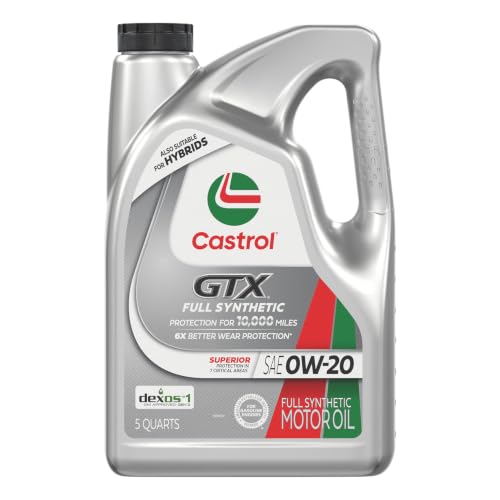
- 6X better wear protection on critical engine parts than...
- 1.3X better sludge protection than industry standards*
- 3X Stronger against viscosity breakdown than leading full...
- Protection for 10,000 miles between oil changes
- Meets or exceeds the following specifications: API SP/SN...

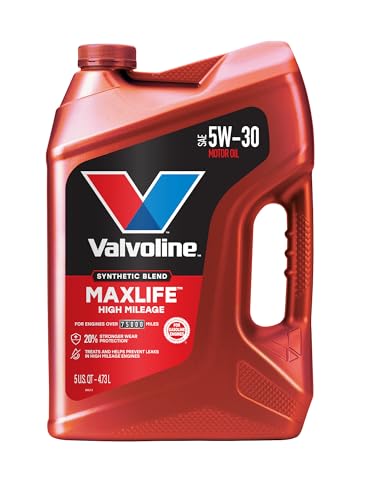
- Formulated for engines with 75,000 miles or more, Valvoline...
- Delivers 20% better wear protection and 15% better sludge...
- Extra detergents safeguard against friction, corrosion and...
- Advanced friction-fighting additives help maximize...
- Provides performance benefits for high mileage, new and...
Last update on 2026-06-23 / Affiliate links / Images from Amazon Product Advertising API
If the PDF is very large, it may not load in the preview below.
Some older TSBs had multiple PDFs — visit the NHTSA Website to view all PDFs.
If the TSB PDF does not show, download or view it on the NHTSA Website.
Click on the (+) Plus Sign
Then Click on Associated Document(s)
Search NHTSA Database for Recalls
Search NHTSA Database for Vehicle Investigations
View Latest Vehicle Investigations
Search NHTSA Database for Vehicle Complaints
View Latest Vehicle Complaints
TSB/Document ID: 24LC04
Replacement Service Bulletin Number:
MFR Communication Date: 2025-06-11
MFR Internal Campaign ID/Software Version: 24LC04
Communication Type: Service Bulletin/Repair Instructions
NHTSA Components: UNKNOWN OR OTHER
MFR Component System:
MFR Component Subsystem:
Previous TSB | Next TSB |

- Stay Updated with Lifetime Access: This obd2 scanner includes lifetime free software updates for all app service functions. With a single payment, enjoy full access to diagnostics, reset tools, and maintenance features — zero subscription fees. A budget-friendly choice for weekend mechanics, home car owners, and DIYers, supporting vehicles from 1996 onward. Come to us with your VIN to check compatibility.
- Full Bidirectional Control/Active Tests & Stable Wireless Connectivity: This car code reader features full bidirectional control, allowing you to send commands to the vehicle's ECU for active tests on components such as fuel pumps, injectors, A/C clutches, windows, sunroofs, and more. This car scanner diagnostic tool helps DIYers quickly diagnose and test vehicle parts, cutting down troubleshooting and repair time. With BT 4.0 wireless connectivity, you can enjoy cable-free diagnostics up to 33 feet. Stand in your garage and test windows, wipers, or even engine components—all without needing to move around your car.
- Portable Car Scanner with 26 Special Functions: Scheduled vehicle maintenance with the A30M car diagnostic scanner can keep your vehicle in peak condition and save you big on dealership trips. The XTOOL A30M obd2 scanner diagnostic tool features essential reset and relearn functions, such as Oil Reset, EPB Reset (Electronic Parking Brake Release), SAS, ABS Brake Bleeding, Throttle Body Relearn, Injector Coding, Crank Sensor Relearn, Headlight Adjustment, and Tire Size Reset. Note: Service functions may vary by vehicle model – check compatibility beforehand!
- Wide Compatibility CAN FD & FCA
 Autoauth: This obd2 scanner diagnostic tool is compatible with over 85+ car brands from the U.S., Europe, and Asia, providing extensive coverage through a BT connection with your smartphone or iPad. Now upgraded to support the latest protocols, it includes FCA AutoAuth access for Chrysler, Jeep, Dodge, and Fiat (2018+), and supports CAN FD for GM (2020+) models, giving you greater access to newer vehicles and systems. Note: The FCA AutoAuth account is not included with the device. Users must register and pay separately through the official FCA AutoAuth website to access diagnostic functions for vehicles that require it.
 - Up to 8 Live Data Streams Graphing – Real-Time Graphing for Deeper Insight: This car scanner supports up to 8 live data streams simultaneously with intuitive, real-time graphing. Gain comprehensive insights into your vehicle’s performance, making it easier to spot issues, detect trends, and make informed diagnostic decisions with confidence.
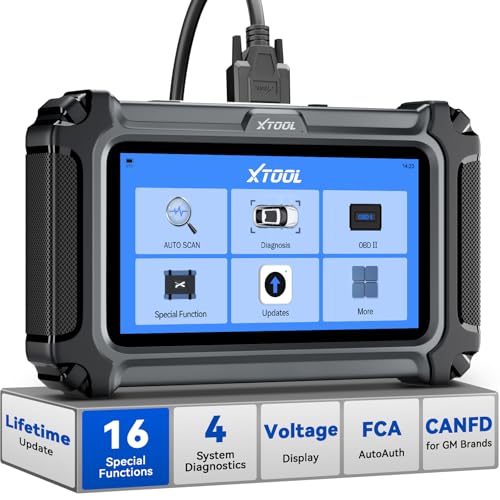
- Comprehensive OBD2 Scanner with 16 Resets: The XTOOL D5S car code reader and vehicle reset tool provides an advanced diagnostic solution with 16 commonly needed reset functions, including Electronic Parking Brake Reset (EPB Reset), SAS, BMS Reset (Battery Test), Throttle Body Relearn, TPMS Reset, ABS Bleeding, Injector Coding, Gearbox Match, Suspension Adjustment, Headlight, Window Initialization, Crank Sensor Relearn and more. Equipped with CAN FD Protocol and FAC AutoAuth, the D5S obd2 scanner diagnostic tool ensures compatibility with a broad range of modern vehicles, allowing users to address common maintenance needs quickly. NOTE: Please Check the Compatibility before ordering.
- 4 Main System Car Scanner & Full OBD2 Diagnostics: The XTOOL D5S car code reader is ideal for home mechanics, DIYers, and professionals, providing access to Transmission/Engine/ABS/SRS systems to read DTCs, Live data can be displayed in text or up to 4 PID data graphs, along with full OBD2 diagnostics to check the engine light on, other obd2 issues and routine maintenance. This car diagnostic scanner ensures you can keep your vehicles in top condition, avoiding costly repairs or unexpected breakdowns. NOTE: Some vehicles display three systems after connection because the transmission and engine of some vehicles are integrated into one.
- Check Engine Code Reader & Real-Time Engine Monitoring: Whether you're a car owner, a DIYer, or run a repair shop, the XTOOL D5S obd2 scanner diagnostic tool makes engine diagnostics fast and frustration-free, reading and explaining trouble codes in seconds—no confusion. Check live data like fuel trim, 02 sensor voltage, RPM, and coolant temp to pinpoint mis~fires, rough idle, or sensor issues. After repairs, simply use the D5S check engine code reader and reset tool to turn off the check engine light and confirm the problem’s fixed—saving time, money, and unnecessary shop visits. - Note: If the check engine light comes back on, it indicates the original problem still exists.
- Portable Car Scanner for ABS and SRS: XTOOL D5S gives you peace of mind when ABS or airbag warning lights come on. It reads and clears ABS codes to help you fix brake sensor, traction control, or wheel speed issues, and supports ABS bleeding after repairs like caliper or master cylinder replacement. For airbag systems, it scans and clears SRS codes related to airbags, seatbelt tensioners, and crash sensors. Whether you're doing repairs at home or running a small shop, the D5S is a cost-effective solution for safety diagnostics. Note: If a fault code returns after clearing, it usually means the issue hasn’t been fully resolved. Please check the compatibility before ordering.
- Transmission Warning Light ON? Here’s the Transmission Diagnostic and Reset Tool You Need: The XTOOL D5S is more than just a basic car scanner—it’s an easy-to-use transmission diagnostic tool. From rough shifts to slipping gears, the D5S lets you read and clear transmission trouble codes, monitor real-time TCM data, and perform transmission resets after fluid changes or repairs. Whether you’re a hands-on car owner or a pro running a busy shop, this OBD2 scanner with transmission functions helps you catch problems early—saving you time, money, and future headaches.. Note: Clearing fault codes is equivalent to a reset on some vehicles, but not all. For help, contact XTOOL Tech Support.
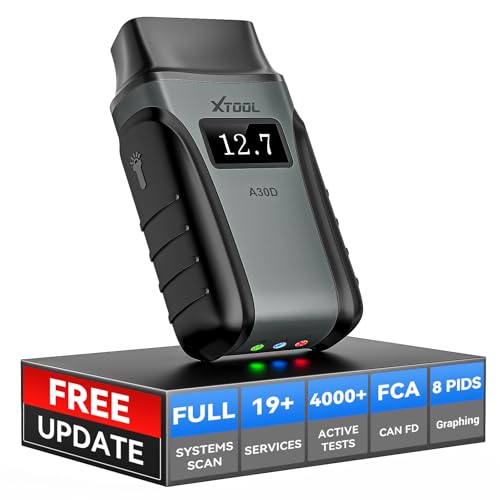
- Save $500+/Year with Pro-Level Diagnostics -No Subscriptions: The Portable XTOOL Anyscan A30D OBD2 scanner diagnostic tool includes free lifetime software updates for all app service functions, without extra cost. With a single payment, enjoy full access to diagnostics, relearn scan tools, and maintenance features. A cost-effective, smart choice for car owners and DIY enthusiasts, compatible with vehicles from 1996 onward. Please provide the car VIN and the special functions you need in advance so that we can confirm compatibility
- Bi-Directional Control for Faster Troubleshooting: Unlike a basic code reader, the A30D bi directional scan tool sends commands directly to your vehicle’s ECU to actively test components like fuel pump, valves, wipers, windows, doors, sunroof, and headlamps right from your smartphone. See component responses in real time without disassembly—perfect for brake jobs, electrical issues, and hard-to-find problems. This bidirectional obd2 scanner helps pinpoint faults faster, reduce guesswork, and avoid replacing good parts. An efficient, easy-to-use car scanner diagnostic tool built for DIYers, home garage users, and small-shop technicians who want real two-way scanner, not just codes
- 19 Reset Functions for Routine Maintenance: The A30D car diagnostic scanner provides 19 relearn functions without extra charges, including EPB Reset for parking brake replacement, TPMS Reset after tire changes, ABS Auto Bleeding, Oil Reset, SAS Reset, BMS Reset, Throttle Relearn, Injector C0ding, Gear Learning, Crank/Crankshaft/Cam/Ckp Sensor Relearn Tool, Transmission Match, Seat Calibration, Airbag Repair and more. This XTOOL A30D automotive scanner diagnostic tool supports preventive care, helping extend vehicle life and reduce costly shop visits. Functions vary by vehicle make and year—plz confirm compatibility before purchase
- Stable BT Connection & All-System & 8 Pids Live Data: The A30D wireless OBD2 scanner delivers a fast and stable wireless connection up to 33 feet, letting you move freely around the vehicle without tangled cables. Pair with with Android 9.0+ and iOS 10.0+ devices to turn your phone into a mobile auto scanner—perfect for home garages, driveways, or on-the-spot repairs. This full system scanner for cars provides real-time access to all major modules, including Engine, Gearbox, ABS, SRS, AC and more. with clear graphs, meters, and up to 8 PIDs displayed at once. This car code reader makes system monitoring visual, simple, easy to understand, and offering data logging for playback and deeper
- Wide Compatibility with CAN-FD & FCA Support: The A30D car computer diagnostic reader works with most 1996 and newer vehicles with a standard OBD2 port, including for Ford, for GM, for Toyota, for Honda, for Nissan,for Hyundai etc, with ongoing updates covering more car models and functions later. It also supports newer communication protocols like CAN-FD and FCA AutoAuth (Personal AutoAuth account and active subscription required, not included with the device!for Chrysler, for Dodge, for Jeep, for Fiat models). It is a future-ready automotive scanner diagnostic tool for households with multiple vehicles or part-time techs. Coverage vary by cars, plz check the compatibility first
Last update on 2026-06-23 / Affiliate links / Images from Amazon Product Advertising API
This product presentation was made with AAWP plugin.