
NHTSA ID Number: 11018129
Manufacturer Communication Number: L74X-A.11.25
TSB/Document Date: 2025-05-07
Summary
Service campaign agreed with CARB. Problem: Lateral and longitudinal acceleration sensors need to be monitored by the OBD system. Solution: Introduction of diagnosis for lateral and longitudinal acceleration sensors.
To:
Object:
Date:
Pages
L74XA.11.25
After Sales Official Network
BL4.6 BL Update PN_47B990100C_Rev_0131_0132
/04/2025
19
Campaign code:
L74X-A.11.25
Campaign name:
BL4.6 Update PN_47B990100C_Rev_0131_0132
Model:
Revuelto
Model Year:
2024
Markets:
Italy, Germany, United States, Canada, United
Kingdom, Denmark, Belgium, France,
Netherlands, Sweden, Luxembourg, Spain,
Portugal, Greece, Monaco, Poland, Azerbaijan,
Czech Republic, Austria, Romania, Estonia,
Turkey, India, Singapore, Lebanon, Indonesia,
United Arab Emirates, Qatar, Saudi Arabia, New
Zealand, Bahrain, Kuwait, Taiwan, Thailand,
Mexico, Malaysia, Philippines, Switzerland,
Cambodia, Oman, Peru, Latvia, Hungary, South
Africa, Macao, Vietnam, Hong Kong, Australia,
Brazil, Norway
VIN Involved:
From RLA00042 To RLA01883
Important information: before proceeding with
the repair, connect to the Warranty Portal and,
using the “VIN Info” function, check that:
•
The vehicle is affected by the instructions
contained in this bulletin.
NOTE: some vehicles may not be affected,
despite the fact that their Vehicle
Identification Number (VIN) falls within the
range.
•
Only replacement parts that correspond to
the specific operation, identified by a
letter (such as A, B, C, etc.), are to be used
for the chassis being repaired.
Example
Rev.00
CONFIDENTIAL
N.B.:
Operation A will be available only when the
instructions require a preliminary check to be
performed to determine whether or not the
vehicle actually needs updating.
Information for the service network:
During ongoing product monitoring, Automobili
Lamborghini S.p.A. informs you that a new baseline software update is now available.
Solution for the field:
Update the car as stated in the follow instructions.
IMPORTANT!
Before carrying out the operations contained in
this bulletin, please execute any other campaigns
planned for this vehicle in the time order in which
they were issued. The time order can be identified
by the name of the bulletin. Example: L62X-A04.19 is bulletin number 4 of 2019.
Spare Parts:
None
The procedures and information published herein are strictly confidential and are intended exclusively for recognized professionals and persons who are authorized to receive said information. All copyrights are the property of
Automobili Lamborghini S.p.A pursuant to copyright law. The company reserves the right to make updates and
modifications as needed. The reprinting, reproduction, distribution to unauthorized persons and/or to third parties, and the partial or complete translation of the material contained herein are prohibited without the express
written consent of Automobili Lamborghini S.p.A.
Doc. no.: L/V6_M06 Rev.[07]
1/19
To:
Object:
Date:
Pages
L74XA.11.25
After Sales Official Network
BL4.6 BL Update PN_47B990100C_Rev_0131_0132
/04/2025
19
Management of replaced parts:
Store the components that have been removed
from the vehicle in an appropriate manner, marking them with their corresponding bar codes so
that they can be identified during visits by the
competent Area Manager.
Important information:
attach all documents generated during the work
carried out, evidence of the work itself, for
instance work orders and diagnostic protocols
with BETA-Reports.
If one or more of these is missing, it may lead to a
rejected reimbursement request.
Labor time:
Operation B: 3,0 h
Previous bulletins superseded.
None
Fill out the page in the warranty booklet
(identified in the image below) in the section
“Service and Recall Campaigns”:
Warranty claims instructions:
To request reimbursement for the repair
performed, access the “LIASS” system on the
Lamborghini
portal
and,
following
the
instructions in the system’s “Manuals” section,
generate and fill out a Warranty Request.
Select the required campaign and proceed with
entry; carefully read the options present in the
alert message that displayed by the system (see
example) and select the option performed on the
vehicle.
Tools/Materials required
Code
Description.
Reimbursement will be structured as follows
based on the operation performed:
-
n\a
n\a
Q.ty
n\a
OPERATION B:
o
o
Steps to be executed: I to VII
Labor time: 3,0 h
At the end of the steps mentioned in the Operation B, the following ECUs will have the following
SWs target:
ECU
Engine Master 01
Transmission 02
Brake 03
Engine Slave 11
Infotainment 5F/17
Rev.00
CONFIDENTIAL
N.B.
All O.D.I.S. Service technical documentation can
be viewed on the Lamborghini web portal, in the
O.D.I.S. Sel Service app.
SW version
0014
0010
0181
0014
419
The procedures and information published herein are strictly confidential and are intended exclusively for recognized professionals and persons who are authorized to receive said information. All copyrights are the property of
Automobili Lamborghini S.p.A pursuant to copyright law. The company reserves the right to make updates and
modifications as needed. The reprinting, reproduction, distribution to unauthorized persons and/or to third parties, and the partial or complete translation of the material contained herein are prohibited without the express
written consent of Automobili Lamborghini S.p.A.
Doc. no.: L/V6_M06 Rev.[07]
2/19
To:
Object:
Date:
Pages
L74XA.11.25
After Sales Official Network
BL4.6 BL Update PN_47B990100C_Rev_0131_0132
/04/2025
19
Preliminary operations:
The instructions contained in this bulletin are
based on the O.D.I.S. Service diagnosis software
updated at the last version. Please, make sure
that O.D.I.S. Service is properly updated on your
laptop.
IMPORTANT!
Before carrying out the operations contained in
this bulletin is mandatory to install the last Hotfix
available at the following DMS link:
To do that, open O.D.I.S Service and check if are
present one of the icons shown in the images below:
Lamborghini DMS → ROOT → Service → Diagnosis → Documents → O.D.I.S. Service → Download
→ O.D.I.S. Service HOTFIX
1.
Update O.D.I.S Service by uninstalling and
reinstalling the SW: further instructions
available on the O.D.I.S Self Service APP.
IMPORTANT!
Before carrying out the operations contained in
this bulletin please perform the following campaign: L74x-A.31.24_BL4.4_Update_EN_rev01
NOTE:
It is essential that you connect an appropriate
battery charger to the charge points available in
the luggage hood (front center of the vehicle).
The voltage must remain constant above 13V: Set
the battery charger and check the voltage status
directly on O.D.I.S Service, as shown below:
2. O.D.I.S Service “Automobili Lamborghini”
post-setup update
If one of these icons appear, please proceeded to
update O.D.I.S Service.
Rev.00
CONFIDENTIAL
The procedures and information published herein are strictly confidential and are intended exclusively for recognized professionals and persons who are authorized to receive said information. All copyrights are the property of
Automobili Lamborghini S.p.A pursuant to copyright law. The company reserves the right to make updates and
modifications as needed. The reprinting, reproduction, distribution to unauthorized persons and/or to third parties, and the partial or complete translation of the material contained herein are prohibited without the express
written consent of Automobili Lamborghini S.p.A.
Doc. no.: L/V6_M06 Rev.[07]
3/19
To:
Object:
Date:
Pages
L74XA.11.25
After Sales Official Network
BL4.6 BL Update PN_47B990100C_Rev_0131_0132
/04/2025
19
Repair method:
The updating procedure described here includes
the following steps:
3. In the main page of SD Creator fill out the
Model and Part Number fields:
Download SW from SD-Creator sw 419;
Enable Engineering Menu;
ECU 5F/17 update to SW 419;
ECU 0019 check DTC;
ECU 11 update to SW 0014
SVM update and configuration;
Erase fault memory;
I.
Download Software from SD-Creator
software 419
1. In order to download the necessary software
for the update procedure, open on your laptop
the software SD Creator by a double click on
the program icon.
2. When the program starts, fill in the Windows
screen fields as explained in the “BI09.17_[ENG]_SD-Creator installation package
procedures".
a. Select the Model, (Revuelto);
b. Insert the USB-C stick and type the Part
Number specific for your destination
market making reference on the table
at following point.
4. Select the Part Number related to the destination market of your vehicle:
Table of reference for control unit 5F (Infotainment System)
Part Number
Software Target
Destination Market
616.530.033.71
419
All markets except
Japan and China
5. Through the selected Part Number, the version of the ECU 5F software suitable to the selected market will be downloaded. Then, click
“Search”. The following image is only for example purposes:
Rev.00
CONFIDENTIAL
The procedures and information published herein are strictly confidential and are intended exclusively for recognized professionals and persons who are authorized to receive said information. All copyrights are the property of
Automobili Lamborghini S.p.A pursuant to copyright law. The company reserves the right to make updates and
modifications as needed. The reprinting, reproduction, distribution to unauthorized persons and/or to third parties, and the partial or complete translation of the material contained herein are prohibited without the express
written consent of Automobili Lamborghini S.p.A.
Doc. no.: L/V6_M06 Rev.[07]
4/19
L74XA.11.25
To:
Object:
Date:
Pages
After Sales Official Network
BL4.6 BL Update PN_47B990100C_Rev_0131_0132
/04/2025
19
6. If the entered part number is correct, following the search, will be shown the model name
and the required size of the USB memory stick
to generate the software. E.g. image:
IMPORTANT:
Before start to download the software!
The process involves formatting the USB-C stick
and deleting the files inside it.
In order to avoid losing the data, it is advisable to
use empty USB-C stick.
Make sure that the available storage space is
larger or at least equal to the size required by SD
Creator.
7. Follow the instructions to download the software. Click the Start Button,
to start the software download process. The
software will be automatically saved in the
USB-C stick. E.g. image:
8. At the end of the process, green icons will appear on the right and positive feedback will be
displayed indicating the success of the operation. Click on the bar “
” in order to finish the download process. The USBC stick is automatically unplugged from your
laptop.
ATTENTION:
If the error shown in the following image occurs in
the download from SD Creator, perform the instructions at the end of this document, in Trouble
shooting section.
Rev.00
CONFIDENTIAL
The procedures and information published herein are strictly confidential and are intended exclusively for recognized professionals and persons who are authorized to receive said information. All copyrights are the property of
Automobili Lamborghini S.p.A pursuant to copyright law. The company reserves the right to make updates and
modifications as needed. The reprinting, reproduction, distribution to unauthorized persons and/or to third parties, and the partial or complete translation of the material contained herein are prohibited without the express
written consent of Automobili Lamborghini S.p.A.
Doc. no.: L/V6_M06 Rev.[07]
5/19
L74XA.11.25
To:
Object:
Date:
Pages
After Sales Official Network
BL4.6 BL Update PN_47B990100C_Rev_0131_0132
/04/2025
19
9. To verify the success of the operation, extract
and reinsert the USB-C stick and make sure
that the software required is present. The following image is an example concerning the
folders created.
IMPORTANT:
After enabling the engineering menu, please
leave the car in sleep for 15 minutes, key off, all
doors closed and locked, OBD disconnected.
III.
At this point the downloaded software is available
on the USB-C stick and ready to be flashed on the
car.
ECU 5F update to Software 419
12. Move in the car and insert the USB-C stick
containing the downloaded software 419 in
the USB1 port located under the Navi screen
(image below).
II.
Enable Engineering Menu
10. Select the tab “Control units”, select the ECU
5F and from “Guided Functions” select “5F –
Enable Engineering Menu”, then click on
“Run”.
13. To update the ECU 5F software it is necessary
to reach the Engineering Menu through the
following commands sequence on the central
display.
11. When request, please press option 1 to enable the engineering menu.
Rev.00
CONFIDENTIAL
14. Press and hold the top center screen for a few
seconds.
The procedures and information published herein are strictly confidential and are intended exclusively for recognized professionals and persons who are authorized to receive said information. All copyrights are the property of
Automobili Lamborghini S.p.A pursuant to copyright law. The company reserves the right to make updates and
modifications as needed. The reprinting, reproduction, distribution to unauthorized persons and/or to third parties, and the partial or complete translation of the material contained herein are prohibited without the express
written consent of Automobili Lamborghini S.p.A.
Doc. no.: L/V6_M06 Rev.[07]
6/19
L74XA.11.25
To:
Object:
Date:
Pages
After Sales Official Network
BL4.6 BL Update PN_47B990100C_Rev_0131_0132
/04/2025
19
15. Press “System Information” button.
18. Select the file in the second tab and then
press “Select File” button.
16. Press “Update software" button.
19. Flag the button “I Checked the SDN compatibility matrix” and then press “START” button.
17. Select USB that contain the SW (file .zip).
Rev.00
CONFIDENTIAL
The procedures and information published herein are strictly confidential and are intended exclusively for recognized professionals and persons who are authorized to receive said information. All copyrights are the property of
Automobili Lamborghini S.p.A pursuant to copyright law. The company reserves the right to make updates and
modifications as needed. The reprinting, reproduction, distribution to unauthorized persons and/or to third parties, and the partial or complete translation of the material contained herein are prohibited without the express
written consent of Automobili Lamborghini S.p.A.
Doc. no.: L/V6_M06 Rev.[07]
7/19
To:
Object:
Date:
Pages
L74XA.11.25
After Sales Official Network
BL4.6 BL Update PN_47B990100C_Rev_0131_0132
/04/2025
19
20.Remove the USB-C stick only when the upload
will be ended.
21. Click on the button “Go to main menu” to return in normal visualization mode.
22. After the update, leave the car in sleep for 15
minutes, key off, all doors closed and locked,
OBD disconnected.
23. Repeat the step 10 and 11 to disable Engineering Menu.
IV.
ECU 0019 check DTC
V.
ECU 11 update to SW 0014
25. From the Lamborghini HUB, at the following
link, download and execute the flash data container:
DMS --> ROOT--> Service--> Diagnosis --> Documents --> O.D.I.S. Service --> Download -->
O.D.I.S Service Flashdatacontainer --> For Revuelto -->Lamborghini_Flash_Revuelto_BL4.6.exe
26. The following setup appear: Click on “Install”
and follow the instructions.
24. Check the DTCs from the ECU 0019: If the DTC
“C12A5F0: Vehicle electrical system configuration implausible” is present and is in “active”
status, please perform the GFF “Vehicle configuration implausible” from the Test Plan, as
shown below:
27. From the "Test plan" menu, click on the "Select
own test" box and then click on the magnifying
glass:
Rev.00
CONFIDENTIAL
The procedures and information published herein are strictly confidential and are intended exclusively for recognized professionals and persons who are authorized to receive said information. All copyrights are the property of
Automobili Lamborghini S.p.A pursuant to copyright law. The company reserves the right to make updates and
modifications as needed. The reprinting, reproduction, distribution to unauthorized persons and/or to third parties, and the partial or complete translation of the material contained herein are prohibited without the express
written consent of Automobili Lamborghini S.p.A.
Doc. no.: L/V6_M06 Rev.[07]
8/19
L74XA.11.25
To:
Object:
Date:
Pages
After Sales Official Network
BL4.6 BL Update PN_47B990100C_Rev_0131_0132
/04/2025
19
28. Enter in the search bar “Update programming”. Select the function “Update programming (Beta Version)” and click on “Go to”.
29. Click on “Attach to test plan”.
31. Select the control unit type to flash. In this select option “- 1. -“, “ASAM/UDS”.
32. Specify the control unit Diagnostic Address
and then click on “Apply” box. In this case insert “11”.
11
30. If the steps are successful, the function Update programming (Beta Version)" will appear
in the Test plan. Click now on the Update programming (Beta Version)” function and then
“Perform test”.
Rev.00
CONFIDENTIAL
33. Click on “- 1. -” if the selection is correct, otherwise click “- 2. -” for repeat program or “- 3.
-” for abort program.
The procedures and information published herein are strictly confidential and are intended exclusively for recognized professionals and persons who are authorized to receive said information. All copyrights are the property of
Automobili Lamborghini S.p.A pursuant to copyright law. The company reserves the right to make updates and
modifications as needed. The reprinting, reproduction, distribution to unauthorized persons and/or to third parties, and the partial or complete translation of the material contained herein are prohibited without the express
written consent of Automobili Lamborghini S.p.A.
Doc. no.: L/V6_M06 Rev.[07]
9/19

- 💯【Conta.ct us for Support Directly】If you met any...
- 🔥🔥🔥【2026 AUTEL FLAGSHIP MK900BT MK900-BT, NEW...
- 🚗【3000+ ACTIVE TESTS (50➡3000+), SAME AS MS...
- 🚗【40+ HOT SERVICES FOR 150 MAKES (28+➡40+)】Full...
- 🚗【OE ALL SYSTEM DIAGNOSE, AUTO SCAN 2.0: SCAN LICENSE...


- 【TURN OFF CEL】 This AL319 car scanner diagnostic tool...
- 【EXTENSIVE APPLICATION】 Autel AL319 Compatible with...
- 【FOR END USER & DIYERS】 This error code reader AL319 is...
- 【USER-FRIENDLY DESIGN】 This OBD2 scanner and check...
- 【HIGH-QUALITY SERVICES】 12 months war.ranty from the...
Last update on 2026-06-12 / Affiliate links / Images from Amazon Product Advertising API
If the PDF is very large, it may not load in the preview below.
Some older TSBs had multiple PDFs — visit the NHTSA Website to view all PDFs.
If the TSB PDF does not show, download or view it on the NHTSA Website.
Click on the (+) Plus Sign
Then Click on Associated Document(s)
Search NHTSA Database for Recalls
Search NHTSA Database for Vehicle Investigations
View Latest Vehicle Investigations
Search NHTSA Database for Vehicle Complaints
View Latest Vehicle Complaints
TSB/Document ID: L74X-A.11.25
Replacement Service Bulletin Number:
MFR Communication Date: 2025-04-04
MFR Internal Campaign ID/Software Version:
Communication Type: Service Campaign
NHTSA Components: POWER TRAIN
MFR Component System:
MFR Component Subsystem:
Previous TSB | Next TSB |

- OBD2 Bluetooth Scanner Lifetime Update: Ediag Elite offers revolutionary Advantage Lifetime Updates with unlimited access to the superior 15+ reset service, bidirectional testing and full system diagnostics.The Ediag Elite is an excellent Bluetooth OBD2 scanner diagnostic tool ideal for DIY's and private car owners.
- Bidirectional Control for Quickly Locating Problems: The Bidirectional Scan tool allows you to send commands directly from your smartphone to your vehicle for active testing. This feature helps to quickly narrow down problems such as air conditioning clutches, windows, doors, sunroofs, etc., reducing diagnostic time for mechanics and helping DIY users locate faults more easily. In addition, Ediag Elite provides fault analysis and repair guidance to help you solve problems efficiently.
- 15+ Maintenance Resets: The current version introduces 15+ popular special features: Oil Reset, Headlight Matching, Bleeding Reset, TPMS Reset, BMS Reset, Gear Box Relearn, EGR Learning, Throttle Learning, Injector Coding, SAS Reset and more special functions in system diagnose menu. These functions make it easy for owners to carry out the necessary maintenance and servicing, ensuring that your vehicle stays in top condition, prolonging its service life and preventing common problems and breakdowns. Note: The Special function vary by model& year, Reach us check compatibility.
- Wide Compatibility CANFD & FCA
 Autoauth: Compatible with GM, Ford, Toyota, Chrysler, Honda, Mazda, Nissan, Mitsubishi, Hyundai, KIA with standard OBD2 port from 1996 to newer. More car brands and features will be released gradually. Newest Ediag Elite scanner supports CANFD Protocol and FCA cars. Note: Coverage may vary on different vehicle by model& year ,Please contact us to confirm compatibility before purchase.
 - Perfect for Monitoring The Health of Your Vehicle: Ediag Elite is designed to make vehicle maintenance simple and efficient. With intelligent AutoVIN quick recognition, it is easy to connect to your car without the need for manual input. Real-time data is visualized in a variety of formats, including graphs, numeric, meter displays and clear 4-in-1 data charts, allowing you to effortlessly monitor real-time performance. Data logging/reporting is available for playback and further analysis.
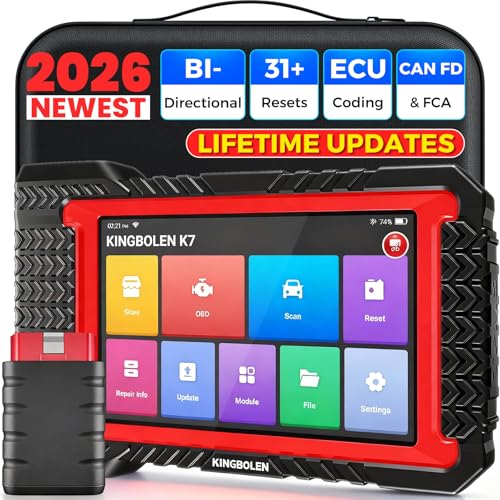
- No Annual Fees & 2026 Upgraded CAN FD: Why pay $199/year or more for updates? The 2026 newest Kingbolen K7 obd2 scanner features have been upgraded to Lifetime Updates without subscription fees, saving you significant costs in the long run. K7 scan tool also adds the CAN FD protocol for the latest GM models (2019+), enabling faster data transfer, reducing the risk of undetected errors
- 2026 Newest Top-tier Car Scanner: Kingbolen K7 diagnostic scan tool is equipped with most capabilities for daily repair/maintenance: Wireless diagnosis via Bluetooth, Bidirectional Test, ECU Online/Offline Code, 31+ Resets, PMI for Ford, Lincoln, Mazda, Global version for 100+ brand vehicles and 17 languages, no area limit, FCA AutoAuth
- OE-Level Full Systems Scan Tool: K7 professional diagnostic scanner with Auto Vin can do one-click to scan ECUs on most of vehicles, like pcm, ecm, eps, bcm, tpms, sas, a/c system... to read/clear code, view live data, freeze frame, read ecu info. 4-in-1 data stream graphics can make data viewing more intuitive. Detailed diagnostic reports will help you easily master the car situation as it can be shared by bluetooth or email! Adding workshop information can help your customers to know more
- Bidirectional Test/Active Test & ECU Code: Stop guessing and start fixing. Bidirectional scan tool Kingbolen K7 can perform real active test that can send commands to the vehicle's ECU to drive the actuators to work, like window, rear mirrors, sunroof, door, solenoids, wipers, headlamp, etc, helping you quickly find out bad parts and pinpoint faulty issues. K7 bidirectional scanner will be a good choice to save money and time on car repairs when performing complex maintenance and repair
- 31 Reset Functions: Avoid expensive dealership visits for simple services. Experience tells us that just a small repair service may cost a lot of money. Kingbolen K7 is a professional diagnostic scanner with 31 common maintenance services like Oil /SAS/EPB/TPMS Reset, Battery Matching, ABS Bleeding, Injector Code, etc. It effectively handles most of the car reset and relearning jobs, perfect for experienced DIYers and mechanics. Note: Functions in the menu vary across vehicles. Kindly check the compatibility before purchase
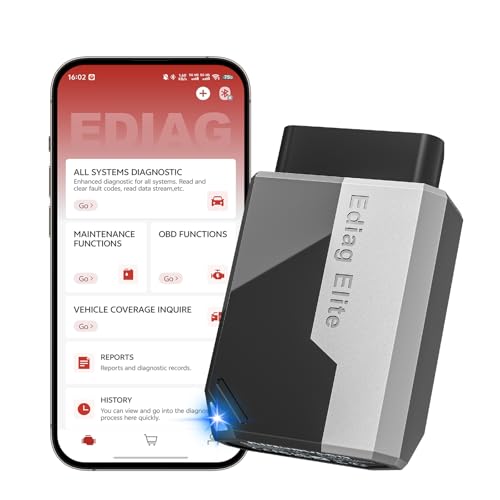
- 【Cost-effective Diagnostic Scan Tool】Lifetime updates without fee, No subscription fee required, No IP restrictions, Ediag Elite bluetooth scanner stands out. It can perform in-depth Full System diagnostics,15+ Reset Services, powerful Active Test, CANFD & FCA AutoAuth. Connect your phone via Bluetooth for diagnosis, providing a faster, smarter and smoother diagnostic experience. Easy to put in pocket, convenient to carry, keep track of the car's status anytime, anywhere. Best bang for your bucks.
- 【15+ Reset Service, Easy Problem Solving】 KINGBOLEN Ediag Elite obd2 scanner diagnostic scan tool comes with 15+ professional reset functions, including: Oil Reset, ABS Bleeding, Injector Code, SAS Reset, TPMS Reset, BMS Reset, AFS Reset, Sunroof Calibration, Brake Reset and more special functions in system diagnose menu. The ideal bluetooth scanner for mechanics and DIY enthusiasts, which can save unnecessary maintenance costs and significantly shorten repair time.
- 【Comprehensive Full Systems Diagnostic】 The Ediag Elite obd2 scanner bluetooth supports full system In-Depth diagnosis. It can read/clear fault codes, read real-time data/freeze frame, module information, and perform testing and reset functions for ECM, BCM, ABS, SRS, TPMS, TCM, BMS, SAS, A/C & RTM systems ect. It works with most car models after 1996, cover more than 150+ car brands. Supports 22 global languages for your convenience(EN, FR, ES, DE, IT, RU, PT, JP, TU...)
- 【Powerful Bidirectional Scan Tool & Active Test】 The obd2 code reader for Ediag Elite can perform real time active test that can send commands to the vehicle’s ECU to drive the actuators to work, such as turn on the radiator fan, modulate the throttle, open/close windows, etc. It can help you quickly find out the bad components and the cause of the fault, which can save you a lot of time. With BT 5.2 wireless connectivity, you can enjoy wireless diagnostics up to 33 feet.
- 【FCA AutoAuth & CANFD Compatibility】 Ediag Elite scan tool offers support with FCA Gateway Access, allowing you to perform protected functions on FCA vehicles, including Chrysler, Dodge, Jeep, Alfa Romeo, Fiat vehicles, etc.(Note:just allows you to access the FCA, but need to have your own FCA account) Supports the CAN-FD protocol, provide high-speed vehicle diagnostic communication and data transfer, working perfectly on GM vehicles produced after 2020, saving $100 to buy a CAN FD adapter.
Last update on 2026-06-12 / Affiliate links / Images from Amazon Product Advertising API
This product presentation was made with AAWP plugin.