
NHTSA ID Number: 11007774
Manufacturer Communication Number: SC-23-109
TSB/Document Date: 2024-09-13
Summary
The procedure describes the process of updating the vehicles software along with a hardware change to improve the vehicles experience and diagnostics on ZX5.A02 buses.
ISSUE DATE:
SERVICE BULLETIN SUBJECT:
VINs or MODELS AFFECTED:
COMPLETE BY:
SERVICE BULLETIN #:
LABOR OPERATION CODE:
LABOR TIME
07/13/2023
ZX5.A02 Spring Software Release and Shutdown Override
Momentary Switch Retrofit
Service Specified Buses
Next Service Opportunity
SC-23-109
PE47Z
2.5 Hours
ZX5.A02 Spring Software Release and Shutdown Override Momentary
Switch Retrofit
Description:
The procedure describes the process of performing updating the vehicles software along with a
hardware change to improve the vehicles experience and diagnostics.
1 | Page
Headquarters: 1815 Rollins Road, Burlingame, CA 94010
East Coast Manufacturing: 1 Whitlee Court, Greenville, SC 29607
West Coast Manufacturing: 383 Cheryl Lane, City of Industry, CA 91789
Summary of Software Changes:
ATC Disable Switch Support:
New feature deliverable for buses configured with an ATC disable switch enabling ABS mud
and snow mode below 15 mph for stuck in snow scenarios
Dash initialization fix for key off charging:
Fix for Black/green screen and correctly populating charging screen messages from wakeup
during plug in from key off charging
Charge port light support:
Supports lighting charge port light on buses equipped with the hardware while plugged in and
remains lit for a customer configurable amount of time after vehicle key off
LVD functionality absorbed by the Body controller:
The Body Controller is now able to support BRIT requirement of 35 min ITS accessory on time
after key off as well as supporting CMTA charge port light 5 min on time after key off. Body
monitors 24V voltage and request vehicle off rather than LVD cutting power.
Aux Heat Improvements:
Fixed bug that got command stuck in a loop and resulted in Aux Heat never turning on
Shutdown Override Switch Improvements
Improvements to prevent accidental triggering of shutdown override switch.
Requires Hardware swap to implement.
SW NOT compatible with old Hardware (leads to un-intuitive operation)
Coolant Pump Diagnostic Fix
Calibration change to prevent erroneous diagnostic setting during changes in pump speed that
affected buses equipped with WP120 pumps. Code is backward compatible with WP29 pump.
TCM Diagnostics Improvements
Updated descriptions
Robustness improvements
Fault set time optimizations
Increased Buzzer Volume
Change to the Dash Buzzer to increase volume greater than 80 dB
HVIL Diagnostic Robustness Fix
Improved robustness to signal noise to prevent false failures
2 | Page
Headquarters: 1815 Rollins Road, Burlingame, CA 94010
East Coast Manufacturing: 1 Whitlee Court, Greenville, SC 29607
West Coast Manufacturing: 383 Cheryl Lane, City of Industry, CA 91789
Tools/Parts Required:
Tools and Supplies Required:
Proterra Diagnostic Tool
USBLink Nesiq
Flat Head Screwdriver
LVD Flash Harness
GIGAVAC LVD Configurator Program
T30 Bit
Laptop
1
1
1
1
1
1
1
Kit Parts Required:
064518
188-6122
SERVICE RETROFIT KIT, CAN BANK MOMENTARY SWITCH
JOINT, CAN BANK, CAM, MOMENTARY, TOP
1
3 | Page
Headquarters: 1815 Rollins Road, Burlingame, CA 94010
East Coast Manufacturing: 1 Whitlee Court, Greenville, SC 29607
West Coast Manufacturing: 383 Cheryl Lane, City of Industry, CA 91789
Procedure:
1.
Use the Proterra approved Lockout/Tagout procedure to make the bus safe for work.
Shutdown Override Momentary Switch Retrofit (PN 188-6122):
2.
Locate the switch panel to the left of the driver's seated position.
3.
Remove the forward switch plate by removing the four flat head screws using a screwdriver,
then disconnect any wiring harness.
4.
Remove the current CAM plate allocated to the Shutdown Override button. Use a flat head
screwdriver inserted into the pry slot to pry out the cam plate. If required, remove the zip tie
securing the electrical pigtail.
4 | Page
Headquarters: 1815 Rollins Road, Burlingame, CA 94010
East Coast Manufacturing: 1 Whitlee Court, Greenville, SC 29607
West Coast Manufacturing: 383 Cheryl Lane, City of Industry, CA 91789
5.
Install the Momentary cam plate PN 188-6122 (MC0030) at the Shutdown Override location by
pressing it into place. Verify orientation of the cam plate such that the front of the button is
raised. See picture below.
5 | Page
Headquarters: 1815 Rollins Road, Burlingame, CA 94010
East Coast Manufacturing: 1 Whitlee Court, Greenville, SC 29607
West Coast Manufacturing: 383 Cheryl Lane, City of Industry, CA 91789
6.
Reconnect harness and reinstall switch plate using a flat head.
7.
Remove LOTO Equipment.
Flash Procedure for Low Voltage Disconnect (LVD PN 036155):
LVD Specs
Shut Off
Delay
Alarm
Values
15.0
200
15.25
8.
Download GIGAVAC programming tool from the ServiceMax campaign files. Or on the network
“\\bus.local\files\Public\Manufacturing\Kenny Raval\PROGRAMMING INFO\PROGRAM 12-24V
CONTACTOR”
9.
Unzip folder and open the MXSL_Configuration_Software_v2 folder then select CP210X
Drivers folder and run the x64 application, then go back to the MXSL Config folder and run the
“Setup MXSL_Config_R3” file. This will download the gigavac tool.
6 | Page
Headquarters: 1815 Rollins Road, Burlingame, CA 94010
East Coast Manufacturing: 1 Whitlee Court, Greenville, SC 29607
West Coast Manufacturing: 383 Cheryl Lane, City of Industry, CA 91789
10. Turn vehicle ON at the CS charge port and the battery switch ON. The Master switch remains
off at the dash.
11. Remove rear access panel using a T30 to gain access to the LVD.
12. Remove connector that is plugged into the LVD contactor and plug in the programming
harness.
13. Insert LVD programming harness USB into the laptop then open the program MXSL Config R3
on your desktop or search for it in your tool bar. Note you should only have one USB
installed on the laptop while programming.
7 | Page
Headquarters: 1815 Rollins Road, Burlingame, CA 94010
East Coast Manufacturing: 1 Whitlee Court, Greenville, SC 29607
West Coast Manufacturing: 383 Cheryl Lane, City of Industry, CA 91789
14. Select Comport, there should only be one drop down available for the USB installed.
15. Acknowledge how to gain power for programming attach alligator clips to positive 24 and
ground to the locations below.
8 | Page
Headquarters: 1815 Rollins Road, Burlingame, CA 94010
East Coast Manufacturing: 1 Whitlee Court, Greenville, SC 29607
West Coast Manufacturing: 383 Cheryl Lane, City of Industry, CA 91789
16. Connect to the device. To do this click “Search MXSL” as soon as the progress bar on the
program has green, power on the LVD. This connection can be sensitive. If the program times
out. Remove power restart program and try again. Focus on providing power right when the
progress bar has smallest bit of green.
17. Click Read.
18. Confirm the coil voltage is 24v.
9 | Page
Headquarters: 1815 Rollins Road, Burlingame, CA 94010
East Coast Manufacturing: 1 Whitlee Court, Greenville, SC 29607
West Coast Manufacturing: 383 Cheryl Lane, City of Industry, CA 91789
19. Update Shutoff Alarm and Delay in the table below. To save these updates select write.
LVD Specs
Shut Off
Delay
Alarm
Values
15.0
200
15.25
10| Page
Headquarters: 1815 Rollins Road, Burlingame, CA 94010
East Coast Manufacturing: 1 Whitlee Court, Greenville, SC 29607
West Coast Manufacturing: 383 Cheryl Lane, City of Industry, CA 91789
20. Verify the updated values are on the device by clicking Read and comparing to the table above.
21. Remove LVD programming harness and reconnect the bus side harness. Reinstall T30 screws
to secure the hatch.
VEHICLE SOFTWARE UPDATE PROCEDURE
Software Files Required / Preparation:
IMPORTANT! NEVER access the software from the USB memory device, ALWAYS copy the software
files to your computer hard drive and access the software from this location. Secure the bus with the
Vehicle Master Disconnect in the rear ON.
Component
Part Number
Version
Vehicle Controller
065597
3.8.14
Preparing the Vehicle to be Programmed:
When programming a vehicle, it is critical that the low-voltage batteries remain connected throughout
the process. Ensure that the LV batteries are fully charged before starting the process. If they are
11| Page
Headquarters: 1815 Rollins Road, Burlingame, CA 94010
East Coast Manufacturing: 1 Whitlee Court, Greenville, SC 29607
West Coast Manufacturing: 383 Cheryl Lane, City of Industry, CA 91789
low, use the vehicle to recharge them by turning on high-voltage or place the bus on a low-voltage
charger for the duration of the process.
22. Connecting to the vehicle, Power up and login to the Proterra-Supplied laptop or a comparable
PC that has the Proterra Diagnostics Tool software installed with a valid license.
23. Turn ON the 12/24V rear Vehicle Master Disconnect located at the curbside rear charge port
access panel and the LV Battery Saver Switch near the LV batteries.
24. Connect the Nexiq USB Link2 device to the laptop and to the OBDII Diagnostic Port located in
the rear deck above the rear window.
25. Make sure the Master Switch is in the “OFF” position and the Hazard Switch is ON.
a . NOTE – Other systems may cause the hazard lights to be on. Ensure the Hazard
Switch is on for flashing purposes.
12| Page
Headquarters: 1815 Rollins Road, Burlingame, CA 94010
East Coast Manufacturing: 1 Whitlee Court, Greenville, SC 29607
West Coast Manufacturing: 383 Cheryl Lane, City of Industry, CA 91789
26. On the laptop, double-click on the Proterra Diagnostics Tool software icon to start the software.
27. When the program opens, read and click “OK” for the high-voltage safety prompt.
28. On the Home tab, select the appropriate device from the drop down and click “Connect”.
29. Once the diagnostic tool has connected to the vehicle, a VIN number and connection status will
be displayed on the Home screen, and tabs available to navigate. If you do not see the Home
13| Page
Headquarters: 1815 Rollins Road, Burlingame, CA 94010
East Coast Manufacturing: 1 Whitlee Court, Greenville, SC 29607
West Coast Manufacturing: 383 Cheryl Lane, City of Industry, CA 91789
Screen, check that the low-voltage batteries are connected and that the Nexiq tool is plugged
in. If there are still errors, try restarting the Proterra Diagnostic Tool application.
NOTE: 800V Proterra vehicles are equipped with an automatic battery disconnect that will
protect the low-voltage batteries from a deep discharge
30. Before beginning the programming process, check the bus for existing faults by clicking on the
“Diagnostics” button below and make a note of any found.
Update Vehicle Controller:
31. Click on the “Overhead Charging” button on the left side of the screen
NOTE: If the bus that you are working on is not capable of overhead charging, skip to step 34
below.
Click “Overhead
Charging”
32. Record the value displayed in the “Vehicle Tag” data field. This will be re-entered into the
controller after the software update.
Record Vehicle Tag
33. Navigate to the “VIC CONFIG” tab in the left menu.
14| Page
Headquarters: 1815 Rollins Road, Burlingame, CA 94010
East Coast Manufacturing: 1 Whitlee Court, Greenville, SC 29607
West Coast Manufacturing: 383 Cheryl Lane, City of Industry, CA 91789
34. Select the option for Vehicle Controller “START FLASH”. There will be a status pop-up to
confirm that the Master Switch is OFF, and the Hazard Switch is ON.
NOTICE: The “INITIAL FLASH” button is only for offline programming of the Vehicle Controller
with an Offline Programming Kit.
35. After pressing OK, it will prompt you to press the “START FLASH” button again. BEFORE YOU
DO THAT, press the “GET VALUES” button to get the current controller configuration values.
Save these values in case the automatic restore does not work.
15| Page
Headquarters: 1815 Rollins Road, Burlingame, CA 94010
East Coast Manufacturing: 1 Whitlee Court, Greenville, SC 29607
West Coast Manufacturing: 383 Cheryl Lane, City of Industry, CA 91789
36. Now, press the “START FLASH” button once more and a pop-up window should appear. In the
pop-up window, select the software flash file to load the controller. The correct file is named
065597 SW_VIC_3.8.14.hex.
Select the file and
Click Open
37. The Programming window will come up and may take a few minutes to complete.
38. Click on the “Overhead Charging” button on the left side of the screen.
NOTE: If the bus that you are working on is not capable of overhead charging, skip to step 40.
16| Page
Headquarters: 1815 Rollins Road, Burlingame, CA 94010
East Coast Manufacturing: 1 Whitlee Court, Greenville, SC 29607
West Coast Manufacturing: 383 Cheryl Lane, City of Industry, CA 91789
Click “Overhead
Charging”
39. The following screen will appear. Enter the “Vehicle Tag” that you recorded previously into the
field circled in red below. Click the button under the field. This will populate the “Vehicle Tag”
into the field above and into the controller.
Click “Button”
40.
Turn the Hazard Switch OFF.
41. Turn OFF the 12/24V rear Vehicle Master Disconnect located behind the vehicle curbside rear
charge port access panel and the LV Battery Saver Switch near the LV batteries. Wait ten
seconds, and then turn both back to ON.
17| Page
Headquarters: 1815 Rollins Road, Burlingame, CA 94010
East Coast Manufacturing: 1 Whitlee Court, Greenville, SC 29607
West Coast Manufacturing: 383 Cheryl Lane, City of Industry, CA 91789
42. Close the PDT.
43. Verify that the vehicle turns on with no faults and that it is capable of charging.
TRANSMISSION SOFTWARE UPDATE PROCEDURE
Software Files Required / Preparation:
IMPORTANT! NEVER access the software from the USB memory device, ALWAYS copy the software
files to your computer hard drive and access the software from this location. Secure the bus with the
Vehicle Master Disconnect in the rear ON.
Component
Part Number
Version
TCM PHX
064859
5590524
Preparing the Vehicle to be Programmed:
When programming a vehicle, it is critical that the low-voltage batteries remain connected throughout
the process. Ensure that the LV batteries are fully charged before starting the process. If they are
low, use the vehicle to recharge them by turning on high-voltage or place the bus on a low-voltage
charger for the duration of the process.
44. Turn ON the 12/24V rear Vehicle Master Disconnect located at the curbside rear charge port
access panel and the LV Battery Saver Switch near the LV batteries.
18| Page
Headquarters: 1815 Rollins Road, Burlingame, CA 94010
East Coast Manufacturing: 1 Whitlee Court, Greenville, SC 29607
West Coast Manufacturing: 383 Cheryl Lane, City of Industry, CA 91789
45.
Turn the Master Switch to the “DAY RUN” position and turn the Hazard Switch ON.
a NOTE – DO NOT PRESS THE START PB. THIS WILL ENGAGE HV.
b NOTE – Other systems may cause the hazard lights to be on. Ensure the Hazard
Switch is on for flashing purposes.
46. Access the Rear Deck above the rear window and remove the protective cap.
19| Page
Headquarters: 1815 Rollins Road, Burlingame, CA 94010
East Coast Manufacturing: 1 Whitlee Court, Greenville, SC 29607
West Coast Manufacturing: 383 Cheryl Lane, City of Industry, CA 91789
47. Connect to the vehicle using the Nexiq USB Link2.
48. On the laptop, double-click on the Eaton Service Ranger software icon to start the software.
(Note it might take up to 10 minutes to launch.)
49. Check for updates.
50. If you connection has been setup previously, skip to step 54, otherwise proceed with the next
step.
51. Open the Settings.
52. Click Add Profile.
20| Page
Headquarters: 1815 Rollins Road, Burlingame, CA 94010
East Coast Manufacturing: 1 Whitlee Court, Greenville, SC 29607
West Coast Manufacturing: 383 Cheryl Lane, City of Industry, CA 91789
53. Create a connection as below.
Update Transmission Software
This procedure updates the Powertrain software version and maintains the Powertrain parameter
configuration data across the flash download of new software.
54. Select Connect to begin communication with TCM.
21| Page
Headquarters: 1815 Rollins Road, Burlingame, CA 94010
East Coast Manufacturing: 1 Whitlee Court, Greenville, SC 29607
West Coast Manufacturing: 383 Cheryl Lane, City of Industry, CA 91789
55. Select Ok to proceed once connection established.
56. Select programming from the Go To menu.
22| Page
Headquarters: 1815 Rollins Road, Burlingame, CA 94010
East Coast Manufacturing: 1 Whitlee Court, Greenville, SC 29607
West Coast Manufacturing: 383 Cheryl Lane, City of Industry, CA 91789
57. Select software (SW-23162-E TECM 5590524) and press confirm.
58. Verify the available update is 5590524.
59. Select download to begin programming.
60. Follow prompts to turn off ignition, and then turn on ignition (cycle driver’s switch from on to off.
61. Select finish once the process completes.
23| Page
Headquarters: 1815 Rollins Road, Burlingame, CA 94010
East Coast Manufacturing: 1 Whitlee Court, Greenville, SC 29607
West Coast Manufacturing: 383 Cheryl Lane, City of Industry, CA 91789
62. Verify software is up to date (TECM 5590524) use numbers below.
63. Select configuration from Go To menu. If values must be updated save one section at time.
24| Page


- Advanced VCI Box, Industry-leading J2534 Pass-Thru...
- High-Speed OEM-Level Diagnostics & Programming: Unlock true...
- Coverage for 17 Car Brands & Ultra Reliability: Works...
- User-Friendly RLink Platform & Expert Support: TOPDON’s...
- 6.6 ft USB-C Cable & Portable Storage Case: The RLink J...
Last update on 2026-06-23 / Affiliate links / Images from Amazon Product Advertising API
If the PDF is very large, it may not load in the preview below.
Some older TSBs had multiple PDFs — visit the NHTSA Website to view all PDFs.
If the TSB PDF does not show, download or view it on the NHTSA Website.
Click on the (+) Plus Sign
Then Click on Associated Document(s)
Search NHTSA Database for Recalls
Search NHTSA Database for Vehicle Investigations
View Latest Vehicle Investigations
Search NHTSA Database for Vehicle Complaints
View Latest Vehicle Complaints
TSB/Document ID: SC-23-109
Replacement Service Bulletin Number:
MFR Communication Date: 2023-08-17
MFR Internal Campaign ID/Software Version: SC-23-109
Communication Type: Service Bulletin/Repair Instructions
NHTSA Components: ELECTRICAL SYSTEM
MFR Component System:
MFR Component Subsystem:
Previous TSB | Next TSB |

- 💯【Conta.ct us for Support Directly】If you met any issues about: Received a registered device/ Language Changing/ Function not Support/ VCI150 Blueto-oth connector malfunction/ Subscription Renewal, please conta.ct us via 📞autelsupply @outlook. com🛣️, we will provide perfect solution for you. ⚠️Note: Autel MK900BT comes with 1-Year Free Software Update, most features will remain active after update subscription expires. 1. For questions regarding updates or need more useful accessories, please conta.ct us via 📞autelsupply @outlook.com🛣️. 2. If the device fails to charge or turn on, please conta.ct us via 📞autelsupply @outlook. com🛣️, we will handle it promptly.
- 🔥🔥🔥【2026 AUTEL FLAGSHIP MK900BT MK900-BT, NEW MODEL OF MK808S MK900 MX900 MK808BT MX808S】2026 newest Autel MK900BT retains all features of MK808S MX900 MX808S MK808Z MK808Z-BT MK808K-BT, while EXTRA added powerful functions (value 2000+ bucks). The Pro-level Autel MK900BT makes a big leaps: 28+➡40+, 50+➡3000+ Active Tests, 2026 NEW✅CAN FD & DOIP protocols ✅Pre&Post diagnostic report ✅WIFI Print ✅Auto VIN&Auto Scan 2.0 ✅Scan VIN/ License ✅Battery Test (Need purcha.se BT506). If found defect or us.ed, please conta-ct 📞autelsupply @outlook. com📞 get perf-ect solut.ion.
- 🚗【3000+ ACTIVE TESTS (50➡3000+), SAME AS MS906 PRO】Differ from MS906BT MS906 MP808 MK808 MX808 MK808BT only 50 tests, Autel scanner MK900BT escaner automotriz professional offers 3000+ active tests, it can send command to ECUs & monitor actuators operation, quickly locating faulty components. Bidirectional scanning takes your diagnostics to the next level with menu lists 3000+ active tests, such as windows, rear mirrors, sunroof, wipers, fuel injector, coolant fans, radiator fan, AC clutch, coolant pump and more. Note: Functions are not available for all vehicles, please send vehicle VIN to us check compatibility.
- 🚗【40+ HOT SERVICES FOR 150 MAKES (28+➡40+)】Full level-up of OBD2 code reader MaxiCOM MK808S MK808 MK808Z MX808 MK808Z-BT with 28 service, Autel scan tool MK900BT/ MK900-BT offers 40+ maintenance service on 150+ brands 10,000 vehicles from 1996-2025-2026. Hottest Services like: Oil Reset, ABS Bleed, SAS Calibration, Injector Coding, SRS, Throttle Reset, Gearbox Reset, Battery Registration etc. Added 12+ advanced resets: rain slash light sensor reset, HVA.C/ SUS calibration etc. Welcome to send Vehicle Make>Model>Year>VIN>Functions you required to 📞autelsupply @ outlook . com📞 check compatibility.
- 🚗【OE ALL SYSTEM DIAGNOSE, AUTO SCAN 2.0: SCAN LICENSE/ AUTO VIN】2026 new release Autel MaxiCOM MK900-BT scan tool embodies all system diagnostic with its 8in display for all vehicles. Like Sna.p-on tools, it can perform ✔Read/Clear Codes✔Displays 5-in-1 Live Data✔Record & Playback Data✔Retrieve Info on all available systems like ABS ECM BCM SRS TCM etc. In addition to Auto VIN technology, Autel MK900BT adds Scan License/ Auto Scan 2.0 to identify vehicle’s VIN/ license, make, year, model, no need manual input; One-click WiFi Printing of Pre&Post comparison diagnostic reports, highlight root causes of problems.

- 【TURN OFF CEL】 This AL319 car scanner diagnostic tool supports Reading and Clearing DTCs, DTC Look Up, displaying Live Data, Freeze Frame & I/M Readiness, view vehicle information, etc., to figure out the root cause of the Check Engine Light (CEL) and turn it off, helping you catch any potential issues early and avoid excessive costs from unnecessary repairs.
- 【EXTENSIVE APPLICATION】 Autel AL319 Compatible with 7 languages (English, French, Spanish, etc.) and various post-1996 OBD II protocol vehicles (Toyota
 , Nissan, Honda, Ford, etc.), this OBD II scanner provides accurate and fast diagnosis for worldwide car owners.
 - 【FOR END USER & DIYERS】 This error code reader AL319 is “plug and play” and comes with an easy interface. Even if you’re not familiar with vehicle repair, you can quickly take control of this obd2 scanner, and get the information you want.
- 【USER-FRIENDLY DESIGN】 This OBD2 scanner and check engine code reader features a patented One-Click I/M Readiness, TFT color display, built-in speaker, LED Indicator etc. The cable is long enough without being too long and getting in the way. No batteries are needed.
- 【HIGH-QUALITY SERVICES】 12 months war.ranty from the date of purchase and lifetime free update are offered by this Automobile OBDII scan tool. Welcome to contact us via Q&A, email, or hotline, and our after-sale-service team for technical support.
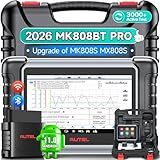
- 👨🎓Tips Before Order: 🚩All function are vehicle-specific - send VIN(17 digits)/Make/Model/Year & needed function via 📞auteldirect @ outlook . com📞 to check before order. 🚩Register tool: a) Follow on-screen guide; or b) Register em-ail on Autel we-b, then bind using SN(back of device) + verification code (find in tool settings or con-tact us via above em-ail). MK808BT PRO comes with ✅English, if need Spanish, please s.end device SN to add. ✅1-year war-ranty. ✅$150 worth 1yr fr-ee updates(New users: ignore renewal alerts). ⚠️📢Post-expiry: Most functions remain functional,for exclusions, refer to A+ Tips. ⚠️Fee for FCA AutoAuth Ga.teway(optional): $50/year, charged by AutoAuth,not Autel.
- 【2026 MK808BT PRO: Same as MK900BT, up of MK900 MX900 MK808S MX808S】Why pay more? 2026 MK808BT PRO functions as MK900BT and saves you 100USD. At same c0st, you now get diagnostic 8X faster and sup-port for 150+ models(1996-2026).💡Dramatically Improved: ✔️Faster & Smarter OS: Android 4.4➡ Android 11 ✔️More Services: 28+➡ 40+ ✔️Bidirectional Control: 50+➡ 3,000+ ✔️Enhanced Hardware: 1/32G➡ 4G/64G ✔️2.4GHz➡ 5G Dual WiFi ✔️Working range: 0.9m➡ 10m+ 🔋Battery test is clear on the large 7in display(BT506 required). 🔔Your Autel scanner is shipped brand new. For any issues(used, damaged, incompatible), e-m-a-il 📞auteldirect @ outlook . com📞 for priority resolution.
- 👍【New Next-Level Bidirectional Control, 50➡3000+ Tests, Covers Daily Repairs】Unlike the Autel DS708 DS808 MP808 MK808 and MX808 car diagnostic scanners, which offer only 50 functional tests, the Autel bidirectional scan tool MK808BT PRO is equipped with over 3000 active tests. These tests are widely used on car subsystems to help technicians quickly check if the car's actuators are functioning properly. Such as ABS, windows, rearview mirrors, wipers, sunroofs, fuel injectors, AC clutches, coolant fans, radiator fans, coolant pumps,etc. Tips📢: All functions are vehicle-specific, not universal to all vehicles,pls send VIN to 📞auteldirect @ outlook . com📞check compatibility before order.
- 👍【28+ Hot Services for 150+ Makes】Autel scan tool MK808BT PRO, upgraded with a BT VCI Mini(valued at 120USD), surpasses the old wired OBDII scanner MK808S MK900, by providing a convenient 33ft wireless working range, offering greater freedom and comfort compared to the 3.3ft cable limit of the MK900 MK808S MX808S car scanner. New features include VIN Check across different modules for comparison and 28+ resets, such as injector coding, ABS autobleed, Oil reset, SAS cali.bration, BMS, throttle relearn, suspension adjustments, etc. ⚠️📢Tips: Service functions are vehicle-specific, not universal to all vehicles, pls send VIN to 📞auteldirect @ outlook . com📞check compatibility before order.
- 👍【All Available Module Diagnosis - OE-Level Scanner】The OE versatile OBDII scan tool MK808BT PRO escaner para autos effectively works with all car systems: ABS, ECM, BCM, SRS, TCM,etc. It identifies vehicles via AutoVIN/manual input/select, like S.nap-on tools, it can ✔read/clear 7000+ DTCs, ✔read ECU info, ✔view 5-in-1 live data, ✔perform active tests, and ✔reset services. ✔Reports can be shared via QR-code and printed, working globally and 21+ multilingual. Supports 150+ US/EU/Asian makes, with ongoing updates from 2024 to 2026. ⚠️Note📢: The AutoVIN function usually works for post-2006 cars, depending on if the vehicle's VIN is stored in the ECU. You can always do manual input/select.
Last update on 2026-06-23 / Affiliate links / Images from Amazon Product Advertising API
This product presentation was made with AAWP plugin.