
NHTSA ID Number: 11006574
Manufacturer Communication Number: SIL-3148
TSB/Document Date: 2024-08-21
Summary
Altec has learned that the handrail tubing and the vertical cross-member tubing of the steel platform could have developed cracks on certainT40P cable placers built from March 2016 to December 2021. Altec has developed a kit to repair the platform if cracks are present.
Customer Outreach
PO Box 8338
Saint Joseph, MO 64508
[email protected]
connect.altec.com/login
Phone 1-877-GO ALTEC
This campaign applies to your vehicle. Refer to the provided list.
Dear Altec Owner,
Altec Industries, Inc. has issued a customer satisfaction campaign as described in the included Service Information Letter (SIL). According to our records, you own one or more units this applies to.
Refer to the included letter for the items covered under the Altec Warranty Policy. If you had this repair performed
before you received this letter, you may be eligible to receive reimbursement for the cost of obtaining a pre-notification remedy of the problem associated with this letter.
Compare your unit’s identifying information with the provided list to verify your unit is affected. You may also
contact Altec or view your fleet through Altec Connect to determine if there are any other outstanding notices.
If you have sold or retired the unit, update the records through Altec Connect. If you have leased this equipment
to another person or company, you are required by Federal Law to forward a copy of this notice to the lessee by
first class mail within ten (10) days of the receipt of this notice.
We regret this inconvenience; however, we are taking this action in the interest of your continued satisfaction with
Altec products.
Thank you for your immediate attention on this important matter.
Service Information Letter SIL- 3148-A
Platform Handrail and Vertical Cross-Member Weld
Units Affected: Certain T40P cable placers built from March 2016 to December 2021. Verify your unit
is affected by reviewing the attached list or accessing Altec Connect.
Background: Altec has learned that the handrail tubing and the vertical cross-member tubing of the steel
platform could have developed cracks on certain units. Altec has developed a kit to repair the platform if
cracks are present.
Customer Action: Inspect the platform using the Inspection Procedure beginning on page 2, or contact Altec to perform this inspection. Depending on the results of the inspection, order and install one or
more of the Platform Repair Kit(s), part numbers 991729222, 991729223, or 991575921, or schedule the
installation of the kit(s) by Altec. Complete the inspection and repair no later than the next preventive
maintenance cycle or within 90 days of receipt of this notice, whichever comes first. Warranty for this
repair expires August 21, 2026.
Subsequent damage due to failure to perform the required action(s) in the time period allowed will not be
covered by warranty.
Ask your service provider to check for any outstanding notices at your next appointment.
Requirements: The inspection is estimated to take 30 minutes and one person to complete. The platform
corner weld repair is estimated to take 21/2 hours and one person to complete. The vertical cross-member
is estimated to take 45 minutes and one person to complete. All welds must be applied by a welder having
the AWS D1.1 3G qualifications for uphill progression welding on steel and 4G qualification for overhead
welding on steel.
Completion and Warranty: The inspection and repair are covered under the Altec Warranty Policy
until August 21, 2026 and can be performed by Altec, the customer, or the customer’s warranty provider.
An Altec Mobile Service technician can perform this inspection but is not able to perform this repair. Altec
will perform the work for free at an Altec facility. If the customer or the customer’s warranty provider performs the work, a warranty claim must be submitted to be reimbursed for the cost of the parts and/or labor.
Altec will allow up to $45.00 for the labor to perform the inspection, up to $225.00 for the labor to perform
the platform corner weld repair, and up to $67.50 for the labor to perform the vertical cross-member repair. Customers are responsible for the travel costs of an Altec Mobile Service technician if the technician
performs the inspection at the owner’s location.
Altec Contact Info: Altec Connect: connect.altec.com/login
Phone: 1-877-GO ALTEC (1-877-462-5832) | Options: 1 - Parts; 2 - Shop Service; 3 - Mobile Service;
4 - Technical Support; 5 - Global Rental Service Request; 6 - Chassis Repair
Inspection labor
Repair labor corner weld
Repair labor cross-member
Account #
Travel
NHTSA code
Prime fail P/N
Kit instructions
Altec Use Only
1.0 hr (Service) 0.5 hr (Other)
3.0 hr (Service) 2.5 hr (Other)
1.25 hr (Service) 0.75 hr (Other)
010.0554.43156.000.9405.000
Not included
90
970558560
074900921, 074900854
Released: August 21, 2024
Altec Use Only
Description
Part No.
Platform vertical long repair kit
991729223
Platform vertical short repair kit
991729222
Platform corner weld repair kit
991575921
Qty
AR
AR
AR
Warranty
Yes
Yes
Yes
Page 1 of 6
SIL-3148-A
Inspection Procedure: A paint stick or permanent marker and a camera or smart device for taking
pictures are required for this inspection.
1. Read and understand all steps of the instructions before beginning the procedure. Wear appropriate
personal protective equipment (PPE) following your employer’s requirements.
2. Position the unit on a level surface, apply the parking brake, engage the unit’s hydraulic system, and
chock the wheels.
3. Using the lower controls, raise the boom out of the
rest, rotate it to one side or to the rear, and lower
it to position the boom tip several feet above the
ground. Leave the platform in the stowed position,
approximately parallel to the boom (refer to Figure
1).
4. Disengage the unit’s hydraulic system, and turn off
the engine. Remove the key from the ignition, and
secure it following your employer’s vehicle lockout/tagout procedure.
Boom
Leveling
Cylinder
Platform
Figure 1 — Positioning Platform for Inspection
5. Locate the plate with four large holes installed within the square tubing on the side of the platform
closest to the leveling cylinder. Look for any cracking near both ends of the tubing where it connects to
the plate (refer to Figures 2 and 3). Mark any cracks with a paint stick or permanent marker and record
the inspection results in Figure 4.
Plate with
4 Large
Holes
Figure 2 — Areas to Inspect for Cracks in Tubing
Inspection
Number of Cracks in the Square Tubing
Weld or Welded-On Braces Present
Figure 3 — Example of Crack in Tubing
Results
¨ 0 ¨ 1 ¨ 2+
¨ Yes ¨ No
Figure 4 — Corner Weld Inspection Results
SIL-3148-A
6. Inspect the plate on both sides at the midpoint of both curved corners (refer to Figure 2). Confirm if
the corners have a weld or a welded-on brace (refer to Figures 5 and 6). Record the results in Figure 4.
Figure 5 — No Weld or Welded-On
Brace at Midpoint of Corner
Figure 6 — Weld or Welded-On
Brace at Midpoint of Corner
7. Locate the vertical cross-member in the platform (refer to Figure 7). Look for any cracking at the top
of the cross-member (refer to Figure 8). Mark any cracks with a paint stick or permanent marker and
record the results in Figure 9.
• If any cracks are present, proceed to step 8.
• If no cracks are present, proceed to step 9.
Vertical
CrossMember
Figure 7 — Areas to Inspect for
Cracks in Vertical Cross-Member
Figure 8 — Examples of Cracking in the Vertical Cross-Member
SIL-3148-A
Inspection
Results
¨ Yes ¨ No
Cracks in the Cross-Member (step 7)
Cross-Member Total Length (step 8) ¨ Greater than 14”
¨ Less than 14”
Figure 9 — Cross-Member Inspection Results
Length to Measure
8. Measure the total length of the cross-member as shown in Figure 10. Record the results in Figure 9.
Figure 10 — Measuring
the Vertical Cross-Member
9. Review the inspection results for the square tubing inspection documented in Figure 4.
• If no cracks are present in the square tubing, the platform corner weld does not require repair.
Proceed to step 12.
• If there is only 1 crack in the square tubing and no welds or welded-on braces at the midpoint,
repair to the platform corner weld is required. Mark 991575921 as Yes in Figure 11 and proceed
to step 11.
• If there is only 1 crack in the square tubing and welds or welded-on braces at the midpoint, further
direction is required. Proceed to step 10.
• If there are 2 or more cracks in the square tubing, further direction is required. Proceed to step 10.
10. Further direction is required.
a. Take the unit out of service.
b. Contact Altec Technical Support at 1-877-GO ALTEC (1-877-462-5832) option 4 for further repair instruction. The following information will be required:
• Name, phone number, and email address of the contact person submitting the request
• Unit serial number
• Inspection results of Figures 4 and 9
• Pictures of all cracks and welds. Make sure the pictures include a close-up shot as well as the
entire platform.
c. Do not complete the Inspection Sheet at the end of this notice. Completion of the notice will be
documented after the vehicle is repaired.
d. Do not complete the remaining steps in this document.
SIL-3148-A
11. Review the inspection results for the vertical cross-member inspection documented in Figure 9.
• No cracks in the cross-member - the vertical cross-member does not require repair.
• If the platform corner weld does not require repair, proceed to step 12.
• If the platform corner weld does require repair, proceed to step 13.
•
Cracks in the cross-member - repair is required.
• If the cross member total length is greater than 14” (refer to Figure 9), mark kit 991729223 as
Yes in Figure 11. Proceed to step 13.
• If the cross member total length is less than 14” (refer to Figure 9), mark kit 991729222 as Yes
in Figure 11. Proceed to step 13.
Kits to Order
991575921 Corner Weld Repair Kit
991729223 Cross-Member Long Kit
991729222 Cross-Member Short Kit
Yes
Figure 11 — Kits Required
12. No repair is required.
a. Put the unit back into service.
b. Complete the Inspection Sheet at the end of this notice, and return it to Altec.
c. If the inspection was performed by Altec, mark the SIL as complete on the Service Request.
d. Do not complete the remaining step in this document.
13. Repair is required.
a. Order and arrange for the installation of the Platform Corner Weld Repair Kit and/or the Platform
Vertical (Short or Long) Repair Kit as indicated in Figure 11.
• Contact Altec Service to schedule the installation of the kit(s).
• Contact Altec Parts to order the kit(s), and schedule for your own technician or your third-party
provider to install the kit.
b. If the platform square tubing requires repair, take the unit out of service until the platform is repaired. If the platform square tubing does not require repair, the unit may remain in service while
awaiting repair.
c. Do not complete the Inspection Sheet at the end of this notice. Completion of the notice will be
documented after the vehicle is repaired.
SIL-3148-A
Inspection Sheet
Complete this form and submit it to Altec to document inspection completion.
Choose one of these options for submission.
• Scan the Product Safety QR code and complete the form.
• Complete, scan, and email this page to [email protected]
• Online through the customer portal – Altec Connect*
*If the customer or the customer’s warranty provider performs the repair, submit
a warranty claim through Altec Connect to be reimbursed for the cost of the parts
and/or labor.
Model
Altec Unit Serial Number
Product Safety
Altec Connect
Date Inspected
Company Name ________________________________________________________ Phone____________________________________
Service Company Name__________________________________________________ Phone____________________________________
Company Contact ________________________________________________________________________________________________
Company Mailing Address_________________________________________________________________________________________
City ______________________________________________________State/Province __________________________________________
ZIP/Mailing Code ___________________________________________Country _______________________________________________
Signature __________________________________________________
Submission of this form does not order parts or schedule service from Altec.
Contact Altec for more information or to schedule the work to be done by Altec.
Make copies of this form for additional units if needed.
Vuforia View Quick-Start Guide
074900921-A
Welcome!
Vuforia View is an application that allows users to easily access our Augmented
Reality (AR) experience for Altec product notices. This Quick-Start Guide will
walk you through installing and using Vuforia View on your smartphone or tablet.
The latest version of Vuforia View is available for both iOS and Android devices and can be downloaded
for free from the App Store or Google Play. For a list of supported devices and operating systems, refer to
support.ptc.com/help/vuforia/studio/en.
Vuforia View and SIL-3148
To view the SIL-3148 AR experience, open your QR scanner and hold your
phone over the provided QR code. Make sure the entire code is within the viewfinder displayed on the touchscreen.
Tap the notification to open the associated link. If you already have Vuforia
View installed, this will launch the AR experience.
SIL-3148
If you do not have Vuforia View installed you will be prompted to do so (refer
to the instructions on page 2).
Using Vuforia View
To open Vuforia View, tap its icon on the home screen or in the app library.
Upon the initial launch, you will be prompted to allow access to take pictures and record videos, and
allow access to photos, videos, music, and audio. To access AR features and experience, you must
allow Vuforia View to take pictures and record videos. This allows the app to use the camera and
is necessary for the app to function correctly. Altec and/or Vuforia View will not use this access to
gather or share user photos, videos, and/or other personal data.
Vuforia View opens in gallery mode with a selection of AR experiences.
We recommend using the ‘Welcome Experience’ tutorial to familiarize yourself with the touchscreen gestures and how to interact
with the virtual components and the essential features.
Pinch
to zoom out
Page 7 of 8
Spread
to zoom in
Two Fingers
to rotate
One Finger
to move/pan
Shake
to reset
•
Released: 08/21/2024
SIL-3148-A
You can use Vuforia View in two different ways.
Physical Model Tracking uses AR to project computer-generated
objects over a physical object.
• Point the camera at your unit using the digital outline to line up
with your real-world unit.
• Once the on-screen image and the real-world items align, additional on-screen overlays will guide you to the exact components requiring inspection.
• The on-screen overlays provide real-time guidance through the
inspection process and quick access to videos and supplemental information.
Digital Spatial Tracking uses AR to project computer-generated
objects into an environment (like a hologram).
• Point the camera at a flat surface and tap the screen to “place”
a unit into your environment.
• Zoom in and out, rotate, and follow the on-screen prompts to
identify the inspection location.
• Additional on-screen overlays will provide real-time guidance
through the inspection process and quick access to videos and
supplemental information.
Physical Model Tracking
Digital Spatial Tracking
Installing Vuforia View on Android Devices
1.
2.
3.
4.
5.
Open the Google Play Store app on your Android device.
Search for Vuforia View in the search bar.
Tap on the Vuforia View app in the search results.
Tap the Install button.
When installation is complete, the Vuforia View app will appear on your
home screen or in the app library. Tap the icon to start experiencing AR!
Installing Vuforia View on Apple Devices
1.
2.
3.
4.
5.
Open the App Store on your Apple device.
Search for Vuforia View in the search bar.
Tap on the Vuforia View app in the search results.
Tap the Get button.
When installation is complete, the Vuforia View app will appear on your
home screen or in the app library. Tap the icon to start experiencing AR!
Lettre d’information de serviceSIL- 3148-A
Main courante de plateforme et soudure de traverse verticale
Appareils concernés : Certains placeur de câbles T40P construits de mars 2016 à décembre 2021.
Vérifiez que votre appareil est concerné en consultant la liste ci-jointe ou en accédant à Altec Connect.
Contexte : Altec a appris que les tubes de la main courante et les tubes des traverses verticales de la
plateforme en acier auraient développé des fissures sur certains appareils. Altec a développé une trousse
pour réparer la plateforme en cas de présence de fissures.
Action requise de la part du client : Inspectez la plateforme en utilisant la procédure d'inspection
commençant à la page 2, ou contactez Altec pour effectuer cette inspection. En fonction des résultats de
l'inspection, commandez et installez une ou plusieurs trousses de réparation de plateforme, références
991729222, 991729223 ou 991575921, ou planifiez l'installation de la ou des trousses par Altec. Effectuez
l'inspection et la réparation au plus tard au prochain cycle d'entretien préventif ou dans les 90 jours suivant
la réception du présent avis, selon la première éventualité. La garantie pour cette réparation expire le 21

- 💯【Conta.ct us for Support Directly】If you met any...
- 🔥🔥🔥【2026 AUTEL FLAGSHIP MK900BT MK900-BT, NEW...
- 🚗【3000+ ACTIVE TESTS (50➡3000+), SAME AS MS...
- 🚗【40+ HOT SERVICES FOR 150 MAKES (28+➡40+)】Full...
- 🚗【OE ALL SYSTEM DIAGNOSE, AUTO SCAN 2.0: SCAN LICENSE...


- 【TURN OFF CEL】 This AL319 car scanner diagnostic tool...
- 【EXTENSIVE APPLICATION】 Autel AL319 Compatible with...
- 【FOR END USER & DIYERS】 This error code reader AL319 is...
- 【USER-FRIENDLY DESIGN】 This OBD2 scanner and check...
- 【HIGH-QUALITY SERVICES】 12 months war.ranty from the...
Last update on 2026-06-12 / Affiliate links / Images from Amazon Product Advertising API
If the PDF is very large, it may not load in the preview below.
Some older TSBs had multiple PDFs — visit the NHTSA Website to view all PDFs.
If the TSB PDF does not show, download or view it on the NHTSA Website.
Click on the (+) Plus Sign
Then Click on Associated Document(s)
Search NHTSA Database for Recalls
Search NHTSA Database for Vehicle Investigations
View Latest Vehicle Investigations
Search NHTSA Database for Vehicle Complaints
View Latest Vehicle Complaints
TSB/Document ID: SIL-3148
Replacement Service Bulletin Number:
MFR Communication Date: 2024-08-21
MFR Internal Campaign ID/Software Version: SIL-3148
Communication Type: Service Bulletin/Repair Instructions
NHTSA Components: UNKNOWN OR OTHER
MFR Component System:
MFR Component Subsystem:
Previous TSB | Next TSB |
- 💯【Conta.ct us for Support Directly】If you met any issues about: Received a registered device/ Language Changing/ Function not Support/ VCI150 Blueto-oth connector malfunction/ Subscription Renewal, please conta.ct us via 📞autelsupply @outlook. com🛣️, we will provide perfect solution for you. ⚠️Note: Autel MK900BT comes with 1-Year Free Software Update, most features will remain active after update subscription expires. 1. For questions regarding updates or need more useful accessories, please conta.ct us via 📞autelsupply @outlook.com🛣️. 2. If the device fails to charge or turn on, please conta.ct us via 📞autelsupply @outlook. com🛣️, we will handle it promptly.
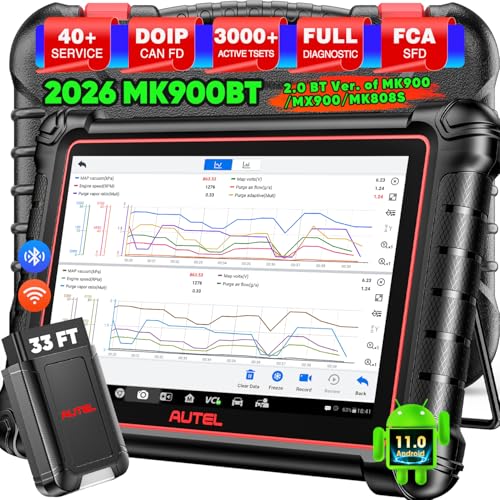
- 🔥🔥🔥【2026 AUTEL FLAGSHIP MK900BT MK900-BT, NEW MODEL OF MK808S MK900 MX900 MK808BT MX808S】2026 newest Autel MK900BT retains all features of MK808S MX900 MX808S MK808Z MK808Z-BT MK808K-BT, while EXTRA added powerful functions (value 2000+ bucks). The Pro-level Autel MK900BT makes a big leaps: 28+➡40+, 50+➡3000+ Active Tests, 2026 NEW✅CAN FD & DOIP protocols ✅Pre&Post diagnostic report ✅WIFI Print ✅Auto VIN&Auto Scan 2.0 ✅Scan VIN/ License ✅Battery Test (Need purcha.se BT506). If found defect or us.ed, please conta-ct 📞autelsupply @outlook. com📞 get perf-ect solut.ion.
- 🚗【3000+ ACTIVE TESTS (50➡3000+), SAME AS MS906 PRO】Differ from MS906BT MS906 MP808 MK808 MX808 MK808BT only 50 tests, Autel scanner MK900BT escaner automotriz professional offers 3000+ active tests, it can send command to ECUs & monitor actuators operation, quickly locating faulty components. Bidirectional scanning takes your diagnostics to the next level with menu lists 3000+ active tests, such as windows, rear mirrors, sunroof, wipers, fuel injector, coolant fans, radiator fan, AC clutch, coolant pump and more. Note: Functions are not available for all vehicles, please send vehicle VIN to us check compatibility.
- 🚗【40+ HOT SERVICES FOR 150 MAKES (28+➡40+)】Full level-up of OBD2 code reader MaxiCOM MK808S MK808 MK808Z MX808 MK808Z-BT with 28 service, Autel scan tool MK900BT/ MK900-BT offers 40+ maintenance service on 150+ brands 10,000 vehicles from 1996-2025-2026. Hottest Services like: Oil Reset, ABS Bleed, SAS Calibration, Injector Coding, SRS, Throttle Reset, Gearbox Reset, Battery Registration etc. Added 12+ advanced resets: rain slash light sensor reset, HVA.C/ SUS calibration etc. Welcome to send Vehicle Make>Model>Year>VIN>Functions you required to 📞autelsupply @ outlook . com📞 check compatibility.
- 🚗【OE ALL SYSTEM DIAGNOSE, AUTO SCAN 2.0: SCAN LICENSE/ AUTO VIN】2026 new release Autel MaxiCOM MK900-BT scan tool embodies all system diagnostic with its 8in display for all vehicles. Like Sna.p-on tools, it can perform ✔Read/Clear Codes✔Displays 5-in-1 Live Data✔Record & Playback Data✔Retrieve Info on all available systems like ABS ECM BCM SRS TCM etc. In addition to Auto VIN technology, Autel MK900BT adds Scan License/ Auto Scan 2.0 to identify vehicle’s VIN/ license, make, year, model, no need manual input; One-click WiFi Printing of Pre&Post comparison diagnostic reports, highlight root causes of problems.
- 【TURN OFF CEL】 This AL319 car scanner diagnostic tool supports Reading and Clearing DTCs, DTC Look Up, displaying Live Data, Freeze Frame & I/M Readiness, view vehicle information, etc., to figure out the root cause of the Check Engine Light (CEL) and turn it off, helping you catch any potential issues early and avoid excessive costs from unnecessary repairs.
- 【EXTENSIVE APPLICATION】 Autel AL319 Compatible with 7 languages (English, French, Spanish, etc.) and various post-1996 OBD II protocol vehicles (Toyota
 , Nissan, Honda, Ford, etc.), this OBD II scanner provides accurate and fast diagnosis for worldwide car owners.
 - 【FOR END USER & DIYERS】 This error code reader AL319 is “plug and play” and comes with an easy interface. Even if you’re not familiar with vehicle repair, you can quickly take control of this obd2 scanner, and get the information you want.
- 【USER-FRIENDLY DESIGN】 This OBD2 scanner and check engine code reader features a patented One-Click I/M Readiness, TFT color display, built-in speaker, LED Indicator etc. The cable is long enough without being too long and getting in the way. No batteries are needed.
- 【HIGH-QUALITY SERVICES】 12 months war.ranty from the date of purchase and lifetime free update are offered by this Automobile OBDII scan tool. Welcome to contact us via Q&A, email, or hotline, and our after-sale-service team for technical support.
 ,
, 
- 📞【Warm Tips】Dear friend, if you have any issues or need any tech support after receiving your MK900BT (received a registered item/ language changing/ functions compatibility/ renew subscription, etc.), please don't hesitate to tell us directly via 💌Autelonline @ outlook . com💌, we will do whatever we can to help you at first time. Besides, if you need other accessories, such as Autel endoscope MV108S, please don't hesitate to con-tact us.
- 🔥【Amazon Choice MK900BT, 2.0 Newer of MK900 MX900 MS906 MK808BT PRO MP808S MK808S MX808S】Big News! 2026 Autel most cost-effective 8in All System & Bidirectional Scan Tool MK900BT is born! 619 only, yet featuring 40+ Hot Services same as MaxiSys Ultra/ MS909/ Elite II Pro/ MK908P/ MS906 PRO/ MS906MAX, among lots of advanced & newer functions: ✅3000+ Active Tests ✅CAN FD/ DoIP new protocols ✅OE All System Diagnosis, Autel Scan 2.0 ✅5-in-1 Live Data ✅detailed Pre & Post Scan ✅Scan VIN/License ✅WiFi Print ✅FAC AutoAuth & Renault SGW ✅Endoscope with MV108/MV105 ✅160+ car brands coverage, etc.
- 😊【Why Choose Autel Scanner MK900-BT, Not MK808S MK900 MX900?】➊ MK900BT escaner automotriz designs with Autel MaxiVCI V150, adopting advanced German Wireless Technology with more stable&faster data transmission, allowing you to work in and around vehicles with a 10M/33FT remote diagnostics. Instead, at almost the same budget, MK900 MK808S outdated wired code reader only with 1m cable, so you must curl up on the steering wheel! ➋ MK900BT can work with Autel BT506 to perform professional cranking charging system tests and in-vehicle & out-of-vehicle battery tests, but MK900 MK808S CANNOT. Some sellers say MK900 can work with BT506, pls don't believe it, who are not Autel a.uthorized sellers.
- 🚀【Upgraded Hardware 2.0, 10X F.aster than Ever】Based on old Android 4.4.4 ver. of MX808 MK808 MK808BT MP808 MP808BT MS906 MS906BT, Autel scan tool MK900-BT takes a big leap to 🟢f.astest OS 11 🟢4-core, 1.8GHz RK3566 speed boosted + lower power consumption🔋doubled 7700mAh Battery 🟢larger & sharper 8" 1280*800 touchscreen with intuitive user interface 🟢expanded 4+64G enough to save more files/data 🟢8M Rear camera gives clearer snapshot, etc. MK900BT scanner for car, is the best bang for your b.uck in the category.
- 📢【New Released: CAN FD/DoIP + WIFI Print + Pre & Post Scan + Scan VIN/ License】MK900BT OBD2 scanner diagnostic tool updates lots of advanced features previously available only for scanners above 2000$ (MS906 Pro MS908S Pro, etc.) ✅New protocols CAN FD works for GM 2019+ ✅DOIP works for Volv.o 2018+, Jaguar&Land Rover 2017+, BM.W F&G chassis models ✅Same WIFI Print as MaxiSys Ultra ✅Detailed Pre/ Post scan reports to up repair efficiency ✅Scan VIN/License can identify your cars in seconds, more accurately! But Autel MK808S/ MK808BT PRO cannot.
Last update on 2026-06-12 / Affiliate links / Images from Amazon Product Advertising API
This product presentation was made with AAWP plugin.