
NHTSA ID Number: 10244693
Manufacturer Communication Number: 23B50
TSB/Document Date: 2023-11-02
Summary
Customer Satisfaction Program 23B50 Certain 2021-2023 Model Year Mustang Mach-E, 2022-2023 Model Year E-Transit, and 2023 F-150 Lightning Vehicles - Charge Cord Stuck – Reprogram Battery Charge Control Module
own this vehicle?
If you no longer own this vehicle and have an address for the current owner,
please forward this letter to the new owner.
You received this notice because our records, which are based primarily on
state registration and title data, indicate that you are the current owner.
Can we assist you
further?
If you have difficulties getting your vehicle repaired promptly and without
charge, please contact your dealership's Service Manager for assistance.
RETAIL OWNERS: If you have questions or concerns, please contact our
Ford Customer Relationship Center at 1-866-436-7332 and one of our
representatives will be happy to assist you. If you wish to contact us through
the Internet, our address is: ford.com/support.
For the hearing impaired call 1-800-232-5952 (TDD). Representatives are
available Monday through Friday: 8:00 AM – 8:00 PM (Eastern Time).
FLEET OWNERS: If you have questions or concerns, please contact our
Ford Pro Contact Center at 1-800-34-FLEET, choose Option #1, and one
of our representatives will be happy to assist you. If you wish to contact us
through the Internet, our address is fleet.ford.com.
Representatives are available Monday through Friday: 7:00 AM – 11:00 PM
and Saturday 7:00 AM – 5:00 PM (Eastern Time).
Thank you for your attention to this important matter.
Ford Customer Service Division
Copyright 2023 Ford Motor Company
Ford Motor Company
Ford Customer Service Division
P. O. Box 1904
Dearborn, Michigan 48121
Customer Satisfaction Program 23B50
October 2023
Mr. John Sample
123 Main Street
Anywhere, USA 12345
Your Vehicle Identification Number (VIN): 12345678901234567
At Ford Motor Company, we are committed not only to building high-quality, dependable products but
also to building a community of happy, satisfied customers. To demonstrate that commitment, we are
providing a no-charge Customer Satisfaction Program for your vehicle with the VIN shown above.
Why are you receiving
this notice?
The Battery Charger Control Module (BCCM) software installed on your
vehicle does not have a transfer function that predicts the charging port
pin/terminal temperature.
What is the effect?
Your battery may not fully charge and/or the charge cord may become stuck
in your vehicle. You may also experience a burning smell or melting of the
charge port pins.
What will Ford and
your dealer do?
Ford Motor Company has released an Over-The-Air (OTA) software update
to remedy this issue. Your vehicle is capable of Ford Power Up Software
Updates.
When Automatic Updates are turned ON (standard from the factory), the
software will be downloaded to your vehicle over a private wi-fi network or
through your vehicle’s modem through the cellular network. Before the
software will install you will have to schedule a day and time when you will
not need the vehicle for up to 120 minutes while the installation completes.
Note: Refer to ford.com/support for further information on your Ford Power
Up Software Updates system.
Should the software fail to load or install properly, Ford has authorized your
dealer to install 23B50 software free of charge (parts and labor) under the
terms of this program.
This Customer Satisfaction Program will be in effect until October 31, 2024
regardless of mileage. Coverage is automatically transferred to subsequent
owners.
Copyright 2023 Ford Motor Company
How long will it take?
The time needed for this software installation is approximately 120 minutes.
If you prefer to go to your dealer for the software update, the time needed for
this repair is less than one half-day. However, due to service scheduling
requirements, your dealer may need your vehicle for a longer period.
What should you do?
For your convenience, Ford is encouraging you to update your vehicle’s
software using Ford Power Up Software Update capabilities. By utilizing this
option, you should not need to take your vehicle to your dealer unless you’re
unable to successfully perform the update.
To complete this software update your vehicle will have to be parked with
the ignition off for a short period. Also, you will have to schedule (we suggest
overnight or during work hours) the software installation to ensure that you
will not need your vehicle during the update. You can check the progress of
the installation via the icons on the in-vehicle screen, the FordPass app, or
on the Owner’s website.
If you choose to have your dealer install this software, please call your
dealer to schedule a service appointment for Customer Satisfaction Program
23B50. Provide the dealer with your VIN, which is printed near your name at
the beginning of this letter.
If you do not already have a servicing dealer, you can access
ford.com/support for dealer addresses, maps, and driving instructions.
Ford Motor Company wants you to have this service action completed on
your vehicle. The vehicle owner is responsible for making arrangements to
have the work completed. Ford Motor Company can deny coverage for any
vehicle damage that may result from the failure to have this service action
performed on a timely basis. Therefore, please have this service action
performed as soon as possible.
NOTE: You can receive information about Recalls and Customer
Satisfaction Programs through our FordPass App. The app can be
downloaded through the App Store or Google Play. In addition, there are
other features such as reserving parking in certain locations and controlling
certain functions on your vehicle (lock or unlock doors, remote start) if it is
equipped to allow control.
What if you no longer
own this vehicle?
If you no longer own this vehicle and have an address for the current owner,
please forward this letter to the new owner.
You received this notice because our records, which are based primarily on
state registration and title data, indicate that you are the current owner.
Copyright 2023 Ford Motor Company
Can we assist you
further?
If you have difficulties getting your vehicle updated promptly and without
charge, please contact your dealership's Service Manager for assistance.
RETAIL OWNERS: If you have questions or concerns, please contact our
Ford Customer Relationship Center at 1-866-436-7332 and one of our
representatives will be happy to assist you. If you wish to contact us through
the Internet, our address is: ford.com/support
For the hearing impaired call 1-800-232-5952 (TDD). Representatives are
available Monday through Friday: 8:00 AM – 8:00 PM (Eastern Time).
FLEET OWNERS: If you have questions or concerns, please contact our
Ford Pro Contact Center at 1-800-34-FLEET, choose Option #1, and one
of our representatives will be happy to assist you. If you wish to contact us
through the Internet, our address is fleet.ford.com.
Representatives are available Monday through Friday: 7:00 AM – 11:00 PM
and Saturday 7:00 AM – 5:00 PM (Eastern Time).
Thank you for your attention to this important matter.
Ford Customer Service Division
Copyright 2023 Ford Motor Company
TECHNICAL INSTRUCTIONS
PAGE 1 OF 3
CUSTOMER SATISFACTION PROGRAM 23B50
CERTAIN 2021-2023 MODEL YEAR MUSTANG MACH-E, 2022-2023 MODEL
YEAR E-TRANSIT, AND 2023 F-150 LIGHTNING VEHICLES - CHARGE CORD
STUCK — REPROGRAM BATTERY CHARGE CONTROL MODULE
SERVICE PROCEDURE
Module Programming
NOTE: Program appropriate vehicle modules before performing diagnostics and clear all Diagnostic
Trouble Codes (DTCs) after programming. For DTCs generated after programming, follow normal
diagnostic service procedures.
1. Connect a battery charger to the 12 Volt (V) battery.
NOTE: Verify the negative cable of the charger is installed on a chassis or engine ground and not
the 12V battery negative terminal to prevent the battery saver mode from activating on the
vehicle.
NOTE: If the diagnostic software does not load or if the vehicle cannot be identified properly, make sure
there is a good internet connection and the Vehicle Communication Module (VCM) is properly
connected to the Data Link Connector (DLC).
2. Log into Ford Diagnostic and Repair System (FDRS).
NOTE: Vehicle information is automatically retrieved by the diagnostic software and a Network Test is
run. Vehicle identification data appears on the screen when this is complete.
3. Click Read VIN from Vehicle or manually enter the Vehicle Identification Number (VIN).
NOTE: Available modules are shown on the left hand (LH) side of the screen and available procedures
are listed on the right hand (RH) side of the screen. Modules that are communicating are
highlighted in green.
4. Select Toolbox tab.
5. From the list on the LH side of the screen, select the SOBDM.
6. From the list on the RH side of the screen, select SOBDM - Secondary On-Board Diagnostic
Control Module A (SOBDM) Software Update.
7. Click RUN. Follow all on-screen instructions carefully. Then, continue on next page.
CPR © 2023 FORD MOTOR COMPANY
DEARBORN, MICHIGAN 48121
10/2023
TECHNICAL INSTRUCTIONS
PAGE 2 OF 3
CUSTOMER SATISFACTION PROGRAM 23B50
NOTE: After the programming of the SOBDM, the FDRS will automatically prompt you to update the
necessary modules based on the vehicles options and calibration levels. Follow the on-screen
instructions to complete the update. You may be prompted to update one or more of the following
modules.
• Anti-lock brake system (ABS) module
• Secondary on-board diagnostic control module B (SOBDMB)
• Secondary on-board diagnostic control module C (SOBDMC)
• Powertrain control module (PCM)
• Battery energy control module (BECM)
8. From the list on the RH side of the screen, select Self-Test and click RUN.
9. Click the Run Selected Tests button in the lower right.
10. Click the Clear & Retest button at the top of the screen to clear DTCs in all modules.
11. Disconnect the battery charger from the 12V battery once the programming has completed.
Important Information for Module Programming
NOTE: When programming a module, use the following basic checks to ensure programming completes
without errors.
• Make sure the 12V battery is fully charged before carrying out the programming steps and connect
FDRS/scan tool to a power source.
NOTE: A good internet connection is necessary to identify the vehicle and to load the diagnostic software.
• Inspect the Vehicle Communication Module II (VCM II)/Vehicle Communication Module III (VCM III) or
the Vehicle Communication and Measurement Module (VCMM) and the cables for any damage. Make
sure scan tool connections are not interrupted during programming.
• A hardwired connection is strongly recommended.
• Turn off all unnecessary accessories (radio, heated/cooled seats, headlamps, interior lamps, HVAC
system, etc.) and close doors.
• Disconnect/depower any aftermarket accessories (remote start, alarm, power inverter, CB radio,etc.).
• Follow all scan tool on-screen instructions carefully.
• Disable FDRS/scan tool sleep mode, screensaver, hibernation modes.
• Create all sessions key on engine off (KOEO). Starting the vehicle before creating a session will cause
errors within the programming inhale process.
CPR © 2023 FORD MOTOR COMPANY
DEARBORN, MICHIGAN 48121
10/2023
TECHNICAL INSTRUCTIONS
PAGE 3 OF 3
CUSTOMER SATISFACTION PROGRAM 23B50
Recovering a module when programming has resulted in a blank module
a. Disconnect the VCM II/VCM III or the VCMM from the data link connector (DLC) and your computer.
b. After ten seconds, reconnect the VCMII/VCMIII or the VCMM to the DLC and the PC. Launch FDRS.
The VCMII/VCMIII or the VCMM icon should turn green in the bottom right corner of the screen. If it
does not, troubleshoot the FDRS to VCM connection.
c. If you are using the same FDRS as the initial programming attempt, select the appropriate VIN from
the Vehicle Identification menu. If you are using a different FDRS, select “Read VIN from Vehicle”
and proceed through the Network Test.
d. In the Toolbox menu, navigate to the failed module and Download/Run Programmable Module
Installation (PMI). Follow the on-screen prompts. When asked if the original module is installed,
select “No” and continue through the installation application.
e. Once programming has completed, a screen may list additional steps required to complete the
programming process. Make sure all applicable steps are followed in order.
CPR © 2023 FORD MOTOR COMPANY
DEARBORN, MICHIGAN 48121
10/2023
Mobile or Pick-Up and Delivery Repair Record
Page 1 of 1
23B50
MOBILE REPAIR / VEHICLE PICK-UP AND DELIVERY
RECORD
VIN ____________________________ received (check one):
☐ Mobile Repair
☐ Pick-up and/or delivery service
As outlined below for the 23B50 Field Service Action program.
☐ Mobile Repair – Date: _______________
OR
☐ Pick-up
– Date: _______________
☐ Delivery
– Date: _______________
Repair Order #
Repair Order Date
Service Manager Signature
Date
Recall 23B50
Mobile Service Repair Assessment
Page 1 of 2
Mobile Service Repair Assessment
Assessment levels have been identified to help determine the ease of performing eligible mobile
service repairs for a Field Service Action (FSA) outside of the dealership service facility.
Dealer Bulletin
Within Attachment I of the dealer bulletin a mobile service repair assessment level(s) will be
provided. These assessment levels have been determined using the amount of time, equipment
and labor identified to perform the intended service action.
Assessment Levels
- Mobile Reprogramming
- Light Mobile Service
- Enhanced Mobile Service
- Advanced Mobile Service
- Wheel and Tire Mobile Service
- Not a Mobile Service Repair
Description of each level that is used to determine the overall assessment.
– Mobile Reprogramming
• Module Programming or similar type services
• Minimum tools maybe required other than an IDS/FDRS setup
• FDRS programming that requires internet connection (wi-fi or mobile hotspot)
• Make sure vehicle has a charge port to ensure battery voltage is maintained during
flashing of the module(s)
• Repairs not greater than 1 hour in length (including time to wait for programming)
Note: The location will need a charging station or wall box to maintain the 12-volt battery.
•
•
•
•
– Light Mobile Service
Interior repair procedures that do not require seat, dash, or headliner removal
Under hood repairs that do not require large component removal
Exterior repairs that do not require large component/panel removal
Repairs may require standard hand tools (Access to a Technician starter kit or similar)
Recall 23B50
Mobile Service Repair Assessment
Page 2 of 2
– Enhanced Mobile Service
A two-person process is required anytime a procedure requires work under the
vehicle
• Brake Inspection and Brake Repair/Replacement
• Limited Suspension Component replacement (no alignment)
• Under Vehicle access for limited repairs (no large component removal)
• Vehicle Check Up - VCU
• Pre-Delivery Inspection - PDI
• Used Car Inspection/Presale Inspection
• May require floor jack, jack stands, and impact tools
Note: Wheel lock may be required.
•
•
•
•
– Advanced Mobile Service
Fluid Exchange/Oil Change
Light Repairs
Brake Hydraulic Repairs
– Wheel and Tire Mobile Service
• Tire Removal from Wheel
• Tire Balancing
• Tire Repair
Note: Specialized Mobile Service unit and equipment including Tire balancer and Tire
Changer required.
– Not a Mobile Service Repair
• Large component removal
• BEV Battery Replacement
• Requires a vehicle hoist – to complete the repair (more than inspection)
• Required vehicle alignment
• Requires significant vehicle disassembly
• Repairs greater than 2-3 hours
• Any repairs that require M-Time
• Includes a service procedure where the vehicle owner may be distressed about the state
of their vehicle
Ford Power-Up Software Updates
How to turn on Automatic Updates and Set a Recurring Schedule
Ford Power-Up software updates are downloaded and installed over-the-air using either an external Wi-Fi or
FordPass™ Connect (vehicle modem). Most software updates will happen seamlessly in the background, if
both of the following have been done on your vehicle:
1. Automatic Updates is turned ON.
2. A Recurring Schedule has been set.
We recommend scheduling updates for overnight or at a time that you will not need to enter or use the vehicle.
To set a recurring schedule:
1. Tap Settings on your vehicle's SYNC screen.
2. Choose System (or Software) Updates.
3. Press Schedule Updates (or Recurring Update Schedule).
Depending on your vehicle you will either:
4. Choose Schedule.
5. Choose your preferred days and times.
6. Press Save.
or
4. Select one of the Preset options OR Select Custom Schedule.
5. If Custom Schedule, choose your preferred days (minimum of 2) and time.
6. Exit the screen (Schedule is auto saved).
To confirm Automatic Updates is turned ON:
1. Tap Settings on your vehicle's SYNC screen.
2. Choose System (or Software) Updates.
3. Confirm Automatic Updates is toggled to ON.
Prior to software download and installation, you will receive a reminder in your vehicle (24 hours prior) and in
your FordPass® App. You can reschedule up to 2 mins before the update begins.
Important Notes:
• Ford Power-Up software updates are not deployed to all vehicles at the same time.
• If you choose to turn Automatic Updates OFF, you will not receive this software update unless you have
previously consented to all prior updates.
• To confirm that this recall is included in the software update and is available or successfully installed in
your vehicle, tap Settings on your vehicle’s SYNC screen, select System (or Software) Updates and
select Update Details to view the latest release notes. You will also get an Update Successful alert in
the message center of your FordPass® app.
If you are unsure if you have received the software update for this recall or have any questions regarding
software updates, please call our specially trained Software Update Customer Relationship Center at:
1-833-389-0848.
Copyright 2023 Ford Motor Company


- Advanced VCI Box, Industry-leading J2534 Pass-Thru...
- High-Speed OEM-Level Diagnostics & Programming: Unlock true...
- Coverage for 17 Car Brands & Ultra Reliability: Works...
- User-Friendly RLink Platform & Expert Support: TOPDON’s...
- 6.6 ft USB-C Cable & Portable Storage Case: The RLink J...
Last update on 2026-06-23 / Affiliate links / Images from Amazon Product Advertising API
If the PDF is very large, it may not load in the preview below.
Some older TSBs had multiple PDFs — visit the NHTSA Website to view all PDFs.
If the TSB PDF does not show, download or view it on the NHTSA Website.
Click on the (+) Plus Sign
Then Click on Associated Document(s)
Search NHTSA Database for Recalls
Search NHTSA Database for Vehicle Investigations
View Latest Vehicle Investigations
Search NHTSA Database for Vehicle Complaints
View Latest Vehicle Complaints
TSB/Document ID: 23B50
Replacement Service Bulletin Number:
MFR Communication Date: 2023-10-12
MFR Internal Campaign ID/Software Version:
Communication Type: Service Bulletin/Repair Instructions
NHTSA Components: UNKNOWN OR OTHER
MFR Component System:
MFR Component Subsystem:
Previous TSB | Next TSB |

- WHY CHOOSE THE 2025 CR MAX -Upgrade the latest diagnostic capabilities for all vehicles after 1996: upgrade to 49+maintenance services; 46 extra specific functions; real all systems/all control modules diagnose; over 40K+ bidirectional actuation tests for diagnosing all control moduels of cars; Powerful full OBD2 Functions; built-in ECU Coding for BMW
 / Audi/ VW/ RollsRoyce; Fr ee V.A.G Guide Function; Battery retistration for new battery adaptation and more. It covers all vehicle diagnostic services and some special professional vehicle maintenance servces, assists you to do home DIY vehicle maintenance or car repair as a pro technician.
 - NEWEST IN INNOVATION FULL OBD2 SERVICES- iCarsoft auto car diagnostic scanner compatible with CAN-FD, CR MAX can do it all-reads and clears trouble codes, ALL SYSTEM DIAGNOSIS such as engine, transmission, ABS and airbag etc. CR MAX code reader for all cars can perform I/M Readiness, Live Data, Freeze Frame, Vehicle Information, Monitor Test, On-Board Monitor, E vap System Test,O2 Sensor Test,DTC Library Lookup,etc. (Warm Tips: If you car is after 2023,please contact us for compatibility; 3. It comes with 16PIN OBD2 diagnostic adapter, please check your car diagnostic socket if it is 16pin socket, if your car is 14pin diagnostic socket please contact us for the solution.)
- 49 RESET+ 46 SERVICES- Performs: Oil Reset, EPB,SAS,Throttle, D-P - F, Battery, ABS, Injector, TPMS, Suspension, AC, Head Lamp, Body Stablity, Engine, Tramsmission, Airbag, Seat, Door-Win-Roof, Fuel Pump, Door, E-G- R.+21 NEWEST SERVICES( Need update scanner)-AdBlue, Clutch, Crankshaft, High Voltage Battery, Cruise Control, NO xSensor, Rain Sensor, Stop And Start, Turbocharger, Head Up Display, Radar Camera, Vehicle Setup, Cyliner Misfire Check,Speedlimitassist, ControlUnitReset,OxygenSensor, Seatbelt. Extra 46+ extra services based on car brand.(Tips: Quantity of reset/ calibration fucitons are based on car system that your vehicle model has)
- REVOLUTIONARY 40000+BIDIRECTIONAL ACTIVE TESTS: Upgraded CR Max scanner equip with numberous of actuational test items for covering all available vehicle control modules, no longer only do simple light test or window test like other scanners, performs hardware modules test and software control modules test for checking car units or new updated control moduels work well or not after maintenance/ repair/ re-installation/ control system updated (Example for Benz- Roller Sun Blind test; Backup Camera test ;Self-test; EPB test; Transport Mode test;Boost Pressure Positioner test; Fuel Pump test; AND MORE!!).(Warm tip: The available test items are based on control modules your car has)
- ECU CODING+ BATTERY REGISTRATION- Powerful ECU Coding service for BMW/MINI/RollsRoyce / Audi/VW/Seat/Skoda/Bentley/Bugatti/Lamborghini, Improves Engine Power Performance and Optimizes Fuel Efficiency and Match New Hardware Unit to car and Customized a comfortable Driving Modes and Fixes & Updates Original Software Bug. The battery test function for checking car battery health, perform battery reset (BMS ) for replacing a damaged or aging car battery with a new one and register new battery to car ECU
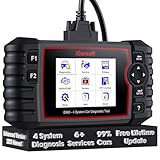
- 【Looking for More Professional Vehicle Scan Tool?】iCarsoft E660 2026 Upgrade Version OBD2 scan tool can do it all-reads and clears trouble codes on Engine system, ABS system, Transmission system and Airbag system, And with 6 reset function. It covers more than 59 vehicle makes from 1996-2023 models ( included most USA/ Asia / EU vehicle brand) with full OBDII. (As every car model has its-owned specific car system and ECUs, not all car models have full car ECUs which may prevent the scanner from performing all listed system diagnostics or reset services. Therefore, please email to us with car VIN and services required to do scanner's services for a compatibility check before purchasing.)
- 【OE-Level 4 Systems OBD2 Scanner】iCarsoft E660 2026 Upgrade Version diagnostic scanner offers comprehensive OBDII services, allowing you to quickly scan Engine system. It supports functions such as reading and erasing codes, checking I/M readiness, viewing freeze frame data, performing O2 sensor tests, conducting on-board monitoring, testing the evap system, auto VIN retrieval, and reading both generic and specific codes, as well as DTCs and battery tests.
- 【4 Systems Diagnosis for 10000+ Vehicles】 iCarsoft E660 2026 Upgrade Version adopts unique diagnostic software, works well for most Porsche, Benz, BMW, US Ford, Land Rover, Jaguar, Audi, VW, Volvo, Honda, Nissan, Infiniti, Toyota, Lexus, Scion, Isuzu, Hyundai, Kia, Daewoo, Mazda, Sprinter, Mini, Seat, Skoda, SAAB, EU Ford, Holden, AUS Ford, Acura, Subaru, Mitsubishi, Dacia, Renault, Fiat, GM, Chrysler, Citroen, Peugeot, Opel, Smart,Suzuki, Vauxhall, Alfa-Romeo, Lancia and etc.
- 【6 Reset Services】iCarsoft E660 2026 Upgrade Version is a diagnostic tool that offers professional maintenance services, including Oil Reset, EPB, BMS, ETC, SAS, TPMS Reset. It can help you easily reset oil change indicators, recalibrate steering angle sensors, relearn replaced electric parking brake and so on. For optimal vehicle performance and maintenance convenience. (Tips: Please update the softwareafter receiving the product to obtain new service functions)
- 【118+ Real Time Record & Live Graph View】iCarsoft E660 2026 Upgrade Version can automatically record vehicle text history and identify vehicle information. Preserve real-time data information. View & Graph Live Data. Support Data Review and Print. 15 languages: English, German, Dutch, Spanish, French and so on. We promise to offer Lifetime updates (Lifetime free Update via PC), and confidence in products. We also provide 1 year warranty + extra lifetime hardware free repair if you need it in the future. We prioritize user experience & strive to meet your expectations. Please do feel free to reach out to us if you have any question or problem about the usage.

- 【All-in-One Diagnostic Tool for Porsche + 2 Extra Vehicle Brands】New POR V4.0 is a professional car scanner specifically engineered with dedicated software pre-installed for Porsche. You can also download 2 additional software packages FOR FREE from 26 supported brands (e.g., for Benz, for BMW, for Audi, for Land Rover).Upgraded to adopt quad-core 1.3GHz processor and HD touchscreen and professional diagnsotic OS for faster& smooth diagnsotic.LIFETIME FREE UPDATES, NO SUBSCRIPTION COST! PLEASE TELL US YOUR CAR INFORMATION TO OBTAIN A LIST OF ALL COMPATIBLE SERVICES FOR YOUR CAR FIRST (FOR EXAMPLE: BATTERY REGISTRATION FUNCTION IS NOT COMPATIBLE WITH PORSCHE 997.2)
- 【29 MAINTENANCE SERVICES FOR PORSCHE SERIES CARS】 It can perform the 29 reset service for Porsche series cars-Oil Reset; SAS; EPB; BMS; ETC; DP ; ABS Bleeding; Injector Coding; TPMS; Air Suspension; Air Conditioner; Head Lamp; Body Stablity Control; Engine Control; Transmission; AirBag; Seat; DWR; MIS; EG; ODO; Clutch; High Voltage Battery; Cruise Control; Radar/Camera; Vehicle Setup,etc. Up to 49 vehicle-maintenance-services for the extra 2 vehicle brands you installed (Tip: Not all services will be worked on every car mode. Some vehicle models may be lack of certain ECU-control modules to make some services may not work).
- UPGRADE SERVICES: Breaks down 29 services to 234 sub-service for car owners/machinist to perform maintenance based on corresponding sub-modules! The detailed sub-service for sub-modules assist to perform precise vehicle maintenance.Improving the accuracy of car maintenance and reducing potential failure risks caused by whole-module maintenance to main modules.such as Oil Reset is refined into Reset maintenance interval/Reset service interval/Service Reset; Engine Control Reset is refined into Delete adaptation data/Short tests/System tests/Swirl-flap actuator/Bleeding high temperature coolant circuit and more.(sub-services vary based on vehicle model/year)
- 【EXTRA VEHICLE MAINTENANC SERVICES FOR SPECIFIC SYSTEMS】Have no ability to perferm calibration to special/specific systems/modules? This OBD2 scanner solve your troubles- for common systems/modules & for specific sytems/modules, assist you to perform diagnsing/calibration/reset/relearn services for non-common modules to finish your car maintenance/ diagnostic (eg: Central Computer system/module :Function activation/Multimedia interface test/AM Field Strength/Current FM Field Strength/FM Field Strength/MOST system reserve/Self-test/Deactivate Production Mode/Reset to factory settings/MOST System Test). (Tip: The services vary based on the vehicle brands)
- 【 MORE PROFESSIONAL BI-DIRECTIONAL ACTUATION TESET 】Exclusive POR V4.0 comes with powerful bidirectional testing capability,do actuaction test for deeper unit-checking after replacement or overhaul (1333 test items for Porsche, like:Fuel high-pressure fuel injector 1-4, Empty tank, Radiator fan, OTA-FC Connectivity, backrest, Backup battery, and more; 2136 test items for Audi; 1670 test items for Benz; 1599 test items for Volvo; 1360 test items for VW; 2705 test items for GM etc.). Help to check your car units work well or not after vehicle maintenance or daily car-body check, keep drives always in safety.(Warm tip:The quantity of test item is based on the units your car has)
Last update on 2026-06-23 / Affiliate links / Images from Amazon Product Advertising API
This product presentation was made with AAWP plugin.