
NHTSA ID Number: 10204095
Manufacturer Communication Number: No. 106-21-1
TSB/Document Date: 2021-12-07
Summary
Information for recall campaign AMB5: re-programing power electronics.
Information
The relevant timestamps of the process logged are displayed on the Tester.
6.5
Attach the work logs you have just created to the quality line.
7
End operational readiness (switch off ignition).
8
Disconnect the PIWIS Tester from the vehicle.
Information
Connect the PIWIS Tester to a network as soon as possible and log into the PPN in order to transfer
the backup documentation created during this campaign to the PAG systems.
9
Switch off and disconnect the battery charger.
– End of action required –
For warranty processing, see Scope 5 under Technical Information '9X00IN Warranty
processing'
Warranty processing
Information
The specified working time was determined specifically for carrying out this campaign and includes all
necessary preliminary and subsequent work.
The working time may differ from the working times published in the Labor Operation List in the PCSS.
Nov 29, 2021
Page 24 of 31
AfterSales
Service
Technical Information
106/21 ENU
AMB5
9
Information
Information on the working time:
Generally, the working time includes all work that requires the active participation of the service technician.
This also covers all required preliminary work and subsequent work.
The working time includes the following activities during control unit programming:
•
All required steps for starting or finishing programming
•
Required interaction during a programming sequence
•
Waiting times until programming starts
•
Random check of programming status
If no further interaction by the service technician is required once control unit programming has started
because programming is performed automatically, there is no need for the service technician to remain
at the vehicle for the entire programming time.
These waiting times are not included in the working time if the total programming time is more than 15
minutes.
If programming takes up to 15 minutes, the full waiting time is included in the working time.
Scope 1-3:
Not relevant for this model year
Scope 4:
Re-programming power electronics and engine electronics
Working time:
Re-programming power electronics and engine electronics
Includes:
Connecting and disconnecting battery charger
Connecting and disconnecting PIWIS Tester
Reprogramming various control units to software version
VR12.1.1
Standardising doors and power windows
Coding loudspeaker booster and inductive charger for
mobile devices
Retracting rear spoiler manually
Teaching Tire Pressure Management system (TPM)
Reading out and erasing fault memories
Creating vehicle analysis logs (VALs) before and after the
campaign
Creating working logs and attaching to the quality line
Labor time: 248 TU
Damage Code AMB5 099 000 1
AfterSales
Nov 29, 2021
Page 25 of 31
9
Service
AMB5
Scope 5:
ENU
Technical Information
106/21
Re-programming power electronics
Working time:
Labor time: 110 TU
Re-programming power electronics and engine electronics (DME)
Includes:
Connecting and disconnecting battery charger
Connecting and disconnecting PIWIS Tester
Retracting rear spoiler manually
Reading out and erasing fault memories
Creating vehicle analysis logs (VALs) before and after the
campaign
Creating working logs and attaching them to the quality line
Damage Code AMB5 099 000 1
Overview of control units for software version VR12.1.1
Overview:
Overview of control units for software version VR12.1.1
Control unit
Programming
time
Sequence 1: Combined software update for various
control units (update via PIWIS Tester)
approx. 100
minutes
Includes:
• Distance measuring sensor control unit (ACC)
• Front-end electronics (BCM1) control unit
• Rear-end electronics (BCM 2) control unit
• Radar sensor for front corner radar, left and
right
• Lane Change Assist, left and right
• Central assistance systems (zFAS)
• Airbag control unit
• Reversing camera
Sequence 2: Combined software update for various
control units (update via PIWIS Tester)
Includes:
• High-voltage charger (OBC) 11 kW/22 kW
• High-voltage battery control unit (BMCe)
Nov 29, 2021
Page 26 of 31
AfterSales
approx. 70
minutes
Action required
program
code
Service
Technical Information
106/21 ENU
AMB5
9
• High-voltage DC charger (booster)
• HV voltage converter
• Control unit for chassis control (PASM)
• Power steering control unit (EPS)
• Brake electronics (PSM) control unit
• Control unit for steering column adjustment
• Control unit for rear axle steering
• Rear lid control unit
• Air conditioning control unit
• Rear-differential lock control unit
• Thermal management control unit (TME)
• Electric passenger compartment heater (PTC)
• Gateway control unit
• Head-up display
• Instrument cluster
• Over-the-air (OTA) control unit
• OTA software partition
• Engine electronics (DME) control unit
• Power electronics, front and rear
• Roll stabilization control unit (PDCC)
• Headlights, left and right
Sequence 3: Combined software update for various
control units (update via PIWIS Tester)
approx. 30
minutes
Includes:
• Multifunction steering wheel
• Seat adjustment control unit, front
• Additional instrument control unit (stopwatch)
• Door control unit, front and rear
• Control unit for exterior acoustics (eSound)
• Control unit for interior acoustics (eSound)
• Display and operator control unit in rear center
console
• Connect control unit
AfterSales
Nov 29, 2021
Page 27 of 31
9
Service
AMB5
ENU
Technical Information
106/21
• Brake booster control unit (eBKV)
• Night vision system control unit
• Control unit for Tire Pressure Monitoring (TPM)
• Control unit for rear spoiler
• Inductive charger for mobile devices
Sequence 4: Combined software update for various
control units (update via PIWIS Tester and USB
storage medium)
approx. 50
minutes
Includes:
• Central computer (PCM)
• Loudspeaker booster
• Front display and operator control unit
Overview of new features implemented by the software updates
Overview:
Function
Description
Charging
•
•
•
Chassis and driving comfort
•
•
•
Digital cockpit display
(instrument cluster)
•
•
•
Porsche Communication
Management (PCM)
•
•
Nov 29, 2021
Page 28 of 31
At-home charging is improved. Stability during charging is
improved and the timer charging function is further optimized.
Home charging with third-party charging equipment is improved.
Discharge of the 12-volt vehicle electrical system battery during
charging is prevented.
Calculation of the state of charge (SoC) of the high-voltage
battery is further optimized. Incorrect calculation of the state
of charge is avoided.
Starting comfort is further optimized.
Traffic sign recognition at double the time-dependent speed
limits is further improved.
Any personalized settings are retained, even after a bus idle and
account change.
The starting behavior and performance of the instrument cluster
are further improved.
Sporadic loading spinners and resets are avoided.
Various software optimizations prevent the sporadic display of
different error messages.
The functionality of the navigation system is optimized and
system stability is improved.
The starting behavior and performance of the central display are
improved.
AfterSales
Service
Technical Information
106/21 ENU
AMB5
9
Additional instructions if programming is aborted
Information
If individual programming steps or subsequent work could not be carried out correctly, see Workshop
Manual for the basic procedure for control unit programming using the PIWIS Tester Workshop Manual
'9X00IN Basic instructions and procedure for control unit programming using the PIWIS Tester - section
on "Fault finding"'. :
You will also find further information and instructions specifically for the VR12.1.1 update in the table
below:
Situation:
SiriusXM is not available as a source in the PCM. The option for SiriusXM is greyed out. The user interface
within the PCM screen does not allow the PCM to confirm SiriusXM service is available, presenting a
“deadlock” condition.
Action required: 1. Press the Joker-key (‘♦’ button) on the steering wheel. This will allow you to assign a function to the
Joker-key. A popup should appear on the PCM center display.
2. Press the button labeled “change button assignment.”
3. Choose “steering wheel button.”
4. Choose “change source.”
5. Go to Media on the PCM screen.
6. Change the source to SiriusXM via the Joker-key on steering wheel. Confirm the source is available and
no longer greyed out.
Work
Procedure:
Control unit:
Situation:
Action required:
Central computer (PCM):
Programming of central
computer (PCM) has failed.
See Technical Information
TI 101/20 if programming
is aborted during central
computer (PCM) software
updates Technical Information '915200 Complaint
- PCM update cannot be
performed/stops. Observe
specified procedure (101/20)'
AfterSales
Nov 29, 2021
Page 29 of 31
9
Service
AMB5
ENU
Technical Information
106/21
Control unit for assistance
systems (zFAS):
Fault memory entry B170AF1
or B200FF3 after coding and
bus idle.
Perform Assistance systems
drive link.
•
•
•
Select the Assistance
systems control unit in the
overview.
Select the Drive
links/checks menu.
Select and start the Data
input, Step 2 drive link and
then follow the instructions
on the PIWIS Tester.
The central computer freezes
while loading:
•
Start sequence 2 again
in order to program the
gateway control unit and
OTA control unit again. The
central computer (PCM)
then starts as usual.
Navigation data errors:
•
Re-program the navigation
database using a USB stick
Technical Information
'915200 Complaint about
central computer: Some
navigation regions not
available following software
updates (138/21)'.
Fault memory entries B126CF0
(000A02) or B126CF1
(000A03)
Front corner radar control unit:
Fault memory entry after bus
idle due to incorrect calibration
of front corner radar.
Calibrate front corner radar
again Workshop Manual
'916625 Calibrating front
corner radar'.
Parking brake (PSM):
Parking brake position lost after
coding.
Read the information on the
instrument cluster and follow
the instructions on the central
display:
•
•
•
Press the brake pedal
completely.
Move selector lever to "N"
and wait 5 seconds.
After a waiting time of 5
seconds, apply the parking
brake.
If the "Brake" warning light in the
instrument cluster still comes
on, perform calibration again
and wait for longer.
Nov 29, 2021
Page 30 of 31
AfterSales
Service
Technical Information
106/21 ENU
AMB5
9
Important Notice: Technical Bulletins issued by Porsche Cars North America, Inc. are intended only for use by professional automotive technicians who have attended Porsche service training
courses. They are written to inform those technicians of conditions that may occur on some Porsche vehicles, or to provide information that could assist in the proper servicing of a vehicle. Porsche special
tools may be necessary in order to perform certain operations identified in these bulletins. Use of tools and procedures other than those Porsche recommends in these bulletins may be detrimental to the
safe operation of your vehicle, and may endanger the people working on it. Properly trained Porsche technicians have the equipment, tools, safety instructions, and know-how to do the job properly and
safely. Part numbers listed in these bulletins are for reference only. The work procedures updated electronically in the Porsche PIWIS diagnostic and testing device take precedence and, in the event of a
discrepancy, the work procedures in the PIWIS Tester are the ones that must be followed.
© 2021 Porsche Cars North America, Inc.
AfterSales
Nov 29, 2021
Page 31 of 31

- 💯【Conta.ct us for Support Directly】If you met any...
- 🔥🔥🔥【2026 AUTEL FLAGSHIP MK900BT MK900-BT, NEW...
- 🚗【3000+ ACTIVE TESTS (50➡3000+), SAME AS MS...
- 🚗【40+ HOT SERVICES FOR 150 MAKES (28+➡40+)】Full...
- 🚗【OE ALL SYSTEM DIAGNOSE, AUTO SCAN 2.0: SCAN LICENSE...


- 【TURN OFF CEL】 This AL319 car scanner diagnostic tool...
- 【EXTENSIVE APPLICATION】 Autel AL319 Compatible with...
- 【FOR END USER & DIYERS】 This error code reader AL319 is...
- 【USER-FRIENDLY DESIGN】 This OBD2 scanner and check...
- 【HIGH-QUALITY SERVICES】 12 months war.ranty from the...
Last update on 2026-06-12 / Affiliate links / Images from Amazon Product Advertising API
If the PDF is very large, it may not load in the preview below.
Some older TSBs had multiple PDFs — visit the NHTSA Website to view all PDFs.
If the TSB PDF does not show, download or view it on the NHTSA Website.
Click on the (+) Plus Sign
Then Click on Associated Document(s)
Search NHTSA Database for Recalls
Search NHTSA Database for Vehicle Investigations
View Latest Vehicle Investigations
Search NHTSA Database for Vehicle Complaints
View Latest Vehicle Complaints
TSB/Document ID: No. 106-21-1
Replacement Service Bulletin Number:
MFR Communication Date: 2021-11-29
MFR Internal Campaign ID/Software Version:
Communication Type: Service Bulletin/Repair Instructions
NHTSA Components: ELECTRICAL SYSTEM
MFR Component System:
MFR Component Subsystem:
Previous TSB | Next TSB |
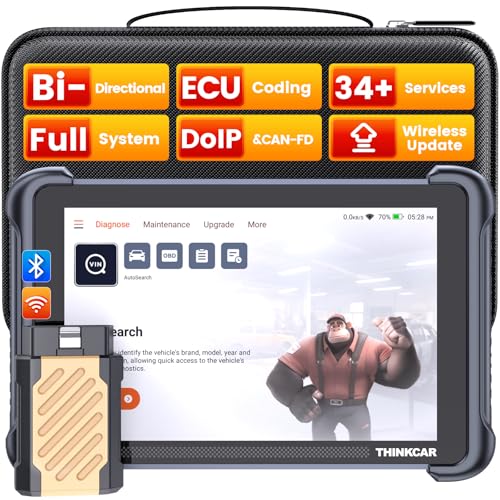
- [Notice] When you receive a used escaner automotriz device, it may be a customer return resold by Amazon without inspection. You can exchange it for a new one through Amazon. As this situation is unavoidable, we sincerely apologize. For any issues, contacting us via Amazon's "Messages" is the best way, and we’ll provide a solution within 24 hours. THINKSCAN 689BT Can Be Used Immediately After It is Turned On, Without Complicated Registration Process, Which is More Convenient & Quick.
- [Good News] THINKSCAN 689BT is the most competitive automotive scan tool to date, offering wireless updates with no subscription fees(valued 500Buc.ks) . With all the features of THINKTOOL PD8,PRO, built on Android 10 platform with 4-core CPU, 4GB RAM
 and 64GB ROM, serving up to 5X faster than older MAX/MINI/PLUS vehicle scanners escaner automotriz, no more slow and delayed feedbacks, it's time to update your garage tool.
 - [Big Money Saver] Premium THINKSCAN 689BT Wireless Diagnostic Scanner Escaner Automotriz, save up to 400USD per year, includes all useful features: Full bi-directional controls, ECU coding, 34+ services, OEM all system diagnostics, Worldwide vehicles coverage, CAN FD & DoIP, FCA AutoAuth(The 689BT only provides a login and purchase portal, and users are required to register for an FCA account and pay a membership fee in order to perform the relevant automotive diagnostics)
- [3000+ Active Tests]Active testing is one of the most useful features in automotive maintenance and greatly improves mechanic efficiency. THINKCAR 689BT bidirectional scanner can send action commends to vehicle sub-systems or components for active test without using vehicle controls. It can perform various tests such as: EVAP Test, Fuel Trim Reset, Injector Buzz Test, Window/ Mirror/ Door Lock Test, Pump and Value Tests, etc. Get functions from "Diagnose>Car Model>System>Active Test".
- [Hot Advanced Features] 689BT bidirectional tool scanner for car newly adds ECU Coding, Power Balance, Flash Hidden Functions, Reset Adaptive Data, Match Replaced Components, Customize OE-Settings. Such as: 1. changing the color of interior lights 2. switching on/off the auto hold, 3. customizing dash kits 4. activating the auto side mirror folding function 5. disables auto start-stop. Note: Coding functions vary by model&year.
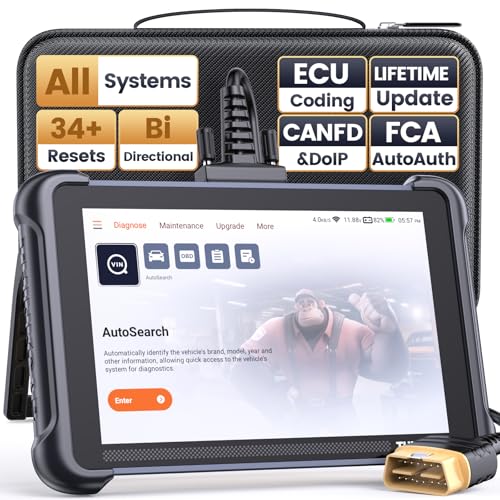
- 【Warm Tips】Wired THINKSCAN 689 is connected through a detachable OBDII cable, and we also have added OBD2 Extension Cable (about 60 cm/2 feet) as g ift, enabling customers handling vehicle repairs with ease. Just click "Bundles Item" above to get it. Note: FCA AutoAuth is a third-party service, additional cost may be required.
- 【Professional Car Diagnostic Tool】Tired of renew fees? Thinkscan 689 scanner provides dealer-level advanced functions without annual fees for auto mechanics and repair shops. 34+ Services, 3000+ Active Test, ECU Coding, 140+ Brands Coverage, FCA AutoAuth, CANFD&DOIP Protocol, Component Matching, Power Balance, V.A.G Guided, Compatible with Google Chrome integration, etc. With strong hardware backing, 64G Memory, Android 10, 4-core processors, and 4150mAh battery. Thinkscan 689 brings you the best as your daily business helper and never lets you drop the ball!
- 【Over 34 Reset Service, Adaptation + Relearn + Calibration + Initialization + Matching】Made for workshops, Thinkscan 689 scanner provides 34+ services for worldwide vehicles: such as Gear/SAS/EPB/TPMS/D.P.F/I.M.M.O/BMS/ETS/Oil/Brake/AFS/GEARBOX/SUNROOF/SUS Reset, ABS Bleed, Injector coding, etc. Warm tips: Compatibility may vary on vehicles' model and year, please contact seller before purchase to make sure it works well on your cars.
- 【Real Active Test】Thinkscan 689 scan tool features over 3000+ full bi-directional control ability, to send commands to vehicle’s systems/components, to verify system input/output without using the vehicle's controls, e.g. turn on the radiator fan, modulate the throttle, open/close windows, operate mirrors, Injector Buz Test, turn on interior&exterior lights, sound horn, test door lock actuators, turn on/off front/rear side ACM Solenoid, Vehicle level position calibration, Wheel Speed Sensor Supply.
- 【Comprehensive Solutions with Advanced Features】Take your vehicle customization to the next level with the Thinkscan 689's advanced ECU coding capabilities. This scan tool provides power balance, PMI, unlock more new features and enhance performance by activating dormant functions, customizing OE settings, matching replaced components, and reprogramming adaptive data to elevate your driving experience. Note: Compatibility varies by car models, please check before order.

- 【Cost-effective OBD2 scanner】 Thinkcar Thinkdiag2 is the most powerful wireless diagnostic tool for it's price! Equipped with multi-functions of Newly added CAN-FD protocol, BiDirectional control(Active Test), 15 Maintenance resets, All Systems diagnosis, Auto VIN, FCA AutoAuth, Unlock the protected FCA vehicle SGW module on Chrysler, Dodge, Jeep, Alfa Romeo, and Fiat vehicles manufactured after 2019.120+ Car brands coverage, No IP limited, etc. Good for workshops & DIYers. Kindly send us VIN to check compatibility before purchase
- 【OE-Level Full Systems Car Scanner with Added CAN FD Protocol】 Upgrade of Thinkdiag, Thinkdiag2 is a bluetooth diagnostic tool can diagnose Full System such as ECM, ABS, SRS, TCM, EPB, TPMS, SAS, A/C, BMS, etc. Thinkdiag2 can read/clear fault codes, read real-time data, read control module information,etc. As the only diagnostic scanner in this price range that supports the CAN-FD protocol, it suits for the latest GM(2019-) , saving $100 to buy a CAN FD adapter, reducing the risk of undetected errors to enhancing the user experience
- 【Bidirectional Test】This bidirectional scan tool Thinkdiag2 allows you to send commands from your smartphone directly to the vehicle's ECU for active testing, quickly locate problem areas, such as A/C clutch, windows, doors, sunroof, etc., reducing the diagnostic time and money. (Note: kindly send us VIN to check compatibility before order.)
- 【15+ Maintenance Functions】Thinkdiag2 OBDII code scanner is designed for individual car owners, DIYers, and small repair shops, which has a separate menu of 15 common special functions, such as Oil reset, EPB reset, SAS calibration, ABS bleeding, injector code, TPMS reset, etc. Enter from the all-system diagnostic menu to unlock more system special functions, and effectively handle the reset and relearn of most cars. Note: The Maintenance functions that each car can do may be different
- 【120+ car brands & FCA Autoauth+10 languages】Thinkcar thinkdiag2 helps you to troubleshoot the problems fast for 100 + US, European, Asian vehicle brands after 1996 that use the OBDII protocol. Only support 12V cars, including gasoline cars and diesel cars. Supporting Autoauth allows you to unlock the protected FCA vehicle SGW module on Chrysler, Dodge, Jeep, Alfa Romeo, Fiat vehicles, etc. (Note: Only provide AutoAuth login portal, and need purchase the registration number on the AutoAuth website by yourself.) Multilingual function allows workshop mechanics to avoid language barriers and use it around the world Without restriction
Last update on 2026-06-12 / Affiliate links / Images from Amazon Product Advertising API
This product presentation was made with AAWP plugin.