
NHTSA ID Number: 10183612
Manufacturer Communication Number: TT_V1912
TSB/Document Date: 2020-12-04
Summary
TECH TIMES NEWSLETTER - VOLUME 19, ISSUE 2 - INSIDE THIS ISSUE: 1. Mahle R1234 yf Refrigerant Reclaim A/C Machine Overview 2. Techline FAQs 3. Latest Technical Service Bulletins, Service Actions, and Campaigns 4. Kia University Current News 5. 2016 Kia Skills World Cup: Going for the Gold! 6. 2016 Technician Satisfaction Survey 7. JOE'S CORNER: Don't Let The Lights Go Out (Parasitic Draw) 8. High Beam Assist (HBA) System 9. Test Your Tech Times Knowledge 10. Forward Collision Warning (FCW) Indicator 11. Service Interval Minder: Increase Customer Satisfaction & Vehicle Longevity
3. N G I A C D S T O I — — — — — — — — — —
(Page 1)
4. T T I A C A I S N F S O — — — — — — — — — — — —
(Page 3)
5. M O I R A Y P L P T X E A — — — — — — — — — — — — —
6. B A M E — — — —
(Page 5)
7. S N L I O O C L I — — — — — — — — —
8. R A T E B C K — — — — — — —
(Page 7)
(Page 8)
9. T C A E M E N N I N A — — — — — — — — — — —
10. R L P C A Y A — — — — — — —
11. E I U G D — — — — —
(Page 9)
(Page 10)
(Page 11)
12. C U C I R I T — — — — — — —
(Page 12)
13. E C C I T R I T I O A N F — — — — — — — — — — — — —
14. T I E E B N F — — — — — — —
(Page 3)
(Page 12)
15. R N P I R T W E O A — — — — — — — — — —
16. G R N A T I I N — — — — — — — —
17. S F E U — — — —
(Page 5)
(Page 12)
The All-New
2017 Sportage is...
(Page 1)
——————————
(Page 4)
18. P O E T E R A V A — — — — — — — — —
(Page 7)
——
——————
Answers are on page 13
8
TECH TIMES • Vol 19, No. 1•2016
SOUL
FORWARD COLLISION WARNING (FCW) INDICATOR
FORWARD COLLISION WARNING (FCW)
INDICATOR ILLUMINATED ON CLUSTER
WITHOUT DTC(S)
On some 2016MY Soul (PS) vehicles, you may see a Forward
Collision Warning (FCW) indicator may appear on the instrument
cluster with no DTC’s present (Fig. 1). This condition may be caused
by incorrect/lost variant coding of the Lane Departure Warning
System (LDWS) camera, or when replacing with a new camera.
Follow the procedure outlined below to resolve the concern.
Service Procedure:
1. Use KDS/GDS to access the LDWS Camera Variant Coding screen.
2. Enter the values shown below to correctly code the camera.
Please refer to Pit Stop PS 447.
ITEM
SETTING VALUE
Vehicle Code:
Default
Country Code:
North America
Left/Right Hand Drive:
LHD
Transmission Type:
Automatic
HBA Option:
NONE
LKAS/LDWS Option:
LDWS
Vehicle Body Type:
NONE
SLIF Option:
NONE
FCW/AEB Option:
FCWS (Camera Only)
Attention Assist:
NONE
Fig. 1. The FCW
warning indicator
WHAT IS THE EFFECT OF TIME AND TEMPERATURE DURING REFRIGERANT RECOVERY?
With the introduction of the R1234yf refrigerant and the cost
involved, it is important to ensure as much as possible R1234yf
refrigerant is removed during recovery. As refrigerant is being
evacuated from a vehicle’s A/C system, the pressure in the
system drops. The vaporizing refrigerant pulls heat away from
the A/C system, lowering the liquid refrigerant temperature.
Liquid refrigerant can be encapsulated in the oil and can settle
into pockets of the A/C system. It can be very difficult to fully
remove all of the refrigerant.
To overcome this effect, heat and time are on your side. By
running the engine and warming up the engine compartment,
more refrigerant can be vaporized and removed. Lowering the
hood will also help to hold the heat in the engine compartment.
Use caution to keep the service hoses away from belts, fans
and sharp edges. Without the help of heat, the A/C Recovery
Equipment will leave some refrigerant in the system, which
will escape into the atmosphere or be evacuated during the
vacuum process.
If the A/C system has been opened to replace a part, moisture
will have entered the system. If not removed, the moisture
could form ice in the expansion valve causing a lack of cooling.
By pulling a vacuum on the A/C system, the boiling point can
be lowered enough to evaporate or boil off the moisture. With
the A/C system under 29" of vacuum, the temperature would
need to be above 75°F before vaporization will occur. Heat will
also help (engine running, hood closed) to fully remove the
moisture, especially in cooler weather. Because the amount
of moisture is not known, the vacuum should be held for at
least 30 minutes. It takes a combination of time, vacuum,
and heat to completely boil the moisture out of the system.
And additionally, the time vacuum is on a system should be
increased as humidity rises.
9
TECH TIMES • Vol 19, No. 1•2016
SERVICE INTERVAL MINDER: INCREASE CUSTOMER SATISFACTION & VEHICLE LONGEVITY
A large majority of Kia models feature a Supervision or LCD
cluster that offers the driver several customizable modes. One
important mode is the Service Interval Reminder using the
Service Mode feature.
Service Mode allows the driver to activate the Service Interval
minder to display either “Mileage” displayed in either miles or
kilometers, and time displayed in “days”, or ”Months” when the
vehicle is due in for maintenance.
Once activated, the “Service in” message is displayed for a
few seconds every time the START/STOP button is pressed to
the ignition ON position (refer to Owner's Manual for specific
vehicle)) (Fig. 1).
Consider explaining to your customers that the Service
Interval minder works more like the “Low-Fuel” warning
indicator, where it’s the longest you possibly can go without
service before risking problems that could stem from vehicle
maintenance neglect. If you’re in the habit of resetting the
minder properly at your dealer’s 7,500, 15,000, 22,500,
30,000, (turbo equipped requires other intervals) etc. mile
maintenance intervals, your regular customers should
always see the display showing “Service in XXXXX”.
LCD Control Steering Wheel Buttons (2015 Optima shown)
1. Mode Button
2. M
ove Up/Down
3. OK : Select/Reset Button
Fig. 1.
Service
Interval
Message
If the vehicle is not serviced according to the entered service
interval, a “Service Required” message then appears for a few
seconds every time the START/STOP button is pressed to the
ignition ON position (See Fig. 2).
Fig. 2.
Service
Interval
Past Due
display
To reset the Service required message, press the RESET button
for more than a second.
Fig. 3. Service Minder OFF Display
To enter Service Mode, press the MODE button located on
the steering wheel until the Vehicle Service Mode Symbol is
displayed (this varies by model; e.g. on 2015-2016MY Sedona,
it is under "User Settings"). The system will display one of two
messages: “Service In OFF” (Fig. 3) or the number of miles or
months/days remaining until the next service is due.
During maintenance service, make it a habit to check and reset
the Service Interval minder to keep Kia owners aware of their
vehicles’ needs (Fig. 4).
Finally, always tak e advantage of any opportunity during
maintenance appointments to advise your customers about
proper Kia vehicle maintenance service.
Fig. 4. Activating the Service Interval Minder and entering
mileage or time to next service
10
TECH TIMES • Vol 19, No. 1•2016
PITSTOP
APPLE CAR PLAY OVERVIEW
Apple CarPlay has launched as a running
change on 2017MY Sorento, Optima and
Sportage for the Premium navigation and
UVO eServices head units. Apple CarPlay
allows the head unit screen to display
and access certain apps that are installed
on the customer’s iPhone device. Apple
CarPlay is part of the iPhone OS for all iPhone 5 or higher
running iOS 8.2 or higher (it is not a separate app that must
be downloaded). Apple CarPlay connects to the head unit only
via the USB connection (Bluetooth is disconnected) and once
recognized, displays the CarPlay menu (home screen).
FEATURES
wheel allows accessing Siri for voice recognition while
CarPlay is running. Siri has the same limitations as it does
Apple CarPlay displays and allows control of CarPlay
compatible apps installed on the user’s iPhone on to the Head
Unit touch screen (Fig. 1.). Shown here is a typical layout with
Phone, Music, Maps and Messages on the top line. On the
second line the Kia Icon returns the user to the Head Unit
Home screen and the other app icons depend on what apps
are installed on the user’s iPhone. This includes compatible
Apple apps, such as: Phone, Music, Maps, iMessage, iBooks
and Podcasts. Also available are a number of popular thirdparty apps: iHeartRadio, At Bat, Spotify, Pandora and more. If
more than six compatible CarPlay apps are installed they can
be accessed by swiping left on the screen.
on the iPhone. It can control native iPhone apps like Phone,
Maps, Messages and Music, but can not control non-iPhone
native applications.
Apps that are likely to be used while the vehicle is in motion
are limited to Siri control for most functions. These include
Phone, Music, Maps and Messages. Other apps have CarPlay
modes that may only allow limited control or input. Volume
control and other audio knobs will interface with Apple
CarPlay apps however, not all steering wheel controls can be
used in CarPlay mode.
The Kia icon
The icon in the lower left of the screen (Fig. 1.) is the Apple
CarPlay Home button 1 used to return to this screen
from open apps and if held down it launches Siri for voice
communication. The Push to Talk button on the steering
Fig. 1. A
pple CarPlay Head Unit touch screen
on Fig. 1 returns the user to your Kia’s
native head unit environment outside of CarPlay. Kia specific
apps will be accommodated here in the future as well.
(continued next page)
2
1
2
11
TECH TIMES • Vol 19, No. 1•2016
PITSTOP
APPLE CAR PLAY OVERVIEW (CONTINUED)
SETTING UP CARPLAY
CARPLAY TROUBLESHOOTING GUIDE
Before Connecting: Ensure iOS on phone and all Apps for
CarPlay are up to date with the latest software versions.
Use of CarPlay is dependent on the iPhone and
CarPlay. Issues can occur when using CarPlay that
are caused by the iPhone or the Apple CarPlay
feature. The head unit should NEVER be replaced
for any of these concerns as the head unit is simply
displaying what the iPhone sends to the head unit.
1. From the Home screen on your vehicle, choose “Set up,” then
“Connectivity.”
2. Select “Enable Apple CarPlay” (Fig. 5.) and accept all agreements on
the phone or head unit for CarPlay.
3. Plug your compatible iPhone into the USB port in the console area
(Fig. 4.) using an Apple lightning cable.
The following concerns, and others not listed, may
occur when a customer uses CarPlay:
• CarPlay fails to launch or reconnect
4. On the Home screen, select the “Apple CarPlay” icon. Your phone
should display the CarPlay lock screen and all supported Apple
CarPlay apps will appear on your vehicle’s touchscreen.
• Full black screen, partial black screen or blank
screen
To learn more about Apple CarPlay go to: apple.com/ios/carplay/
• Incorrect or incomplete information displayed
• Frozen screen
• Interruption in using Siri® (no response, no sound,
black screen after using Siri)
• Intermittent connection
Sample basic troubleshooting concerns for CarPlay:
• Always confirm the iPhone is updated to latest iOS
software.
• Confirm there is a strong coverage/data signal
Fig. 4.
• Disconnect cable, reconnect and ensure connection
cable is seated properly in the iPhone and in the
USB port. All phone/cable concerns should be
handled by the customer/phone manufacturer.
• Try another original Apple cable and ensure
customer is using an Apple branded cable
(Aftermarket cables are NOT recommended as
they may cause operation issues).
• Prior to use, ensure all 3rd party Apps are up to
date. If any 3rd party apps are causing concerns,
close the apps and then restart them.
• Unlock the iPhone
Fig. 5.
• Restart the iPhone
• Check iPhone’s setting is enabled (Settings >
General > Restrictions > CarPlay > On)
• In some cases, a hard reset of the phone is
required.
NOTE: KMA cannot guarantee full functionality of
CarPlay and compatibility of CarPlay with 3rd party
Apps, or that all features are available with all cell
phone carriers.
Fig. 6.
While Kia Motors America (“KMA”) makes all reasonable efforts to ensure that all product
materials are correct, accuracy cannot be guaranteed and KMA does not assume any
responsibility for the accuracy, completeness, or authenticity of any information contained
Apple® is a registered trademark of Apple, Inc. iPhone® is registered
trademark of Apple, Inc. Siri® is registered trademark of Apple. App runs on
your smartphone cellular data service. Normal data rates will apply. Android
Auto™ is a registered trademark of Google™. App runs on your smartphone
cellular data service. Normal data rates will apply.
in these materials. All information contained herein was accurate and correct at the time
of publishing. From time to time, KMA may need to update or make changes to the Vehicle
features and other vehicle information reported in this bulletin.
12
TECH TIMES • Vol 19, No. 1•2016
PITSTOP
ELECTRONIC TROUBLESHOOTING MANUAL (ETM) SERVICE TIPS
In an effort to increase the amount of Service Information
available to our Kia Service technicians, KGIS offers a section
called “Service Tips” located in the Electronic Troubleshooting
Manual (ETM). These Service Tips provide valuable Service
Information for individual systems, circuit description and
operation.
Additionally, technicians can benefit from all the available
Powertrain Control Module (PCM) information which includes
detailed circuit description, condition, input and output signal
type and level (range) and oscillscope patterns (for good signal
reference).
Please refer to PitStop PS 448.
TECH TIMES • Vol 19, No. 1•2016
FRONT LICENSE PLATE BRACKET POSITION ON VEHICLES WITH AEB (17MY QL)
On 2017MY Sportage (QL) vehicles equipped with Autonomous
Emergency Brake (AEB), the front license plate bracket is
installed in one of two different positions, depending on whether
the vehicle is equipped with 2WD or All-Wheel-Drive (AWD).
For more information on AEB operation and how obstructions of
the sensor can interfere with proper system performance, refer
to the applicable owner’s manual pages (6-56 and 6-57) or view
the manual on KGIS.
Follow the instructions below to ensure that the AEB system is
not being impaired by an incorrect licence plate installation!
On vehicles equipped with AWD and AEB, the radar sensor is
mounted above the license plate, in front of the grill. The front
license plate mounting bracket (C) is installed on the lower
portion of the front bumper cover, as shown below.
On 2WD vehicles equipped with AEB, the radar sensor is mounted
below the front bumper cover. The license plate needs to be
positioned to provide an unobstructed “forward view” for the
AEB radar module. If the bracket and license plate are mounted
incorrectly, the plate may interfere with the AEB sensor and
cause the system to not operate correctly. The system may
display the “Auto Emergency Braking Disabled Temporarily”
message in the instrument cluster center and/or may illuminate
the AEB warning light until the condition is corrected.
Please refer to PitStop PS 451.
C
Radar module partially blocked;
plate mounted incorrectly
Radar module unobstructed;
plate mounted correctly
Warning message may alert
driver that AEB is unavailable!
AWD vehicle with AEB
TEST YOUR KNOWLEDGE ANSWERS
We hope you gave this issue’s word scramble on page 7 a try.
In case you need a little help, here are the answers to the word
scramble.
17. FUSE
16. TRAINING
15. POWERTRAIN
6. BEAM
14. BENEFIT
5. APPROXIMATEL Y
13. CERTIFICATION
4. SATISFACTION
12. CIRCUIT
3. DIAGNOSTIC
11. GUIDE
2. AMPERAGE
10. CARPLAY
1. REFRIGERANT
TO EXCITE
ENGINEERED
B
7. COLLISION
A
18. EVAPORATE
A
8. BRACKET
To position the bracket and plate correctly, align the two guide/
locator pins on the back of the bracket with the dimples in the
front bumper cover (A) and position the license plate mounting
holes in the bracket at the top, as shown (B) below.
9. MAINTENANCE
Secret Phrase
(Clue: "2017 Sportage is...")
1313
2WD vehicle with AEB

- 💯【Conta.ct us for Support Directly】If you met any...
- 🔥🔥🔥【2026 AUTEL FLAGSHIP MK900BT MK900-BT, NEW...
- 🚗【3000+ ACTIVE TESTS (50➡3000+), SAME AS MS...
- 🚗【40+ HOT SERVICES FOR 150 MAKES (28+➡40+)】Full...
- 🚗【OE ALL SYSTEM DIAGNOSE, AUTO SCAN 2.0: SCAN LICENSE...

- 📌【We are Here for You】Dear valued customer, please be...
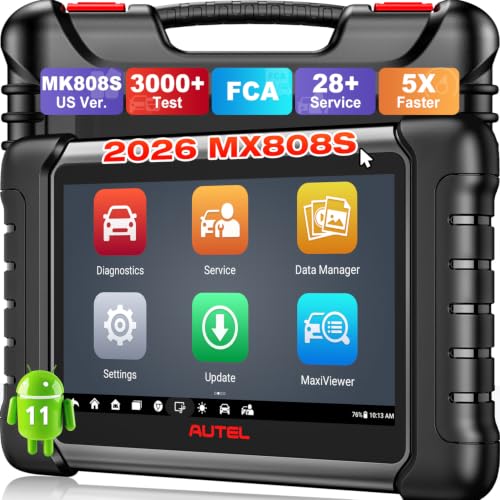
- 🚀【5X Faster Next-Level Hardware, Same as MK900/ MX...
- 🔥【3000+ Active Tests = MK900/MK900BT but...
- 📢【2026 U.S. Version, All-in-One as MK808S/ MK808Z...
- 🔥【28+ Hot Services for 150+ Brands】Same as MaxiCOM...
If the PDF is very large, it may not load in the preview below.
Some older TSBs had multiple PDFs — visit the NHTSA Website to view all PDFs.
If the TSB PDF does not show, download or view it on the NHTSA Website.
Click on the (+) Plus Sign
Then Click on Associated Document(s)
Search NHTSA Database for Recalls
Search NHTSA Database for Vehicle Investigations
View Latest Vehicle Investigations
Search NHTSA Database for Vehicle Complaints
View Latest Vehicle Complaints
TSB/Document ID: TT_V1912
Replacement Service Bulletin Number:
MFR Communication Date: 2016-05-25
MFR Internal Campaign ID/Software Version:
Communication Type: Service Bulletin/Repair Instructions
NHTSA Components: EQUIPMENT:OTHER:OWNERS/SERVICE/OTHER MANUAL
MFR Component System:
MFR Component Subsystem:
Previous TSB | Next TSB |

- [Notice] When you receive a used device, it may be a customer return resold by Amazon without inspection. You can exchange it for a new one through Amazon. As this situation is unavoidable, we sincerely apologize. For any issues, contacting us via Amazon's "Messages" is the best way. THINKSCAN 689BT Bidirectional Scan Tool Can Be Used Immediately After It is Turned On, Without Complicated Registration Process, Which is More Convenient & Quick.
- Full Bi-Directional Control & 3000+ Active Tests: Take control and test components like actuators, fuel injectors, relays, and cooling fans in real time. You’ll quickly see if the problem is in the part itself or the control module — saving you hours of guesswork and frustrating trial-and-error.
- Advanced ECU Coding Capabilities: Handle module matching and hidden feature activation with confidence. When you replace an ECU or want to customize settings, this obd2 scanner diagnostic bi directional tool gives you the professional-level capabilities you need without the dealership price tag.
- 34+ Useful Reset and Maintenance Functions: Complete everyday service tasks smoothly with a wide range of helpful reset and maintenance functions. Whether you’re keeping up with regular upkeep or tackling a specific job, this scanner makes maintenance simpler and less stressful for both DIYers and pros.
- Comprehensive Full System Diagnostics: Diagnose every major system — Engine, Transmission
 , ABS, SRS, TPMS, and more — all in one place. Finally stop wondering if you’re missing something important; get the full picture and clear codes with ease.

- Top Reasons to Choose the D7S OBD2 Scanner: XTOOL D7S car scan tool, an upgrade of XTOOL D7, offers comprehensive features for automotive technicians, workshops, and DIY enthusiasts 1. Upgraded Hardware: 2+64GB memory, rear camera, intuitive interface, foldable bracket 2. Complete Diagnostics: FCA Autoauth, OE-level all system scan, 39+ maintenance services, 4K+ bidirectional, CANFD/DoIP protocol 3. Advanced Capabilities: ECU coding, PMI functions 4. Wide Compatibility: Support 10,000+ models, covering 99% vehicle brands 5. Multi-language: Available in 22+ languages, No IP Restrictions 6. 3-Year Updates: Save 300 bucks on software updates for the latest features and optimizations
- 2026 Upgraded D7S Car Scanner Features: The newly 2026 D7S V2.0 scanner for car brings exciting features for advanced vehicle diagnostics and enhanced user experience 1. FCA AutoAuth: Now supports FCA SGW module for Chrysler, for Jeep, for Dodge (2018+), for Fiat (2017+), enabling faster vehicle communication without gateway restrictions 2. PMI (Offline ECU Programming): Allows for Ford, for Lincoln, and for Mazda ECU programming for new modules 3. Optimized Diagnostic Report 2.0: Personalized reports with logos and customer info for auto shops. Note: Compatibility varies by cars, please check before order
- Cost-effective ECU Coding Scan Tool for Specific Brands: Enhance your vehicle's performance with XTOOL D7S! This obd2 scanner all systems bidirectional offers advanced capabilities at an affordable price, supports online for BMW, for Benz and offline for BENZ, for MIT, along with PMI functions for Ford, for Mazda, and for Lincoln. Ideal for technicians and DIY enthusiasts, this automotive scanner diagnostic tool optimizes vehicle performance and enhances the driving experience. Note: Not for all cars and modules, please send car VIN to check the compatibility before purchase
- OE All System Diagnostic & 8 Pids Graphing: XTOOL D7S is a comprehensive all system bi directional obd2 scanner that delivers dealer-level diagnostics, completely controlling over your vehicle’s performance and health. This automotive scan tool can read and clear DTCs, view live data and ECU information, retrieve freeze frames, and perform active tests and full obd2 functions. This bi-directional scan tool can can identify your vehicle's make, model, and year information with just one click and show up to 8 PIDs live data with options for CSV viewing, playback, and recording for in-depth analysis. It is easy-to-use for both professionals and beginners, helping pinpoint issues efficiently
- 3 Years Software Update, Value for Money: With 3 years of software updates and 22+ languages(no IP restrictions), XTOOL D7S auto scanner code scanner ensures ongoing compatibility for the latest car models and improved diagnostic functions. This all system vehicle diagnostic scanner comes with a 30-day return policy and a 24-month repair for dependable performance. XTOOL are dedicated to your satisfaction, so enjoy seamless support and lifetime expert assistance. Should you encounter any issues or concerns, don’t hesitate to reach out XTOOL. D7S with newest update with 22 languages freely transfer without authorization, check details from setting-language or from XTOOL

- 【✅Compared to BOSSCOMM IF742, IF745 Offers Full-System Diagnostics】The BOSSCOMM IF745 car diagnostic scanner is an upgraded model of IF742. In addition to supporting all OBD2 Code Reader functions and 6 reset options (ABS/EPB/SAS/BMS/Oil/Throttle), it expands diagnostics from 4 systems (Check Engine/ABS/SRS/Transmission) to vehicle All systems, including Steering, Suspension, and Body Electronics. This provides deeper, more comprehensive diagnostic capabilities.
- 【✨6 Essential Resets: ABS Bleeding, Oil, EPB, SAS, Throttle, BMS】The BOSSCOMM IF745 obd2 scanner diagnostic tool swiftly purges air from brake lines to restore braking sensitivity, fine-tunes maintenance cycles to eliminate false alerts, resolves parking brake issues with one-click control, recalibrates steering sensors for stability, optimizes engine idling/acceleration for smoother performance, and deeply resets battery systems to extend lifespan and range via precise parameter adjustments.❗NOTE: Does NOT support bidirectional control, coding, or programming.
- 【✨Deep Diagnostics for All Vehicle System Modules】Beyond code reading/clearing and ECU information retrieval, our all-in-one data stream feature lets you inspect all current fault codes and their locations across the vehicle’s systems. This vehicle code reader helps you turn off dashboard warning lights and perform a comprehensive self-check of your car at home—no more back-and-forth trips to the repair shop or hefty inspection fees.
- 【✨10 OBD2 Functions】The BOSSCOMM IF745 scan tool’s DTC Lookup instantly translates fault codes into user-friendly explanations, its I/M Readiness feature streamlines emissions testing with a single tap, and Freeze Frame lets you pinpoint the exact moment of a fault for in-depth root-cause diagnosis. Combined with a live data dashboard and advanced diagnostics (O2S, OBMon, EVAP), it delivers comprehensive insights for confident troubleshooting.
- 【✨10,000+ Car Models, AutoVIN, 13 Languages】The BOSSCOMM IF745 vehicle scanner diagnostic tool covers 73+ global car brands and offers support in 13 languages, making it perfect for DIYers, auto mechanics, or as a thoughtful gift. With a single-click AutoVIN feature, it instantly retrieves vehicle serial numbers, streamlining diagnostics for users globally. This adaptable tool balances user-friendliness with precision, catering to both personal and professional requirements.✅Unsure about compatibility? Compatibility will vary on vehicles' model and year, pls reach us via 📧 [email protected] 📧 before purchase.
This product presentation was made with AAWP plugin.