
NHTSA ID Number: 10180299
Manufacturer Communication Number: 18NA099
TSB/Document Date: 2020-09-28
Summary
This bulletin provides information for use on a Product Assistance Claim (PAC), which is formerly known as a Product Allegation Resolution (PAR) claim.
Bulletin No.:
Service Bulletin
Date:
18-NA-099
August, 2020
INFORMATION
Subject:
Working with General Motors (GM) on a Product Assistance Claim (PAC) (U.S. Only)
Attention: GM of Canada is not authorized to utilize this service bulletin.
Brand:
Model:
Model Year:
from
to
VIN:
from
to
Engine:
GM Passenger
Cars and Light
Duty Trucks
2020 and Prior
Medium Duty
Trucks
2016
2020
—
—
TopKick
T-Series
Kodiak
2009 and Prior
T-Series
Involved Region or Country
United States
This bulletin has been developed for use on a Product
Assistance Claim (PAC), which is formerly known as a
Product Allegation Resolution (PAR) or 1241 claim.
Reporting a Product Assistance Claim
When an incident results in property damage and/or
personal injury, alleged to be caused by a product
defect, the customer and/or dealer should contact their
respective Customer Assistance Center by phone.
• Customer # is 800-231-1841.
• Dealer direct access # is 866-446-6963.
The situation will either be handled within PAC or
forwarded to GM’s Central Claims (ESIS) team. ESIS
case numbers have only 6 digits (e.g. 921322). If
ESIS is involved, please reach out directly to them
for updates at 800-888-0164.
Important: Please DO NOT make any repairs to the
vehicle until PAC directs to do so or until PAC has
completed the case review. During the review process,
if technical assistance (TAC) is needed or technical
questions arise, PAC has internal resources to support.
TAC will not be able to provide the dealer with
diagnostic assistance or repair direction related to this
allegation. Contact your PAC Specialist to request
technical support.
Refer to section 1.4 of the GM Service Policies &
Procedures Manual for additional details.
Copyright 2020 General Motors LLC. All Rights Reserved.
Product Assistance Claim (PAC)
Definition
The Product Assistance Claims (PAC) Team within the
Customer Experience (CX) contact center is
responsible for cases in which a customer alleges that
a vehicle defect resulted in:
• Injuries not requiring professional medical
treatment
• Vehicle Damage
• Fire/smoke/melt concerns
• Damage to personal property inside the vehicle
• Claims of unwanted airbag deployment (with or
without a collision)
• Claims that an airbag did not deploy in a collision
• Also included are deployments that occur when
the vehicle is being serviced or repaired by a GM
Dealer
Warning: When performing service on or near the
SIR components or the SIR wiring, the SIR system
must be disabled to prevent vehicle service
induced deployments.
PAC Case Summary
PAC claims require a complete and thorough review of
all available information as part of the investigation
process to determine if there is any indication of a GM
Page 2
August, 2020
warrantable concern or if an opportunity for goodwill is
present. Accident damage, signs of neglect or abuse,
vehicle modifications and other outside influences must
be identified and their relevancy to the case identified.
Information provided by the dealer and inspection
results are not the sole basis for decisions made on any
PAC case.
Information gathered during the investigation is
confidential and proprietary to GM. Please DO NOT
provide to the customer.
Case Duration
On average, between 20–30 days to determine final
decision.
Dealer Involvement
A PAC Specialist will contact the Service Manager at
the servicing or selling dealer (if possible) to explain the
PAC process and request assistance with the gathering
of facts related to the allegation. The dealer will be
compensated for inspection time as appropriate based
on the inspection requirements and documentation
provided once the case resolution has been
determined.
Reminder: Allegation claims are handled solely on the
facts of that case. PAC requests can differ on a case by
case basis. During the course of a case, PAC may
request the following from the dealership:
• Sales documents – including non-GM
components installed on a vehicle and/or
disclosure forms
• Historical Repair Orders – and customer
communications related to the allegation
• If approved by PAC, Assistance with Providing
Courtesy Transportation or Rental Vehicle
• Performing a Preliminary Inspection – includes
DTCs and photos related to vehicle condition and
customer concerns
• Repair Estimates – When requested, the dealer
should provide a detailed repair estimate for body
and mechanical repairs. All parts availability must
be confirmed and itemized at the Dealer’s GM
warranty rates.
• Complete Inspection/Diagnosis – If you identify
information that may affect the case, please
include that on the report.
Note: Any inspections exceeding 4 hours require prior
approval from PAC Leadership.
•
Hosting a 3rd Party inspection – provide
technician support and access to a vehicle lift.
• Hosting a vehicle repurchase
When completing the inspection forms, please verify all
sections have been fully documented and
photographed as appropriate. The detail and quality of
the completed inspection report and related photos will
help support our final position and the inspection hours
submitted. Return the completed inspection forms and
photos via email within 72 business hours (if possible).
Once all inspection documents are completed, a
technical review will be performed prior to determine
the final case resolution.
Bulletin No.: 18-NA-099
After PAC has completed the review, the PAC
Advisor will inform the Customer and Service
Agent’s Service Management of the outcome. PAC
will notify customer of rental return requirements
specific to the case outcome (if applicable).
PAC Rental Vehicle Policy
If requested by the customer, PAC may offer rental
transportation while PAC investigation is being
performed.
All approvals for the rental must be provided by the
PAC Specialist. The rental length will also be provided
by the PAC advisor. If additional rental days are needed
beyond the agreed upon number, the Service Agent’s
Service Management must get approval from the
assigned PAC Specialist. Failure to get approval, for
additional days, will result in the Service Agent and/or
customer paying for the expense.
All of the guidelines stated in the latest version of
Corporate Bulletin 07-00-89-037: Courtesy
Transportation and Roadside Assistance Programs
also apply for these claims, with the EXCEPTION of the
Rental Term (Length). Transportation can be provided
regardless of vehicle age or mileage.
For rental reimbursement, refer to the correct process,
outlined in the Dealer Transaction Submission Process
section below.
Important: Any courtesy transportation requests on an
ESIS (Central Claims) case must be pre-approved by
ESIS. Dealers do not have authorization to provide
courtesy transportation on product allegation cases that
are being handled by ESIS. If the customer is already in
courtesy transportation, prior to the ESIS case opening,
the agreement must be voided and ESIS will
communicate the availability of any additional rental
agreements, if appropriate.
Post Resolution of PAC Denial
Reassemble the vehicle to the original “as-presented”
condition prior to beginning of Product Assistance
Claim and have the customer retrieve their vehicle.
If a PAC Repair is authorized
When repairs are approved, a Pre-Repair Authorization
will be created based off the repair estimate provided
by the dealership. Once repairs are complete, a final
Repair Order must be provided to PAC before
submitting the transaction in Global Warranty.
Additional details are outline is the Dealer Transaction
Submission Process section below.
If a PAC Repurchase is authorized
Dealer will be requested to host a GM vehicle
repurchase as applicable by the terms of the
agreement between the customer and General Motors.
Bulletin No.: 18-NA-099
August, 2020
Dealer Transaction Submission
Process
Once the final decision is provided, a final Repair Order
must be provided to PAC before the transaction can be
submitted in Global Warranty Management. The Repair
Order should include the following Labor Operation
Codes that apply:
• 0600016 - Inspection time
• 0600146 - Rental fees
• 0600006 - Authorized repairs
• 0600018 - Personal property damages
Once the PAC Specialist has received the final repair
order and reviewed it, they will finalize the Pre-Repair
Authorization in Global Warranty Management (GWM).
The PAC Specialist will then provide the
Pre-Authorization Number to the dealer for each labor
code. It is important to enter the information in GWM as
it appears in the email sent by PAC. Note: a transaction
cannot be submitted in GWM without a Pre-Repair
Authorization Number.
Select "GM Pre-Repair Authorization" when submitting
each approved transaction. Do not select "GM
Authorization.” The system will then prompt the Service
Agent to enter the Pre-Repair Authorization Number
provided by PAC.
Page 3
Inspection Time:
• For inspections only, PAC will pre-authorize up to
2 hours. Any labor time authorized above that
must be submitted in the OLH field. The PRA will
identify the total approved labor time.
• Submit the expenses under the labor code
0600016.
Vehicle Repair:
Submit the expenses under the labor code 0600006
and complete the respective fields as displayed in the
Pre-Repair Authorization email from PAC.
Reimbursement for a Rental Vehicle:
• If a rental vehicle was approved by PAC,
document the rental expense as a separate line
item on the final repair order. The PAC Specialist
will create a separate Pre-Repair Authorization for
the rental. Submit the expense in GWM using the
labor code 0600146 and enter the approved
amount in the Net Item/Car rental field. The
Pre-Repair Authorization number must be entered
when submitting the transaction.
• If a customer’s product allegation case was
escalated to GM Central Claims (ESIS) and the
customer was in a rental, ESIS will issue payment
directly to the Service Agent when the case is
resolved, for the agreed upon rental allowance. Do
not submit rental through GWM in these cases.
Please contact the Dealer Business Center at
888-414-6322 with any additional questions or
concerns.
Version
5
Modified
Released April 4, 2018
August 20, 2018 – Added the 2019 Model Year, updated the Rental fees labor operation
under Dealer Payment and the contact information at the end of the bulletin.
November 5, 2018 – Included Medium Duty models and expanded the parameters
around the Rental Policy and how to process transaction submissions.
February 14, 2020 – Added the 2020 Model Year and updated the GM Service Policies &
Procedures Manual reference under Reporting a Product Assistance Claim.
August 05, 2020 – Added U.S Only to Subject, added an Involved Region or Country
table, updates to the Rental Vehicle Policy for PAC and ESIS. Additional details added to
the Dealer Transaction Submission Process section to help dealers submit transactions
in Global Warranty Management.
Additional Keywords: 1241, accel, accelerate,
accelerated, acceleration, accident, airbag, allegation,
alleged, alleges, assistance, attorney, away, belt, blew,
blow, brake, brakes, break, broken, burn, burnt, case,
claim, claims, collided, collision, crash, crashed, curb,
cut, damage, damaged, damages, deployed, deploy,
deployment, did, ESIS, event, explode, exploded,
exploding, explosion, failed, failure, fire, flame, flipped,
flood, flooded, gouge, gouged, hit, hurt, impact,
inadvertent, injuries, injury, law, lawsuit, lawyer, legal,
liability, locked, loss, medical, melt, melted, non, not,
out, over, PAC, PAR, park, personal, property, policy,
product, pretensioner, roll, rolled, rupture, scrapped,
seat, separated, seatbelt, shards, shrapnel, SIR, slid,
smoke, smoking, steer, steering, strike, struck, suit,
thermal, tire, trapped, unintended, unwanted, up, wheel
GM bulletins are intended for use by professional technicians, NOT a "do-it-yourselfer". They are written to inform these
technicians of conditions that may occur on some vehicles, or to provide information that could assist in the proper
service of a vehicle. Properly trained technicians have the equipment, tools, safety instructions, and know-how to do a
job properly and safely. If a condition is described, DO NOT assume that the bulletin applies to your vehicle, or that your
vehicle will have that condition. See your GM dealer for information on whether your vehicle may benefit from the
information.
WE SUPPORT VOLUNTARY
TECHNICIAN
CERTIFICATION

- 💯【Conta.ct us for Support Directly】If you met any...
- 🔥🔥🔥【2026 AUTEL FLAGSHIP MK900BT MK900-BT, NEW...
- 🚗【3000+ ACTIVE TESTS (50➡3000+), SAME AS MS...
- 🚗【40+ HOT SERVICES FOR 150 MAKES (28+➡40+)】Full...
- 🚗【OE ALL SYSTEM DIAGNOSE, AUTO SCAN 2.0: SCAN LICENSE...


- 【TURN OFF CEL】 This AL319 car scanner diagnostic tool...
- 【EXTENSIVE APPLICATION】 Autel AL319 Compatible with...
- 【FOR END USER & DIYERS】 This error code reader AL319 is...
- 【USER-FRIENDLY DESIGN】 This OBD2 scanner and check...
- 【HIGH-QUALITY SERVICES】 12 months war.ranty from the...
Last update on 2026-06-23 / Affiliate links / Images from Amazon Product Advertising API
If the PDF is very large, it may not load in the preview below.
Some older TSBs had multiple PDFs — visit the NHTSA Website to view all PDFs.
If the TSB PDF does not show, download or view it on the NHTSA Website.
Click on the (+) Plus Sign
Then Click on Associated Document(s)
Search NHTSA Database for Recalls
Search NHTSA Database for Vehicle Investigations
View Latest Vehicle Investigations
Search NHTSA Database for Vehicle Complaints
View Latest Vehicle Complaints
TSB/Document ID: 18NA099
Replacement Service Bulletin Number:
MFR Communication Date: 2020-08-05
MFR Internal Campaign ID/Software Version:
Communication Type: Service Bulletin/Repair Instructions
NHTSA Components: EQUIPMENT:OTHER:OWNERS/SERVICE/OTHER MANUAL
MFR Component System:
MFR Component Subsystem:
Previous TSB | Next TSB |

- 🎉[OTOFIX D1 Lite, Perfect Cost-effective Diagnostic Tool]: OTOFIX D1 Lite, a newest bidirectional scan tool from OTOFIX company, is a great choice for DIYers and repair shops. 👉This obd2 scanner diagnostic tool packs all practical functions: OE level all systems diagnoses, Bi-Directional Control, 38+ reset services fixing 99% of common problems, support DoIP & CANDF protocols and FCA
 AutoAuth, high-end hardware configuration. Worldwide vehicles and 🔥2 Years Free Updating🔥 covered.
 - 🎉[Bi-Directional Scan Tool, Active Test]: OTOFIX D1 Lite bluetooth obd2 scanner can also command ECUs and monitor the operation of the actuators to track down the problems of certain parts, like windows, sunroof, wipers, fuel pumps, etc., saving repair time & trouble. This makes OTOFIX D1 Lite the most cost-effective bidirectional scan tool.
- 🎉[2026 Newest, 38+ Hot Reset Functions]: Equipped with 38+ reset functions in one, the OTOFIX D1 lite automotive scanner diagnostic tool allows you to troubleshoot 99% of common vehicle problems. You can use this car diagnostic scanner holding enough functions to easily repair common vehicle models in your repair shops. Including Oil Reset, Injector Coding, Throttle, DPF Reset, SCR Reset, Gear Learning, Clutch Learning, Suspension, etc. Note* Reset functions vary by model.
- 🎉[OE Level Full Systems Diagnostics]: Unlike the 2-system and 4-system diagnostic tools, the OTOFIX auto scan tool can complete comprehensive system diagnostics within 5 minutes. It accesses and scans all available onboard systems like for Engine /AT /ABS /EPB /BMS /TPMS /SRS /SAS /Audio System /BCM /Air Conditioning / etc., to read & clear codes, view live data, and check ECU information. Note: Active test is not involved.
- 🎉[Powerful Hardware Configuration]: Designed with a fashion appearance & a 7” touchscreen and a weight of 463g, this OTOFIX D1 Lite OBD2 diagnostic scanner scan tool is convenient for everywhere and easy to use & store. Android9.0 OS and 2+64GB memory enhance multi-task smoothness and diagnostic operation, no more wasting too much time. 5800mAh battery allows hours-lasting use. WiFi & VCI1 also bring faster communication for your diagnostics.
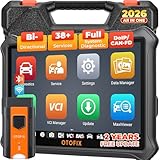
- 🏆【2026 TOP OBD2 Scanner Diagnostic Tool】OTOFIX D1 Lite wireless obd2 scanner has upgraded hardware configuration and car coverage. The newly upgraded D1 Lite with 🔥OS Android 9.0🔥1.5Ghz 4 core high efficiency processor🔥2GB RAM+64GB ROM large storage🔥5800mAh large battery, more stable and longer lasting diagnostics🔥 38+ Reset🔥action tests🔥full system diagnostic🔥Supports MV105 endoscope🔥21+ Language Supports🔥100000+ vehicle coverage to meet all your daily maintenance needs.
- 👍【Bi-Directional Control / Active Test】D1 Lite obd2 scanner has bidirectional control(worth $300+), which is the most beloved feature among mechanic. If your headlights or car windows are broken, going to a repair shop will cost a lot of money. You can use D1 Lite to send execution commands to the ECU module and identify the repair status. Such as ABS, car windows, doors, valves, wipers, headlights, etc., effectively shorten diagnostic time and reduce diagnostic costs.
- 🔥【All Systems Diagnostics, In-depth Checking】This advanced OBD2 Scanner D1 Lite can perform OE-level diagnosis of all systems including engine, transmission, airbag, ABS, ESP, TPMS, gateway, steering, radio, and air conditioning for more than 100 brands. This diagnostic scanner supports essential functions, such as reading ECU version info, reading and clearing fault codes, and reading data streams.With just a simple click, it provides you with accurate and in-depth diagnostics.
- 🏆【38+ Reset Hot Functions】For repair workshops, holding an OTOFIX D1 Lite Auto scanner is a strong advantage over others. Its 38+ maintenance functions provide various solutions for all module repairs, including Oil Reset, TPMS Reset, Injector Coding, Suspension, Throttle Matching, etc., which will usher your repair business to a new pinnacle. Continuously updating will never make the functionality & compatibility out-of-date.
- 🏆【150+ Models, 10000+ Car Coverage & 16 Languages】D1 Lite is a comprehensive car diagnostic scan tool, help you to troubleshoot car issues fast for 95% US, European, Asian auto makes. ✅ With frequent updates and optimizations allow D1 Lite to cover more vehicles to meet your needs. ✅ Multilingual menu allows auto mechanics around the world to use it without language barriers. 🚩Note: Kindly send us the S/N of the device to authorize new language updates before changing the menu language.

- 2026 Newest Wireless Bluetooth Scan Tool D1: OTOFIX D1 Diagnostic scanner is upgraded version with Enhanced Hardwares & Newest Functions, FASTER and SMARTER! ✅Alternative Bluetooth 5.0 +USB connect✅2G+64GB✅Android 9.0 OS✅5G & 2.4 GHz Dual WiFi✅5800mAh battery👍VAG Guided Function👍ECU Online Coding👍CANFD&DOIP👍40+ Services👍Bi-Directional Control👍Full Systems Diagnose👍2 Years Free Update👍150+ Vehicle Coverage🎁Contact to get gift: otofixaftersales-amz@ outlook.com
- ECU Coding to Unlock the Hidden Features: OTOFIX D1 obd2 scanner diagnostic tool newly adds ECU Coding which can Online Coding(ONLY for VW/Au.di/Sk0da), Variant Coding/Offline Programming, Flash Hidden Functions, Reset Adaptive Data, Match Replaced Components, Customize OE-Settings. Such as: halogen fog lamps retrofitted with xenon fog lamps, different capacity battery retrofit, disbale auto start-stop, sunroof initialization, injector calibration, etc. PS: Coding functions vary by model&year.
- Full Bidirectional Control for Active Car Tests: The D1 OTOFIX scanner also offers bi-directional control, allowing you to perform powerful active tests on car subsystems. This means that you can check the working status and functionality of open & close solenoids, energize injectors, turn cooling fan on & off, and more, all from the device itself.🚩The D1 bi-directional obd2 scanner can quickly help you to check if a system or component goes well,Improving 200% Efficiency.**Note that Active Tests available depend on the make/model/year of your car.
- 40+ Popular Maintenance Functions: OTOFIX D1 obd scanner for car performs 40+ hot services, including Oil Reset, EPB, TPMS, BMS, E.GR, G.PF, D.PF, SAS Calibration, ABS Bleeding, Injector Coding, Gearbox Match, Suspension, Crankshaft Relearn, Power Balance, etc., still growing. Great choice for DIYers, technician, repair shop. 🚩Get MORE special functions from "Car Brand>System>Service". Check compatibility before purchase via 📧 otofixaftersales-amz@ outlook.com.
- OE-Level All Systems Diagnostic + One-Click AutoVIN & AutoSCAN: OTOFIX D1 scanner automotriz gives you the ability to troubleshoot entire car systems including engion system,transmission system,body system,chassis,etc. 🚩One of the standout features of the D1 obd2 scanner diagnostic tool is the one-click AutoVIN & AutoScan function. This feature allows you to quickly and easily scan all diagnosable ECUs with just one click, and identify any problems hidden in your vehicle's systems.
Last update on 2026-06-23 / Affiliate links / Images from Amazon Product Advertising API
This product presentation was made with AAWP plugin.