
NHTSA ID Number: 10180244
Manufacturer Communication Number: W51 Combo
TSB/Document Date: 2020-09-28
Summary
Customer Satisfaction Notification W51 Steering Gear
August 2020
Dealer Service Instructions for:
Customer Satisfaction Notification W51
Steering Gear
Remedy Available
2020
(DJ) Ram 2500 Pickup
(D2) Ram 3500 Pickup
NOTE: Some vehicles above may have been identified as not involved in this
campaign and therefore have been excluded from this campaign.
IMPORTANT: Some of the involved vehicles may be in dealer new vehicle
inventory. Dealers should also consider this requirement to apply to used vehicle
inventory and should perform this campaign on vehicles in for service. Involved
vehicles can be determined by using the VIP inquiry process.
Subject
The Hydraulic-Electric steering gear on about 72 of the above vehicles have been
manufactured with an insufficient amount of grease. Lack of grease may cause a
gritty or non-smooth feel in the steering wheel when turning.
Repair
Replace the steering gear and the required associated fasteners, set toe to
specification.
Copyright 2020, FCA US LLC, All Rights Reserved(kka)
Customer Satisfaction Notification W51 – Steering Gear
Page 2
Parts Information
Part Number
Description
CCALW511AA
Part Package
Each package contains the following components:
Quantity
Description
1
Steering Gear
1
Bolt, Pinch Intermediate Shaft
1
Nut, Pitman Arm
68218057AC
Fluid (ATF), Power Steering (MSQ of 6)
06510495AA
Washer, Pressure Hose to Pump (MSQ of 10)
Parts Return
Return the Steering Gear to the Mopar Core Return Center for core credit.
Special Tools
The following special tools are required to perform this repair:
NPN
wiTECH MicroPod II
NPN
Laptop Computer
NPN
wiTECH Software
NPN
Puller, Pitman Arm
9688A
Adapter, Cap PS
C-4207-A
Hand Vacuum Pump or equivalent
C-3894-A
Puller, Tie Rod
Customer Satisfaction Notification W51 – Steering Gear
Page 3
Service Procedure
A. Hydraulic-Electric Steering Gear Removal Procedure
NOTE: The steering column on vehicles with an automatic transmission
may not be equipped with an internal locking shaft that allows the ignition
key cylinder to be locked with the key. Alternative methods of locking the
steering wheel for service will have to be used.
1. Disconnect the Intelligent Battery Sensor (IBS) wire harness connector.
2. Loosen the ground terminal nut and remove the negative battery cable(s) with
IBS from the battery(s) and isolate it (Figure 1).
3. Place the front wheels in a straight ahead position.
4. Lock the steering wheel.
IBS AND NEGATIVE BATTERY
CABLE(S) (DIESEL)
POWER STEERING
RESERVIOR
RESERVIOR
CAP
RADIATOR
CLOSURE
Figure 1 – Engine Compartment
Customer Satisfaction Notification W51 – Steering Gear
Page 4
Service Procedure [Continued]
5. Gas Engine Equipped: Remove the air cleaner hose, and body.
6. Diesel Engine Equipped: Disconnect the Mass Air Flow (MAF) sensor wire
harness connector.
7. Diesel Engine Equipped: Disconnect the Temperature/Barometric Absolute
Pressure (T/BAP) sensor wire harness connector.
8. Diesel Engine Equipped: Detach the wire harness from the clean air hose.
9. Remove the 14 push pins and the radiator closure (Figure 1).
10. Remove the two bolts securing the intake air tube (Figure 2).
AIR CLEANER BODY
AIR INTAKE TUBE
AIR INTAKE TUBE
BOLTS
Figure 2 – Air Intake Tube
11. Lift up on the air cleaner body with intake air tube and remove and set aside
(Figure 2).
Customer Satisfaction Notification W51 – Steering Gear
Page 5
Service Procedure [Continued]
12. Drain and siphon the power steering fluid from the reservoir.
13. Remove the left inner wheel well liner (Figure 3).
FASTENERS
Figure 3 – Wheel Well Liner
14. Release the accessory drive belt tension and remove the serpentine belt off the
power steering pump pulley.
15. Position a drain pan under the power steering pump.
16. Disconnect the return hose (3)
(Figure 4).
NOTE: Do not remove the
fitting on the pump that the
high pressure hose screws
into. If the fitting does come
loose, it must be retightened
before continuing.
NOTE: If the fitting comes
out of the pump body, the
Figure 4 – Power Steering Pump
internal spring and valve
parts will drop out of the pump. They cannot be reinstalled properly.
Install a new pump.
Customer Satisfaction Notification W51 – Steering Gear
Page 6
Service Procedure [Continued]
17. Using a backer wrench to stabilize the fitting disconnect the pressure hose (4) to
the power steering pump (1) and DISCARD the washers (Figure 4).
18. Loosen the rear power steering bracket to engine block bolt.
19. Remove the three bolts (2) securing the pump to the rear bracket through the
pulley holes (Figure 4).
20. Remove the power steering pump and set aside (1) (Figure 4).
21. Remove the power steering
pressure line to gear nut (1)
(Figure 5).
22. Remove the power steering
return line to gear nut (2)
(Figure 5).
23. Disconnect both lines from
the steering gear.
Figure 5 – Power Steering Lines
24. Remove and DISCARD the intermediate shaft to steering gear pinch bolt (3) at
the steering gear and slide the coupler off the steering gear (Figure 6).
25. Disconnect the two steering
gear wire harness connectors
(1, 2) (Figure 6).
Figure 6 – Intermediate Shaft
Customer Satisfaction Notification W51 – Steering Gear
Page 7
Service Procedure [Continued]
26. Raise and support the vehicle.
27. Remove the stabilizer bar Without Disconnect Equipped:
a) Hold the stabilizer link stud and remove the stabilizer link lower nut
(Figure 7).
b) Remove the links from the axle using Tie Rod Puller C-3894-A
STABILIZER BAR
STABILIZER
BAR BOLTS
(4)
STABILIZER
LINK
STABILIZER LINK
LOWER NUT
Figure 7 – Stabilizer Link
c) Remove the four stabilizer bar bolts (Figure 7).
d) Remove the stabilizer bar, the stabilizer bar brackets, and the stabilizer bar
bushings as an assembly and set aside (Figure 7).
Customer Satisfaction Notification W51 – Steering Gear
Page 8
Service Procedure [Continued]
NOTE: Disconnect Equipped: Before disconnecting the stabilizer bar
actuator wire harness connector, clean the outside of the connector with a
cleaner and compressed air, to remove any dirt or debris.
NOTE: Disconnect Equipped: The Final Drive Control Module (FDCM) is
integrated with the front stabilizer bar actuator.
28. Disconnect Equipped: Disconnect the stabilizer bar actuator wire harness
connector (5) (Figure 6).
WARNING: Disconnect Equipped: The disconnecting stabilizer bar unit
(3) is not serviced separately from the bar (4). Do not disassemble this unit
from the stabilizer bar
(Figure 8).
Figure 8 – Disconnect Equipped
Stabilizer
29. Remove the pitman arm nut
(Figure 9).
STEERING
GEAR
30. Remove the pitman arm with a
suitable pitman arm puller tool.
PITMAN
ARM
Figure 9 – Pitman Arm
PITMAN
ARM NUT
Customer Satisfaction Notification W51 – Steering Gear
Page 9
Service Procedure [Continued]
31. Disconnect the crankshaft position sensor wire harness connector (1), if
equipped with diesel engine (Figure 10).
Figure 10 – Crankshaft Sensor
32. Remove and save the three steering gear bolts and remove the steering gear.
(Figure 11) Return the Steering Gear to the Mopar Core Return Center for
core credit.
STEERING GEAR BOLTS
Figure 11 – Steering Gear Mounting Bolts
Customer Satisfaction Notification W51 – Steering Gear
Page 10
Service Procedure [Continued]
33. Proceed to section B.
Procedure.
Hydraulic-Electric Steering Gear Installation
B. Hydraulic-Electric Steering Gear Installation Procedure
1. Position the NEW steering gear to the frame rail then install the three steering
gear bolts and tighten to 156N·m (115ft. lbs.) (Figure 11).
2. Connect the crankshaft position sensor wire harness connector, if equipped with
diesel (Figure 10).
3. Engage the intermediate shaft to the steering gear (Figure 6).
4. Install a NEW intermediate shaft to steering gear pinch bolt and tighten to
55N·m (41ft. lbs.) (Figure 6).
5. Install a NEW pitman arm nut and tighten to 450 N·m (332ft. lbs.) (Figure 9).
6. Install the power steering return line to gear nut and tighten to 36N·m
(27ft. lbs.) (Figure 5).
7. Install the power steering pressure line to gear nut and tighten to 33N·m
(24ft. lbs.) (Figure 5).
8. Position the stabilizer bar to the frame, ensure the bar is centered with equal
spacing on both sides.
9. Install the four stabilizer bar bolts and tighten to 83N·m (61ft. lbs.) (Figure 7).
NOTE: Disconnect Equipped, the seal must be clean and intact in the
electrical connector before connecting the stabilizer bar actuator wire
harness connector
10. Position the stabilizer bar link to the stabilizer bar and to the axle bracket
(Figure 7).
11. Install the stabilizer links lower nut, then hold the stabilizer link stud and
tighten to 149N·m (110ft. lbs). (Figure 7).
Customer Satisfaction Notification W51 – Steering Gear
Page 11
Service Procedure [Continued]
12. Disconnect Equipped: Connect the stabilizer bar actuator wire harness
connector.
13. Lower the vehicle.
14. Position the power steering pump in the vehicle.
15. Align the power steering pump with the mounting holes on the rear bracket.
Install the three power steering pump mounting bolts and tighten to 28Nm (21ft.
lbs.) (Figure 4).
16. Tighten the rear power steering bracket to engine block bolt to 8N·m (6 ft. lbs.).
17. Using NEW washers, install the pressure line (4) to the power steering pump
assembly (1), using a backer wrench to stabilize the fitting tighten the bolt to 50
Nm (37 ft. lbs.) (Figure 4).
18. Connect the return hose (3) to the pump (Figure 4).
19. Install the serpentine belt onto the power steering pump pulley.
20. Install the left inner wheel well liner and secure the fasteners and push-pin.
21. Install the air cleaner body with intake air tube and push down to lock in place
(Figure 2).
22. Install the two bolts securing the intake air tube and tighten to 8N·m
(70In.Lbs.).
23. Install the radiator closure with the 14 push pins (Figure 1).
24. Diesel Engine Equipped: Attach the Mass Air Flow (MAF) sensor wire
harness connector.
a) Diesel Engine Equipped: Attach the Temperature/Barometric Absolute
Pressure (T/BAP) sensor wire harness connector.
b) Diesel Engine Equipped: Attach the wire harness from the clean air
hose.
25. Install the clean air hose.
Customer Satisfaction Notification W51 – Steering Gear
Page 12
Service Procedure [Continued]
26. Proceed to section C. Power Steering System Bleeding Procedure
CAUTION: Mopar® Power Steering Fluid + 4 or Mopar® ATF+4 Automatic
Transmission Fluid is to be used in the power steering system. Both Fluids
have the same material standard specifications (MS-9602). No other power
steering or automatic transmission fluid is to be used in the system. Damage
may result to the power steering pump and system if another fluid is used. Do
not overfill the system.
Caution: If the air is not purged from the power steering system correctly,
pump failure could result.
NOTE: Be sure the vacuum tool used in the following procedure is clean and
free of any fluids.
C. Power Steering System Bleeding Procedure
1. Check the fluid level. As measured on the side of the reservoir, the level should
indicate between MAX and MIN when the fluid is at normal ambient
temperature. Adjust the fluid level as necessary.
2. Assemble the vacuum tool as show in figure 12.
P/S CAP ADAPTER 9688A
Figure 12 – Vacuum Tool Assembled
Customer Satisfaction Notification W51 – Steering Gear
Page 13
Service Procedure [Continued]
3. Tightly insert P/S Cap Adapter 9688A into the mouth of the reservoir
(Figure 13).
CAUTION: Failure to use a vacuum pump reservoir may allow power
steering fluid to be sucked into the hand vacuum pump.
POWER
STEERING
RESERVOIR
Figure 13 – Reservoir Adapter
4. Attach Hand Vacuum Pump C-4207-A, or equivalent, with reservoir attached
to the P/S Cap Adapter 9688A (Figure 13).
CAUTION: Do not run the vehicle while vacuum is applied to the power
steering system. Damage to the power steering pump can occur.
NOTE: When performing the following step make sure the vacuum level is
maintained during the entire time period.
Customer Satisfaction Notification W51 – Steering Gear
Page 14
Service Procedure [Continued]
5. Using Hand Vacuum Pump, apply 68-85 kPa (20-25 In. Hg) of vacuum to the
system for a minimum of three minutes.
6. Slowly release the vacuum and remove the special tools.
7. Adjust the fluid level as necessary. Refer to step one.
8. Repeat step one through step six until the fluid no longer drops when vacuum is
applied.
9. Install the negative battery cable(s) with IBS to the negative post and tighten to
7N·m (62In. Lbs.).
10. Connect the IBS wire harness connector.
11. Start the engine and cycle the steering wheel lock-to-lock three times.
NOTE: Do not hold the steering wheel at the stops.
12. Stop the engine and check for leaks at all connections.
13. Check for any signs of air in the reservoir and check the fluid level. If air is
present, repeat the procedure as necessary.
14. Perform the reset steering angle calibration.
a) Center the steering wheel and secure it in place
b) Connect the scan tool
c) Under Steering Assist Module (SAM), Routines, perform the Reset
Steering Angle Calibration
15. Perform the wheel alignment standard procedure (Set Toe).
16. Road test the vehicle.
17. Return the vehicle to the customer.
Customer Satisfaction Notification W51 – Steering Gear
Page 15
Completion Reporting and Reimbursement
Claims for vehicles that have been serviced must be submitted on the
DealerCONNECT Claim Entry Screen located on the Service tab. Claims paid
will be used by FCA to record Customer Satisfaction Notification service
completions and provide dealer payments.
Use the following labor operation number and time allowance:
Replace Hydraulic-Electric Steering Gear
Labor Operation
Number
Time
Allowance
19-W5-11-82
2.8 hours
NOTE: See the Warranty Administration Manual, Recall Claim Processing
Section, for complete claim processing instructions.
Dealer Notification
To view this notification on DealerCONNECT, select “Global Recall System” on
the Service tab, then click on the description of this notification.
Owner Notification and Service Scheduling
All involved vehicle owners known to FCA are being notified of the service
requirement by mail. They are requested to schedule appointments for this service
with their dealers. A generic copy of the owner letter is attached.
Customer Satisfaction Notification W51 – Steering Gear
Page 16
Vehicle Lists, Global Recall System, VIP and Dealer Follow Up
All involved vehicles have been entered into the DealerCONNECT Global Recall
System (GRS) and Vehicle Information Plus (VIP) for dealer inquiry as needed.
GRS provides involved dealers with an updated VIN list of their incomplete
vehicles. The owner’s name, address and phone number are listed if known.
Completed vehicles are removed from GRS within several days of repair claim
submission.
To use this system, click on the “Service” tab and then click on “Global Recall
System.” Your dealer’s VIN list for each recall displayed can be sorted by: those
vehicles that were unsold at campaign launch, those with a phone number, city, zip
code, or VIN sequence.
Dealers should perform this repair on all unsold vehicles before retail
delivery. Dealers should also use the VIN list to follow up with all owners to
schedule appointments for this repair.
VIN lists may contain confidential, restricted owner name and address information that was
obtained from the Department of Motor Vehicles of various states. Use of this information is
permitted for this notification only and is strictly prohibited from all other use.
Additional Information
If you have any questions or need assistance in completing this action, please
contact your Service and Parts District Manager.
Customer Service / Field Operations
FCA US LLC
This notice applies to your vehicle,
CUSTOMER SATISFACTION NOTIFICATION
Steering Gear
[Model Year and Model]
VIN XXXXXXXXXXXXXXXXX
W51
LOGO
VEHICLE PICTURE
Dear [Name],
At FCA US LLC, we recognize that the success of our business depends on the satisfaction of
our customers. We are constantly monitoring the quality of our products and looking for
opportunities to improve our vehicles even after they are sold. Because your long-term
satisfaction is important to us, we are contacting you on important improvements we would
like to make to your vehicle [1]. This will be done at no charge to you.
We are recommending the following improvements be performed on certain [2020 Model
Year (DJ) Ram 2500 Pickup, (D2) Ram 3500 Pickup] vehicles.
WHY DOES MY VEHICLE NEED REPAIRS?
The Hydraulic-Electric steering gear on your vehicle may have been manufactured with an
insufficient amount of grease. Lack of grease may cause a gritty or non-smooth feel in the
steering wheel when turning.
YOUR SCHEDULING OPTIONS
1. RECOMMENDED OPTION
Call your authorized Chrysler /
Dodge / Jeep® / RAM Dealership
2. Call the FCA Recall Assistance
Center at 1-800-853-1403. An
agent
can
confirm
part
availability and help schedule an
appointment
3. Visit recalls.mopar.com, scan the
QR code below, or download the
Mopar Owner’s Companion App.
QR Code
HOW DO I RESOLVE THIS CUSTOMER SATISFACTION NOTIFICATION?
FCA US will repair your vehicle free of charge (parts and labor). To do this, your dealer
will replace the steering gear. The estimated repair time is about 2 hours. In addition, your
dealer will require your vehicle for proper check-in, preparation, and check-out during your
visit, which may require more time. Your time is important to us, so we recommend that you
schedule a service appointment to minimize your inconvenience. Please bring this letter with
you to your dealership.
TO SCHEDULE YOUR FREE REPAIR,
CALL YOUR CHRYSLER, DODGE, JEEP OR RAM DEALER TODAY
WHAT IF I ALREADY PAID TO HAVE THIS REPAIR COMPLETED?
If you have already experienced this specific condition and have paid to have it repaired, you
may visit www.fcarecallreimbursement.com to submit your reimbursement request online. [2]
Once we receive and verify the required documents, reimbursement will be sent to you within
60 days. If you have had previous repairs performed and/or already received reimbursement,
you may still need to have the repair performed.
We apologize for any inconvenience, but are sincerely concerned about your satisfaction.
Thank you for your attention to this important matter.
Get access to recall notifications,
locate your nearest dealer, and more
through this website or Mopar
Owner’s Companion App. You will be
asked to provide your Vehicle
Identification Number (VIN) to
protect and verify your identity.
DEALERSHIP INSTRUCTIONS
Please reference CSN W51.
Customer Assistance/Field Operations
FCA US LLC
Mr. Mrs. Customer
1234 Main Street
Hometown, MI 48371
[1] If you no longer own this vehicle, please help us update our records. Call the FCA Recall Assistance Center at 1-800-853-1403 to update your information.
[2] You can also mail in your original receipts and proof of payment to the following address for reimbursement consideration: FCA Customer Assistance, P.O. Box 218004, Auburn Hills, MI 48321-8007, Attention: Recall Reimbursement.

- 💯【Conta.ct us for Support Directly】If you met any...
- 🔥🔥🔥【2026 AUTEL FLAGSHIP MK900BT MK900-BT, NEW...
- 🚗【3000+ ACTIVE TESTS (50➡3000+), SAME AS MS...
- 🚗【40+ HOT SERVICES FOR 150 MAKES (28+➡40+)】Full...
- 🚗【OE ALL SYSTEM DIAGNOSE, AUTO SCAN 2.0: SCAN LICENSE...


- 【TURN OFF CEL】 This AL319 car scanner diagnostic tool...
- 【EXTENSIVE APPLICATION】 Autel AL319 Compatible with...
- 【FOR END USER & DIYERS】 This error code reader AL319 is...
- 【USER-FRIENDLY DESIGN】 This OBD2 scanner and check...
- 【HIGH-QUALITY SERVICES】 12 months war.ranty from the...
Last update on 2026-06-23 / Affiliate links / Images from Amazon Product Advertising API
If the PDF is very large, it may not load in the preview below.
Some older TSBs had multiple PDFs — visit the NHTSA Website to view all PDFs.
If the TSB PDF does not show, download or view it on the NHTSA Website.
Click on the (+) Plus Sign
Then Click on Associated Document(s)
Search NHTSA Database for Recalls
Search NHTSA Database for Vehicle Investigations
View Latest Vehicle Investigations
Search NHTSA Database for Vehicle Complaints
View Latest Vehicle Complaints
TSB/Document ID: W51 Combo
Replacement Service Bulletin Number:
MFR Communication Date: 2020-08-06
MFR Internal Campaign ID/Software Version:
Communication Type: Service Bulletin/Repair Instructions
NHTSA Components: EQUIPMENT
MFR Component System:
MFR Component Subsystem:
Previous TSB | Next TSB |

- 🎉[OTOFIX D1 Lite, Perfect Cost-effective Diagnostic Tool]: OTOFIX D1 Lite, a newest bidirectional scan tool from OTOFIX company, is a great choice for DIYers and repair shops. 👉This obd2 scanner diagnostic tool packs all practical functions: OE level all systems diagnoses, Bi-Directional Control, 38+ reset services fixing 99% of common problems, support DoIP & CANDF protocols and FCA
 AutoAuth, high-end hardware configuration. Worldwide vehicles and 🔥2 Years Free Updating🔥 covered.
 - 🎉[Bi-Directional Scan Tool, Active Test]: OTOFIX D1 Lite bluetooth obd2 scanner can also command ECUs and monitor the operation of the actuators to track down the problems of certain parts, like windows, sunroof, wipers, fuel pumps, etc., saving repair time & trouble. This makes OTOFIX D1 Lite the most cost-effective bidirectional scan tool.
- 🎉[2026 Newest, 38+ Hot Reset Functions]: Equipped with 38+ reset functions in one, the OTOFIX D1 lite automotive scanner diagnostic tool allows you to troubleshoot 99% of common vehicle problems. You can use this car diagnostic scanner holding enough functions to easily repair common vehicle models in your repair shops. Including Oil Reset, Injector Coding, Throttle, DPF Reset, SCR Reset, Gear Learning, Clutch Learning, Suspension, etc. Note* Reset functions vary by model.
- 🎉[OE Level Full Systems Diagnostics]: Unlike the 2-system and 4-system diagnostic tools, the OTOFIX auto scan tool can complete comprehensive system diagnostics within 5 minutes. It accesses and scans all available onboard systems like for Engine /AT /ABS /EPB /BMS /TPMS /SRS /SAS /Audio System /BCM /Air Conditioning / etc., to read & clear codes, view live data, and check ECU information. Note: Active test is not involved.
- 🎉[Powerful Hardware Configuration]: Designed with a fashion appearance & a 7” touchscreen and a weight of 463g, this OTOFIX D1 Lite OBD2 diagnostic scanner scan tool is convenient for everywhere and easy to use & store. Android9.0 OS and 2+64GB memory enhance multi-task smoothness and diagnostic operation, no more wasting too much time. 5800mAh battery allows hours-lasting use. WiFi & VCI1 also bring faster communication for your diagnostics.
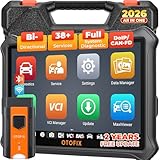
- 🏆【2026 TOP OBD2 Scanner Diagnostic Tool】OTOFIX D1 Lite wireless obd2 scanner has upgraded hardware configuration and car coverage. The newly upgraded D1 Lite with 🔥OS Android 9.0🔥1.5Ghz 4 core high efficiency processor🔥2GB RAM+64GB ROM large storage🔥5800mAh large battery, more stable and longer lasting diagnostics🔥 38+ Reset🔥action tests🔥full system diagnostic🔥Supports MV105 endoscope🔥21+ Language Supports🔥100000+ vehicle coverage to meet all your daily maintenance needs.
- 👍【Bi-Directional Control / Active Test】D1 Lite obd2 scanner has bidirectional control(worth $300+), which is the most beloved feature among mechanic. If your headlights or car windows are broken, going to a repair shop will cost a lot of money. You can use D1 Lite to send execution commands to the ECU module and identify the repair status. Such as ABS, car windows, doors, valves, wipers, headlights, etc., effectively shorten diagnostic time and reduce diagnostic costs.
- 🔥【All Systems Diagnostics, In-depth Checking】This advanced OBD2 Scanner D1 Lite can perform OE-level diagnosis of all systems including engine, transmission, airbag, ABS, ESP, TPMS, gateway, steering, radio, and air conditioning for more than 100 brands. This diagnostic scanner supports essential functions, such as reading ECU version info, reading and clearing fault codes, and reading data streams.With just a simple click, it provides you with accurate and in-depth diagnostics.
- 🏆【38+ Reset Hot Functions】For repair workshops, holding an OTOFIX D1 Lite Auto scanner is a strong advantage over others. Its 38+ maintenance functions provide various solutions for all module repairs, including Oil Reset, TPMS Reset, Injector Coding, Suspension, Throttle Matching, etc., which will usher your repair business to a new pinnacle. Continuously updating will never make the functionality & compatibility out-of-date.
- 🏆【150+ Models, 10000+ Car Coverage & 16 Languages】D1 Lite is a comprehensive car diagnostic scan tool, help you to troubleshoot car issues fast for 95% US, European, Asian auto makes. ✅ With frequent updates and optimizations allow D1 Lite to cover more vehicles to meet your needs. ✅ Multilingual menu allows auto mechanics around the world to use it without language barriers. 🚩Note: Kindly send us the S/N of the device to authorize new language updates before changing the menu language.

- 2026 Newest Wireless Bluetooth Scan Tool D1: OTOFIX D1 Diagnostic scanner is upgraded version with Enhanced Hardwares & Newest Functions, FASTER and SMARTER! ✅Alternative Bluetooth 5.0 +USB connect✅2G+64GB✅Android 9.0 OS✅5G & 2.4 GHz Dual WiFi✅5800mAh battery👍VAG Guided Function👍ECU Online Coding👍CANFD&DOIP👍40+ Services👍Bi-Directional Control👍Full Systems Diagnose👍2 Years Free Update👍150+ Vehicle Coverage🎁Contact to get gift: otofixaftersales-amz@ outlook.com
- ECU Coding to Unlock the Hidden Features: OTOFIX D1 obd2 scanner diagnostic tool newly adds ECU Coding which can Online Coding(ONLY for VW/Au.di/Sk0da), Variant Coding/Offline Programming, Flash Hidden Functions, Reset Adaptive Data, Match Replaced Components, Customize OE-Settings. Such as: halogen fog lamps retrofitted with xenon fog lamps, different capacity battery retrofit, disbale auto start-stop, sunroof initialization, injector calibration, etc. PS: Coding functions vary by model&year.
- Full Bidirectional Control for Active Car Tests: The D1 OTOFIX scanner also offers bi-directional control, allowing you to perform powerful active tests on car subsystems. This means that you can check the working status and functionality of open & close solenoids, energize injectors, turn cooling fan on & off, and more, all from the device itself.🚩The D1 bi-directional obd2 scanner can quickly help you to check if a system or component goes well,Improving 200% Efficiency.**Note that Active Tests available depend on the make/model/year of your car.
- 40+ Popular Maintenance Functions: OTOFIX D1 obd scanner for car performs 40+ hot services, including Oil Reset, EPB, TPMS, BMS, E.GR, G.PF, D.PF, SAS Calibration, ABS Bleeding, Injector Coding, Gearbox Match, Suspension, Crankshaft Relearn, Power Balance, etc., still growing. Great choice for DIYers, technician, repair shop. 🚩Get MORE special functions from "Car Brand>System>Service". Check compatibility before purchase via 📧 otofixaftersales-amz@ outlook.com.
- OE-Level All Systems Diagnostic + One-Click AutoVIN & AutoSCAN: OTOFIX D1 scanner automotriz gives you the ability to troubleshoot entire car systems including engion system,transmission system,body system,chassis,etc. 🚩One of the standout features of the D1 obd2 scanner diagnostic tool is the one-click AutoVIN & AutoScan function. This feature allows you to quickly and easily scan all diagnosable ECUs with just one click, and identify any problems hidden in your vehicle's systems.
Last update on 2026-06-23 / Affiliate links / Images from Amazon Product Advertising API
This product presentation was made with AAWP plugin.