
NHTSA ID Number: 10177699
Manufacturer Communication Number: 2678
TSB/Document Date: 2020-07-31
Summary
Portofino PDI procedures
Ferrari North America
Technical Information
Subject:
Date:
Bulletin #:
Campaign #:
Supersedes:
Section:
July 2020
2678
2484
10
Portofino PDI procedures
This Technical Information Cancels and Replaces
the previous TI 2484 of May 2017
Please find attached the procedures and list of inspections to be performed at all times before
the vehicle is delivered to the customer.
The following procedures must be performed exactly as indicated and in the order given,
providing the factory with the information requested.
- WARNING This Pre-Delivery Inspection (PDI) procedure may only be performed with a PCTester DEIS updated to at least the following software version (or subsequent
release):
- Module 0
Portal and Troubleshooting
49
- Module 1
DEIS Diagnostic software
80
- Module 2
Technical Documentation
12
- Module 3
Tools
7
Check the software number and, if necessary, update your DEIS Tester
immediately.
After updating the DEIS, the first vehicle diagnostic cycle must be performed
using a cable connection.
© 2020. Ferrari North America, Inc.
Technical Department
www.ferrari.com
All rights reserved. Reproduction or translation in
whole or in part is not permitted without
authorization from the publisher. Printed in USA
Ferrari North America
Procedure.
1.
Perform visual inspection:
- condition of car paintwork ; repair if necessary (use the specific “Bodywork defects”
at the end of this document).
- condition of transparent film on Tonneau Cover; polish if necessary (carry out
“Transparent film polishing procedure on Tonneau Cover”, attached at the end of
this document).
2.
If disconnected, connect the negative pole of the battery and reset the vehicle autoadaptive parameters (as described in paragraph F3.01 of the Workshop Manual).
3.
Activate Key-ON state (as described in paragraph F19.02 of the Workshop Manual), and
check which letter is shown on the DOT MATRIX display:
- If letter “P” (Park Lock) is on the display, go to point 5.
- If the letter “N” (Neutral) is shown is on the display, go to step 4.
4.
Re-enable the Park Lock – Gearbox lock device (as described in paragraph C2.07 of the
Workshop Manual).
5.
Remove the engine compartment cosmetic shields (as described in paragraph E3.03 of
the Workshop Manual), then perform the “Battery Certification” procedure (TI 2230)
and compile the relative form. If necessary, remove the battery from the vehicle and
charge using the “SLOW charge” procedure (TI 2078).
6.
Using the DEIS tester, disable the “Logistic Mode” function with diagnostic cycle “150
Complete Logistic Mode” in the NBC ECU (Body Computer Node).
7.
Test the keys, luggage compartment opening, and anti-theft system.
8.
Check that the daytime running lights work correctly (market dependent)
9.
Check that the low beam lights work correctly: also check that the AFS system (adaptive
front lights - if applicable) works correctly by turning the steering wheel.
10. Check that the high beam lights work correctly.
2
© 2020. Ferrari North America, Inc.
Technical Department
www.ferrari.com
TI-2678
All rights reserved. Reproduction or translation in
whole or in part is not permitted without
authorization from the publisher. Printed in USA
Ferrari North America
11. Check that the brake lights work correctly.
12. Check that the turn indicators and license plate lights work correctly.
13. Check that door lights, vehicle interior light and luggage compartment light are working.
14. Check that the button backlights on the steering wheel, driver and passenger side doors,
dashboard, center tunnel console and ceiling light unit work correctly and check that the
glove compartment light works correctly.
15. Test the horn.
16. Check that the power windows work correctly.
17. Check that the windshield and headlight wipers/washers work correctly.
18. Check that the mechanical or (optional) electrical steering wheel adjustment mechanism
works correctly.
19. Check the electric seat functions: check forwards/backwards, backrest rake, height and
cushion tilt angle adjustment functions. If applicable, also check the seat memory
functions (driver side only) and the lumbar support, pneumatic side bolster, seat cushion
length (upper leg support) adjustment functions and the heated seat function.
20. Check that the electric parking brake (EPB) works correctly; test manual and automatic
modes.
21. Check function of HI-FI / navigation system (see point 36); set the relative roadside
assistance numbers for your market.
22. Check coolant level and top up if necessary.
23. Check brake fluid level and top up if necessary.
24. Check headlight washer/windscreen washer fluid level and top up if necessary.
25. Check tire pressure / TPMS system calibration pressure.
3
© 2020. Ferrari North America, Inc.
Technical Department
www.ferrari.com
TI-2678
All rights reserved. Reproduction or translation in
whole or in part is not permitted without
authorization from the publisher. Printed in USA
Ferrari North America
26. Check the tightness of the wheel studs with a torque wrench (as described in paragraph
D2.01 of the Workshop Manual).
27. Check that the tow hook can be fitted correctly.
Start the engine (as described in paragraph F19.02 of the Workshop Manual),
and perform the following:
28. Perform two complete roof open/close cycles.
29. Check retractable hard top hydraulic system fluid level (only if malfunctioning – see
point 28).
30. Perform static function test of AC system.
31. Test functions of electric rear view mirrors.
32. Check that the internal electrochromic mirror and the electrochromic RH and LH rear
view mirrors (if installed) work correctly.
33. Check function of parking sensors and of front /rear/ surround view cameras (if
installed).
34. Using the DEIS tester, perform the “Cancel all DTCs from all ECUs” procedure from
the “Vehicle functions” menu.
Test drive.
35. Check functions of navigation system; set route before starting.
36. Test drive the vehicle (approx. 20 minutes).
37. Check that Stop&Start system works correctly.
38. While driving, check that the “Suspension damping decoupling” button and
“Manettino” dial on the steering wheel work correctly.
4
© 2020. Ferrari North America, Inc.
Technical Department
www.ferrari.com
TI-2678
All rights reserved. Reproduction or translation in
whole or in part is not permitted without
authorization from the publisher. Printed in USA
Ferrari North America
39.
•
•
•
•
•
While driving, check that the ADAS driver assistance systems (if applicable) work correctly:
Adaptive Cruise Control;
Blind Spot Detection;
Rear Cross Traffic Alert;
Traffic Sign Recognition;
Lane Departure Warning.
40. While driving, check that the air conditioning and heating system works correctly
(dynamic test).
41. For USA/CND Version only. Take the vehicle into a location with a clear view of the sky
and activate Sirius XM as per FNA 165.
Return to workshop.
42. Check the engine oil level (engine warm and switched off), and top up if necessary (as
described in paragraph B8.02 of the Workshop Manual).
43. With the DEIS tester, check that the VIN number read with the tester matches the number
indicated on the VIN plate on the bottom left of the windshield and the number punched
onto the chassis of the vehicle. The punched VIN number on the chassis is visible on the
floorpan via an opening in the passenger side carpet. For more information on vehicle
identification numbers, see section A1.02 of the workshop manual; if necessary, the VIN
number read with the tester may be modified using the “100 VIN Writing” diagnostic
function (password-protected) on the NCM ECU (engine control node).
44. Check and cancel the errors on all ECUs.
45. Enter the warranty start date (Check that the language setting on the TFT display is
correct).
5
© 2020. Ferrari North America, Inc.
Technical Department
www.ferrari.com
TI-2678
All rights reserved. Reproduction or translation in
whole or in part is not permitted without
authorization from the publisher. Printed in USA
Ferrari North America
46. Disconnect the battery , wait 30 minutes and reconnect (as described in paragraph
F3.01 of the Workshop Manual). Restore the self-adaptive vehicle parameters (as
described in paragraph F3.01 of the Workshop Manual).
47. Perform the “SCAN OUT” procedure from the “Vehicle functions” menu with the DEIS
tester before carrying out any further diagnostic operations.
48. Remove the aerodynamic undertray from the vehicle (as described in paragraph E3.01
of the Workshop Manual).
49. Visually check for coolant and/or oil leaks in the underbody area and engine
compartment.
50. Visually inspect engine compartment lines.
51. Visually inspect the engine compartment wiring harnesses.
52. Visually inspect underbody lines.
53. Visually inspect exhaust pipe.
54. Visually inspect fuel tank.
55. Visually check correct assembly of: Suspension units, steering box and rear axle shaft
flanges.
56. Visually check correct assembly of: vehicle ground point, engine ground point on chassis
and gearbox ground on chassis.
57. Visually inspect condition of brake pads and discs (DO NOT remove wheels).
58. Check condition of tires and wheels.
59. Refit the complete aerodynamic undertray and cosmetic engine compartment shields (as
described in paragraph E3.01 and E3.03 of the Workshop Manual).
60. Check that the door and lid locks work correctly; adjust if necessary.
61. Test function of fuel filler flap emergency release; adjust if necessary.
6
© 2020. Ferrari North America, Inc.
Technical Department
www.ferrari.com
TI-2678
All rights reserved. Reproduction or translation in
whole or in part is not permitted without
authorization from the publisher. Printed in USA
Ferrari North America
62. Visually inspect condition of leather upholstery; repair if necessary.
63. Thoroughly clean interior and wash car.
64.
-
Ensure that the vehicle is delivered complete with the following:
Identification and Type Approval plates;
License plate holder;
Toolkit;
Battery conditioner kit;
on-board documentation (Owner's Manual, Quick Reference Guide, Warranty Booklet,
Safety Device Booklet and Battery Conditioner Quick Guide card), second vehicle key and
Code Card, and any material related to options.
65. Confirm operation of the provided battery maintainer.
7
© 2020. Ferrari North America, Inc.
Technical Department
www.ferrari.com
TI-2678
All rights reserved. Reproduction or translation in
whole or in part is not permitted without
authorization from the publisher. Printed in USA
Ferrari North America
- IMPORTANT Confirm that the operations listed above have been carried out correctly with the
“Pre-Delivery Inspection - PDI” form (enclosed on pages 15 and 16), compiled in
full and signed by the Service Manager of your Authorized Ferrari Dealer.
After completing an inspection, open an ROL (Red On Line) if the vehicle is in
“New Model/Special Series” status (ref. TI 2667) , indicating “PDI Form Info” as
the cause, and attach the completed “PDI Pre-Delivery Inspection” form, together
with the parameter and error printout files requested in points 5, 34 and 47 , and
the “Battery state certification” form (TI 2230). The procedure for “Testing zero
load electric absorption” is given in paragraph F3.11 of the Workshop Manual).
You will also be required to open separate individual ROL with the descriptio n
“PDI Fault Info” for each fault encountered during the inspection procedure,
indicating the respective operation number as cited in the “PDI Pre-Delivery
Inspection” form; Attach all necessary documentation, including photographs if
needed.
8
© 2020. Ferrari North America, Inc.
Technical Department
www.ferrari.com
TI-2678
All rights reserved. Reproduction or translation in
whole or in part is not permitted without
authorization from the publisher. Printed in USA
Ferrari North America
Transparent film polishing procedure on
Tonneau Cover – PDI
Please find enclosed the correct polishing procedure for the transparent film applied to protect
the Tonneau Cover paintwork, which must only be performed if a fault is noted - (e.g. red
arrows - Fig 1), during the Pre-Delivery Inspection - PDI inspection.
Fig. 1
9
© 2020. Ferrari North America, Inc.
Technical Department
www.ferrari.com
TI-2678
All rights reserved. Reproduction or translation in
whole or in part is not permitted without
authorization from the publisher. Printed in USA
Ferrari North America
Procedure.
Observe the following procedure exactly as described to carry out the operation:
PHASE 1 – CLEANING
- WARNING DO NOT use any type of SOLVENT
– this may irreparably damage the
transparent film
- Fig. 2 Fig. 2
›
Using new micro-fiber cloths only,
carefully clean the Tonneau Cover with a
water based detergent – (Fig. 3).
Fig. 3
10
© 2020. Ferrari North America, Inc.
Technical Department
www.ferrari.com
TI-2678
All rights reserved. Reproduction or translation in
whole or in part is not permitted without
authorization from the publisher. Printed in USA
Ferrari North America
›
Adequately cover the rear area of the
passenger compartment, in order to avoid
staining during the subsequent polishing
phase – (Fig. 4).
Fig. 4
PHASE 2 – POLISHING

- 💯【Conta.ct us for Support Directly】If you met any...
- 🔥🔥🔥【2026 AUTEL FLAGSHIP MK900BT MK900-BT, NEW...
- 🚗【3000+ ACTIVE TESTS (50➡3000+), SAME AS MS...
- 🚗【40+ HOT SERVICES FOR 150 MAKES (28+➡40+)】Full...
- 🚗【OE ALL SYSTEM DIAGNOSE, AUTO SCAN 2.0: SCAN LICENSE...


- 【TURN OFF CEL】 This AL319 car scanner diagnostic tool...
- 【EXTENSIVE APPLICATION】 Autel AL319 Compatible with...
- 【FOR END USER & DIYERS】 This error code reader AL319 is...
- 【USER-FRIENDLY DESIGN】 This OBD2 scanner and check...
- 【HIGH-QUALITY SERVICES】 12 months war.ranty from the...
Last update on 2026-06-21 / Affiliate links / Images from Amazon Product Advertising API
If the PDF is very large, it may not load in the preview below.
Some older TSBs had multiple PDFs — visit the NHTSA Website to view all PDFs.
If the TSB PDF does not show, download or view it on the NHTSA Website.
Click on the (+) Plus Sign
Then Click on Associated Document(s)
Search NHTSA Database for Recalls
Search NHTSA Database for Vehicle Investigations
View Latest Vehicle Investigations
Search NHTSA Database for Vehicle Complaints
View Latest Vehicle Complaints
TSB/Document ID: 2678
Replacement Service Bulletin Number:
MFR Communication Date: 2020-07-30
MFR Internal Campaign ID/Software Version:
Communication Type: Service Bulletin/Repair Instructions
NHTSA Components: EQUIPMENT:OTHER:OWNERS/SERVICE/OTHER MANUAL
MFR Component System:
MFR Component Subsystem:
Previous TSB | Next TSB |
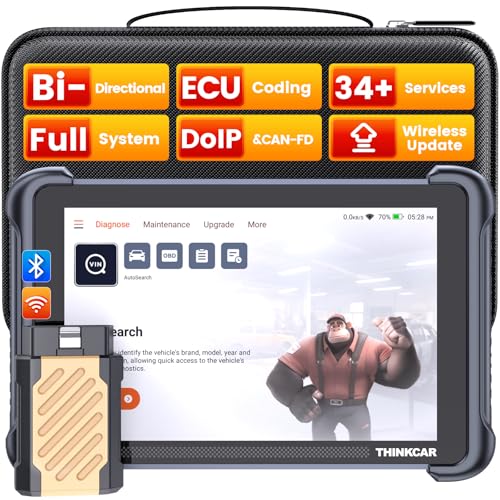
- [Notice] When you receive a used escaner automotriz device, it may be a customer return resold by Amazon without inspection. You can exchange it for a new one through Amazon. As this situation is unavoidable, we sincerely apologize. For any issues, contacting us via Amazon's "Messages" is the best way, and we’ll provide a solution within 24 hours. THINKSCAN 689BT Can Be Used Immediately After It is Turned On, Without Complicated Registration Process, Which is More Convenient & Quick.
- [Good News] THINKSCAN 689BT is the most competitive automotive scan tool to date, offering wireless updates with no subscription fees(valued 500Buc.ks) . With all the features of THINKTOOL PD8,PRO, built on Android 10 platform with 4-core CPU, 4GB RAM
 and 64GB ROM, serving up to 5X faster than older MAX/MINI/PLUS vehicle scanners escaner automotriz, no more slow and delayed feedbacks, it's time to update your garage tool.
 - [Big Money Saver] Premium THINKSCAN 689BT Wireless Diagnostic Scanner Escaner Automotriz, save up to 400USD per year, includes all useful features: Full bi-directional controls, ECU coding, 34+ services, OEM all system diagnostics, Worldwide vehicles coverage, CAN FD & DoIP, FCA AutoAuth(The 689BT only provides a login and purchase portal, and users are required to register for an FCA account and pay a membership fee in order to perform the relevant automotive diagnostics)
- [3000+ Active Tests]Active testing is one of the most useful features in automotive maintenance and greatly improves mechanic efficiency. THINKCAR 689BT bidirectional scanner can send action commends to vehicle sub-systems or components for active test without using vehicle controls. It can perform various tests such as: EVAP Test, Fuel Trim Reset, Injector Buzz Test, Window/ Mirror/ Door Lock Test, Pump and Value Tests, etc. Get functions from "Diagnose>Car Model>System>Active Test".
- [Hot Advanced Features] 689BT bidirectional tool scanner for car newly adds ECU Coding, Power Balance, Flash Hidden Functions, Reset Adaptive Data, Match Replaced Components, Customize OE-Settings. Such as: 1. changing the color of interior lights 2. switching on/off the auto hold, 3. customizing dash kits 4. activating the auto side mirror folding function 5. disables auto start-stop. Note: Coding functions vary by model&year.

- 【Cost-effective OBD2 scanner】 Thinkcar Thinkdiag2 is the most powerful wireless diagnostic tool for it's price! Equipped with multi-functions of Newly added CAN-FD protocol, BiDirectional control(Active Test), 15 Maintenance resets, All Systems diagnosis, Auto VIN, FCA AutoAuth, Unlock the protected FCA vehicle SGW module on Chrysler, Dodge, Jeep, Alfa Romeo, and Fiat vehicles manufactured after 2019.120+ Car brands coverage, No IP limited, etc. Good for workshops & DIYers. Kindly send us VIN to check compatibility before purchase
- 【OE-Level Full Systems Car Scanner with Added CAN FD Protocol】 Upgrade of Thinkdiag, Thinkdiag2 is a bluetooth diagnostic tool can diagnose Full System such as ECM, ABS, SRS, TCM, EPB, TPMS, SAS, A/C, BMS, etc. Thinkdiag2 can read/clear fault codes, read real-time data, read control module information,etc. As the only diagnostic scanner in this price range that supports the CAN-FD protocol, it suits for the latest GM(2019-) , saving $100 to buy a CAN FD adapter, reducing the risk of undetected errors to enhancing the user experience
- 【Bidirectional Test】This bidirectional scan tool Thinkdiag2 allows you to send commands from your smartphone directly to the vehicle's ECU for active testing, quickly locate problem areas, such as A/C clutch, windows, doors, sunroof, etc., reducing the diagnostic time and money. (Note: kindly send us VIN to check compatibility before order.)
- 【15+ Maintenance Functions】Thinkdiag2 OBDII code scanner is designed for individual car owners, DIYers, and small repair shops, which has a separate menu of 15 common special functions, such as Oil reset, EPB reset, SAS calibration, ABS bleeding, injector code, TPMS reset, etc. Enter from the all-system diagnostic menu to unlock more system special functions, and effectively handle the reset and relearn of most cars. Note: The Maintenance functions that each car can do may be different
- 【120+ car brands & FCA Autoauth+10 languages】Thinkcar thinkdiag2 helps you to troubleshoot the problems fast for 100 + US, European, Asian vehicle brands after 1996 that use the OBDII protocol. Only support 12V cars, including gasoline cars and diesel cars. Supporting Autoauth allows you to unlock the protected FCA vehicle SGW module on Chrysler, Dodge, Jeep, Alfa Romeo, Fiat vehicles, etc. (Note: Only provide AutoAuth login portal, and need purchase the registration number on the AutoAuth website by yourself.) Multilingual function allows workshop mechanics to avoid language barriers and use it around the world Without restriction

- 【15+ Advanced Reset & Calibration Functions】The Thinkdiag scanner provides 15+ professional maintenance functions, including:✔ Oil Reset | ✔ ABS Bleeding | ✔ Injector Coding | ✔ SAS Reset✔ TPMS Reset | ✔ BMS Reset | ✔ Transmission Adaptation | ✔ AFS Reset | ✔ Sunroof Calibration | ✔ Brake Reset | ✔ Suspension Relearn | ✔ Electronic Throttle Relearn | ✔ Seat Calibration | + More reset/relearn/calibrate/adaptive functions under automotive full systems diagnostic menu. Ideal professional OBDII scanner for mechanics and DIY enthusiasts, Thinkdiag delivers professional OE-level diagnostics with adaptive relearn capabilities for precise vehicle servicing.
- 【Full-System Diagnostics OBD2 Scanner Bluetooth】 Thinkdiag OBD2 Scanner supports all Systems diagnostic function, it can read/clear DTCs, read live data, read control module information, actuation tests and maintenance functions for ECM, BCM, SRS, TCM, BMS, TPMS, SAS, A/C system etc... It works with most car models after 1996, cover more than 120+ car brands. All car make and reset software come with 1 year update without any charge, much valuable and powerful than 1000 dollars level scanners in the market.
- 【Potential Feature Activation】 Thinkdiag diagnose obd2 scanner Bluetooth allows you to match the replaced components with ECU, activate potential functions for BMW, for GM, for Benz etc. Adjust some annoying features, adapt vehicle's settings to improve performance. No matter you are private owner or professional technician, Thinkdiag is a powerful and handy scanner in your repair tool list. Potential features are not suitable for every car models, please check with us before purchase. This superior function required newest Android OS device, it performs better on Android cell phone.
- 【Bidirectional Test/Active Test】 Thinkdiag car code reader actuates solenoids and actuators for active testing, send commands to systems/components to test their real-time working status, without using manual vehicle controls which saves much diagnostic time and effort to identify malfunction causes. You can check windows, doors, mirrors, sunroof, fans, fuel pump and other parts working status by actuation test function, thinkdiag supports 10000+ active tests. When you process Automotive full system diagnostic, you can do active test on every supported module.
- 【Intelligent Diagnostic Tool with Auto-VIN】Thinkdiag Bluetooth OBD2 scanner makes your smart phone device become a professional vehicle diagnostic tool, it compatible with Android and iOS system. Auto-VIN function supports the Thinkdiag identifies the most car models automatically, if autovin failed, you can choose car info manually. Full system Vehicle health report will be automatically created after diagnosis, report can be shared. Live Data Stream combined 4-in-1 Graphing+Data Record better for monitoring vehicle performance and analyze the abnormal parameter.
Last update on 2026-06-21 / Affiliate links / Images from Amazon Product Advertising API
This product presentation was made with AAWP plugin.