
NHTSA ID Number: 10173490
Manufacturer Communication Number: P10CE97
TSB/Document Date: 2020-04-07
Summary
Reductant Return: No Flow Detected - Componentor System Operation Obstructed or Blocked
REMOTE DIAGNOSTICS - REPAIR INSTRUCTIONS
DTC:
Bulletin:
Date:
P10CE-97
RD17-017
June 13, 2018
Reductant Return: No Flow Detected - Component or System
Operation Obstructed or Blocked
Description:
Applies to:
US13 – US Emissions
For Spanish click here: ESPAÑOL
General Information
These repair instructions are intended to address the following fault(s):
DTC
Description
x
P10CE-97
Reductant
Return: No Flow
Detected
Possible (Observable)
Symptoms
Possible Cause
x
x
x
Restricted orifice in the aftertreatment fuel
manifold
Damaged hoses and/or connections
Aftertreatment Diesel Exhaust Fluid (DEF)
Pump
Blocked return line (damaged or frozen)
Aftertreatment DEF Pump
Bleed Orifice
Required Parts
Part Number
Description
Quantity
21577507
Diesel Exhaust Fluid (DEF) Pump Unit
1
Repair Instructions
Aftertreatment Diesel Exhaust Fluid (DEF) Pump Unit, Replacement
Before replacing the DEF Pump Unit please check for damaged return hoses and connectors.
1. Disconnect and clean the aftertreatment DEF lines between the DEF tank and the DEF pump using water and
compressed air. If the line is broken then it will have to be replaced.
Page 1 of 4
© 2016 Volvo Group North America, LLC. Information is subject to change without notice.
REMOTE DIAGNOSTICS - REPAIR INSTRUCTIONS
DTC:
P10CE-97
Bulletin:
Date:
RD17-017
June 13, 2018
Removal
1. Apply parking brake and place shift lever in neutral.
2. Remove all cables from ground (negative) battery terminals to prevent personal injury from electrical shock and
prevent damage to electrical components.
3. If equipped, remove the side fairing covering the Diesel Exhaust Fluid (DEF) tank.
4. Connect the coolant extractor to the drain fitting at the bottom of the radiator and drain the coolant. Special
tools: DBT2V700, 9996049. Note: An alternate method is to connect the coolant drain hose to the drain fitting
and drain the coolant into a suitable container.
5. Mark the DEF lines before removal. Place a suitable container under the DEF tank to catch fluid that may drain
from the pump. Remove the DEF inlet, backflow and outlet lines from the pump.
Note: For information on the handling of DEF, refer to “General Safety Practices”, Group 20.
Note: If inlet and backflow lines are switched, the system will not start.
1. DEF Inlet Line
2. DEF Backflow Line
3. DEF Outlet Line
Page 2 of 4
© 2016 Volvo Group North America, LLC. Information is subject to change without notice.
REMOTE DIAGNOSTICS - REPAIR INSTRUCTIONS
DTC:
P10CE-97
Bulletin:
Date:
RD17-017
June 13, 2018
6. Remove the inlet and outlet coolant lines from the pump. Place protective caps on the DEF and coolant
connectors.
1. Inlet Coolant Lines
2. Outlet Coolant Lines
7. Remove cable tie and disconnect the wiring harness from the DEF pump. Cover the electrical connector with a
plastic bag to protect from possible damage from the DEF.
1. Cable Tie
2. Wiring Harness
Page 3 of 4
© 2016 Volvo Group North America, LLC. Information is subject to change without notice.
REMOTE DIAGNOSTICS - REPAIR INSTRUCTIONS
DTC:
Bulletin:
Date:
P10CE-97
RD17-017
June 13, 2018
8. Remove the DEF pump from the tank by removing the fasteners along with the bracket.
1.Fasteners
2.Bracket
3.DEF Pump
Installation
1. Install fasteners to attach bracket and the DEF pump onto the tank. Tighten the fasteners to specification. Refer
to Specifications in Group 20.
2. Remove plastic bag from the electrical connector. Connect the wiring harness to the DEF pump and secure the
harness using a cable tie.
3. Install the inlet and outlet coolant lines onto the DEF pump.
4. Install DEF inlet, backflow and outlet lines onto the pump. Note: If inlet and backflow lines are switched, the
system will not start.
5. If equipped, install the side fairing that covers the DEF tank.
6. Install all previously removed cables to the ground (negative) battery terminals.
7. Fill the cooling system with the recommended coolant using the coolant extractor. Ensure the coolant system is
full. Special tools: DBT2V700
8. Use the diagnostic tool to purge the air out of the coolant heating system.
Additional Resources
These repairs are the most likely fix for the identified fault, if this does not fix the issue, Tech Tool will need to be used
for more detailed diagnostics. If filing a warranty claim, please include the ASIST case number.
Labor Code
2581-03-02-01
1.0
Causal Part
21577507
Page 4 of 4
© 2016 Volvo Group North America, LLC. Information is subject to change without notice.
INSTRUCCIONES DE REPARACIÓN DE DIAGNÓSTICO REMOTO
DTC:
Descripción:
Se aplica a:
P10CE-97
Boletín:
Fecha:
RD17-026
16 de agosto de 2018
Retorno del reductor: No se detecta flujo - Funcionamiento de
componente o sistema obstruido o bloqueado
Emisiones de US13 - US
Para inglés, haga clic aquí: ENGLISH
Información general
Estas instrucciones de reparación están destinadas a abordar las siguientes fallas:
DTC
Descripción
x
P10CE-97
Retorno del
reductor: No se
detecta flujo
Posibles síntomas
(observados)
Causa posible
x
x
x
Orificio restringido en el múltiple de
combustible de postratamiento
Mangueras y/o conexiones dañadas
Bomba de fluido de escape diésel de
postratamiento (DEF)
Línea de retorno bloqueada (dañada
o congelada)
Orificio de purga para
bomba de DEF de
postratamiento
Piezas necesarias
Número de pieza
Descripción
Cantidad
21577507
Unidad de bomba de fluido de escape
diésel (DEF)
1
Instrucciones de reparación
Unidad de bomba de fluido de escape diésel de postratamiento (DEF), Reemplazo
Antes de reemplazar la unidad de bomba de DEF, revise mangueras de retorno y conectores dañados.
1. Desconecte y limpie las líneas de DEF de postratamiento entre el tanque de DEF y la bomba de DEF, usando
agua y aire comprimido. Si la línea está rota, tendrá que ser reemplazada.
© 2016 Volvo Group North America, LLC. Información sujeta a cambios sin previo aviso.
INSTRUCCIONES DE REPARACIÓN DE DIAGNÓSTICO REMOTO
DTC:
P10CE-97
Boletín:
Fecha:
RD17-026
16 de agosto de 2018
'HVLQVWDODFLyQ
1. Aplique el freno de estacionamiento y coloque la palanca de cambios en punto muerto.
2. Retire todos los cables de los terminales negativos (tierra) de la batería para evitar lesiones por descargas
eléctricas y daños en los componentes eléctricos.
3. Si está equipado, retire el compensador lateral que cubre el tanque de fluido de escape diésel (DEF).
4. Conecte el extractor de refrigerante a la conexión de drenaje en la parte inferior del radiador y drene el
refrigerante. Herramientas especiales: DBT2V700, 9996049. Nota: Un método alternativo es conectar
una manguera de drenaje del refrigerante a la boquilla de drenaje y drenar el refrigerante en un
contenedor adecuado.
5. Marque las líneas de DEF antes de retirarlas. Ubique un contenedor adecuado bajo el tanque de DEF para
capturar el fluido que pueda drenarse desde el tanque. Retire las líneas de entrada, flujo trasero y salida de
DEF desde la bomba.
Nota: Para obtener información sobre la manipulación de DEF, consulte “Prácticas de seguridad generales”, Grupo 20.
Nota: Si las líneas de entrada y flujo trasero están cambiadas, el sistema no encenderá.
1. Línea de entrada de DEF
2. Línea de flujo trasero de DEF
3. Línea de salida de DEF
© 2016 Volvo Group North America, LLC. Información sujeta a cambios sin previo aviso.
INSTRUCCIONES DE REPARACIÓN DE DIAGNÓSTICO REMOTO
DTC:
P10CE-97
Boletín:
Fecha:
RD17-026
16 de agosto de 2018
6. Retire las líneas de entrada y salida de refrigerante desde la bomba. Ponga tapas protectoras en los
conectores de DEF y refrigerante.
1. Líneas de entrada de refrigerante
2. Líneas de salida de refrigerante
7. Retire las correas y desconecte el arnés de cableado de la bomba de DEF. Cubra el conector eléctrico con una
bolsa plástica para protegerlo de daños posibles por DEF.
1. Correas
2. Arnés de cableado
© 2016 Volvo Group North America, LLC. Información sujeta a cambios sin previo aviso.
INSTRUCCIONES DE REPARACIÓN DE DIAGNÓSTICO REMOTO
DTC:
P10CE-97
Boletín:
Fecha:
RD17-026
16 de agosto de 2018
8. Retire la bomba de DEF desde el tanque al sacar los sujetadores junto con el soporte.
7RUQLOORV
6RSRUWH
Bomba de DEF
Instalación
1. Instale sujetadores para conectar el soporte y la bomba de DEF con el tanque. Ajuste los sujetadores de
acuerdo a las especificaciones. Consulte las Especificaciones en el Grupo 20.
2. Retire la bolsa de plástico desde el conector eléctrico. Conecte el arnés de cableado a la bomba de DEF
y asegure el arnés con una correa.
3. Instale las líneas de entrada y salida de refrigerante en la bomba de DEF.
4. Instale las líneas de entrada, flujo trasero y salida de DEF en la bomba. Nota: Si las líneas de entrada y flujo
trasero están cambiadas, el sistema no encenderá.
5. Si está equipado, instale el compensador lateral que cubre el tanque de DEF.
6. Instale todos los cables que había quitado anteriormente a los terminales negativos (tierra) de la batería.
7. Llene el sistema de refrigeración con el refrigerante recomendado mediante un extractor de refrigerante.
Asegúrese de que el sistema de refrigerante esté lleno. Herramientas especiales: DBT2V700
8. Utilice la herramienta de diagnóstico para purgar el aire del sistema de calefacción de refrigerante.
Recursos adicionales
Es muy probable que estas reparaciones solucionen la falla identificada; si esto no soluciona el problema, se
requerirá el uso de Tech Tool para diagnósticos más detallados. Si presenta una reclamación de garantía, incluya
el número de caso ASIST.
Código de trabajo
2581-03-02-01
1.0
Pieza causal
21577507
© 2016 Volvo Group North America, LLC. Información sujeta a cambios sin previo aviso.

- 💯【Conta.ct us for Support Directly】If you met any...
- 🔥🔥🔥【2026 AUTEL FLAGSHIP MK900BT MK900-BT, NEW...
- 🚗【3000+ ACTIVE TESTS (50➡3000+), SAME AS MS...
- 🚗【40+ HOT SERVICES FOR 150 MAKES (28+➡40+)】Full...
- 🚗【OE ALL SYSTEM DIAGNOSE, AUTO SCAN 2.0: SCAN LICENSE...


- 【TURN OFF CEL】 This AL319 car scanner diagnostic tool...
- 【EXTENSIVE APPLICATION】 Autel AL319 Compatible with...
- 【FOR END USER & DIYERS】 This error code reader AL319 is...
- 【USER-FRIENDLY DESIGN】 This OBD2 scanner and check...
- 【HIGH-QUALITY SERVICES】 12 months war.ranty from the...
Last update on 2026-06-12 / Affiliate links / Images from Amazon Product Advertising API
If the PDF is very large, it may not load in the preview below.
Some older TSBs had multiple PDFs — visit the NHTSA Website to view all PDFs.
If the TSB PDF does not show, download or view it on the NHTSA Website.
Click on the (+) Plus Sign
Then Click on Associated Document(s)
Search NHTSA Database for Recalls
Search NHTSA Database for Vehicle Investigations
View Latest Vehicle Investigations
Search NHTSA Database for Vehicle Complaints
View Latest Vehicle Complaints
TSB/Document ID: P10CE97
Replacement Service Bulletin Number:
MFR Communication Date: 2020-03-09
MFR Internal Campaign ID/Software Version:
Communication Type: Service Bulletin/Repair Instructions
NHTSA Components: ENGINE AND ENGINE COOLING
MFR Component System:
MFR Component Subsystem:
Previous TSB | Next TSB |
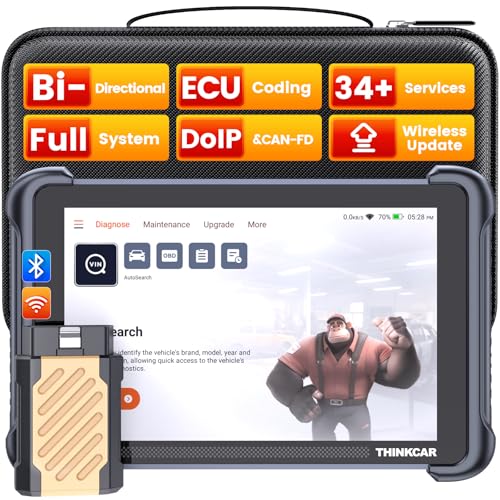
- [Notice] When you receive a used escaner automotriz device, it may be a customer return resold by Amazon without inspection. You can exchange it for a new one through Amazon. As this situation is unavoidable, we sincerely apologize. For any issues, contacting us via Amazon's "Messages" is the best way, and we’ll provide a solution within 24 hours. THINKSCAN 689BT Can Be Used Immediately After It is Turned On, Without Complicated Registration Process, Which is More Convenient & Quick.
- [Good News] THINKSCAN 689BT is the most competitive automotive scan tool to date, offering wireless updates with no subscription fees(valued 500Buc.ks) . With all the features of THINKTOOL PD8,PRO, built on Android 10 platform with 4-core CPU, 4GB RAM
 and 64GB ROM, serving up to 5X faster than older MAX/MINI/PLUS vehicle scanners escaner automotriz, no more slow and delayed feedbacks, it's time to update your garage tool.
 - [Big Money Saver] Premium THINKSCAN 689BT Wireless Diagnostic Scanner Escaner Automotriz, save up to 400USD per year, includes all useful features: Full bi-directional controls, ECU coding, 34+ services, OEM all system diagnostics, Worldwide vehicles coverage, CAN FD & DoIP, FCA AutoAuth(The 689BT only provides a login and purchase portal, and users are required to register for an FCA account and pay a membership fee in order to perform the relevant automotive diagnostics)
- [3000+ Active Tests]Active testing is one of the most useful features in automotive maintenance and greatly improves mechanic efficiency. THINKCAR 689BT bidirectional scanner can send action commends to vehicle sub-systems or components for active test without using vehicle controls. It can perform various tests such as: EVAP Test, Fuel Trim Reset, Injector Buzz Test, Window/ Mirror/ Door Lock Test, Pump and Value Tests, etc. Get functions from "Diagnose>Car Model>System>Active Test".
- [Hot Advanced Features] 689BT bidirectional tool scanner for car newly adds ECU Coding, Power Balance, Flash Hidden Functions, Reset Adaptive Data, Match Replaced Components, Customize OE-Settings. Such as: 1. changing the color of interior lights 2. switching on/off the auto hold, 3. customizing dash kits 4. activating the auto side mirror folding function 5. disables auto start-stop. Note: Coding functions vary by model&year.
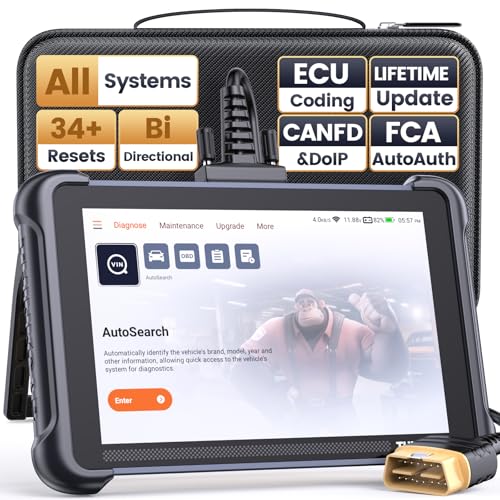
- 【Warm Tips】Wired THINKSCAN 689 is connected through a detachable OBDII cable, and we also have added OBD2 Extension Cable (about 60 cm/2 feet) as g ift, enabling customers handling vehicle repairs with ease. Just click "Bundles Item" above to get it. Note: FCA AutoAuth is a third-party service, additional cost may be required.
- 【Professional Car Diagnostic Tool】Tired of renew fees? Thinkscan 689 scanner provides dealer-level advanced functions without annual fees for auto mechanics and repair shops. 34+ Services, 3000+ Active Test, ECU Coding, 140+ Brands Coverage, FCA AutoAuth, CANFD&DOIP Protocol, Component Matching, Power Balance, V.A.G Guided, Compatible with Google Chrome integration, etc. With strong hardware backing, 64G Memory, Android 10, 4-core processors, and 4150mAh battery. Thinkscan 689 brings you the best as your daily business helper and never lets you drop the ball!
- 【Over 34 Reset Service, Adaptation + Relearn + Calibration + Initialization + Matching】Made for workshops, Thinkscan 689 scanner provides 34+ services for worldwide vehicles: such as Gear/SAS/EPB/TPMS/D.P.F/I.M.M.O/BMS/ETS/Oil/Brake/AFS/GEARBOX/SUNROOF/SUS Reset, ABS Bleed, Injector coding, etc. Warm tips: Compatibility may vary on vehicles' model and year, please contact seller before purchase to make sure it works well on your cars.
- 【Real Active Test】Thinkscan 689 scan tool features over 3000+ full bi-directional control ability, to send commands to vehicle’s systems/components, to verify system input/output without using the vehicle's controls, e.g. turn on the radiator fan, modulate the throttle, open/close windows, operate mirrors, Injector Buz Test, turn on interior&exterior lights, sound horn, test door lock actuators, turn on/off front/rear side ACM Solenoid, Vehicle level position calibration, Wheel Speed Sensor Supply.
- 【Comprehensive Solutions with Advanced Features】Take your vehicle customization to the next level with the Thinkscan 689's advanced ECU coding capabilities. This scan tool provides power balance, PMI, unlock more new features and enhance performance by activating dormant functions, customizing OE settings, matching replaced components, and reprogramming adaptive data to elevate your driving experience. Note: Compatibility varies by car models, please check before order.

- 【Cost-effective OBD2 scanner】 Thinkcar Thinkdiag2 is the most powerful wireless diagnostic tool for it's price! Equipped with multi-functions of Newly added CAN-FD protocol, BiDirectional control(Active Test), 15 Maintenance resets, All Systems diagnosis, Auto VIN, FCA AutoAuth, Unlock the protected FCA vehicle SGW module on Chrysler, Dodge, Jeep, Alfa Romeo, and Fiat vehicles manufactured after 2019.120+ Car brands coverage, No IP limited, etc. Good for workshops & DIYers. Kindly send us VIN to check compatibility before purchase
- 【OE-Level Full Systems Car Scanner with Added CAN FD Protocol】 Upgrade of Thinkdiag, Thinkdiag2 is a bluetooth diagnostic tool can diagnose Full System such as ECM, ABS, SRS, TCM, EPB, TPMS, SAS, A/C, BMS, etc. Thinkdiag2 can read/clear fault codes, read real-time data, read control module information,etc. As the only diagnostic scanner in this price range that supports the CAN-FD protocol, it suits for the latest GM(2019-) , saving $100 to buy a CAN FD adapter, reducing the risk of undetected errors to enhancing the user experience
- 【Bidirectional Test】This bidirectional scan tool Thinkdiag2 allows you to send commands from your smartphone directly to the vehicle's ECU for active testing, quickly locate problem areas, such as A/C clutch, windows, doors, sunroof, etc., reducing the diagnostic time and money. (Note: kindly send us VIN to check compatibility before order.)
- 【15+ Maintenance Functions】Thinkdiag2 OBDII code scanner is designed for individual car owners, DIYers, and small repair shops, which has a separate menu of 15 common special functions, such as Oil reset, EPB reset, SAS calibration, ABS bleeding, injector code, TPMS reset, etc. Enter from the all-system diagnostic menu to unlock more system special functions, and effectively handle the reset and relearn of most cars. Note: The Maintenance functions that each car can do may be different
- 【120+ car brands & FCA Autoauth+10 languages】Thinkcar thinkdiag2 helps you to troubleshoot the problems fast for 100 + US, European, Asian vehicle brands after 1996 that use the OBDII protocol. Only support 12V cars, including gasoline cars and diesel cars. Supporting Autoauth allows you to unlock the protected FCA vehicle SGW module on Chrysler, Dodge, Jeep, Alfa Romeo, Fiat vehicles, etc. (Note: Only provide AutoAuth login portal, and need purchase the registration number on the AutoAuth website by yourself.) Multilingual function allows workshop mechanics to avoid language barriers and use it around the world Without restriction
Last update on 2026-06-12 / Affiliate links / Images from Amazon Product Advertising API
This product presentation was made with AAWP plugin.