
NHTSA ID Number: 10173239
Manufacturer Communication Number: 1STTCN015042820
TSB/Document Date: 2020-04-04
Summary
This touring coach newsletter includes the following: - How to change a broken shear pin the Atlas's double step, and provides detailed instructions of the best way to complete the task. - Provides information related to "pending" Mercedes-Benz recalls involving the: Steering Spindle Bearing - Steering Column Cover - EGR Screw Connection. This also includes a reminder to the dealer to check the VIN for recalls at www.safercar.gov. - Instructions for pairing JBL Bluetooth Headphones with MEE Audio Connect HUB and proper configuration of Samsung's TVs.
March 2020
By Jim Parrett
INTERSTATE / ATLAS
•
•
•
•
•
•
April Service Training Canceled
Shear Pin Replacement
Recalls
Headphone Pairing
AirHub Files
Closing Thoughts
Greetings,
I wanted to reach out to let everyone know that Airstream’s Customer Service and Parts departments
are still operating. Please continue to call us for any parts and warranty needs. I am in the process of
reaching out to all the dealers to check your status during this trying time. If you have any changes to
your business status, please reach out to me directly at 937-790-0230.
Airstream is taking this pandemic very seriously and we are doing everything in our power to keep
everyone here in Jackson Center safe. As you have been notified, our April service training session
has been cancelled. We will be reaching out to everyone, that had been signed up, to have it
rescheduled at a later time.
In this issue, I would like to cover a few items that have come up during recent conversations with
technicians.
o Atlas step shear pin replacement
o Recalls - Mercedes and Airstream
o Bluetooth headphone pairing
1|Page
Atlas Project 2000 Double Step Guide
Rev. 08.06.2019 Created by: MV
Issue: The step will not move, they just “flop” up and down freely when in the down position.
Locate the bracket(s) under the edge of the fiberglass skirt,
shown to the left. Remove the screws securing the brackets to
the frame. This will allow the fiberglass panel to swing up.
2|Page
To the left of the step is a manual lock which will hold the step
in the stowed position. Using this lock will allow easier access
to the motor area to the right.
Note:
This lock is spring-loaded; pushing the lever up will “spring” it
into the lock hole on the step.
In the event that the step is unable to stay in the stowed
position use the manual lock to hold the step in place for
travel to the nearest service shop for further repair.
The motor and shear pin are located to the right of the double step. You will need to remove the black
knob and two 3/8” nuts; one is next to the knob (shown) and one is on the backside lip.
3|Page
Pictured above is a shear pin that is broken and needs to be replaced.
4|Page
Recall Reminder:
The units below may be involved in the pending recall campaign from Mercedes. At this time, there is
no repair in place. If Airstream has a chassis in its possession, when a repair process is given, it will
be addressed before it is shipped. Airstream will be reaching out to notify dealers who potentially
have a unit that has already been shipped. As a general practice, before retailing these units, dealers
should run the VIN to check for recalls. Please go to http://www.safecar.gov and make sure to contact
your local Mercedes dealer to have the unit inspected and repaired, if still applicable.
This recall would potentualy include all Next Gen chassis: 2500,3500, and Cab(Atlas)
2020030007 (Spindle Bearing)
2020030005 (EGR Screw)
2020030006 (Flange Connection)
5|Page
6|Page
Instructions for pairing JBL Bluetooth Headphones with the MEE Audio Connect
Hub and proper configuration of Samsung TV’s
This document illustrates the steps for pairing the following devices in order to receive wireless audio via
Bluetooth:
-JBL Bluetooth Headphones (model: JBL500BTBLKAM)
-MEE Audio Connect Hub (model: AF-CH-BK)
In order to ensure the 24” Samsung TV’s (model: UN24H4000) are in the proper configuration to communicate
with the MEE Audio Connect Hub, the following steps must be taken prior to pairing the JBL Bluetooth
Headphones.
1. Behind the TV in the lower right corner, is a short,
joystick-like control, allowing the user to navigate
different options without the remote. Press the
joystick in to turn ON the TV. Once the TV is ON,
pressing the button again will display a menu,
shown in Figure 1.
Figure 1: Menu displayed after the control on the back of the TV is pressed once.
2. Move the joystick to the left once. The rectangular
icon that is divided into 3 smaller rectangles will be
highlighted with a blue boarder, shown in Figure 2.
Figure 2: Blue boarder is around the rectangular icon that is divided into 3 smaller rectangles.
7|Page
3. Press the joystick in once to select. The menu,
shown in Figure 3, will appear.
Figure 3: Menu displayed after selecting the rectangular icon.
4. Use the joystick to move down once. This will
display the sound options of the TV, shown in
Figure 4.
Figure 4: Menu displays sound options.
5. Move the joystick to the right once. This will move
the highlight over to the sound options, shown in
Figure 5.
Figure 5: Sound options can be navigated through once selected.
8|Page
6. Move the joystick down 3 times. This will put the
blue highlight over the “Speaker Select” option.
Press the joystick to select, and bring up two
options for audio output; TV Speaker or External
Speaker (an audio source connected to the optical
audio output on the back of the Samsung TV).
Move the joystick up once and select External
Speaker. This will switch the TV audio to an
external audio output source, shown in Figure 6.
Figure 6: Speaker Select options shown. TV Speaker is highlighted with a yellow box to show it is currently in use.
7. The screen should now look like it does in Figure
7a. From this position, move the joystick down 3
times to highlight the “SPDIF Output” option, shown
in Figure 7b.
Figure 7a: Screen after choosing “External Speaker”
Figure 7b: “SPDIF Output” highlighted.
9|Page
8. Press the joystick to select SPDIF Output. This will
display the screen shown in Figure 8.
Figure 8: SPDIF Output options displayed.
9. Press the joystick once. This will display 3 options
under the “Audio Format” option; PCM, Dolby
Digital, and DTS. The current audio format should
be Dolby Digital, shown in Figure 9. Move the
joystick up once to highlight “PCM” and select.
Figure 9: SPDIF Output menu showing 3 options, with PCM needing to be selected.
10. The configuration of the Samsung TV is done.
10 | P a g e
The following steps illustrate the proper configurations for the MEE Audio
Connect Hub prior to pairing with the JBL Bluetooth Headphones.
1. Ensure that the switch on the Connect Hub is
switched to the “TX” mode, shown in Figure 1. This
will allow for audio to be transmitted via Bluetooth,
rather than be received (RX).
Figure 1: MEE Audio Connect Hub switched to TX.
2. Ensure that when connecting an optical audio cable
to the MEE Audio Connect Hub, that the cable is
connected to the port labeled “INPUT (TX)”, shown
in Figure 2. This will correspond with the switch
being in the TX position from step 1. Additionally,
the USB power cable should be plugged into the
back of the Samsung TV to power the Connect
Hub.
Figure 2: Location of the INPUT (TX) port on the Connect Hub.
3. Once the Connect Hub is powered ON, it should
look like Figure 3, with the word OPTICAL lit up in
blue. If it is not lit up in blue, press the Mode button.
Pressing the Mode button, a second time will light
up ANALOG in blue. To go back to OPTICAL,
press the Mode button again.
Figure 3: Proper audio mode for the Connect Hub, with OPTICAL lit up in blue and the Mode button shown.
11 | P a g e
Now that the Connect Hub has been configured properly, it is ready to be paired with the JBL Bluetooth
headphones. Follow the steps below to do so:
1. When pairing a set of wireless headphones for the first time, hold the Pairing button on the Connect
Hub for 4 seconds. This will put the Connect Hub in pairing mode, with an icon of a headset flashing
between red and blue, shown in Figure 1a/b.
Figure 1a/b: Connect Hub in paring mode, with the headphone icon flashing between red and blue and location of pairing button shown.
2. Locate the Power button on the JBL Bluetooth
headphones under the right side, shown in Figure
2, and hold for 3 seconds. This will put the
headphones in pairing mode, indicated by the
light, shown in Figure 2, flashing blue. A
successful pairing will be indicated by the blue
light becoming solid.
Figure 2: JBL Bluetooth headphones Power button and solid blue light, indicating successful pairing.
12 | P a g e
3. Successful pairing on the Connect Hub will be
indicated by the headphone icon, mentioned in step
1, remaining solid blue. Pairing a second set of
headphones can be done by repeating the previous
steps, starting at step 1. Figure 3, shows what the
display of the Connect Hub should look like when
pairing is successful with two sets of headphones.
Figure 3: Connect Hub display when pairing of both headsets is successful.
NOTE:
Per testing during production, pairing the second set of headphones could take multiple attempts, as many as
5 to 6 times. Additionally, when pairing the second set of headphones, the Pairing button may have to be held
for the duration of the pairing cycle, rather than the 4 seconds mentioned. In some scenarios, both the Connect
Hub and Bluetooth headphones may need to be turned OFF, and the pairing instructions repeated. MEE Audio
has stated that JBL currently does not support Qualcomm’s aptX technology, the higher-end, aptX low latency
specification that MEE Audio uses, and have also stated JBL is a brand their customers have issues with.
However, in production testing, after the initial pairing process, the headphones paired much more readily, with
only one instance where the headphones took an additional two times to pair. A different solution may be
sought out, but preferably after the stock of JBL Bluetooth headphones that Riverpark has for Airstream is
gone, considering the scrap generated from the previous Bluetooth transmitter solution (TROND BT-DUO II,
also from Riverpark). Therefore, if Riverpark does not have stock that satisfies the EAU of 500, 2 per unit, a
different solution can be sought. A different solution will not be sought for this model year, as long as they do
have stock to satisfy the EAU, as to not generate more scrap.
After the initial pairing process, pairing headphones again, only requires pressing the Pairing button on the
Connect Hub once, rather than holding it for 4 seconds. The pairing for the Bluetooth headphones is the same,
holding the Power button for 3 seconds. As stated previously, this may take an additional time or two to pair
with JBL brand headphones. If the Mode button on the Connect Hub is held for 10 seconds, the Connect Hub
will forget the headphones and the steps in the last section of this document will need to be repeated.
The above instructions can also be found on AirHub, in the File Library, where you will find many other
instructions and how-to’s.
Some other instructions you will find on Airhub:
•
•
•
•
•
DC/DC Charge Controller: This replaced the Battery Isolation Manager in the 2020 models.
AM Reception Fix
Electrical Schematics
Vender Manuals
Policy and Procedure Manuals
13 | P a g e
Something to think about in closing:
Customer Service is so important because satisfied customers are your company’s best asset. They
result in increased sales, repeat business, growth, and prosperity.
Importance of Satisfied Customers
1.
2.
3.
4.
Increased Sales
Repeat Growth
1+2=GROWTH
1+2+3=PROSPERITY
The decision to make a difference in the quality of customer service in your company is yours. It
cannot be over emphasized that the cornerstone of a successful service facility relies primarily with
those individiuals who have direct customer contact. This is where the organization’s image is built;
not with the CEO or president. Image is not built and displayed on a plaque in the customer lounge,
but earned in the trenches of the service drive, service bays, and the retail store.
If there is a topic you would like some information on or would like to see considered in a future article
just drop me a line at: 937-596-6111 ext. 7409 or jparrett@airstream.com
14 | P a g e

- iCarsoft i906 can do it all-reads and clears trouble codes...
- Support OBD II/EOBD ten modes of operation full ecu...
- OBD II function for all OBD II/EOBD compliant vehicles: I/M...
- Lifetime free update Upgrade via USB 2.0 one year warranty...
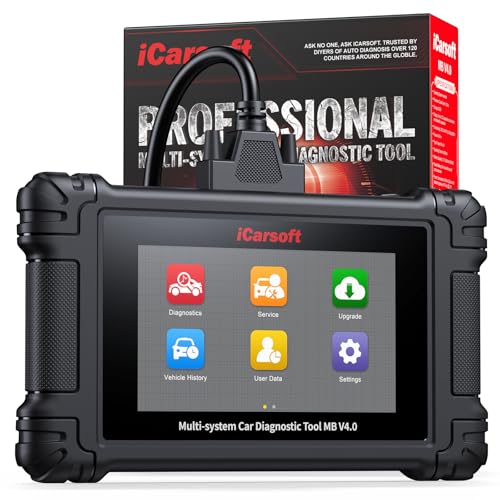
- 【Upgrade Version】This product is upgrade from MB V...
- 【Compatibility Notice — For Mercedes-Benz
 Pre...
 - 【OE-Level All Systems In-depth Diagnosis】Our OBD...
- 【Powerful Bi-directional Control】This escaner automotriz...
- 【UP to 41 Most Popular Resets Service for...
If the PDF is very large, it may not load in the preview below.
Some older TSBs had multiple PDFs — visit the NHTSA Website to view all PDFs.
If the TSB PDF does not show, download or view it on the NHTSA Website.
Click on the (+) Plus Sign
Then Click on Associated Document(s)
Search NHTSA Database for Recalls
Search NHTSA Database for Vehicle Investigations
View Latest Vehicle Investigations
Search NHTSA Database for Vehicle Complaints
View Latest Vehicle Complaints
TSB/Document ID: 1STTCN015042820
Replacement Service Bulletin Number:
MFR Communication Date: 2020-03-27
MFR Internal Campaign ID/Software Version:
Communication Type: Service Bulletin/Repair Instructions
NHTSA Components: STEERING
MFR Component System:
MFR Component Subsystem:
Previous TSB | Next TSB |

- [Notice] When you receive a used device, it may be a customer return resold by Amazon without inspection. You can exchange it for a new one through Amazon. As this situation is unavoidable, we sincerely apologize. For any issues, contacting us via Amazon's "Messages" is the best way. THINKSCAN 689BT Bidirectional Scan Tool Can Be Used Immediately After It is Turned On, Without Complicated Registration Process, Which is More Convenient & Quick.
- Full Bi-Directional Control & 3000+ Active Tests: Take control and test components like actuators, fuel injectors, relays, and cooling fans in real time. You’ll quickly see if the problem is in the part itself or the control module — saving you hours of guesswork and frustrating trial-and-error.
- Advanced ECU Coding Capabilities: Handle module matching and hidden feature activation with confidence. When you replace an ECU or want to customize settings, this obd2 scanner diagnostic bi directional tool gives you the professional-level capabilities you need without the dealership price tag.
- 34+ Useful Reset and Maintenance Functions: Complete everyday service tasks smoothly with a wide range of helpful reset and maintenance functions. Whether you’re keeping up with regular upkeep or tackling a specific job, this scanner makes maintenance simpler and less stressful for both DIYers and pros.
- Comprehensive Full System Diagnostics: Diagnose every major system — Engine, Transmission, ABS, SRS, TPMS, and more — all in one place. Finally stop wondering if you’re missing something important; get the full picture and clear codes with ease.

- Top Reasons to Choose the D7S OBD2 Scanner: XTOOL D7S car scan tool, an upgrade of XTOOL D7, offers comprehensive features for automotive technicians, workshops, and DIY enthusiasts 1. Upgraded Hardware: 2+64GB memory, rear camera, intuitive interface, foldable bracket 2. Complete Diagnostics: FCA Autoauth, OE-level all system scan, 39+ maintenance services, 4K+ bidirectional, CANFD/DoIP protocol 3. Advanced Capabilities: ECU coding, PMI functions 4. Wide Compatibility: Support 10,000+ models, covering 99% vehicle brands 5. Multi-language: Available in 22+ languages, No IP Restrictions 6. 3-Year Updates: Save 300 bucks on software updates for the latest features and optimizations
- 2026 Upgraded D7S Car Scanner Features: The newly 2026 D7S V2.0 scanner for car brings exciting features for advanced vehicle diagnostics and enhanced user experience 1. FCA AutoAuth: Now supports FCA SGW module for Chrysler, for Jeep, for Dodge (2018+), for Fiat (2017+), enabling faster vehicle communication without gateway restrictions 2. PMI (Offline ECU Programming): Allows for Ford, for Lincoln, and for Mazda ECU programming for new modules 3. Optimized Diagnostic Report 2.0: Personalized reports with logos and customer info for auto shops. Note: Compatibility varies by cars, please check before order
- Cost-effective ECU Coding Scan Tool for Specific Brands: Enhance your vehicle's performance with XTOOL D7S! This obd2 scanner all systems bidirectional offers advanced capabilities at an affordable price, supports online for BMW, for Benz and offline for BENZ, for MIT, along with PMI functions for Ford, for Mazda, and for Lincoln. Ideal for technicians and DIY enthusiasts, this automotive scanner diagnostic tool optimizes vehicle performance and enhances the driving experience. Note: Not for all cars and modules, please send car VIN to check the compatibility before purchase
- OE All System Diagnostic & 8 Pids Graphing: XTOOL D7S is a comprehensive all system bi directional obd2 scanner that delivers dealer-level diagnostics, completely controlling over your vehicle’s performance and health. This automotive scan tool can read and clear DTCs, view live data and ECU information, retrieve freeze frames, and perform active tests and full obd2 functions. This bi-directional scan tool can can identify your vehicle's make, model, and year information with just one click and show up to 8 PIDs live data with options for CSV viewing, playback, and recording for in-depth analysis. It is easy-to-use for both professionals and beginners, helping pinpoint issues efficiently
- 3 Years Software Update, Value for Money: With 3 years of software updates and 22+ languages(no IP restrictions), XTOOL D7S auto scanner code scanner ensures ongoing compatibility for the latest car models and improved diagnostic functions. This all system vehicle diagnostic scanner comes with a 30-day return policy and a 24-month repair for dependable performance. XTOOL are dedicated to your satisfaction, so enjoy seamless support and lifetime expert assistance. Should you encounter any issues or concerns, don’t hesitate to reach out XTOOL. D7S with newest update with 22 languages freely transfer without authorization, check details from setting-language or from XTOOL

- 【✅Compared to BOSSCOMM IF742, IF745 Offers Full-System Diagnostics】The BOSSCOMM IF745 car diagnostic scanner is an upgraded model of IF742. In addition to supporting all OBD2 Code Reader functions and 6 reset options (ABS/EPB/SAS/BMS/Oil/Throttle), it expands diagnostics from 4 systems (Check Engine/ABS/SRS/Transmission) to vehicle All systems, including Steering, Suspension, and Body Electronics. This provides deeper, more comprehensive diagnostic capabilities.
- 【✨6 Essential Resets: ABS Bleeding, Oil, EPB, SAS, Throttle, BMS】The BOSSCOMM IF745 obd2 scanner diagnostic tool swiftly purges air from brake lines to restore braking sensitivity, fine-tunes maintenance cycles to eliminate false alerts, resolves parking brake issues with one-click control, recalibrates steering sensors for stability, optimizes engine idling/acceleration for smoother performance, and deeply resets battery systems to extend lifespan and range via precise parameter adjustments.❗NOTE: Does NOT support bidirectional control, coding, or programming.
- 【✨Deep Diagnostics for All Vehicle System Modules】Beyond code reading/clearing and ECU information retrieval, our all-in-one data stream feature lets you inspect all current fault codes and their locations across the vehicle’s systems. This vehicle code reader helps you turn off dashboard warning lights and perform a comprehensive self-check of your car at home—no more back-and-forth trips to the repair shop or hefty inspection fees.
- 【✨10 OBD2 Functions】The BOSSCOMM IF745 scan tool’s DTC Lookup instantly translates fault codes into user-friendly explanations, its I/M Readiness feature streamlines emissions testing with a single tap, and Freeze Frame lets you pinpoint the exact moment of a fault for in-depth root-cause diagnosis. Combined with a live data dashboard and advanced diagnostics (O2S, OBMon, EVAP), it delivers comprehensive insights for confident troubleshooting.
- 【✨10,000+ Car Models, AutoVIN, 13 Languages】The BOSSCOMM IF745 vehicle scanner diagnostic tool covers 73+ global car brands and offers support in 13 languages, making it perfect for DIYers, auto mechanics, or as a thoughtful gift. With a single-click AutoVIN feature, it instantly retrieves vehicle serial numbers, streamlining diagnostics for users globally. This adaptable tool balances user-friendliness with precision, catering to both personal and professional requirements.✅Unsure about compatibility? Compatibility will vary on vehicles' model and year, pls reach us via 📧 [email protected] 📧 before purchase.
This product presentation was made with AAWP plugin.