
NHTSA ID Number: 10171436
Manufacturer Communication Number: SMT-TB204-22JAN2
TSB/Document Date: 2020-02-18
Summary
Technical Bulletin 204 provides instructions that apply to Keyless ECM Calibration Download, Electronic Systems Commissioning and Motorcycle Unlocking, Triumph Diagnostic Tool - End of Support for Microsoft Windows 7®, Triumph Diagnostic Tool - Internet Connection and Minimum Equipment Requirement
Download the latest Engine ECM calibration as normal, using automatic model detection.
Note:
•
If the download is accidentally disrupted or does not complete for any reason, turn the ignition off for
at least 60 seconds then restart the download using Manual Model Selection.
Unlock the Engine ECM
1.
Unlock the Engine ECM as described in the Triumph Diagnostic Tool User Guide.
Note:
•
•
•
There is a small delay while the instruments are checked for up-to-date calibrations.
The software will report if any calibrations are out of date and will prevent unlocking until the correct
calibrations are installed.
The unlock code can be found at www.triumphonline.net.
Technical Bulletin 204 Issue 1
8 of 15
Adapt the Crankshaft Position (if required) - Euro 5 Markets Only
Motorcycles are typically delivered from the factory with the crankshaft position adapted. However, a small
number of models may need to have the crankshaft position adapted at PDI.
Check the Engine ECM for stored DTCs. If the crankshaft position is not adapted, DTC P0315 will be stored
and the Malfunction Indicator Light (MIL) will be illuminated. DTC P0315 cannot be erased by using the Erase
DTCs function. To clear the DTC the crankshaft position must be adapted as described in the adaption
process below.
If DTC P0315 is not present at PDI, it is not necessary to adapt the crankshaft position.
Crankshaft Position Adaption Process
Warning
Exhaust fumes are poisonous, always operate a motorcycle in the open-air or in an area with adequate
ventilation.
Do not operate a motorcycle in an enclosed area without adequate ventilation.
Operating a motorcycle in an enclosed area without adequate ventilation can cause loss of consciousness
and death within a short period of time.
1.
2.
3.
4.
5.
6.
7.
Turn the motorcycle ignition Off for at least 60 seconds.
Turn the motorcycle ignition ON. Make sure the engine Stop switch is in the RUN position.
Make sure the transmission is in neutral.
Navigate to ENGINE DIAGNOSTICS - Function Tests.
Select Crankshaft Position Adaption and click Start.
Follow the on screen instructions.
When the adaption has completed, click Finish and turn the motorcycle ignition Off for at least 60
seconds.
Note:
•
DTC P0315 will not clear until the motorcycle's electronic system has fully powered down.
8. Turn the motorcycle ignition ON. Make sure that DTC P0315 and the MIL have cleared.
Refer to the Service Manual for more details on the crankshaft position adaption process.
Final Steps
•
•
•
•
•
Check and erase all stored Immobiliser, Engine ECM and ABS DTCs.
Disconnect the Triumph Diagnostic Tool.
Refit the rider’s seat.
Check that the motorcycle can be powered ON and started using each key.
Set the instruments to display the correct language and units for your region, as described in the
Owners Handbook.
Technical Bulletin 204 Issue 1
9 of 15
Item:
204.3
Description:
Electronic Systems Commissioning and Motorcycle Unlocking
Model Affected:
Thruxton RS
Warning
Make sure the motorcycle is stabilised and adequately supported.
A correctly supported motorcycle will help prevent it from falling.
An unstable motorcycle may fall, causing injury to the operator or damage to the motorcycle.
Warning
Failure to download the latest calibrations to the above model(s) may cause an unsafe riding condition
leading to loss of motorcycle control and an accident.
Warning
Always use Automatic Model Selection when downloading calibrations.
Manual model selection must only be used when attempting to restart an interrupted or failed download,
or if an incorrect model is detected by Automatic Model Selection.
Always ensure that the correct model is detected or selected before selecting a calibration for download
and never attempt to download calibrations listed for an incorrect model.
Downloading calibrations for an incorrect model will cause a dangerous riding condition which may lead to
loss of motorcycle control and an accident.
Caution
Do not interrupt or cancel calibration downloads before they have completed.
If a calibration download is cancelled or interrupted before it has completed, the Electronic Control Module
(ECM) will not operate in the normal way. This is because the operating system has been erased from ECM
memory and has not yet been fully replaced. Under these circumstances, it will not be possible to use
Automatic Model Detection when restarting the calibration download.
Turn the motorcycle ignition off for at least 60 seconds to allow the electronic systems to power down,
then restart the calibration download using Manual Model Selection.
If a calibration download fails to restart, it may be necessary to follow a specific recovery process.
Note:
•
•
•
The current password for all downloads can be found at www.triumphonline.net.
It is normal for DTCs to be stored after a download has completed. This is due to the download process
interrupting CAN communications between the ECMs.
After a download has completed, you will be prompted to check all ECMs for stored DTCs and erase
them as necessary. This must be completed after all downloads are finished.
Technical Bulletin 204 Issue 1
10 of 15
Description
The instruments and Engine ECM fitted to the above motorcycle(s) are delivered in a locked condition. In this
condition, the engine will not start. When performing a Pre-Delivery Inspection on the above models, the
motorcycle’s electronic systems must be commissioned and the motorcycle unlocked before the engine can
be started.
Dealers are requested to commission the electronic systems and unlock the motorcycle by performing the
following operations:
1.
Download the latest Instrument calibration.
2. Download the latest Engine ECM calibration.
3. Unlock the Engine ECM.
Preparation
Download and install the latest version of the Triumph Diagnostic Tool to your computer as described in the
Triumph Diagnostic Tool Installation Guide. Triumph Diagnostic Tool Version 2020-01.1 or later is required to
complete this procedure.
Note:
•
•
1.
2.
3.
4.
5.
It can take up to 15 minutes to complete the system downloads necessary to commission the above
motorcycle.
Please take the following precautions to avoid accidental disruption of the calibration downloads
performed during this process.
If using a laptop computer to run the diagnostic software, make sure the laptop battery is fully
charged. Connect a charger to avoid draining the laptop battery.
Disable any sleep and screen saver settings. The PC/laptop must remain turned on and awake for the
duration of the process.
Make sure all other PC/laptop applications (including Internet browsers) are closed down.
Make sure the motorcycle battery is fully charged (battery voltage of at least 12.8 Volts). Connect an
approved battery charger (suitable for use with maintenance free batteries) to maintain the battery
charge during this process.
During calibration download, DO NOT do the following unless instructed to do so by the diagnostic tool:
• Turn the ignition OFF.
• Switch the engine stop switch to a different position.
• Disconnect the diagnostic interface.
Technical Bulletin 204 Issue 1
11 of 15
Initial Steps
1.
2.
3.
4.
5.
6.
Unpack the motorcycle as described in the Motorcycle Unpacking Guide.
Assemble the motorcycle as described in the Motorcycle Assembly Guide.
Remove the rider’s seat.
Make sure that the motorcycle battery is fully charged and installed as described in the Service
Manual.
Remove the ABS fuse. Refer to the Service Manual for the ABS fuse location.
Switch the engine stop switch to the STOP (OFF) position.
2
1
1.
2.
7.
Engine stop switch
STOP (OFF) position
Connect the Triumph Diagnostic Tool to the motorcycle as described in the Service Manual and turn the
ignition switch ON.
Instruments Calibration Download
Note:
•
The instrument calibration will take approximately 4 minutes to complete.
1.
2.
Download the latest instrument calibration as normal, using automatic model detection.
Follow all on screen instructions during the download process.
Note:
•
•
•
3.
Multiple files are transferred during the download. The progress bar displayed on the diagnostic tool
may repeatedly rise from 0% to 100% as each file is downloaded.
Do not assume the download has completed when the instrument display turns back on. Always wait
for the Verifying Download screen to appear to confirm the download has successfully completed.
If the download is accidentally disrupted or does not complete for any reason, turn the ignition off for
at least 60 seconds. Make sure the ABS fuse is removed and that the engine stop switch is in the STOP
position before restarting the download using Manual Model Selection.
When the download has completed, turn the ignition switch OFF and refit the ABS fuse.
Technical Bulletin 204 Issue 1
12 of 15
Engine ECM Calibration Download
1.
2.
Turn the ignition switch ON
Switch the engine stop switch to the RUN (ON) position.
2
1.
2.
3.
1
Engine stop switch
RUN (ON) position
Download the latest engine ECM calibration as normal, using automatic model detection.
Note:
•
If the download is accidentally disrupted or does not complete for any reason, turn the ignition off for
at least 60 seconds then restart the download using Manual Model Selection.
Unlock the Engine ECM
1.
Unlock the engine ECM as described in the Triumph Diagnostic Tool User Guide.
Note:
•
•
•
There is a small delay while the instruments are checked for up-to-date calibrations.
The software will report if any calibrations are out of date and will prevent unlocking until the correct
calibrations are installed.
The unlock code can be found at www.triumphonline.net.
Final Steps
• Check and erase all stored Immobiliser, Engine ECM and ABS DTCs.
• Disconnect the Triumph Diagnostic Tool.
• Refit the rider’s seat.
Technical Bulletin 204 Issue 1
13 of 15
Item:
204.4
Description:
Triumph Diagnostic Tool - End of Support for Microsoft Windows 7®
Model Affected:
We would like to inform dealers that the Triumph Diagnostic Tool will not continue to support computers
running Microsoft Windows 7® from 14th January 2020 onwards. From this date the software may still work
with Microsoft Windows 7®, but no technical support will be offered by Triumph.
Details of the minimum equipment required to run the Triumph Diagnostic Tool are listed below:
• A desktop or laptop Personal Computer (PC) running Microsoft Windows 8®, Windows 8.1® or Windows
10®.
• A 1 GHz processor or equivalent, 10 GB of free hard disk space and a minimum of 512 to 1024 MB of
memory (RAM).
• A 1024 x 768 standard XGA monitor or a 1200 x 800 widescreen monitor.
• A broadband internet connection.
• The PC must have a free USB (Universal Serial Bus) port.
• 32 bit/64 bit versions of Windows 8, 8.1 and 10.
Technical Bulletin 204 Issue 1
14 of 15
Item:
204.5
Description:
Triumph Diagnostic Tool - Internet Connection and Minimum Equipment
Requirement
Model Affected:
From July 2019, Triumph are required by regulation to collect emissions control system performance data
from motorcycles in service. This data will be automatically collected from motorcycles when they are
connected to the Triumph Diagnostic Tool.
From 1st March 2020, the Triumph Diagnostic Tool will require a broadband internet connection to allow
collected motorcycle data to be retrieved and stored in a Triumph database.
The data collection and retrieval processes will be handled automatically by the diagnostic tool and will be
invisible to end users. No personal data will be collected as part of this process.
Dealers are requested to make sure that desktop or Laptop computers running the diagnostic software
have a broadband internet connection in place by 1st March 2020, as defined in the Triumph Diagnostic Tool
minimum equipment requirements.
Details of the minimum equipment required to run the Triumph Diagnostic Tool are listed below:
• A desktop or laptop Personal Computer (PC) running Microsoft Windows 8®, Windows 8.1® or Windows
10®.
• A 1 GHz processor or equivalent, 10 GB of free hard disk space and a minimum of 512 to 1024 MB of
memory (RAM).
• A 1024 x 768 standard XGA monitor or a 1200 x 800 widescreen monitor.
• A broadband internet connection.
• The PC must have a free USB (Universal Serial Bus) port.
• 32 bit/64 bit versions of Windows 8, 8.1 and 10.
Circulation
Initial and date when read and return to central file holder
Service Manager Parts Manager
Technical Bulletin 204 Issue 1
Sales Manager
Workshop
Supervisor
Technician 1
Technician 2
15 of 15
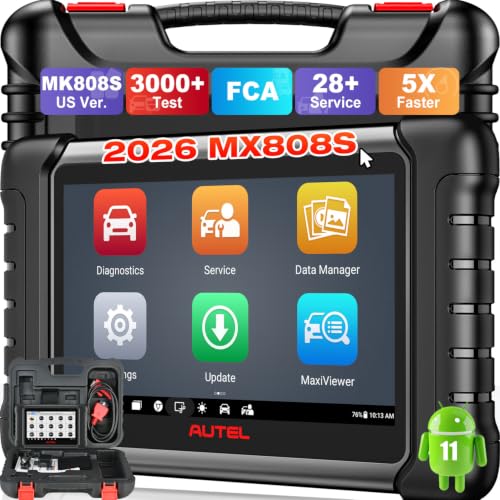
- 📌【We are Here for You】Dear valued customer, please be...
- 🚀【5X Faster Next-Level Hardware, Same as MK900/ MX...
- 🔥【3000+ Active Tests = MK900/MK900BT but...
- 📢【2026 U.S. Version, All-in-One as MK808S/ MK808Z...
- 🔥【28+ Hot Services for 150+ Brands】Same as MaxiCOM...

If the PDF is very large, it may not load in the preview below.
Some older TSBs had multiple PDFs — visit the NHTSA Website to view all PDFs.
If the TSB PDF does not show, download or view it on the NHTSA Website.
Click on the (+) Plus Sign
Then Click on Associated Document(s)
Search NHTSA Database for Recalls
Search NHTSA Database for Vehicle Investigations
View Latest Vehicle Investigations
Search NHTSA Database for Vehicle Complaints
View Latest Vehicle Complaints
TSB/Document ID: SMT-TB204-22JAN2
Replacement Service Bulletin Number:
MFR Communication Date: 2020-01-22
MFR Internal Campaign ID/Software Version:
Communication Type: Service Bulletin/Repair Instructions
NHTSA Components: ELECTRICAL SYSTEM
MFR Component System:
MFR Component Subsystem:
Previous TSB | Next TSB |

- [Notice] When you receive a used device, it may be a customer return resold by Amazon without inspection. You can exchange it for a new one through Amazon. As this situation is unavoidable, we sincerely apologize. For any issues, contacting us via Amazon's "Messages" is the best way. THINKSCAN 689BT Bidirectional Scan Tool Can Be Used Immediately After It is Turned On, Without Complicated Registration Process, Which is More Convenient & Quick.
- Full Bi-Directional Control & 3000+ Active Tests: Take control and test components like actuators, fuel injectors, relays, and cooling fans in real time. You’ll quickly see if the problem is in the part itself or the control module — saving you hours of guesswork and frustrating trial-and-error.
- Advanced ECU Coding Capabilities: Handle module matching and hidden feature activation with confidence. When you replace an ECU or want to customize settings, this obd2 scanner diagnostic bi directional tool gives you the professional-level capabilities you need without the dealership price tag.
- 34+ Useful Reset and Maintenance Functions: Complete everyday service tasks smoothly with a wide range of helpful reset and maintenance functions. Whether you’re keeping up with regular upkeep or tackling a specific job, this scanner makes maintenance simpler and less stressful for both DIYers and pros.
- Comprehensive Full System Diagnostics: Diagnose every major system — Engine, Transmission, ABS, SRS, TPMS, and more — all in one place. Finally stop wondering if you’re missing something important; get the full picture and clear codes with ease.

- Top Reasons to Choose the D7S OBD2 Scanner: XTOOL D7S car scan tool, an upgrade of XTOOL D7, offers comprehensive features for automotive technicians, workshops, and DIY enthusiasts 1. Upgraded Hardware: 2+64GB memory, rear camera, intuitive interface, foldable bracket 2. Complete Diagnostics: FCA
 Autoauth, OE-level all system scan, 39+ maintenance services, 4K+ bidirectional, CANFD/DoIP protocol 3. Advanced Capabilities: ECU coding, PMI functions 4. Wide Compatibility: Support 10,000+ models, covering 99% vehicle brands 5. Multi-language: Available in 22+ languages, No IP Restrictions 6. 3-Year Updates: Save 300 bucks on software updates for the latest features and optimizations
 - 2026 Upgraded D7S Car Scanner Features: The newly 2026 D7S V2.0 scanner for car brings exciting features for advanced vehicle diagnostics and enhanced user experience 1. FCA AutoAuth: Now supports FCA SGW module for Chrysler, for Jeep, for Dodge (2018+), for Fiat (2017+), enabling faster vehicle communication without gateway restrictions 2. PMI (Offline ECU Programming): Allows for Ford, for Lincoln, and for Mazda ECU programming for new modules 3. Optimized Diagnostic Report 2.0: Personalized reports with logos and customer info for auto shops. Note: Compatibility varies by cars, please check before order
- Cost-effective ECU Coding Scan Tool for Specific Brands: Enhance your vehicle's performance with XTOOL D7S! This obd2 scanner all systems bidirectional offers advanced capabilities at an affordable price, supports online for BMW, for Benz and offline for BENZ, for MIT, along with PMI functions for Ford, for Mazda, and for Lincoln. Ideal for technicians and DIY enthusiasts, this automotive scanner diagnostic tool optimizes vehicle performance and enhances the driving experience. Note: Not for all cars and modules, please send car VIN to check the compatibility before purchase
- OE All System Diagnostic & 8 Pids Graphing: XTOOL D7S is a comprehensive all system bi directional obd2 scanner that delivers dealer-level diagnostics, completely controlling over your vehicle’s performance and health. This automotive scan tool can read and clear DTCs, view live data and ECU information, retrieve freeze frames, and perform active tests and full obd2 functions. This bi-directional scan tool can can identify your vehicle's make, model, and year information with just one click and show up to 8 PIDs live data with options for CSV viewing, playback, and recording for in-depth analysis. It is easy-to-use for both professionals and beginners, helping pinpoint issues efficiently
- 3 Years Software Update, Value for Money: With 3 years of software updates and 22+ languages(no IP restrictions), XTOOL D7S auto scanner code scanner ensures ongoing compatibility for the latest car models and improved diagnostic functions. This all system vehicle diagnostic scanner comes with a 30-day return policy and a 24-month repair for dependable performance. XTOOL are dedicated to your satisfaction, so enjoy seamless support and lifetime expert assistance. Should you encounter any issues or concerns, don’t hesitate to reach out XTOOL. D7S with newest update with 22 languages freely transfer without authorization, check details from setting-language or from XTOOL
 Autoauth, OE-
- 🔥 Historical lowest pr-ice now on sa-le--hot se-lling.
- 【🎈𝗜𝗙𝟳𝟰𝟱 𝗽𝗲𝗿𝗳𝗼𝗿𝗺𝘀 𝟲 𝗲𝘀𝘀𝗲𝗻𝘁𝗶𝗮𝗹 𝗿𝗲𝘀𝗲𝘁 𝗳𝘂𝗻𝗰𝘁𝗶𝗼𝗻𝘀—𝗔𝗕𝗦 𝗕𝗹𝗲𝗲𝗱𝗶𝗻𝗴, 𝗢𝗶𝗹 𝗥𝗲𝘀𝗲𝘁, 𝗘𝗣𝗕, 𝗦𝗔𝗦, 𝗧𝗵𝗿𝗼𝘁𝘁𝗹𝗲 𝗥𝗲𝗹𝗲𝗮𝗿𝗻, 𝗮𝗻𝗱 𝗕𝗠𝗦—𝗽𝘂𝘁𝘁𝗶𝗻𝗴 𝗽𝗿𝗼𝗳𝗲𝘀𝘀𝗶𝗼𝗻𝗮𝗹-𝗴𝗿𝗮𝗱𝗲 𝗺𝗮𝗶𝗻𝘁𝗲𝗻𝗮𝗻𝗰𝗲 𝗯𝗮𝗰𝗸 𝗶𝗻 𝘆𝗼𝘂𝗿 𝗵𝗮𝗻𝗱𝘀.】Spongy brakes? Stuck oil light? Parking brake won't release? Off-center steering? Rough idle after battery disconnect? Draining battery? IF745 handles all with a few taps. One tool covers six dealer-level resets, saving hundreds in labor costs. ❗ NOTE: Does NOT support bidirectional control, coding, or programming.
- 【✨ 𝗜𝗙𝟳𝟰𝟱 𝗴𝗼𝗲𝘀 𝗯𝗲𝘆𝗼𝗻𝗱 𝗯𝗮𝘀𝗶𝗰 𝗰𝗼𝗱𝗲 𝗿𝗲𝗮𝗱𝗶𝗻𝗴 𝘄𝗶𝘁𝗵 𝟭𝟬 𝗶𝗻𝘁𝗲𝗴𝗿𝗮𝘁𝗲𝗱 𝗳𝘂𝗻𝗰𝘁𝗶𝗼𝗻𝘀—𝗗𝗧𝗖 𝗟𝗼𝗼𝗸𝘂𝗽, 𝗜/𝗠 𝗥𝗲𝗮𝗱𝗶𝗻𝗲𝘀𝘀, 𝗙𝗿𝗲𝗲𝘇𝗲 𝗙𝗿𝗮𝗺𝗲, 𝗟𝗶𝘃𝗲 𝗗𝗮𝘁𝗮, 𝗢𝟮𝗦, 𝗢𝗕𝗠, 𝗘𝗩𝗔𝗣, 𝗮𝗻𝗱 𝗺𝗼𝗿𝗲. 】Pulling a code tells you something is wrong. IF745 tells you what the code means, when the fault happened, and what data surrounds it. Pass emissions with one I/M Readiness tap. Freeze the fault moment with Freeze Frame. Monitor live sensor data in real time. Turn cryptic codes into clear answers.
- 【🛒 𝗜𝗙𝟳𝟰𝟱 𝗽𝗲𝗿𝗳𝗼𝗿𝗺𝘀 𝗳𝘂𝗹𝗹-𝘀𝘆𝘀𝘁𝗲𝗺 𝗱𝗶𝗮𝗴𝗻𝗼𝘀𝘁𝗶𝗰𝘀 𝗮𝗰𝗿𝗼𝘀𝘀 𝗮𝗹𝗹 𝗺𝗼𝗱𝘂𝗹𝗲𝘀—𝗲𝗻𝗴𝗶𝗻𝗲, 𝗔𝗕𝗦, 𝗮𝗶𝗿𝗯𝗮𝗴, 𝘁𝗿𝗮𝗻𝘀𝗺𝗶𝘀𝘀𝗶𝗼𝗻, 𝘀𝘁𝗲𝗲𝗿𝗶𝗻𝗴, 𝘀𝘂𝘀𝗽𝗲𝗻𝘀𝗶𝗼𝗻, 𝗯𝗼𝗱𝘆 𝗲𝗹𝗲𝗰𝘁𝗿𝗼𝗻𝗶𝗰𝘀, 𝗮𝗻𝗱 𝗺𝗼𝗿𝗲. 】Warning lights on but you don't know why? Skip the $100+ diagnostic fee at the shop. Run a complete self-check from your driveway. IF745 reads and clears fault codes, retrieves ECU info, and displays live data from every accessible module—delivering a full vehicle health report in minutes, without leaving home.
- 【✅𝗜𝗙𝟳𝟰𝟱 𝗳𝗲𝗮𝘁𝘂𝗿𝗲𝘀 𝗮 𝟳-𝗶𝗻𝗰𝗵 𝗱𝗶𝘀𝗽𝗹𝗮𝘆, 𝗲𝗿𝗴𝗼𝗻𝗼𝗺𝗶𝗰 𝗱𝗲𝘀𝗶𝗴𝗻, 𝗪𝗶-𝗙𝗶 𝘂𝗽𝗱𝗮𝘁𝗲𝘀, 𝗮𝗻𝗱 𝘇𝗲𝗿𝗼 𝘀𝘂𝗯𝘀𝗰𝗿𝗶𝗽𝘁𝗶𝗼𝗻 𝗳𝗲𝗲𝘀 𝗳𝗼𝗿 𝗵𝗮𝘀𝘀𝗹𝗲-𝗳𝗿𝗲𝗲 𝗱𝗶𝗮𝗴𝗻𝗼𝘀𝘁𝗶𝗰𝘀.】Large screen means no squinting. Intuitive navigation and customizable data displays put key info at your fingertips. Wi-Fi delivers lifetime free updates without a computer. No recurring fees. No hidden costs. Just a reliable tool that works as hard as you do.
This product presentation was made with AAWP plugin.