
NHTSA ID Number: 10171111
Manufacturer Communication Number: 2621
TSB/Document Date: 2020-02-06
Summary
Gearbox speed sensor replacement
Fit the elastic band (16) to keep the
interlock raised – Fig. 29.
16
13
© 2020. Ferrari North America, Inc.
Technical Department
www.ferrari.com
TI-2621
All rights reserved. Reproduction or translation in
whole or in part is not permitted without
authorization from the publisher. Printed in USA.
Ferrari North America
Fig. 30
With the gearbox still in a horizontal position,
simultaneously remove the odd gear primary
shaft (17), the 5th-7th gear synchronizer (18)
and the 5th speed gear (19) – Fig. 30.
Remove the elastic band fitted previously.
19
17
18
Remove the roller bearing cage (20) – Fig. 31.
Fig. 31
20
Fit the bushing AV 8628 on the R-4th-3rd-1st
speed secondary shaft – Fig. 32.
Fig. 32
AV 8628
14
© 2020. Ferrari North America, Inc.
Technical Department
www.ferrari.com
TI-2621
All rights reserved. Reproduction or translation in
whole or in part is not permitted without
authorization from the publisher. Printed in USA.
Ferrari North America
Fit the bushing AV 8628 on the synchronizer
hub (21), aligning the indicated holes – Fig.
33.
Fig. 33
21
AV 8628
Fit the three pins in the holes spaced at 120°
intervals on the bushing AV 8628 – Fig. 34.
Fig. 34
AV 8628
Ensure that the pins are inserted fully in the
holes, as shown in the photo aside – Fig. 35.
Fig. 35
15
© 2020. Ferrari North America, Inc.
Technical Department
www.ferrari.com
TI-2621
All rights reserved. Reproduction or translation in
whole or in part is not permitted without
authorization from the publisher. Printed in USA.
Ferrari North America
Fit the clamp (22) around the
circumference of the bushing AV 8628,
over the pins fitted previously – Fig. 36.
Fig. 36
22
AV 8628
Fit the cap AV 8613 on the R-4th-3rd-1st
secondary shaft, then fit the extractor tool
USAG 454N/3 on the tool AV 8628 – Fig.
37.
AV 8628
AV 8613
Detach and remove the bushing (12)
from the R-4th-3rd-1st gear secondary
shaft – Fig. 37.
12
Fig. 37
Place the assembly on the bench.
12
Remove the bushing (12) from the tool
AV 8628 – Fig. 38.
Fig. 38
AV 8628
16
© 2020. Ferrari North America, Inc.
Technical Department
www.ferrari.com
TI-2621
All rights reserved. Reproduction or translation in
whole or in part is not permitted without
authorization from the publisher. Printed in USA.
Ferrari North America
Loosen then remove the clamp (23) from the
bushing AV 8628 – Fig. 39.
Fig. 39
23
AV 8628
Use a magnet to remove the three pins
indicated from the bushing AV 8628 – Fig.
40.
21
Retrieve the synchronizer hub (21) – Fig. 40.
AV 8628
Remove the synchronizer rings (24) – Fig.
41.
Fig. 40
24
Fig. 41
17
© 2020. Ferrari North America, Inc.
Technical Department
www.ferrari.com
TI-2621
All rights reserved. Reproduction or translation in
whole or in part is not permitted without
authorization from the publisher. Printed in USA.
Ferrari North America
Remove the 3rd speed gear (25) – Fig. 42.
Fig. 42
25
Fig. 43
Remove the roller bearing cage (26) – Fig. 43.
26
Fit the rod AV 8823 into the hole in the
indicated pin of the Park Lock – Fig. 44.
Fig. 44
Applying leverage to the rod, pull the indicated
pin of the Park Lock out as far as possible in
order to fit the cylinder AV 8823 from above,
as shown in the photo – Fig. 44.
Release the rod gradually, so that it rests
against the pin fitted in the previous step – Fig.
44.
AV 8823
18
© 2020. Ferrari North America, Inc.
Technical Department
www.ferrari.com
TI-2621
All rights reserved. Reproduction or translation in
whole or in part is not permitted without
authorization from the publisher. Printed in USA.
Ferrari North America
Undo the Park Lock pin fastener screw – Fig. 45.
Fig. 45
Fig. 46
Loosen the fastener screw of the R shaft –
Fig. 46.
Fit the additional lower bracket (27) on tool
AM 107314, fastening with the respective
fastener screws indicated – Fig. 47.
27
Fig. 47
AM 107314
19
© 2020. Ferrari North America, Inc.
Technical Department
www.ferrari.com
TI-2621
All rights reserved. Reproduction or translation in
whole or in part is not permitted without
authorization from the publisher. Printed in USA.
Ferrari North America
Fit the additional left hand lateral bracket (28)
on tool AM 107314, fastening with the
respective fastener screws and nuts indicated –
Fig. 48.
AM 107314
28
Fig. 48
Remove the left hand mount (29) of tool AM
107314, undoing the relative fastener screws –
Fig. 49.
AM 107314
29
Fig. 49
Remove the right hand mount (30) of tool AM
107314, undoing the relative fastener screws –
Fig. 50.
Fig. 50
AM 107314
30
20
© 2020. Ferrari North America, Inc.
Technical Department
www.ferrari.com
TI-2621
All rights reserved. Reproduction or translation in
whole or in part is not permitted without
authorization from the publisher. Printed in USA.
Ferrari North America
On the left hand side of the gearbox, undo the
indicated screws fastening the gear housing –
Fig. 51.
Fig. 51
On the front side of the gearbox, undo the
indicated screws fastening the gear housing
– Fig. 52.
Fig. 52
Remove the seeger ring (31), then remove
the Park Lock pin (32) – Fig. 53.
31
32
Fig. 53
21
© 2020. Ferrari North America, Inc.
Technical Department
www.ferrari.com
TI-2621
All rights reserved. Reproduction or translation in
whole or in part is not permitted without
authorization from the publisher. Printed in USA.
Ferrari North America
On the right hand side of the gearbox,
apply a lever (33) in the position indicated
to detach the gear housing (34) – Fig. 54.
34
33
Fig. 54
On the left hand side of the gearbox, apply
a lever (33) in the position indicated to
detach the gear housing (34) – Fig. 55.
Detach the gear housing (34) from the
plate, retrieving the small O-ring from the
interface plate – Fig. 56.
33
34
Fig. 55
Fig. 56
34
22
© 2020. Ferrari North America, Inc.
Technical Department
www.ferrari.com
TI-2621
All rights reserved. Reproduction or translation in
whole or in part is not permitted without
authorization from the publisher. Printed in USA.
Ferrari North America
With the gear housing on the bench, replace
the speed sensor as follows.
Remove the seeger ring (35) – Fig. 57.
Pull the speed sensor connector (36) as far as
possible out of the gear housing – Fig. 57.
36
35
Fig. 57
Detach the retainer clip (37) from the speed
sensor connector – Fig. 58.
37
Remove the adapter (39) from the speed
sensor (38) – Fig. 59.
Fig. 58
Fig. 59
38
39
23
© 2020. Ferrari North America, Inc.
Technical Department
www.ferrari.com
TI-2621
All rights reserved. Reproduction or translation in
whole or in part is not permitted without
authorization from the publisher. Printed in USA.
Ferrari North America
Disconnect the Park Lock connector (41)
– Fig. 60.
41
Loosen the indicated screws, then remove
the speed sensor (40), pulling the relative
connector out of the gear housing, and
replace – Fig. 60.
Fig. 60
40
Reassembling synchronizers
Place the gear (1) (the 5th speed gear is
shown in this example) on a work surface,
with the side shown in the figure aside
facing upwards – Fig. 1.
Note: The gear (1) is only used as a base
to facilitate reassembly of the
synchronizer.
Fit the R-4th-3rd-1st speed secondary
shaft end shim (2) on the gear, as shown
in the photo aside – Fig. 2.
Fig. 1
1
2
Fig. 2
Note: The shim ring (2) is only used as a
base to facilitate reassembly of the
synchronizer.
24
© 2020. Ferrari North America, Inc.
Technical Department
www.ferrari.com
TI-2621
All rights reserved. Reproduction or translation in
whole or in part is not permitted without
authorization from the publisher. Printed in USA.
Ferrari North America
Fit the synchronizer hub (3) – Fig. 3.
Fig. 3
3
4
Fit the outer ring (4) of the synchronizer on
the relative hub (3) – Fig. 4.
6
Align the tooth with a single central notch
(5) on the ring with the recess on the hub
(3) (indicated by blue line), then align the
tooth with two recesses (6) with the
machined groove on the hub (3) (indicated
by green line) – Fig. 4.
5
3
Fig. 4
Push the outer synchronizer ring (4) down
completely to allow access to the holes on
the outer circumference of the hub – Fig. 5.
Fit the three springs indicated into the
holes in the outer circumference of the hub
(3), which are also aligned with the
machined grooves in the hub itself
indicated by green lines (3) – Fig. 5.
3
4
Fig. 5
25
© 2020. Ferrari North America, Inc.
Technical Department
www.ferrari.com
TI-2621
All rights reserved. Reproduction or translation in
whole or in part is not permitted without
authorization from the publisher. Printed in USA.
Ferrari North America
Fit the three balls on the outer
synchronizer ring (4), over the three
springs installed previously – Fig. 6.
Fig. 6
4
Join the opposite ends of two cable ties
together to form a loop – Fig. 7.
Fig. 7
Fit the loop (7) around the
synchronizer hub, over the three balls
fitted previously – Fig. 7.
7
Fig. 8
Working carefully, tighten the loop (7)
around the synchronizer hub, pushing
the balls into the respective holes – Fig.
8.
Note: Ensure that the balls remain
secured correctly in their seats.
7

- 💯【Conta.ct us for Support Directly】If you met any...
- 🔥🔥🔥【2026 AUTEL FLAGSHIP MK900BT MK900-BT, NEW...
- 🚗【3000+ ACTIVE TESTS (50➡3000+), SAME AS MS...
- 🚗【40+ HOT SERVICES FOR 150 MAKES (28+➡40+)】Full...
- 🚗【OE ALL SYSTEM DIAGNOSE, AUTO SCAN 2.0: SCAN LICENSE...


- 【TURN OFF CEL】 This AL319 car scanner diagnostic tool...
- 【EXTENSIVE APPLICATION】 Autel AL319 Compatible with...
- 【FOR END USER & DIYERS】 This error code reader AL319 is...
- 【USER-FRIENDLY DESIGN】 This OBD2 scanner and check...
- 【HIGH-QUALITY SERVICES】 12 months war.ranty from the...
Last update on 2026-06-12 / Affiliate links / Images from Amazon Product Advertising API
If the PDF is very large, it may not load in the preview below.
Some older TSBs had multiple PDFs — visit the NHTSA Website to view all PDFs.
If the TSB PDF does not show, download or view it on the NHTSA Website.
Click on the (+) Plus Sign
Then Click on Associated Document(s)
Search NHTSA Database for Recalls
Search NHTSA Database for Vehicle Investigations
View Latest Vehicle Investigations
Search NHTSA Database for Vehicle Complaints
View Latest Vehicle Complaints
TSB/Document ID: 2621
Replacement Service Bulletin Number:
MFR Communication Date: 2020-01-30
MFR Internal Campaign ID/Software Version:
Communication Type: Service Bulletin/Repair Instructions
NHTSA Components: EQUIPMENT ADAPTIVE/MOBILITY
MFR Component System:
MFR Component Subsystem:
Previous TSB | Next TSB |
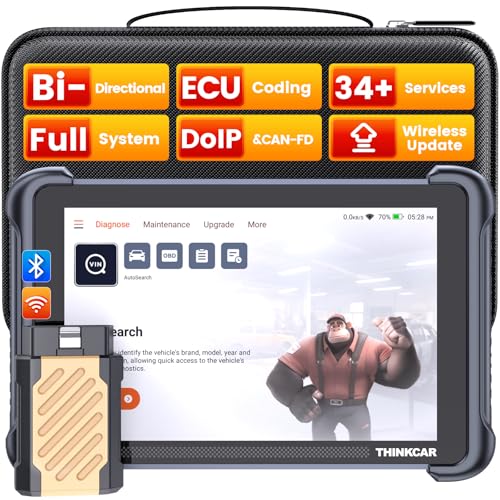
- [Notice] When you receive a used escaner automotriz device, it may be a customer return resold by Amazon without inspection. You can exchange it for a new one through Amazon. As this situation is unavoidable, we sincerely apologize. For any issues, contacting us via Amazon's "Messages" is the best way, and we’ll provide a solution within 24 hours. THINKSCAN 689BT Can Be Used Immediately After It is Turned On, Without Complicated Registration Process, Which is More Convenient & Quick.
- [Good News] THINKSCAN 689BT is the most competitive automotive scan tool to date, offering wireless updates with no subscription fees(valued 500Buc.ks) . With all the features of THINKTOOL PD8,PRO, built on Android 10 platform with 4-core CPU, 4GB RAM
 and 64GB ROM, serving up to 5X faster than older MAX/MINI/PLUS vehicle scanners escaner automotriz, no more slow and delayed feedbacks, it's time to update your garage tool.
 - [Big Money Saver] Premium THINKSCAN 689BT Wireless Diagnostic Scanner Escaner Automotriz, save up to 400USD per year, includes all useful features: Full bi-directional controls, ECU coding, 34+ services, OEM all system diagnostics, Worldwide vehicles coverage, CAN FD & DoIP, FCA AutoAuth(The 689BT only provides a login and purchase portal, and users are required to register for an FCA account and pay a membership fee in order to perform the relevant automotive diagnostics)
- [3000+ Active Tests]Active testing is one of the most useful features in automotive maintenance and greatly improves mechanic efficiency. THINKCAR 689BT bidirectional scanner can send action commends to vehicle sub-systems or components for active test without using vehicle controls. It can perform various tests such as: EVAP Test, Fuel Trim Reset, Injector Buzz Test, Window/ Mirror/ Door Lock Test, Pump and Value Tests, etc. Get functions from "Diagnose>Car Model>System>Active Test".
- [Hot Advanced Features] 689BT bidirectional tool newly adds ECU Coding, Power Balance, Flash Hidden Functions, Reset Adaptive Data, Match Replaced Components, Customize OE-Settings. Such as: 1. changing the color of interior lights 2. switching on/off the auto hold, 3. customizing dash kits 4. activating the auto side mirror folding function 5. disables auto start-stop. Note: Coding functions vary by model&year.
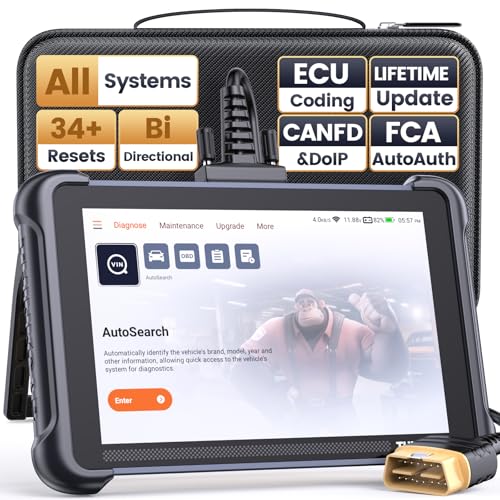
- 【Warm Tips】Wired THINKSCAN 689 is connected through a detachable OBDII cable, and we also have added OBD2 Extension Cable (about 60 cm/2 feet) as g ift, enabling customers handling vehicle repairs with ease. Just click "Bundles Item" above to get it. Note: FCA AutoAuth is a third-party service, additional cost may be required.
- 【Professional Car Diagnostic Tool】Tired of renew fees? Thinkscan 689 scanner provides dealer-level advanced functions without annual fees for auto mechanics and repair shops. 34+ Services, 3000+ Active Test, ECU Coding, 140+ Brands Coverage, FCA AutoAuth, CANFD&DOIP Protocol, Component Matching, Power Balance, V.A.G Guided, Compatible with Google Chrome integration, etc. With strong hardware backing, 64G Memory, Android 10, 4-core processors, and 4150mAh battery. Thinkscan 689 brings you the best as your daily business helper and never lets you drop the ball!
- 【Over 34 Reset Service, Adaptation + Relearn + Calibration + Initialization + Matching】Made for workshops, Thinkscan 689 scanner provides 34+ services for worldwide vehicles: such as Gear/SAS/EPB/TPMS/D.P.F/I.M.M.O/BMS/ETS/Oil/Brake/AFS/GEARBOX/SUNROOF/SUS Reset, ABS Bleed, Injector coding, etc. Warm tips: Compatibility may vary on vehicles' model and year, please contact seller before purchase to make sure it works well on your cars.
- 【Real Active Test】Thinkscan 689 scan tool features over 3000+ full bi-directional control ability, to send commands to vehicle’s systems/components, to verify system input/output without using the vehicle's controls, e.g. turn on the radiator fan, modulate the throttle, open/close windows, operate mirrors, Injector Buz Test, turn on interior&exterior lights, sound horn, test door lock actuators, turn on/off front/rear side ACM Solenoid, Vehicle level position calibration, Wheel Speed Sensor Supply.
- 【Comprehensive Solutions with Advanced Features】Take your vehicle customization to the next level with the Thinkscan 689's advanced ECU coding capabilities. This scan tool provides power balance, PMI, unlock more new features and enhance performance by activating dormant functions, customizing OE settings, matching replaced components, and reprogramming adaptive data to elevate your driving experience. Note: Compatibility varies by car models, please check before order.

- 【Cost-effective OBD2 scanner】 Thinkcar Thinkdiag2 is the most powerful wireless diagnostic tool for it's price! Equipped with multi-functions of Newly added CAN-FD protocol, BiDirectional control(Active Test), 15 Maintenance resets, All Systems diagnosis, Auto VIN, FCA AutoAuth, Unlock the protected FCA vehicle SGW module on Chrysler, Dodge, Jeep, Alfa Romeo, and Fiat vehicles manufactured after 2019.120+ Car brands coverage, No IP limited, etc. Good for workshops & DIYers. Kindly send us VIN to check compatibility before purchase
- 【OE-Level Full Systems Car Scanner with Added CAN FD Protocol】 Upgrade of Thinkdiag, Thinkdiag2 is a bluetooth diagnostic tool can diagnose Full System such as ECM, ABS, SRS, TCM, EPB, TPMS, SAS, A/C, BMS, etc. Thinkdiag2 can read/clear fault codes, read real-time data, read control module information,etc. As the only diagnostic scanner in this price range that supports the CAN-FD protocol, it suits for the latest GM(2019-) , saving $100 to buy a CAN FD adapter, reducing the risk of undetected errors to enhancing the user experience
- 【Bidirectional Test】This bidirectional scan tool Thinkdiag2 allows you to send commands from your smartphone directly to the vehicle's ECU for active testing, quickly locate problem areas, such as A/C clutch, windows, doors, sunroof, etc., reducing the diagnostic time and money. (Note: kindly send us VIN to check compatibility before order.)
- 【15+ Maintenance Functions】Thinkdiag2 OBDII code scanner is designed for individual car owners, DIYers, and small repair shops, which has a separate menu of 15 common special functions, such as Oil reset, EPB reset, SAS calibration, ABS bleeding, injector code, TPMS reset, etc. Enter from the all-system diagnostic menu to unlock more system special functions, and effectively handle the reset and relearn of most cars. Note: The Maintenance functions that each car can do may be different
- 【120+ car brands & FCA Autoauth+10 languages】Thinkcar thinkdiag2 helps you to troubleshoot the problems fast for 100 + US, European, Asian vehicle brands after 1996 that use the OBDII protocol. Only support 12V cars, including gasoline cars and diesel cars. Supporting Autoauth allows you to unlock the protected FCA vehicle SGW module on Chrysler, Dodge, Jeep, Alfa Romeo, Fiat vehicles, etc. (Note: Only provide AutoAuth login portal, and need purchase the registration number on the AutoAuth website by yourself.) Multilingual function allows workshop mechanics to avoid language barriers and use it around the world Without restriction
Last update on 2026-06-12 / Affiliate links / Images from Amazon Product Advertising API
This product presentation was made with AAWP plugin.