
NHTSA ID Number: 10153397
Manufacturer Communication Number: SF543
TSB/Document Date: 2019-02-19
Summary
Stoneridge Light Bar Control Unit Software Update
Daimler Trucks
North America LLC
Field Service Campaign
September 2017
SF543A
Subject: Stoneridge Light Bar Control Unit
Software Update
Models Affected: Specific Freightliner Custom Chassis X-line
motorhome and shuttle bus chassis equipped with Stoneridge
light bar control units, manufactured April 20, 2015,
through March 22, 2017.
General Information
Daimler Trucks North America LLC, on behalf of its wholly owned subsidiary, Freightliner Custom Chassis
Corporation, is initiating Field Service Campaign SF543A to modify the vehicles mentioned above.
On specific vehicles equipped with Stoneridge light bar control units (LBCU), the instrument panel odometer
value is resetting and does not match the Engine ECU Odometer value.
New instrument panel software will be installed to correct the issue.
There are approximately 10,057 vehicles involved.
Additional Repairs
Dealers must complete all outstanding field service campaigns prior to the sale or delivery of a vehicle. A
Dealer will be liable for any progressive damage that results from its failure to complete campaigns before sale
or delivery of a vehicle.
Owners may be liable for any progressive damage that results from failure to complete campaigns within a
reasonable time after receiving notification.
Please contact Warranty Campaigns for consideration of additional charges prior to performing the repair.
Work Instructions
Please refer to the attached work instructions. Prior to performing the campaign, check the vehicle for a
completion sticker (Form WAR261).
Replacement Parts
No replacement parts are required.
If our records show your dealership has ordered any vehicle(s) involved in campaign SF543A, a list of the
customers and vehicle identification numbers will be available through OWL.
Removed Parts
U. S. and Canadian Dealers, please follow Warranty Failed Parts Tracking shipping instructions for the
disposition of all removed parts. Export distributors, please destroy removed parts unless otherwise advised.
Labor Allowance
Table 1 - Labor Allowance
Campaign
Number
Procedure
SF543A
Reflash LBCU software
Load software
claim this SRT once per laptop download
Time Allowed
(hours)
SRT Code
Corrective Action
0.2
996-1009A
12-Repair Recall/Campaign
0.3
996-1009B
12-Repair Recall/Campaign
Table 1
Page 1
Daimler Trucks
North America LLC
Field Service Campaign
September 2017
SF543A
IMPORTANT: When the campaign has been completed, locate the base completion label in the appropriate location on the vehicle, and attach the gray completion sticker provided in the field service kit (Form WAR261). If
the vehicle does not have a base completion label, clean a spot on the appropriate location of the vehicle and
first attach the base completion label (Form WAR259). If a field service kit is not required or there is no completion sticker in the kit, write the campaign number on a blank sticker and attach it to the base completion label.
Claims for Credit
You will be reimbursed for your parts, labor, and handling (landed cost for Export Distributors) by submitting
your claim through the Warranty system within 30 days of completing this campaign. Please reference the
following information in OWL:
• Claim type is Field Service Campaign.
• In the Campaign field, enter the campaign number and appropriate group (SF543-A).
• In the Primary Failed Part field, enter 25-SF543-000.
• No parts are required for this repair. It is a software update.
• The Odometer Software Load SRT may be claimed multiple times on a single claims for downloading on
multiple dealership laptops. For example, if the software is loaded onto four laptops, claim the 996-0009B
SRT four times on the first claim submitted for SF543.
• In the Labor section, enter the appropriate SRT from the Labor Allowance Table. Administrative time will
be included automatically as SRT 39-6010A for 0.4 hours for RVs.
• The VMRS Component Code is 003-001-153 and the Cause Code is A1 - Campaign.
• This Field Service Campaign will terminate on March 31, 2019. Dealers will be notified of any changes
to the termination date via Important Campaign Information Letter posted on DTNAConnect.com.
IMPORTANT: OWL must be viewed prior to beginning work to ensure the vehicle is involved and the campaign
has not previously been completed. Also, check for a completion sticker before beginning work.
All claims must be submitted within 30 days of the repair and within 30 days of the termination date of the
campaign. U.S. and Canadian Dealers: All excess inventory to be returned to the PDC following the conclusion
of the campaign must be returned in resaleable condition to the Memphis PDC within 90 days from the
termination date. Please submit a PAR to request return to the Memphis PDC. (Canadian dealers should return
the kits to their facing PDC.) Export Distributors: Excess inventory is not returnable.
For questions, U.S. and Canadian dealers, contact the Warranty Campaigns Department via Web inquiry at
DTNAConnect.com / WSC, or the Customer Assistance Center at (800) 385-4357, after normal business hours,
if you have any questions or need additional information. Export distributors submit a Web inquiry or contact
your International Service Manager.
Page 2
Daimler Trucks
North America LLC
Field Service Campaign
September 2017
SF543A
Copy of Notice to Owners
Subject: Stoneridge Light Bar Control Unit
Software Update
Daimler Trucks North America LLC, on behalf of its wholly owned subsidiary, Freightliner Custom Chassis
Corporation, is initiating Field Service Campaign SF543A to modify specific Freightliner Custom Chassis X-line
motorhome and shuttle bus chassis equipped with Stoneridge light bar control units (LBCU), manufactured April
20, 2015, through March 22, 2017.
On specific vehicles equipped with Stoneridge light bar control units, the instrument panel odometer value is
resetting and does not match the Engine Electronic Control Unit (ECU) Odometer value.
New instrument panel software will be installed to correct the issue.
Please contact an authorized Daimler Trucks North America dealer to arrange to have the campaign performed
and to ensure that parts are available at the dealership. To locate an authorized dealer, search online at
www.Daimler-TrucksNorthAmerica.com / Contact Us / Find a Dealer. The campaign will take approximately one
half hour and will be performed at no charge to you.
This Field Service Campaign will terminate on March 31, 2019. Please make sure the campaign is completed
prior to this date. Work completed after this date will be done at the customer’s expense.
As stated in the terms of your express limited warranty, Daimler Trucks North America LLC will not pay for any
damage caused by failure to properly maintain your vehicle. Daimler Trucks North America LLC considers the
work necessary under this campaign to be proper maintenance and will, therefore, not pay for any damage to
your vehicle caused by your failure to have the repairs that are the subject of this campaign performed in a
reasonable time.
Contact the Warranty Campaigns Department at (800) 547-0712, from 7:00 a.m. to 4:00 p.m. Pacific Time,
Monday through Friday, e-mail address [email protected], or the Customer Assistance
Center at (800) 385-4357, after normal business hours, if you have any questions or need additional
information.
WARRANTY CAMPAIGNS DEPARTMENT
Enclosure
Page 3
Daimler Trucks
North America LLC
Field Service Campaign
September 2017
SF543A
Work Instructions
Subject: Stoneridge Light Bar Control Unit
Software Update
Models Affected: Specific Freightliner Custom Chassis X-line
motorhome and shuttle bus chassis equipped with Stoneridge
light bar control units, manufactured April 20, 2015, through
March 22, 2017.
File Installation
NOTE; The Odometer Software Load SRT may be claimed multiple times on a single claims for downloading on
multiple dealership laptops. For example, if the software is loaded onto four laptops, claim the 996-0009B SRT
four times on the first claim submitted for SF543.
NOTE: The steps below only have to be performed once to download the file to the laptop.
NOTE: If needed, an LBCU Reflash User’s Guide v3.3.0 is included in the downloaded file.
1.
On the laptop, go to DTNAConnect and select "SUPPORT," then select "Download Center."
2.
Select FCCC LBCU Flash tool v3.3.0 and follow the instructions to download the file to the laptop.
3.
Once the files are downloaded, run the setup file.
Software Update
1.
Inspect the base label (Form WAR259) for a campaign completion sticker for SF543 (Form WAR261), indicating that the work has been completed. If a completion sticker is present for campaign SF543, no work
is needed. If there is no sticker, proceed with the steps below.
2.
Park the vehicle on a level surface, shut down the engine, and set the parking brake. Chock the tires.
IMPORTANT: Do not have any other applications running when performing the LBCU reflash.
3.
Select the "Select CAN Hardware" button, shown in Fig. 1, then select the "Check" button in the "Select
Hardware Interface" window to display which hardware devices are available on the laptop.
Page 4
Daimler Trucks
North America LLC
Field Service Campaign
September 2017
SF543A
1. Status Log Textbox
2. Selected File Textbox
3. Check Parameters
4. Start Flashing Button
5. About Button
6. Select CAN Hardware Button
7. Status Indicator
8. Synchronize Odometer
9. Select File Button
10. Copy Log Button
Fig. 1, Reflash Tool, Main Screen
IMPORTANT: When performing the first reflash from the laptop, it is necessary to highlight the hardware to be
used in the "Select Hardware Interface" window.
4.
Select the "Check" button in the "Select Hardware Interface" window to determine which hardware devices
are available on the laptop. Fig. 2 shows Vector hardware options, and Fig. 3 shows Nexiq USB Link options.
Page 5
Daimler Trucks
North America LLC
Field Service Campaign
September 2017
SF543A
06/08/2017
f120392
06/08/2017
Fig. 2, Select Hardware Interface Screen, Vector
Hardware
f120393
Fig. 3, Select Hardware Interface Screen, Nexiq
Hardware
• If the device list is empty, it means that either the proper drivers are not installed, or there is no hardware interface physically connect to the laptop.
• This setting can be changed at any time when the reflash process is idle.
5.
Select the proper device, making certain the entire line is highlighted, then select the "Check" button. If
"Yes" appears green in the "Traffic" column, CAN messages are detected and the speed rate, either 250kb
or 500kb, was correctly selected.
If "Yes" appears red in the "Traffic" column, the speed rate must be changed. Select the other speed rate
option, either 250kb or 500kb, then select the "Check" button.
6.
Once "Yes" appears green in both the "Connected" and "Traffic" columns, highlight that hardware option
and select the "Accept" button. See Fig. 2 and Fig. 3.
7.
Select the "Check Parameters" button shown in Fig. 4.
Page 6
Daimler Trucks
North America LLC
Field Service Campaign
September 2017
SF543A
A. The "Status Indicator" is green and labeled as
"Working."
B. The "Check Parameters" button is enabled.
Fig. 4, Selecting the "Check Parameters" Button
8.
Once the process is complete, the parameter’s values appear in the "Check Default Parameters" window.
See Fig. 5.
If the VIN and engine type parameters shown in the window are correct, select the "Yes" button.
If the parameters are not correct, select the "No" button. The VIN and engine fields are now enabled for

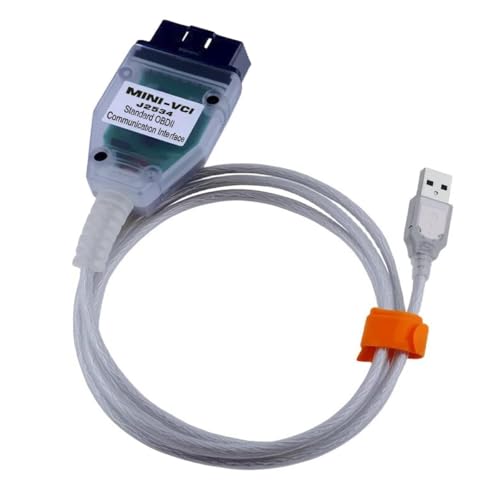
- Advanced VCI Box, Industry-leading J2534 Pass-Thru...
- High-Speed OEM-Level Diagnostics & Programming: Unlock true...
- Coverage for 17 Car Brands & Ultra Reliability: Works...
- User-Friendly RLink Platform & Expert Support: TOPDON’s...
- 6.6 ft USB-C Cable & Portable Storage Case: The RLink J...
Last update on 2026-06-12 / Affiliate links / Images from Amazon Product Advertising API
If the PDF is very large, it may not load in the preview below.
Some older TSBs had multiple PDFs — visit the NHTSA Website to view all PDFs.
If the TSB PDF does not show, download or view it on the NHTSA Website.
Click on the (+) Plus Sign
Then Click on Associated Document(s)
Search NHTSA Database for Recalls
Search NHTSA Database for Vehicle Investigations
View Latest Vehicle Investigations
Search NHTSA Database for Vehicle Complaints
View Latest Vehicle Complaints
TSB/Document ID: SF543
Replacement Service Bulletin Number:
MFR Communication Date: 2017-09-08
MFR Internal Campaign ID/Software Version:
Communication Type: Service Bulletin/Repair Instructions
NHTSA Components: ELECTRICAL SYSTEM:SOFTWARE
MFR Component System:
MFR Component Subsystem:
Previous TSB | Next TSB |
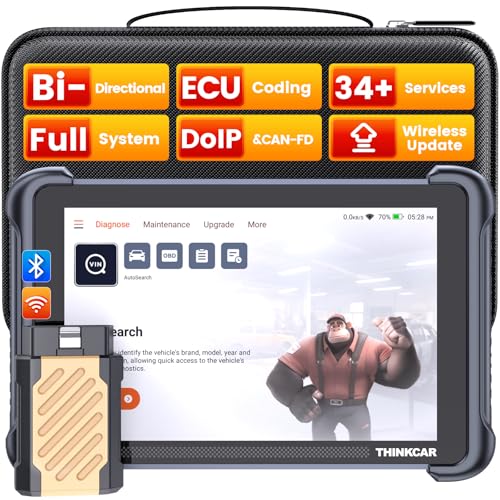
- [Notice] When you receive a used escaner automotriz device, it may be a customer return resold by Amazon without inspection. You can exchange it for a new one through Amazon. As this situation is unavoidable, we sincerely apologize. For any issues, contacting us via Amazon's "Messages" is the best way, and we’ll provide a solution within 24 hours. THINKSCAN 689BT Can Be Used Immediately After It is Turned On, Without Complicated Registration Process, Which is More Convenient & Quick.
- [Good News] THINKSCAN 689BT is the most competitive automotive scan tool to date, offering wireless updates with no subscription fees(valued 500Buc.ks) . With all the features of THINKTOOL PD8,PRO, built on Android 10 platform with 4-core CPU, 4GB RAM
 and 64GB ROM, serving up to 5X faster than older MAX/MINI/PLUS vehicle scanners escaner automotriz, no more slow and delayed feedbacks, it's time to update your garage tool.
 - [Big Money Saver] Premium THINKSCAN 689BT Wireless Diagnostic Scanner Escaner Automotriz, save up to 400USD per year, includes all useful features: Full bi-directional controls, ECU coding, 34+ services, OEM all system diagnostics, Worldwide vehicles coverage, CAN FD & DoIP, FCA AutoAuth(The 689BT only provides a login and purchase portal, and users are required to register for an FCA account and pay a membership fee in order to perform the relevant automotive diagnostics)
- [3000+ Active Tests]Active testing is one of the most useful features in automotive maintenance and greatly improves mechanic efficiency. THINKCAR 689BT bidirectional scanner can send action commends to vehicle sub-systems or components for active test without using vehicle controls. It can perform various tests such as: EVAP Test, Fuel Trim Reset, Injector Buzz Test, Window/ Mirror/ Door Lock Test, Pump and Value Tests, etc. Get functions from "Diagnose>Car Model>System>Active Test".
- [Hot Advanced Features] 689BT bidirectional tool scanner for car newly adds ECU Coding, Power Balance, Flash Hidden Functions, Reset Adaptive Data, Match Replaced Components, Customize OE-Settings. Such as: 1. changing the color of interior lights 2. switching on/off the auto hold, 3. customizing dash kits 4. activating the auto side mirror folding function 5. disables auto start-stop. Note: Coding functions vary by model&year.

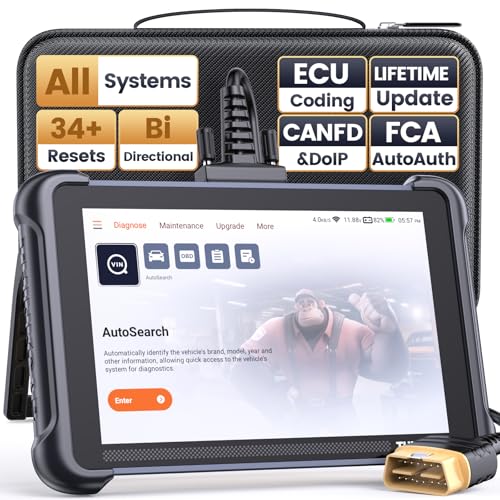
- 【Warm Tips】Wired THINKSCAN 689 is connected through a detachable OBDII cable, and we also have added OBD2 Extension Cable (about 60 cm/2 feet) as g ift, enabling customers handling vehicle repairs with ease. Just click "Bundles Item" above to get it. Note: FCA AutoAuth is a third-party service, additional cost may be required.
- 【Professional Car Diagnostic Tool】Tired of renew fees? Thinkscan 689 scanner provides dealer-level advanced functions without annual fees for auto mechanics and repair shops. 34+ Services, 3000+ Active Test, ECU Coding, 140+ Brands Coverage, FCA AutoAuth, CANFD&DOIP Protocol, Component Matching, Power Balance, V.A.G Guided, Compatible with Google Chrome integration, etc. With strong hardware backing, 64G Memory, Android 10, 4-core processors, and 4150mAh battery. Thinkscan 689 brings you the best as your daily business helper and never lets you drop the ball!
- 【Over 34 Reset Service, Adaptation + Relearn + Calibration + Initialization + Matching】Made for workshops, Thinkscan 689 scanner provides 34+ services for worldwide vehicles: such as Gear/SAS/EPB/TPMS/D.P.F/I.M.M.O/BMS/ETS/Oil/Brake/AFS/GEARBOX/SUNROOF/SUS Reset, ABS Bleed, Injector coding, etc. Warm tips: Compatibility may vary on vehicles' model and year, please contact seller before purchase to make sure it works well on your cars.
- 【Real Active Test】Thinkscan 689 scan tool features over 3000+ full bi-directional control ability, to send commands to vehicle’s systems/components, to verify system input/output without using the vehicle's controls, e.g. turn on the radiator fan, modulate the throttle, open/close windows, operate mirrors, Injector Buz Test, turn on interior&exterior lights, sound horn, test door lock actuators, turn on/off front/rear side ACM Solenoid, Vehicle level position calibration, Wheel Speed Sensor Supply.
- 【Comprehensive Solutions with Advanced Features】Take your vehicle customization to the next level with the Thinkscan 689's advanced ECU coding capabilities. This scan tool provides power balance, PMI, unlock more new features and enhance performance by activating dormant functions, customizing OE settings, matching replaced components, and reprogramming adaptive data to elevate your driving experience. Note: Compatibility varies by car models, please check before order.

- 【Cost-effective OBD2 scanner】 Thinkcar Thinkdiag2 is the most powerful wireless diagnostic tool for it's price! Equipped with multi-functions of Newly added CAN-FD protocol, BiDirectional control(Active Test), 15 Maintenance resets, All Systems diagnosis, Auto VIN, FCA AutoAuth, Unlock the protected FCA vehicle SGW module on Chrysler, Dodge, Jeep, Alfa Romeo, and Fiat vehicles manufactured after 2019.120+ Car brands coverage, No IP limited, etc. Good for workshops & DIYers. Kindly send us VIN to check compatibility before purchase
- 【OE-Level Full Systems Car Scanner with Added CAN FD Protocol】 Upgrade of Thinkdiag, Thinkdiag2 is a bluetooth diagnostic tool can diagnose Full System such as ECM, ABS, SRS, TCM, EPB, TPMS, SAS, A/C, BMS, etc. Thinkdiag2 can read/clear fault codes, read real-time data, read control module information,etc. As the only diagnostic scanner in this price range that supports the CAN-FD protocol, it suits for the latest GM(2019-) , saving $100 to buy a CAN FD adapter, reducing the risk of undetected errors to enhancing the user experience
- 【Bidirectional Test】This bidirectional scan tool Thinkdiag2 allows you to send commands from your smartphone directly to the vehicle's ECU for active testing, quickly locate problem areas, such as A/C clutch, windows, doors, sunroof, etc., reducing the diagnostic time and money. (Note: kindly send us VIN to check compatibility before order.)
- 【15+ Maintenance Functions】Thinkdiag2 OBDII code scanner is designed for individual car owners, DIYers, and small repair shops, which has a separate menu of 15 common special functions, such as Oil reset, EPB reset, SAS calibration, ABS bleeding, injector code, TPMS reset, etc. Enter from the all-system diagnostic menu to unlock more system special functions, and effectively handle the reset and relearn of most cars. Note: The Maintenance functions that each car can do may be different
- 【120+ car brands & FCA Autoauth+10 languages】Thinkcar thinkdiag2 helps you to troubleshoot the problems fast for 100 + US, European, Asian vehicle brands after 1996 that use the OBDII protocol. Only support 12V cars, including gasoline cars and diesel cars. Supporting Autoauth allows you to unlock the protected FCA vehicle SGW module on Chrysler, Dodge, Jeep, Alfa Romeo, Fiat vehicles, etc. (Note: Only provide AutoAuth login portal, and need purchase the registration number on the AutoAuth website by yourself.) Multilingual function allows workshop mechanics to avoid language barriers and use it around the world Without restriction
Last update on 2026-06-12 / Affiliate links / Images from Amazon Product Advertising API
This product presentation was made with AAWP plugin.