
NHTSA ID Number: 10153071
Manufacturer Communication Number: A511711 2009967-
TSB/Document Date: 2019-02-19
Summary
This bulletin contains instructions for vehicle inspection, protection removal, and detailing.
51 Vehicle inspection, protection removal, and detailing
51 17 11 2009967/14 September 15, 2017. Supersedes Technical Service Bulletin Group 51 number 15-10 dated
October 27, 2015 for reasons listed below.
Model(s)
Year
VIN Range
Vehicle-Specific Equipment
All
2012 - 2019
All
Not Applicable
Condition
REVISION HISTORY
Revision
Date
Purpose
14
-
Revised header data (Added model years)
Revised Service (Updated instructions)
13
10/28/2015
Revised Service (Updated materials, part numbers, images, and procurement
instructions)
12
10/2/2015
Revised header data (Added model years)
Instructions for vehicle inspection, protection removal, and detailing.
Technical Background
Not applicable.
Production Solution
Not applicable.
Service
INDEX OF INFORMATION
The detailer’s role
Inspecting vehicle cover for damage (to be completed within 48 hours of delivery to dealership)
Shipping damage
Page 1 of 19
© 2017 Audi of America, Inc.
All rights reserved. Information contained in this document is based on the latest information available at the time of printing and is subject to the copyright and other intellectual property rights of Audi of
America, Inc., its affiliated companies and its licensors. All rights are reserved to make changes at any time without notice. No part of this document may be reproduced, stored in a retrieval system, or transmitted
in any form or by any means, electronic, mechanical, photocopying, recording, or otherwise, nor may these materials be modified or reposted to other sites, without the prior expressed written permission of the
publisher.
Spin-woven covers, removal, and disposal
Rapguard® removal and disposal, vehicle inspection, and residue removal
Exterior body, wheels, and tires
Paint finish, inspecting for swirl marks
Exterior glass, cleaning
Interior, cleaning
Additional information
Tip: Part numbers listed in this bulletin are for reference only. Always check with your Parts Department for
the latest parts information.
The detailer’s role
The impact you have on the Audi customer is immense. You play a vital role in delivering a perfect Audi to your
customers. The delivery process is exciting for our customers. Your attention to detail will give an Audi customer a
positive experience about his or her new car far beyond the first day of delivery. By preparing a perfectly-detailed
vehicle for your customer, you are not only meeting or exceeding your customer’s expectations, you are also
helping to eliminate any buyer’s remorse (the feeling of anxiety people experience after making a large or
important purchase).
To help you with your detailing role in the perfect delivery process, refer to the Audi Vehicle Detail Report. This
form can be found on ServiceNet.
Forms for the Perfect Delivery procedure can be viewed on ServiceNet and in the PDI chapter of the Audi Top
Service Process Guide in → AccessAudi.com
Unless otherwise instructed, the completed and signed checklist should be left in the glove box of the vehicle for
easy access by the Audi Brand Specialist (ABS).
Please know that you have a team behind you with excellent products and support to enable you to make a
perfect delivery each and every time!
By utilizing the following procedures, you will be able to exceed the customer’s expectations and deliver the finest
vehicle possible.
Inspecting vehicle cover for damage
1. When the vehicle arrives at the dealership, the spin-woven cover should be inspected for damage. If the cover
is damaged or if obvious damage is seen due to the cover having come loose during transportation remove the
cover and inspect the vehicle for damage. Note any damage on the shipping invoice and have the driver sign
the invoice.
2. Within 48 hours after arrival at dealership, inspect the complete spin-woven cover for damage.
If the spin-woven cover is damaged (torn, cut, etc.), remove the cover using appropriate steps to allow for
inspection of damage. If any shipping damage is found, see Shipping Damage.
Page 2 of 19
© 2017 Audi of America, Inc.
All rights reserved. Information contained in this document is based on the latest information available at the time of printing and is subject to the copyright and other intellectual property rights of Audi of
America, Inc., its affiliated companies and its licensors. All rights are reserved to make changes at any time without notice. No part of this document may be reproduced, stored in a retrieval system, or transmitted
in any form or by any means, electronic, mechanical, photocopying, recording, or otherwise, nor may these materials be modified or reposted to other sites, without the prior expressed written permission of the
publisher.
Shipping damage
You must note the damage on the Carrier Delivery Receipt, including damage type, extent, and location. Failure
to note damage on the Carrier Delivery Receipt will result in non-payment of the repair.
Tip: For all transportation issues, refer to Chapter 5 of the Warranty Policies and Procedures Manual.
Spin-woven covers, removal and disposal
1. Unzip and fold cover toward center (Figure 1).
Figure 1. Unzip and fold cover.
2. Roll cover upward (Figure 2).
Figure 2. Roll cover upward.
Page 3 of 19
© 2017 Audi of America, Inc.
All rights reserved. Information contained in this document is based on the latest information available at the time of printing and is subject to the copyright and other intellectual property rights of Audi of
America, Inc., its affiliated companies and its licensors. All rights are reserved to make changes at any time without notice. No part of this document may be reproduced, stored in a retrieval system, or transmitted
in any form or by any means, electronic, mechanical, photocopying, recording, or otherwise, nor may these materials be modified or reposted to other sites, without the prior expressed written permission of the
publisher.
3. Insert fabric strip into tab provided to retain cover
(if applicable) (Figure 3).
Figure 3. Inserting fabric strip.
The door can be now be opened, making it possible to move the vehicle if necessary.
Note:
After it has been opened to allow driver access to move the vehicle, close the cover immediately to ensure
continued protection against contamination from industrial materials.
4. With cover access door unzipped, folded and
retained, open driver’s door, and remove cover
from sill (rocker panel) (Figure 4).
Figure 4. Remove cover from sill.
Page 4 of 19
© 2017 Audi of America, Inc.
All rights reserved. Information contained in this document is based on the latest information available at the time of printing and is subject to the copyright and other intellectual property rights of Audi of
America, Inc., its affiliated companies and its licensors. All rights are reserved to make changes at any time without notice. No part of this document may be reproduced, stored in a retrieval system, or transmitted
in any form or by any means, electronic, mechanical, photocopying, recording, or otherwise, nor may these materials be modified or reposted to other sites, without the prior expressed written permission of the
publisher.
5. Remove tape from area adjacent to B-pillar
(Figure 5).
Figure 5. Remove tape.
6. Close vehicle door and zip up access door in
cover (Figure 6).
Figure 6. Zipped-up door cover.
Page 5 of 19
© 2017 Audi of America, Inc.
All rights reserved. Information contained in this document is based on the latest information available at the time of printing and is subject to the copyright and other intellectual property rights of Audi of
America, Inc., its affiliated companies and its licensors. All rights are reserved to make changes at any time without notice. No part of this document may be reproduced, stored in a retrieval system, or transmitted
in any form or by any means, electronic, mechanical, photocopying, recording, or otherwise, nor may these materials be modified or reposted to other sites, without the prior expressed written permission of the
publisher.
7. Remove tape from area around windshield (Figure
7).
Tip: Tape removal should be performed
slowly and indoors after surface temperatures
have been allowed to stabilize within the given
range. The ideal body surface temperature for
tape removal is 60°F (15.5° C) to 80°F (26.6° C).
Figure 7. Remove tape from windshield.
8. Fold out molded sections from within
wheelhousings. Shake out any debris that may
have accumulated under the molded wheelhouse
sections before removing (Figure 8).
Figure 8. Shake out debris.
Page 6 of 19
© 2017 Audi of America, Inc.
All rights reserved. Information contained in this document is based on the latest information available at the time of printing and is subject to the copyright and other intellectual property rights of Audi of
America, Inc., its affiliated companies and its licensors. All rights are reserved to make changes at any time without notice. No part of this document may be reproduced, stored in a retrieval system, or transmitted
in any form or by any means, electronic, mechanical, photocopying, recording, or otherwise, nor may these materials be modified or reposted to other sites, without the prior expressed written permission of the
publisher.
9. Remove rubber (bungee) straps and their plastic
hooks from sills (rocker panels) (Figure 9).
A8 models: Remove 2 Kevlar bands and 4 plastic
clips at underbody section.
Figure 9. Remove rubber straps and hooks from sill.
10. With the aid of an assistant, lift cover from left and
right sides of rear bumper (Figure 10).
A8 models: Remove hooks from underside.
Unzip cover at trunk lid, remove inner bracket and
close zipper.
Figure 10. Lift cover.
Page 7 of 19
© 2017 Audi of America, Inc.
All rights reserved. Information contained in this document is based on the latest information available at the time of printing and is subject to the copyright and other intellectual property rights of Audi of
America, Inc., its affiliated companies and its licensors. All rights are reserved to make changes at any time without notice. No part of this document may be reproduced, stored in a retrieval system, or transmitted
in any form or by any means, electronic, mechanical, photocopying, recording, or otherwise, nor may these materials be modified or reposted to other sites, without the prior expressed written permission of the
publisher.
11. Fold up cover as shown (fold to roof center)
(Figure 11).
Figure 11. Fold up cover.
12. With the aid of an assistant, lift cover from front
bumper as shown (Figure 12).
A8 models: Remove hooks from underside.
Figure 12. Lift cover from front bummer.
Page 8 of 19
© 2017 Audi of America, Inc.
All rights reserved. Information contained in this document is based on the latest information available at the time of printing and is subject to the copyright and other intellectual property rights of Audi of
America, Inc., its affiliated companies and its licensors. All rights are reserved to make changes at any time without notice. No part of this document may be reproduced, stored in a retrieval system, or transmitted
in any form or by any means, electronic, mechanical, photocopying, recording, or otherwise, nor may these materials be modified or reposted to other sites, without the prior expressed written permission of the
publisher.
13. Fold cover upward, as previously completed at
rear of vehicle (Figure 13).
Figure 13. Fold cover upward.
14. Allow cover to rest on roof of vehicle while folding
sides up (Figure 14).
Figure 14. Allow cover to rest on roof.
15. Remove shipping cover with the aid of an assistant.
Note:
To avoid the potential for surface damage, do not remove cover without the aid of an assistant.
16. Dispose of the cover (preferably by recycling, to allow material recovery). Do not reuse the cover.
Rapguard® removal and disposal, vehicle inspection, and residue removal
Vehicles are shipped with Rapguard. This self-adhering plastic product is applied in certain areas of the vehicle
and is designed to provide protection from all types of possible damages.
Page 9 of 19
© 2017 Audi of America, Inc.
All rights reserved. Information contained in this document is based on the latest information available at the time of printing and is subject to the copyright and other intellectual property rights of Audi of
America, Inc., its affiliated companies and its licensors. All rights are reserved to make changes at any time without notice. No part of this document may be reproduced, stored in a retrieval system, or transmitted
in any form or by any means, electronic, mechanical, photocopying, recording, or otherwise, nor may these materials be modified or reposted to other sites, without the prior expressed written permission of the
publisher.
Note:
Rapgard must be removed from the vehicle no later than six months after application. See sticker (location on
vehicle body varies) for detailed information.
1. Ensure that the vehicle is at room temperature. The ideal body surface temperature for Rapgard removal is
60°F (15.5°C) to 80°F (26.6° C).
If body surface temperatures are below 60°F (15.5°C) or above 80°F (26.6° C), then removal procedure should
be performed indoors after surface temperatures have been allowed to stabilize within the given range.
2. Rinse vehicle thoroughly with water to remove surface dirt or dust and to help stabilize body surface
temperatures.
3. Starting at the corners of each panel, carefully remove Rapgard from vehicle.
4. Dispose of Rapgard as normal plastic waste. If unsure about proper disposal procedures in your area, check
local regulations.
Vehicle inspection after Rapgard removal
Inspect painted surfaces either indoors under fluorescent lighting or outdoors under bright sunlight.
If any scratches, dings, or dents are identified:
Important: If any defects (scratches, dings, dents and other types of body damage) on the exterior are
identified, contact your supervisor and arrange to repair defects immediately. Repairs must be completed prior
to delivery.
If paint discoloration is identified:
After removal of Rapgard, some vehicles may exhibit temporary paint discoloration or paint swelling caused by
moisture trapped under the Rapgard. The discoloration looks like shaded or dark magic marker lines. This
swelling will disappear with exposure to the sun or heat lamps within 2 – 3 hours. Severe paint swelling may
require 2 – 3 days to recover.
Tip: Do not buff or refinish paint for this condition.
Remove paint discoloration with a heat gun using the following procedure:
a. Hold heat gun approximately 3 inches away from affected paint surfaces and apply heat using slow
oscillating motions until discoloration is gone.
b. If discoloration remains, wipe the heated area with Isopropyl alcohol and repeat procedure to increase
surface drying.
c. If this process is not successful and discoloration remains, refer to TSB 2014055: 55 Paint spotting on top
surfaces.
After discoloration is removed, or if no discoloration was detected, inspect and remove any adhesive residue.
Rapgard adhesive residue removal
1. Remove light lines of adhesive residue with Perfect-It™ non-abrasive polishing products for light- or darkcolored vehicles.
2. Remove thick lines of adhesive residue with 3M™ General Purpose Adhesive Cleaner.
Page 10 of 19
© 2017 Audi of America, Inc.
All rights reserved. Information contained in this document is based on the latest information available at the time of printing and is subject to the copyright and other intellectual property rights of Audi of
America, Inc., its affiliated companies and its licensors. All rights are reserved to make changes at any time without notice. No part of this document may be reproduced, stored in a retrieval system, or transmitted
in any form or by any means, electronic, mechanical, photocopying, recording, or otherwise, nor may these materials be modified or reposted to other sites, without the prior expressed written permission of the
publisher.
Note:
The 3M™ General Purpose Adhesive Cleaner is to be used solely for this purpose.
3M™ Machine Polish Swirl Remover for Dark Vehicles
Part Number
05996
Container Size
32 oz.
Order from:
Audi Touch Up Paint & Service Supplies
eStore
3M™ General Purpose Adhesive Cleaner
Part Number
08987
Container Size

- 💯【Conta.ct us for Support Directly】If you met any...
- 🔥🔥🔥【2026 AUTEL FLAGSHIP MK900BT MK900-BT, NEW...
- 🚗【3000+ ACTIVE TESTS (50➡3000+), SAME AS MS...
- 🚗【40+ HOT SERVICES FOR 150 MAKES (28+➡40+)】Full...
- 🚗【OE ALL SYSTEM DIAGNOSE, AUTO SCAN 2.0: SCAN LICENSE...


- 【TURN OFF CEL】 This AL319 car scanner diagnostic tool...
- 【EXTENSIVE APPLICATION】 Autel AL319 Compatible with...
- 【FOR END USER & DIYERS】 This error code reader AL319 is...
- 【USER-FRIENDLY DESIGN】 This OBD2 scanner and check...
- 【HIGH-QUALITY SERVICES】 12 months war.ranty from the...
Last update on 2026-06-23 / Affiliate links / Images from Amazon Product Advertising API
If the PDF is very large, it may not load in the preview below.
Some older TSBs had multiple PDFs — visit the NHTSA Website to view all PDFs.
If the TSB PDF does not show, download or view it on the NHTSA Website.
Click on the (+) Plus Sign
Then Click on Associated Document(s)
Search NHTSA Database for Recalls
Search NHTSA Database for Vehicle Investigations
View Latest Vehicle Investigations
Search NHTSA Database for Vehicle Complaints
View Latest Vehicle Complaints
TSB/Document ID: A511711 2009967-
Replacement Service Bulletin Number:
MFR Communication Date: 2017-09-15
MFR Internal Campaign ID/Software Version:
Communication Type: Service Bulletin/Repair Instructions
NHTSA Components: EQUIPMENT:OTHER:OWNERS/SERVICE/OTHER MANUAL
MFR Component System:
MFR Component Subsystem:
Previous TSB | Next TSB |

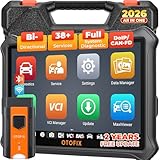
- 🎉[OTOFIX D1 Lite, Perfect Cost-effective Diagnostic Tool]: OTOFIX D1 Lite, a newest bidirectional scan tool from OTOFIX company, is a great choice for DIYers and repair shops. 👉This obd2 scanner diagnostic tool packs all practical functions: OE level all systems diagnoses, Bi-Directional Control, 38+ reset services fixing 99% of common problems, support DoIP & CANDF protocols and FCA
 AutoAuth, high-end hardware configuration. Worldwide vehicles and 🔥2 Years Free Updating🔥 covered.
 - 🎉[Bi-Directional Scan Tool, Active Test]: OTOFIX D1 Lite bluetooth obd2 scanner can also command ECUs and monitor the operation of the actuators to track down the problems of certain parts, like windows, sunroof, wipers, fuel pumps, etc., saving repair time & trouble. This makes OTOFIX D1 Lite the most cost-effective bidirectional scan tool.
- 🎉[2026 Newest, 38+ Hot Reset Functions]: Equipped with 38+ reset functions in one, the OTOFIX D1 lite automotive scanner diagnostic tool allows you to troubleshoot 99% of common vehicle problems. You can use this car diagnostic scanner holding enough functions to easily repair common vehicle models in your repair shops. Including Oil Reset, Injector Coding, Throttle, DPF Reset, SCR Reset, Gear Learning, Clutch Learning, Suspension, etc. Note* Reset functions vary by model.
- 🎉[OE Level Full Systems Diagnostics]: Unlike the 2-system and 4-system diagnostic tools, the OTOFIX auto scan tool can complete comprehensive system diagnostics within 5 minutes. It accesses and scans all available onboard systems like for Engine /AT /ABS /EPB /BMS /TPMS /SRS /SAS /Audio System /BCM /Air Conditioning / etc., to read & clear codes, view live data, and check ECU information. Note: Active test is not involved.
- 🎉[Powerful Hardware Configuration]: Designed with a fashion appearance & a 7” touchscreen and a weight of 463g, this OTOFIX D1 Lite OBD2 diagnostic scanner scan tool is convenient for everywhere and easy to use & store. Android9.0 OS and 2+64GB memory enhance multi-task smoothness and diagnostic operation, no more wasting too much time. 5800mAh battery allows hours-lasting use. WiFi & VCI1 also bring faster communication for your diagnostics.
- 🏆【2026 TOP OBD2 Scanner Diagnostic Tool】OTOFIX D1 Lite wireless obd2 scanner has upgraded hardware configuration and car coverage. The newly upgraded D1 Lite with 🔥OS Android 9.0🔥1.5Ghz 4 core high efficiency processor🔥2GB RAM+64GB ROM large storage🔥5800mAh large battery, more stable and longer lasting diagnostics🔥 38+ Reset🔥action tests🔥full system diagnostic🔥Supports MV105 endoscope🔥21+ Language Supports🔥100000+ vehicle coverage to meet all your daily maintenance needs.
- 👍【Bi-Directional Control / Active Test】D1 Lite obd2 scanner has bidirectional control(worth $300+), which is the most beloved feature among mechanic. If your headlights or car windows are broken, going to a repair shop will cost a lot of money. You can use D1 Lite to send execution commands to the ECU module and identify the repair status. Such as ABS, car windows, doors, valves, wipers, headlights, etc., effectively shorten diagnostic time and reduce diagnostic costs.
- 🔥【All Systems Diagnostics, In-depth Checking】This advanced OBD2 Scanner D1 Lite can perform OE-level diagnosis of all systems including engine, transmission, airbag, ABS, ESP, TPMS, gateway, steering, radio, and air conditioning for more than 100 brands. This diagnostic scanner supports essential functions, such as reading ECU version info, reading and clearing fault codes, and reading data streams.With just a simple click, it provides you with accurate and in-depth diagnostics.
- 🏆【38+ Reset Hot Functions】For repair workshops, holding an OTOFIX D1 Lite Auto scanner is a strong advantage over others. Its 38+ maintenance functions provide various solutions for all module repairs, including Oil Reset, TPMS Reset, Injector Coding, Suspension, Throttle Matching, etc., which will usher your repair business to a new pinnacle. Continuously updating will never make the functionality & compatibility out-of-date.
- 🏆【150+ Models, 10000+ Car Coverage & 16 Languages】D1 Lite is a comprehensive car diagnostic scan tool, help you to troubleshoot car issues fast for 95% US, European, Asian auto makes. ✅ With frequent updates and optimizations allow D1 Lite to cover more vehicles to meet your needs. ✅ Multilingual menu allows auto mechanics around the world to use it without language barriers. 🚩Note: Kindly send us the S/N of the device to authorize new language updates before changing the menu language.

- 2026 Newest Wireless Bluetooth Scan Tool D1: OTOFIX D1 Diagnostic scanner is upgraded version with Enhanced Hardwares & Newest Functions, FASTER and SMARTER! ✅Alternative Bluetooth 5.0 +USB connect✅2G+64GB✅Android 9.0 OS✅5G & 2.4 GHz Dual WiFi✅5800mAh battery👍VAG Guided Function👍ECU Online Coding👍CANFD&DOIP👍40+ Services👍Bi-Directional Control👍Full Systems Diagnose👍2 Years Free Update👍150+ Vehicle Coverage🎁Contact to get gift: otofixaftersales-amz@ outlook.com
- ECU Coding to Unlock the Hidden Features: OTOFIX D1 obd2 scanner diagnostic tool newly adds ECU Coding which can Online Coding(ONLY for VW/Au.di/Sk0da), Variant Coding/Offline Programming, Flash Hidden Functions, Reset Adaptive Data, Match Replaced Components, Customize OE-Settings. Such as: halogen fog lamps retrofitted with xenon fog lamps, different capacity battery retrofit, disbale auto start-stop, sunroof initialization, injector calibration, etc. PS: Coding functions vary by model&year.
- Full Bidirectional Control for Active Car Tests: The D1 OTOFIX scanner also offers bi-directional control, allowing you to perform powerful active tests on car subsystems. This means that you can check the working status and functionality of open & close solenoids, energize injectors, turn cooling fan on & off, and more, all from the device itself.🚩The D1 bi-directional obd2 scanner can quickly help you to check if a system or component goes well,Improving 200% Efficiency.**Note that Active Tests available depend on the make/model/year of your car.
- 40+ Popular Maintenance Functions: OTOFIX D1 obd scanner for car performs 40+ hot services, including Oil Reset, EPB, TPMS, BMS, E.GR, G.PF, D.PF, SAS Calibration, ABS Bleeding, Injector Coding, Gearbox Match, Suspension, Crankshaft Relearn, Power Balance, etc., still growing. Great choice for DIYers, technician, repair shop. 🚩Get MORE special functions from "Car Brand>System>Service". Check compatibility before purchase via 📧 otofixaftersales-amz@ outlook.com.
- OE-Level All Systems Diagnostic + One-Click AutoVIN & AutoSCAN: OTOFIX D1 scanner automotriz gives you the ability to troubleshoot entire car systems including engion system,transmission system,body system,chassis,etc. 🚩One of the standout features of the D1 obd2 scanner diagnostic tool is the one-click AutoVIN & AutoScan function. This feature allows you to quickly and easily scan all diagnosable ECUs with just one click, and identify any problems hidden in your vehicle's systems.
Last update on 2026-06-23 / Affiliate links / Images from Amazon Product Advertising API
This product presentation was made with AAWP plugin.