
NHTSA ID Number: 10152428
Manufacturer Communication Number: A12-087
TSB/Document Date: 2019-01-05
Summary
"Service bulletin - American Honda is extending the warranty coverage on the Piston Rings and Pistons for 2008-11 Accord L4 to 8 years from the original date of purchase or 125,000 miles, whichever comes first. The warranty extension does not apply to any vehicle that has ever been declared a total loss or sold for salvage by a financial institution or insurer, or has a branded, or similar tittle under any state's law."
Use fender covers to avoid damaging painted surfaces.
•
To avoid damaging the wires and terminals, unplug the wiring connectors carefully while holding the connector
portion.
•
To avoid damaging the cylinder head, wait until the engine coolant temperature drops below 100°F (38°C) before
loosening the cylinder head bolts. If needed, connect the HDS to the DLC, and monitor ECT SENSOR 1.
•
Mark all wiring and hoses to avoid misconnection. Also, be sure that they do not contact any other wiring or hoses,
or interfere with any other parts.
Page 4 of 28
1. Make sure that Service Bulletin 11-049, Product Update: Software Update to Improve Fuel Injector and VTC Timing
is complete by checking the iN VIN status.
NOTE
If you do not confirm software update has been completed, your warranty claim could be debited.
2. Put the vehicle on a lift.
3. Relieve the fuel pressure.
4. Do the battery terminal disconnection procedure.
5. Drain the engine oil.
6. Remove the strut brace (if equipped).
7. Drain the engine coolant.
NOTE
Use a clean container to recover coolant for re-use.
8. Remove the drive belt.
9. Remove the intake manifold. Remove the intake manifold bracket lower bolt.
NOTE
It is not necessary to remove the two nuts or the bracket from the intake manifold.
10. Unbolt TWC at the A-Pipe, leaving the TWC mounted to the cylinder head assembly.
11. Disconnect the brake booster vacuum and EVAP canister hoses.
Page 5 of 28
12. Remove the quick-connect fitting cover, then disconnect the fuel feed hose.
13. Disconnect the four fuel injector connectors, the engine mount control solenoid valve connectors, and disconnect
the ground cables.
14. Remove the four bolts securing the EVAP canister purge valve bracket.
Page 6 of 28
15. Disconnect the radiator hoses and the heater hoses. Disconnect the ATF warmer bypass hose (if equipped).
NOTE
The second radiator hose is connected to the thermostat and is not shown.
16. Remove the two bolts securing the connecting pipe. Disconnect the water bypass hose.
Page 7 of 28
17. Remove the front cam chain cover and the cam chain.
18. Use zip ties to hold the intake rocker assemblies together to ease re-installation.
Page 8 of 28
19. To prevent damage to the camshafts, loosen the bolts, in sequence, two turns at a time. Remove the camshaft
holder bolts, Remove the rocker arm assembly and both cam shafts.
NOTE
Bolt #1 is not on all engines.
20. To prevent warpage, loosen the bolts in sequence 1/3 turn at a time, repeat the sequence until all the bolts are
loosened. Remove the cylinder head bolts.
Page 9 of 28
21. Remove the cylinder head with the catalytic converter attached.
NOTE
Be careful not to lose the lost-motion springs.
22. Raise the vehicle on the lift.
23. Remove the clutch case cover (M/T) or the torque converter cover (A/T), and remove the two bolts securing the oil
pan to the transmission.
Page 10 of 28
24. With A/T: Remove the shift cable cover.
25. Remove the bolts securing the oil pan.
26. Using the pan separator, separate the oil pan from the engine block in the indicated areas, and remove the oil pan.
Page 11 of 28
27. To hold the balance shaft, insert a 6 mm (1/4in.) diameter long pin punch into the maintenance hole in the balance
shaft holder and through the rear balancer shaft.
28. Remove the cam chain and oil pump chain auto-tensioner.
Page 12 of 28
29. Loosen the oil pump sprocket mounting bolt.
30. Remove the oil pump sprocket and the oil pump.
Page 13 of 28
31. Remove the baffle plate.
32. Lower the vehicle to a comfortable working height, and place a clean shop towel around the cylinder wall to prevent
debris from entering the coolant passage.
33. Cylinder Wall Inspection. If vertical scratches are noted in the cylinder wall, refer to Job Aid Using Cylinder Wall
Inspection Tool and or Tech2Tech "Using Cylinder Wall Inspection Tool".
NOTE
Do not use finger nail or pencil lead to determine if engine block is usable. Always use the cylinder wall inspection
tool to inspect any scratches. Light to moderate scratches that may be detected with your finger nail, but do not
affect the engine, will pass when using the cylinder wall inspection tool.
•
If the engine block is good, go to the next step.
•
If the engine block is no good, replace the engine block. The pistons and rings in the new engine block do not
need to be replaced. This bulletin no longer applies. You must obtain DPSM authorization and refer online to
Engine Removal and Installation to reinstall the engine.
Page 14 of 28
34. Remove the rod caps and the bearings.
NOTES
•
Before removing the rod caps, use a grease pencil or suitable marking pen to mark each cap and its
corresponding connecting rod with the cylinder number it came from.
•
Do not confuse the existing marking on the side of the connecting rod and rod cap with a cylinder number. They
are just manufacturing marks referring to the size of the big end of the rod.
•
Installing a rod cap incorrectly will result in engine knock and/or engine failure. Remove and mark one rod
assembly at a time to make sure it is assembled correctly.
•
When torqueing the rod cap bolts, refer to the service information for details.
•
Click HERE to go to the Tech2Tech® video “Tips When Working with Fracture Rods”.
35. Use a wooden hammer handle to drive out each of the piston and connecting rod assemblies.
NOTE
Be careful not to damage the cylinder walls or the crankshaft when pushing out the pistons and the connecting rod
assemblies.
36. Visually inspect all the connecting rod bearing for signs of damage.
NOTES
•
If your fingernail catches on a scratch or groove in the bearing, replace it. Pictured are normal reusable rod
bearings after about 35,000 miles. Some discoloration is normal and does not require replacement.
•
If the bearings look like they must be replaced, contact your DPSM for authorization.
Page 15 of 28
37. Measure the diameter of each connecting rod bolt at points A and B.
37.1. Calculate the difference in diameter between points A and B:
•
Point A – Point B = Difference in Diameter
•
Difference in Diameter Specification: 0 - 0.1 mm (0.004 in.)
•
If the difference in diameter is out of specification, replace the connecting rod bolt.
38. Put on eye protection, then remove the snap rings from both sides of each piston. Start at the cutout in the piston
pin bore. Remove the snap rings carefully so they don’t go flying or get lost.
39. Put on gloves, heat the piston and the small end of the connecting rod to about 158°F (70°C), then remove the
piston pin.
NOTE
The old piston, the pin, and the snap rings won’t be reused.
Page 16 of 28
40. Install a new piston pin snap ring on one side of a new piston.
41. Coat the piston pin bore in the piston, the bore in the connecting rod, and the piston pin with new engine oil.
42. Heat the piston to about 158°F (70°C).
43. Assemble the piston and the connecting rod with the arrow and the embossed mark on the same side. Install the
piston pin.
NOTE
When the piston and the rod end are heated properly, the piston pin should slide into position relatively easily. You
will damage the piston if you try to use a hammer or a press to force the piston pin in.
44. Install the remaining snap ring.
Page 17 of 28
45. Turn the snap ring in the ring grooves until the end gaps are positioned at the bottom of the piston.
46. Repeat steps 38 through 45 for the remaining pistons.
47. Using a piston ring expander, install the spacer and two oil rings. Then install the second ring and top ring with the
manufacturing marks facing up. The second ring has a “2” followed by a letter or letters. The top ring has a “1”
followed by a letter or letters.
NOTE
The new rings may not have the same manufacturing marks as the originals.
48. Rotate the rings in their grooves to make sure they do not bind.
49. Position the ring end gaps as shown.
50. Rotate the crankshaft so that cylinders 1 and 4 are at bottom dead center (BDC).
51. Remove the connecting rod cap to piston 1, and check that the bearing is securely in place.
Page 18 of 28
52. Apply new engine oil to the piston, the inside of the ring compressor, the cylinder bore, and the rod bearings.
NOTE
Cylinder wall honing is NOT required for this repair.
53. Position the mark to face the cam chain end of the engine block.
54. Set the piston in the ring compressor, and position the piston in the cylinder based on the rod/cap marks that you
made in step 34.
55. Set the ring compressor on the piston bore, then push the piston in with your hands.
Page 19 of 28
56. Stop after the ring compressor pops free, and check the connecting rod-to-rod journal alignment before pushing the
piston into place.
57. Apply new engine oil to the bolt threads, then install the connecting rod cap with the bearing. Torque the bolts to 41
N·m (30 lb-ft).
58. Tighten the connecting rod bolts an additional 120°.
NOTE
If you tighten a rod bolt beyond the specified angle, remove it and repeat steps 57 and 58. Do not loosen the bolt
back to the specified angle.
59. Repeat steps 47 through 58 for piston number 4.
60. Rotate the crankshaft so that cylinders 2 and 3 are at bottom dead center (BDC).
61. Repeat steps 47 through 58 for piston number 2 and 3.
62. Rotate the crankshaft several times after all connecting rods have been installed to ensure that nothing is binding.
63. Install the baffle plate, and torque the bolts to 12 N·m (8.7 lb-ft).
64. Set the crankshaft to top dead center (TDC). Align the TDC mark on the crankshaft sprocket with the pointer on the
engine block.
65. Apply new engine oil to the threads of the oil pump mounting bolts and the oil pump sprocket mounting bolt, then
loosely install the oil pump with a new O-ring.
Page 20 of 28
66. Torque the oil pump mounting bolts and the oil pump sprocket mounting bolt according to figure shown.
67. Align the dowel pin on the rear balancer shaft with the mark on the oil pump.
68. Install the oil pump chain on the crankshaft sprocket with the colored link plate aligned with the TDC mark on the
crankshaft sprocket.
Page 21 of 28
69. Set the oil pump sprocket on the oil pump chain with the punch mark aligned with the center of the colored link
plates, then install the oil pump chain sprocket to the oil pump.
Apply new engine oil to the threads of the oil pump sprocket mounting bolt, then install it and torque it to 44 N·m (33
lb-ft).
70. Install the oil pump chain auto-tensioner, and torque the bolts to 12 N·m (8.7 lb-ft).
71. Remove the 6 mm (1/4 in.) diameter long pin punch.
72. Remove the 3.0 mm pin from the oil pump chain auto-tensioner.
73. Remove all of the old liquid gasket from the oil pan mating surfaces, the bolts, and the bolt holes.
74. Clean and dry the oil pan mating surfaces.
Page 22 of 28
75. Apply liquid gasket, P/N 08718-0004 to the engine block mating surface of the oil pan and to the inside edge of the
threaded bolt holes. Install the component within 5 minutes of applying the liquid gasket.
NOTES
•
Apply a 2.5 mm (0.098 in) diameter bead of liquid gasket along the broken line.
•
If more than 5 minutes have passed after applying the liquid gasket, remove the old liquid gasket and residue,
then reapply new liquid gasket.
•
Do not apply any sealant where the cam chain case is installed because the sealant will dry before you can
reinstall the case.
76. Install the oil pan to the engine block.
77. Tighten the bolts in three steps. In the final step, torque all bolts, in sequence, to 12 N·m (9 lb-ft).
NOTES
•
Wait at least 30 minutes after installing the cam chain case before filling the engine with oil.
•
Do not run the engine for at least 3 hours after installing the oil pan.
78. Install a new oil filter.
79. Reinstall the clutch case cover and torque the bolts to 12 N·m (8.7 lb-ft). Reinstall the two bolts securing the oil pan
to the transmission and torque them to 64 N·m (47 lb-ft).
80. With A/T: Reinstall the shift cable cover, and torque the bolts to 12 N·m (9.0 lb-ft).
Page 23 of 28
81. Reinstall the cylinder head with a new gasket.
•
Measure the diameter of each cylinder head bolt at point A and point B.
•
If either diameter is less than 10.8 mm (0.417 in), replace the cylinder head bolt.
•
Apply new engine oil to the threads and under the bolt heads of all cylinder head bolts.
•
Torque the cylinder head bolts in sequence to 39 N·m (29 lb-ft). When using a preset click-type torque wrench,
be sure to tighten slowly and do not overtighten. If a bolt makes any noise while you are torquing it, loosen the
bolt and retighten it from the first step.
•
After torqueing, tighten all cylinder head bolts in two steps (90° per step) using the sequence shown above. If
you are using a new cylinder head bolt, tighten the bolt an extra 90°.
NOTE
Remove the cylinder head bolt if you tightened it beyond the specified angle, and go back to the second bullet to
re-measure the bolt. Do not loosen it back to the specified angle.
Page 24 of 28
82. Reinstall the rocker arm assembly and the camshafts.
83. Reinstall the cam chain.
84. Apply liquid gasket to the oil pan where it meets the cam chain case and to the inside edge of the threaded bolt
holes. Install the cam chain case within 5 minutes of applying the liquid gasket.
85. Install the cam chain cover.
86. Reinstall crank pulley and torque the bolt to 49 N·m (36 ft-lb).
Page 25 of 28
87. Adjust the valve clearance. Refer to the service manual for Valve Clearance Adjustment.
Valve Clearance:
Intake: 0.21 – 0.25 mm (0.0083 – 0.0098 in)
Exhaust: 0.25 – 0.29 mm (0.0098 – 0.0114 in)
Specified Torque (Intake & Exhaust)
7 x 0.75 mm: 14 N·m (1.4 kgf·m, 10 lbf·ft)
Apply new engine oil to the nut threads.
88. Reinstall or reconnect the following components:
•
Reinstall the cylinder head cover.
•
Reinstall the coolant connecting pipe.
•
Reinstall the upper radiator hose, the heater hoses, and the water bypass hose.
•
Reinstall the EVAP canister purge valve bracket.
•
Reconnect the four fuel injectors, the engine mount control solenoid connector, and the ground cables.
•
Reconnect the fuel feed hose and the quick connect fitting cover.
•
Reconnect the EVAP canister hose.
89. Install a new gasket from TWC to A-pipe.
90. Install the intake manifold using new gaskets.
91. Reinstall the drive belt.
92. Fill the engine with coolant using recovered coolant. Add new as needed.
93. Reinstall the strut brace (if equipped), and torque the bolts to 22 N·m (16 lb-ft).
94. Fill the engine with oil.
Page 26 of 28
95. Reinstall right side engine mount.
96. Do the battery terminal reconnection procedure.
97. Crank the engine for about 5 seconds to prime the engine with oil pressure before plugging in the ignition coils.
98. Reconnect the four ignition coils.
99. Do the idle learn procedure.
Page 27 of 28
ORDERING PISTONS
Every engine has some combination of A- and B-sized pistons. You can determine the sizes and their locations in the
block by inspecting the markings on the timing chain end of the engine block or by looking at the pistons. If you look at
the piston, the pistons have identifiers; “A” pistons are unmarked; “B” pistons are marked with a “B”. Make sure you
order the appropriate number of each piston size before starting work.
END
Page 28 of 28

- 💯【Conta.ct us for Support Directly】If you met any...
- 🔥🔥🔥【2026 AUTEL FLAGSHIP MK900BT MK900-BT, NEW...
- 🚗【3000+ ACTIVE TESTS (50➡3000+), SAME AS MS...
- 🚗【40+ HOT SERVICES FOR 150 MAKES (28+➡40+)】Full...
- 🚗【OE ALL SYSTEM DIAGNOSE, AUTO SCAN 2.0: SCAN LICENSE...


- 【TURN OFF CEL】 This AL319 car scanner diagnostic tool...
- 【EXTENSIVE APPLICATION】 Autel AL319 Compatible with...
- 【FOR END USER & DIYERS】 This error code reader AL319 is...
- 【USER-FRIENDLY DESIGN】 This OBD2 scanner and check...
- 【HIGH-QUALITY SERVICES】 12 months war.ranty from the...
Last update on 2026-06-21 / Affiliate links / Images from Amazon Product Advertising API
If the PDF is very large, it may not load in the preview below.
Some older TSBs had multiple PDFs — visit the NHTSA Website to view all PDFs.
If the TSB PDF does not show, download or view it on the NHTSA Website.
Click on the (+) Plus Sign
Then Click on Associated Document(s)
Search NHTSA Database for Recalls
Search NHTSA Database for Vehicle Investigations
View Latest Vehicle Investigations
Search NHTSA Database for Vehicle Complaints
View Latest Vehicle Complaints
TSB/Document ID: A12-087
Replacement Service Bulletin Number:
MFR Communication Date: 2018-12-19
MFR Internal Campaign ID/Software Version:
Communication Type: Service Bulletin/Repair Instructions
NHTSA Components: EQUIPMENT
MFR Component System:
MFR Component Subsystem:
Previous TSB | Next TSB |
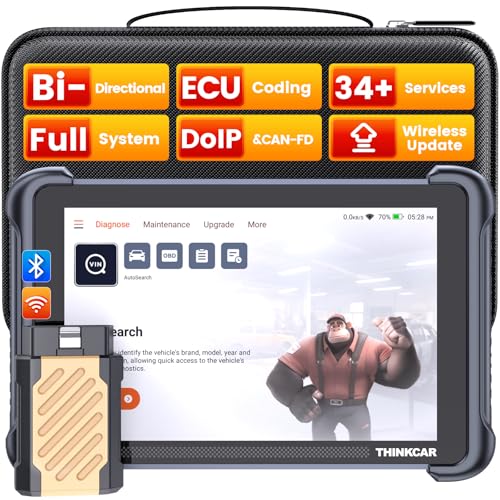
- [Notice] When you receive a used escaner automotriz device, it may be a customer return resold by Amazon without inspection. You can exchange it for a new one through Amazon. As this situation is unavoidable, we sincerely apologize. For any issues, contacting us via Amazon's "Messages" is the best way, and we’ll provide a solution within 24 hours. THINKSCAN 689BT Can Be Used Immediately After It is Turned On, Without Complicated Registration Process, Which is More Convenient & Quick.
- [Good News] THINKSCAN 689BT is the most competitive automotive scan tool to date, offering wireless updates with no subscription fees(valued 500Buc.ks) . With all the features of THINKTOOL PD8,PRO, built on Android 10 platform with 4-core CPU, 4GB RAM
 and 64GB ROM, serving up to 5X faster than older MAX/MINI/PLUS vehicle scanners escaner automotriz, no more slow and delayed feedbacks, it's time to update your garage tool.
 - [Big Money Saver] Premium THINKSCAN 689BT Wireless Diagnostic Scanner Escaner Automotriz, save up to 400USD per year, includes all useful features: Full bi-directional controls, ECU coding, 34+ services, OEM all system diagnostics, Worldwide vehicles coverage, CAN FD & DoIP, FCA AutoAuth(The 689BT only provides a login and purchase portal, and users are required to register for an FCA account and pay a membership fee in order to perform the relevant automotive diagnostics)
- [3000+ Active Tests]Active testing is one of the most useful features in automotive maintenance and greatly improves mechanic efficiency. THINKCAR 689BT bidirectional scanner can send action commends to vehicle sub-systems or components for active test without using vehicle controls. It can perform various tests such as: EVAP Test, Fuel Trim Reset, Injector Buzz Test, Window/ Mirror/ Door Lock Test, Pump and Value Tests, etc. Get functions from "Diagnose>Car Model>System>Active Test".
- [Hot Advanced Features] 689BT bidirectional tool scanner for car newly adds ECU Coding, Power Balance, Flash Hidden Functions, Reset Adaptive Data, Match Replaced Components, Customize OE-Settings. Such as: 1. changing the color of interior lights 2. switching on/off the auto hold, 3. customizing dash kits 4. activating the auto side mirror folding function 5. disables auto start-stop. Note: Coding functions vary by model&year.

- 【Cost-effective OBD2 scanner】 Thinkcar Thinkdiag2 is the most powerful wireless diagnostic tool for it's price! Equipped with multi-functions of Newly added CAN-FD protocol, BiDirectional control(Active Test), 15 Maintenance resets, All Systems diagnosis, Auto VIN, FCA AutoAuth, Unlock the protected FCA vehicle SGW module on Chrysler, Dodge, Jeep, Alfa Romeo, and Fiat vehicles manufactured after 2019.120+ Car brands coverage, No IP limited, etc. Good for workshops & DIYers. Kindly send us VIN to check compatibility before purchase
- 【OE-Level Full Systems Car Scanner with Added CAN FD Protocol】 Upgrade of Thinkdiag, Thinkdiag2 is a bluetooth diagnostic tool can diagnose Full System such as ECM, ABS, SRS, TCM, EPB, TPMS, SAS, A/C, BMS, etc. Thinkdiag2 can read/clear fault codes, read real-time data, read control module information,etc. As the only diagnostic scanner in this price range that supports the CAN-FD protocol, it suits for the latest GM(2019-) , saving $100 to buy a CAN FD adapter, reducing the risk of undetected errors to enhancing the user experience
- 【Bidirectional Test】This bidirectional scan tool Thinkdiag2 allows you to send commands from your smartphone directly to the vehicle's ECU for active testing, quickly locate problem areas, such as A/C clutch, windows, doors, sunroof, etc., reducing the diagnostic time and money. (Note: kindly send us VIN to check compatibility before order.)
- 【15+ Maintenance Functions】Thinkdiag2 OBDII code scanner is designed for individual car owners, DIYers, and small repair shops, which has a separate menu of 15 common special functions, such as Oil reset, EPB reset, SAS calibration, ABS bleeding, injector code, TPMS reset, etc. Enter from the all-system diagnostic menu to unlock more system special functions, and effectively handle the reset and relearn of most cars. Note: The Maintenance functions that each car can do may be different
- 【120+ car brands & FCA Autoauth+10 languages】Thinkcar thinkdiag2 helps you to troubleshoot the problems fast for 100 + US, European, Asian vehicle brands after 1996 that use the OBDII protocol. Only support 12V cars, including gasoline cars and diesel cars. Supporting Autoauth allows you to unlock the protected FCA vehicle SGW module on Chrysler, Dodge, Jeep, Alfa Romeo, Fiat vehicles, etc. (Note: Only provide AutoAuth login portal, and need purchase the registration number on the AutoAuth website by yourself.) Multilingual function allows workshop mechanics to avoid language barriers and use it around the world Without restriction

- 【15+ Advanced Reset & Calibration Functions】The Thinkdiag scanner provides 15+ professional maintenance functions, including:✔ Oil Reset | ✔ ABS Bleeding | ✔ Injector Coding | ✔ SAS Reset✔ TPMS Reset | ✔ BMS Reset | ✔ Transmission Adaptation | ✔ AFS Reset | ✔ Sunroof Calibration | ✔ Brake Reset | ✔ Suspension Relearn | ✔ Electronic Throttle Relearn | ✔ Seat Calibration | + More reset/relearn/calibrate/adaptive functions under automotive full systems diagnostic menu. Ideal professional OBDII scanner for mechanics and DIY enthusiasts, Thinkdiag delivers professional OE-level diagnostics with adaptive relearn capabilities for precise vehicle servicing.
- 【Full-System Diagnostics OBD2 Scanner Bluetooth】 Thinkdiag OBD2 Scanner supports all Systems diagnostic function, it can read/clear DTCs, read live data, read control module information, actuation tests and maintenance functions for ECM, BCM, SRS, TCM, BMS, TPMS, SAS, A/C system etc... It works with most car models after 1996, cover more than 120+ car brands. All car make and reset software come with 1 year update without any charge, much valuable and powerful than 1000 dollars level scanners in the market.
- 【Potential Feature Activation】 Thinkdiag diagnose obd2 scanner Bluetooth allows you to match the replaced components with ECU, activate potential functions for BMW, for GM, for Benz etc. Adjust some annoying features, adapt vehicle's settings to improve performance. No matter you are private owner or professional technician, Thinkdiag is a powerful and handy scanner in your repair tool list. Potential features are not suitable for every car models, please check with us before purchase. This superior function required newest Android OS device, it performs better on Android cell phone.
- 【Bidirectional Test/Active Test】 Thinkdiag car code reader actuates solenoids and actuators for active testing, send commands to systems/components to test their real-time working status, without using manual vehicle controls which saves much diagnostic time and effort to identify malfunction causes. You can check windows, doors, mirrors, sunroof, fans, fuel pump and other parts working status by actuation test function, thinkdiag supports 10000+ active tests. When you process Automotive full system diagnostic, you can do active test on every supported module.
- 【Intelligent Diagnostic Tool with Auto-VIN】Thinkdiag Bluetooth OBD2 scanner makes your smart phone device become a professional vehicle diagnostic tool, it compatible with Android and iOS system. Auto-VIN function supports the Thinkdiag identifies the most car models automatically, if autovin failed, you can choose car info manually. Full system Vehicle health report will be automatically created after diagnosis, report can be shared. Live Data Stream combined 4-in-1 Graphing+Data Record better for monitoring vehicle performance and analyze the abnormal parameter.
Last update on 2026-06-21 / Affiliate links / Images from Amazon Product Advertising API
This product presentation was made with AAWP plugin.