
NHTSA ID Number: 10141723
Manufacturer Communication Number: sb3250
TSB/Document Date: 2018-06-18
Summary
sb3250 Incorrect ECAS Ride Height Sensor and Linkage InstallationB
Incorrect ECAS Ride Height Sensor and Linkage Installation
FLA COE
FLB COE
FLD Conventional
Business Class
FLC 112 Conventional
Century Class Conventional
Argosy COE
Cargo
Columbia
122SD and Coronado
Business Class M2
> Cascadia
108SD/114SD
32-50
Freightliner
Service Bulletin
Description of Revisions: This bulletin replaces the version dated
October 2014. The VMRS component code has been updated
from 016-008-088 to 016-008-023.
General Information
Ride height sensor arms have broken on some vehicles equipped with Meritor WABCO Electronically Controlled
Air Suspension (ECAS) due to incorrect installation of the sensor, linkage, and/or Z-bracket. In these cases, the
sensor was mounted aft rather than forward of the bracket, and/or the Z-bracket was attached to the axle housing outside of the correct location, which resulted in air lines or other components impeding the full travel of the
arm. When the sensor, linkage, and Z-bracket are installed in the correct position, the arm should be clear of all
components during travel.
Check sensor arm clearance and calibrate the ride height after replacing a broken sensor arm, and/or repositioning the sensor arm or linkage rod fasteners, and/or repositioning the Z-bracket.
Inspection of the Sensor, Linkage, and Z-Bracket Installation
NOTE: Two ride height blocks 2-5/8 inch (6.67 cm) tall and made of hardwood or aluminum are
needed for setting the vehicle at proper ride height.
1. Park the vehicle on a level surface, using a light application of the brakes. Set the parking brake and chock
the tires. Put the transmission in neutral. Build the secondary air pressure to at least 100 psi (690 kPa).
Shut down the engine.
2. Space the tire chocks 2 inches (5 cm) ahead and behind the tire so the vehicle can roll 2 inches in either
direction.
3. Release the parking brake and verify by hand that the vehicle can roll forward and aft. This should remove
any load from the suspension.
4. Use the "Charge" button on the remote (up-arrow icon) to inflate the suspension air bags just enough to fit a
height block between the axle stop and the u-bolt clamp group on both sides of the truck. Insert a height
block on each side.
5. Lower the suspension so the frame is just resting on the blocks, then deactivate Standby Mode by holding
the STOP button on the remote until the remote light turns off. Deactivating Standby Mode ensures that the
system will not adjust the ride height, regardless of the position of the height sensor arm.
6. Compare the ride height sensor position of the vehicle to Fig. 1. The sensor should be installed on the forward side of the sensor bracket, and the linkage rod should be on the forward side of the Z-bracket on the
axle. The linkage rod should be upright, with no fore-aft tilt, as shown in Fig. 2.
If the sensor or linkage rod are out of position, reposition them to match Fig. 1. While the sensor is off the
vehicle, inspect it for damage. If any cracking is found on the arm or body, replace the sensor.
7. Check the position of the height sensor arm and linkage rod. See Fig. 3. Check that the arm is level using
a level, then use a plumb bob or carpenter’s square to check that the linkage rod is at a 90° (right) angle to
the level sensor arm.
If the arm is level, and the linkage rod is 90° to the arm and perpendicular to the ground, no further work is
necessary.
If the arm is not level, and/or the linkage rod is not 90° to the arm, check the position of the Z-bracket as
follows.
7.1
Remove the mounting stud from the Z-bracket.
Freightliner Service Bulletin, December 2014
Page 1
32-50
Freightliner
Service Bulletin
Incorrect ECAS Ride Height Sensor and Linkage Installation
FLA COE
FLB COE
FLD Conventional
Business Class
FLC 112 Conventional
Century Class Conventional
Argosy COE
Cargo
Columbia
122SD and Coronado
Business Class M2
> Cascadia
108SD/114SD
OK
OK
OK
OK
06/04/2014
f321214
Fig. 1, Inspection of the Ride Height Sensor Installation
06/04/2014
f321215
Fig. 2, The linkage rod should be perpendicular to the
ground.
Page 2
Freightliner Service Bulletin, December 2014
Incorrect ECAS Ride Height Sensor and Linkage Installation
FLA COE
FLB COE
FLD Conventional
Business Class
FLC 112 Conventional
Century Class Conventional
Argosy COE
Cargo
Columbia
32-50
Freightliner
Service Bulletin
122SD and Coronado
Business Class M2
> Cascadia
108SD/114SD
7.2
Pin the arm to the sensor body using a 5/32-inch drill bit. If the arm isn’t level when pinned, loosen
the mounting fasteners and adjust the position of the sensor body on the frame bracket until the arm
is level.
7.3
With the height sensor arm level and the linkage rod at 90°, check if the linkage end hole is within
the perimeter of the Z-bracket mounting face. See Fig. 4.
If the end hole is within the perimeter of the Z-bracket mounting face, as shown in Fig. 4, the component positions are sufficient. No further work is necessary.
If the end hole is not within the perimeter of the Z-bracket mounting face, as shown in Fig. 4, install
a new Z-bracket in the correct position. See Positioning the Z-Bracket.
2
OK
OK
1
3
4
08/28/2014
f321217
Fig. 4, Permissable Variation in Z-Bracket Position
08/28/2014
1. Height Sensor Arm
2. Level
f321216
3. Linkage Rod
4. Z-Bracket
Fig. 3, Correct Position of the Arm, Linkage, and
Z-Bracket
Positioning the Z-Bracket
1. Cut off and discard the existing Z-bracket.
2. Grind off the welds, leaving the differential housing smooth.
3. With the height sensor arm pinned and level, and the linkage at 90° to the arm and perpendicular to the
ground, hold the new Z-bracket up to the linkage rod end and axle housing and mark the new position on
the housing.
Freightliner Service Bulletin, December 2014
Page 3
32-50
Freightliner
Service Bulletin
Incorrect ECAS Ride Height Sensor and Linkage Installation
FLA COE
FLB COE
FLD Conventional
Business Class
FLC 112 Conventional
Century Class Conventional
Argosy COE
Cargo
Columbia
122SD and Coronado
Business Class M2
> Cascadia
108SD/114SD
4. Remove the paint where the new Z-bracket will be located.
5. With the height sensor arm pinned and level, and the linkage at 90° to the arm and perpendicular to the
ground, hold the new Z-bracket up to the linkage rod end and axle housing and mark the new position on
the housing.
6. Find a good spot for the welder ground clamp on the housing near the work area. Remove paint as needed
for good contact.
7. Weld the new Z-bracket in place. Weld the center hole first, then the top and side edge.
8. Check the position of the height sensor arm, linkage, and Z-bracket to make sure the angles are correct
with the new Z-bracket position.
9. Once the Z-bracket and housing are cool, prime and paint the new Z-bracket and anywhere paint was
removed. See Group 98 of the Cascadia Workshop Manual.
10. Reconnect the linkage, making sure it matches the installation in Fig. 1. Turn the key on and use the ECAS
remote control to lift the suspension enough to remove the height blocks.
Sensor Arm Clearance Check and Ride Height Calibration
Check sensor arm clearance and calibrate the ride height after replacing a broken sensor arm, and/or repositioning the sensor arm or linkage rod fasteners, and/or repositioning the Z-bracket.
1. Park the vehicle on a level surface, using a light application of the brakes. Set the parking brake and chock
the tires. Put the transmission in neutral. Build the secondary air pressure to at least 100 psi (690 kPa).
Shut down the engine.
2. Space the tire chocks 2 inches (5 cm) ahead and behind the tire so the vehicle can roll 2 inches in either
direction.
3. Release the parking brake and verify by hand that the vehicle can roll forward and aft. This should remove
any load from the suspension.
4. Check for sensor arm clearance at both the maximum upper and lower travel using Toolbox 11:
NOTE: Toolbox contains a number of popup warning notes for user safety. These work instructions expect the user to heed the warning note and click "Ok" in each instance.
4.1
Make sure Toolbox 11.2 is installed on the computer that will be connecting to the vehicle. Toolbox
versions older than 11.0 will not work with ECAS.
4.2
Connect the Nexiq connector to the vehicle and the computer.
4.3
Open Meritor WABCO Toolbox 11.2. Click the ECAS CAN 2 (Truck and Bus) icon.
4.4
Click the "Calibration" button to go to the Calibration window.
4.5
Activate both rear drive and tag axles by clicking both "Middle" buttons. The buttons will show blue
when active.
IMPORTANT: Watch the height sensor arm very carefully when checking for clearance. Stop immediately if the arm comes within 1/2 inch of any line or component while raising and lowering the
suspension.
4.6
Page 4
Use the "Charge" button (up arrow icon) to inflate the suspension air bags until the suspension
reaches maximum height. Watch the arm for 1/2-inch clearance of all components. The shock absorbers create the hard upper limit for suspension height.
Freightliner Service Bulletin, December 2014
32-50
Incorrect ECAS Ride Height Sensor and Linkage Installation
FLA COE
FLB COE
FLD Conventional
Business Class
FLC 112 Conventional
Century Class Conventional
Argosy COE
Cargo
Columbia
Freightliner
Service Bulletin
122SD and Coronado
Business Class M2
> Cascadia
108SD/114SD
4.7
Use the "Vent" button (down arrow icon) to lower the suspension until the axle stops rest on the axle
clamp group. Watch the arm for 1/2-inch clearance of all components.
4.8
If any lines are closer than 1/2 inch to the arm at the ends of its travel, remove the zip ties and adjust the lines to give the arm clearance.
If a component—such as the 5th wheel—is closer than 1/2 inch to the arm at the ends of its travel,
evaluate the position of the Z-bracket on the axle housing.
NOTE: Two ride height blocks 2-5/8 inch (6.67 cm) tall and made of hardwood or aluminum are
needed for the calibration.
NOTE: The air tank may need to be charged again before calibrating the ride height.
5. Calibrate the ride height. See the ECAS calibration procedure in Group 32 of the Cascadia Workshop
Manual. During calibration, check to make sure that the lower and upper ride height boundaries still leave
the sensor arm 3/4 inch or more clear of any lines and components.
Parts
Use the parts listed in Table 1 for the procedure Positioning the Z-Bracket.
Part Number
11-19440-000
Parts
Description
Z-Bracket
Quantity
1
Table 1, Parts
Warranty
This procedure is warrantable only if the described condition exists and the repair is performed within the applicable base or extended coverage warranty period. If a failure is not found, this procedure is considered preventive and warranty does not apply.
Normal warranty applies. See Table 2 for OWL VMRS codes and labor allowance information. Enter this service
bulletin number in the Service Bulletin # field.
Primary Failed Part
TDA S441 050 100 0
TDA S441 050 100 0
OWL VMRS Codes and Labor Allowance
Component
Cause Code SRT Code
Description
Code
ECAS, Height Sensor & Linkage,
016-008-023
33
622-5006A
Remount & Cal SB 32-50
ECAS, Sensor & Linkage, Remount/
016-008-023
33
622-5006B
Weld, SB 32-50
Time: Hours
0.8
1.4
Table 2, OWL VMRS Codes and Labor Allowance
Freightliner Service Bulletin, December 2014
Page 5

- 💯【Conta.ct us for Support Directly】If you met any...
- 🔥🔥🔥【2026 AUTEL FLAGSHIP MK900BT MK900-BT, NEW...
- 🚗【3000+ ACTIVE TESTS (50➡3000+), SAME AS MS...
- 🚗【40+ HOT SERVICES FOR 150 MAKES (28+➡40+)】Full...
- 🚗【OE ALL SYSTEM DIAGNOSE, AUTO SCAN 2.0: SCAN LICENSE...


- 【TURN OFF CEL】 This AL319 car scanner diagnostic tool...
- 【EXTENSIVE APPLICATION】 Autel AL319 Compatible with...
- 【FOR END USER & DIYERS】 This error code reader AL319 is...
- 【USER-FRIENDLY DESIGN】 This OBD2 scanner and check...
- 【HIGH-QUALITY SERVICES】 12 months war.ranty from the...
This product presentation was made with AAWP plugin.
If the PDF is very large, it may not load in the preview below.
Some older TSBs had multiple PDFs — visit the NHTSA Website to view all PDFs.
If the TSB PDF does not show, download or view it on the NHTSA Website.
Click on the (+) Plus Sign
Then Click on Associated Document(s)
Search NHTSA Database for Recalls
Search NHTSA Database for Vehicle Investigations
View Latest Vehicle Investigations
Search NHTSA Database for Vehicle Complaints
View Latest Vehicle Complaints
TSB/Document ID: sb3250
Replacement Service Bulletin Number:
MFR Communication Date: 2018-02-26
MFR Internal Campaign ID/Software Version:
Communication Type: Service Bulletin/Repair Instructions
NHTSA Components: ELECTRICAL SYSTEM
MFR Component System:
MFR Component Subsystem:
Previous TSB | Next TSB |

- Scanner POR V2.0 with all obd2 services
- Do the scanning for engine
- Support OBDII/EOBD Ten Modes of Operation

- 【Designed for Most Mercedes-Benz
 , Sprinter and Smart from 1996-2023】As every car model of Benz has its-owned specific car system and ECUs, not all models are equipped with a complete vehicle ECU, which may cause the scanner to be unable to perform all listed reset services on some models, or even completely incompatible. Like For Sprinter's newer models, it support diagnostic functions only, lacking support for specialized service functions.. So please tell us the car's VIN and required service before purchase for compatibility check. You may also refer to the instructions in the eighth image of the main product photos to perform your inquiry.
 - 【Up to 38 Reset Services】MB V3.0 2026 Version diagnostic tool performs Up to 38 maintenance services - Oil Rest , SAS, EPB, ETC, D-P-F, TPMS, ABS, Suspension, Air Conditioner, Head Lamp, Body Stability, Engine Control, Seat, Fuel Pump, Air-Filter, Engine Idle, Door, Im-mo-bilizer, Injector Coding, Transmission Control, Miscellaneous, Adblue, BMS, Cluth, Water Pump, NOxSensor, Rain/Light Sensor, Start/Stop, Radar/Camera, Cylinder Shutoff Test, Speed Limit Assist, Control Unit Reset, Oxygen Sensor, Seat Belt, Cruise Control System, Turbocharger, Crankshaft, Language Setting and etc. (Tips: Please update the software after receiving the product to obtain new service functions)
- 【OE-Level All System OBD2 Scanner】iCarsoft MB V3.0 (2026 Version) diagnostic scanner offers comprehensive OBDII services, allowing you to quickly scan all systems, including the Engine, ABS, SAS, SRS, TPMS, TCM, Fuel Pump System, ESP, EPB, EPS, Suspension, SCM, Adaptive Systems, and more. It supports functions such as reading and erasing codes, checking I/M readiness, viewing freeze frame data, performing O2 sensor tests, conducting on-board monitoring, testing the evap system, auto VIN retrieval, and reading both generic and specific codes, as well as DTCs and battery tests.
- 【Bidirectional Scan Tool】iCarsoft MB V3.0 (2026 Version) Bidirectional scanner supports activate or control a vehicle system or component, allows commanding cars’ modules and receiving info from the ECU to perform active tests on individual components, including EVAP/ABS Motor Pump/Windows/Sunroof and more, to pinpoint fault causes & resolve issues,and allows you to re-learn certain components after making repairs or replacement.
- 【Real Time Record & Graph View】iCarsoft MB V3.0 (2026 Version) can automatically record vehicle text history and identify vehicle information. Preserve real-time data information. View & Graph Live Data. Support Data Review and Print. Multi-language: English, German, Dutch, Spanish, French and so on. We promise to offer Lifetime updates (Lifetime free Update via PC), and confidence in products. We also provide 1 year warranty + extra lifetime hardware free repair if you need it in the future. We prioritize user experience & strive to meet your expectations. Please do feel free to reach out to us if you have any question or problem about the usage, our tech team will service you in time.
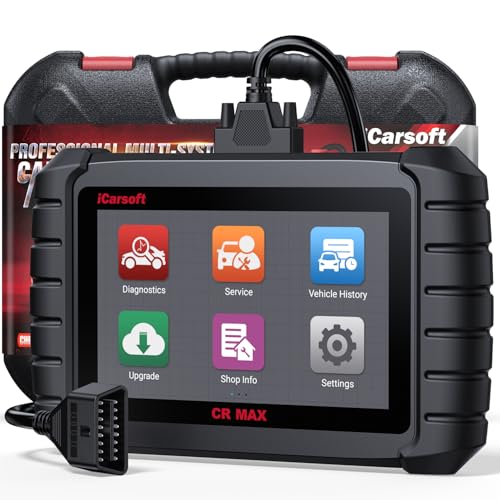
- WHY CHOOSE THE 2025 CR MAX -Upgrade the latest diagnostic capabilities for all vehicles after 1996: upgrade to 49+maintenance services; 46 extra specific functions; real all systems/all control modules diagnose; over 40K+ bidirectional actuation tests for diagnosing all control moduels of cars; Powerful full OBD2 Functions; built-in ECU Coding for BMW/ Audi/ VW/ RollsRoyce; Fr ee V.A.G Guide Function; Battery retistration for new battery adaptation and more. It covers all vehicle diagnostic services and some special professional vehicle maintenance servces, assists you to do home DIY vehicle maintenance or car repair as a pro technician.
- NEWEST IN INNOVATION FULL OBD2 SERVICES- iCarsoft auto car diagnostic scanner compatible with CAN-FD, CR MAX can do it all-reads and clears trouble codes, ALL SYSTEM DIAGNOSIS such as engine, transmission, ABS and airbag etc. CR MAX code reader for all cars can perform I/M Readiness, Live Data, Freeze Frame, Vehicle Information, Monitor Test, On-Board Monitor, E vap System Test,O2 Sensor Test,DTC Library Lookup,etc. (Warm Tips: If you car is after 2023,please contact us for compatibility; 3. It comes with 16PIN OBD2 diagnostic adapter, please check your car diagnostic socket if it is 16pin socket, if your car is 14pin diagnostic socket please contact us for the solution.)
- 49 RESET+ 46 SERVICES- Performs: Oil Reset, EPB,SAS,Throttle, D-P - F, Battery, ABS, Injector, TPMS, Suspension, AC, Head Lamp, Body Stablity, Engine, Tramsmission, Airbag, Seat, Door-Win-Roof, Fuel Pump, Door, E-G- R.+21 NEWEST SERVICES( Need update scanner)-AdBlue, Clutch, Crankshaft, High Voltage Battery, Cruise Control, NO xSensor, Rain Sensor, Stop And Start, Turbocharger, Head Up Display, Radar Camera, Vehicle Setup, Cyliner Misfire Check,Speedlimitassist, ControlUnitReset,OxygenSensor, Seatbelt. Extra 46+ extra services based on car brand.(Tips: Quantity of reset/ calibration fucitons are based on car system that your vehicle model has)
- REVOLUTIONARY 40000+BIDIRECTIONAL ACTIVE TESTS: Upgraded CR Max scanner equip with numberous of actuational test items for covering all available vehicle control modules, no longer only do simple light test or window test like other scanners, performs hardware modules test and software control modules test for checking car units or new updated control moduels work well or not after maintenance/ repair/ re-installation/ control system updated (Example for Benz- Roller Sun Blind test; Backup Camera test ;Self-test; EPB test; Transport Mode test;Boost Pressure Positioner test; Fuel Pump test; AND MORE!!).(Warm tip: The available test items are based on control modules your car has)
- ECU CODING+ BATTERY REGISTRATION- Powerful ECU Coding service for BMW/MINI/RollsRoyce / Audi/VW/Seat/Skoda/Bentley/Bugatti/Lamborghini, Improves Engine Power Performance and Optimizes Fuel Efficiency and Match New Hardware Unit to car and Customized a comfortable Driving Modes and Fixes & Updates Original Software Bug. The battery test function for checking car battery health, perform battery reset (BMS ) for replacing a damaged or aging car battery with a new one and register new battery to car ECU
This product presentation was made with AAWP plugin.
Last update on 2026-06-05 / Affiliate links / Images from Amazon Product Advertising API