
NHTSA ID Number: 10133446
Manufacturer Communication Number: Emissions Recall
TSB/Document Date: 2018-04-16
Summary
3.0L TDI vehicles were equipped with undisclosed Auxiliary Emission Control Devices which are not permitted by emissions regulations. Install updated engine control module (ECM) software, transmission control module (TCM) software and hardware to bring affected vehicles into regulatory compliance.
Emissions Recall
Code: 23V7
Subject
Release Date
Affected Vehicles
3.0L TDI Engine Emissions System Modification – Customer Only (Retail Sold) TDI
Vehicles USA ONLY
November 6, 2017
U.S.A.:
2015-2016 MY Volkswagen Touareg 3.0L TDI Generation 2.2
Check Campaigns/Actions screen in Elsa on the day of repair to verify that a VIN qualifies for repair under this
action. Elsa is the only valid campaign inquiry & verification source.
Campaign status must show “open.”
If Elsa shows other open action(s), inform your customer so that the work can also be completed at
the same time the vehicle is in the workshop for this campaign.
Problem Description
3.0L TDI vehicles were equipped with undisclosed Auxiliary Emission Control Devices which
are not permitted by emissions regulations.
Corrective Action
Install updated engine control module (ECM) software and transmission control module (TCM)
software to bring affected vehicles into regulatory compliance.
Code Visibility
On or about November 6, 2017, affected vehicles will be listed on the Inventory Vehicle Open
Campaign Action report under My Dealership Reports. A list will not be posted for dealers who
do not have any affected vehicles. The campaign code will show open on affected vehicles in
Elsa and affected vehicles will be identified with this campaign code in the VIN Lookup tool at
www.vw.com.
Owner Notification
Loaner/Rental Vehicle
– REQUIRED!
Owner notification will take place on or about November 6, 2017.
To remain compliant with the Settlement Agreement, Service Consultants must complete a
Loaner/Rental label and it must be signed by the customer. This documents each customer’s
decision to accept or decline the offer for a loaner or rental vehicle while the Approved
Emissions Modification was being performed on their vehicle.
Affix the completed label to the Repair Order and follow the new photo documentation
requirements for this label in the IN-FORM tool.
The repair information in this document is intended for use only by skilled technicians who have the proper tools, equipment and training to correctly and safely maintain your vehicle. These
procedures are not intended to be attempted by “do-it-yourselfers,” and you should not assume this document applies to your vehicle, or that your vehicle has the condition described. To
determine whether this information applies, contact an authorized Volkswagen dealer. 2017 Volkswagen Group of America, Inc. All Rights Reserved.
November 2017
23V7 Page 1 of 22
Emissions Campaigns
Requirements
(CALIFORNIA ONLY)
The California Air Resources Board and the Department of Motor Vehicles (DMV) require
emissions-related campaigns to be completed prior to vehicle registration renewal. When
campaign work is done you must provide the owner with a signed “Vehicle Emission Recall –
Proof of Correction” certificate (RC EMISCAVWAU). Order certificates online via the
Compliance Label Ordering portal at www.vwhub.com.
Additional Information
Please alert everyone in your dealership about this action, including Sales, Service, Parts
and Accounting personnel. Contact Warranty if you have any questions.
Fill out and affix the appropriate TDI Recall Proof of Completion label and the appropriate
Supplemental Vehicle Emissions Control Information Label after work is complete. Additional
shipments will be released based on the volume of completed repairs claimed through
SAGA. The parts will not be available for order through the website at this time.
The information in this document is intended for use only by skilled technicians who have the proper tools, equipment and training to correctly and safely maintain your vehicle. These procedures
are not intended to be attempted by “do-it-yourselfers,” and you should not assume this document applies to your vehicle, or that your vehicle has the condition described. To determine whether
this information applies, contact an authorized Volkswagen dealer. 2017 Volkswagen Group of America, Inc. All Rights Reserved.
November 2017
23V7 Page 2 of 22
Claim Entry Instructions
After campaign has been completed, enter claim as soon as possible to help prevent work from being duplicated
elsewhere. Attach the Elsa screen print showing action open on the day of repair to the repair order.
If customer refused campaign work:
U.S. dealers: Submit request via WISE under the Campaigns/Update/Recall Closure option.
Service Number
23V7
Damage Code
0099
Parts Vendor Code
Claim Type
Causal Indicator
Vehicle Wash/Loaner
Criteria I.D.
WWO
Sold vehicle: 7 10
Mark labor as causal
Do not claim vehicle wash or loaner under this action
01
Perform software update, *install TDI Recall Proof of Completion label and install
Supplemental Vehicle Emissions Control Information Label; complete TDI IN-FORM
Validation Tool requirements; top off AdBlue tank.
Labor operations:
2360 25 99
90 T.U.
Quantity
Up to 11.00
Part Number
G 052910A2
Description
AdBlue (one bottle = 0.5 gallon/ 1.89 Liter)
*Labels are sent free of charge. They cannot be charged to this campaign.
– LOANER/RENTAL MUST BE CLAIMED ON A SEPARATE LINE –
DO NOT PUT ON CAMPAIGN CLAIM
LOANER/RENTAL
Claim Type: A1A
Service #: CU01
Damage Code: 0010
Removed Part : MOB
Outside LO Number : CU010000
DO NOT PUT LOANER/RENTAL ON CAMPAIGN CLAIM
The repair information in this document is intended for use only by skilled technicians who have the proper tools, equipment and training to correctly and safely maintain your vehicle. These
procedures are not intended to be attempted by “do-it-yourselfers,” and you should not assume this document applies to your vehicle, or that your vehicle has the condition described. To
determine whether this information applies, contact an authorized Volkswagen dealer. 2017 Volkswagen Group of America, Inc. All Rights Reserved.
November 2017
23V7 Page 3 of 22
Campaign Work Procedure
23V7 Emissions Recall
At this time, affected new and used vehicles in dealer inventory are not
included in this emissions modification release.
NOTE
Damages resulting from improper repair or failure to follow these work instructions are the dealer’s responsibility
and are not eligible for reimbursement under this action.
Required Parts
Quantity
Part Description
AdBlue
Up to 19.5L
Part Number
G 052910A2
Required Labels
Quantity
Part Description
1
TDI Proof of Completion Label
1
VECI Label
1
VECI Label
Part Number
7P0 010 023 A
--AND-059 010 533 BF
--OR-059 010 533 BG
Vehicle
MY 2015 and 2016 Touareg
MY 2015 Touareg
MY 2016 Touareg
IMPORTANT!
Maintaining Your TDI Campaign Label Supply
•
SAGA claims count! Warranty Administrators should enter TDI claims promptly to ensure
labels can be allocated to support future repairs.
•
TDI Labels are allocated daily, free of charge, based on the count of TDI claims entered in
SAGA.
•
TDI labels cannot be ordered through the Compliance Label Ordering Portal. If you have
questions, please email labelrequest@vw.com.
The repair information in this document is intended for use only by skilled technicians who have the proper tools, equipment and training to correctly and safely maintain your vehicle. These
procedures are not intended to be attempted by “do-it-yourselfers,” and you should not assume this document applies to your vehicle, or that your vehicle has the condition described. To
determine whether this information applies, contact an authorized Volkswagen dealer. 2017 Volkswagen Group of America, Inc. All Rights Reserved.
November 2017
23V7 Page 4 of 22
Required Tools
VAS6150X - Diagnostic
Tester (or equivalent)
GRX3000VAS – Battery
Tester/Charger (or
equivalent)
VAS6154 - Vehicle
Communication
Interface (or equivalent)
•
Service Modification Validation Web App
•
TIP
This web application is compatible with desktops,
laptops, Apple and Android mobile devices running the
most current versions of FireFox, Chrome, Safari, or
Explorer as well as iOS 9+ on iPads and iPhones.
NOTE
RISK of Non-payment!
Not using the IN-FORM tool to document and validate
the modification will stop the processing of payment for
your dealership even if the modification has been
completed. Look for the image below to indicate labor
operations, parts, or labeling that requires
IN-FORM tool image documentation.
The repair information in this document is intended for use only by skilled technicians who have the proper tools, equipment and training to correctly and safely maintain your vehicle. These
procedures are not intended to be attempted by “do-it-yourselfers,” and you should not assume this document applies to your vehicle, or that your vehicle has the condition described. To
determine whether this information applies, contact an authorized Volkswagen dealer. 2017 Volkswagen Group of America, Inc. All Rights Reserved.
November 2017
23V7 Page 5 of 22
Emissions Modification Instruction
Section A - Check for Previous Repair
•
Enter the VIN in Elsa and proceed to the
“Campaign/Action” screen.
TIP
On the date of repair, print this screen and keep a copy
with the repair order.
•
Confirm the Campaign/Action is open .
If the status is closed, no further work is required.
•
Note the Applicable Criteria ID for use
in determining the correct work to be done and
corresponding parts associated.
•
Check for other Open campaign actions .
•
Other Open campaign actions must be completed
prior to releasing the vehicle to the customer.
Proceed to Section B
Section B – Check for Service Initiation
NOTE
RISK of Non-payment!
Not using the IN-FORM tool to document and validate
the modification will stop the processing of payment
for your dealership even if the modification has been
completed. Look for the image below to indicate
labor operations, parts, or labeling that requires
IN-FORM tool image documentation.
The repair information in this document is intended for use only by skilled technicians who have the proper tools, equipment and training to correctly and safely maintain your vehicle. These
procedures are not intended to be attempted by “do-it-yourselfers,” and you should not assume this document applies to your vehicle, or that your vehicle has the condition described. To
determine whether this information applies, contact an authorized Volkswagen dealer. 2017 Volkswagen Group of America, Inc. All Rights Reserved.
November 2017
23V7 Page 6 of 22
NOTE
RISK of Non-payment!
Ensure that the “check mark” is present
prior to beginning any repair.
•
Check the Service Initiation Form for the
presence of the “check mark” .
o
If “check mark” is NOT present,
DO NOT proceed with any repair.
o
If “check mark” is present,
initiate Service Modification
Documentation Form and continue work
DO NOT proceed with any work unless you can initiate
the Service Modification Documentation Form.
Proceed to Section C
Section C – Check for Pre-existing MIL ON conditions and Vehicle Modifications
•
Perform a visual inspection of the intake,
exhaust, and emissions systems.
o If the visual inspection of the intake, exhaust,
or emissions equipment reveals damage or
concerns, STOP, create a VTA ticket and
contact the Volkswagen Technicians
Helpline.
o If the visual inspection of the intake, exhaust,
or emissions equipment reveals no damage
or concerns, continue the work procedure.
•
Check for vehicle modifications from original
equipment.
o If vehicle modifications from original
equipment related to emissions components
are found, STOP, create a VTA ticket and
contact the Volkswagen Technicians
Helpline.
o If vehicle modifications from original
equipment related to emissions components
are not found, continue the work procedure.
•
Check for illumination of the MIL .
o If MIL is illuminated, STOP, create a VTA
ticket and contact the Volkswagen
Technicians Helpline.
o If MIL is not illuminated, continue the work
procedure.
TIP
VTA cases regarding MIL ON conditions require a GFF
diagnostic log to be uploaded at the time of first contact.
The repair information in this document is intended for use only by skilled technicians who have the proper tools, equipment and training to correctly and safely maintain your vehicle. These
procedures are not intended to be attempted by “do-it-yourselfers,” and you should not assume this document applies to your vehicle, or that your vehicle has the condition described. To
determine whether this information applies, contact an authorized Volkswagen dealer. 2017 Volkswagen Group of America, Inc. All Rights Reserved.
November 2017
23V7 Page 7 of 22
NOTE
RISK of Non-payment!
The purpose for this step is to document vehicle
condition prior to initiation of this action and does
not authorize the repair of any pre-existing
conditions.
Proceed to Section D
Section D – Refill AdBlue
•
Lift the rear compartment carpet and slide it
back.
•
If equipped remove the spare tire by removing
the wing nut .
•
If equipped remove the foam piece .
WARNING
•
•
Protect the hands when prying the plug out of
the tank filler neck.
•
Sharp-edged body components could cause
injury.
Remove the plug from the AdBlue tank filler neck
.
The repair information in this document is intended for use only by skilled technicians who have the proper tools, equipment and training to correctly and safely maintain your vehicle. These
procedures are not intended to be attempted by “do-it-yourselfers,” and you should not assume this document applies to your vehicle, or that your vehicle has the condition described. To
determine whether this information applies, contact an authorized Volkswagen dealer. 2017 Volkswagen Group of America, Inc. All Rights Reserved.
November 2017
23V7 Page 8 of 22
•
Open the AdBlue filler cap and fill the tank.
Part Number
G 052 910 A2
Description
AdBlue
Quantity
Up to 19.5L
Proceed to Section E
The repair information in this document is intended for use only by skilled technicians who have the proper tools, equipment and training to correctly and safely maintain your vehicle. These
procedures are not intended to be attempted by “do-it-yourselfers,” and you should not assume this document applies to your vehicle, or that your vehicle has the condition described. To
determine whether this information applies, contact an authorized Volkswagen dealer. 2017 Volkswagen Group of America, Inc. All Rights Reserved.
November 2017
23V7 Page 9 of 22
Section E – Software Update Procedure
NOTE
Prior to launching the VAS Diagnostic Tester and starting an update, ensure the following conditions are met;
The ODIS software is completely up to date.
Refer to the “Alerts” section on ServiceNet home page for the current ODIS version.
The battery charger is connected to the vehicle battery and remains connected for the duration of the
software update.
•
Battery voltage must remain above 12.5 volts for the duration of the software update. Failure to
do so may cause the update to fail, which could result in damage to the control module. Control
modules damaged by insufficient voltage will not be covered.
The screen saver and power saving settings are off.
•
Failure to do so may result in the tester entering power save mode during the software update,
which could result in damage to the control module.
The VAS Diagnostic Tester is plugged in using the supplied power adapters.
•
Under no circumstances should the tester be used on battery power alone during the software
update. Failure to do so may result in the tester powering off during the update, which could result
in damage to the control module.
If using the Bluetooth or WiFi transmitter head, it MUST be connected to the tester with a USB cable.
NOTE
Using Bluetooth for this action is PROHIBITED!
Damage caused to electronic components (e.g. ECM, TCM, etc.) during the SVM flash process is not covered.
•
Performing a software update using a Bluetooth connection increases the risk of losing connection
during the update, which could result in damage to the control module.
It also greatly increases the time required to perform the update. Requests for additional time or
parts will be denied if the GFF log shows the update was performed using Bluetooth.
The Bluetooth function of the scan tool is physically switched off .
VAS 6150 & VAS 6150A
VAS 6150B
VAS 6150C
(Front panel behind handle)
(Right side behind WIRELESS door)
(Left side behind SC/EX door)
The repair information in this document is intended for use only by skilled technicians who have the proper tools, equipment and training to correctly and safely maintain your vehicle. These
procedures are not intended to be attempted by “do-it-yourselfers,” and you should not assume this document applies to your vehicle, or that your vehicle has the condition described. To
determine whether this information applies, contact an authorized Volkswagen dealer. 2017 Volkswagen Group of America, Inc. All Rights Reserved.
November 2017
23V7 Page 10 of 22
WARNING
Radiator Fan(s) may cycle ON high speed during the Update Process! There is a serious risk that personal injury
may result if contact is made with spinning fan blades. Keep hands and all objects away from Radiator Fan(s) during
Update Process!
TIP
To Update-Programming using SVM, review and follow instructions in Technical Bulletin 2014603: Software Version
Management (SVM) Operating Instructions.
The SVM Process must be completed in its entirety so the database receives the update confirmation response. A
warranty claim may not be reimbursed if there is no confirmation response to support the claim.
Things to check before starting Software Version
Management (SVM):
Check and confirm that you have a LAN
connection .
Within the Connection Tab, verify that
the
Connection
type(s)
display
“Internet” .
Start a connections test and
verify that all connections pass.
The repair information in this document is intended for use only by skilled technicians who have the proper tools, equipment and training to correctly and safely maintain your vehicle. These
procedures are not intended to be attempted by “do-it-yourselfers,” and you should not assume this document applies to your vehicle, or that your vehicle has the condition described. To
determine whether this information applies, contact an authorized Volkswagen dealer. 2017 Volkswagen Group of America, Inc. All Rights Reserved.
November 2017
23V7 Page 11 of 22
•
Open the hood.
•
Open the battery jump point cover.
•
Attach the GRX3000VAS Tester/Charger (or
equivalent) to the vehicle battery jump point and
ground jump point.
•


- Advanced VCI Box, Industry-leading J2534 Pass-Thru...
- High-Speed OEM-Level Diagnostics & Programming: Unlock true...
- Coverage for 17 Car Brands & Ultra Reliability: Works...
- User-Friendly RLink Platform & Expert Support: TOPDON’s...
- 6.6 ft USB-C Cable & Portable Storage Case: The RLink J...
Last update on 2026-06-23 / Affiliate links / Images from Amazon Product Advertising API
If the PDF is very large, it may not load in the preview below.
Some older TSBs had multiple PDFs — visit the NHTSA Website to view all PDFs.
If the TSB PDF does not show, download or view it on the NHTSA Website.
Click on the (+) Plus Sign
Then Click on Associated Document(s)
Search NHTSA Database for Recalls
Search NHTSA Database for Vehicle Investigations
View Latest Vehicle Investigations
Search NHTSA Database for Vehicle Complaints
View Latest Vehicle Complaints
TSB/Document ID: Emissions Recall
Replacement Service Bulletin Number:
MFR Communication Date: 2017-11-06
MFR Internal Campaign ID/Software Version:
Communication Type: Service Bulletin/Repair Instructions
NHTSA Components: POWER TRAIN:AUTOMATIC TRANSMISSION:CONTROL MODULE (TCM/PCM/TECM)
MFR Component System:
MFR Component Subsystem:
Previous TSB | Next TSB |

- Obd2 Bluetooth Scanner Lifetime Update: Ediag Elite offers revolutionary Advantage Lifetime Updates with unlimited access to the superior 15 reset service, bidirectional testing and full system diagnostics.The Ediag Elite is an excellent Bluetooth obd2 scanner diagnostic tool ideal for diy's and private car owners
- Bidirectional Control for Quickly Locating Problems: The Bidirectional Scan tool allows you to send commands directly from your smartphone to your vehicle for active testing. This feature helps to quickly narrow down problems such as air conditioning clutches, windows, doors, sunroofs, etc., reducing diagnostic time for mechanics and helping Diy users locate faults more easily. In addition, Ediag Elite provides fault analysis and repair guidance to help you solve problems efficiently.
- 15 Maintenance Resets: The current version introduces 15 popular special features: Oil Reset, Headlight Matching, Bleeding Reset, TPMS Reset, BMS Reset, Gear Box Relearn, Throttle Learning, Injector Coding, SAS Reset and more special functions in system diagnose menu. These functions make it easy for owners to carry out the necessary maintenance and servicing, ensuring that your vehicle stays in top condition, prolonging its service life and preventing common problems and breakdowns. Note: The Special function vary by model& year, Reach us check compatibility.
- Wide Compatibility CANFD & FCA
 Autoauth: Compatible with GM, Ford, Toyota, Chrysler, Honda, Mazda, Nissan, Mitsubishi, Hyundai, KIA with standard OBD2 port from 1996 to newer. More car brands and features will be released gradually. Newest Ediag Elite scanner supports CANFD Protocol and FCA cars. Note: Coverage may vary on different vehicle by model& year ,Please contact us to confirm compatibility before purchase.
 - Perfect for Monitoring The Health of Your Vehicle: Ediag Elite is designed to make vehicle maintenance simple and efficient. With intelligent AutoVIN quick recognition, it is easy to connect to your car without the need for manual input. Real-time data is visualized in a variety of formats, including graphs, numeric, meter displays and clear 4-in-1 data charts, allowing you to effortlessly monitor real-time data. Data logging/reporting is available for playback and further analysis.
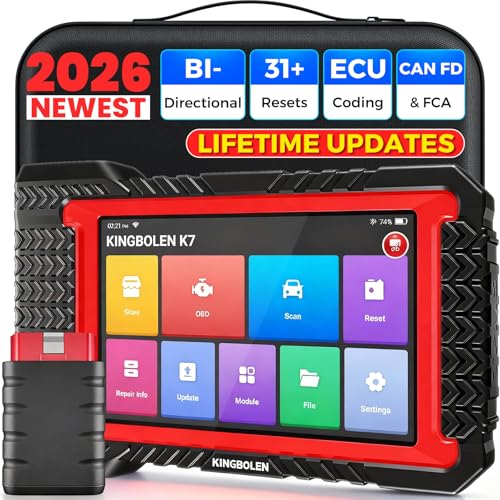
- No Annual Fees & 2026 Upgraded CAN FD: Why pay $199/year or more for updates? The 2026 newest Kingbolen K7 obd2 scanner features have been upgraded to Lifetime Updates without subscription fees, saving you significant costs in the long run. K7 scan tool also adds the CAN FD protocol for the latest GM models (2019+), enabling faster data transfer, reducing the risk of undetected errors
- 2026 Newest Top-tier Car Scanner: Kingbolen K7 diagnostic scan tool is equipped with most capabilities for daily repair/maintenance: Wireless diagnosis via Bluetooth, Bidirectional Test, ECU Online/Offline Code, 31+ Resets, PMI for Ford, Lincoln, Mazda, Global version for 100+ brand vehicles and 17 languages, no area limit, FCA AutoAuth
- OE-Level Full Systems Scan Tool: K7 professional diagnostic scanner with Auto Vin can do one-click to scan ECUs on most of vehicles, like pcm, ecm, eps, bcm, tpms, sas, a/c system... to read/clear code, view live data, freeze frame, read ecu info. 4-in-1 data stream graphics can make data viewing more intuitive. Detailed diagnostic reports will help you easily master the car situation as it can be shared by bluetooth or email! Adding workshop information can help your customers to know more
- Bidirectional Test/Active Test & ECU Code: Stop guessing and start fixing. Bidirectional scan tool Kingbolen K7 can perform real active test that can send commands to the vehicle's ECU to drive the actuators to work, like window, rear mirrors, sunroof, door, solenoids, wipers, headlamp, etc, helping you quickly find out bad parts and pinpoint faulty issues. K7 bidirectional scanner will be a good choice to save money and time on car repairs when performing complex maintenance and repair
- 31 Reset Functions: Avoid expensive dealership visits for simple services. Experience tells us that just a small repair service may cost a lot of money. Kingbolen K7 is a professional diagnostic scanner with 31 common maintenance services like Oil /SAS/EPB/TPMS Reset, Battery Matching, ABS Bleeding, Injector Code, etc. It effectively handles most of the car reset and relearning jobs, perfect for experienced DIYers and mechanics. Note: Functions in the menu vary across vehicles. Kindly check the compatibility before purchase
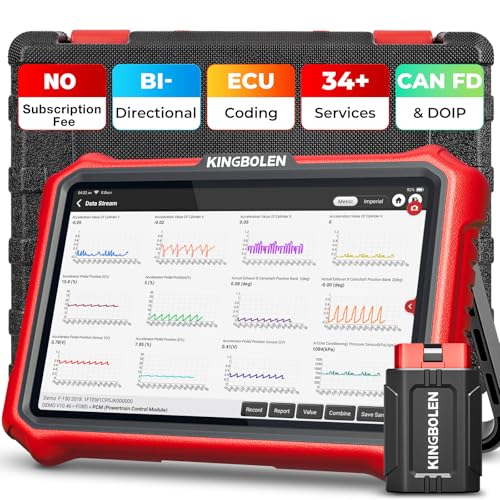
- 【Lifetime Database & Software Updates— No Subscription Fee, No Feature Lock, Save you $399/Y】KINGBOLEN K8 Pro's software can already be permanently upgraded and used for while software of other same price product still needs annual fee of almost $400. K8 pro scanner has packed all capabilities auto technicians would ever need for repair & maintenance services: Added CAN-FD & DOIP protocol, Bluetooth Wireless Diagnosis, Bidirectional Test, ECU Online/Offline Code & Guided Functions for VW, for Audi...34+ Restes, Autoauth for FCA SGW, Larger 4GB+64GB memory, 12600mAh battery, 8'' touch screen with 1280 * 800 Resolution. A Kickstand can allow the tablet to sit at a comfortable angle
- 【Newly Added CAN FD & DOIP Protocol】As Upgrade Version of Kingbolen K8, K8 Pro obd2 scanner supports CANFD and DOIP protocol, which will save you 200+ bucks as no need extra buy for special adapter. CANFD protocol suits for the latest GM(2019-), reducing the risk of undetected errors. The DoIP protocol (comes with DoIp cable) fits for 2017+ BMW(F&G chassis), for Jaguar & Land Rover after 2017, for Volvo after 2018. Plus, K8 Pro's Memory from 2G+32G expanded to 4G+64G, update period extended from 2 years to permanent
- 【34+ Hot Special Functions & V.A.G Guide】KINGBOLEN K8 pro bluetooth obd2 scanner covers almost all common services including Oil Reset, EPB, SAS, BMS Reset, ABS bleed, Throttle Reset, Suspension, Injector Code, Power Balance, Transmission Adaptation, Fuel Trim Learn, HVAC Control Module Calibrate, Language Change, A/F Settings, Stop/Start Reset, Crankshaft Sensor Relearn, TPMS, PMI function and etc. Imagine how much money and time you spend on car maintenance every year? K8 pro car scanner will be a good helper and saver for your car. V.A.G Guided function provides step-by-step guide to work for Volkswagen/Audi/Skoda. Note: Please send us model/year/vin to check compatibility before order
- 【Powerful Bidirectional Test/Active Test & ECU Code】As a bidirectional scan tool, KINGBOLEN K8 pro allows you to request information from a vehicle's ECU or send commands to the vehicle's modules to perform specific tests and functions, such as EVAP Tests, Turn on/off radiator fan, Window/Mirror/Door Lock Test, Pump and Value Tests, Sound horn Test, et. Without using the vehicle control system and dismantling car’s parts, it can quickly and accurately pinpoint the fault causes, simple operation saves time and money
- 【Wireless OE-Level All Systems Diagnostics】Equipped with Bluetooth VCI, you can do car diagnostics out of the car (up to 33F/10M) without being confined to a small space inside the car. Provides the convenience of Auto VIN, K8 pro allowing for easy access and diagnosis of all available modules on a wide range of vehicles, like PCM, ECM, BCM, TPMS, SAS, Fuel System, etc, to perform read/clear codes, view live data, freeze frame, perform active tests, and read ECU info... 12-In-1 Data Stream Graphics make data viewing more intuitive.Diagnostic reports can be shared via QR Code, Bluetooth or email.Built-in Browser and Fault Code Library allows you directly query the fault code when diagnosing
Last update on 2026-06-23 / Affiliate links / Images from Amazon Product Advertising API
This product presentation was made with AAWP plugin.