
NHTSA ID Number: 10133426
Manufacturer Communication Number: PDI 2018 Audi Te
Te
TSB/Document Date: 2018-04-16
Summary
All models: Vehicle Preparation section: ADDED "Using Guided Functions" to "Set adaption channel to enable CD Ripping (if equipped)" A8 and Q3: Audi connection: REMOVED: "Turn on the wireless network (if equipped)"
equipped)
Enable Google EarthTM in the Navigation > Map Settings and
verify the white Google logo appears in the bottom righthand corner of the MMI screen Q3/A8 -Enable Google EarthTM
in the navigation settings and verify the white Google Logo
appears next to the 2G or 3G symbol
Effective 11-1-2017-US
Version 1.6
Model Year 2018 | Audi Pre-Delivery Reference Document | 14
A7/S7/RS 7/ RS 7 performance
Technician Reference Document
Post-Road Test Inspection
• Perform a battery test
Perform the A-battery test for new batteries using GFF in
ODIS Diagnosis –> Special functions –> PDI service. Select
option 2, the battery test for new batteries as part of the
pre–delivery inspection and act according to the test result
(ok, recharge, replace). Ensure diagnosis log is uploaded to
the GFF paperless server by selecting “ok” when tester wants
to send the current generated diagnosis protocol online.
(Note: Do not use Guided Function. The diagnosis log will not
be uploaded to GFF paperless)
• Check engine oil level
Fill oil to the max level when the vehicle is at operating temperature
Effective 11-1-2017-US
Version 1.6
Model Year 2018 | Audi Pre-Delivery Reference Document | 15
A8 L/S8 plus
Technician Reference Document
Vehicle Preparation
Interior
• Deactivate vehicle transport mode
This step must be performed with the engine off, and ignition on
• Verify operation of all seat belts and latches
Deactivate vehicle transport mode (via Special functions –>
Service work –> 19-Transport mode activating/deactivating)
• Deactivate air suspension loading mode (if equipped)
via Special Functions -> Service Work -> 34-Loading mode
activating/deactivating Warning! Car body may lower!
• Set adaption channel to enable CD Ripping using Guided
Functions (if equipped with NAV)
Set adaptation channel (via Control Module list –> 5F –>
Guided Functions –> 5F Adaption). Also referred to as CD
Ripping. Perform 3 button reset of the MMI to complete the
activation. Refer to the owners manual for model specific
button sequence
• Set service reminder
via Special functions –> PDI Service –> 17-PDI-resetting SRI
at PDI, counter reset, etc.
• Perform any open campaigns
Follow instructions listed in campaign documentation
Exterior
• Check all key buttons and features
Check functionality of all keys. Verify vehicle starts and runs
with all keys and the start/stop button. Verify all doors and
trunk remotely lock/unlock with all keys, including all door
handle sensors with Advanced Key (if equipped)
• Check all doors for proper power closing (if equipped)
For vehicles equipped with the power door closing feature,
check all doors for proper closing
Lighting and Windshield
• Test front washers (and headlight washers if equipped)
Headlights must be on to test functionality of the headlight
washers
Trunk Inspection
• Install wheel bolt cover removal tool from PDI kit into
trunk tool kit
Install wheel bolt cover removal tool from PDI kit and wheel
lock key (if applicable) into trunk tool kit
• Set spare tire pressure
See separate “2018 Normal Load Condition Tire Pressure
Table” posted on ServiceNet
• Check battery clamps for proper torque
Refer to Elsa Pro for specification
Effective 11-1-2017-US
Version 1.6
Check operation of all switches: Locks, windows, seat adjustment, heated seats (if equipped) and child safety features
• Check operation of window, lock, and seat controls
Check operation of all switches: Locks, windows, seat adjustment, heated seats and child safety features
• Inspect mirrors for proper operation
Inspect folding, adjustments, right side tilt in reverse, heating (if equipped)
• Check rear view mirror operation
Check self-dimming function/lighting (if equipped)
• Verify operation heated/ventilated and massaging seats (if
equipped)
Check both front and rear. Massaging feature is in the front
seats only (if equipped)
• Verify proper operation of climate control*
Ensure proper heating and A/C cooling, open all panel vents
for all zones
• Inspect operation of all power outlets
Inspect operation of front outlet, aux. outlet under armrest,
and rear outlets
• Check panoramic sunroof and sunshade operation
Verify open/close/vent/deflector at edge and sunshade
operation
Settings
• Set Time source setting to “GPS” and set Auto daylight
savings time to “on”
Change time zone appropriate to the dealer location
• Verify and set language and measurement units
This can be changed in the Setup/Settings menu
• Verify Speech Dialog System is operating
Press the “Talk” button and verify several commands
• Set “Music volume while parking” to 6 lines
Accessed via MMI rear view camera display, Settings > Music
volume while parking (applies to vehicles with park assist or
rear view camera)
• Set dealership location in navigation (if equipped)
Set dealership location for following back to dealership
during road test
• Turn off Manual Speed Warning (if equipped)
This can be changed in the Driver Assistance Settings by
going to Menu > Vehicle > Driver Assistance > Speed Warning
> Manual > Select Off
Model Year 2018 | Audi Pre-Delivery Reference Document | 16
A8 L/S8 plus
Technician Reference Document
Media / Radio / SAT
Driving Performance
• Verify HD Radio is turned “off”
• Verify engine Start-Stop System functionality
This can be found in the Radio/Settings Menu
Audi connect® (USA ONLY) (if equipped)
• Connect the dealer demo SIM card to verify system
connects to mobile network
Connect the AT&T dealer demo SIM card to the vehicle and
make sure the system fully connects to the wireless network
(LTE symbol with service bars)(only applies if in an AT&T
service area)
• Verify Audi connect® Information Packet is present (if
equipped)
Verify Audi connect® Information Packet is present, including Audi brochure, AT&T brochure, customer SIM card, AT&T
Terms & Conditions (T&C)(if applicable)
• Turn on the Wi-Fi® hotspot (if equipped)
Ensure the wireless network is turned on (Telephone > Options > Wi-Fi® options > Wi-Fi® Mode “Hotspot”)
• Check Wi-Fi® hotspot functionality (if equipped)
Check Wi-Fi® hotspot functionality is enabled and verify the
SSID is set to “AUDIXXXXX,” where XXXXX = the last five digits of VIN that are automatically preset in the system
• Enable Google EarthTM (if equipped)
Enable Google EarthTM in the Navigation > Map Settings and
verify the white Google logo appears in the bottom righthand corner of the MMI screen Q3/A8 -Enable Google EarthTM
in the navigation settings and verify the white Google Logo
appears next to the 2G or 3G symbol
On-Hoist Inspection
• Install wheel bolt covers and center caps as supplied
Wheel bolt covers can be found in the PDI kit
• Inspect wheel bolts for proper torque
Use torque wrench to verify
• Set and store tire pressures for either sold vehicle OR stock
inventory vehicle
If a known “sold” unit, set to appropriate Normal Load Condition. See separate “2018 Normal Load Condition Tire Pressure Table” posted on ServiceNet. If going to stock, set to
maximum recommended tire pressures listed on the B-pillar
door jamb, and store tire pressure values in Car/System menu
Effective 11-1-2017-US
Version 1.6
Verify the velum sticker is on the start/stop button. Remove
the start/stop information card from the car kit and place it
in the glove box with the owner’s manuals. Additional supply
can be ordered via the Brand Store on AccessAudi
• Verify engine performance and acceleration
Listen for abnormal noise/vibrations
• Test drive vehicle applying brakes several times
Apply brakes at least 4 times at 20 mph (35 km/h) to clean
brake rotors. Check for abnormal noise/ vibration/pulsation
• Calibrate rear view mirror
Calibrate rear view mirror compass to proper zone and check
self-dimming function/lighting (if equipped)
Driver Assistance
• Verify operation of parking system (if equipped)
Verify operation of Audi parking system sensors with rear
view camera (if equipped)
• Verify all vehicle Head-up display functionality (if
equipped)
Verify the image can be adjusted properly in the viewing
area of the windshield. Verify NAV directions, speed, cruise
control, and lane assist are all visible in Head-Up Display (as
equipped)
Post-Road Test Inspection
• Perform a battery test
Perform the A-battery test for new batteries using GFF in
ODIS Diagnosis –> Special functions –> PDI service. Select
option 2, the battery test for new batteries as part of the
pre–delivery inspection and act according to the test result
(ok, recharge, replace). Ensure diagnosis log is uploaded to
the GFF paperless server by selecting “ok” when tester wants
to send the current generated diagnosis protocol online.
(Note: Do not use Guided Function. The diagnosis log will not
be uploaded to GFF paperless)
• Check engine oil level
Fill oil to the max level when the vehicle is at operating temperature
Model Year 2018 | Audi Pre-Delivery Reference Document | 17
Q3
Technician Reference Document
Vehicle Preparation
Trunk Inspection (continued)
• Deactivate vehicle transport mode
• Set spare tire pressure
Deactivate vehicle transport mode (via Special functions –>
Service work –> 19-Transport mode activating/deactivating )
• Deactivate air suspension loading mode (if equipped)
via Special Functions > Service Work > 34-Loading mode
activating/deactivating Warning! Car body may lower!
• Set adaption channel to enable CD Ripping using Guided
Functions (if equipped with NAV)
Set adaptation channel (via Special functions > Service work
> 5F-Activating/deactivating storage of music). Also referred
to as CD Ripping. Perform 3 button reset of the MMI to
complete the activation. Refer to the owner’s manual for
model-specific button sequence
• Set service reminder
via Special functions –> PDI Service –> 17-PDI-resetting SRI
at PDI, counter reset, etc
• Perform any open campaigns
Follow instructions listed in campaign documentation
Exterior
• Check all key buttons and features
Check functionality of all keys. Verify vehicle starts and runs
with all keys and the start/stop button. Verify all doors
and trunk manually and remotely lock/unlock with all keys,
including all door handle sensors with Advanced Key (if
equipped)
Lighting and Windshield
• Test front washers (and headlight washers if equipped)
Headlights must be on to test functionality of the headlight
washers
Trunk Inspection
• Verify power tailgate is operational and set default opening
height
Adjust the trunk lid opening height to 77.7 inches (197 cm)
from the ground to the close button in the rear lid. Press and
hold the close button in the rear lid for at least four seconds
to program the opening height
• Install wheel bolt cover removal tool from PDI kit into
trunk lid toolkit
Install wheel bolt cover removal tool from PDI kit and wheel
lock key (if applicable) into trunk tool kit to the right of the
spare tire
Effective 11-1-2017-US
Version 1.6
See separate “2018 Normal Load Condition Tire Pressure
Table” posted on ServiceNet
• Check battery clamps for proper torque
Refer to Elsa Pro for specification
Interior
• Check operation of window, lock, and seat controls
Check operation of all switches: Locks, windows, seat adjustment, heated seats (if equipped) and child safety features
• Inspect mirrors for proper operation
Inspect folding, adjustments, right side tilt in reverse, heating (if equipped)
• Check rear view mirror operation
Check self-dimming function/lighting (if equipped)
• Verify proper operation of climate control
Ensure proper heating and A/C cooling and open all panel
vents
• Inspect operation of all power outlets
Inspect operation of front outlet, aux. outlet under armrest,
and rear outlets
• Check panoramic sunroof and sunshade operation
Verify open/close/vent/deflector at edge and sunshade
operation
Settings
• Set Time source setting to “GPS” and set Auto daylight
savings time to “on.” (if equipped)
Change time zone appropriate to the dealer location
• Set “Entertain. Fad.” in Parking aid to an audible level
Via “ Menu > Vehicle > Left Option > Drive Assistance > Parking Aid”
• Verify and set language and measurement units
This can be changed in the Setup/Settings menu
• Verify Speech Dialog System is operating
Press the “Talk” button and verify several commands
• Set “Music volume while parking” to 6 lines
Accessed via MMI rear view camera display, Settings > Music
volume while parking (applies to vehicles with park assist or
rear view camera)
• Set dealership location in navigation (if equipped)
Set dealership location for following back to dealership
during road test
Model Year 2018 | Audi Pre-Delivery Reference Document | 18
Q3
Technician Reference Document
Media / Radio / SAT
Driver Assistance
• Verify HD Radio is turned “off” (if equipped)
• Verify operation of parking system
This can be found in the Radio/Settings Menu
Verify operation of Audi parking system sensors with rear
view camera
Audi connect® (USA ONLY) (if equipped)
• Verify Audi connect® Information Packet is present (if
equipped)
Verify Audi connect® Information Packet is present including
Audi brochure, T-Mobile brochure, customer SIM card, T-Mobile Terms & Conditions (T&C)(if applicable)
• Check Wi-Fi® hotspot functionality (if equipped)
Check Wi-Fi® hotspot functionality is enabled and verify the
SSID is set to “AUDIXXXXX,” where XXXXX = the last five digits of VIN that are automatically preset in the system
• Enable Google EarthTM (if equipped)
Enable Google EarthTM in the navigation settings and verify
the white Google Logo appears next to the 2G or 3G symbol
Post-Road Test Inspection
• Perform a battery test
Perform the A-battery test for new batteries using GFF in
ODIS Diagnosis –> PDI Service. Select option 2, the battery
test for new batteries as part of the pre–delivery inspection
and act according to the test result (ok, recharge, replace).
Ensure diagnosis log is uploaded to the GFF paperless server
by selecting “ok” when tester wants to send the current
generated diagnosis protocol online. (Note: Do not use Guided Function. The diagnosis log will not be uploaded to GFF
paperless)
• Check engine oil level
Fill oil to the max level when the vehicle is at operating temperature
On-Hoist Inspection
• Install wheel bolt covers and center caps as supplied
Wheel bolt covers and center caps can be found in the PDI kit
• Inspect wheel bolts for proper torque
Use torque wrench to verify
• Set and store tire pressures for either sold vehicle OR
stock inventory vehicle. See separate “2018 Normal Load
Condition Tire Pressure Table” posted on ServiceNet
If a known “sold” unit, set to appropriate Normal Load Condition. See separate “2018 Normal Load Condition Tire Pressure Table” posted on ServiceNet. If going to stock, set to
maximum recommended tire pressures listed on the B-pillar
door jamb, and store tire pressure values in Car/System menu
Driving Performance
• Verify engine performance and acceleration
Listen for abnormal noise/vibrations
• Test drive vehicle applying brakes several times
Apply brakes at least 4 times at 20 mph (35 km/h) to clean
brake rotors. Check for abnormal noise/ vibration/pulsation
• Calibrate rear view mirror
Calibrate rear view mirror compass to proper zone and check
self-dimming function/lighting (if equipped)
Effective 11-1-2017-US
Version 1.6
Model Year 2018 | Audi Pre-Delivery Reference Document | 19
Q5/SQ5
Technician Reference Document
Vehicle Preparation
Trunk Inspection
• Deactivate vehicle transport mode
• Verify power tailgate is operational and set default opening
height
Deactivate vehicle transport mode (via Special functions >
Service work > 19-Transport mode activating/deactivating)
• Deactivate air suspension loading mode (if equipped)
via Special Functions -> Service Work -> 34-Loading mode
activating/deactivating Warning! Car body may lower!
• Set adaption channel to enable CD Ripping using Guided
Functions (if equipped with NAV)
Set adaptation channel (via Special functions > Service work
> 5F-Activating/deactivating storage of music). Also referred
to as CD Ripping. Perform 3 button reset of the MMI to
complete the activation. Refer to the owner’s manual for
model-specific button sequence
• Set service reminder
via Special functions –> PDI Service –> 17-PDI-resetting SRI
at PDI, counter reset, etc.
• Perform any open campaigns
Follow instructions listed in campaign documentation
Exterior
• Check all key buttons and features
Check functionality of all keys. Verify vehicle starts and runs
with all keys and the start/stop button. Verify all doors
and trunk manually and remotely lock/unlock with all keys,
including all door handle sensors with Advanced Key (if
equipped)
• Prepare the base bars for customer delivery (install bars
only upon customer request)
Install the rubber strips to the top of the base carrier bars
(do not install the carrier bars on the vehicle unless customer
has requested). Repackage the bars into the box if they are
not being installed on the vehicle. Retrieve the paper with
the torque wrench key code from the base carrier bar box.
Insert the paper with the key code into the owner’s literature
wallet. Record torque wrench key code in the VDF to ensure
it’s documented in the event the paper with the code is
misplaced
Adjust the trunk lid opening height to 77.7 inches (197 cm)
from the ground to the close button in the rear lid. Press and
hold the close button in the rear lid for at least four seconds
to program the opening height
• Install wheel bolt cover removal tool from PDI kit into
trunk lid toolkit
Install wheel bolt cover removal tool from PDI kit and wheel
lock key (if applicable) into trunk tool kit to the right of the
spare tire
• Set spare tire pressure
See separate “2018 Normal Load Condition Tire Pressure
Table” posted on ServiceNet
• Check battery clamps for proper torque
Refer to Elsa Pro for specification
Interior
• Check operation of window, lock, and seat controls
Check operation of all switches: Locks, windows, seat adjustment, heated seats (if equipped) and child safety features
• Inspect mirrors for proper operation
Inspect folding, adjustments, right side tilt in reverse, heating (if equipped)
• Check rear view mirror operation
Check self-dimming function/lighting (if equipped)
• Verify proper operation of climate control
Ensure proper heating and A/C cooling and open all panel
vents
• Inspect operation of all power outlets
Inspect operation of front outlet, aux. outlet under armrest,
and rear outlets
• Check panoramic sunroof and sunshade operation
Verify open/close/vent/deflector at edge and sunshade
operation
Lighting and Windshield
Settings
• Test front washers (and headlight washers if equipped)
• Set Time source setting to “GPS” and set Auto daylight
savings time to “on.”
Headlights must be on to test functionality of the headlight
washers
Change time zone appropriate to the dealer location
• Verify and set language and measurement units
This can be changed in the Setup/Settings menu
• Verify Speech Dialog System is operating
Press the “Talk” button and verify several commands
Effective 11-1-2017-US
Version 1.6
Model Year 2018 | Audi Pre-Delivery Reference Document | 20
Q5/SQ5
Technician Reference Document
Settings (continued)
Driving Performance
• Set “Entertain. Fad.” in Parking aid to an audible level
• Verify engine Start-Stop System functionality
Via “ Menu > Vehicle > Left Option > Drive Assistance > Parking Aid”
• Set “Music volume while parking” to 6 lines
Accessed via MMI rear view camera display, Settings > Music
volume while parking (applies to vehicles with park assist or
rear view camera)
• Set dealership location in navigation (if equipped)
Set dealership location for following back to dealership
during road test
• Turn off Manual Speed Warning (if equipped)
This can be changed in the Driver Assistance settings by
going to Menu > Vehicle > Driver Assistance > Speed Warning
> Manual->Select Off
Verify the velum sticker is on the start/stop button. Remove
the start/stop information card from the car kit and place it
in the glove box with the owner’s manuals. Additional supply
can be ordered via the Brand Store on AccessAudi
• Verify engine performance and acceleration
Listen for abnormal noise/vibrations
• Test drive vehicle applying brakes several times
Apply brakes at least 4 times at 20 mph (35 km/h) to clean
brake rotors. Check for abnormal noise/ vibration/pulsation
• Calibrate rear view mirror
Calibrate rear view mirror compass to proper zone and check
self-dimming function/lighting (if equipped)
Driver Assistance
Media / Radio / SAT
• Verify HD Radio is turned “off”
This can be found in the Radio/Settings Menu
Audi connect® (USA ONLY) (if equipped)
• Verify Audi connect® Information Packet is present
Verify Audi connect® Information Packet is present including
Audi brochure, T-Mobile brochure, customer SIM card, T-Mobile Terms & Conditions (T&C)(if applicable)
• Check Wi-Fi® hotspot visibility. No data available at PDI (if
equipped)*
Check Wi-Fi® hotspot functionality is enabled and verify the
SSID is set to “AUDIXXXXX”, where XXXXX = the last five digits of VIN that are automatically preset in the system
On-Hoist Inspection
• Install wheel bolt covers and center caps as supplied
Wheel bolt covers and center caps can be found in the PDI kit
• Inspect wheel bolts for proper torque
Use torque wrench to verify
• Set and store tire pressures for either sold vehicle OR
stock inventory vehicle (See separate “2018 Normal Load
Condition Tire Pressure Table” posted on ServiceNet)
• Verify operation of parking system (if equipped)
Verify operation of Audi parking system sensors with rear
view camera (if equipped)
• Verify all vehicle Head-up display functionality (if
equipped)
Verify the image can be adjusted properly in the viewing
area of the windshield. Verify NAV directions, speed, cruise
control, and lane assist are all visible in Head-Up Display (as
equipped)
Post-Road Test Inspection
• Perform a battery test
Perform the A-battery test for new batteries using GFF in
ODIS Diagnosis –> PDI Service. Select option 2, the battery
test for new batteries as part of the pre–delivery inspection
and act according to the test result (ok, recharge, replace).
Ensure diagnosis log is uploaded to the GFF paperless server
by selecting “ok” when tester wants to send the current
generated diagnosis protocol online. (Note: Do not use Guided Function. The diagnosis log will not be uploaded to GFF
paperless)
• Check engine oil level
Fill oil to the max level when the vehicle is at operating temperature

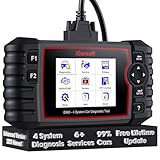
- 【Looking for More Professional Vehicle Scan...
- 【OE-Level 4 Systems OBD2 Scanner】iCarsoft E...
- 【4 Systems Diagnosis for 10000+ Vehicles】 iCarsoft E...
- 【6 Reset Services】iCarsoft E660 2026 Upgrade Version is...
- 【118+ Real Time Record & Live Graph View】iCarsoft E...

Last update on 2026-06-23 / Affiliate links / Images from Amazon Product Advertising API
If the PDF is very large, it may not load in the preview below.
Some older TSBs had multiple PDFs — visit the NHTSA Website to view all PDFs.
If the TSB PDF does not show, download or view it on the NHTSA Website.
Click on the (+) Plus Sign
Then Click on Associated Document(s)
Search NHTSA Database for Recalls
Search NHTSA Database for Vehicle Investigations
View Latest Vehicle Investigations
Search NHTSA Database for Vehicle Complaints
View Latest Vehicle Complaints
TSB/Document ID: PDI 2018 Audi Te
Replacement Service Bulletin Number:
MFR Communication Date: 2017-11-01
MFR Internal Campaign ID/Software Version:
Communication Type: Service Bulletin/Repair Instructions
NHTSA Components: EQUIPMENT:ELECTRICAL:RADIO/TAPE DECK/CD ETC.
MFR Component System:
MFR Component Subsystem:
Previous TSB | Next TSB |

- Stay Updated with Lifetime Access: This obd2 scanner includes lifetime free software updates for all app service functions. With a single payment, enjoy full access to diagnostics, reset tools, and maintenance features — zero subscription fees. A budget-friendly choice for weekend mechanics, home car owners, and DIYers, supporting vehicles from 1996 onward. Come to us with your VIN to check compatibility.
- Full Bidirectional Control/Active Tests & Stable Wireless Connectivity: This car code reader features full bidirectional control, allowing you to send commands to the vehicle's ECU for active tests on components such as fuel pumps, injectors, A/C clutches, windows, sunroofs, and more. This car scanner diagnostic tool helps DIYers quickly diagnose and test vehicle parts, cutting down troubleshooting and repair time. With BT 4.0 wireless connectivity, you can enjoy cable-free diagnostics up to 33 feet. Stand in your garage and test windows, wipers, or even engine components—all without needing to move around your car.
- Portable Car Scanner with 26 Special Functions: Scheduled vehicle maintenance with the A30M car diagnostic scanner can keep your vehicle in peak condition and save you big on dealership trips. The XTOOL A30M obd2 scanner diagnostic tool features essential reset and relearn functions, such as Oil Reset, EPB Reset (Electronic Parking Brake Release), SAS, ABS Brake Bleeding, Throttle Body Relearn, Injector Coding, Crank Sensor Relearn, Headlight Adjustment, and Tire Size Reset. Note: Service functions may vary by vehicle model – check compatibility beforehand!
- Wide Compatibility CAN FD & FCA
 Autoauth: This obd2 scanner diagnostic tool is compatible with over 85+ car brands from the U.S., Europe, and Asia, providing extensive coverage through a BT connection with your smartphone or iPad. Now upgraded to support the latest protocols, it includes FCA AutoAuth access for Chrysler, Jeep, Dodge, and Fiat (2018+), and supports CAN FD for GM (2020+) models, giving you greater access to newer vehicles and systems. Note: The FCA AutoAuth account is not included with the device. Users must register and pay separately through the official FCA AutoAuth website to access diagnostic functions for vehicles that require it.
 - Up to 8 Live Data Streams Graphing – Real-Time Graphing for Deeper Insight: This car scanner supports up to 8 live data streams simultaneously with intuitive, real-time graphing. Gain comprehensive insights into your vehicle’s performance, making it easier to spot issues, detect trends, and make informed diagnostic decisions with confidence.
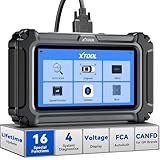
- Comprehensive OBD2 Scanner with 16 Resets: The XTOOL D5S car code reader and vehicle reset tool provides an advanced diagnostic solution with 16 commonly needed reset functions, including Electronic Parking Brake Reset (EPB Reset), SAS, BMS Reset (Battery Test), Throttle Body Relearn, TPMS Reset, ABS Bleeding, Injector Coding, Gearbox Match, Suspension Adjustment, Headlight, Window Initialization, Crank Sensor Relearn and more. Equipped with CAN FD Protocol and FAC AutoAuth, the D5S obd2 scanner diagnostic tool ensures compatibility with a broad range of modern vehicles, allowing users to address common maintenance needs quickly. NOTE: Please Check the Compatibility before ordering.
- 4 Main System Car Scanner & Full OBD2 Diagnostics: The XTOOL D5S car code reader is ideal for home mechanics, DIYers, and professionals, providing access to Transmission/Engine/ABS/SRS systems to read DTCs, Live data can be displayed in text or up to 4 PID data graphs, along with full OBD2 diagnostics to check the engine light on, other obd2 issues and routine maintenance. This car diagnostic scanner ensures you can keep your vehicles in top condition, avoiding costly repairs or unexpected breakdowns. NOTE: Some vehicles display three systems after connection because the transmission and engine of some vehicles are integrated into one.
- Check Engine Code Reader & Real-Time Engine Monitoring: Whether you're a car owner, a DIYer, or run a repair shop, the XTOOL D5S obd2 scanner diagnostic tool makes engine diagnostics fast and frustration-free, reading and explaining trouble codes in seconds—no confusion. Check live data like fuel trim, 02 sensor voltage, RPM, and coolant temp to pinpoint mis~fires, rough idle, or sensor issues. After repairs, simply use the D5S check engine code reader and reset tool to turn off the check engine light and confirm the problem’s fixed—saving time, money, and unnecessary shop visits. - Note: If the check engine light comes back on, it indicates the original problem still exists.
- Portable Car Scanner for ABS and SRS: XTOOL D5S gives you peace of mind when ABS or airbag warning lights come on. It reads and clears ABS codes to help you fix brake sensor, traction control, or wheel speed issues, and supports ABS bleeding after repairs like caliper or master cylinder replacement. For airbag systems, it scans and clears SRS codes related to airbags, seatbelt tensioners, and crash sensors. Whether you're doing repairs at home or running a small shop, the D5S is a cost-effective solution for safety diagnostics. Note: If a fault code returns after clearing, it usually means the issue hasn’t been fully resolved. Please check the compatibility before ordering.
- Transmission Warning Light ON? Here’s the Transmission Diagnostic and Reset Tool You Need: The XTOOL D5S is more than just a basic car scanner—it’s an easy-to-use transmission diagnostic tool. From rough shifts to slipping gears, the D5S lets you read and clear transmission trouble codes, monitor real-time TCM data, and perform transmission resets after fluid changes or repairs. Whether you’re a hands-on car owner or a pro running a busy shop, this OBD2 scanner with transmission functions helps you catch problems early—saving you time, money, and future headaches.. Note: Clearing fault codes is equivalent to a reset on some vehicles, but not all. For help, contact XTOOL Tech Support.
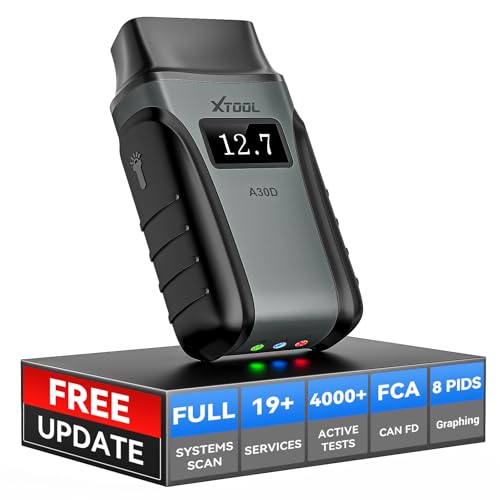
- Save $500+/Year with Pro-Level Diagnostics -No Subscriptions: The Portable XTOOL Anyscan A30D OBD2 scanner diagnostic tool includes free lifetime software updates for all app service functions, without extra cost. With a single payment, enjoy full access to diagnostics, relearn scan tools, and maintenance features. A cost-effective, smart choice for car owners and DIY enthusiasts, compatible with vehicles from 1996 onward. Please provide the car VIN and the special functions you need in advance so that we can confirm compatibility
- Bi-Directional Control for Faster Troubleshooting: Unlike a basic code reader, the A30D bi directional scan tool sends commands directly to your vehicle’s ECU to actively test components like fuel pump, valves, wipers, windows, doors, sunroof, and headlamps right from your smartphone. See component responses in real time without disassembly—perfect for brake jobs, electrical issues, and hard-to-find problems. This bidirectional obd2 scanner helps pinpoint faults faster, reduce guesswork, and avoid replacing good parts. An efficient, easy-to-use car scanner diagnostic tool built for DIYers, home garage users, and small-shop technicians who want real two-way scanner, not just codes
- 19 Reset Functions for Routine Maintenance: The A30D car diagnostic scanner provides 19 relearn functions without extra charges, including EPB Reset for parking brake replacement, TPMS Reset after tire changes, ABS Auto Bleeding, Oil Reset, SAS Reset, BMS Reset, Throttle Relearn, Injector C0ding, Gear Learning, Crank/Crankshaft/Cam/Ckp Sensor Relearn Tool, Transmission Match, Seat Calibration, Airbag Repair and more. This XTOOL A30D automotive scanner diagnostic tool supports preventive care, helping extend vehicle life and reduce costly shop visits. Functions vary by vehicle make and year—plz confirm compatibility before purchase
- Stable BT Connection & All-System & 8 Pids Live Data: The A30D wireless OBD2 scanner delivers a fast and stable wireless connection up to 33 feet, letting you move freely around the vehicle without tangled cables. Pair with with Android 9.0+ and iOS 10.0+ devices to turn your phone into a mobile auto scanner—perfect for home garages, driveways, or on-the-spot repairs. This full system scanner for cars provides real-time access to all major modules, including Engine, Gearbox, ABS, SRS, AC and more. with clear graphs, meters, and up to 8 PIDs displayed at once. This car code reader makes system monitoring visual, simple, easy to understand, and offering data logging for playback and deeper
- Wide Compatibility with CAN-FD & FCA Support: The A30D car computer diagnostic reader works with most 1996 and newer vehicles with a standard OBD2 port, including for Ford, for GM, for Toyota, for Honda, for Nissan,for Hyundai etc, with ongoing updates covering more car models and functions later. It also supports newer communication protocols like CAN-FD and FCA AutoAuth (Personal AutoAuth account and active subscription required, not included with the device!for Chrysler, for Dodge, for Jeep, for Fiat models). It is a future-ready automotive scanner diagnostic tool for households with multiple vehicles or part-time techs. Coverage vary by cars, plz check the compatibility first
Last update on 2026-06-23 / Affiliate links / Images from Amazon Product Advertising API
This product presentation was made with AAWP plugin.