
NHTSA ID Number: 10131324
Manufacturer Communication Number: MIN13108
TSB/Document Date: 2018-04-02
Summary
Updated Emission Control Information and CARB Clean Idle Label; Only models with MaxxForce 11, 13, 15 engines.
If the PDF is very large, it may not load in the preview below.
Some older TSBs had multiple PDFs — visit the NHTSA Website to view all PDFs.
If the TSB PDF does not show, download or view it on the NHTSA Website.
Click on the (+) Plus Sign
Then Click on Associated Document(s)

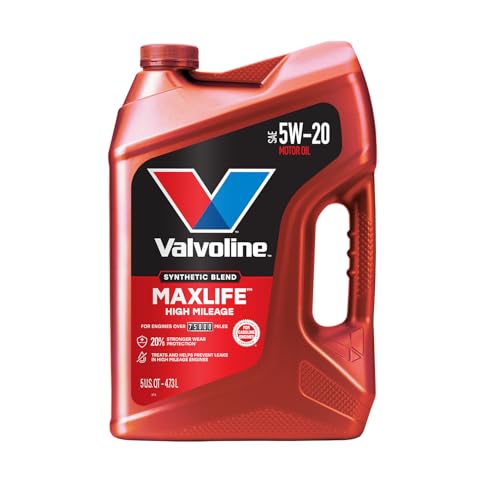
- MaxLife Technology prevents engine breakdown with 40% better...
- Includes seal conditioners to reduce oil consumption and oil...
- Added detergents reduce sludge, corrosion, rust and deposits...
- Advanced friction-fighting additives help maximize...
- Meets or exceeds all requirements of ILSAC GF-6A, API SP...
This product presentation was made with AAWP plugin.
Search NHTSA Database for Recalls
Search NHTSA Database for Vehicle Investigations
View Latest Vehicle Investigations
Search NHTSA Database for Vehicle Complaints
View Latest Vehicle Complaints
TSB/Document ID: MIN13108
Replacement Service Bulletin Number:
MFR Communication Date: 2013-05-08
MFR Internal Campaign ID/Software Version:
Communication Type: Service Bulletin/Repair Instructions
NHTSA Components: ENGINE AND ENGINE COOLING:EXHAUST SYSTEM:EMISSION CONTROL
MFR Component System:
MFR Component Subsystem:
Previous TSB | Next TSB |
MIN – 13108
08 May 2013
Subject: Updated Emission Control Information and CARB Clean Idle Label.
Models Involved:
PayStar®, WorkStar®, TranStar®, LoneStar®, and ProStar®
Defect Description:
This procedure only applies to certain PayStar®, WorkStar®, TranStar®, LoneStar®, and
ProStar® models with MaxxForce® 11, MaxxForce® 13, or MaxxForce® 15 engines and
flagged with MIN 13108. This procedure is only required for the 92 vehicles specified in
the Table 3 in Appendix section and coded in the Service Portal with MIN 13108. While
all vehicles listed require an updated EPA Emissions Label, some will also require an
updated CARB Certified Clean Idle label. All other vehicles built during this period have
either been repaired prior to shipment or have been determined not to require this repair
procedure.
NOTE: New labels will be shipped overnight delivery (refer to Step 1 for
instructions). Make sure to coordinate this repair activity to allow for shipment of
the label(s) and minimize customer downtime.
Tools Required:
Description
Solvent or Alcohol
Razor Blade or Pick
Logo Applicator for CARB Label, or Equivalent
Table 1 Tools Information.
©
Tool Number
Obtain Locally
Obtain Locally
Obtain Locally
2013 Navistar , Inc. All rights reserved. All marks are trademarks of their respective owners.
Page 1
Work Instructions
WARNING! Park vehicle on hard flat surface, turn the engine off, set the parking
brake, and block the wheels to prevent the vehicle from moving in both
directions. Failure to do so may result in property damage, personal injury, and/or
death.
WARNING! If the vehicle must be raised, do not work under the vehicle supported
only by jacks. Jacks can slip or fall over, potentially resulting in property damage,
personal injury, and/or death.
WARNING! Always wear safe eye protection when performing vehicle
maintenance. Failure to do so may result in personal injury and/or death.
WARNING! Keep flames or sparks away from vehicle and do not smoke while
servicing the vehicle’s batteries. Batteries expel explosive gases. Failure to do so
may result in property damage, personal injury, and/or death.
WARNING! Remove the ground cable from the negative terminal of the battery
box before disconnecting any electrical components. Always connect the ground
cable last. Failure to do so may result in property damage, personal injury, and/or
death.
NOTE: Vehicles involved in this campaign were released from assembly plants
with exempt Emission Control Information labels. These vehicles will require a
new Emission Control Information label to be affixed to the engine.
NOTE: Certain vehicles will also require a CARB-Certified Clean Idle label, which
will be shipped with the emissions label if needed.
1. To obtain new label(s), call a Customer and Warranty Relations Specialist in
Navistar Powertrain Reliability and Quality at 331-332-1465 with vehicle VIN
information.
NOTE: The Customer and Warranty Relations Specialist will record the
appropriate information and overnight the new label(s). Make sure to coordinate
this repair activity to allow for shipment of the label(s) and minimize customer
downtime. Follow the instructions below for replacing the Emission Control
Information label.
©
2013 Navistar, Inc. All rights reserved. All marks are trademarks of their respective owners.
Page 2
Figure 1. Lifting Up Corner of Old Emissions Label.
2. Using razor or pick, lift up corner of old Emission Control Information label
(Figure 1). Remove and discard label.
Figure 2. Emission Control Information Label Placement Area.
3. Using alcohol swab, clean area illustrated in Figure 2.
©
2013 Navistar, Inc. All rights reserved. All marks are trademarks of their respective owners.
Page 3
Figure 3. MaxxForce Valve Cover with Emission Control Information Label.
4. Position new Emission Control Information label on top of smooth semi-rectangular
area towards front of valve cover (Figure 3).
NOTE: The label should be able to be read from the cold (operator’s) side of the
engine. The top edge of the Emission Control Information label should line up
with the top of the smooth area on the valve cover.
5. If a CARB Clean Idle Label is required (according to Table 3 in Appendix section),
proceed with following procedure. If no CARB Clean Idle Label is required, repair is
complete.
©
2013 Navistar, Inc. All rights reserved. All marks are trademarks of their respective owners.
Page 4
CARB CLEAN IDLE SERVICE PROCEDURE
Figure 4. CARB Clean Idle Label.
NOTE: Certain vehicles involved in this campaign were released with an exempt
or missing CARB-Certified Clean Idle label. These vehicles will require a new
CARB label to be affixed to the vehicle. Follow instructions in this section to
replace CARB label (Figure 4).
Figure 5. WorkStar® CARB Label Placement.
1. CARB label on WorkStar®
©
2013 Navistar, Inc. All rights reserved. All marks are trademarks of their respective owners.
Page 5
Figure 6. PayStar® CARB Label Placement.
1. CARB label on PayStar® - 5900 SFA
2. CARB label on PayStar® - 5900 SBA
Figure 7. ProStar® and TranStar® CARB Label Placement.
1. CARB label on ProStar® and TranStar®
©
2013 Navistar, Inc. All rights reserved. All marks are trademarks of their respective owners.
Page 6
1. Find existing label on door or hood of operator’s side of cab. The label location
varies depending on the vehicle model (Figures 5 through 7).
Figure 8. Lifting Up Clear Edge of Old CARB Label.
CAUTION: Be careful not to damage paint when lifting up edge of CARB label.
2. Using razor, lift up clear (top) edge of old CARB Clean Idle label (Figure 8).
Figure 9. Peeling Off Clean Layer of CARB Label.
©
2013 Navistar, Inc. All rights reserved. All marks are trademarks of their respective owners.
Page 7
Figure 10. Door-Mounted CARB Label.
3. Peel off clear layer of label with hand (Figure 9). This will expose the base layer of
the label (Figure 10).
WARNING! Always wear chemical-resistant nitrile gloves when working with
acetone. Failure to do so may result in personal injury and/or death.
Figure 11. Wiping Down Base Layer Area of CARB Label.
4. Wearing gloves, add acetone solvent and wipe down base layer area (Figure 11).
The label will begin to crumple up and release.
©
2013 Navistar, Inc. All rights reserved. All marks are trademarks of their respective owners.
Page 8
Figure 12. Scraping Off Dissolved Glue With Logo Applicator.
CAUTION: Do not use a razor blade to remove the base layer of CARB Clean Idle
label on a vehicle, or damage to paint may occur.
5. Scrape off dissolved glue with logo applicator (Figure 12). Once the dissolved glue is
removed, the area should be cleaned with an alcohol swab.
6. Replace CARB Clean Idle label. For CARB label placement information for each
vehicle, refer to Table 3 in Appendix section.
7. Use logo applicator (Figure 12) to remove any air bubbles.
LABOR INFORMATION
Operation number must appear on all claims.
Please submit for one operation only.
Table 2 Labor Information.
©
Operation Number
Description
Time
A40-13108-1
Remove Old Emissions Label and Affix New Emissions Label
0.3 hrs
A40-13108-2
Remove Both Old Emissions Label and Old CARB Clean Idle
and Affix New Emissions Label and New CARB Clean Idle
Label
0.4 hrs
2013 Navistar, Inc. All rights reserved. All marks are trademarks of their respective owners.
Page 9
WARRANTY CLAIMS
Warranty claim expense is to be charged to Warranty. Claims are to be submitted in the
normal manner, making reference to Mis-build Investigation Notice 13108.
It is important that the coding be completed properly to assist in processing the warranty
claim. Complete instructions will be found in the Warranty Policy Manual, Section 7.1.8.
As with all claim submissions, items acquired locally must be submitted in the “Other
Charges” tab. The cost of any bulk items (such as a bag of cable tie straps, roll of wire,
barrel of oil, or tube of silicone) should be prorated for the cost of the individual pieces /
amount used during each repair.
To assure this important improvement is made in a timely manner, all claims for
13108 activity must be submitted by 31 May 2014 or within the normal warranty period
for the vehicle, if after 31 May 2014.
©
2013 Navistar, Inc. All rights reserved. All marks are trademarks of their respective owners.
Page 10
Appendix
Table 3 VIN List and CARB Clean Idle Label Location.
NOTE: All VINs Require a New Emission Control Information Label.
VIN8
DN151181
DN159854
DN150765
CN602985
CN602968
CN602839
DN150755
DN683745
DN147992
CN602984
DN603858
DN150762
DN122573
DN150766
DN160531
DN160530
DN150624
DN145446
DN150623
DN150628
DN150627
DN150626
DN150625
DJ097042
DJ146039
DJ146038
DJ154151
DJ161964
DJ200088
DJ153922
DJ196887
DJ169057
DJ203262
DJ164186
©
CARB Clean Idle Label
Location
Door
Door
Door
Door
Door
Door
Door
Hood
Not Applicable
Door
Door
Door
Not Applicable
Door
Door
Door
Door
Door
Door
Door
Door
Door
Door
Hood
Not Applicable
Not Applicable
Door
Hood
Not Applicable
Not Applicable
Not Applicable
Door
Not Applicable
Not Applicable
VIN8
DJ203003
DJ203002
DJ202995
DJ155838
DJ202994
DJ203004
DJ198497
DJ165509
DJ148384
DJ690607
DJ155253
DJ050994
DJ626774
DH199796
DJ626801
DJ626773
CJ626769
DJ626772
CJ626768
DJ162146
DJ626804
CJ626702
DJ202845
DJ202844
DJ197546
DJ616147
DJ150154
DH179216
DJ150166
CJ616600
CJ592791
DJ150232
DJ130143
DJ158944
CARB Clean Idle Label
Location
Not Applicable
Not Applicable
Not Applicable
Hood
Not Applicable
Not Applicable
Not Applicable
Not Applicable
Hood
Not Applicable
Not Applicable
Not Applicable
Door
Hood
Door
Door
Door
Door
Door
Hood
Door
Door
Door
Door
Hood
Not Applicable
Door
Door
Door
Door
Door
Door
Not Applicable
Not Applicable
2013 Navistar, Inc. All rights reserved. All marks are trademarks of their respective owners.
Page 11
Table 3 VIN List and CARB Clean Idle Label Location – Continued.
VIN8
DJ153866
DJ201252
DJ200339
DJ198561
DJ200341
DJ198560
DJ153528
DJ200340
DJ200337
DJ198559
DJ200015
DJ200020
©
CARB Clean Idle Label
Location
Not Applicable
Not Applicable
Not Applicable
Hood
Not Applicable
Hood
Not Applicable
Not Applicable
Not Applicable
Hood
Not Applicable
Not Applicable
VIN8
CJ593047
DH154457
DH154456
DH154455
DJ147688
DH154454
DH154453
DJ150032
DH154458
CH113780
DJ151204
DJ151203
CARB Clean Idle Label
Location
Door
Door
Door
Door
Door
Door
Door
Door
Door
Door
Door
Door
2013 Navistar, Inc. All rights reserved. All marks are trademarks of their respective owners.
Page 12

- 🎉[OTOFIX D1 Lite, Perfect Cost-effective Diagnostic Tool]: OTOFIX D1 Lite, a newest bidirectional scan tool from OTOFIX company, is a great choice for DIYers and repair shops. 👉This obd2 scanner diagnostic tool packs all practical functions: OE level all systems diagnoses, Bi-Directional Control, 38+ reset services fixing 99% of common problems, support DoIP & CANDF protocols and FCA
 AutoAuth, high-end hardware configuration. Worldwide vehicles and 🔥2 Years Free Updating🔥 covered.
 - 🎉[Bi-Directional Scan Tool, Active Test]: OTOFIX D1 Lite bluetooth obd2 scanner can also command ECUs and monitor the operation of the actuators to track down the problems of certain parts, like windows, sunroof, wipers, fuel pumps, etc., saving repair time & trouble. This makes OTOFIX D1 Lite the most cost-effective bidirectional scan tool.
- 🎉[2026 Newest, 38+ Hot Reset Functions]: Equipped with 38+ reset functions in one, the OTOFIX D1 lite automotive scanner diagnostic tool allows you to troubleshoot 99% of common vehicle problems. You can use this car diagnostic scanner holding enough functions to easily repair common vehicle models in your repair shops. Including Oil Reset, Injector Coding, Throttle, DPF Reset, SCR Reset, Gear Learning, Clutch Learning, Suspension, etc. Note* Reset functions vary by model.
- 🎉[OE Level Full Systems Diagnostics]: Unlike the 2-system and 4-system diagnostic tools, the OTOFIX auto scan tool can complete comprehensive system diagnostics within 5 minutes. It accesses and scans all available onboard systems like for Engine /AT /ABS /EPB /BMS /TPMS /SRS /SAS /Audio System /BCM /Air Conditioning / etc., to read & clear codes, view live data, and check ECU information. Note: Active test is not involved.
- 🎉[Powerful Hardware Configuration]: Designed with a fashion appearance & a 7” touchscreen and a weight of 463g, this OTOFIX D1 Lite OBD2 diagnostic scanner scan tool is convenient for everywhere and easy to use & store. Android9.0 OS and 2+64GB memory enhance multi-task smoothness and diagnostic operation, no more wasting too much time. 5800mAh battery allows hours-lasting use. WiFi & VCI1 also bring faster communication for your diagnostics.

- 🏆【2026 TOP OBD2 Scanner Diagnostic Tool】OTOFIX D1 Lite wireless obd2 scanner has upgraded hardware configuration and car coverage. The newly upgraded D1 Lite with 🔥OS Android 9.0🔥1.5Ghz 4 core high efficiency processor🔥2GB RAM+64GB ROM large storage🔥5800mAh large battery, more stable and longer lasting diagnostics🔥 38+ Reset🔥action tests🔥full system diagnostic🔥Supports MV105 endoscope🔥21+ Language Supports🔥100000+ vehicle coverage to meet all your daily maintenance needs.
- 👍【Bi-Directional Control / Active Test】D1 Lite obd2 scanner has bidirectional control(worth $300+), which is the most beloved feature among mechanic. If your headlights or car windows are broken, going to a repair shop will cost a lot of money. You can use D1 Lite to send execution commands to the ECU module and identify the repair status. Such as ABS, car windows, doors, valves, wipers, headlights, etc., effectively shorten diagnostic time and reduce diagnostic costs.
- 🔥【All Systems Diagnostics, In-depth Checking】This advanced OBD2 Scanner D1 Lite can perform OE-level diagnosis of all systems including engine, transmission, airbag, ABS, ESP, TPMS, gateway, steering, radio, and air conditioning for more than 100 brands. This diagnostic scanner supports essential functions, such as reading ECU version info, reading and clearing fault codes, and reading data streams.With just a simple click, it provides you with accurate and in-depth diagnostics.
- 🏆【38+ Reset Hot Functions】For repair workshops, holding an OTOFIX D1 Lite Auto scanner is a strong advantage over others. Its 38+ maintenance functions provide various solutions for all module repairs, including Oil Reset, TPMS Reset, Injector Coding, Suspension, Throttle Matching, etc., which will usher your repair business to a new pinnacle. Continuously updating will never make the functionality & compatibility out-of-date.
- 🏆【150+ Models, 10000+ Car Coverage & 16 Languages】D1 Lite is a comprehensive car diagnostic scan tool, help you to troubleshoot car issues fast for 95% US, European, Asian auto makes. ✅ With frequent updates and optimizations allow D1 Lite to cover more vehicles to meet your needs. ✅ Multilingual menu allows auto mechanics around the world to use it without language barriers. 🚩Note: Kindly send us the S/N of the device to authorize new language updates before changing the menu language.
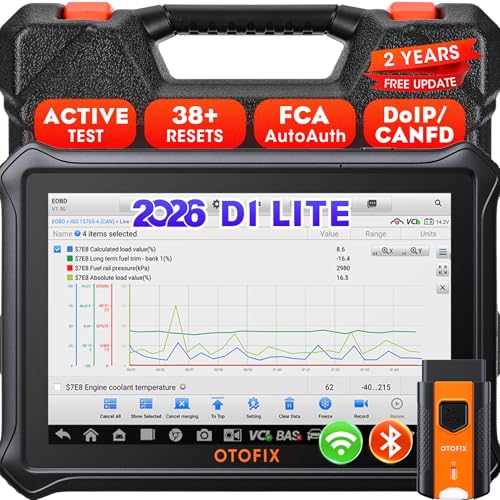
- 【2026 OTOFIX D1 Lite Gives the Best Value for Money】OTOFIX D1 Lite bidirectional scan tool is more FASTER and SMARTER with 2026 Enhanced Hardwares & New Functions! 👍Alternative Bluetooth +USB connect 👍2G+64GB 👍4x ARM Cortex-A35 (1.5GHz) Processor (5X Faster CPU) 👍Android 9.0 OS 👍5G GHz WiFi 👍CANFD&DOIP 👍 FCA AutoAuth 👍38+ Services 👍3K+ Bi-Directional Control 👍Full Systems Diagnose 👍2 Years Update 👍150+ Vehicle Coverage.
- 👍【Active Tests】 OTOFIX D1 Lite is a bi-directional scan tool that can send commands to, and also receive information from vehicle control modules. This way, you can quickly locate and repair faulty auto parts. For Example: send direct commands to ask the vehicle to turn on/off the radiator fan, lights, sound horn, fuel pump, modulate throttle, open/close windows, operate mirrors and more. *Note that only available tests will be displayed in the menu.
- 👍【38+ Service Functions】 OTOFIX D1 Lite scan tool offers 38+ of the hottest service functions that are commonly used for car repairs. That include Oil reset/SAS/EPB/BMS/Throttle/ABS bleeding, and 2065-new SUS/ADBLUE/NOX/Headlamp resets (and more) to help restore your car status after repairs are done. Compared to other diagnostic scanners for cars, the OTOFIX D1 Lite scanner is much more fully-featured. *Note that specific functions available depend on the make/model/year of your car.
- 👍【All System Diagnostics + Cloud Report Management】 This 2026 car scanner OTOFIX D1 Lite provides troubleshooting and data for all ECUs: read/clear DTCs, view graphic live data/VIN, and locate system faults for safe driving. With Cloud Report Management, you can save detailed reports to cloud servers and easily shared them with others via QR codes/emails/text messages. Others can access these reports from any device (smartphones/tablets/PCs …) anytime, and you can better manage repair work.
- 👍【99% Car Coverage】 This one-station car scanner diagnostic for all cars works on 150+ major car brands across the world. 1) It supports CAN-FD/DoIP protocols: compatible with GMCAVALIER/TRAX/Encore/Envision/GL8(LSY)/CT4/CT5 after 2019; Volvo after 2018; Land Rover/Jaguar after 2017; and BM.W F/G all chassis. 2) For models equipped with security modules (such as Renault & 2018+ FCA SGW), its built-in AutoAuth allows you to easily break diagnostic barriers after registration.
This product presentation was made with AAWP plugin.
Last update on 2026-05-13 / Affiliate links / Images from Amazon Product Advertising API