
NHTSA ID Number: 10130915
Manufacturer Communication Number: IK0800547
TSB/Document Date: 2018-04-02
Summary
Batt2 Load Shed Relay Failure; Only models without feature 16UZL - No Idle HVAC
IK0800547 Batt2 Load Shed Relay Failure
Page 1 of 7
Countries:
CANADA, UNITED STATES, MEXICO Document ID: IK0800547
Availability:
ISIS, NotSIR
Revision:
0
Major System:
ELECTRICAL SYSTEM
Created:
8/25/2017
Current Language: English
Last Modified: 10/30/2017
Other Languages: NONE
Author:
Viewed:
Jon Pierce
139
Less Info
Coding Information
Hide Details
Copy Link
Copy Relative Link
Bookmark
Add to Favorites
Provide Feedback
View My Bookmarks
Helpful
Not Helpful
2
0
Title : Batt2 Load Shed Relay Failure
Applies To : LT's Without 16UZL
CHANGE LOG
Please refer to the change log text box below for recent changes to this article:
08/25/2017 - Initial Article Release
DESCRIPTION
This document will guide the user through identifying a failed relay and possibly a spread terminal resulting in loss of power to the sleeper.
SYMPTOM(s)
Load shed type faults being set. No change in truck performance. The check electrical warning may be illuminated.
See if the unit is in active load shed. The standard load shed voltage is 12.1 vdc. If the voltage on the J8 (Gen 4 BMC) power stud of the Body Controller is
12.1 vdc or less, there is a good possibility the truck is in load shedding. If you find the unit is in load shedding, no troubleshooting needs to be performed for
these faults.
Diagnostic Trouble Code(s) & Dashboard Indicator Light(s):
DTC/Light
Description
SPN 3979 FMI 05 (link to FCAP)
Cab Floor Light Relay Undercurrent or Open
Circuit
SPN 2362 FMI 05 (link to FCAP)
Tractor Rear High Mounted Work Lights
SPN 2058 FMI 14 (link to FCAP)
Rear HVAC Data LInk Communication Failure
Customer Observations or Concerns:
Sleeper dome lights and power outlets are not working properly. Check electrical warning message displayed.
SPECIAL TOOL(s) / SOFTWARE
Not Applicable
SERVICE PARTS INFORMATION
Part Description
Part Number
Quantity
Required
BATT2 LOAD SHED RELAY CONTROL HARNESS
2518071c91
1
5 PIN MICRO RELAY
3571998C1
1
Notes
DIAGNOSTIC STEP(s)
https://evalue.internationaldelivers.com/service_kb/DocTool/ArticleViewer.aspx?ControlI...
11/1/2017
IK0800547 Batt2 Load Shed Relay Failure
Step Action
DIAGNOSTIC: Verify that there is no power to the sleeper. Follow the FCAP for load shed.
1
Page 2 of 7
Decision
Yes: Charge batteries and repair
charging circuit if necessary than
retest.
Is the unit actively load shedding?
No: Go to next step
Step Action
Decision
1. Gain access to the
PDM located on the
passenger side of the
unit.
2
2. Locate the batt2 load
shed relay in the
PDM.
3. Proceed to next step
Step Action
Decision
3
1. Remove relay and inspect
for signs of discoloration in
the PDM like the photo.
Apply power to pin 85 of
the relay and ground to pin
86 and listen for a click.
Replace the relay if no
audible noise heard.
2. Inspect the terminal for
signs of spreading or
damage from heat.
3. Remove the wire at pin 87
(A14N) proceed to next
step.
https://evalue.internationaldelivers.com/service_kb/DocTool/ArticleViewer.aspx?ControlI...
11/1/2017
IK0800547 Batt2 Load Shed Relay Failure
Step Action
Page 3 of 7
Decision
1. At the PDM verify
voltage on pin 30
(A14AB) via load
testing. If voltage is
correct proceed to
next decision. If
not, repair prior to
continuing.
4
2. Jump power from
pin 30 to pin 87 at
the PDM and
determine if your
sleeper powers up
and functions
correctly. If after
you jumper the wire
and everything is
operational proceed
to the repair steps.
If you still don't
have power to your
sleeper proceed to
the next decision.
3. Double check your
wiring following the
schematics book for
the LT. LT
Schematics
4. Refer to the LT
service manual.
Service and
Diganostics
REPAIR STEP(s)
REMOVAL PROCEDURE:
Always refer to the Technician manual for complete removal,
assembly, safety warnings, cautions, and torque specifications.
LT/RH Technician Manual (Service and Diagnostic)
1. Disconnect and isolate the negative ground cables at the batteries.
https://evalue.internationaldelivers.com/service_kb/DocTool/ArticleViewer.aspx?ControlI...
11/1/2017
IK0800547 Batt2 Load Shed Relay Failure
Page 4 of 7
2. Remove Driver's side kickpanels for access to the bulkehead and wiring.
3. Remove dog house outer cover.
4. If needed, remove cluster for easier access to route the new harness.
5. Loosen and set aside the PDM.
INSTALLATION PROCEDURE:
https://evalue.internationaldelivers.com/service_kb/DocTool/ArticleViewer.aspx?ControlI...
11/1/2017
IK0800547 Batt2 Load Shed Relay Failure
Page 5 of 7
Figure 1: Current vs. Change over Wiring Schematic
Once the harness is routed properly you will need to splice into the circuist according to the schematic.
Please refer to this document for proper wire repair IK0800269
1. With the instrument panel and rear engine cover area accesible obtain the new harness. The new relay in the harness will be mounted to the engine cover.
2. Feed the 3 blunt cut wires up labeled (A14XS, A14X
and A 14Y) up through the center console above the
rear engine cover up to the fuse panel.
It may be helpful to insert a long screwdriver or
some kind of stick from the top of the fuse panel so
it would be possible to see it from underneath to
help guide the routing of the wires up to the fuse
block area.
3. On the left side of the dog house cover, feed the red wire (A14A) with ring terminal and the grey ground wire (A11-G) with ring terminal behind the HVAC duct work and alo
and airline bundle over the steering column.
4. Route the red wire (A14A) and grey ground wire (A11-G) along the cab dash in front of the other harness bundles in order allow routing of these wires to the cab pass-thru
cab ground stud, respectively.
Care should be taken to avoid unnecessary contact of these wires to sharp edges of the steering column or the cab ground studs themselves.
5. Drill a series of slightly increasing diameter, pilot
holes into the grommet above the existing BCM power
feed to carefully expand a hole thru the grommet to feed
the red wire (A14A). Avoid contact between the drill bit
and the BCM power feed cable. Center the drill bit so it
is approximately 3/8” above the closest point of the
BCM power feed cable.
https://evalue.internationaldelivers.com/service_kb/DocTool/ArticleViewer.aspx?ControlI...
11/1/2017
IK0800547 Batt2 Load Shed Relay Failure
Page 6 of 7
6. Feed the red wire (A14A) with ring terminal end thru
the drilled hole in the grommet being careful not to tear
the grommet. Pull approximately (1 to 1.5) feet of the
red wire (A14A) thru the grommet.
7. Reinsert the grommet back into the cab opening.
Make sure that grommet is fully seated into the opening.
It may be necessary to check the seating of the
grommet from inside the cab as well.
8. Connect the ring terminal to the same terminal that
the body controller is currently receiving power from.
Torque 15 +/ 1.5 N/M
9. Install conduit and zip ties. Make sure there is a slight
drip loop made with the body controller power and new
harness power feed.
10. On the inside of the cab, connect the ground ring
terminal (A111g) to the cab ground stud.
11. Install the plastic cap on the ground stud and ensure
that the harness will not rub on the ground stud.
12. Using the double sided adhesive and zip ties mount
the fuse to the bulkhead and secure in place with the zip
ties provided on any convienient location near the
ground stud.
13. Locate the wires A14X and A14Y within the main
instrument panel that are spliced with wires A14R and
A14N. The splice # is GS33. Wires A14X and A14Y will
be coming from fuse block B8 (R/D 1017) cavities 9 and
17, respectively.
14. Cut wires A14X and A14Y approximately midway
between the fuse block connector (R/D 1017) and splice
GS33. Apply heatshrink to the end of wire A14Y that is
coming from GS33 splice.
15. Splice wire A14X coming from GS33 splice with wire
A14XS that was fed from the new jumper harness that
was routed. Listed as “New Splice 1” on the below
circuit diagrams. Use butt splice (item # 004) and
heatshrink
https://evalue.internationaldelivers.com/service_kb/DocTool/ArticleViewer.aspx?ControlI...
11/1/2017
IK0800547 Batt2 Load Shed Relay Failure
Page 7 of 7
16. Splice the other end of wire A14X coming from the
fuse block connector (R/D 1017) cavity 9 with wire A14X
that was fed from the new jumper harness that was
routed. Listed as “New Splice 2” on the below circuit
diagrams. Use butt splice and heatshrink.
17. Splice the other end of wire A14Y coming from the
fuse block connector (R/D 1017) cavity 17 with wire
A14Y that was fed from the new jumper harness that
was routed. Listed as “New Splice 3” on the below
circuit diagrams. Use butt splice (item # 003) and
heatshrink (item # 005).
18. Replace the batt2 relay in the PDM.
19. Verify proper operation of bunk electrical components
20. Re-install all previously removed components
21. Use a pen or paint marker to cover the discolored area under the relay to prevent the next tech from mistakenly thinking they need to do the repair.
WARRANTY INFORMATION
Warranty Claim Coding:
Refer to the Warranty Coding Manual for Group and Noun Codes.
Standard Repair Time(s):
Refer to the SRT Manual for Repair Times
OTHER RESOURCES
Master Service Information Site
Hide Details
Feedback Information
Viewed:
138
Helpful:
2
Not Helpful: 0
No Feedback Found
Copyright © 2017 Navistar, Inc.
https://evalue.internationaldelivers.com/service_kb/DocTool/ArticleViewer.aspx?ControlI...
11/1/2017

- 💯【Conta.ct us for Support Directly】If you met any...
- 🔥🔥🔥【2026 AUTEL FLAGSHIP MK900BT MK900-BT, NEW...
- 🚗【3000+ ACTIVE TESTS (50➡3000+), SAME AS MS...
- 🚗【40+ HOT SERVICES FOR 150 MAKES (28+➡40+)】Full...
- 🚗【OE ALL SYSTEM DIAGNOSE, AUTO SCAN 2.0: SCAN LICENSE...


- 【TURN OFF CEL】 This AL319 car scanner diagnostic tool...
- 【EXTENSIVE APPLICATION】 Autel AL319 Compatible with...
- 【FOR END USER & DIYERS】 This error code reader AL319 is...
- 【USER-FRIENDLY DESIGN】 This OBD2 scanner and check...
- 【HIGH-QUALITY SERVICES】 12 months war.ranty from the...
Last update on 2026-06-12 / Affiliate links / Images from Amazon Product Advertising API
If the PDF is very large, it may not load in the preview below.
Some older TSBs had multiple PDFs — visit the NHTSA Website to view all PDFs.
If the TSB PDF does not show, download or view it on the NHTSA Website.
Click on the (+) Plus Sign
Then Click on Associated Document(s)
Search NHTSA Database for Recalls
Search NHTSA Database for Vehicle Investigations
View Latest Vehicle Investigations
Search NHTSA Database for Vehicle Complaints
View Latest Vehicle Complaints
TSB/Document ID: IK0800547
Replacement Service Bulletin Number:
MFR Communication Date: 2017-10-30
MFR Internal Campaign ID/Software Version:
Communication Type: Service Bulletin/Repair Instructions
NHTSA Components: ELECTRICAL SYSTEM
MFR Component System:
MFR Component Subsystem:
Previous TSB | Next TSB |

- Obd2 Bluetooth Scanner Lifetime Update: Ediag Elite offers revolutionary Advantage Lifetime Updates with unlimited access to the superior 15 reset service, bidirectional testing and full system diagnostics.The Ediag Elite is an excellent Bluetooth obd2 scanner diagnostic tool ideal for diy's and private car owners
- Bidirectional Control for Quickly Locating Problems: The Bidirectional Scan tool allows you to send commands directly from your smartphone to your vehicle for active testing. This feature helps to quickly narrow down problems such as air conditioning clutches, windows, doors, sunroofs, etc., reducing diagnostic time for mechanics and helping Diy users locate faults more easily. In addition, Ediag Elite provides fault analysis and repair guidance to help you solve problems efficiently.
- 15 Maintenance Resets: The current version introduces 15 popular special features: Oil Reset, Headlight Matching, Bleeding Reset, TPMS Reset, BMS Reset, Gear Box Relearn, Throttle Learning, Injector Coding, SAS Reset and more special functions in system diagnose menu. These functions make it easy for owners to carry out the necessary maintenance and servicing, ensuring that your vehicle stays in top condition, prolonging its service life and preventing common problems and breakdowns. Note: The Special function vary by model& year, Reach us check compatibility.
- Wide Compatibility CANFD & FCA
 Autoauth: Compatible with GM, Ford, Toyota, Chrysler, Honda, Mazda, Nissan, Mitsubishi, Hyundai, KIA with standard OBD2 port from 1996 to newer. More car brands and features will be released gradually. Newest Ediag Elite scanner supports CANFD Protocol and FCA cars. Note: Coverage may vary on different vehicle by model& year ,Please contact us to confirm compatibility before purchase.
 - Perfect for Monitoring The Health of Your Vehicle: Ediag Elite is designed to make vehicle maintenance simple and efficient. With intelligent AutoVIN quick recognition, it is easy to connect to your car without the need for manual input. Real-time data is visualized in a variety of formats, including graphs, numeric, meter displays and clear 4-in-1 data charts, allowing you to effortlessly monitor real-time data. Data logging/reporting is available for playback and further analysis.
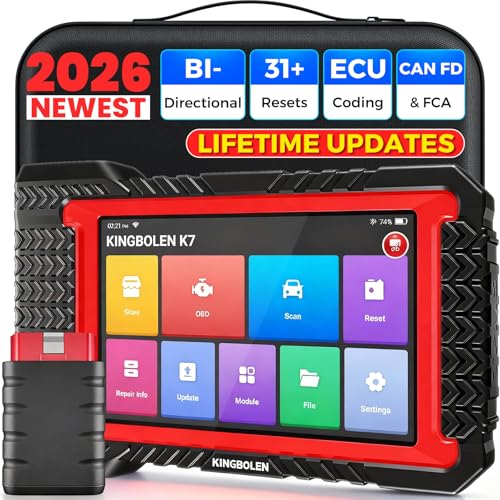
- No Annual Fees & 2026 Upgraded CAN FD: Why pay $199/year or more for updates? The 2026 newest Kingbolen K7 obd2 scanner features have been upgraded to Lifetime Updates without subscription fees, saving you significant costs in the long run. K7 scan tool also adds the CAN FD protocol for the latest GM models (2019+), enabling faster data transfer, reducing the risk of undetected errors
- 2026 Newest Top-tier Car Scanner: Kingbolen K7 diagnostic scan tool is equipped with most capabilities for daily repair/maintenance: Wireless diagnosis via Bluetooth, Bidirectional Test, ECU Online/Offline Code, 31+ Resets, PMI for Ford, Lincoln, Mazda, Global version for 100+ brand vehicles and 17 languages, no area limit, FCA AutoAuth
- OE-Level Full Systems Scan Tool: K7 professional diagnostic scanner with Auto Vin can do one-click to scan ECUs on most of vehicles, like pcm, ecm, eps, bcm, tpms, sas, a/c system... to read/clear code, view live data, freeze frame, read ecu info. 4-in-1 data stream graphics can make data viewing more intuitive. Detailed diagnostic reports will help you easily master the car situation as it can be shared by bluetooth or email! Adding workshop information can help your customers to know more
- Bidirectional Test/Active Test & ECU Code: Stop guessing and start fixing. Bidirectional scan tool Kingbolen K7 can perform real active test that can send commands to the vehicle's ECU to drive the actuators to work, like window, rear mirrors, sunroof, door, solenoids, wipers, headlamp, etc, helping you quickly find out bad parts and pinpoint faulty issues. K7 bidirectional scanner will be a good choice to save money and time on car repairs when performing complex maintenance and repair
- 31 Reset Functions: Avoid expensive dealership visits for simple services. Experience tells us that just a small repair service may cost a lot of money. Kingbolen K7 is a professional diagnostic scanner with 31 common maintenance services like Oil /SAS/EPB/TPMS Reset, Battery Matching, ABS Bleeding, Injector Code, etc. It effectively handles most of the car reset and relearning jobs, perfect for experienced DIYers and mechanics. Note: Functions in the menu vary across vehicles. Kindly check the compatibility before purchase
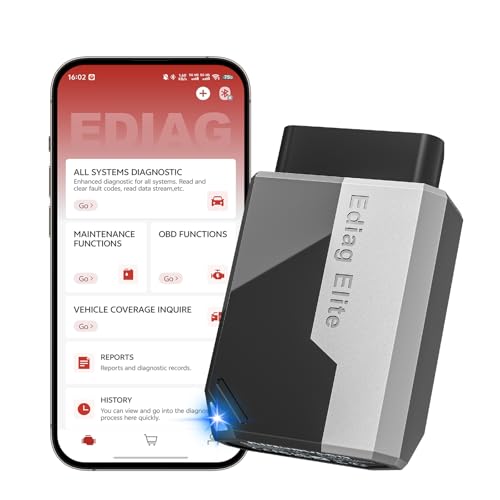
- 【Cost-effective Diagnostic Scan Tool】Lifetime updates without fee, No subscription fee required, No IP restrictions, Ediag Elite bluetooth scanner stands out. It can perform in-depth Full System diagnostics,15+ Reset Services, powerful Active Test, CANFD & FCA AutoAuth. Connect your phone via Bluetooth for diagnosis, providing a faster, smarter and smoother diagnostic experience. Easy to put in pocket, convenient to carry, keep track of the car's status anytime, anywhere. Best bang for your bucks.
- 【15+ Reset Service, Easy Problem Solving】 KINGBOLEN Ediag Elite obd2 scanner diagnostic scan tool comes with 15+ professional reset functions, including: Oil Reset, ABS Bleeding, Injector Code, SAS Reset, TPMS Reset, BMS Reset, AFS Reset, Sunroof Calibration, Brake Reset and more special functions in system diagnose menu. The ideal bluetooth scanner for mechanics and DIY enthusiasts, which can save unnecessary maintenance costs and significantly shorten repair time.
- 【Comprehensive Full Systems Diagnostic】 The Ediag Elite obd2 scanner bluetooth supports full system In-Depth diagnosis. It can read/clear fault codes, read real-time data/freeze frame, module information, and perform testing and reset functions for ECM, BCM, ABS, SRS, TPMS, TCM, BMS, SAS, A/C & RTM systems ect. It works with most car models after 1996, cover more than 150+ car brands. Supports 22 global languages for your convenience(EN, FR, ES, DE, IT, RU, PT, JP, TU...)
- 【Powerful Bidirectional Scan Tool & Active Test】 The obd2 code reader for Ediag Elite can perform real time active test that can send commands to the vehicle’s ECU to drive the actuators to work, such as turn on the radiator fan, modulate the throttle, open/close windows, etc. It can help you quickly find out the bad components and the cause of the fault, which can save you a lot of time. With BT 5.2 wireless connectivity, you can enjoy wireless diagnostics up to 33 feet.
- 【FCA AutoAuth & CANFD Compatibility】 Ediag Elite scan tool offers support with FCA Gateway Access, allowing you to perform protected functions on FCA vehicles, including Chrysler, Dodge, Jeep, Alfa Romeo, Fiat vehicles, etc.(Note:just allows you to access the FCA, but need to have your own FCA account) Supports the CAN-FD protocol, provide high-speed vehicle diagnostic communication and data transfer, working perfectly on GM vehicles produced after 2020, saving $100 to buy a CAN FD adapter.
Last update on 2026-06-12 / Affiliate links / Images from Amazon Product Advertising API
This product presentation was made with AAWP plugin.