
NHTSA ID Number: 10121082
Manufacturer Communication Number: V871602 2040184
TSB/Document Date: 2017-10-31
Summary
Descriptions and coding to document climatronic with heat pump - sporadically too low heating or cooling performance issues
Technical Bulletin
Model(s)
Year
Eng. Code
Trans. Code
VIN Range From
VIN Range To
e-Golf
2015
All
All
All
All
e-Golf
2016
All
All
AU_GW900001
AU_GW901814
Condition
87 16 02 January 19, 2016 2040184 Supersedes Technical Bulletin V871504 dated May 13, 2015 to introduce
start of production (S.O.P.) VIN and date of implementation.
Climatronic with Heat Pump - Sporadically Too Low Heating or Cooling Performance
Note:
This bulletin must be read in its entirety before performing the procedure.
Technical Background
The customer may complain that the cabin heating or cooling output is insufficient.
Software-related deviation in thermal management control unit.
The vehicle interior is sporadically not sufficiently heated or cooled.
The heating or cooling performance is sporadically too low.
The following DTCs can be logged in the thermal management control unit:
DTC
Description
Event Code
P1C1A00
Shut-off valve 1 for refrigerant,
mechanical fault, active/static
4135
P1C3200
Shut-off valve 4 for refrigerant,
mechanical fault, active/static
4136
P1C3A00
Shut-off valve 5 for refrigerant,
mechanical fault, active/static
4137
P1C0200
Expansion valve 1 for refrigerant,
mechanical fault, active/static
4138
4121
Page 1 of 7
© 2016 Volkswagen Group of America, Inc.
All rights reserved. Information contained in this document is based on the latest information available at the time of printing and is subject to the copyright and other
intellectual property rights of Volkswagen Group of America, Inc., its affiliated companies and its licensors. All rights are reserved to make changes at any time without notice.
No part of this document may be reproduced, stored in a retrieval system, or transmitted in any form or by any means, electronic, mechanical, photocopying, recording, or
otherwise, nor may these materials be modified or reposted to other sites, without the prior expressed written permission of the publisher.
Technical Bulletin
P1C0A00
Expansion valve 2 for refrigerant,
mechanical fault, active/static
4139
P1C1200
Expansion valve 3 for refrigerant,
mechanical fault, active/static
4140
P1C1E00
Shut-off valve 4 for refrigerant,
implausible signal passive/sporadic
59082
P1C3600
P1C1E00 shut-off valve 4 for
refrigerant, implausible signal
passive/sporadic
59106
U112300
Data bus, received error value,
active/static
36921
U112300
Data bus, received error value,
active/static
37009
U112300
Data bus, received error value,
active/static
37051
Production Solution
Thermal Management Software 109 in production CW27/15
Note:
RVU Update 87E7 must be complete while performing this bulletin!
The software in this bulletin works together with the Climatronic software 1105 performed in RVU Update
87E7. Make sure RVU 87E7 is completed and closed along with performing this bulletin.
Page 2 of 7
© 2016 Volkswagen Group of America, Inc.
All rights reserved. Information contained in this document is based on the latest information available at the time of printing and is subject to the copyright and other
intellectual property rights of Volkswagen Group of America, Inc., its affiliated companies and its licensors. All rights are reserved to make changes at any time without notice.
No part of this document may be reproduced, stored in a retrieval system, or transmitted in any form or by any means, electronic, mechanical, photocopying, recording, or
otherwise, nor may these materials be modified or reposted to other sites, without the prior expressed written permission of the publisher.
Technical Bulletin
Service
Procedure:
Update the software of the Thermal Management control unit (Address C5) with the software version
management (SVM) according to the following table. Observe the SVM unit code.
Note:
If the software of the address C5 Thermal Management is already at is at 0109 this bulletin does not
apply, further diagnosis is required.
Tip:
The SVM Process must be completed in its entirety so the database receives the update confirmation response.
A warranty claim may not be reimbursed if there is no confirmation response to support the claim.
Note:
Prior to launching ODIS application and starting control module update process, confirm tester screen
saver and power settings in accordance with Special Tools and Equipment - Service Information Circular
# VVT-12-02. Failure to do so may result in the tester entering power save mode during data transfer, and
subsequent control module failure.
To perform the software update, after the full vehicle scan, click on the “Special Functions” tab and then select
“Adapting Software”.
Follow the on screen prompts to update the Thermal Management Control Unit using the SVM Unit code as
listed in the tables below:
Model
Part Number
Old Software
Version
New Software
Version
SVM Unit Code
Online
e-Golf
5GE907458
0101
0109
3C58
CW19/2015
e-Golf
5GE907458
0103
0109
3C58
CW19/2015
e-Golf
5GE907458
0105
0109
3C58
CW19/2015
e-Golf
5GE907458
0107
0109
3C58
CW19/2015
e-Golf
5GE907458
0108
0109
3C58
CW19/2015
Page 3 of 7
© 2016 Volkswagen Group of America, Inc.
All rights reserved. Information contained in this document is based on the latest information available at the time of printing and is subject to the copyright and other
intellectual property rights of Volkswagen Group of America, Inc., its affiliated companies and its licensors. All rights are reserved to make changes at any time without notice.
No part of this document may be reproduced, stored in a retrieval system, or transmitted in any form or by any means, electronic, mechanical, photocopying, recording, or
otherwise, nor may these materials be modified or reposted to other sites, without the prior expressed written permission of the publisher.
Technical Bulletin
Tip:
ODIS tester: The ODIS tester patch version 2.2.3 and the baseline version 2.20.0 or higher must be installed.
Make sure that a battery charger is connected to the vehicle battery.
Make sure that during the software update no electro-magnetic radiation sources (for example, mobile phones
or cordless phones) are used in or near the vehicle.
A cable connection between the ODIS tester and the vehicle must be used. When using a Bluetooth
connection (diagnostic tool) the software update may fail.
A cable connection between the ODIS tester and your workshop network must be used. When using a WIFI
connection (diagnostic tool) the software update may fail.
During the software update switch the hazard warning lights on to ensure a constant CAN data bus activity of
the vehicle.
The SVM flash procedure can be found in GFF under Functions/ Component Selection, Software Version
Management, Adapting Software.
NOTE:
During the software flash process, it is normal for the sound generator to output a loud continuous noise.
This sound will stop once the flash process is complete.
WARNING:
Radiator Fan(s) may cycle ON high speed during the update process! There is a serious risk that personal
injury may result if contact is made with spinning fan blades. Keep hands and all objects away from
Radiator Fan(s) during Update Process!
After the update is complete check and erase all DTCs.
NOTE:
After the software update an initial run of the compressor must be carried out according to the Guided
Functions. The start switch must be ON, brake pedal depressed and electric motor indicator in the
instrument panel in READY status (Figure 1). The initial run of the compressor will not complete without
READY status illuminated.
All other DTCs must be erased before performing the first run procedure.
Page 4 of 7
© 2016 Volkswagen Group of America, Inc.
All rights reserved. Information contained in this document is based on the latest information available at the time of printing and is subject to the copyright and other
intellectual property rights of Volkswagen Group of America, Inc., its affiliated companies and its licensors. All rights are reserved to make changes at any time without notice.
No part of this document may be reproduced, stored in a retrieval system, or transmitted in any form or by any means, electronic, mechanical, photocopying, recording, or
otherwise, nor may these materials be modified or reposted to other sites, without the prior expressed written permission of the publisher.
Technical Bulletin
Figure 1
Tip:
The SVM Process must be completed in its entirety so the database receives the update confirmation response.
A warranty claim may not be reimbursed if there is no confirmation response to support the claim or action is
carried out that is not explicitly stated in the Technical Bulletin.
Page 5 of 7
© 2016 Volkswagen Group of America, Inc.
All rights reserved. Information contained in this document is based on the latest information available at the time of printing and is subject to the copyright and other
intellectual property rights of Volkswagen Group of America, Inc., its affiliated companies and its licensors. All rights are reserved to make changes at any time without notice.
No part of this document may be reproduced, stored in a retrieval system, or transmitted in any form or by any means, electronic, mechanical, photocopying, recording, or
otherwise, nor may these materials be modified or reposted to other sites, without the prior expressed written permission of the publisher.
Technical Bulletin
Warranty
To determine if this procedure is covered under Warranty, always refer to the Warranty Policies and
Procedures Manual 1)
Model(s)
Year(s)
Eng.
Code(s)
Trans. Code(s)
VIN Range From
VIN Range To
e-Golf
2015
All
All
All
All
e-Golf
2016
All
All
AU_GW900001
AU_GW901814
SAGA Coding
Claim Type:
Use applicable Claim Type 1)
Service Number:
Damage
Code
8848
0039
Parts Manufacturer
HST
Damage Location
(Depends on Service No.)
--
Use applicable when
indicated in Elsa (L/R)
e-Golf
Labor Operation 3) : Charge Battery
27068950 = 10 TU
Labor Operation 3) : Update Programming
88482599= 35 TU
Causal Part: Select Labor Operation
88482599
WWO 2)
Diagnostic Time 4)
GFF Time expenditure
01500000 = 20 TU max.
Road Test
01210002 = 00 TU
01210004 = 00 TU
Technical Diagnosis
01320000 = 00 TU max.
Yes
NO
NO
Claim Comment: Input “As per Technical Bulletin 2040184” in comment section of Warranty Claim.
1)
Vehicle may be outside any Warranty in which case this Technical Bulletin is informational only
Page 6 of 7
© 2016 Volkswagen Group of America, Inc.
All rights reserved. Information contained in this document is based on the latest information available at the time of printing and is subject to the copyright and other
intellectual property rights of Volkswagen Group of America, Inc., its affiliated companies and its licensors. All rights are reserved to make changes at any time without notice.
No part of this document may be reproduced, stored in a retrieval system, or transmitted in any form or by any means, electronic, mechanical, photocopying, recording, or
otherwise, nor may these materials be modified or reposted to other sites, without the prior expressed written permission of the publisher.
Technical Bulletin
2)
Code per warranty vendor code policy.
3)
Labor Time Units (TUs) are subject to change with ELSA updates.
4)
Documentation required per Warranty Policies and Procedures Manual.
Required Parts and Tools
No special parts required.
Tool Description
Tool No:
Midtronics Battery Tester/Charger
InCharge 940 (INC-940)
or
GRX3000VAS
VAS Diagnostic Tool
VAS 6150/X & VAS 6160/X and
ODIS Service with: current online updates
Additional Information
All part and service references provided in this Technical Bulletin are subject to change and/or removal.
Always check with your Parts Dept. and Repair Manuals for the latest information.
Page 7 of 7
© 2016 Volkswagen Group of America, Inc.
All rights reserved. Information contained in this document is based on the latest information available at the time of printing and is subject to the copyright and other
intellectual property rights of Volkswagen Group of America, Inc., its affiliated companies and its licensors. All rights are reserved to make changes at any time without notice.
No part of this document may be reproduced, stored in a retrieval system, or transmitted in any form or by any means, electronic, mechanical, photocopying, recording, or
otherwise, nor may these materials be modified or reposted to other sites, without the prior expressed written permission of the publisher.

- 💯【Conta.ct us for Support Directly】If you met any...
- 🔥🔥🔥【2026 AUTEL FLAGSHIP MK900BT MK900-BT, NEW...
- 🚗【3000+ ACTIVE TESTS (50➡3000+), SAME AS MS...
- 🚗【40+ HOT SERVICES FOR 150 MAKES (28+➡40+)】Full...
- 🚗【OE ALL SYSTEM DIAGNOSE, AUTO SCAN 2.0: SCAN LICENSE...


- 【TURN OFF CEL】 This AL319 car scanner diagnostic tool...
- 【EXTENSIVE APPLICATION】 Autel AL319 Compatible with...
- 【FOR END USER & DIYERS】 This error code reader AL319 is...
- 【USER-FRIENDLY DESIGN】 This OBD2 scanner and check...
- 【HIGH-QUALITY SERVICES】 12 months war.ranty from the...
This product presentation was made with AAWP plugin.
If the PDF is very large, it may not load in the preview below.
Some older TSBs had multiple PDFs — visit the NHTSA Website to view all PDFs.
If the TSB PDF does not show, download or view it on the NHTSA Website.
Click on the (+) Plus Sign
Then Click on Associated Document(s)
Search NHTSA Database for Recalls
Search NHTSA Database for Vehicle Investigations
View Latest Vehicle Investigations
Search NHTSA Database for Vehicle Complaints
View Latest Vehicle Complaints
TSB/Document ID: V871602 2040184
Replacement Service Bulletin Number:
MFR Communication Date: 2016-01-19
MFR Internal Campaign ID/Software Version:
Communication Type: Service Bulletin/Repair Instructions
NHTSA Components: ENGINE AND ENGINE COOLING
MFR Component System:
MFR Component Subsystem:
Previous TSB | Next TSB |

- Stay Updated with Lifetime Access: This obd2 scanner includes lifetime free software updates for all app service functions. With a single payment, enjoy full access to diagnostics, reset tools, and maintenance features — zero subscription fees. A budget-friendly choice for weekend mechanics, home car owners, and DIYers, supporting vehicles from 1996 onward. Come to us with your VIN to check compatibility.
- Full Bidirectional Control/Active Tests & Stable Wireless Connectivity: This car code reader features full bidirectional control, allowing you to send commands to the vehicle's ECU for active tests on components such as fuel pumps, injectors, A/C clutches, windows, sunroofs, and more. This car scanner diagnostic tool helps DIYers quickly diagnose and test vehicle parts, cutting down troubleshooting and repair time. With BT 4.0 wireless connectivity, you can enjoy cable-free diagnostics up to 33 feet. Stand in your garage and test windows, wipers, or even engine components—all without needing to move around your car.
- Portable Car Scanner with 26 Special Functions: Scheduled vehicle maintenance with the A30M car diagnostic scanner can keep your vehicle in peak condition and save you big on dealership trips. The XTOOL A30M obd2 scanner diagnostic tool features essential reset and relearn functions, such as Oil Reset, EPB Reset (Electronic Parking Brake Release), SAS, ABS Brake Bleeding, Throttle Body Relearn, Injector Coding, Crank Sensor Relearn, Headlight Adjustment, and Tire Size Reset. Note: Service functions may vary by vehicle model – check compatibility beforehand!
- Wide Compatibility CAN FD & FCA
 Autoauth: This obd2 scanner diagnostic tool is compatible with over 85+ car brands from the U.S., Europe, and Asia, providing extensive coverage through a BT connection with your smartphone or iPad. Now upgraded to support the latest protocols, it includes FCA AutoAuth access for Chrysler, Jeep, Dodge, and Fiat (2018+), and supports CAN FD for GM (2020+) models, giving you greater access to newer vehicles and systems. Note: The FCA AutoAuth account is not included with the device. Users must register and pay separately through the official FCA AutoAuth website to access diagnostic functions for vehicles that require it.
 - Up to 8 Live Data Streams Graphing – Real-Time Graphing for Deeper Insight: This car scanner supports up to 8 live data streams simultaneously with intuitive, real-time graphing. Gain comprehensive insights into your vehicle’s performance, making it easier to spot issues, detect trends, and make informed diagnostic decisions with confidence.
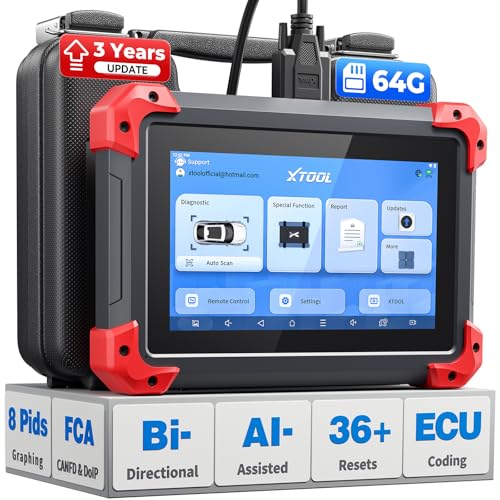
- 2026 Latest Version – Now Upgraded from 32GB to 64GB: XTOOL D7 obd2 scanner diagnostic tool with bidirectional is designed for DIY enthusiasts, professional mechanics. It now offers 64GB storage for smoother operation. Its 5000mAh battery (with 2500mAh 7.3V fast-charging) supports all-day use. With FCA, CAN FD, and DOIP protocol support, it covers more vehicle models and newer systems. A newly added battery voltage reading shows battery status before diagnostics, helping prevent low-voltage tests that could harm the vehicle. The V2.0 Diagnostic Report allows shops to personalize results with logos, customer details, and attachments to build trust and maintain records.
- Save $500+/Year with Pro-Level Diagnostics: Whether you're a DIYer, starting a repair business, or beginning work at an auto shop, XTOOL D7 car scanner offers advanced features typically found only in expensive professional OBD2 scanners - without the high price tag. With 4,000+ Active Tests & Bidirectional Pids, 36+ Special Functions, advanced module resets like SRS Reset, OE-level All-System Scan (one-click), FCA AutoAuth, CAN FD, DoIP, data export, and 8 PIDs graphing, the D7 auto scan tool covers 100,000+ vehicles (excluding Indian models). Includes 3-Year updates and supports the XV200 endoscope to detect em!ssions and intermittent issues.
- Full Bidirectional Advantage Over Other Code Readers & Scan Tools: The XTOOL D7 automotive scanner offers true bidirectional control plus advanced bidirectional PIDs, letting you send commands to components like A/C clutches, fuel injectors, windows, fans and more, while monitoring sensor responses live to catch elusive issues (even those without warning lights). Unlike budget bidirectional obd2 scanners limited to basic active tests,the D7 car fault scanner gives you full bidirectional control to run ABS pump tests, throttle position, turn fan on/off and solenoid tests, etc. No guessing, no extra fees—just smarter diagnostics
- OE-Level Full System Car Diagnostic Scanner with 8 Live Data Graphs: The XTOOL D7 is a pro-grade diagnostic tool that gives you full access to all vehicle systems—just like Snap on scanners & the factory scan tools, it delivers deep, accurate diagnostics you can trust. Easily view live data streams, retrieve freeze frame, and run active tests to pinpoint issues fast. With the ability to graph up to 8 PIDs at once, you can spot performance trends and troubleshoot like a pro. Whether you're a mechanic or car owner, with the D7 auto scanner you can stay ahead of problems and keep your vehicle running at its best
- High-value Automotive Scanner Diagnostic Tool with 36+ Special Function, Module Resets, Relearns, Calibrations, Adaptations & Initializations: XTOOL D7 diagnostic tool packs 36+ common & advanced maintenance, skip the $150 fee for battery registration after replacement, throttle body relearn after cleaning, or TPMS resets post-rotation, Auto bleed after the pad changes, or Electronic Parking Brake. Need to reset the transmission after towing? Crank sensor relearn for GM/for Dodge? Done. D7 also covered advanced functions like Ad~blue Reset, VIN Write, and many more professional OBD2 scanner functions that we can't list here. Text us your VIN + what you need, we’ll check the compatibility
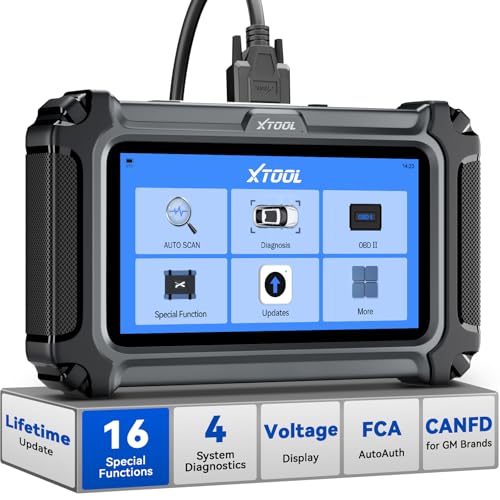
- Comprehensive OBD2 Scanner with 16 Resets: The XTOOL D5S car code reader and vehicle reset tool provides an advanced diagnostic solution with 16 commonly needed reset functions, including Electronic Parking Brake Reset (EPB Reset), SAS, BMS Reset (Battery Test), Throttle Body Relearn, TPMS Reset, ABS Bleeding, Injector Coding, Gearbox Match, Suspension Adjustment, Headlight, Window Initialization, Crank Sensor Relearn and more. Equipped with CAN FD Protocol and FAC AutoAuth, the D5S obd2 scanner diagnostic tool ensures compatibility with a broad range of modern vehicles, allowing users to address common maintenance needs quickly. NOTE: Please Check the Compatibility before ordering.
- 4 Main System Car Scanner & Full OBD2 Diagnostics: The XTOOL D5S car code reader is ideal for home mechanics, DIYers, and professionals, providing access to Transmission/Engine/ABS/SRS systems to read DTCs, Live data can be displayed in text or up to 4 PID data graphs, along with full OBD2 diagnostics to check the engine light on, other obd2 issues and routine maintenance. This car diagnostic scanner ensures you can keep your vehicles in top condition, avoiding costly repairs or unexpected breakdowns. NOTE: Some vehicles display three systems after connection because the transmission and engine of some vehicles are integrated into one.
- Check Engine Code Reader & Real-Time Engine Monitoring: Whether you're a car owner, a DIYer, or run a repair shop, the XTOOL D5S obd2 scanner diagnostic tool makes engine diagnostics fast and frustration-free, reading and explaining trouble codes in seconds—no confusion. Check live data like fuel trim, 02 sensor voltage, RPM, and coolant temp to pinpoint mis~fires, rough idle, or sensor issues. After repairs, simply use the D5S check engine code reader and reset tool to turn off the check engine light and confirm the problem’s fixed—saving time, money, and unnecessary shop visits. - Note: If the check engine light comes back on, it indicates the original problem still exists.
- Portable Car Scanner for ABS and SRS: XTOOL D5S gives you peace of mind when ABS or airbag warning lights come on. It reads and clears ABS codes to help you fix brake sensor, traction control, or wheel speed issues, and supports ABS bleeding after repairs like caliper or master cylinder replacement. For airbag systems, it scans and clears SRS codes related to airbags, seatbelt tensioners, and crash sensors. Whether you're doing repairs at home or running a small shop, the D5S is a cost-effective solution for safety diagnostics. Note: If a fault code returns after clearing, it usually means the issue hasn’t been fully resolved. Please check the compatibility before ordering.
- Transmission Warning Light ON? Here’s the Transmission Diagnostic and Reset Tool You Need: The XTOOL D5S is more than just a basic car scanner—it’s an easy-to-use transmission diagnostic tool. From rough shifts to slipping gears, the D5S lets you read and clear transmission trouble codes, monitor real-time TCM data, and perform transmission resets after fluid changes or repairs. Whether you’re a hands-on car owner or a pro running a busy shop, this OBD2 scanner with transmission functions helps you catch problems early—saving you time, money, and future headaches.. Note: Clearing fault codes is equivalent to a reset on some vehicles, but not all. For help, contact XTOOL Tech Support.
This product presentation was made with AAWP plugin.
Last update on 2026-06-05 / Affiliate links / Images from Amazon Product Advertising API