
NHTSA ID Number: 10120615
Manufacturer Communication Number: 122-M9M8F-08
TSB/Document Date: 2017-10-25
Summary
General information: A parts kit is available for increasing the performance of the standard engine. Increased performance is achieved by implementing the following measures on the engine: ? New exhaust turbochargers (referred to hereafter as turbochargers) with larger turbine/compressor wheel diameters and a higher volume. ? Modified maps for the DME control unit.
the left Figure 10 -3-/right) with a tie-wrap to prevent it from turning.
2.1.7
Remove spreader device (actuator/servo motor – at the left Figure 10
-3-/right) ( Workshop Manual '468519 Removing and installing spreader device
(actuator)')
2.1.8
Disconnect wire harness for speed sensor (rear left/right) and electronic parking
brake (at the left/right).
2.1.9
Remove rear speed sensor (at
the left Figure 11 /right) (
Workshop Manual '451519
Removing and installing rear speed
sensor')
Remove rear-axle wheel carrier (at the
left/right)
Figure 11
2017© Porsche Cars North America, Inc.
Tequipment
Jul 27, 2017
Page 13 of 32
1
911 (991)
1001
ENU
Installation and Conversion Instructions
8/17
2.2.1
Remove tie rod on wheel carrier (at
the left Figure 12 -1-/right).
1
2
3
4
2.2.2
Remove connecting link
(suspension/stabiliser) on the wheel
carrier (at the left Figure 12
-2-/right).
2.2.3
Remove upper control arms
(diagonal/transverse) on the wheel
carrier (at the left/right) ( Figure
12).
2.2.4
Figure 12
Remove lower control arms
(diagonal/transverse) on the wheel
carrier (at the left/right) ( Figure
13 ).
1
2
3
4
Jul 27, 2017
Page 14 of 32
– Tie rod (left)
– Connecting link
(suspension/stabilizer –
left)
– Upper control arm –
diagonal (left)
– Upper control arm –
transverse (left)
– Lower control arm –
diagonal (left)
– Lower control arm –
transverse (left)
– Spring strut (left)
– Connecting link
(suspension/stabilizer –
left)
Figure 13
2.2.5
Remove lower spring strut on wheel carrier (at the left Figure 13 -3-/right).
2.2.6
Carefully pull the wheel carrier (at
the left/right) down off the splines on the rear-axle drive shaft.
Tequipment
2017© Porsche Cars North America, Inc.
Installation and Conversion Instructions
2.2.7
2.3
911 (991)
8/17
ENU
1001
1
Secure the rear-axle drive shaft
(at the left Figure 14/right)
with tie-wraps or similar fastening
elements in the wheel housing to
prevent it from falling down.
Press new angular-contact ball bearing (wheel
bearing) into the new wheel carrier (at the
left/right)
Figure 14
WARNING
Mechanical, hydraulic or pneumatic press
•
Risk of squashing
Read specific safety information for the press.
Check that the press is working perfectly before use, particularly the safety
components.
2.3.1
Press wheel hub out of the wheel
carrier (at the left/right) ( Figure
15).
1
2
3
– Wheel hub
– VW 454 - Pressure
piece
– Press ram
Figure 15
2017© Porsche Cars North America, Inc.
Tequipment
Jul 27, 2017
Page 15 of 32
1
911 (991)
1001
ENU
Installation and Conversion Instructions
8/17
2.3.2
Press wheel bearing inner ring off
the wheel hub shaft (at the left/right)
( Figure 16 ).
1
2
3
2.3.3
– VAS 6961 - Separating
device
– Wheel bearing inner ring
– Wheel hub shaft
Check wheel bearing seat in the
new wheel carrier (at the left/right)
for sharp edges/burrs.
Remove/de-burr sharp edges/burrs
if necessary.
2.3.4
Figure 16
Heat the wheel carrier (at the left/right) to approx. 176° F (80° C) (max. 212°
F/100° C) using a heating plate.
CAUTION
Hot components
•
Risk of burns
Let hot components cool down.
Wear personal protective gear.
Information
2.3.5
Jul 27, 2017
Page 16 of 32
•
The multipole seal on the wheel bearing must not come into contact with
highly magnetic parts (e.g. a magnetic screwdriver or magnet).
•
Installing the wheel bearing: The magnetic side must be facing the speed
sensor (inside of the wheel bearing housing).
•
Use the T10473 - test card or a paper clip to find the magnetic side.
Position new angular-contact ball bearings (wheel bearings) with the encoder ring
(for the speed signal) facing the wheel carrier (at the left/right) in the wheel carrier
(at the left/right).
Tequipment
2017© Porsche Cars North America, Inc.
Installation and Conversion Instructions
911 (991)
8/17
ENU
1001
1
Information
The press-in process for the angular-contact ball bearing (wheel bearing) must
be performed continuously (without stopping) as soon as the angular-contact ball
bearing (wheel bearing) is inside the wheel carrier!
2.3.6
Carefully press new angular-contact
ball bearings (wheel bearings) into
the wheel carriers (at the left/right).
1
2
3
2.3.7
– Angular-contact ball
bearing (wheel bearing)
– Cover on angular-contact
ball bearing (wheel
bearing)
– Hexagon-head bolt, M8 x
35
Remove cover on angular-contact
ball bearing (wheel bearing) from
the old wheel carrier and fit it on the
new wheel carrier (at the left/right
Figure 17) with the inscription
facing outwards.
Hexagon-head bolt, M8 x 35:
Tightening torque 37 Nm (27 ftlb.)
Figure 17
2.4
Carefully press the wheel hub until the pressure increases (press) into the wheel bearing
(wheel carrier at the left/right) ( Workshop Manual '425819 Removing and installing rear
wheel bearing').
2.5
Complete the new wheel carriers (at the left/right)
2017© Porsche Cars North America, Inc.
Tequipment
Jul 27, 2017
Page 17 of 32
1
911 (991)
1001
ENU
Installation and Conversion Instructions
8/17
2.5.1
Remove combination holder (at
the left/right) from the old wheel
carrier and fit it on the respective
new wheel carrier using two new
hexagon-head bolts (M6 x 16)
( Figure 18).
1
2
– Combination holder (left)
– Hexagon-head bolt, M6 x
16
Hexagon-head bolt, M6 x 16:
Tightening torque 10 Nm
(7.5 ftlb.)
2.5.2
Grease the seat of the rear speed
sensor on the wheel carrier (at the
left/right) lightly with Optitemp LG2.
2.5.3
Insert rear speed sensor (at the
Figure 18
left/right) and fit using a cheese
head bolt (M6 x 16) ( Workshop Manual '451519 Removing and installing rear
speed sensor')
Cheese head bolt, M6 x 16: Tightening torque 10 Nm (7.5 ftlb.)
Information
2.6
•
Use correct tightening torques and torque angle. Workshop Manual '4X00IN
Tightening torques for rear axle'.
•
Always replace fastening screws that are tightened to a torque angle.
•
Use Optimoly HT to lightly grease the drive shaft toothing and axle nut thread.
•
Replace lock nuts.
Install rear-axle wheel carriers (at the left/right) ( Workshop Manual '425219 Removing
and installing rear wheel bearing housing')
2.6.1
Use Optimoly HT to lightly grease the (rear-axle) drive shaft splines and axle nut
thread.
2.6.2
Fit rear-axle wheel carrier (at the left/right) on the respective drive shaft and screw
new hexagon nut (M22 x 1.5) loosely on the drive shaft.
Secure the rear-axle wheel carrier (at the left/right) with lifting equipment to prevent
it from falling down.
2.6.3
Jul 27, 2017
Page 18 of 32
Loosely pre-fit all control arms (upper/lower), tie rods and the lower spring strut
on the respective rear-axle wheel carrier (at the left/right) using new hexagon-head
bolts and hexagon nuts.
Tequipment
2017© Porsche Cars North America, Inc.
Installation and Conversion Instructions
2.7
911 (991)
8/17
ENU
1001
1
2.6.4
Move the rear-axle wheel carrier (at the left/right) up into "ZERO position" using a
jack. Lower control arms are horizontal, parallel to the vehicle floor.
2.6.5
Tighten all threaded connections (control arms (upper/lower), tie rods and
lower spring strut) on the rear-axle wheel carrier (at the left/right) to the correct
tightening torque/torque angle.
Install rear-axle brake system
2.7.1
Install spreader device (actuator/servo motor – left/right) on the wheel carrier
(at the left/right) using two new screws (M8 x 38) ( Workshop Manual '468519
Removing and installing spreader device (actuator)').
2.7.2
Install brake anchoring plate (left/right) on the rear-axle wheel carrier (at the
left/right) using four new hexagon-head bolts (M6 x 16) ( Workshop Manual
'468320 Removing and installing brake shoe').
2.7.3
Install parking brake shoes ( Workshop Manual '468320 Removing and installing
brake shoe').
Information
There is no need to grind down the parking-brake shoes if the parking-brake shoes
are not replaced.
Set the brake shoes to the basic setting if necessary and calibrate the brakes
Workshop Manual '468315 Adjusting and calibrating parking-brake shoes'.
•
Mark the parking-brake shoes and adjustment device according to their installation position.
•
Secure the adjustment device to prevent it from turning.
2.7.4
Calibrate parking brake shoes ( Workshop Manual '468316 Adjusting brake
shoes').
2.7.5
Install brake disc (at the left
Figure 19 -3-/right) using two
countersunk screws (M6 x 12)
( Workshop Manual '465319
Removing and installing rear brake
disc').
1
2
3
2.7.6
– Brake caliper (left)
– Hexagon nut, M22 x 1.5
– Brake disc (left)
Fit brake caliper (at the left
Figure 19 -1-/right) on each wheel
Figure 19
carrier using new cheese head
bolts (M12 x 1.5 x 85) ( Workshop Manual '474119 Removing and installing rear
brake calliper').
2017© Porsche Cars North America, Inc.
Tequipment
Jul 27, 2017
Page 19 of 32
1
911 (991)
1001
ENU
Installation and Conversion Instructions
8/17
2.7.7
Fit new rear-axle trailing arm spoiler
on the lower control arm (at the
left/right) ( Workshop Manual
'421119 Removing and installing
lower trailing arm')
1
2
– Rear-axle trailing arm
spoiler (left)
– Lower control arm –
transverse (left)
Information
The humps on the lower transverse
control arm must be inside the
vertical bars of the rear-axle trailing
arm spoiler!
•
•
•
2.7.8
3
Figure 20
Remove old rear-axle trailing
arm spoiler (brake ventilation, if installed) on the lower transverse control arm
(at the left/right).
Position new rear-axle trailing arm spoiler on the humps ( Figure 20
-arrows-) on the lower transverse control arm (at the left/right).
Fit a tie-wrap around the lower transverse control arm (at the left/right) and
fasten using VAS 6927 - tie-wrap pliers.
Fit electric wire harnesses (ABS/spreader device – actuator/servo motor) on the
wheel carrier brackets (at the left/right).
Convert turbochargers (see also: Workshop Manual '213019 Removing and installing
turbocharger').
3.1
Remove turbocharger (cyl. 1–3/cyl. 4–6)
3.1.1
Remove Torx screw (M6 x 12) on oil supply line/turbocharger oil tank flange (cyl.
1–3 Figure 21 -1-/cyl. 4–6).
Information
Jul 27, 2017
Page 20 of 32
Tequipment
2017© Porsche Cars North America, Inc.
Installation and Conversion Instructions
911 (991)
8/17
ENU
1001
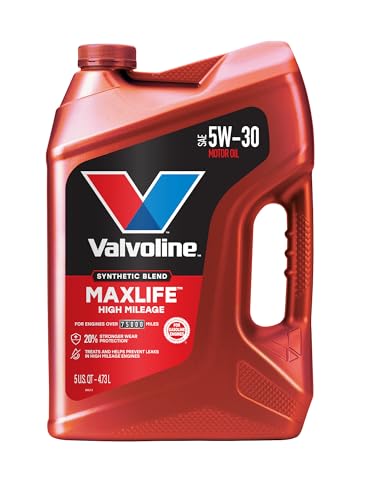
- Formulated for engines with 75,000 miles or more, Valvoline...
- Delivers 20% better wear protection and 15% better sludge...
- Extra detergents safeguard against friction, corrosion and...
- Advanced friction-fighting additives help maximize...
- Provides performance benefits for high mileage, new and...

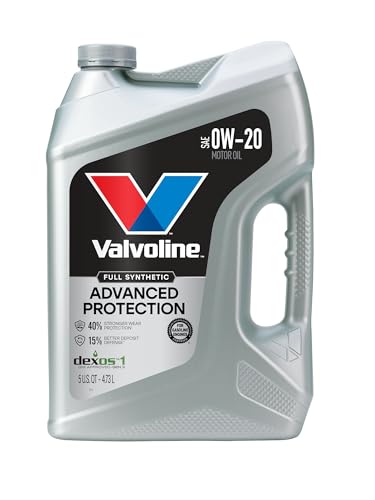
- Advanced protection against the four main causes of engine...
- Delivers 40% stronger wear protection than industry...
- Provides 15% better deposit defense vs. industry standards...
- Up to 2.5X better heat protection vs. industry standards to...
- Engineered for excellent low-temperature flow, reducing...
Last update on 2026-06-12 / Affiliate links / Images from Amazon Product Advertising API
If the PDF is very large, it may not load in the preview below.
Some older TSBs had multiple PDFs — visit the NHTSA Website to view all PDFs.
If the TSB PDF does not show, download or view it on the NHTSA Website.
Click on the (+) Plus Sign
Then Click on Associated Document(s)
Search NHTSA Database for Recalls
Search NHTSA Database for Vehicle Investigations
View Latest Vehicle Investigations
Search NHTSA Database for Vehicle Complaints
View Latest Vehicle Complaints
TSB/Document ID: 122-M9M8F-08
Replacement Service Bulletin Number:
MFR Communication Date: 2017-07-28
MFR Internal Campaign ID/Software Version:
Communication Type: Service Bulletin/Repair Instructions
NHTSA Components: ENGINE
MFR Component System:
MFR Component Subsystem:
Previous TSB | Next TSB |

- [2026 Top-Tier Hardware and Software Upgrade]: Topdon ArtiDiag900 Lite scanner has enhanced hardware and latest features, including Android 11.0, 5x faster CPU, 10000mAh battery for 12 hours of continuous operation, stable wireless diagnosis with Bluetooth 5.0, 8-inch touchscreen. Added bi-directional control, wireless diagnosis, battery testing (optional), and DTC repair guide
- [TOPDON Bidirectional Scan Tool]: This bidirectional obd2 scanner sends commands to the vehicle's ECU for active testing, enabling users to accurately and quickly locate faulty components such as injectors, coolant pumps, windows, wipers, headlights, mirrors, etc. The bidirectional control scanner is the ideal choice for workshops/automotive repair shops as it significantly reduces mechanic's diagnostic time.
- [Wireless Bluetooth Diagnostic Experience]: The AD900 Lite scan tool comes with a Bluetooth 5.0 VCI, supporting a wireless diagnostic range of up to 33 feet (10 meters), allowing you to diagnose without being confined to cables or tight spaces. Stable and fast wireless diagnosis provides a comfortable repair environment. It also offers VCI cables to increase connectivity options.
- [DTC Repair Guide Function]: Easily diagnose issues with your vehicle and receive guidance on repairs with the topdon scan tool's fault code definitions for all systems,maximize your diagnostic capabilities. This function is compatible with Chrysler
 /Dodge/Jeep/Fiat 2010-2014 and expanding with continual updates,the AritDiag 900 Lite car diagnostic scanner is the must-have tool for any technician or DIY enthusiast.
 - [OE-Level Full System Diagnostics]:AritDiag900 Lite full system diagnostic scanner can scan ALL available modules(Engine, Transmission, Airbag, ABS, ESP, TPMS, Gateway, Steering, Radio, Air conditioning, ect.) to✔read ECU info, ✔read/clear codes, ✔view live data stream, ✔retrieves freeze-frame, ✔perform active tests, and more. With just a simple click, it provides you with accurate and in-depth diagnostics.

- Bi-Directional Control, Quickly Locate Problems: Turn your phone into a professional diagnostic tool. You can send commands from your phone to the ECU to test injectors, cooling fans, headlights, A/C clutch, windows, wipers, and more. See which one doesn't respond. Helps you quickly locate the problem and save time. No need to tear things apart, avoid blind disassembly.
- Flexible Subscription, Choose Advanced Features as Needed: TopScan Lite provides free-for-life access to core diagnostics, including full system scan, code reading, performance tests, and repair information. After purchase, advanced features (bi-directional control, service operations, live data, code clearing, and AI functions) are free-for-the-first-year. After the first year, if you want to use advanced features, you need to subscribe on a monthly, quarterly, or yearly basis. As new models and reset functions are updated, the tool will also be continuously upgraded.
- Full System Diagnostics, No Fault Hides: Unlike basic diagnostic tools that only cover 4 systems, TopScan can scan all systems. Read and clear trouble codes, view live data streams, and generate a complete vehicle health report – all issues are clear at a glance. Covers 10,000+ vehicle models and is compatible with 99.99% of vehicles.
- AI Assistant - TopFix: Think of TopFix as your personal AI mechanic. It leverages a repair database and OEM data to deliver clear, step-by-step repair solutions. Features include AI Q&A, one-click translation, and a full repair log, making your diagnostic process simpler and more efficient.
- 8+ Hot Resets, Keep Your Car in Top Shape: One-tap resets for oil, throttle, EPB, steering angle, DPF, ABS, BMS, and airbag. It enables car owners to easily perform essential maintenance, ensuring the vehicle stays in optimal condition and extends its service life.

- Dual WiFi & 10.1" Touchscreen: Provides a stable, high-speed wireless link 3x faster than bluetooth, and a responsive, professional interface. Topdon ONE obd2 scanner diagnostic tool ensures smooth, non-lagging diagnostic scan, boosting mechanic efficiency
- J2534 Pass-Thru Support: The included ONE VCI supports the J2534 standard, allowing it to function as a pass-thru device when paired with OEM diagnostic software.Through TOPDON’s RLink platform, technicians can perform dealer-level coding, expanding in-house capabilities without investing in multiple factory automotive scan tools
- OE Topology Mapping: Visualize the vehicle’s ECU network exactly as it’s built.Zoom, pan, and highlight specific modules to pinpoint component issues with precision.Topology mapping displays real-time communication between modules
- 50 Plus Service Functions: Covers high-demand services like ADAS calibration, DPF regen, TPMS reset, ABS bleed, and throttle adaptation.Expands your service menu, allows you to charge premium rates, and turns away zero jobs due to lack of tooling. Vehicle-specific functionality may vary
- Advaned ECU Coding: 10 of the most serviced brands in North America, including full ECU coding and flash hidden support for BMW, VW, Au-di, Benz, Porsche, Toyota, Ni ssan and more. Enables module replacement, feature customization, and personal settings with automatic backup or restore.Lets your shop safely offer high-margin customization services, attracting more customers and boosting profit
Last update on 2026-06-12 / Affiliate links / Images from Amazon Product Advertising API
This product presentation was made with AAWP plugin.