
NHTSA ID Number: 10099700
Manufacturer Communication Number: BJA50908
TSB/Document Date: 2017-05-19
Summary
"JOB AID - ACURA AND HONDA HYBRID VEHICLES ARE EQUIPPED WITH HIGH-VOLTAGE (HV) NICKEL-METAL-HYBRID (NI-MH) OR LITHIUM-ION (LI-ION) BATTERY PACKS, WHICH MUST BE RECYCLED WHEN THEY HAVE REACHED THE END OF THEIR USEFUL LIFE OR WHEN THE VEHICLE IS DISMANTLED. THIS INFORMATION MANUAL IS BEING PROVIDED TO SUPPORT VEHICLE DISMANTLERS (VEHICLE SALVAGE/SCRAP YARDS) THAT MIGHT NOT OTHERWISE HAVE ACCESS TO ACURA OR HONDA SERVICE MANUALS. THIS MANUAL CONTAINS DETAILED INSTRUCTIONS CONCERNING THE PROPER REMOVAL AND HANDLING OF THE HIGH-VOLTAGE BATTERIES FOUND IN THESE VEHICLES."
Recycling of Acura and Honda High-Voltage Battery Packs
Information Manual for Vehicle Dismantlers
APPLIES TO:
Brand
Year
Model
Trim Level
2005–07
2014–15
2014
2003–05
2006–11
2012–15
2011–12
2013–16
2000–06
2010–14
2013–14
2014, 2016
Accord Hybrid
Accord Hybrid
Accord Plug-In
Civic Hybrid
Civic Hybrid
Civic Hybrid
CR–Z
CR–Z
Insight
Insight
ILX Hybrid
RLX Sport Hybrid
ALL
ALL
ALL
ALL
ALL
ALL
ALL
ALL
ALL
ALL
ALL
ALL
Remarks
VIN will start with 1HG
VIN will start with JHM
Battery
Type
Ni-MH
Li-Ion
Li-Ion
Ni-MH
Ni-MH
Li-Ion
Ni-MH
Li-Ion
Ni-MH
Ni-MH
Li-Ion
Li-Ion
Refer to Page:
5
8
13
32
34
36
38
41
45
48
52
54
OVERVIEW
Acura and Honda hybrid vehicles are equipped with high-voltage (HV) nickel-metal-hybrid (Ni-MH) or lithium-ion (Li-Ion)
battery packs, which must be recycled when they have reached the end of their useful life or when the vehicle is
dismantled.
This information manual is being provided to support vehicle dismantlers (vehicle salvage/scrap yards) that might not
otherwise have access to Acura or Honda service manuals. This manual contains detailed instructions concerning the
proper removal and handling of the high-voltage batteries found in these vehicles.
NOTE: This manual is only intended for vehicle dismantlers who disassemble and scrap vehicles at the end of their
useful life. Vehicle repair technicians and other personnel who may need information about the removal or exchange of
an Acura or Honda hybrid battery should follow the instructions made available through Service Express at
www.techinfo.honda.com.
SERVICE INFORMATION
The information contained in this manual is intended for use by qualified technicians. Attempting to perform these
procedures without the proper training, tools, and equipment could cause injury to you or others.
Any person who intends to use a procedure or a tool that is not recommended by Acura or Honda must first determine
the risks to their personal safety.
When removing and preparing an Acura or Honda hybrid battery pack for recycling, be sure to follow all warnings and
precautions provided in this manual and adhere to all federal, state, and local laws relating to the management of these
batteries at your facility.
Page 1 of 64
CUSTOMER INFORMATION: The information in this bulletin is intended for use only by skilled technicians who have the proper tools,
equipment, and training to correctly and safely maintain your vehicle. These procedures should not be attempted by “do-it-yourselfers,” and you
should not assume this bulletin applies to your vehicle, or that your vehicle has the condition described. To determine whether this information
applies, contact an authorized Honda automobile dealer.
© 2016 American Honda Motor Co., Inc. – All Rights Reserved
BJA 50908-01982 (AJA-03150) Version 3
FOR YOUR SAFETY
Because this manual is intended for professionals, we do not provide warnings about many basic safety practices. If you
have not received the appropriate safety training or do not feel confident about your knowledge of safe handling of the
hybrid batteries, we strongly recommend that you not attempt to do the procedures described in this manual.
Failure to properly follow instructions and precautions can cause you to be seriously hurt or
killed. Follow the procedures and precautions in this manual carefully.
IMPORTANT SAFETY PRECAUTIONS
Make sure you have a clear understanding of all basic shop safety practices and that you are wearing appropriate
clothing and using appropriate safety equipment. When doing any service task, be especially careful of the following:
• Read all of the instructions before you begin, and make sure you have the tools and the skills required to do the tasks
safely and completely.
• Protect your eyes by using proper safety glasses, goggles, or face shields.
• Use other protective gear when necessary, such as insulated gloves or protective goggles.
• Protect yourself and others whenever you have the vehicle up in the air. Anytime you raise the vehicle, either with a
lift or a jack, make sure that it is always securely supported. Use safety stands if needed.
• When removing or installing items marked with
, always use insulated tools and wrap the items with insulating tape.
• Hybrid Battery Labels. You will find safety and information labels affixed on or near the hybrid battery. Some
examples are shown below.
Page 2 of 64
SPECIAL TOOLS
In addition to basic mechanic tools, you will also need the following when removing a high-voltage battery.
•
•
•
•
•
•
Insulated gloves, protective goggles, and protective shoes. Check the gloves for pin holes, tears, or other damage.
ABC-rated fire extinguisher
Shop towels
Insulating tape
Voltmeter
Insulated tool set
BASIC PRECAUTIONS WHEN WORKING WITH HIGH VOLTAGE
• The high-voltage cables and their covers are colored bright orange. Warning labels are attached to high-voltage and
other related parts. When the system is energized, be careful not to touch these cables and parts without adequate
protective gear.
• Be sure to shut off the electrical circuits and isolate the high-voltage system and related parts before servicing the
system.
• Always use insulated tools when servicing, disassembling, or replacing items marked with
if the hybrid battery module switch is turned to OFF.
in each procedure even
• Do not disassemble the hybrid battery module.
• After disconnecting the high-voltage terminals, bus bars, etc., insulate the parts with insulating tape.
• Do your best to avoid touching bare wires that could carry high voltage. If you must touch them, first put on insulated
gloves and measure the voltage between the module and body ground. If the voltage is above the 12 V battery
voltage, insulate the part with insulating tape before performing any operation to prevent shorting the high-voltage
battery
• When insulating a high-voltage area with insulating tape, be sure to cover it thoroughly.
• Check around the battery module for leaks. If you find a leak, do your best to avoid touching it. If you must touch it,
first put on insulated gloves and protective goggles.
• Keep sparks and flames away from the high-voltage battery since the electrolyte may be flammable.
• Seal the removed high-voltage battery in a polypropylene (PP) bag, and keep it in a well-ventilated area away from
sparks and flames.
Page 3 of 64
HV BATTERY RECYCLING CONTACT INFORMATION
Once you have removed the HV battery from the vehicle, please contact American Honda’s Hybrid Battery
Consolidation Center at 1(800)-555-3497 for shipping instructions.
American Honda Hybrid Battery Consolidation Center
14286 Monte Vista Ave.
Chino, CA 91701
(800) 555-3497
NOTE: Some newer hybrid models use a lithium-ion battery. These batteries are handled as regulated hazardous
material and returns require special handling with certified packaging and documentation.
Page 4 of 64
HV BATTERY REMOVAL INSTRUCTIONS
2005–07 Accord Hybrid
1. Disconnect the negative cable to the 12V battery.
2. Remove the rear seat cushion and the seat-back.
3. Remove bolt (A) and the switch cover.
4. Turn the battery module switch to OFF.
5. Wait 5 minutes to allow the internal capacitors to discharge.
6. Remove the bolts (A), then the lid (B).
Page 5 of 64
7. Remove the high-voltage cables (A), then wrap them with insulating tape (B).
8. Disconnect the connector (C), and the battery module connector (D).
9. Remove the spare tire lid and the trunk front trim panel.
10. From inside the trunk, remove the caps (A) and nuts (B).
11. From inside the cabin, remove the bolts (A).
12. Remove the battery module (B).
13. Remove the stud bolts (C) from the battery module, if necessary.
Page 6 of 64
21. With the help of an assistant, carefully lift and remove the HV battery pack out of the vehicle without damaging it.
END
Page 7 of 64
HV BATTERY REMOVAL INSTRUCTIONS
2014–15 Accord Hybrid
1. Disconnect the negative cable to the 12V battery.
2. Remove the rear seat cushion, the seat side bolsters, and the rear seat-back.
3. Remove the main switch cover (A).
4. Raise the lever (A) while pushing the tab (B), then remove the service plug (C).
NOTE: When removing or installing the service plug, use insulated tools.
5. Wait 5 minutes to allow the internal capacitors to discharge.
6. Wrap the service plug base (A) with insulating tape.
Page 8 of 64
7. Remove the rear bulkhead gusset (A).
8. Remove the front cover (A).
9. Remove the ground cable bolt (A).
10. Disconnect the cable terminals (B, C, and D).
11. Remove the cable clamps (E).
Page 9 of 64
12. Disconnect the connector (A).
13.
Disconnect the high-voltage cable terminals (B and C).
14.
Remove the shield pipe bracket (D) and the cable clamps (E).
15.
Remove the left and right air inlet trim (A). The left side is shown below.
Page 10 of 64
16.
Remove the left and right air inlet ducts (A). The left side is shown below.
17. Remove the following items:
• Trunk floor cover
• Trunk rear trim panel
• Trunk tool box
• Trunk front trim panel
18. From the trunk of the vehicle, remove the fan inlet duct (A).
19. From the trunk of the vehicle, remove the right-rear frame bar (A) and the left-rear frame bar (B).
Page 11 of 64
20. From the trunk of the vehicle, remove the bolts (A).
21. From the inside of the vehicle, remove the bolts (A). If available, use special tool 07AAB-5K0A110 as shown below.
NOTE: It is not necessary to use the special tool to remove the battery.
22. With the help of an assistant, carefully lift and remove the HV battery pack from the trunk side of the vehicle without
damaging it.
END
Page 12 of 64
HV BATTERY REMOVAL INSTRUCTIONS
2014 Accord Plug-In
1. Disconnect the negative cable to the 12V battery.
2. Remove the rear seat cushion, the seat side bolsters, and the rear seat-back.
3. Remove the main switch cover (A).
4. Turn the main switch (A) to OFF, then check that the OFF switch knob position is showing.
5. Wait 5 minutes to allow the internal capacitors to discharge.
6. Remove the main switch lid (A).
Page 13 of 64
7. Remove the rear bulkhead gusset (A).
8. From inside the cabin, remove the right side cover (A).
9. Disconnect the high-voltage connectors (B) and apply insulating tape around the connectors to prevent contact as
shown on (C).
Page 14 of 64
10. Disconnect the left lower harness connectors (A).
11. Disconnect the right lower harness connector (A).
Page 15 of 64
12. Disconnect the upper harness connectors (A) and remove the harness clamp (B).
13. Remove the ground cable (A).
Page 16 of 64
14. Disconnect the high-voltage cable connector (A) and remove the harness clamp (B).
15. Remove the harness clamp (A), then disconnect the cable (B) and the ground cable (C).
16. Remove the cover (A).
Page 17 of 64
17. Remove the right air inlet trim (A).
18. Remove the right battery inlet duct (A) and the inlet duct (B).
19. Disconnect the high-voltage cable (A) terminals and remove the harness clamps (B).
20. Remove the following items:
•
•
•
•
Trunk floor cover
Trunk rear trim panel
Trunk tool box
Trunk front trim panel
Page 18 of 64
21. From the trunk side, remove the guard (A).
22. Remove the fan outlet duct (A).
23. Remove the rear inlet duct (A) and the harness clamp (B).
Page 19 of 64
24. From the cabin side, remove the bolts (A).
25. From the trunk side, remove the bolts (A).
26. From the cabin side, disconnect the high voltage cable (A) terminals and remove the harness clamps (B). Then
remove the connector bracket (C).
Page 20 of 64
27. Disconnect the right lower harness connector (A).
28. Remove the connector bracket (B).
29. Disconnect the sensor connector (A).
30. Remove the component (B).
31. From the trunk side, remove the plates (A) and the battery insulator (B).
NOTE: Squeeze inward on the ends of the plates to release the lock tabs.
Page 21 of 64
32. Remove the left battery outlet duct (A) and the right battery outlet duct (B).
33. From the cabin side, disconnect the right lower harness connector (A) and remove the harness clamps (B).
Page 22 of 64
34. Disconnect the right side wire harness connector (A).
35. Remove the upper front bracket (A) and the harness clamps (B).
Page 23 of 64
36. From the trunk side, disconnect the left lower harness connector (A).
37. From the cabin side, remove the left upper mounting bracket (A) and the right upper mounting bracket (B).
Page 24 of 64
38. Remove the six battery mounting bolts (B) from the battery pack (A).
39. For the six battery mounting bolts (C) that cannot be removed, lift-up the bolts one at time and install an 80 mm long
slit plastic tube (D) around the bolts if available.
NOTE:
The slit plastic tubes are included in the Accord PHEV Battery R&R Equipment Loan Kit (07PHEVBATOLKIT).
The plastic tubes keep the mounting bolts up and out of way to allow battery pack A to slide out.
40. Place fender covers over the rear fenders and the trunk opening to avoid damaged to the vehicle.
41. If available, attach the battery removal/installation carrier (B) onto the battery pack. Loosely tighten the bolts (C).
42. Install the carrier adapter mount (D) with the "A" mark (E) side to the right rear battery pack mount. Loosely tighten
the bolts (F).
43. Tighten the five bolts (C and F) to 24.4 N·m (2.49 kgf·m, 18.0 lbf·ft).
Page 25 of 64
44. If available, install the inside handle (A) to the battery removal/installation carrier (B) and install the pin (C).
45. If available, set the battery removal/installation table (D) in the trunk area as shown (table legs extended).
46. With the help of an assistant on the inside of the vehicle, carefully lift and transfer the battery pack onto the battery
removal/installation table (B).
47. If attached, remove the inside handle (C) from the battery pack removal/installation carrier (D).
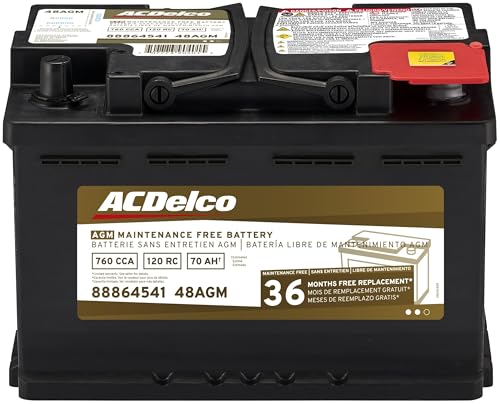
- High density negative paste, improves performance and...
- Enhanced life alloy or Silver Calcium stamped alloy...
- Calcium lead positive grid, maximizes conductivity and...
- Robust envelope separator with puncture resistant back...
- Vent cap design that resists acid leakage

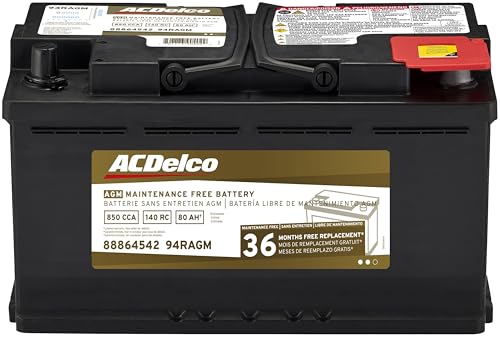
- High density negative paste, improves performance and...
- Enhanced life alloy or Silver Calcium stamped alloy...
- Calcium Lead positive grid, maximizes conductivity and...
- Robust Envelope Separator with puncture-resistant back...
- Vent cap design that resists acid leakage
Last update on 2026-05-30 / Affiliate links / Images from Amazon Product Advertising API
If the PDF is very large, it may not load in the preview below.
Some older TSBs had multiple PDFs — visit the NHTSA Website to view all PDFs.
If the TSB PDF does not show, download or view it on the NHTSA Website.
Click on the (+) Plus Sign
Then Click on Associated Document(s)
Search NHTSA Database for Recalls
Search NHTSA Database for Vehicle Investigations
View Latest Vehicle Investigations
Search NHTSA Database for Vehicle Complaints
View Latest Vehicle Complaints
TSB/Document ID: BJA50908
Replacement Service Bulletin Number:
MFR Communication Date: 2016-01-20
MFR Internal Campaign ID/Software Version:
Communication Type: Service Bulletin/Repair Instructions
NHTSA Components: ELECTRICAL SYSTEM:12V/24V/48V BATTERY
MFR Component System:
MFR Component Subsystem:
Previous TSB | Next TSB |

- WHY CHOOSE THE 2025 CR MAX -Upgrade the latest diagnostic capabilities for all vehicles after 1996: upgrade to 49+maintenance services; 46 extra specific functions; real all systems/all control modules diagnose; over 40K+ bidirectional actuation tests for diagnosing all control moduels of cars; Powerful full OBD2 Functions; built-in ECU Coding for BMW
 / Audi/ VW/ RollsRoyce; Fr ee V.A.G Guide Function; Battery retistration for new battery adaptation and more. It covers all vehicle diagnostic services and some special professional vehicle maintenance servces, assists you to do home DIY vehicle maintenance or car repair as a pro technician.
 - NEWEST IN INNOVATION FULL OBD2 SERVICES- iCarsoft auto car diagnostic scanner compatible with CAN-FD, CR MAX can do it all-reads and clears trouble codes, ALL SYSTEM DIAGNOSIS such as engine, transmission, ABS and airbag etc. CR MAX code reader for all cars can perform I/M Readiness, Live Data, Freeze Frame, Vehicle Information, Monitor Test, On-Board Monitor, E vap System Test,O2 Sensor Test,DTC Library Lookup,etc. (Warm Tips: If you car is after 2023,please contact us for compatibility; 3. It comes with 16PIN OBD2 diagnostic adapter, please check your car diagnostic socket if it is 16pin socket, if your car is 14pin diagnostic socket please contact us for the solution.)
- 49 RESET+ 46 SERVICES- Performs: Oil Reset, EPB,SAS,Throttle, D-P - F, Battery, ABS, Injector, TPMS, Suspension, AC, Head Lamp, Body Stablity, Engine, Tramsmission, Airbag, Seat, Door-Win-Roof, Fuel Pump, Door, E-G- R.+21 NEWEST SERVICES( Need update scanner)-AdBlue, Clutch, Crankshaft, High Voltage Battery, Cruise Control, NO xSensor, Rain Sensor, Stop And Start, Turbocharger, Head Up Display, Radar Camera, Vehicle Setup, Cyliner Misfire Check,Speedlimitassist, ControlUnitReset,OxygenSensor, Seatbelt. Extra 46+ extra services based on car brand.(Tips: Quantity of reset/ calibration fucitons are based on car system that your vehicle model has)
- REVOLUTIONARY 40000+BIDIRECTIONAL ACTIVE TESTS: Upgraded CR Max scanner equip with numberous of actuational test items for covering all available vehicle control modules, no longer only do simple light test or window test like other scanners, performs hardware modules test and software control modules test for checking car units or new updated control moduels work well or not after maintenance/ repair/ re-installation/ control system updated (Example for Benz- Roller Sun Blind test; Backup Camera test ;Self-test; EPB test; Transport Mode test;Boost Pressure Positioner test; Fuel Pump test; AND MORE!!).(Warm tip: The available test items are based on control modules your car has)
- ECU CODING+ BATTERY REGISTRATION- Powerful ECU Coding service for BMW/MINI/RollsRoyce / Audi/VW/Seat/Skoda/Bentley/Bugatti/Lamborghini, Improves Engine Power Performance and Optimizes Fuel Efficiency and Match New Hardware Unit to car and Customized a comfortable Driving Modes and Fixes & Updates Original Software Bug. The battery test function for checking car battery health, perform battery reset (BMS ) for replacing a damaged or aging car battery with a new one and register new battery to car ECU
- 【Looking for More Professional Vehicle Scan Tool?】iCarsoft E660 2026 Upgrade Version OBD2 scan tool can do it all-reads and clears trouble codes on Engine system, ABS system, Transmission system and Airbag system, And with 6 reset function. It covers more than 59 vehicle makes from 1996-2023 models ( included most USA/ Asia / EU vehicle brand) with full OBDII. (As every car model has its-owned specific car system and ECUs, not all car models have full car ECUs which may prevent the scanner from performing all listed system diagnostics or reset services. Therefore, please email to us with car VIN and services required to do scanner's services for a compatibility check before purchasing.)
- 【OE-Level 4 Systems OBD2 Scanner】iCarsoft E660 2026 Upgrade Version diagnostic scanner offers comprehensive OBDII services, allowing you to quickly scan Engine system. It supports functions such as reading and erasing codes, checking I/M readiness, viewing freeze frame data, performing O2 sensor tests, conducting on-board monitoring, testing the evap system, auto VIN retrieval, and reading both generic and specific codes, as well as DTCs and battery tests.
- 【4 Systems Diagnosis for 10000+ Vehicles】 iCarsoft E660 2026 Upgrade Version adopts unique diagnostic software, works well for most Porsche, Benz, BMW, US Ford, Land Rover, Jaguar, Audi, VW, Volvo, Honda, Nissan, Infiniti, Toyota, Lexus, Scion, Isuzu, Hyundai, Kia, Daewoo, Mazda, Sprinter, Mini, Seat, Skoda, SAAB, EU Ford, Holden, AUS Ford, Acura, Subaru, Mitsubishi, Dacia, Renault, Fiat, GM, Chrysler, Citroen, Peugeot, Opel, Smart,Suzuki, Vauxhall, Alfa-Romeo, Lancia and etc.
- 【6 Reset Services】iCarsoft E660 2026 Upgrade Version is a diagnostic tool that offers professional maintenance services, including Oil Reset, EPB, BMS, ETC, SAS, TPMS Reset. It can help you easily reset oil change indicators, recalibrate steering angle sensors, relearn replaced electric parking brake and so on. For optimal vehicle performance and maintenance convenience. (Tips: Please update the softwareafter receiving the product to obtain new service functions)
- 【118+ Real Time Record & Live Graph View】iCarsoft E660 2026 Upgrade Version can automatically record vehicle text history and identify vehicle information. Preserve real-time data information. View & Graph Live Data. Support Data Review and Print. 15 languages: English, German, Dutch, Spanish, French and so on. We promise to offer Lifetime updates (Lifetime free Update via PC), and confidence in products. We also provide 1 year warranty + extra lifetime hardware free repair if you need it in the future. We prioritize user experience & strive to meet your expectations. Please do feel free to reach out to us if you have any question or problem about the usage.

- 【All-in-One Diagnostic Tool for Porsche + 2 Extra Vehicle Brands】New POR V4.0 is a professional car scanner specifically engineered with dedicated software pre-installed for Porsche. You can also download 2 additional software packages FOR FREE from 26 supported brands (e.g., for Benz, for BMW, for Audi, for Land Rover).Upgraded to adopt quad-core 1.3GHz processor and HD touchscreen and professional diagnsotic OS for faster& smooth diagnsotic.LIFETIME FREE UPDATES, NO SUBSCRIPTION COST! PLEASE TELL US YOUR CAR INFORMATION TO OBTAIN A LIST OF ALL COMPATIBLE SERVICES FOR YOUR CAR FIRST (FOR EXAMPLE: BATTERY REGISTRATION FUNCTION IS NOT COMPATIBLE WITH PORSCHE 997.2)
- 【29 MAINTENANCE SERVICES FOR PORSCHE SERIES CARS】 It can perform the 29 reset service for Porsche series cars-Oil Reset; SAS; EPB; BMS; ETC; DP ; ABS Bleeding; Injector Coding; TPMS; Air Suspension; Air Conditioner; Head Lamp; Body Stablity Control; Engine Control; Transmission; AirBag; Seat; DWR; MIS; EG; ODO; Clutch; High Voltage Battery; Cruise Control; Radar/Camera; Vehicle Setup,etc. Up to 49 vehicle-maintenance-services for the extra 2 vehicle brands you installed (Tip: Not all services will be worked on every car mode. Some vehicle models may be lack of certain ECU-control modules to make some services may not work).
- UPGRADE SERVICES: Breaks down 29 services to 234 sub-service for car owners/machinist to perform maintenance based on corresponding sub-modules! The detailed sub-service for sub-modules assist to perform precise vehicle maintenance.Improving the accuracy of car maintenance and reducing potential failure risks caused by whole-module maintenance to main modules.such as Oil Reset is refined into Reset maintenance interval/Reset service interval/Service Reset; Engine Control Reset is refined into Delete adaptation data/Short tests/System tests/Swirl-flap actuator/Bleeding high temperature coolant circuit and more.(sub-services vary based on vehicle model/year)
- 【EXTRA VEHICLE MAINTENANC SERVICES FOR SPECIFIC SYSTEMS】Have no ability to perferm calibration to special/specific systems/modules? This OBD2 scanner solve your troubles- for common systems/modules & for specific sytems/modules, assist you to perform diagnsing/calibration/reset/relearn services for non-common modules to finish your car maintenance/ diagnostic (eg: Central Computer system/module :Function activation/Multimedia interface test/AM Field Strength/Current FM Field Strength/FM Field Strength/MOST system reserve/Self-test/Deactivate Production Mode/Reset to factory settings/MOST System Test). (Tip: The services vary based on the vehicle brands)
- 【 MORE PROFESSIONAL BI-DIRECTIONAL ACTUATION TESET 】Exclusive POR V4.0 comes with powerful bidirectional testing capability,do actuaction test for deeper unit-checking after replacement or overhaul (1333 test items for Porsche, like:Fuel high-pressure fuel injector 1-4, Empty tank, Radiator fan, OTA-FC Connectivity, backrest, Backup battery, and more; 2136 test items for Audi; 1670 test items for Benz; 1599 test items for Volvo; 1360 test items for VW; 2705 test items for GM etc.). Help to check your car units work well or not after vehicle maintenance or daily car-body check, keep drives always in safety.(Warm tip:The quantity of test item is based on the units your car has)
Last update on 2026-06-23 / Affiliate links / Images from Amazon Product Advertising API
This product presentation was made with AAWP plugin.